
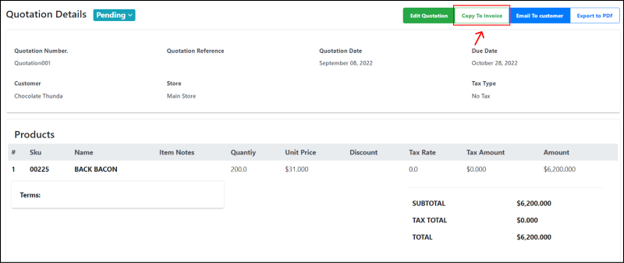
A quotation’s information can be copied to a new invoice in the ERP module. For more information about invoices, see Invoices.
|
Step |
Description |
|
1 |
Select the quotation from the quotations list in the main Quotations page. |
|
2 |
Click on the Copy To Invoice button on the top right of the page. |
|
3 |
Users can edit quotation details in the new editable Invoice details page displayed. 💡For more information, see Creating an invoice. |
Was this article helpful?
YesNo
