
Users can set up Set Menu products in the backend portal using this guide. Users can place their set menu in the quickpick section.
After selecting the Set Menu product in the quickpick section on the sales screen, it will show the following information.
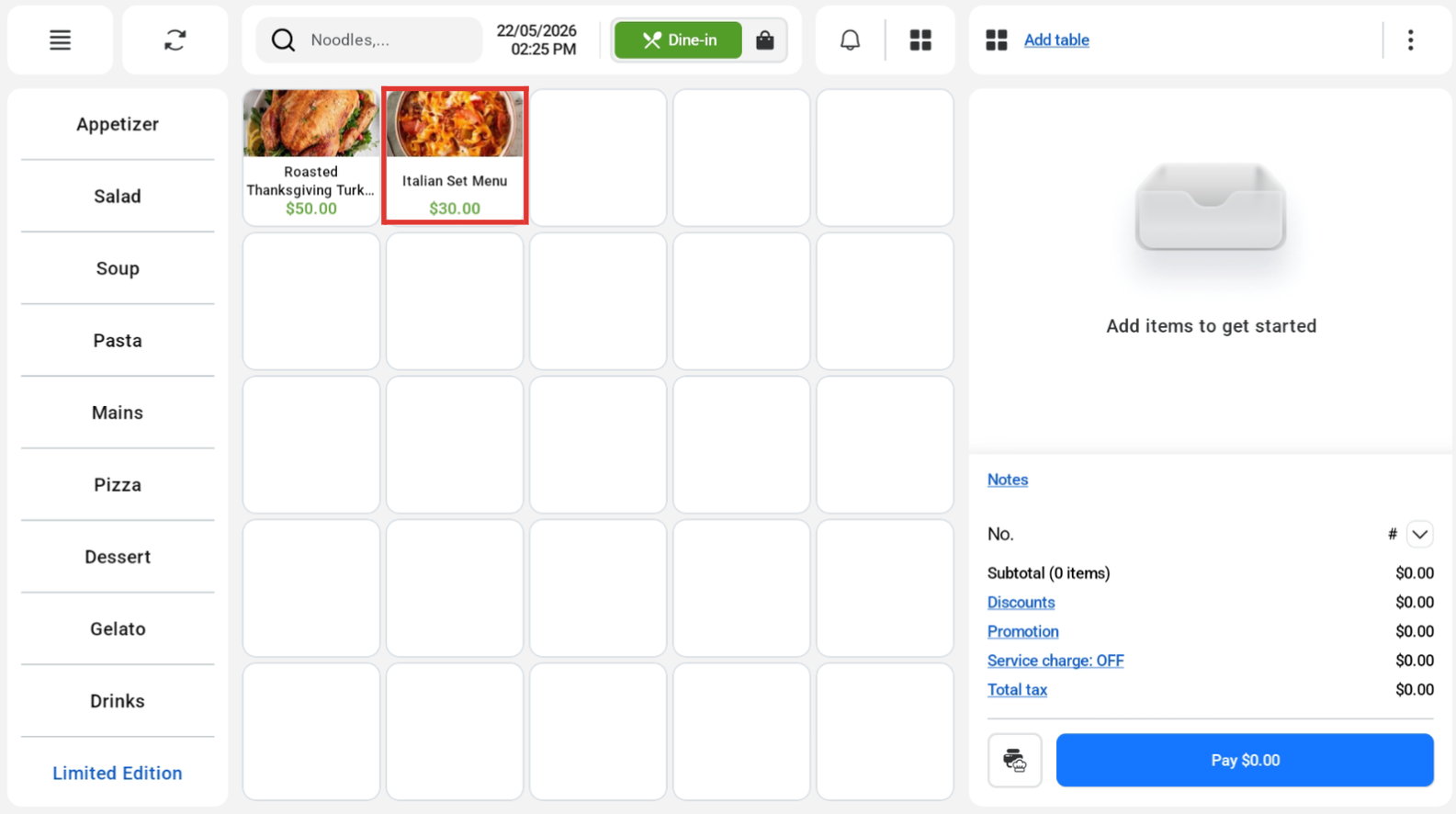
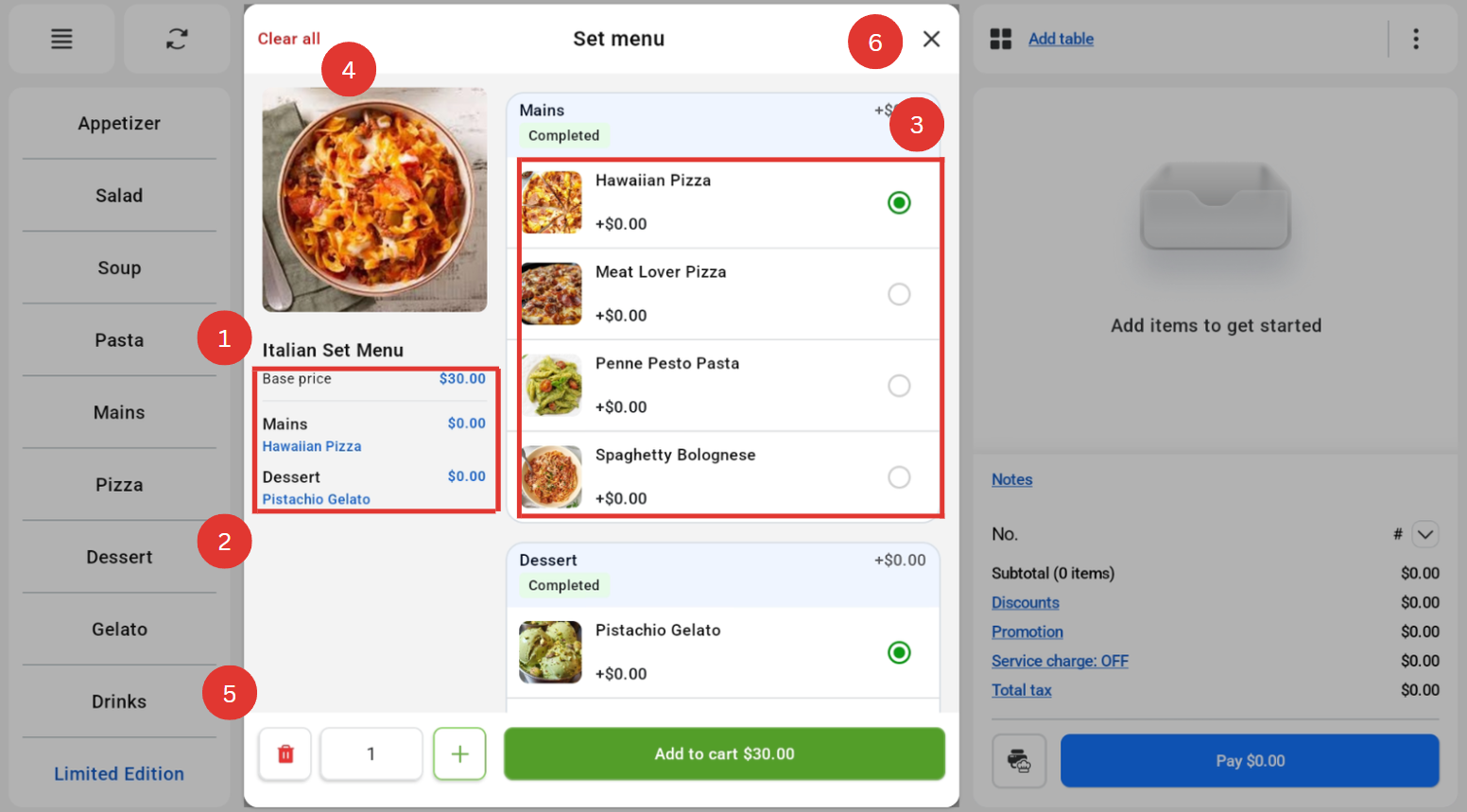
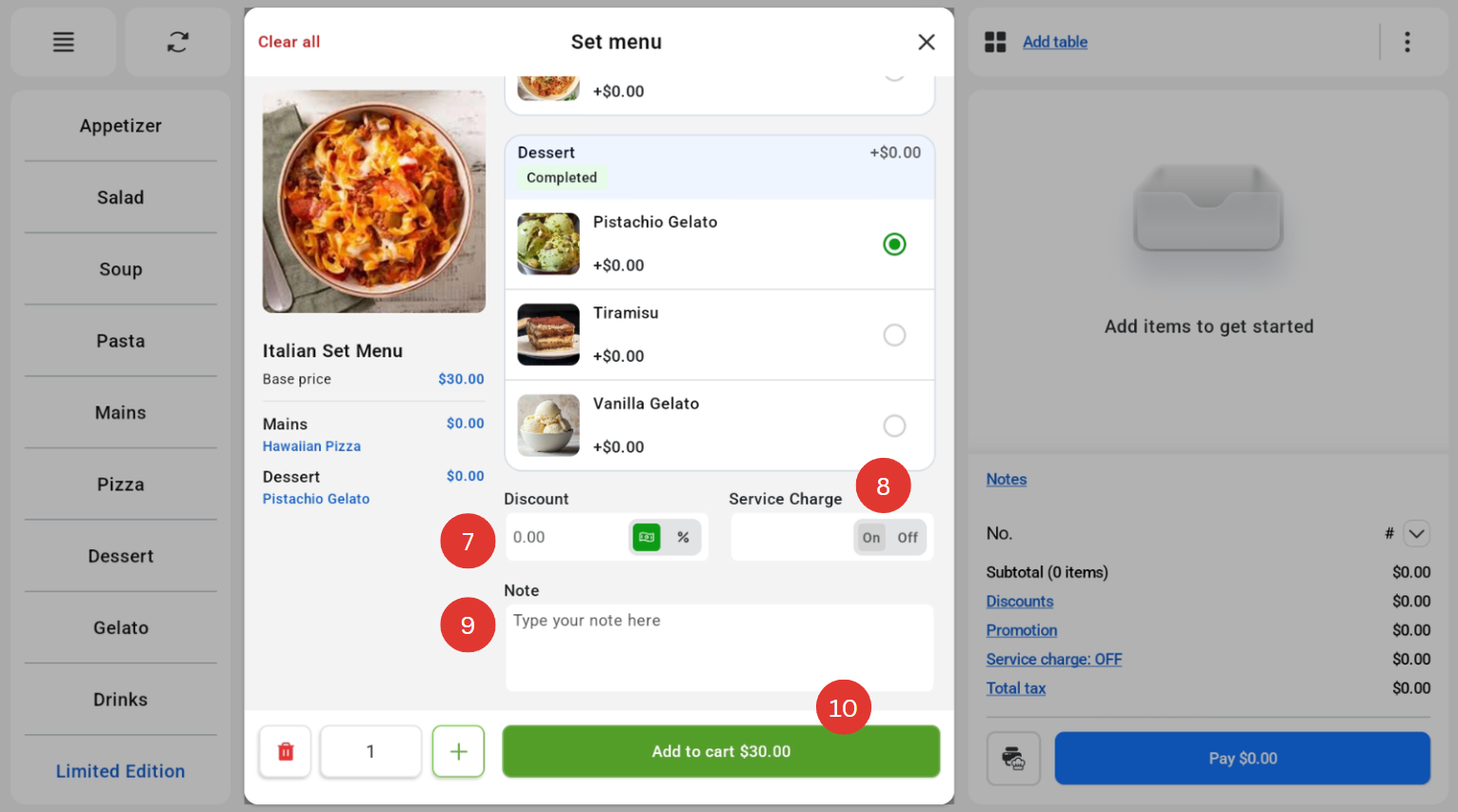
Annotation of images
|
Number |
Function |
|
1 |
Name of Set Menu |
|
2 |
Base Price of the Set Menu |
|
3 |
Separators and their items |
|
4 |
Button to clear all selection |
|
5 |
Increase and decrease quantity |
|
6 |
Cancel button to exit Set Menu page |
|
7 |
Input discount (Flat or Percentage) |
|
8 |
Input Service Charge |
|
9 |
Input Item Note |
|
10 |
Add to Cart button |
