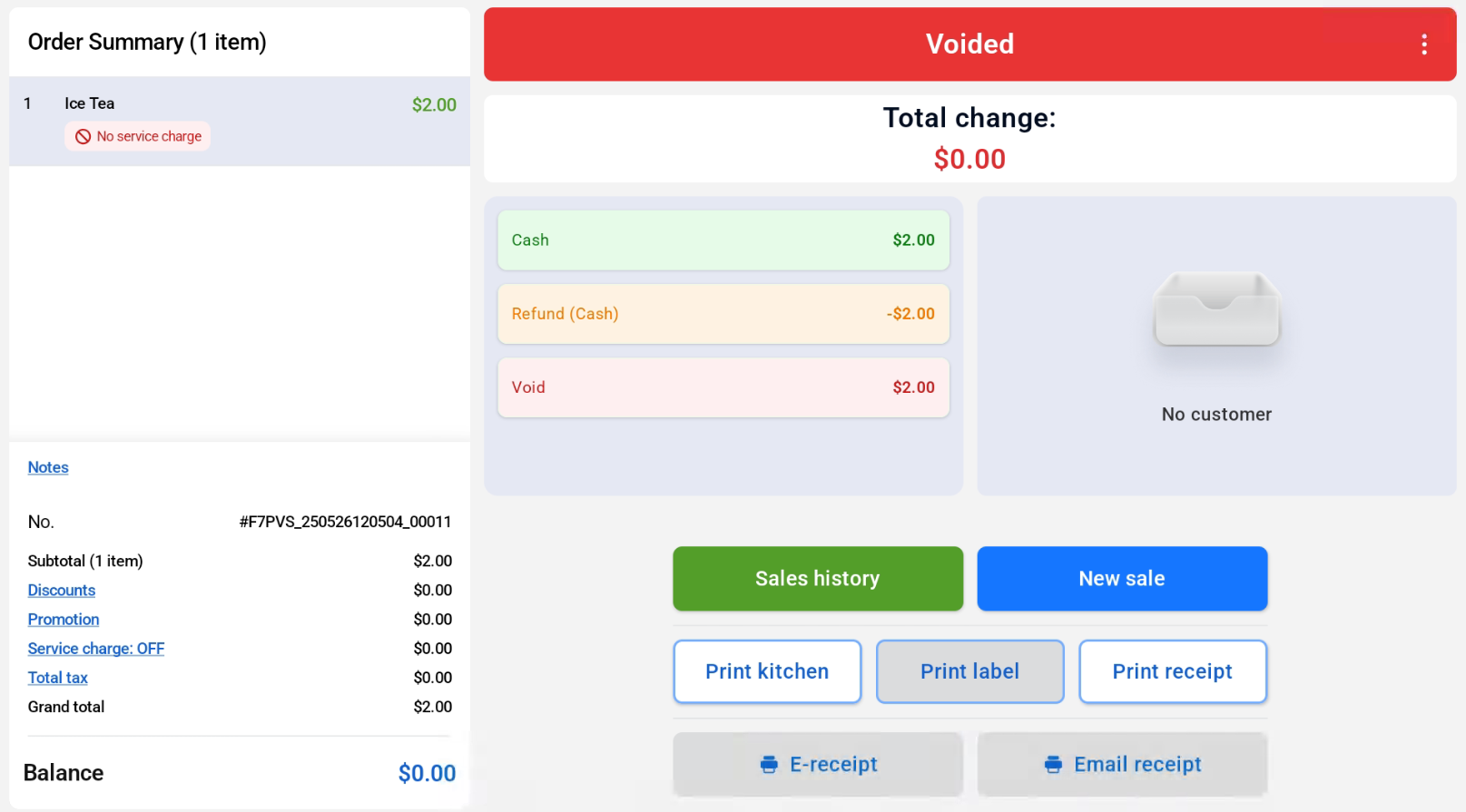
Users can refer to the steps below on how to void an order:
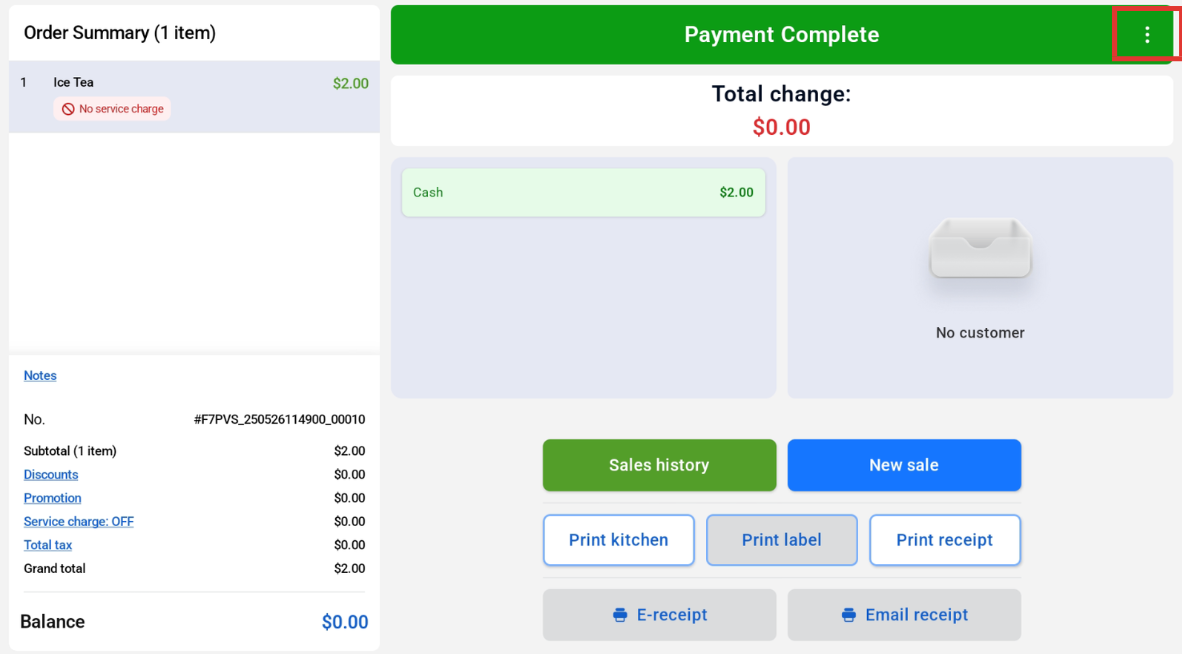
1. At the Payment Complete page, click the 3 dots at the top right hand corner.
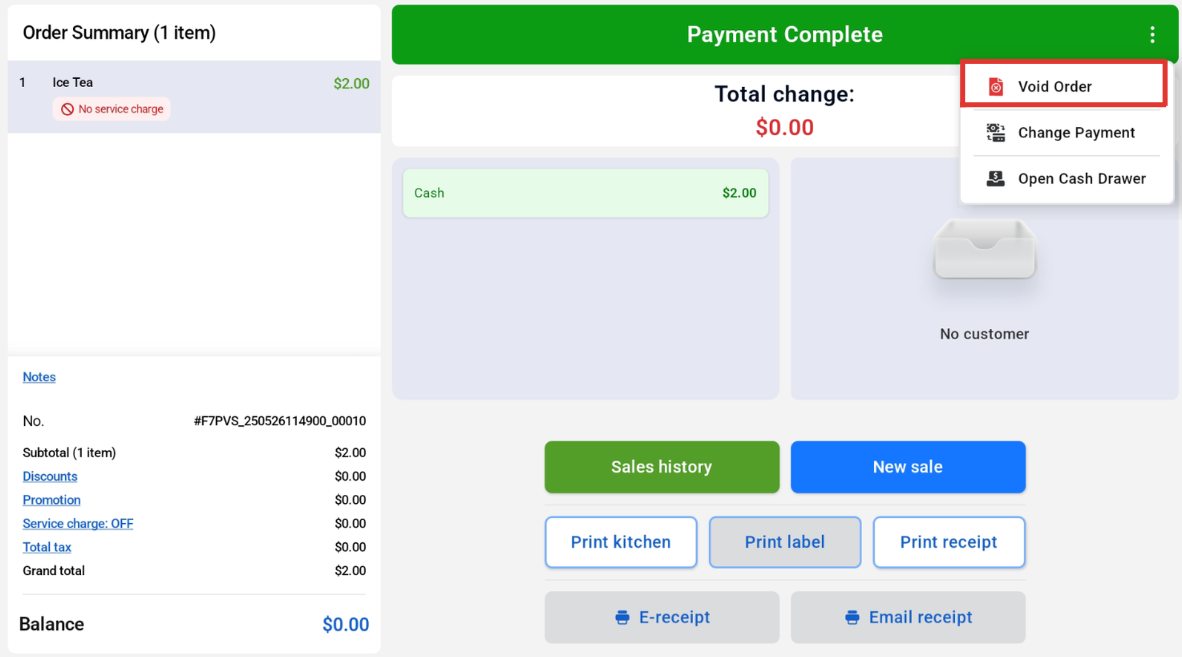
2. Select “Void Order”
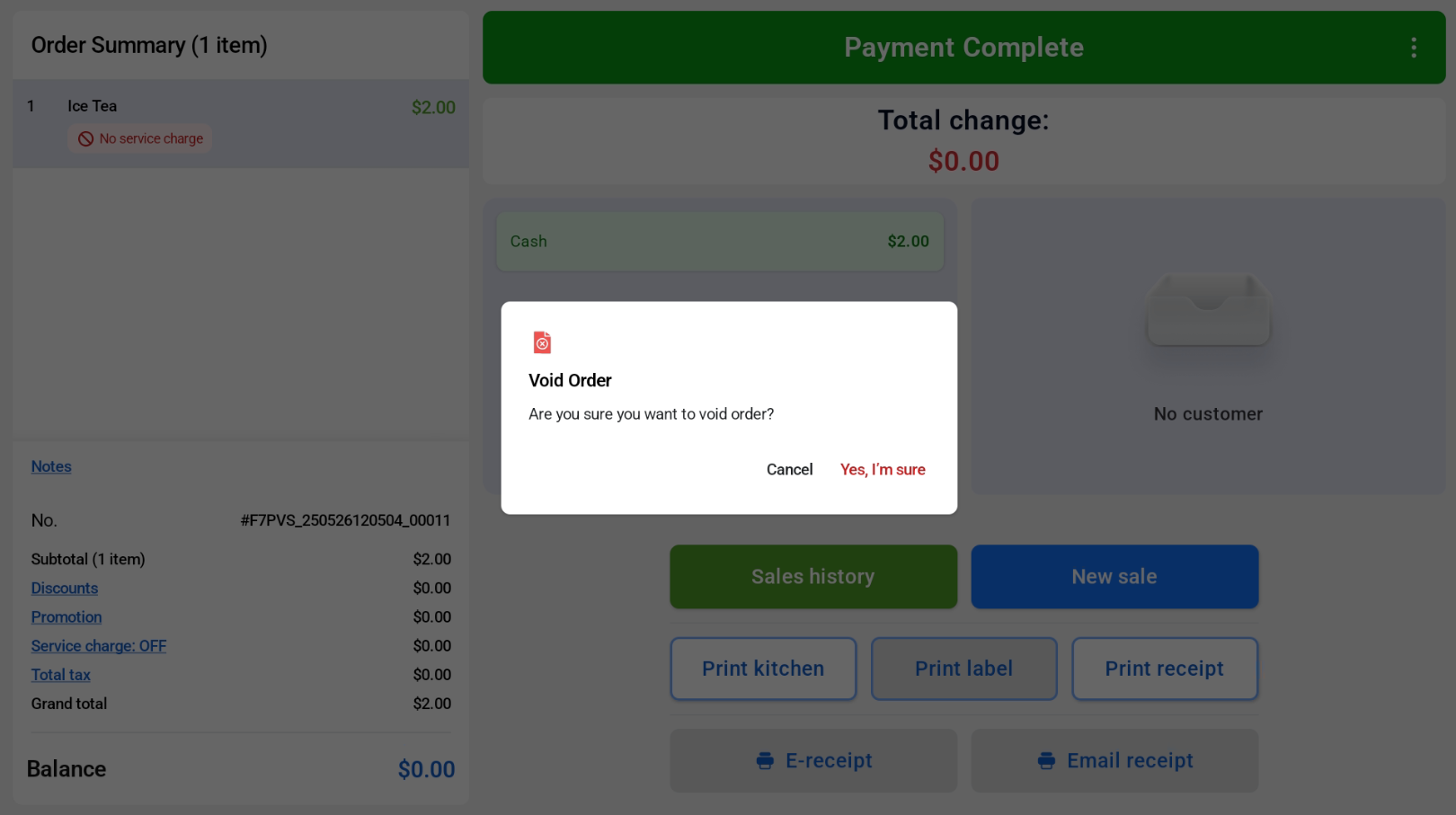
3. There will be a pop up notification confirming the request to void order.
4. User can select the refund method.
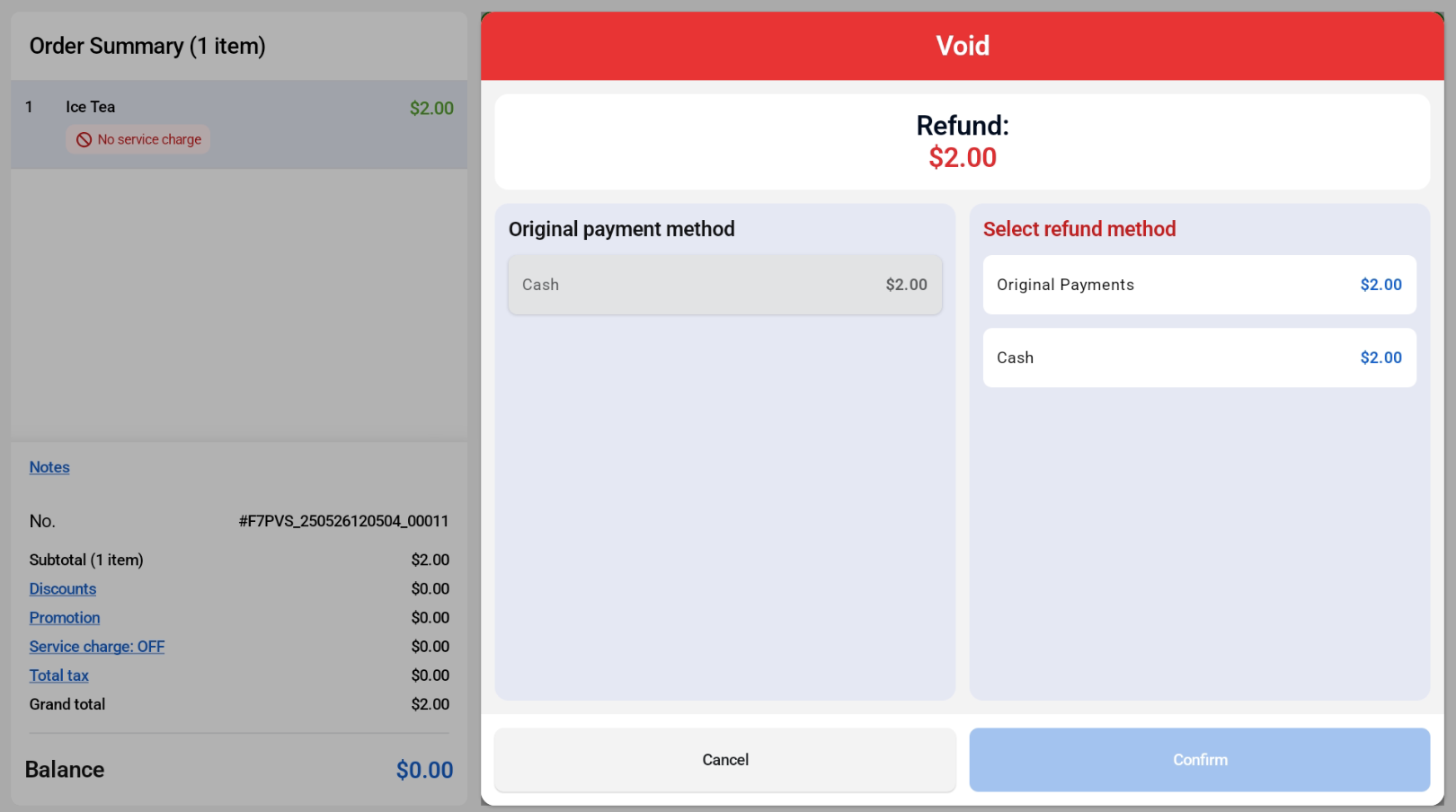
5. Once refunded, there will be a “Voided” confirmation, and users can see the amount and payment types involved.