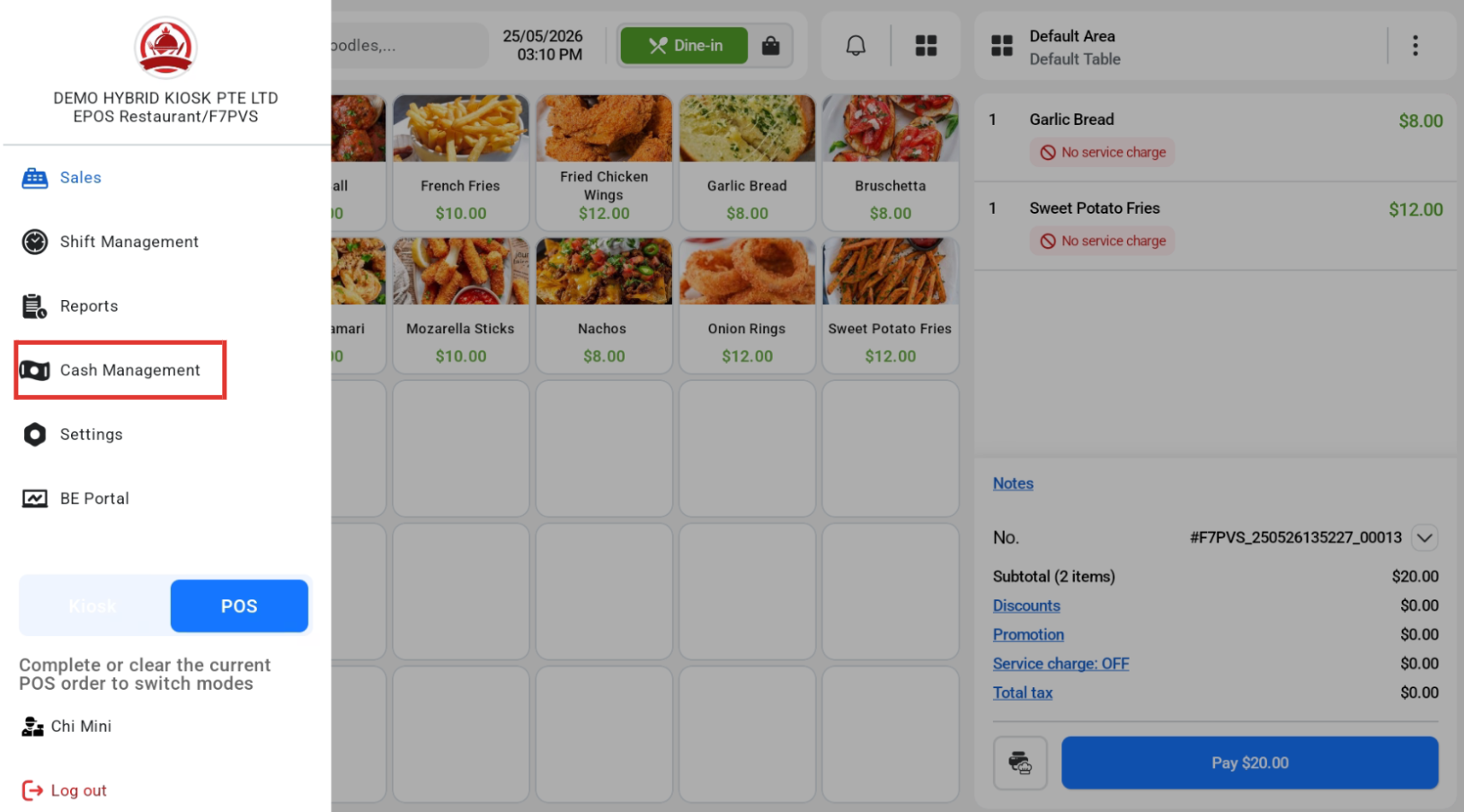
After clicking on the hamburger icon, user can click on “Cash Management” to manage their cash flow.
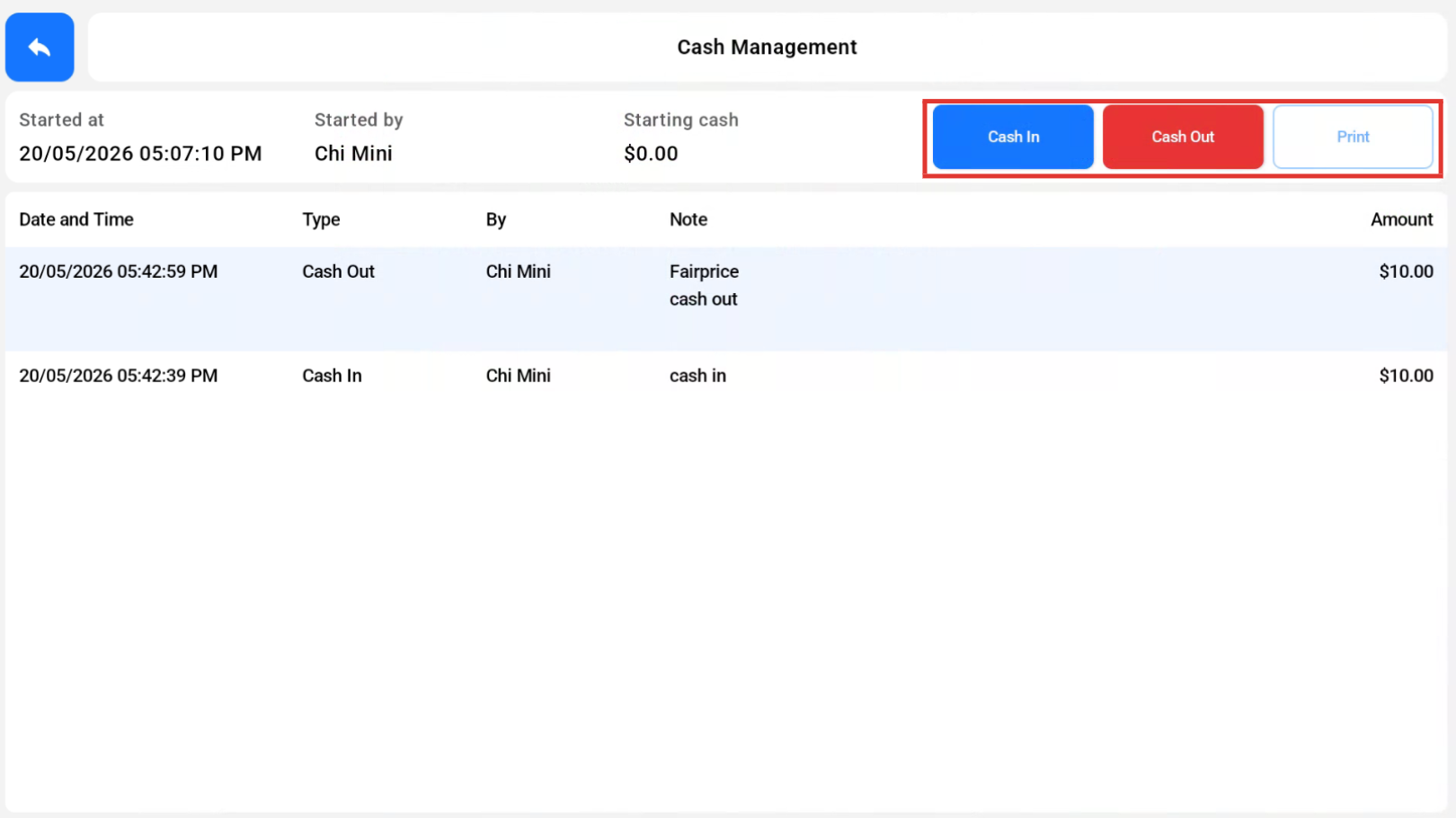
Users will be able to cash in, cash out, or print as highlighted in the red box.
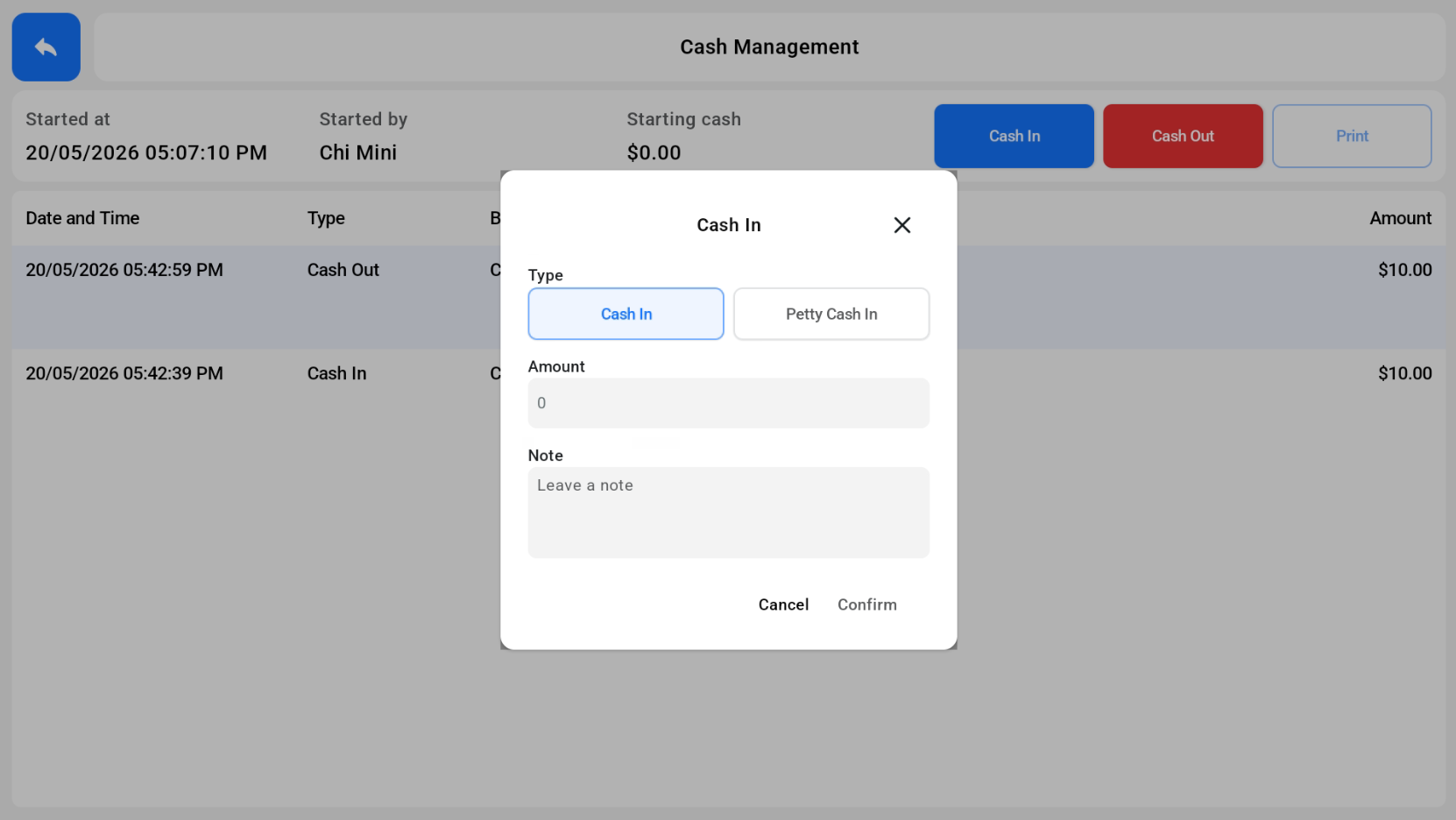
If users want to cash in, they need to include the amount.
Cash In
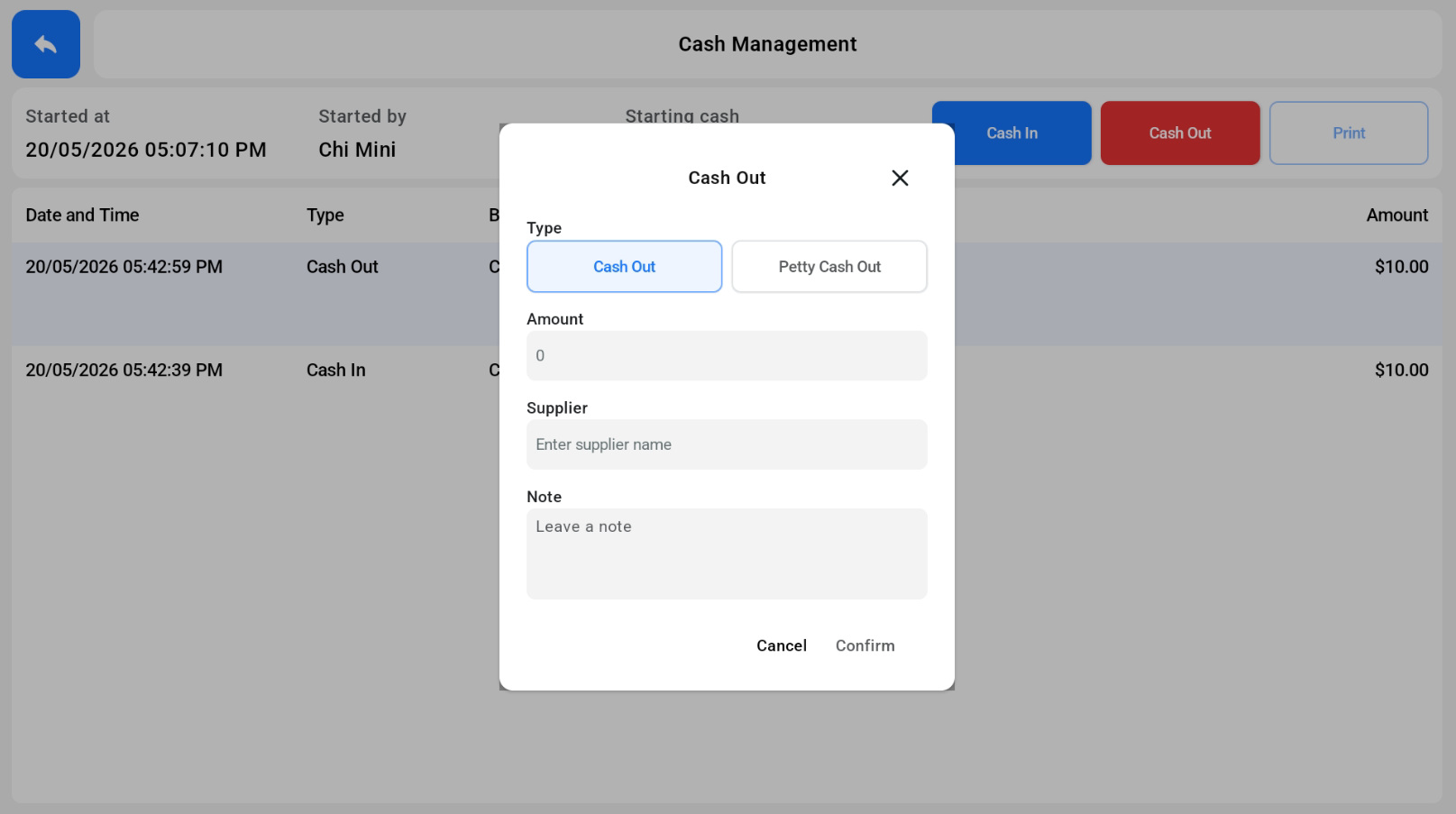
Cash Out
For cash out, there is an additional step of including the supplier name.