Users can scan QR code to access the menu online. For more information about configuration, please access this link.
Ordering Flow
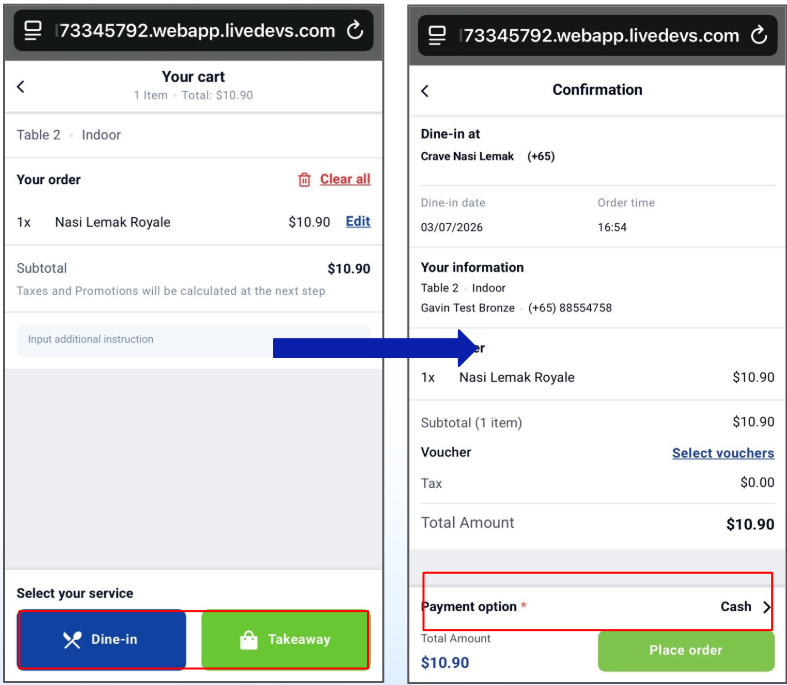
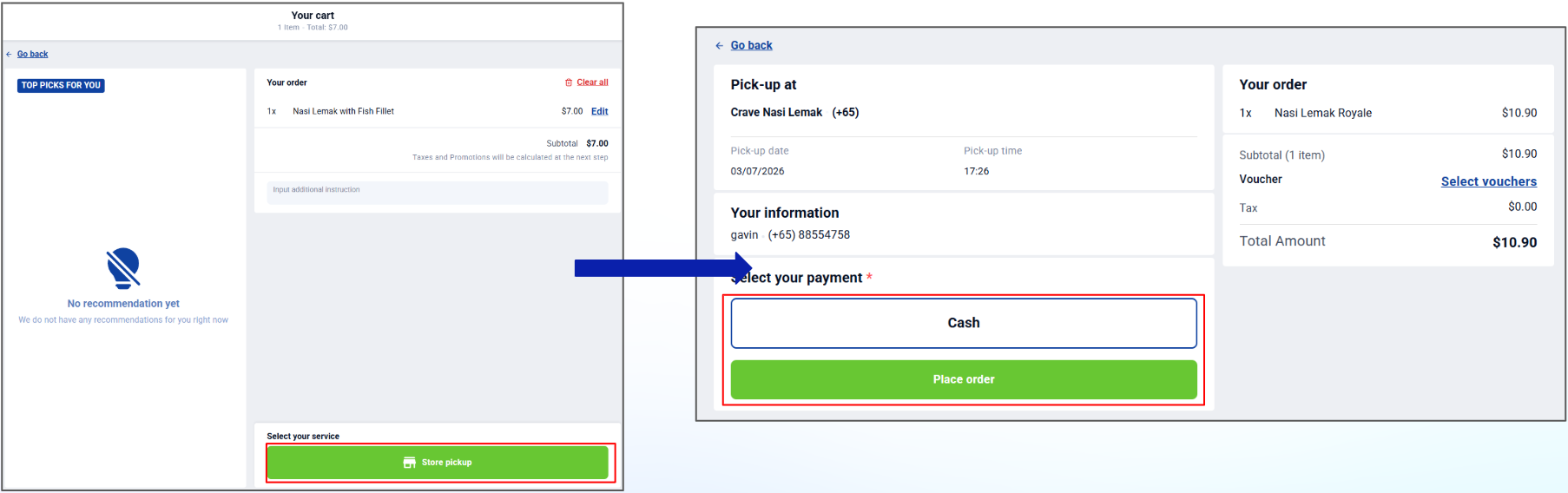
1. Paid in App: User places order online (Dine-In/Takeaway/Store Pickup) with payment in app
Dine-In / Takeaway
Store Pickup
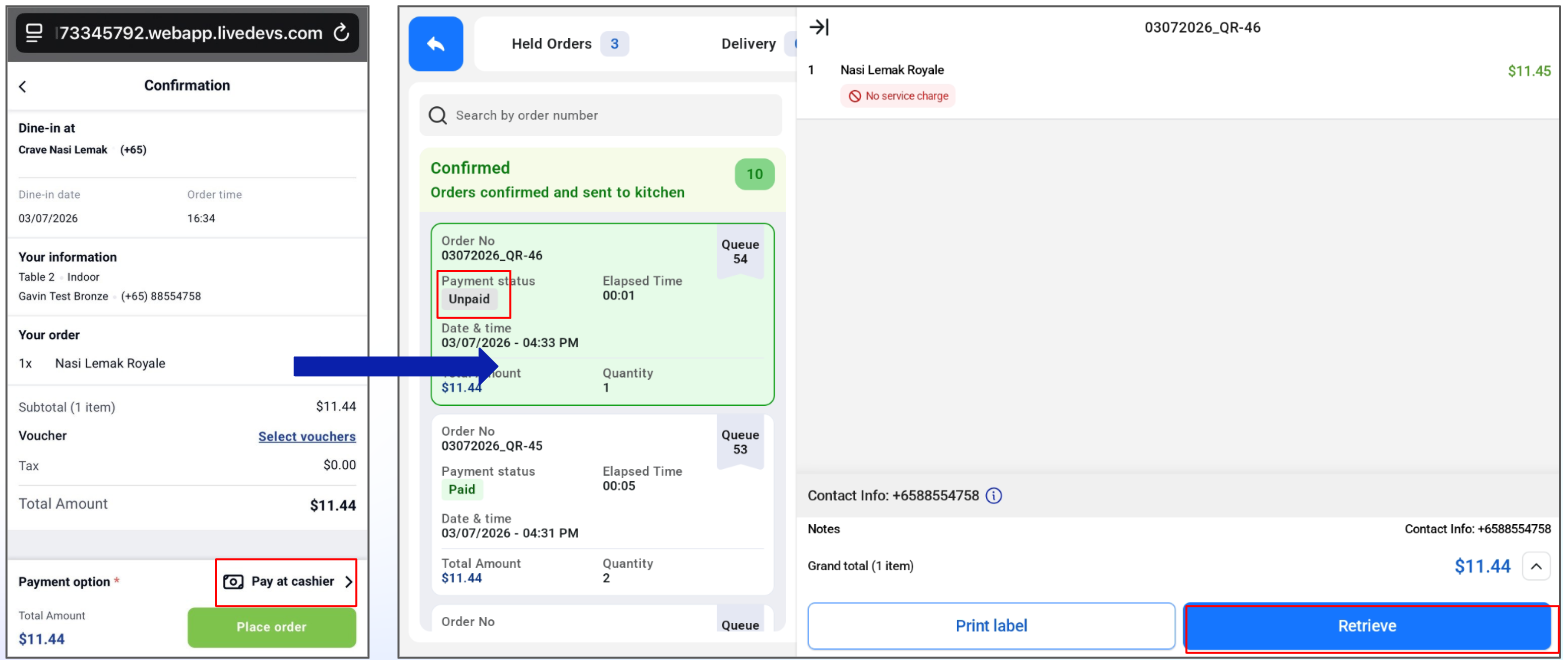
2. Pay at Cashier: The order is unpaid and cashier can retrieve the order for customer to make payment.
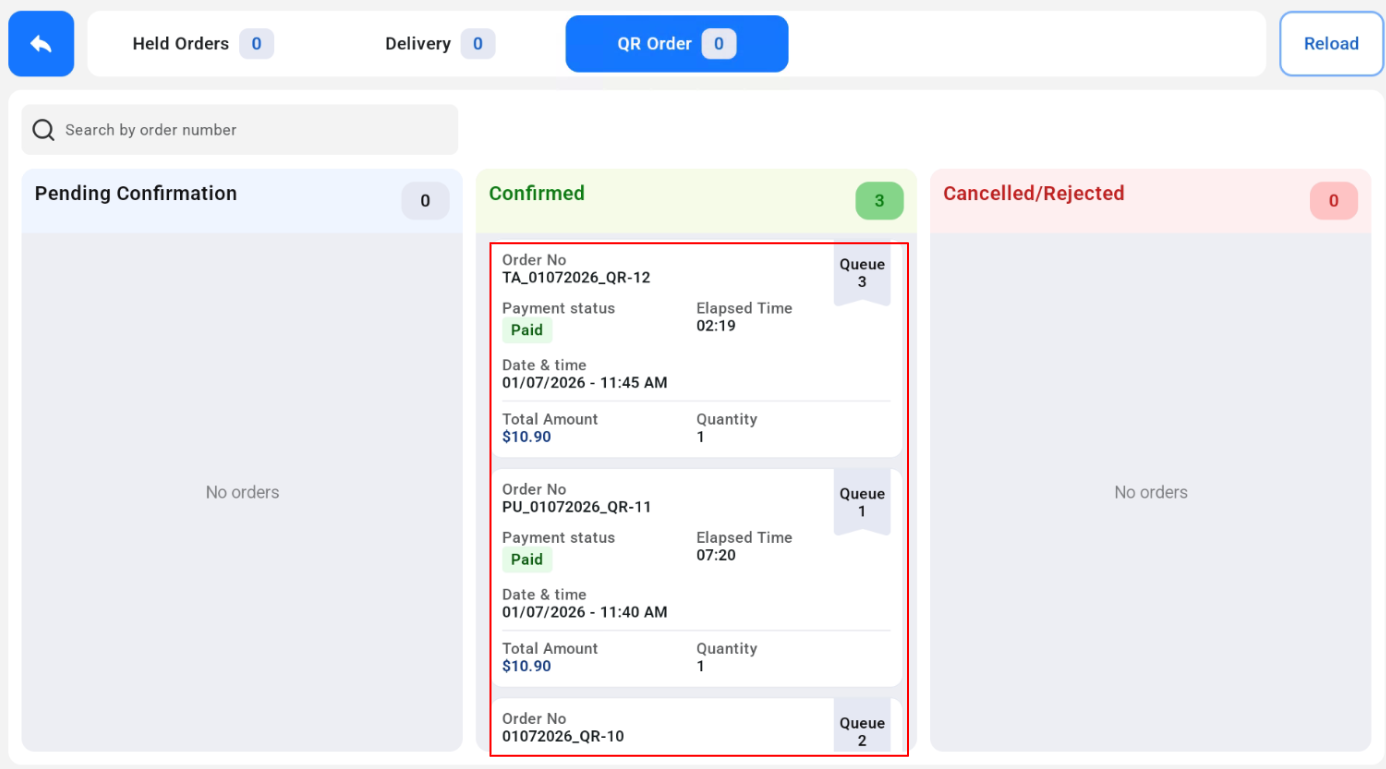
3. After user places order and order is confirmed, the order will flow to Online KDS for all dining options (Dine-In/Takeaway/Store Pickup)
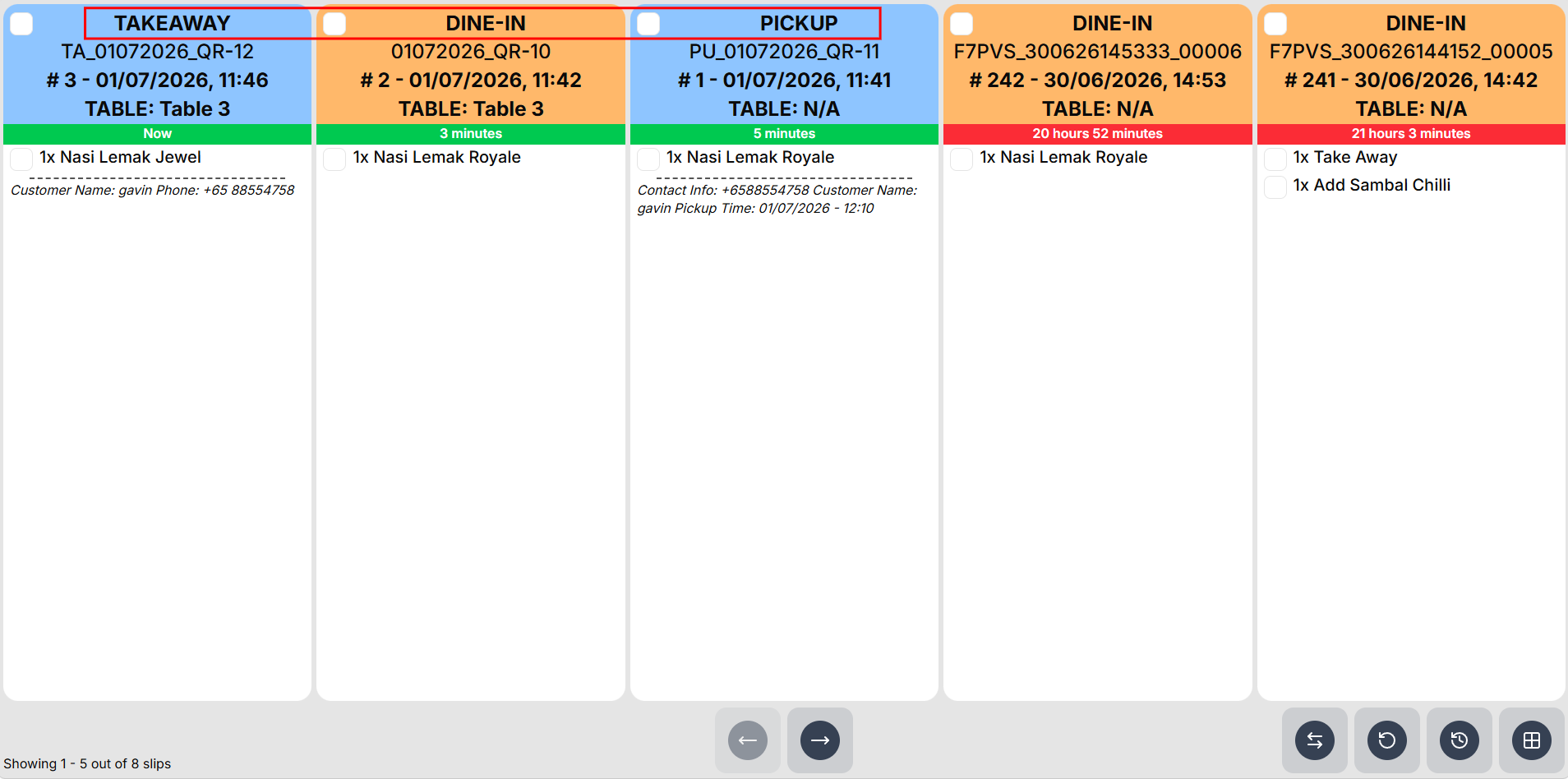
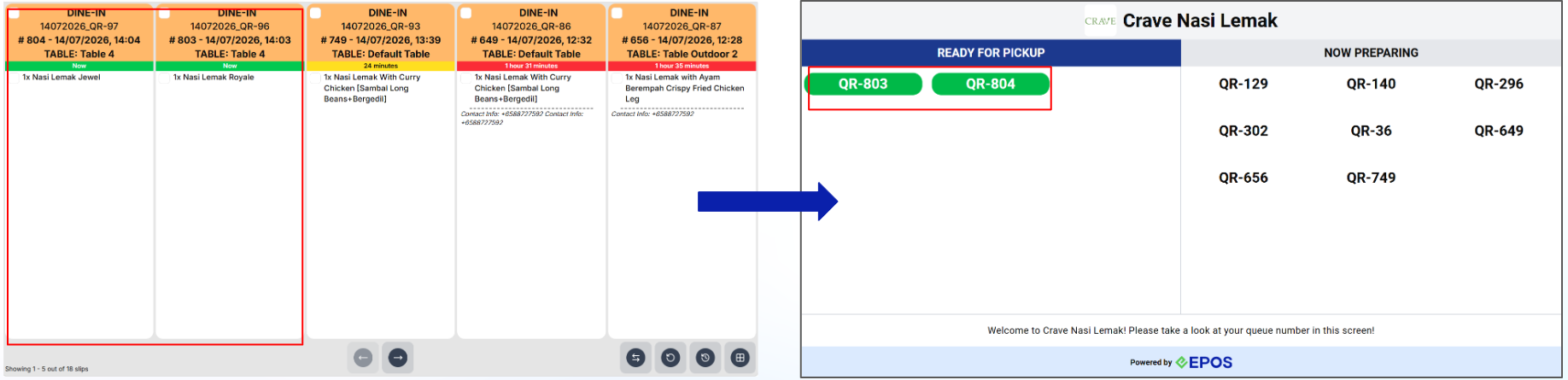
The order appears in Online KDS for all dining options (Dine-In, Takeaway and Store Pickup) with the correct header.
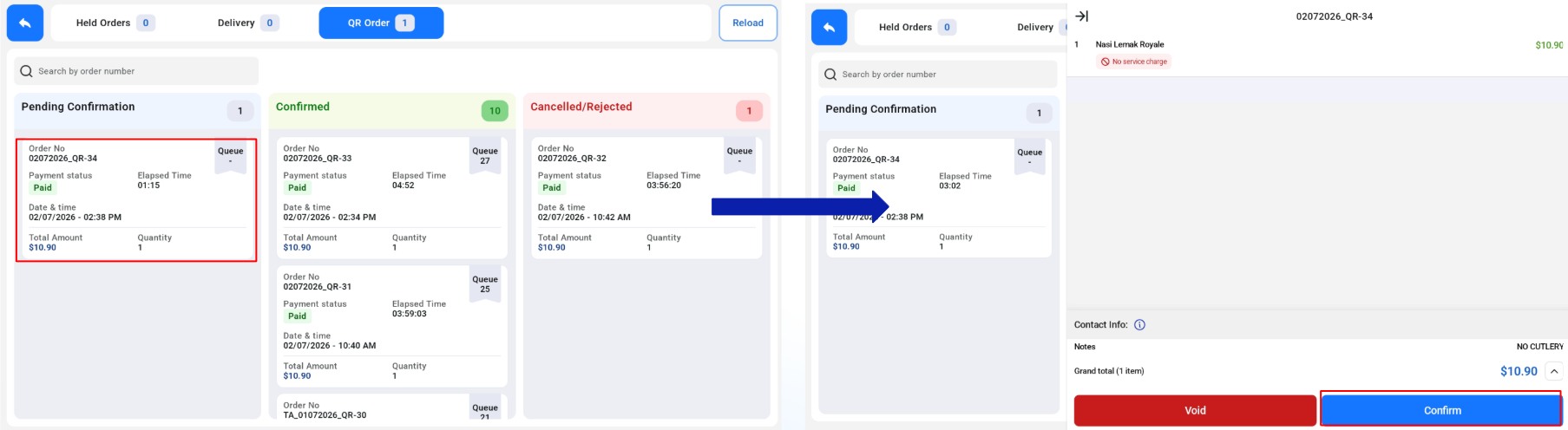
Auto Send to Kitchen: Toggle OFF
- After order is placed, the order will be sent to “Pending Confirmation” Tab, and order is not sent to the kitchen yet.
- Staff need to manually confirm order for order to be sent to the “Confirmed” Tab. Order is only sent to the kitchen after cashier confirms order.
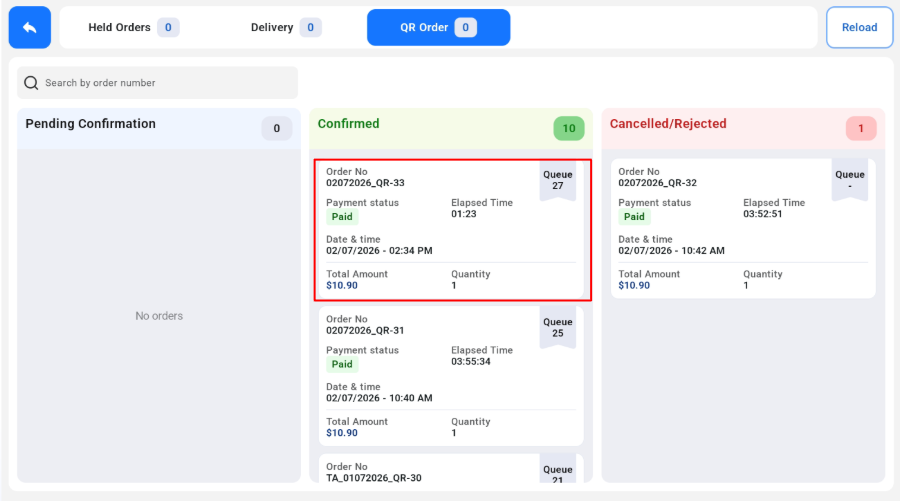
Auto Send to Kitchen: Toggle ON
- After order is placed, the order will be sent to “Confirmed” tab and order is also sent to the kitchen.
Auto Merge Order: Toggle OFF
- WebApp Orders of the same table/customer will not be automatically merged to the same order.
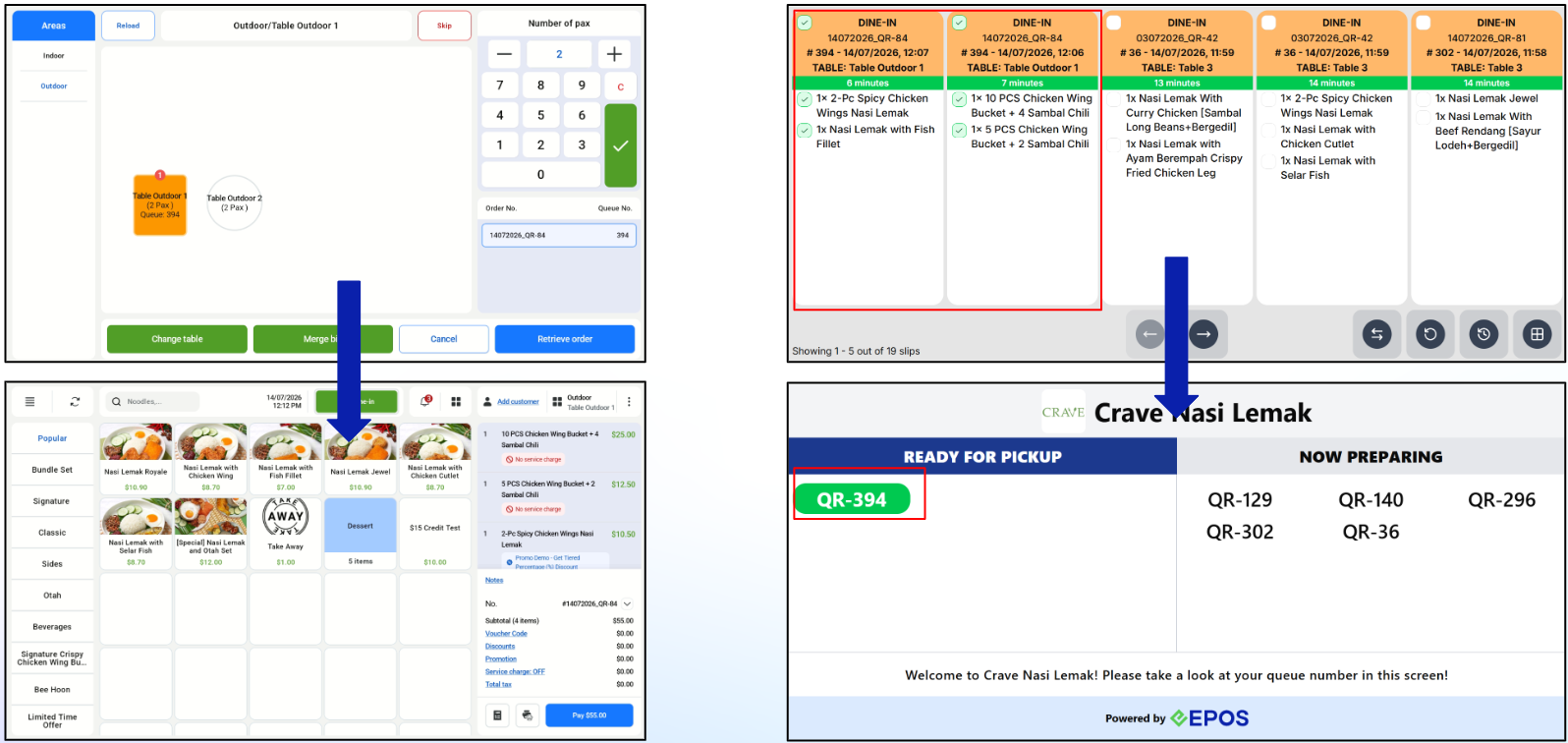
Auto Merge Order: Toggle ON
-
WebApp orders of the same table/customer will be automatically merged to the first order. The QDS will show only the first order, and moves to “Ready for Pickup” when both orders are ticked.
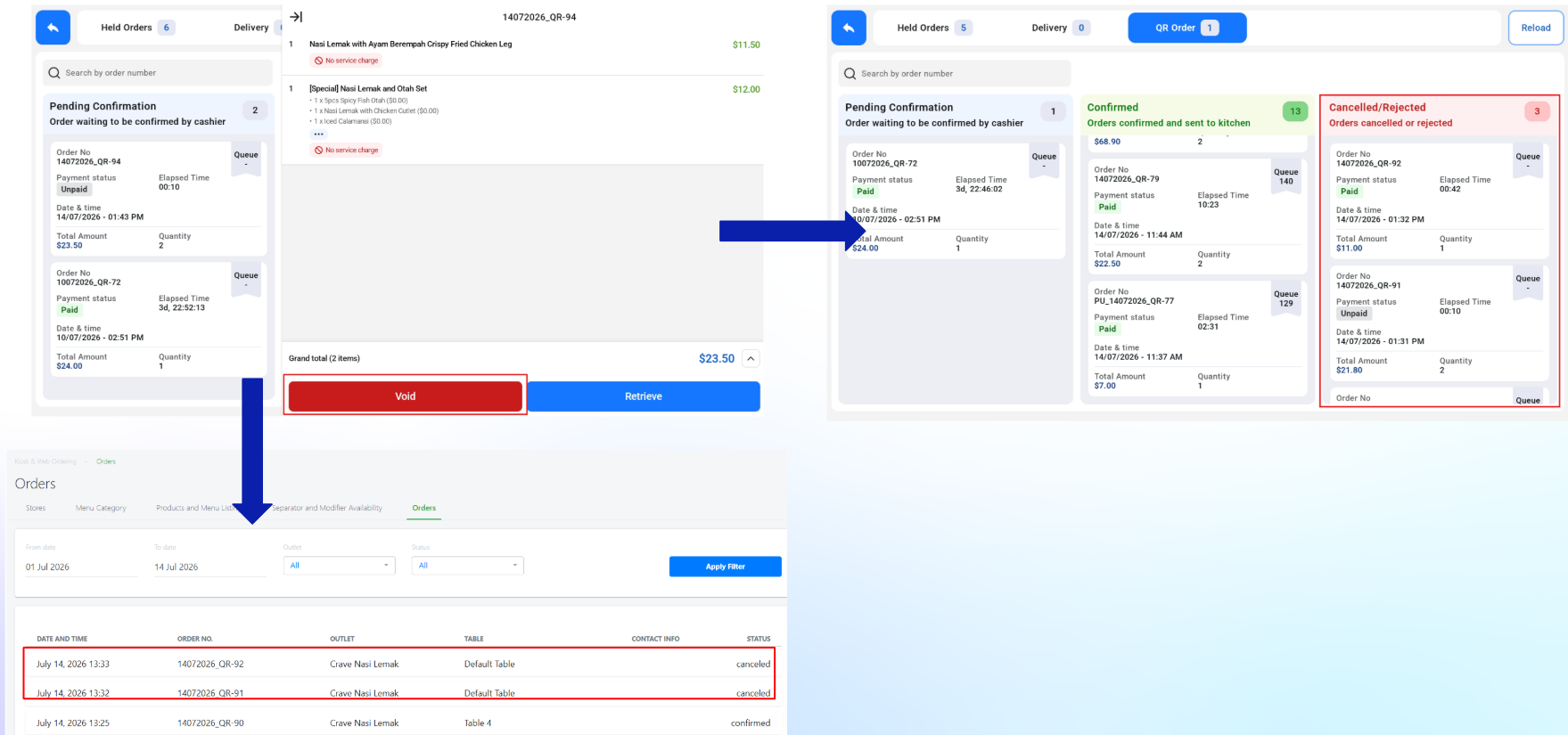
Void QR Ordering Order
- Orders that are voided for QR Ordering will also be voided in EPOS Backend and moved to “Cancelled/Rejected” Tab.
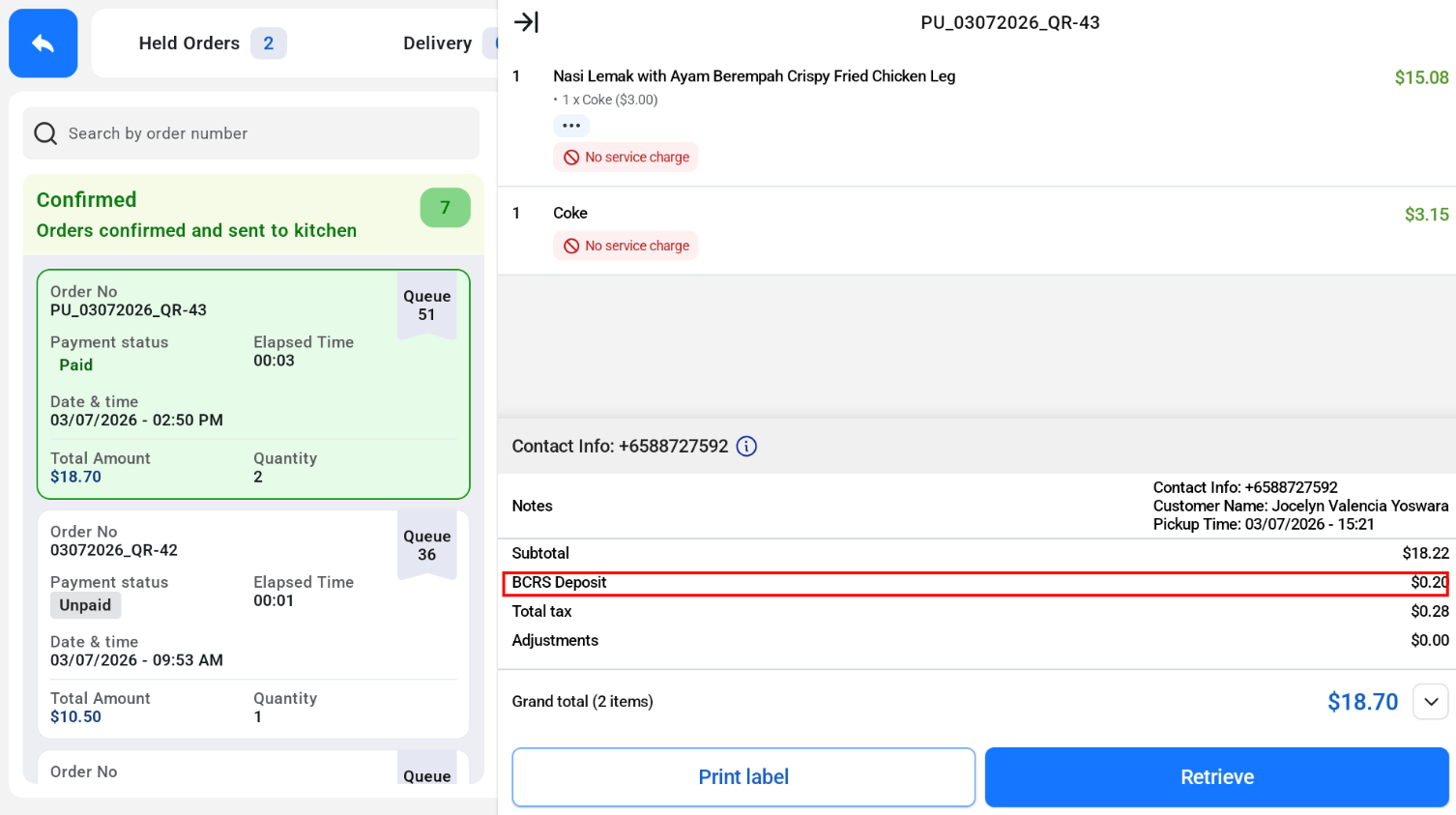
BCRS Deposit
For orders with BCRS items, the deposit is shown on the BCRS Deposit line of the order.
Vouchers and Promotions
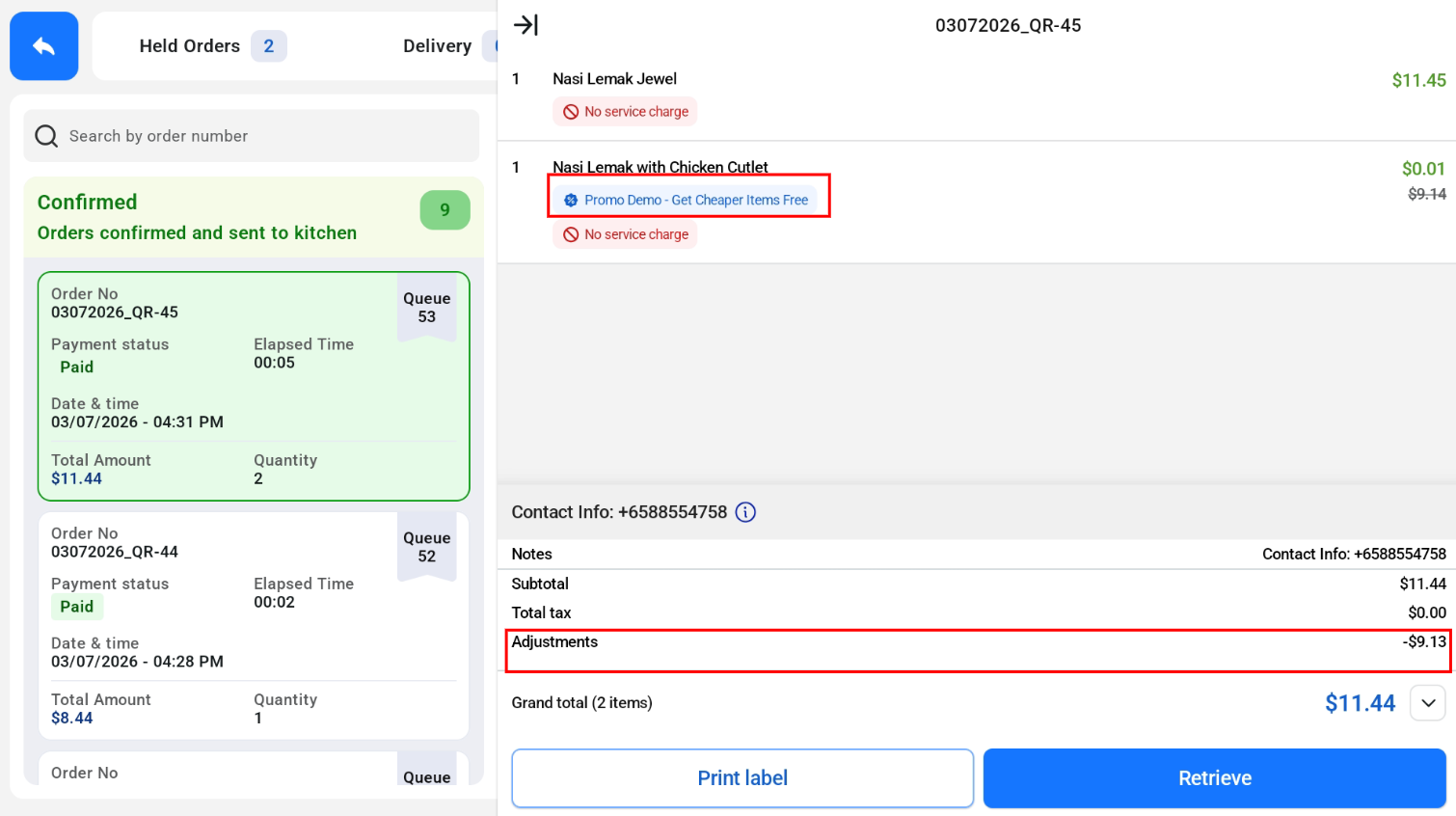
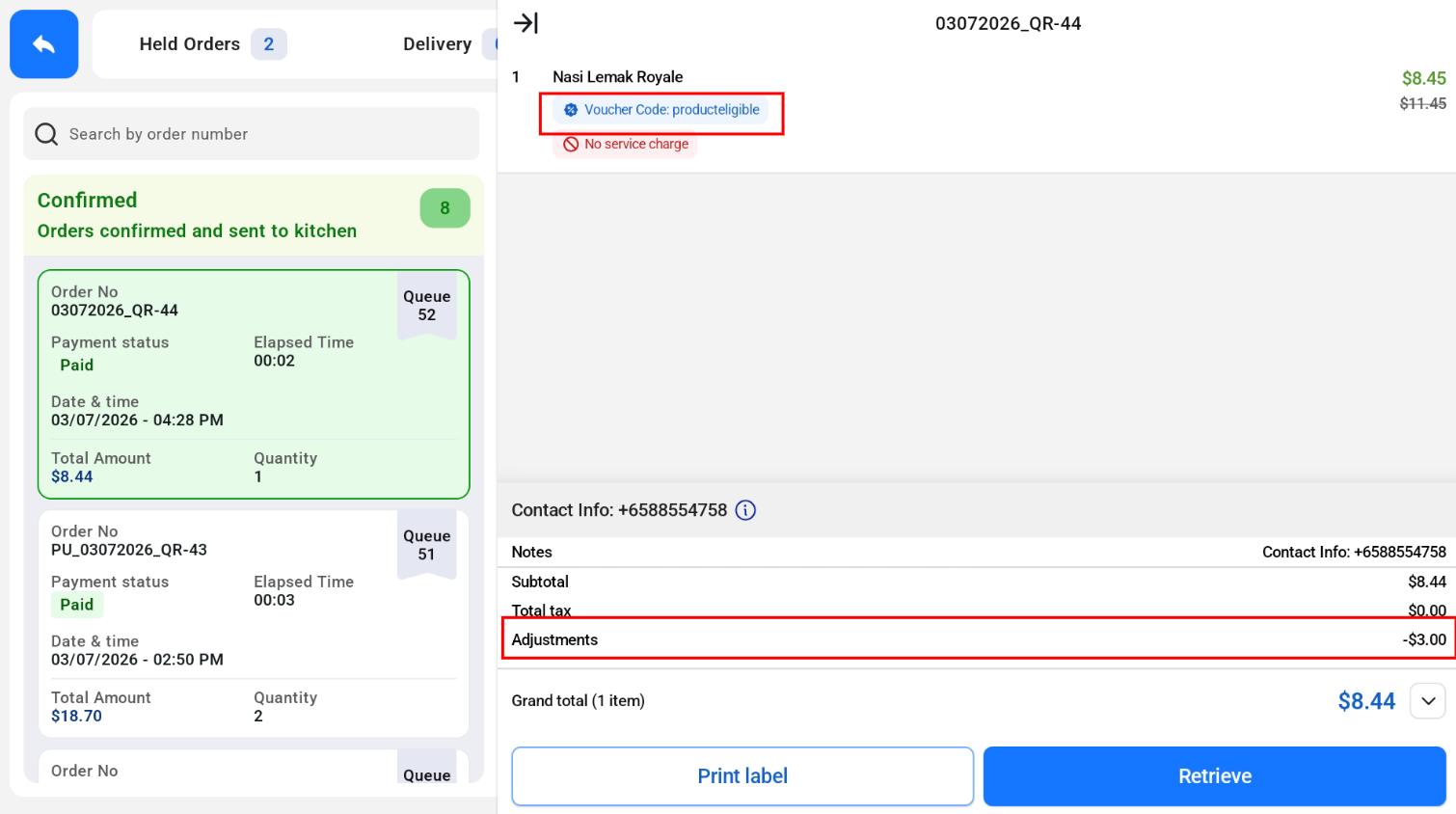
Vouchers and promotions applied to a QR order are shown under Adjustments.
Vouchers
Promotion