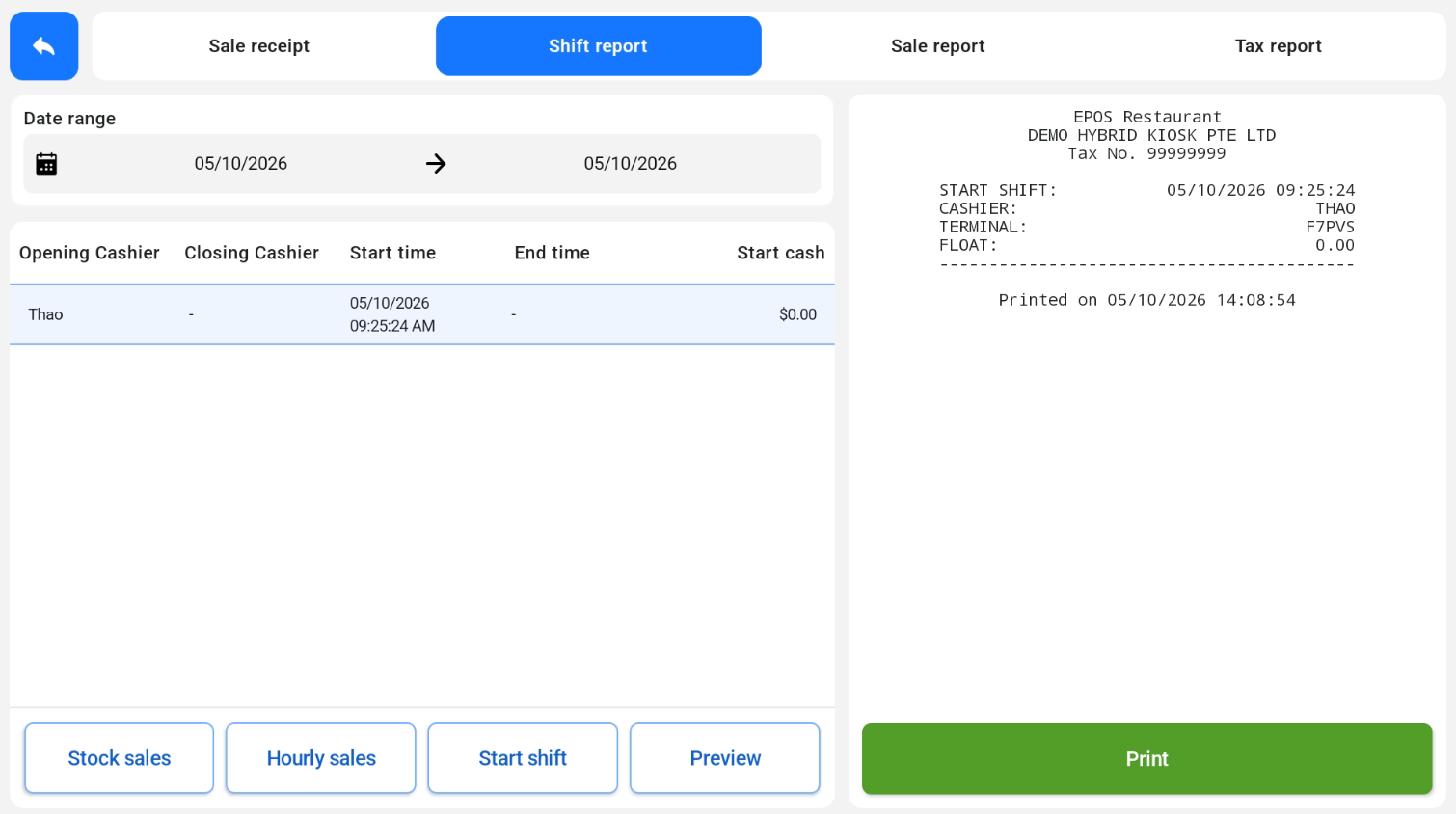
Tap Start shift to preview the start shift slip, with the cashier, terminal and float.

On the Shift Report screen, the cashier selects a date range and taps a shift to see its details. Use the buttons at the bottom to preview the Start Shift, Pre-Settlement Report, Stock Sales and Hourly Sales Report, then tap Print to print it.
Tap Start shift to preview the start shift slip, with the cashier, terminal and float.
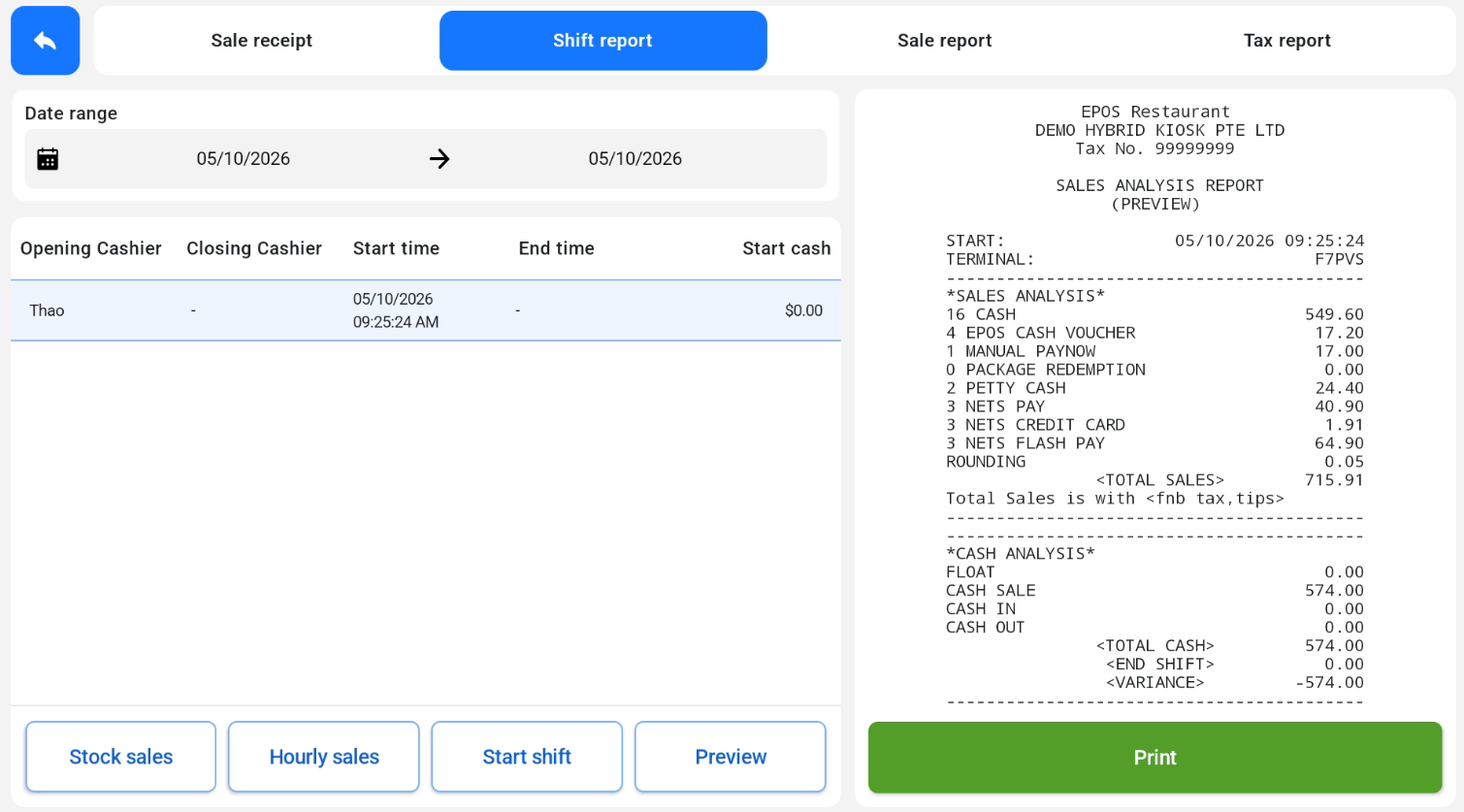
Tap Preview to see the Pre-Settlement Report before the shift ends. It shows the sales analysis by payment method and the cash analysis.
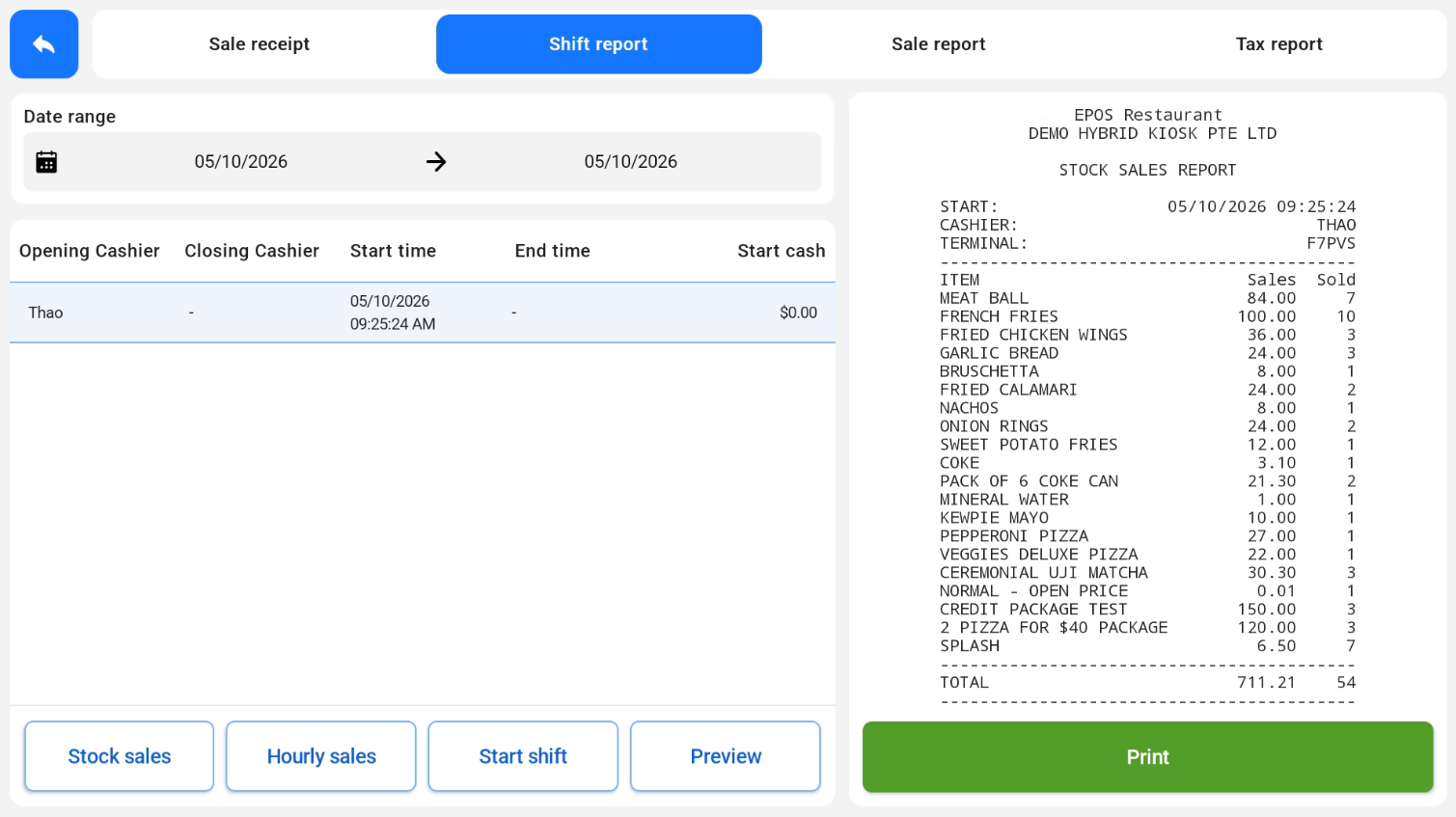
Tap Stock sales to see the sales and quantity sold for each item in the shift.
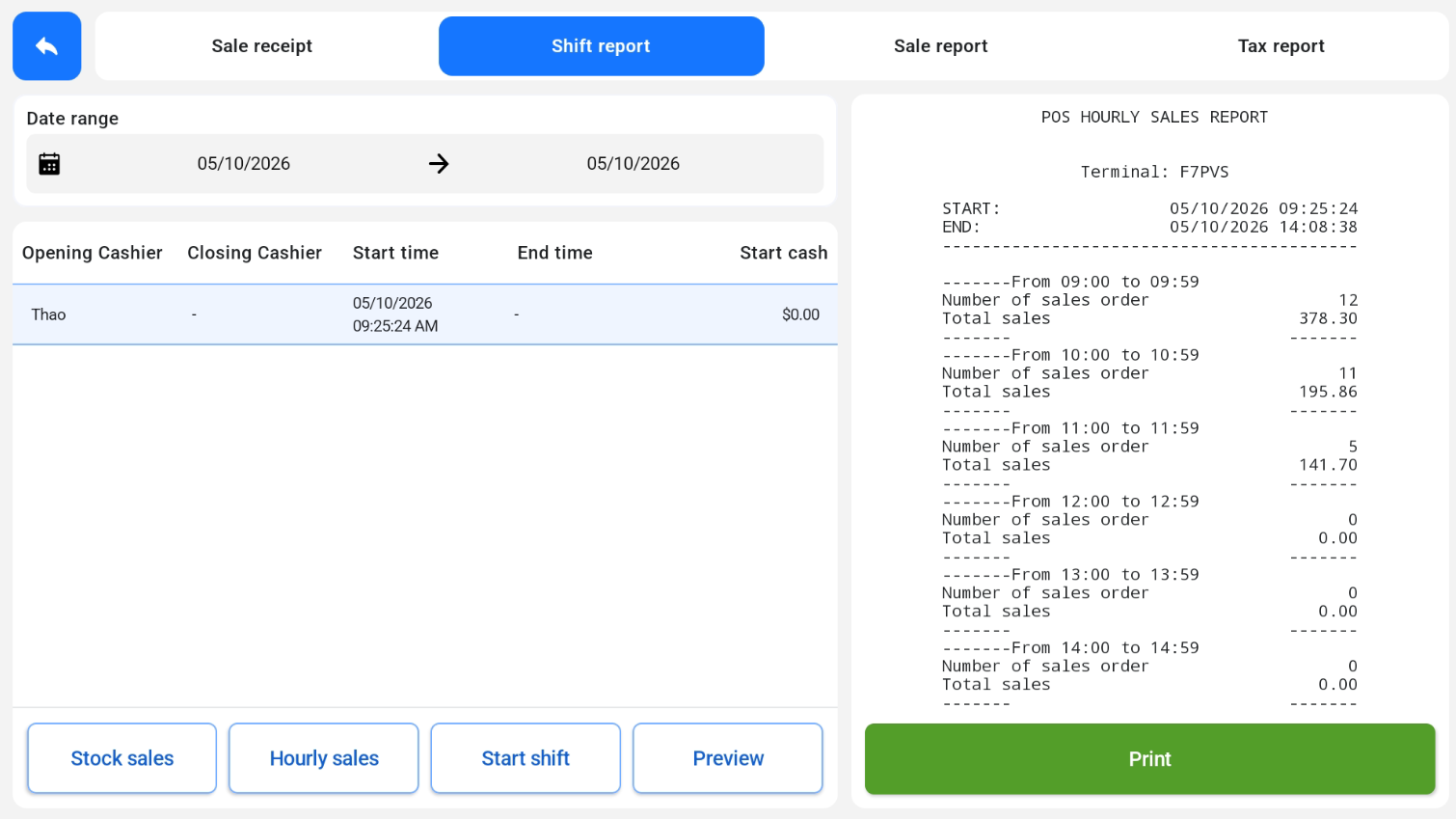
Tap Hourly sales to see the number of sales orders and total sales for each hour of the shift.