BCRS eligible items can be set up in EPOS Backend. Navigate to EPOS Backend > Product > Ensure BCRS Eligible checkbox is ticked and BCRS barcode is added under Product > Manage Barcodes.
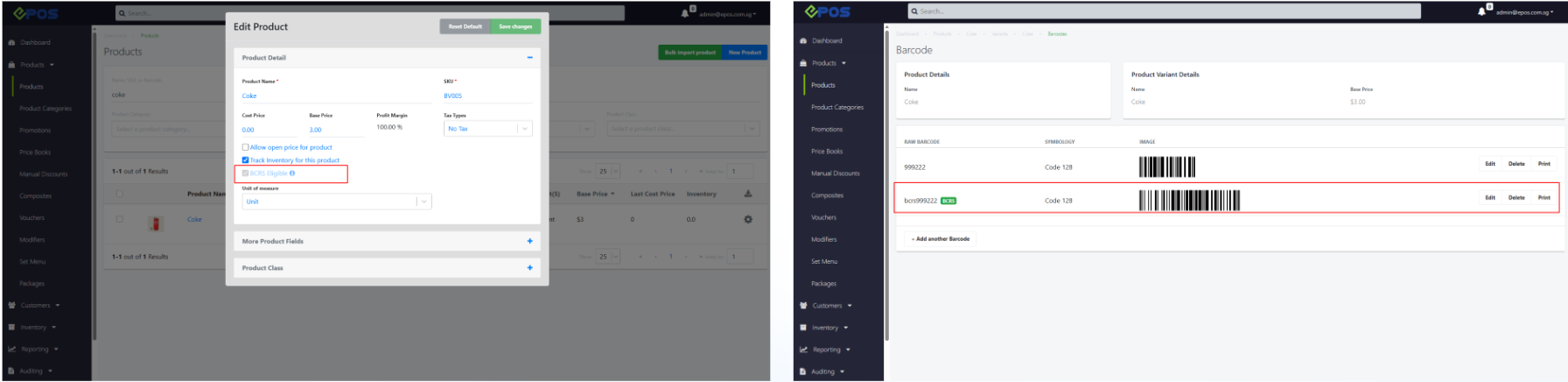

BCRS eligible items can be set up in EPOS Backend. Navigate to EPOS Backend > Product > Ensure BCRS Eligible checkbox is ticked and BCRS barcode is added under Product > Manage Barcodes.
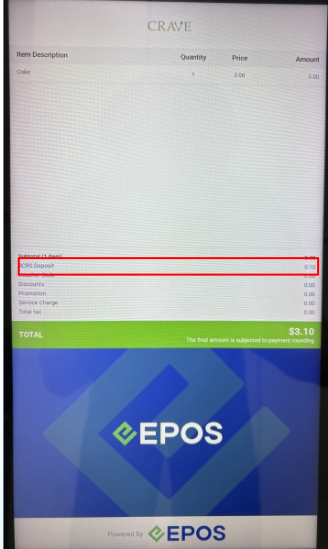
When cashier adds BCRS item into the cart, the BCRS deposit amount is shown on both Cashier and Customer screen.
Cashier Screen 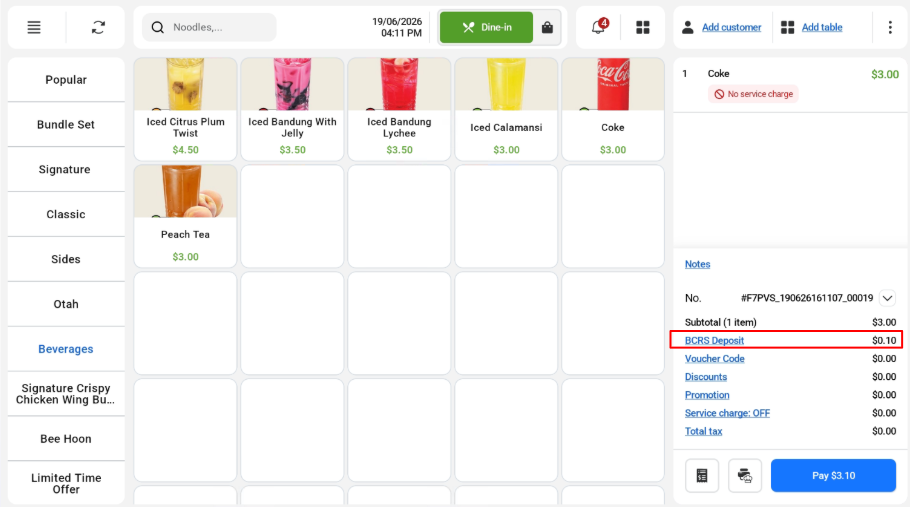
Customer Screen
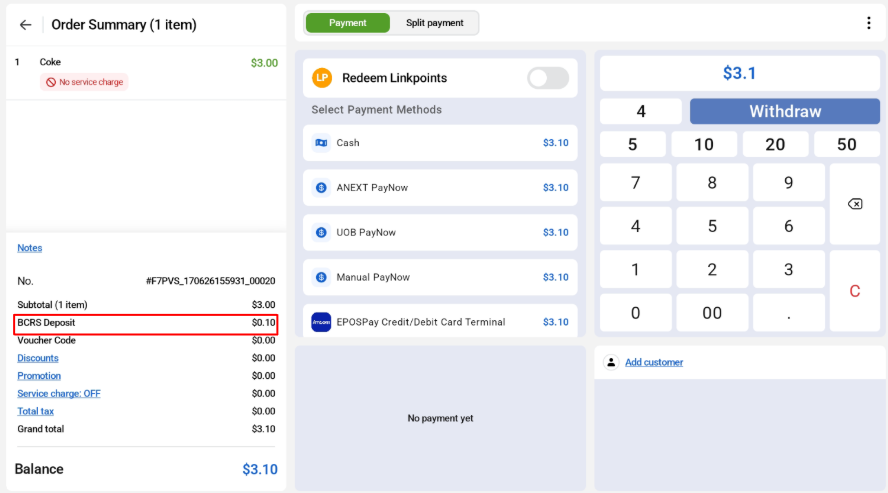
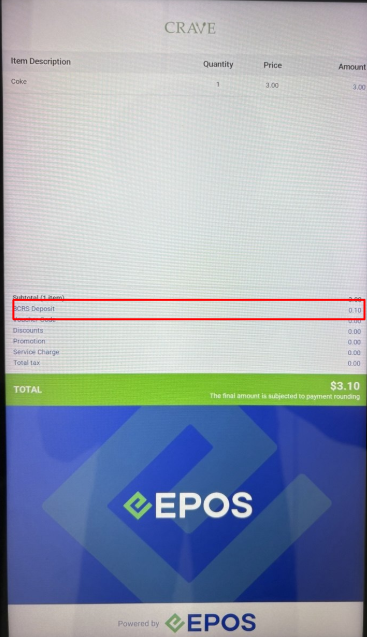
If customer proceed to checkout with BCRS item, the BCRS deposit amount will be shown.
Cashier Screen
Customer Screen
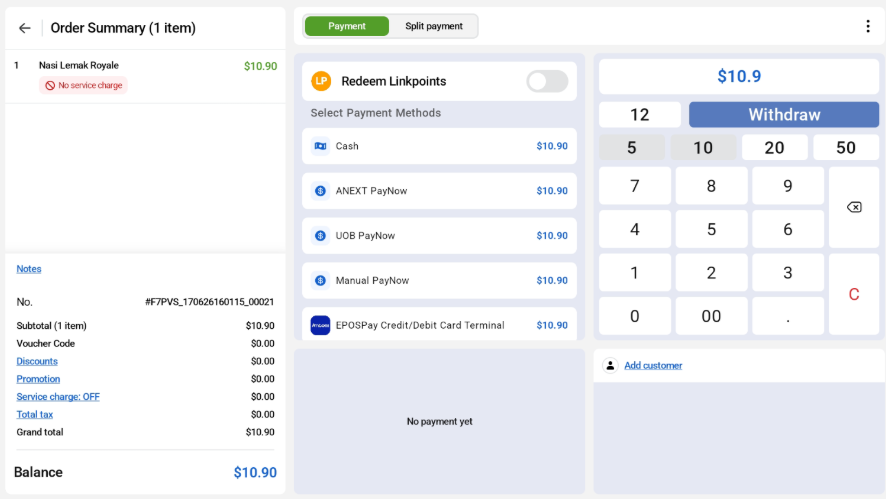
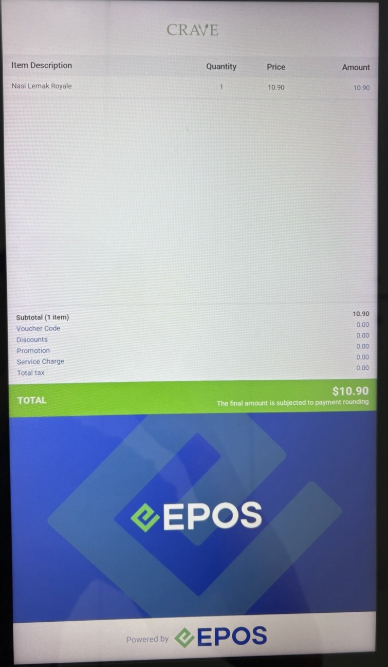
If there is no BCRS eligible item when checking out, “BCRS Deposit” will not appear for both cashier and customer screen.
Cashier Screen:
Customer Screen:
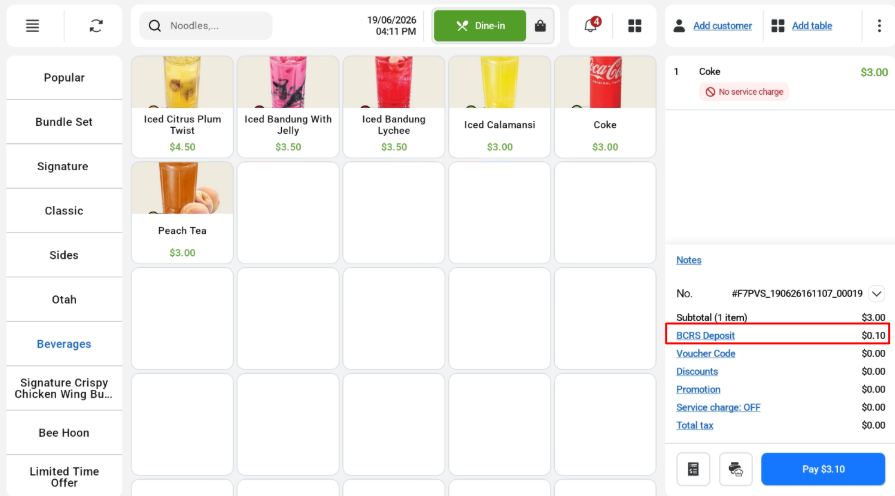
Cashier can click on “BCRS Deposit” to reveal the waiver BCRS deposit pop up.
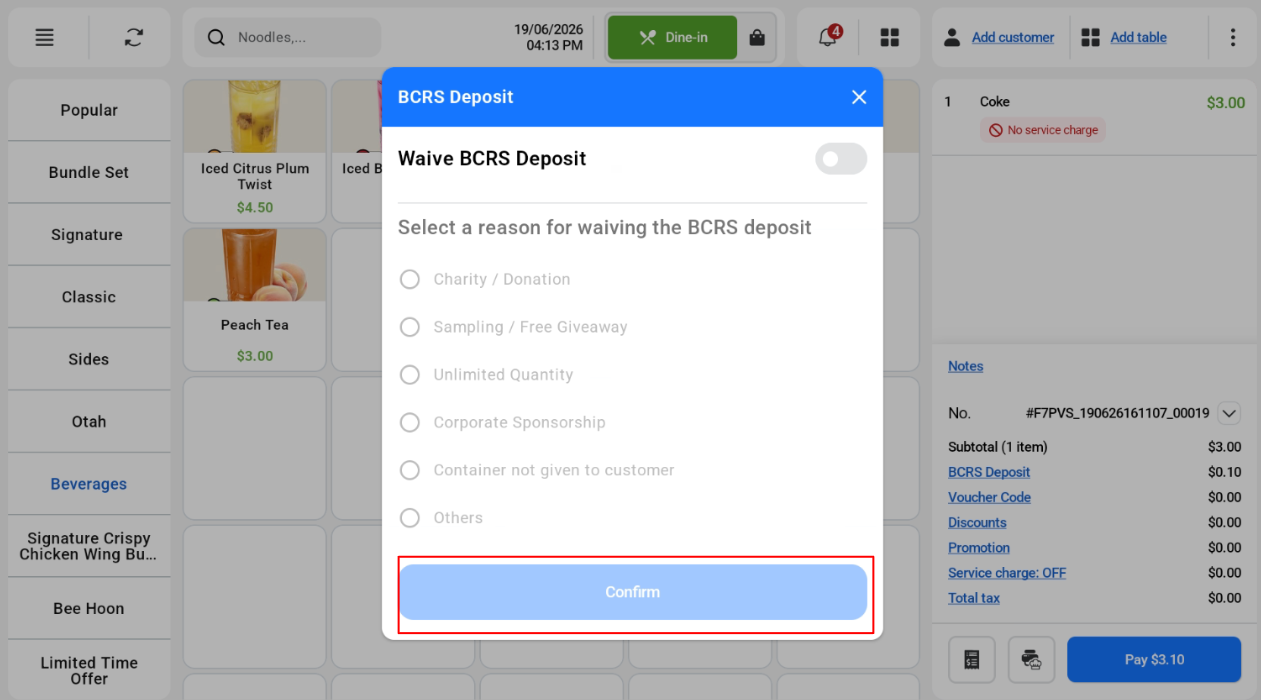
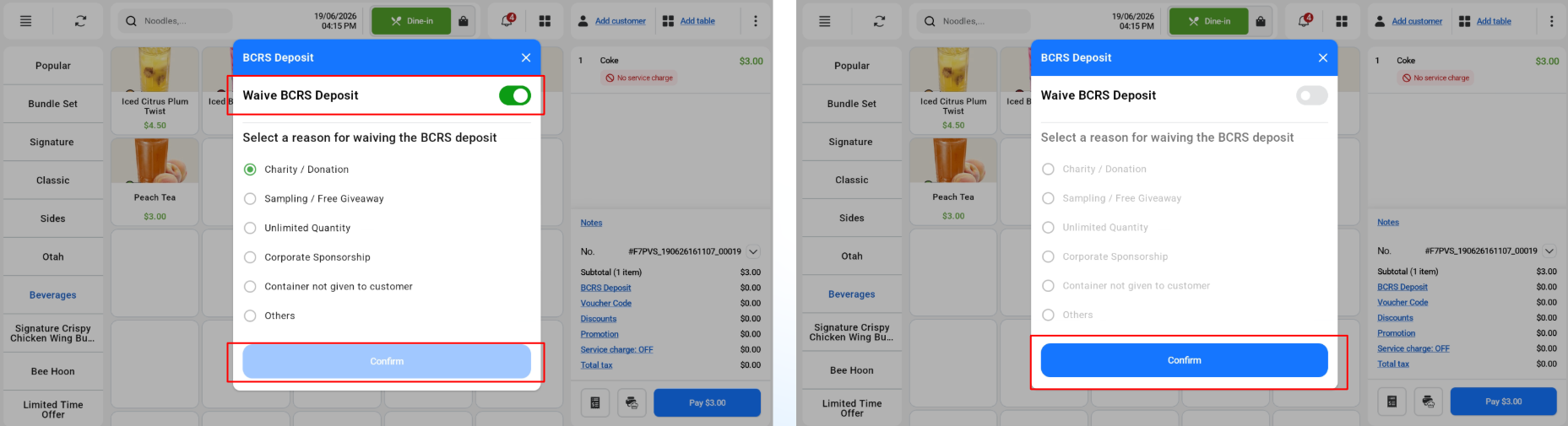
By default, the “Waive BCRS Deposit” is toggled OFF with the confirm button disabled.
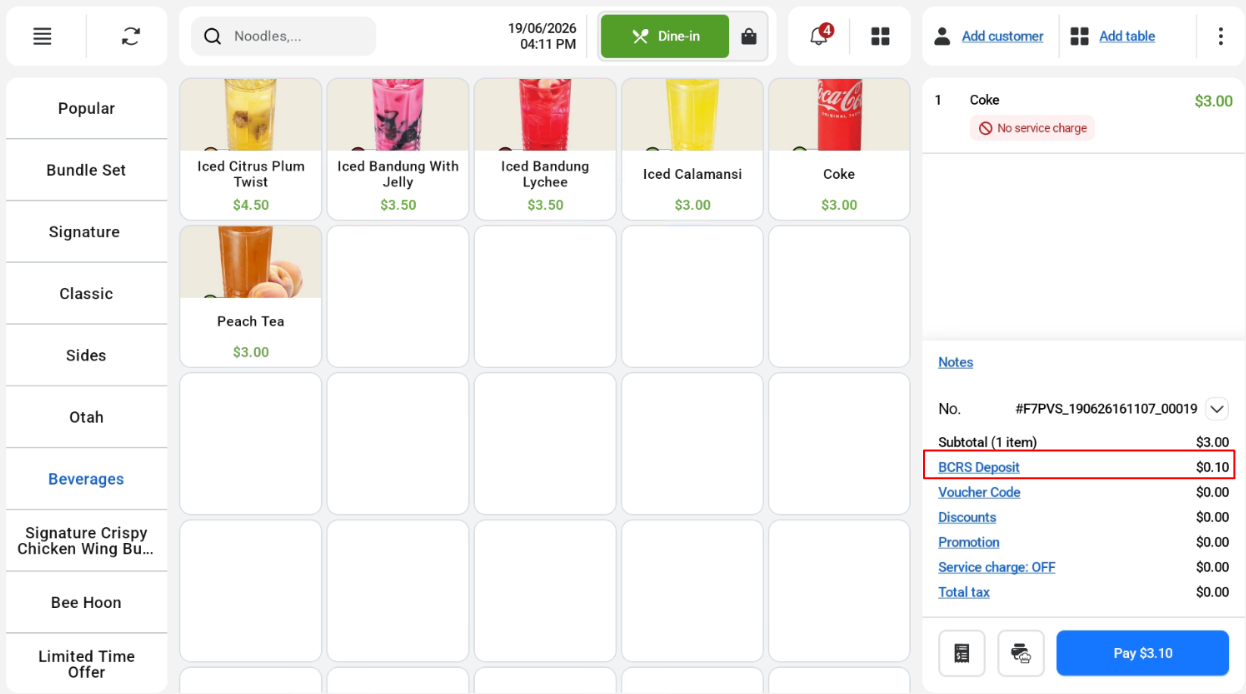
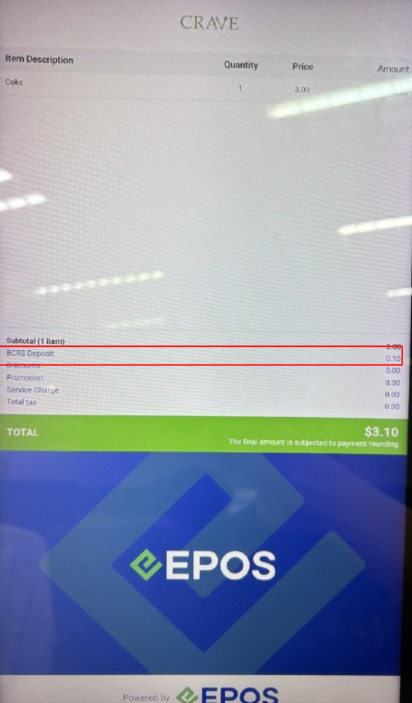
If BCRS Deposit = Toggle off, the BCRS Deposit will be shown for both cashier and customer screen.
Cashier View
Customer View
If Waive BCRS Deposit = Toggle on, cashier can select the reason for waiving BCRS deposit and click confirm. 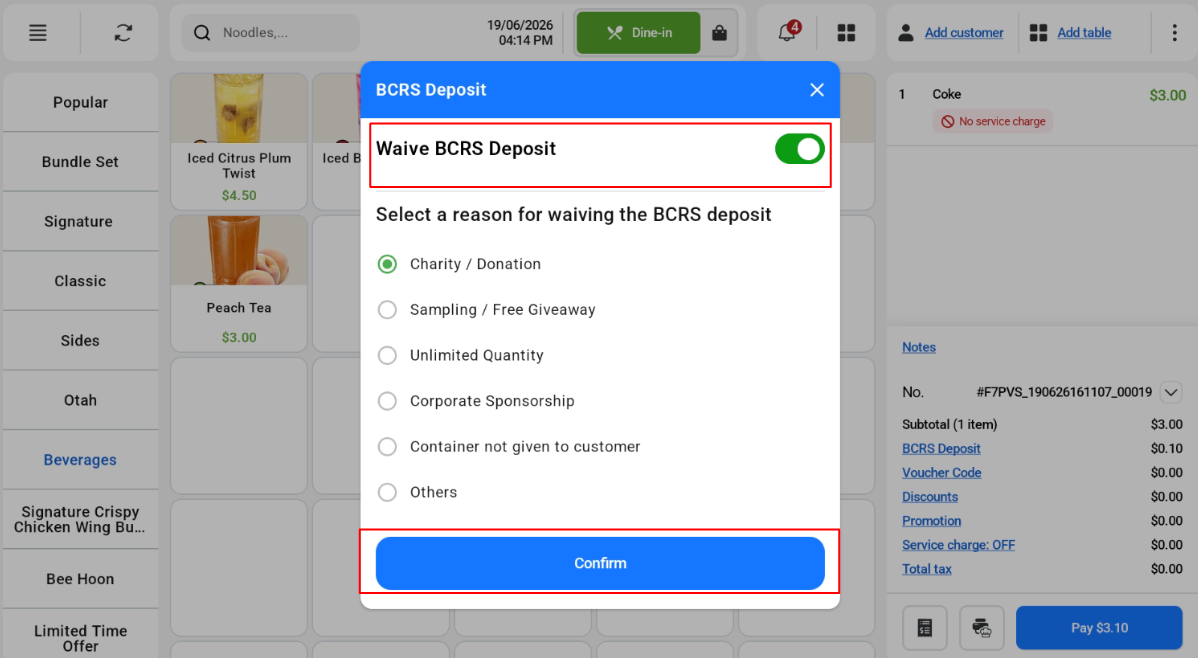
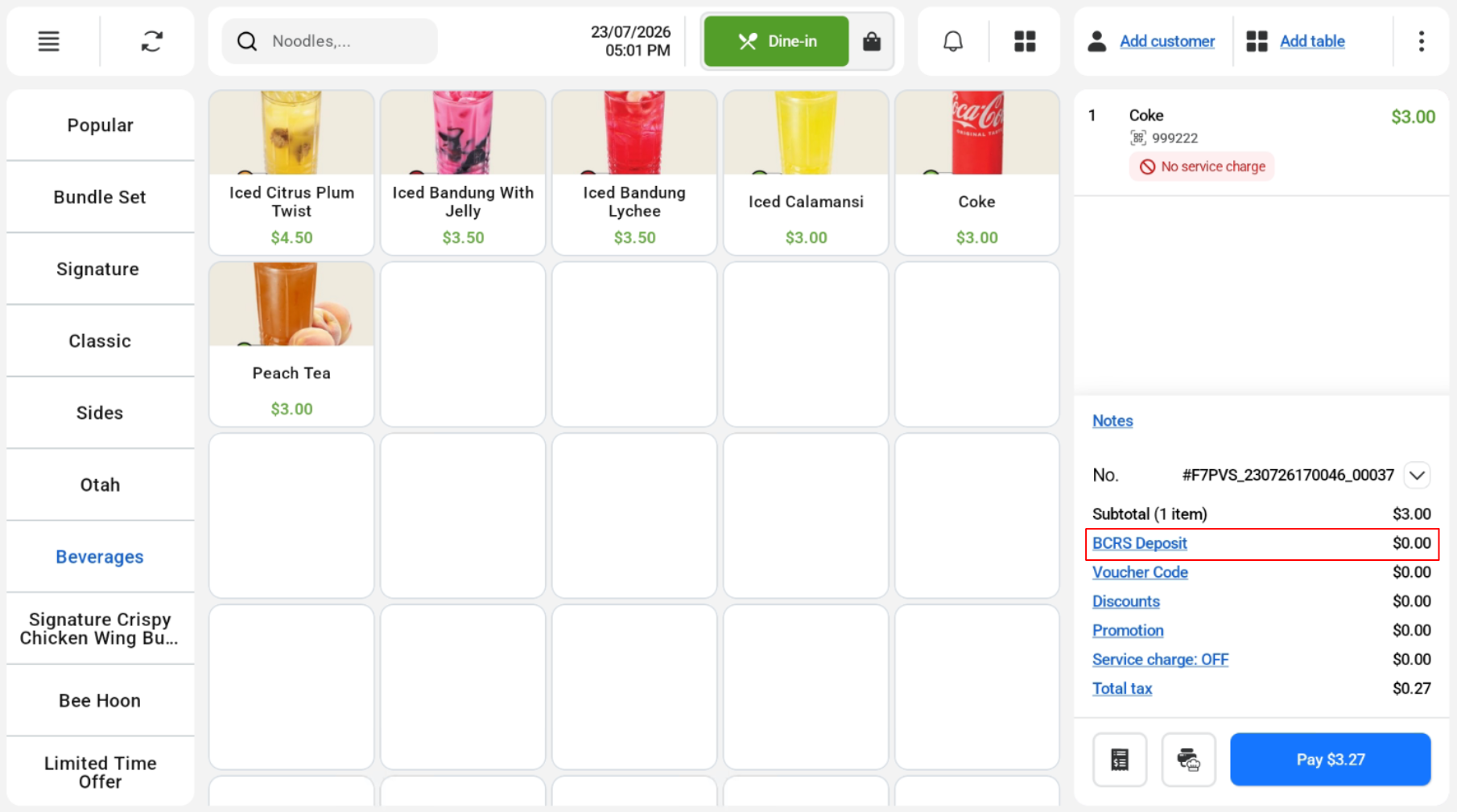
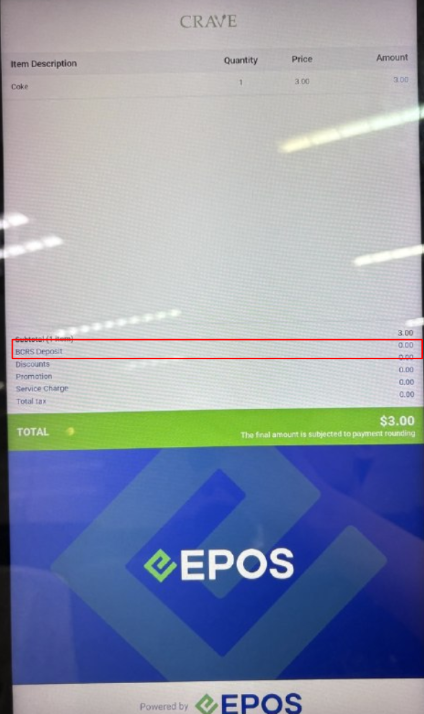
For Cashier and customer screen, BCRS Deposit amount is now $0.
Cashier View
Customer View
Toggle OFF after ON
Cashier can toggle BCRS Deposit by pressing the toggle button and clicking confirm.
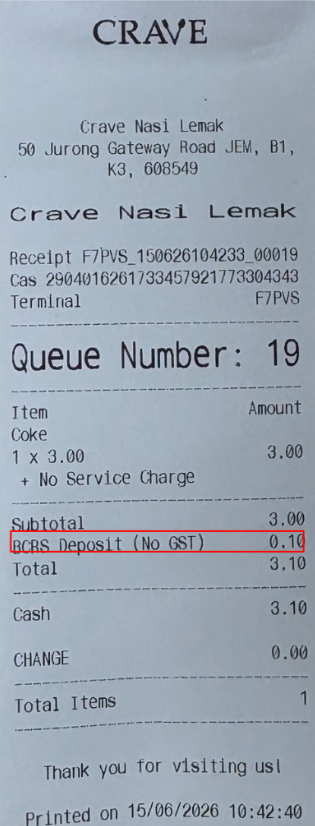
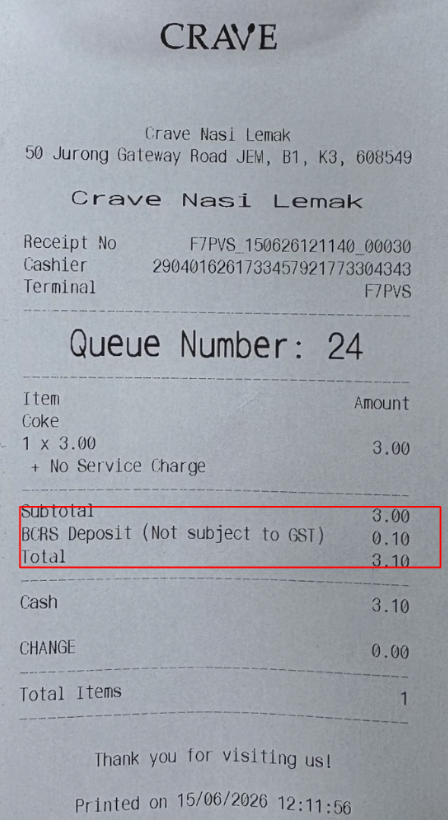
Receipt after payment WITH BCRS item
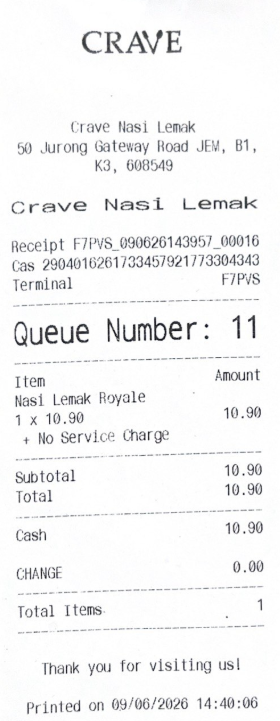
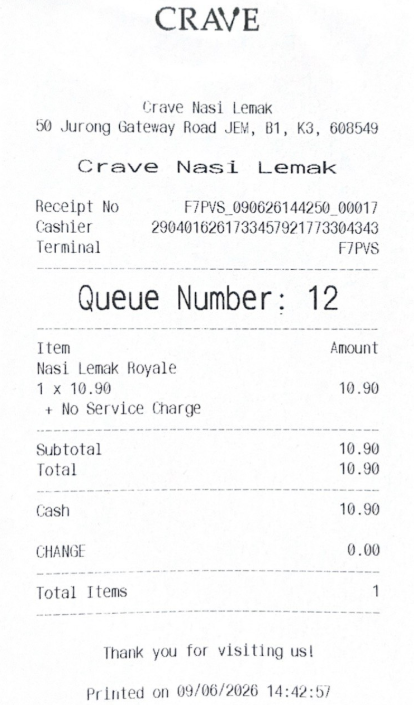
Receipt after payment WITHOUT BCRS item
Receipt with BCRS Waived with order note
Waiver reason is printed out in order note. If there is any order note entered by user, the waiver reason will be printed first followed by order note in the next line.
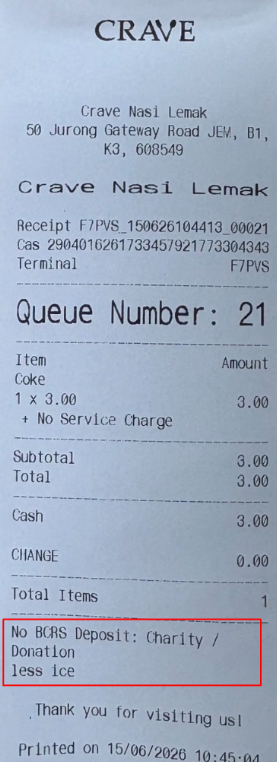
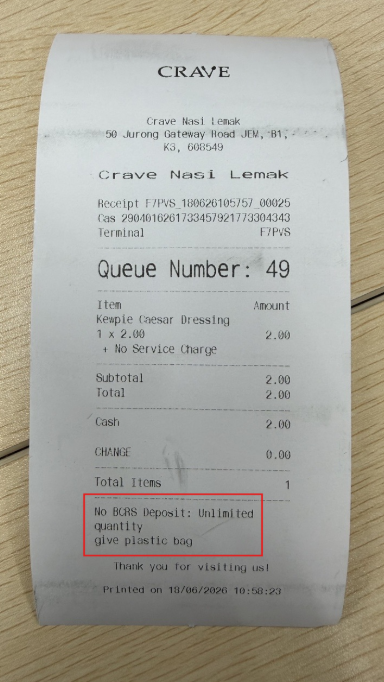
Receipt with BCRS Waived without order note
Waiver reason is printed out in order note for both 58mm and 80mm receipt
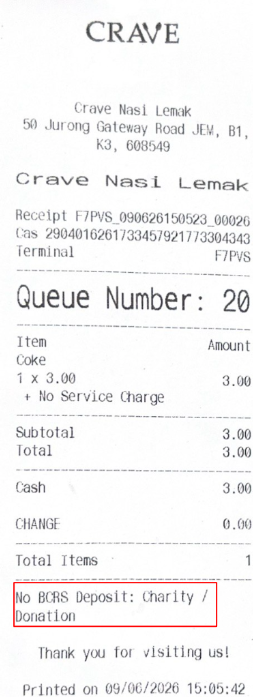
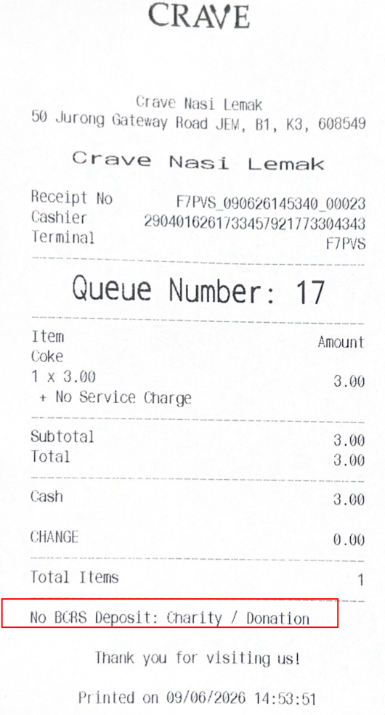
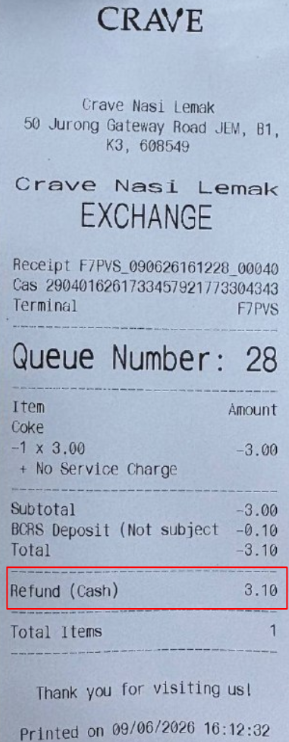
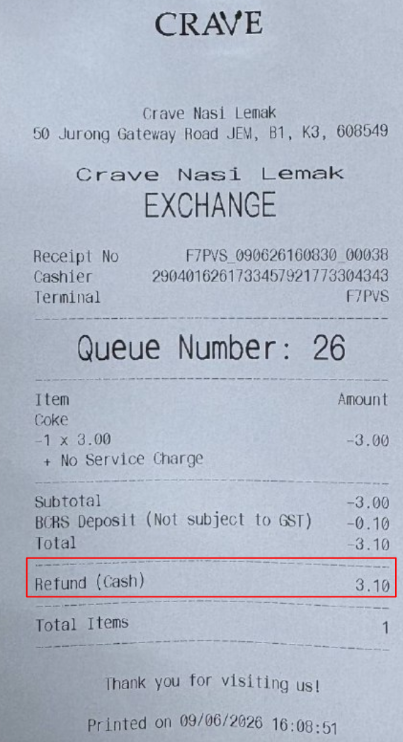
Refunded order will include both item price and BCRS deposit amount in the receipt.
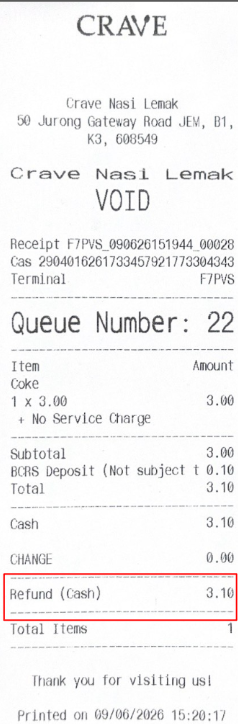
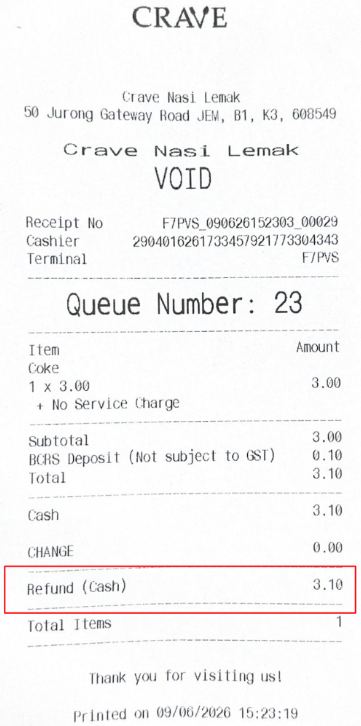
The voided order will include both item price and BCRS deposit amount in the receipt.
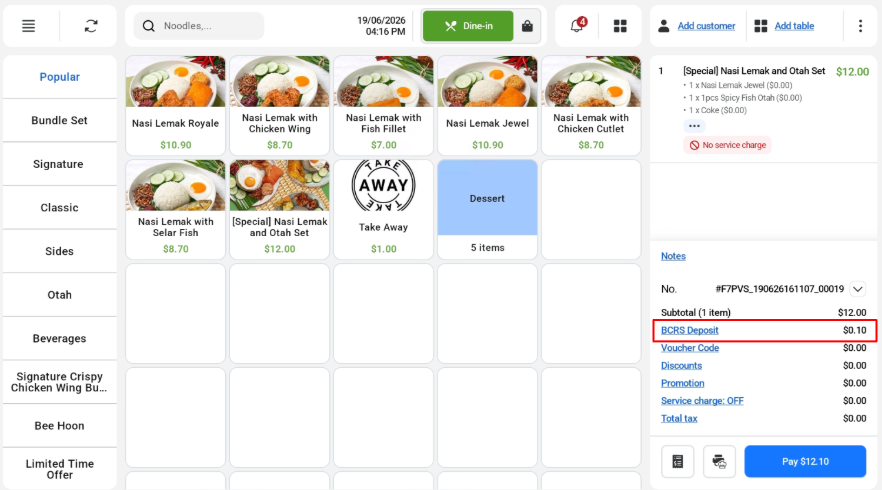
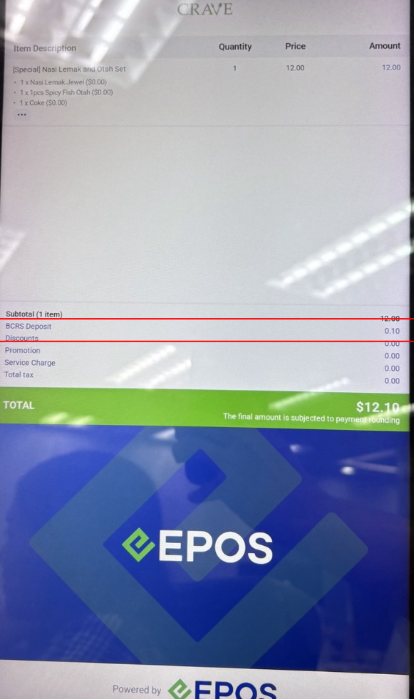
BCRS Deposit is calculated for the drinks component. It is reflected under “BCRS Deposit” line in order summary
Cashier Screen
Customer Screen
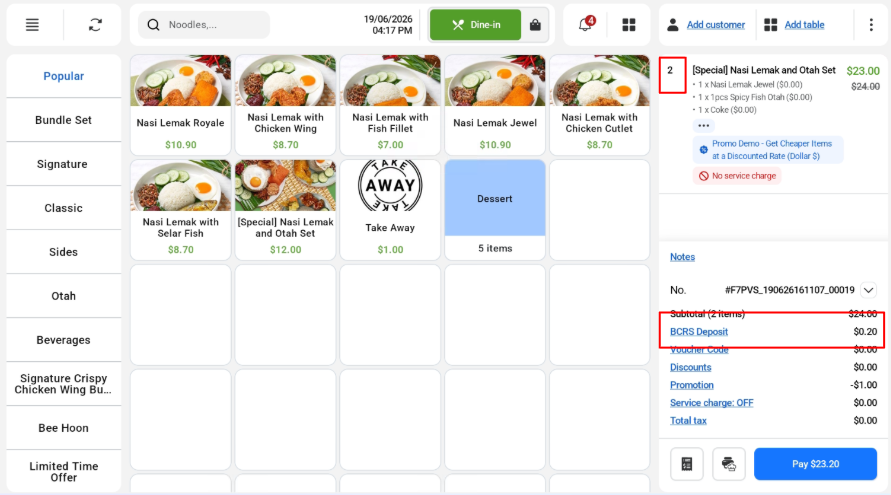
Multiple BCRS Drinks in Set Menu
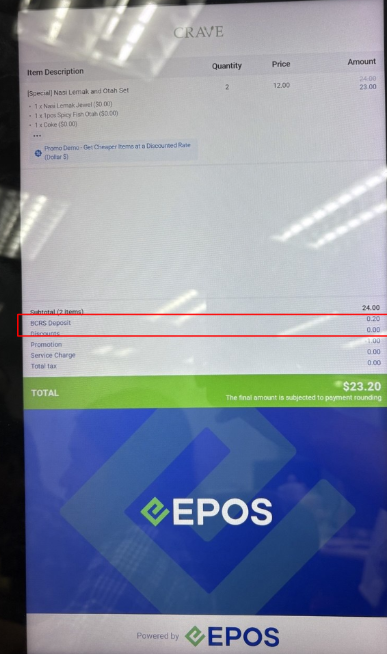
If there are multiple drinks, final BCRS Deposit = 0.10 x number of drink containers. In this case, there are 2 set menu with drinks, so the final BCRS deposit amount = $0.10 x 2 = $0.20.
Cashier View
Customer View
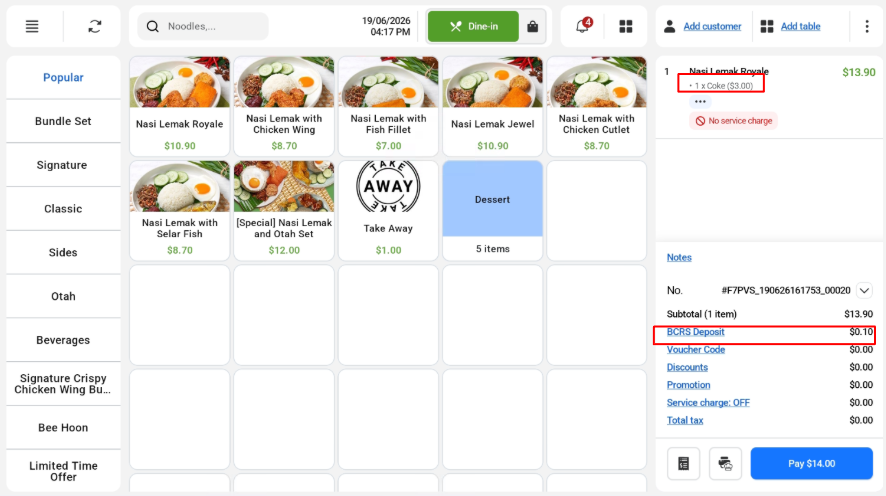
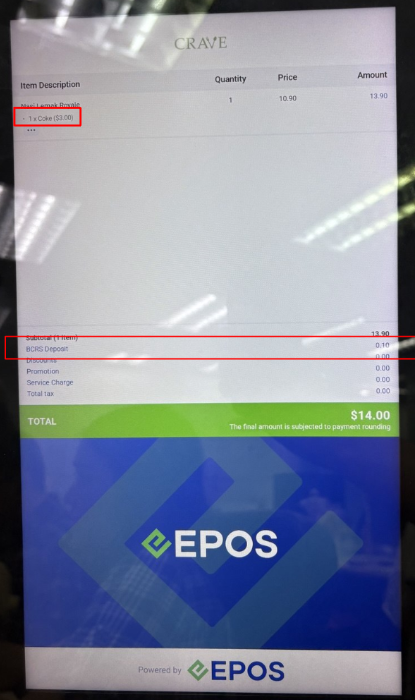
Modifier BCRS drink selected
If a drink is added in the modifier, BCRS modifier item is detected and added accordingly.
Cashier Screen:
Customer Screen:
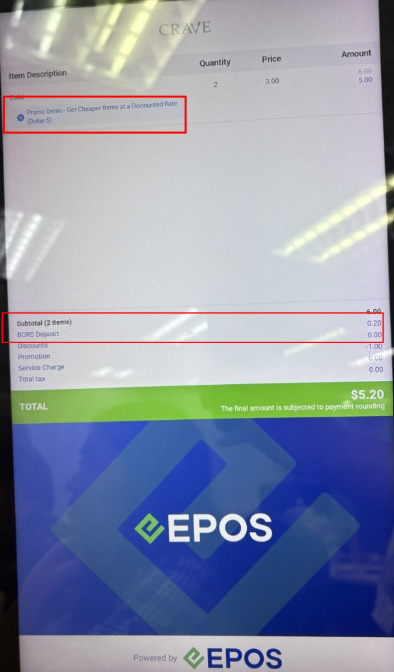
BCRS Eligible drinks can be used with promotions applied.
Cashier Screen: 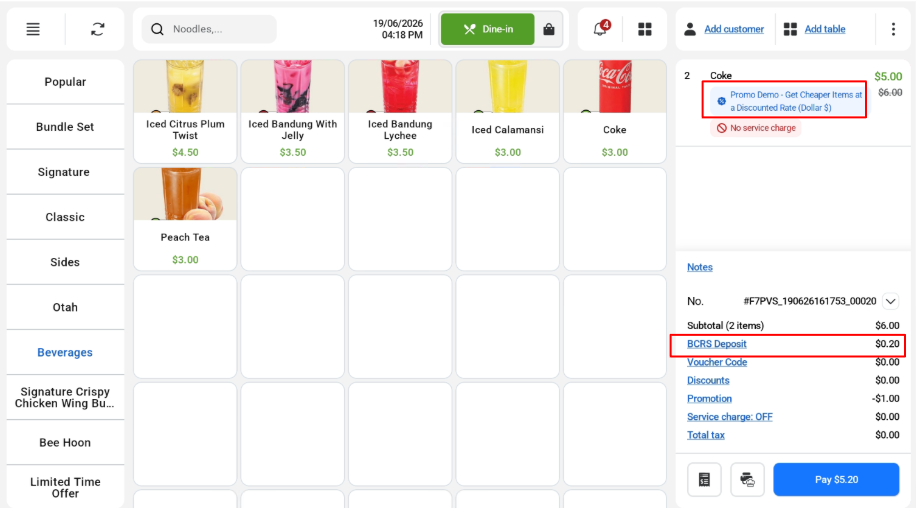
Customer Screen:
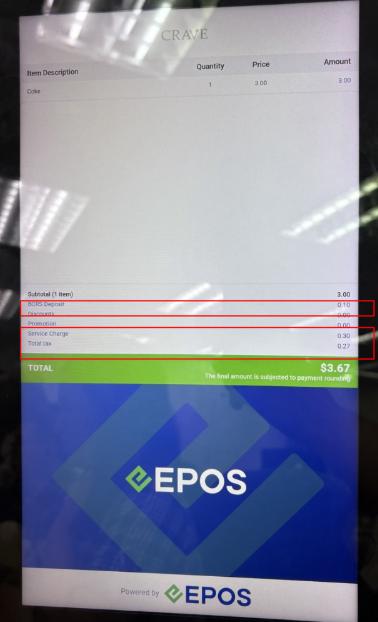
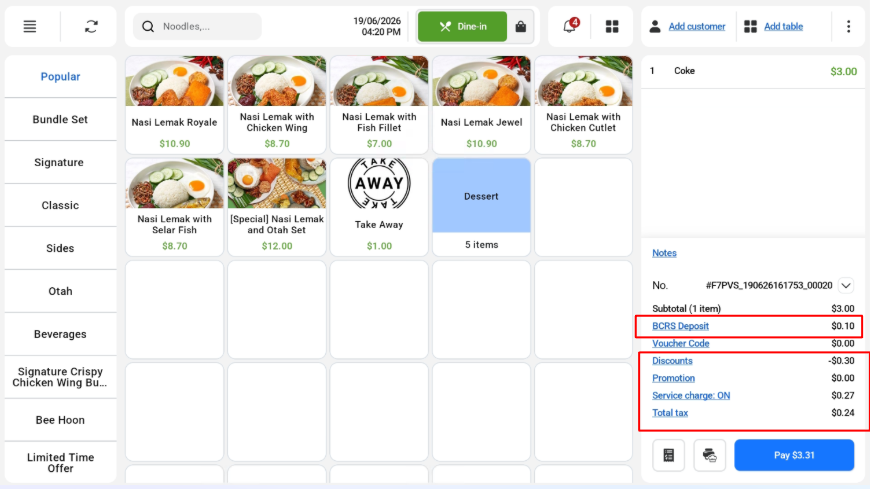
Discount, tax and service charge are all applicable with BCRS eligible items.
Cashier Screen
Customer Screen