
- Inventory can be synced from EPOS to WooCommerce at either Organization Level or Store Level, depending on your configuration:
- Organization Level: Syncs the total inventory across all stores.
- Store Level: Syncs the inventory from the selected store only.

- Organization Level Sync
The inventory from all stores is combined and synced to WooCommerce.
Example: Item X has 1 unit in Store A, 2 units in Store B, 3 units in Store C, and 4 units in Store D. The total inventory synced to WooCommerce is 10 units. - Store Level Sync
The inventory from the store selected in your WooCommerce configuration is synced to WooCommerce.
Example: Item X has 1 unit in Store A, 2 units in Store B, 3 units in Store C, and 4 units in Store D. If Store B is selected, WooCommerce will show 2 units. - Inventory management can only be done in EPOS.
- Re-Syncing Inventory from EPOS > Woo, will override the quantity in Woo side.
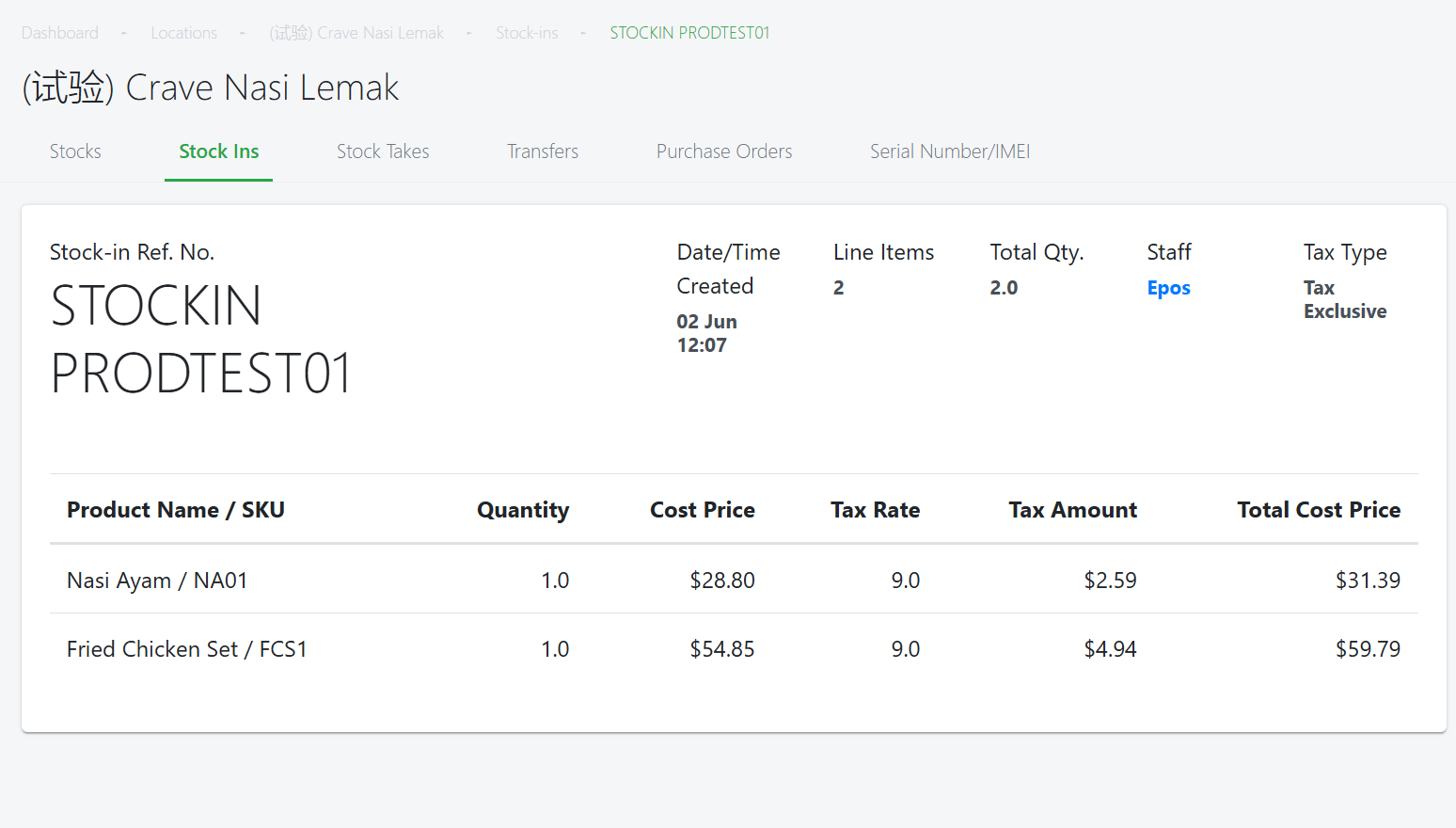
Stocking in V5 Backend
Backend > Inventory > Select Outlet > Stock-in > Complete Stock In
Example Inventory Case Study:
Step 1: Initial Stock
The product starts with 10 units in both systems.
- EPOS V5: 10 units
- WooCommerce: 10 units
Both systems are currently in sync.
Step 2: Manual Adjustment in WooCommerce
The client manually adjusts the stock in WooCommerce by -1 unit.
WooCommerce now shows:
- EPOS V5: 10 units
- WooCommerce: 9 units
The 9 units in WooCommerce will not sync back to Platform V5.
Therefore, EPOSV5 still considers the available stock to be 10 units.
Step 3: User Adds 20 Units in Platform V5
User performs a stock-in transaction of +20 units in Platform V5.
EPOS V5 calculates:
10 existing units + 20 new units = 30 units
The inventory is now:
- EPOS V5: 30 units
- WooCommerce: 9 units
Step 4: EPOS V5 Synchronizes the Stock
The stock-in action triggers a stock synchronization from Platform V5 to WooCommerce.
EPOS V5 sends the current on-hand quantity of 30 units to WooCommerce.
WooCommerce is therefore updated to:
- EPOS V5: 30 units
- WooCommerce: 30 units
The previous manual adjustment in WooCommerce from 10 → 9 is overridden.
NOTE: Stock actions in WooCommerce will not sync over to EPOS.
