
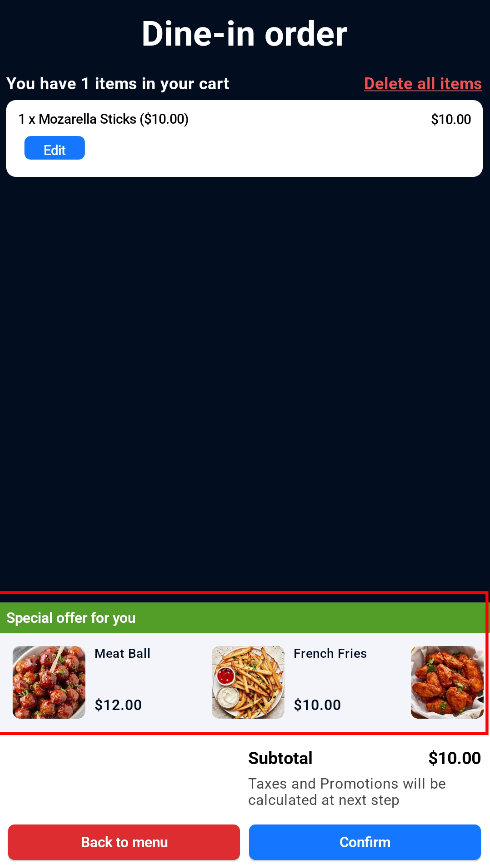
On the F&B Kiosk, customers see a Top Picks section on the cart page. It recommends products based on top-selling items, so customers can add them to their order before checking out.
How it works
- The customer adds items and opens the cart.
- The cart page shows the top picks recommendations.
- The customer can select a recommended product to add it to the order.
Recommendation type
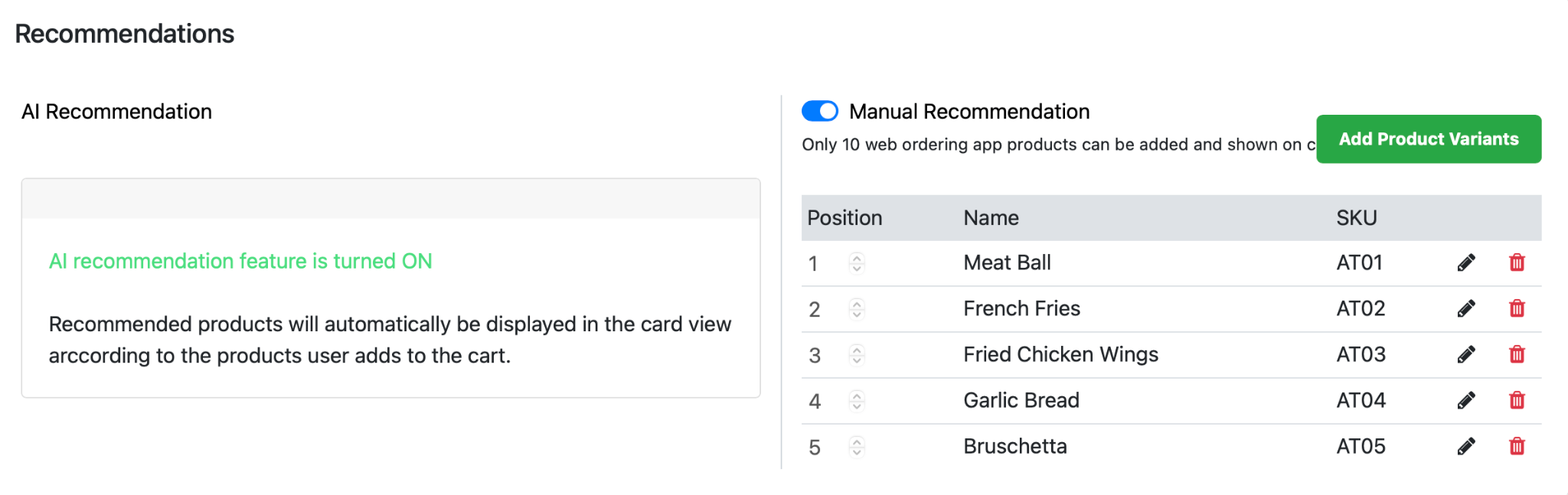
Top picks can be configured as either:
- Manual – you choose the products to recommend.
- AI recommendation – products are recommended automatically.
