
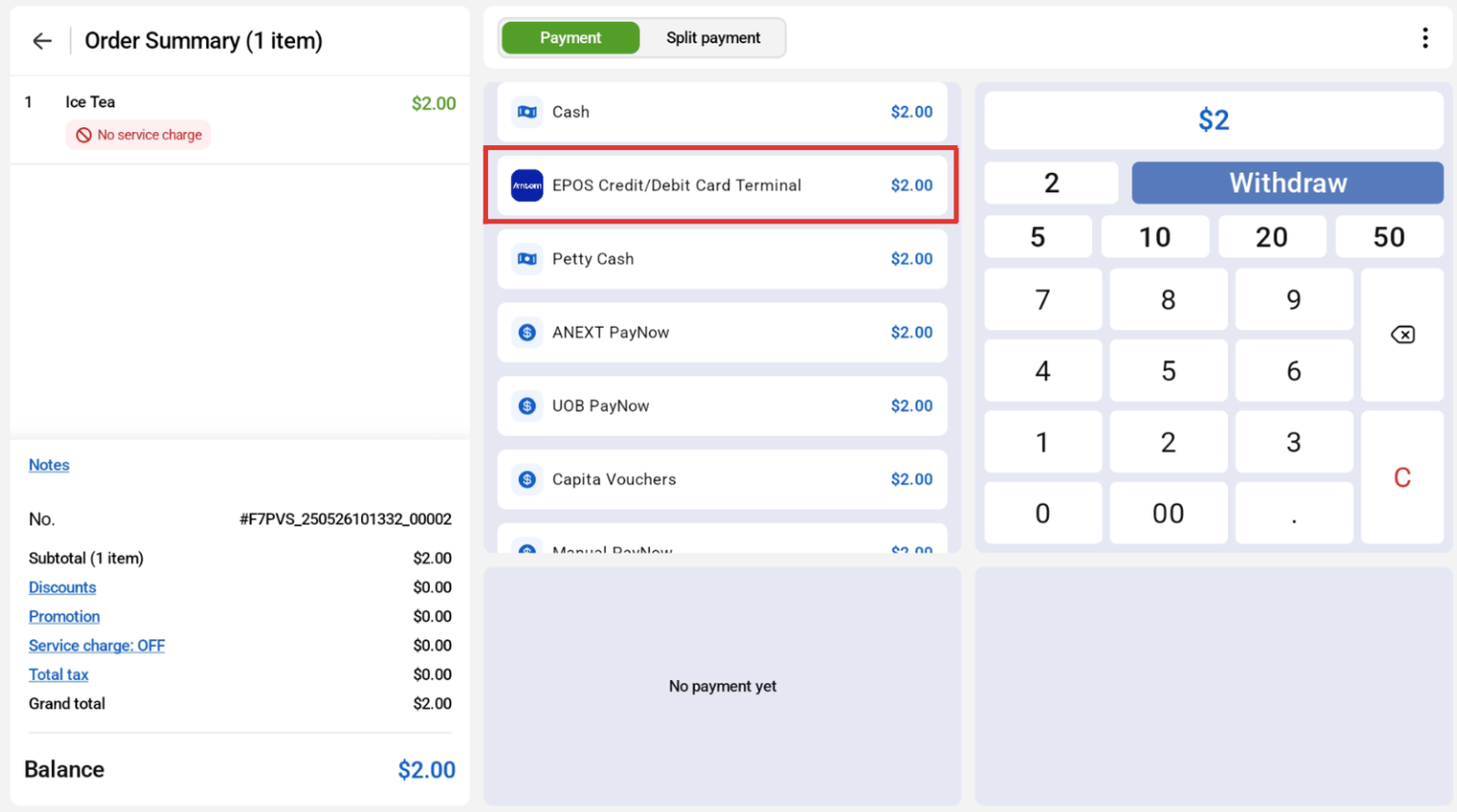
To choose Antom Payment Integration payment method, select ‘EPOS Credit/Debit Card Terminal on the payment screen.
Users can choose their desired payment method. In this case, credit/debit card was selected. 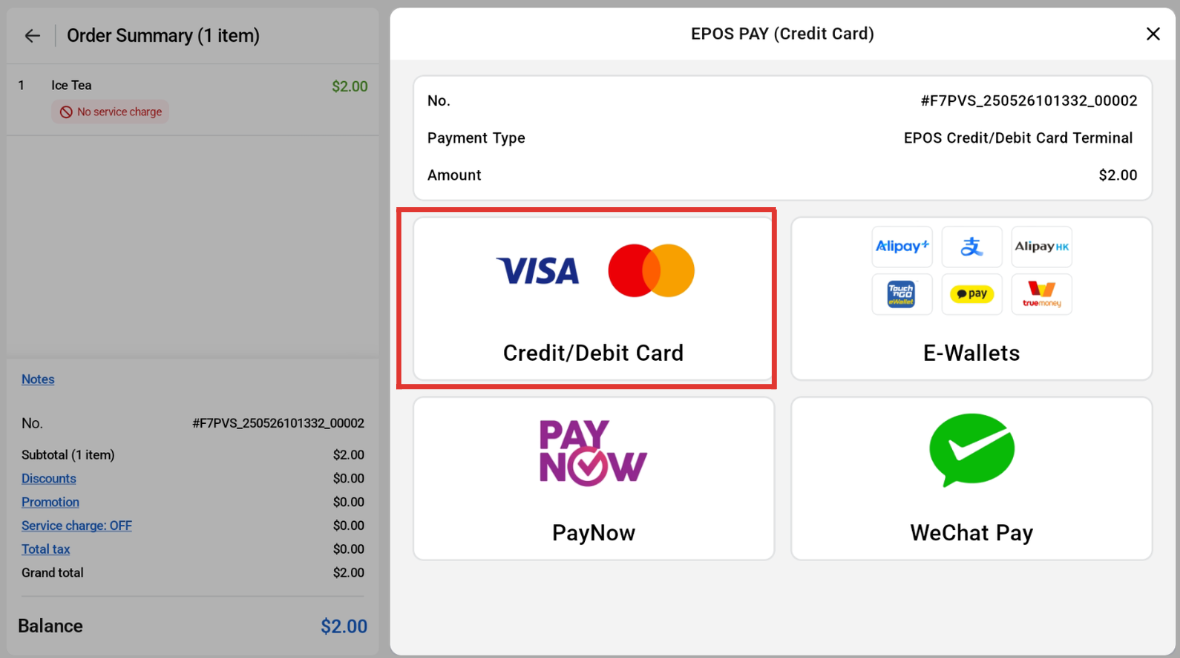
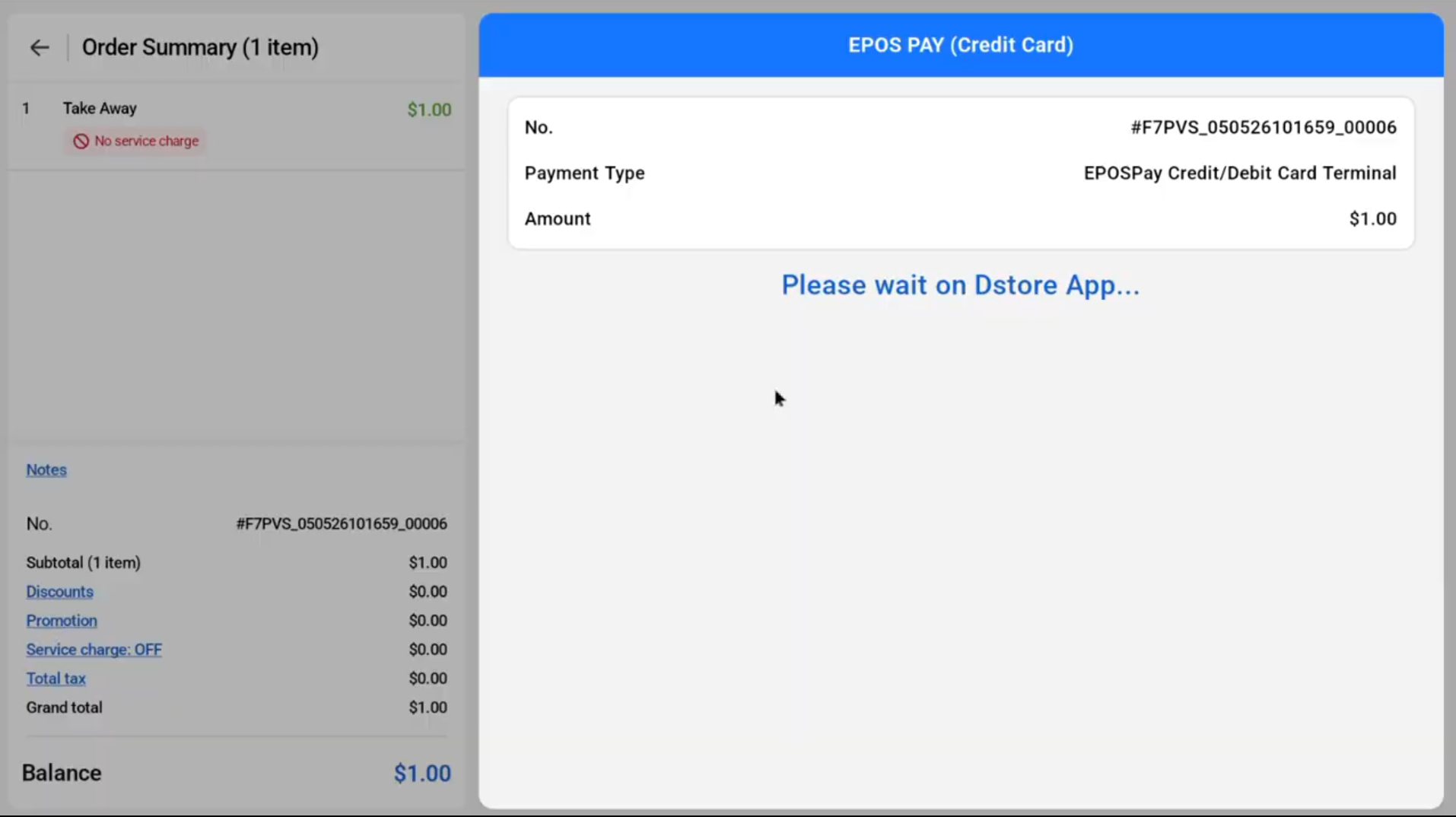
Once selected, the Antom Payment Graphic will show on the customer screen. Customers can make payment via the D-Store app on the payment terminal.
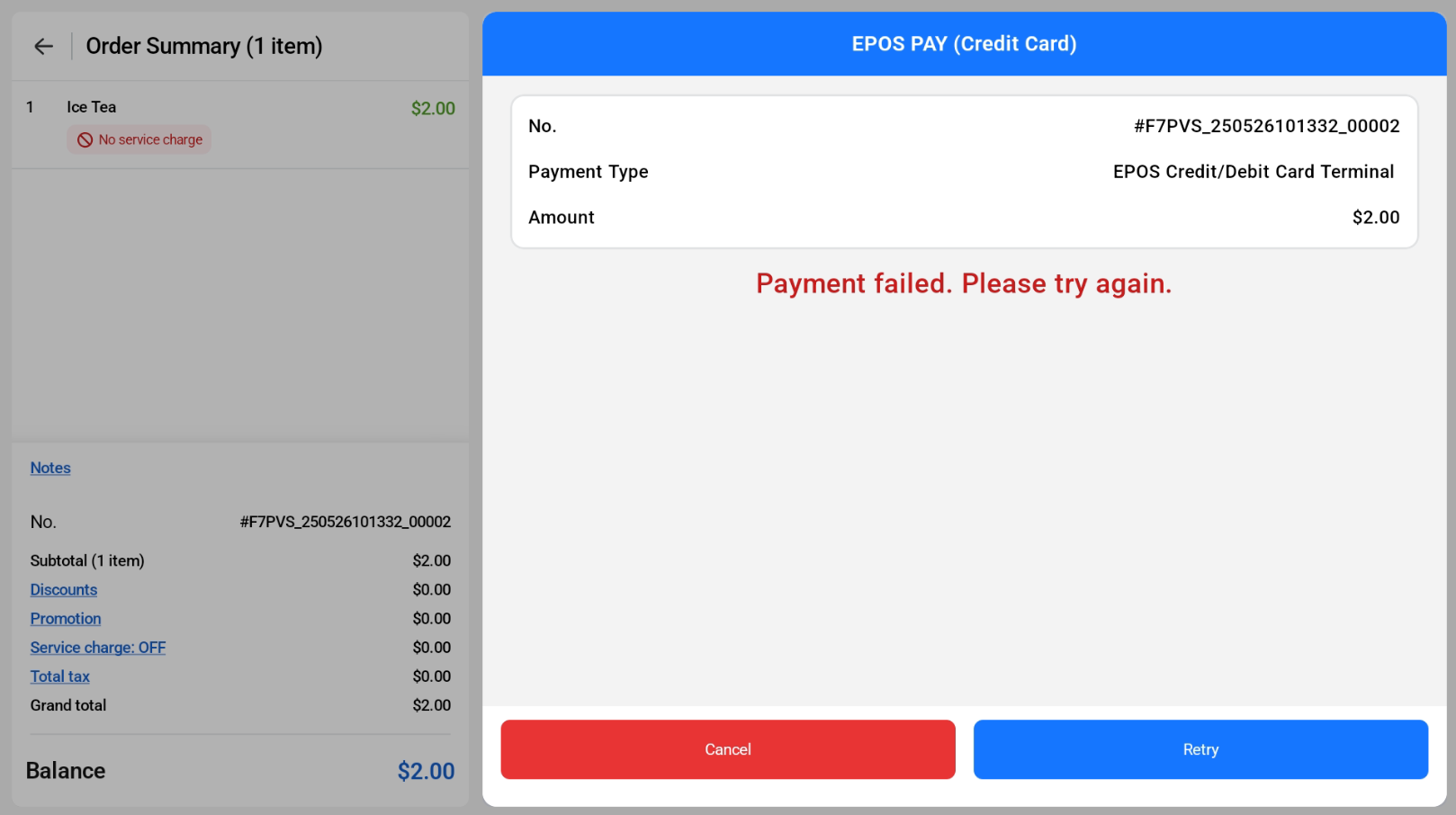
If the payment fails, the user can either retry the payment method or cancel it.
If the payment is successful, the screen will show ‘Payment Complete’.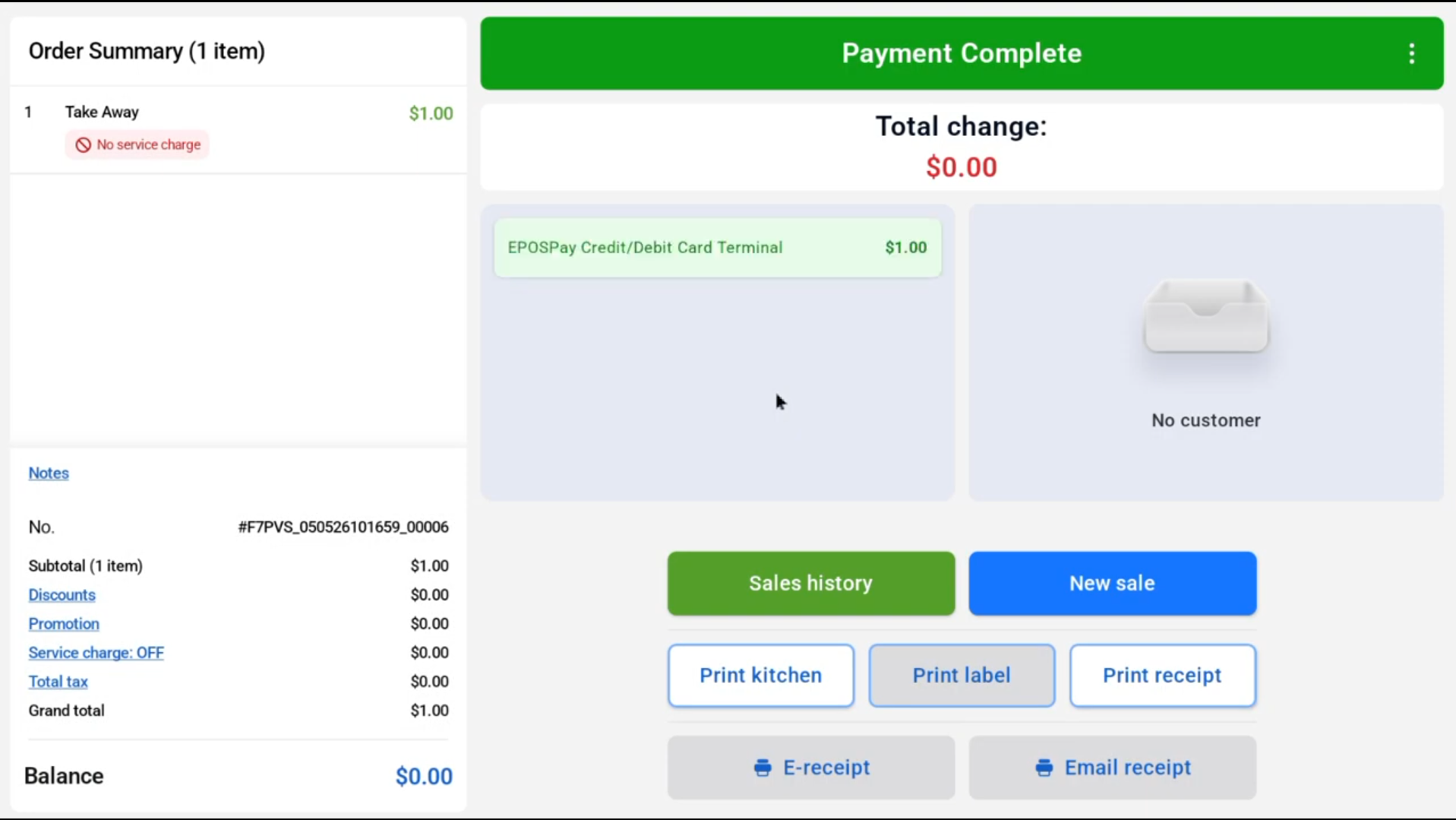
Cashier Screen Video Walkthrough
Customer Screen Video Walkthrough
