Follow the steps below for change payment:
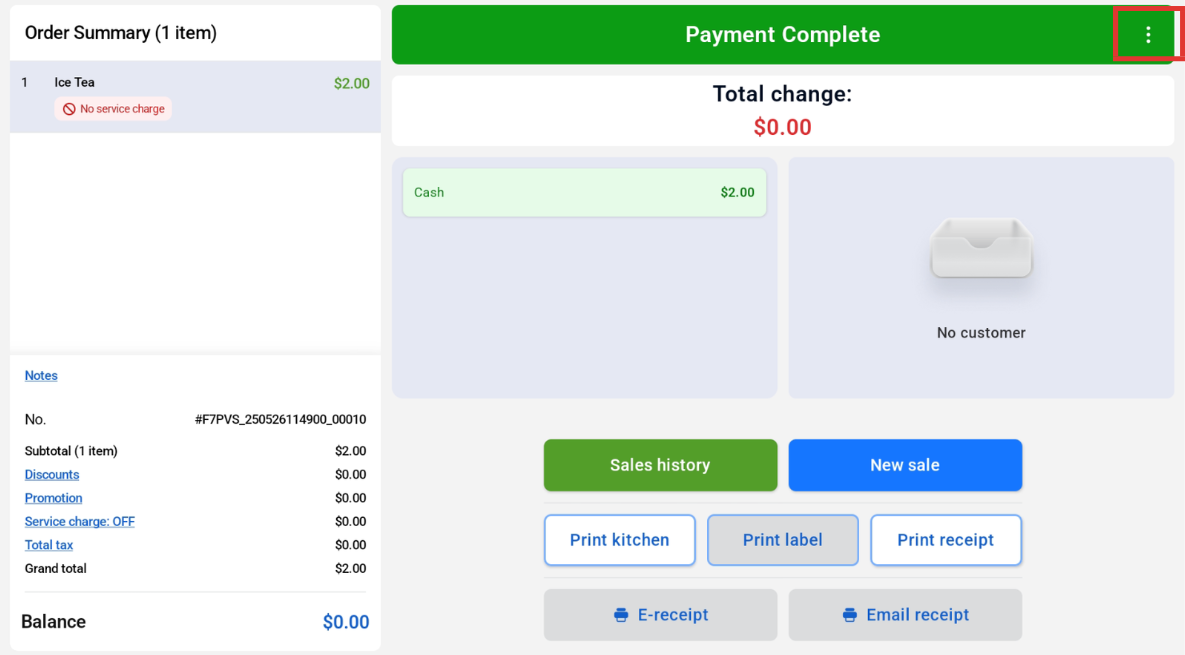
At the Payment Complete page, click on the 3 buttons at the top right hand corner.
Click on ‘Change Payment’ Button, and select the payment method to revert.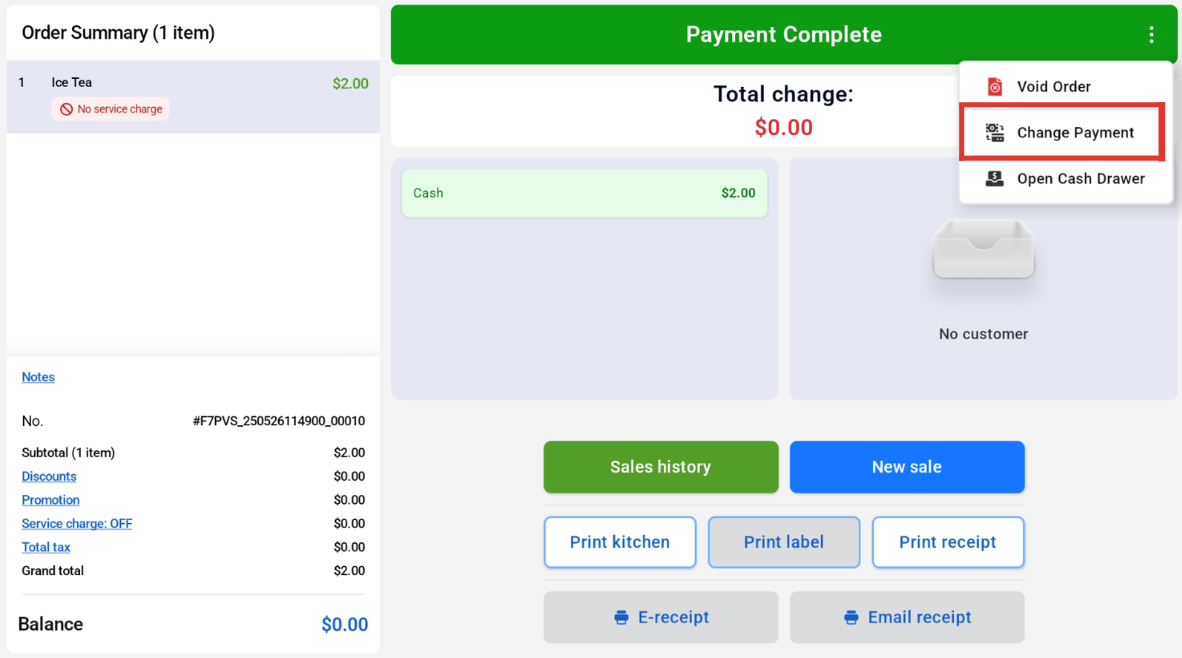
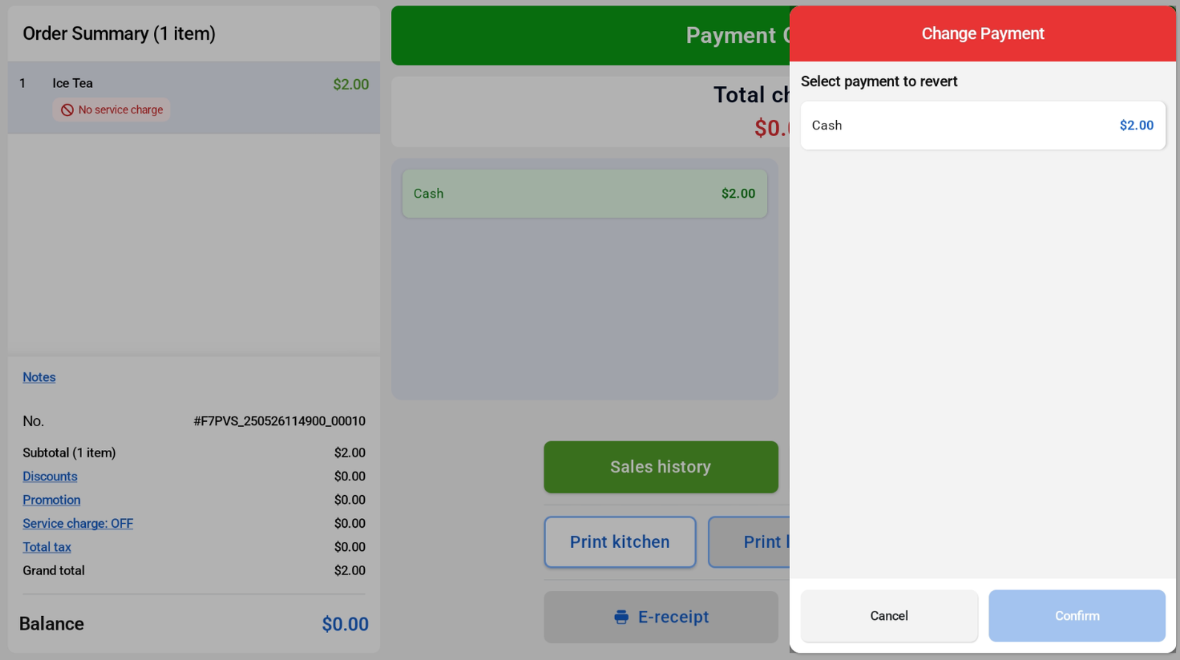
User will be able to change the payment method.
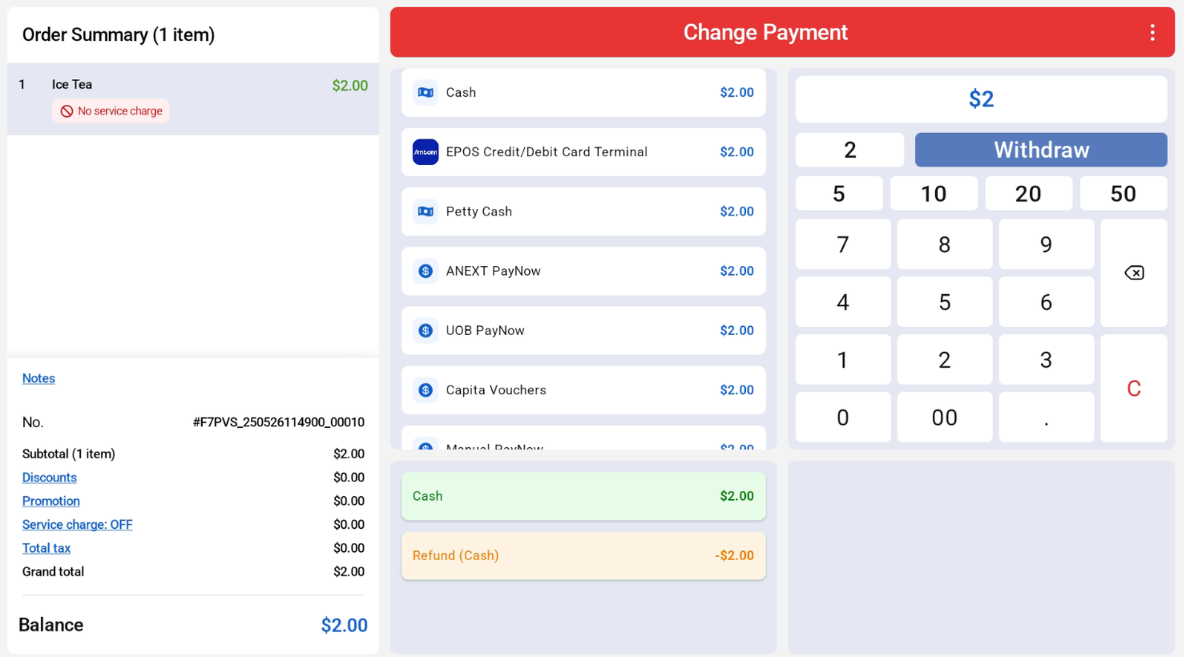
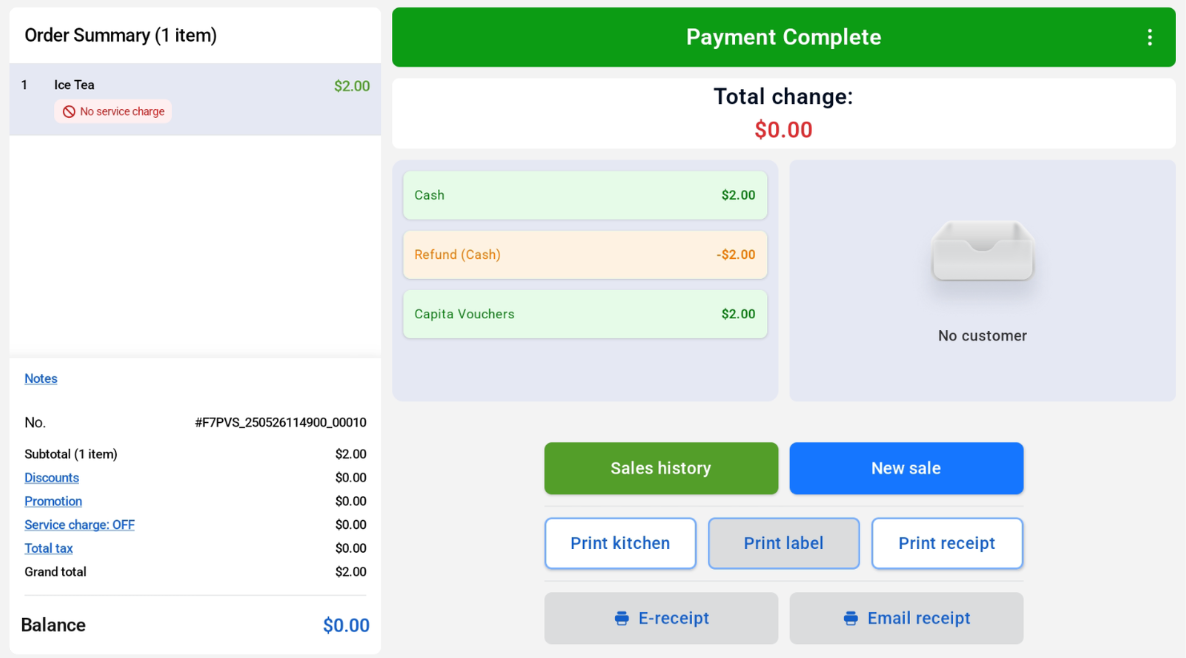
Once the new payment method is selected and successful, users can see ‘Payment Complete’ confirmation, as well as the old and new payment method and the amount refunded.