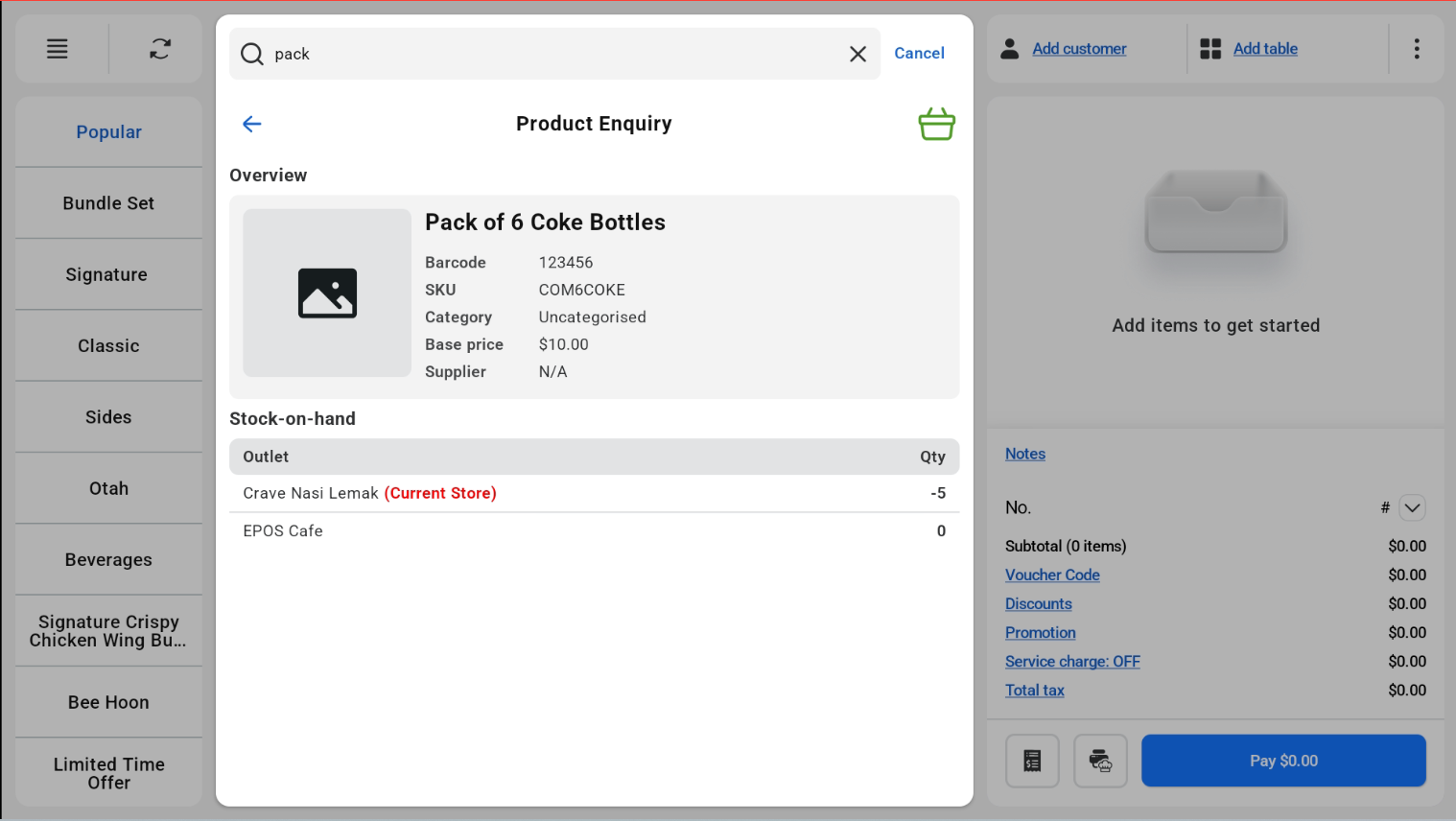
Product Enquiry lets the cashier check a product’s details in POS Mode, including the stock on hand for each outlet.
How to check a product
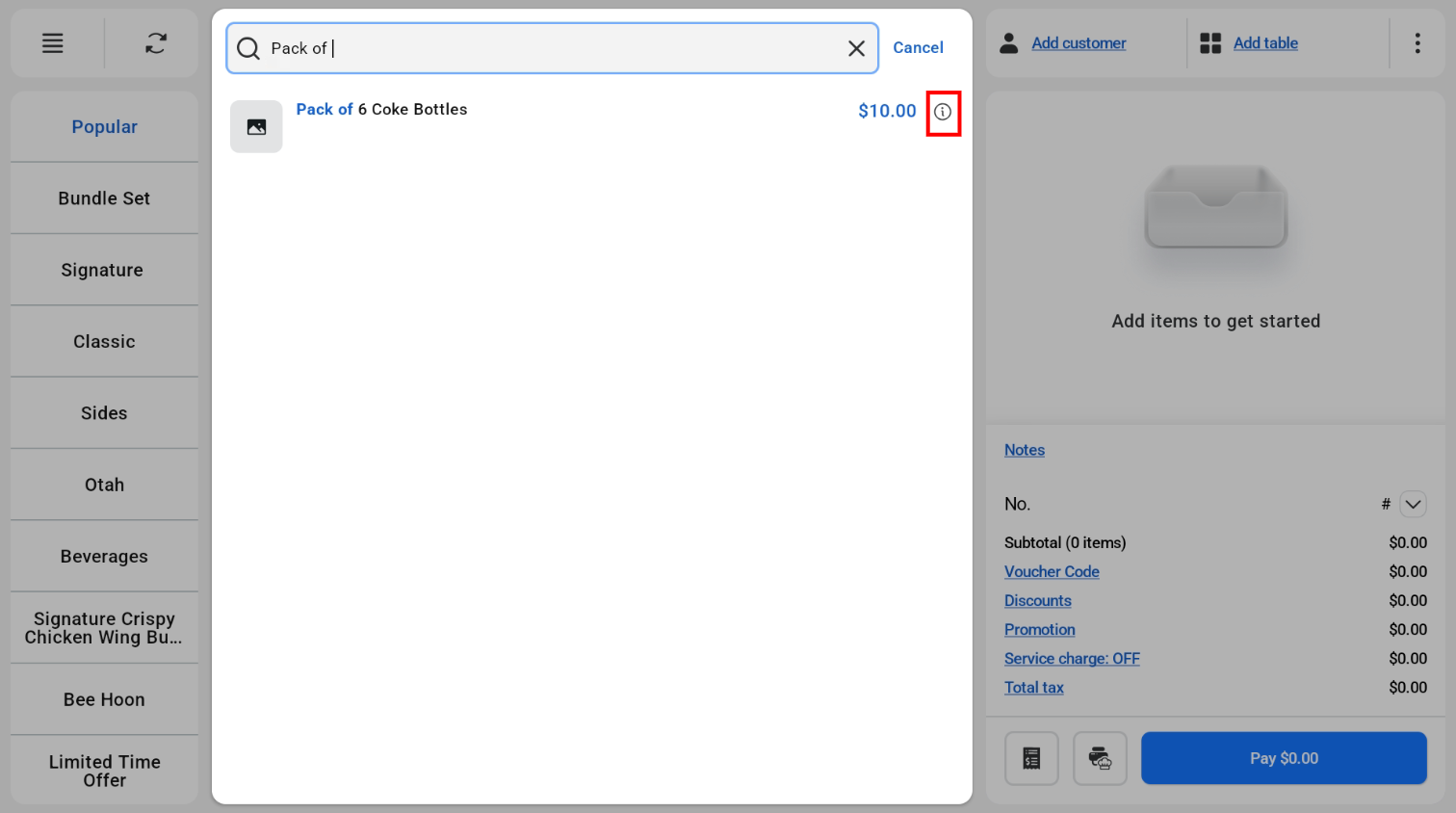
- Search for the product.
- Tap the enquiry icon next to the product in the search results.
- The product details page opens. It shows an overview of the product (barcode, SKU, category, base price and supplier) and the stock on hand for each outlet.