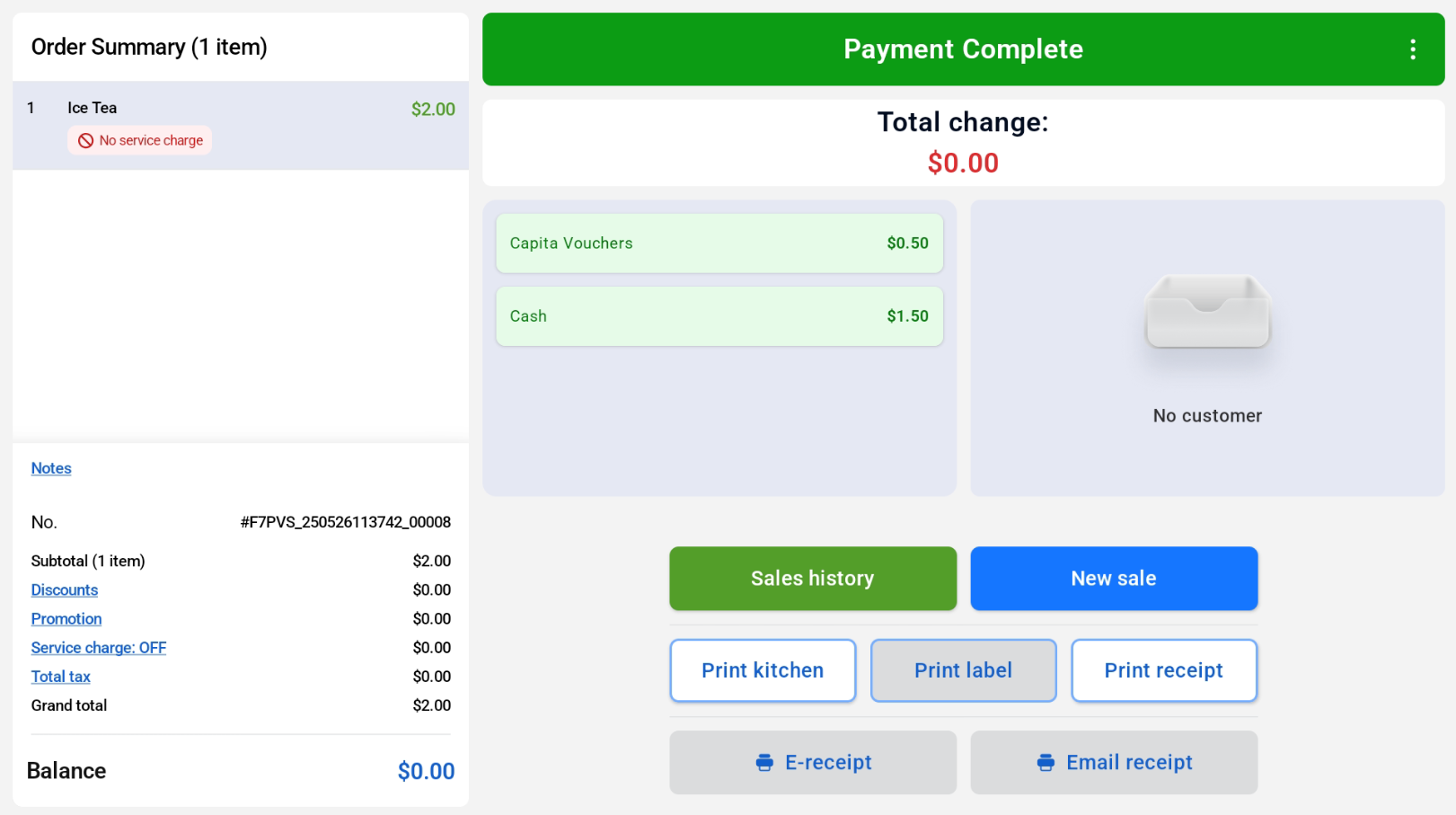
Customers are able to make payment using different payment methods using the Split Payment function.
To process split payment:
When user click on the Split payment button, a red header indicating “Split Payment” will be displayed. Users can insert the amount using the number keypad and select the first payment method.
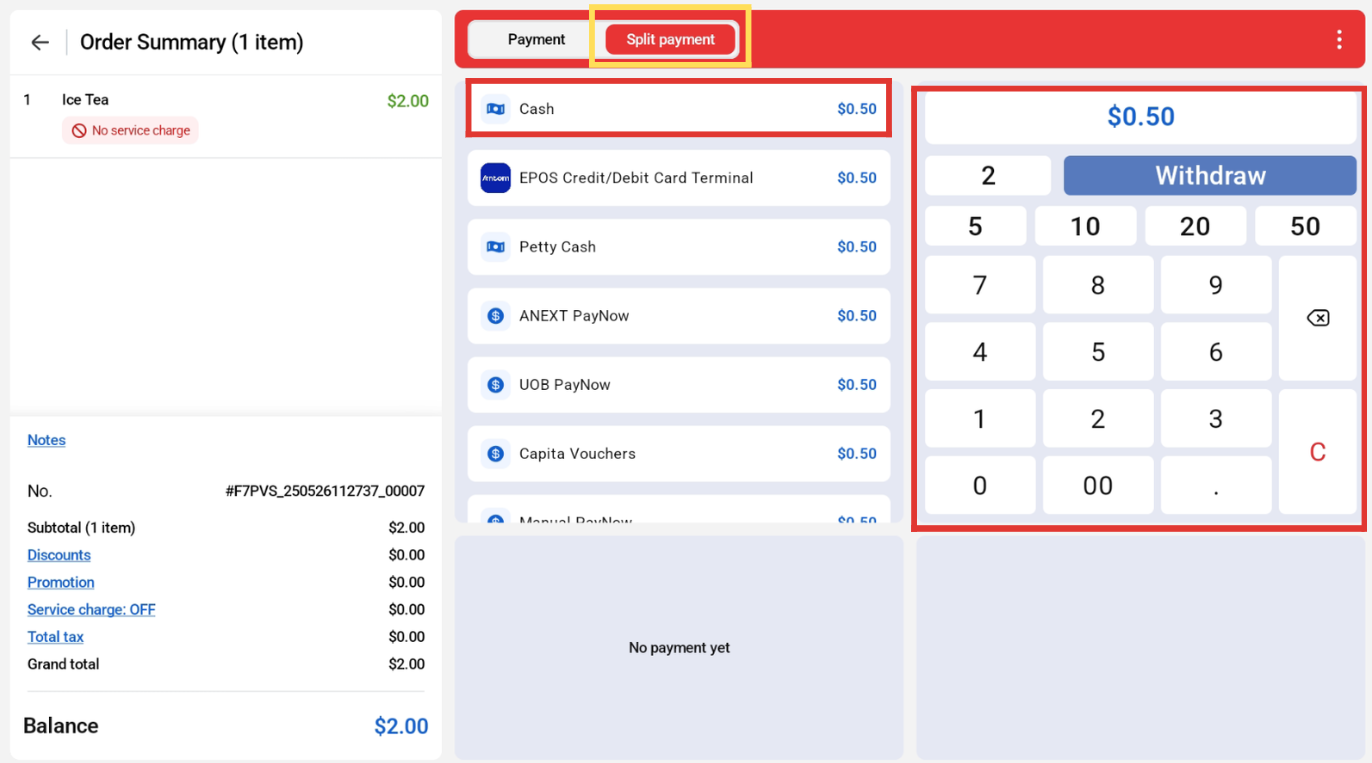
The balance will be auto calculated. Users can proceed to insert the amount for the second payment method and select the second payment method.
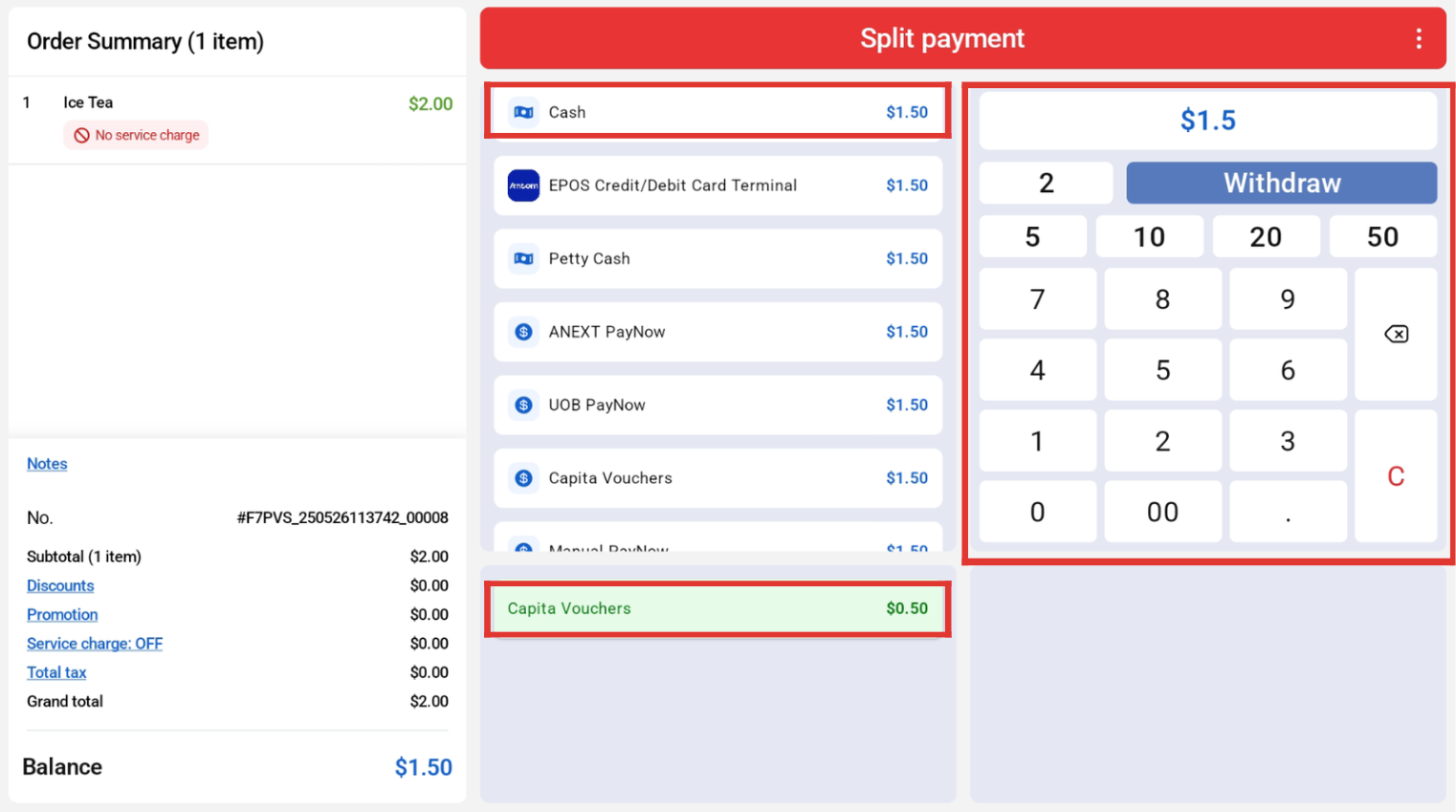
Repeat the same step until the balance is cleared and the payment completion page will be displayed. User will also be able to view the list of payment types.