
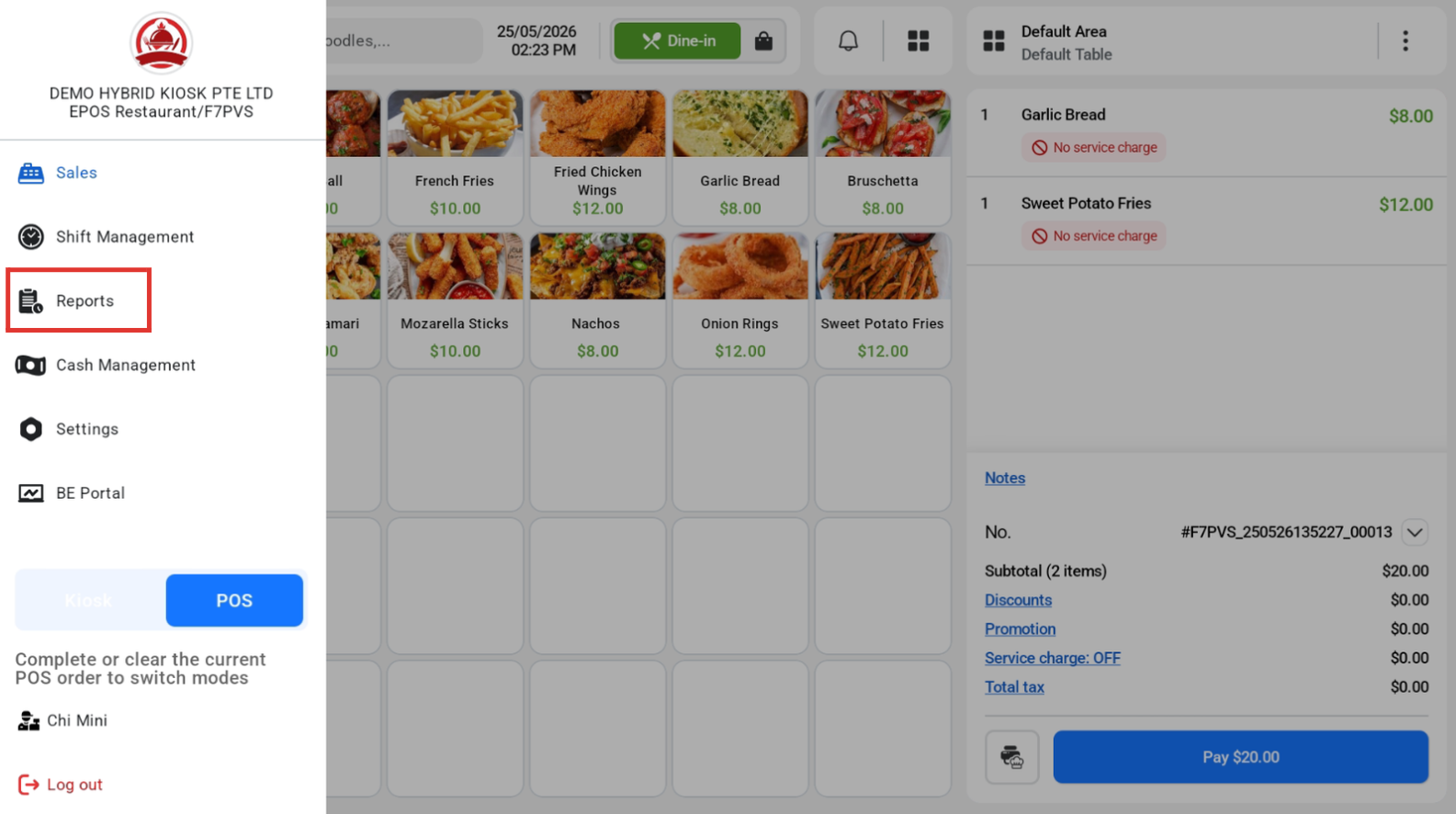
Under the Sales Receipt, the record of all transactions made through the POS and Kiosk mode will flow to the device under Sale receipt. Currently only support sales receipt is supported, with more reporting upcoming in the next phases.
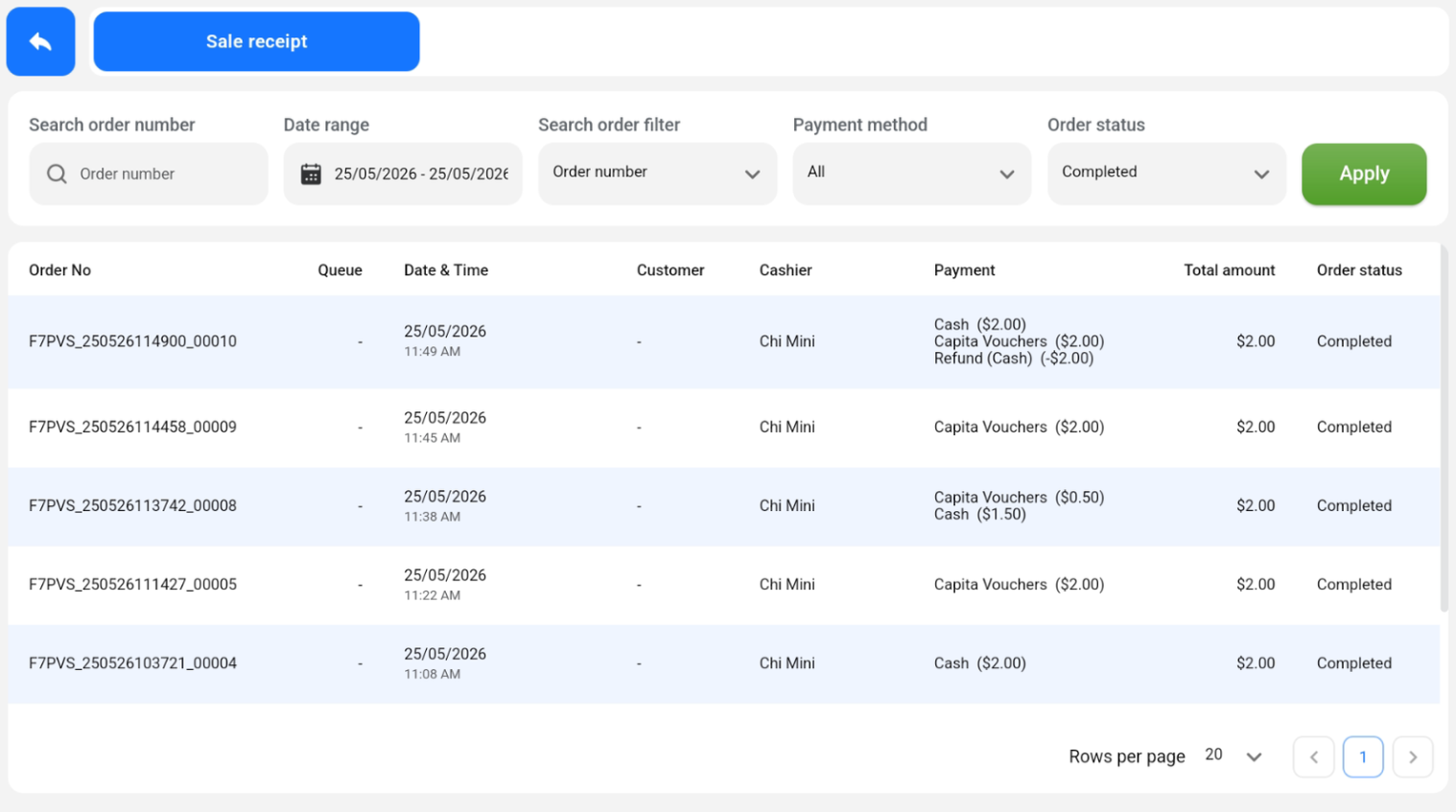
Users are able to search the order number or filter through the list of orders by:
- Order Number
- Date Range
- Payment Method
- Order Status
💡Voided orders will not be shown in this list.
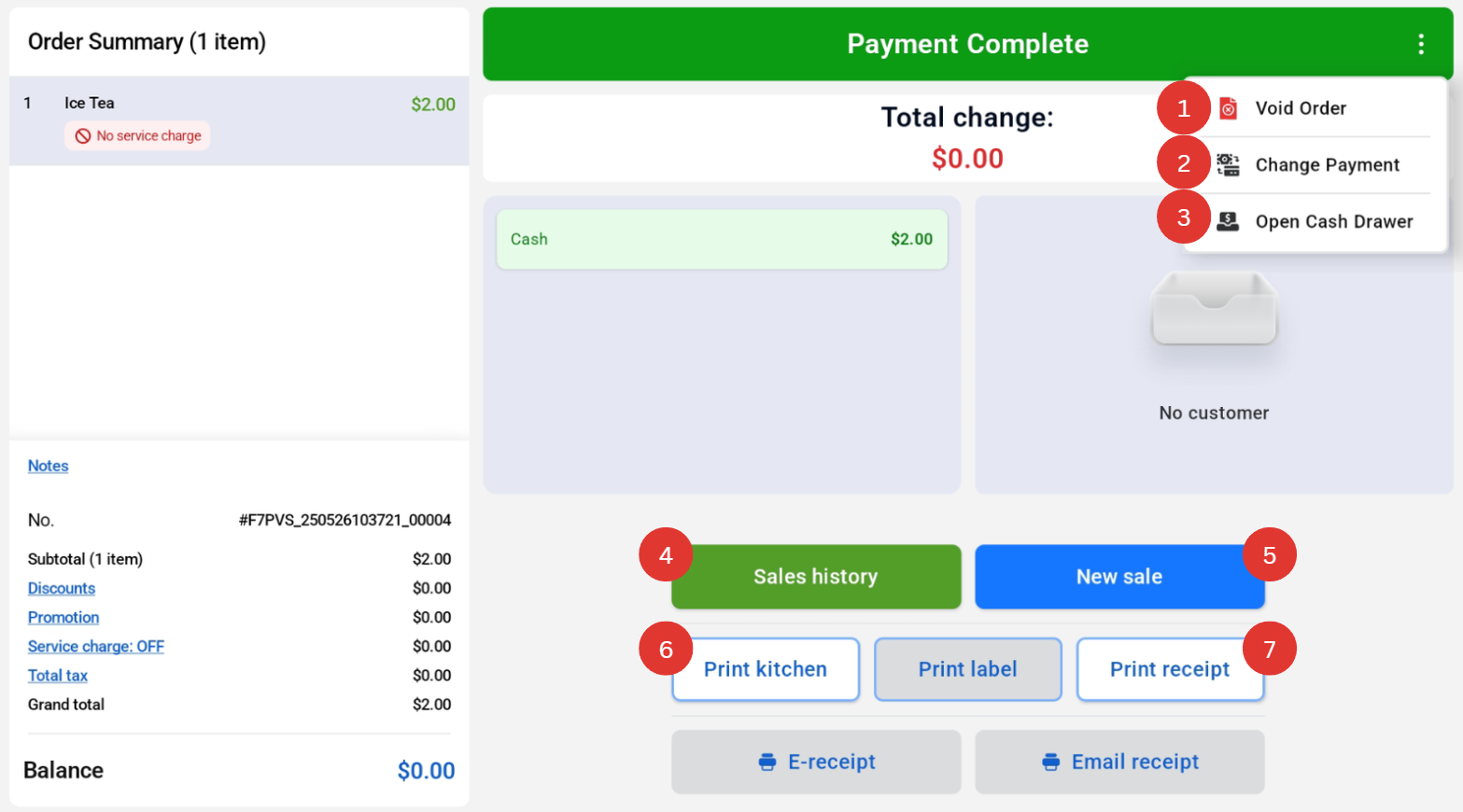
When users click into the order, they are also able to
- Void Order
- Change Payment
- Open Cash Drawer
- View Sales history
- Enter new sale
- Print kitchen
- Print receipt
