
Users can fully edit an invoice with draft status or partially edit an invoice with pending/partial status.
Paid and voided invoices cannot be edited.
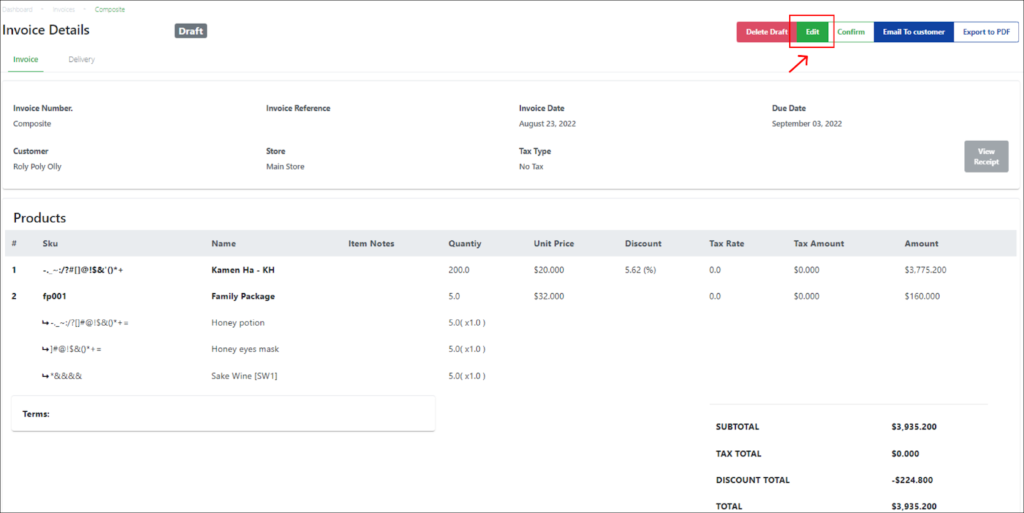
|
Step |
Description |
|
1 |
Select the invoice from the invoices list in the main Invoices page. |
|
2 |
Click on the Edit button on the top right of the page. |
|
3 |
Users can edit invoice details in the editable Invoice page displayed. 💡All quotation fields are editable for draft invoices. 💡Only the Due Date field is editable for pending/partial invoices. |
Was this article helpful?
YesNo
