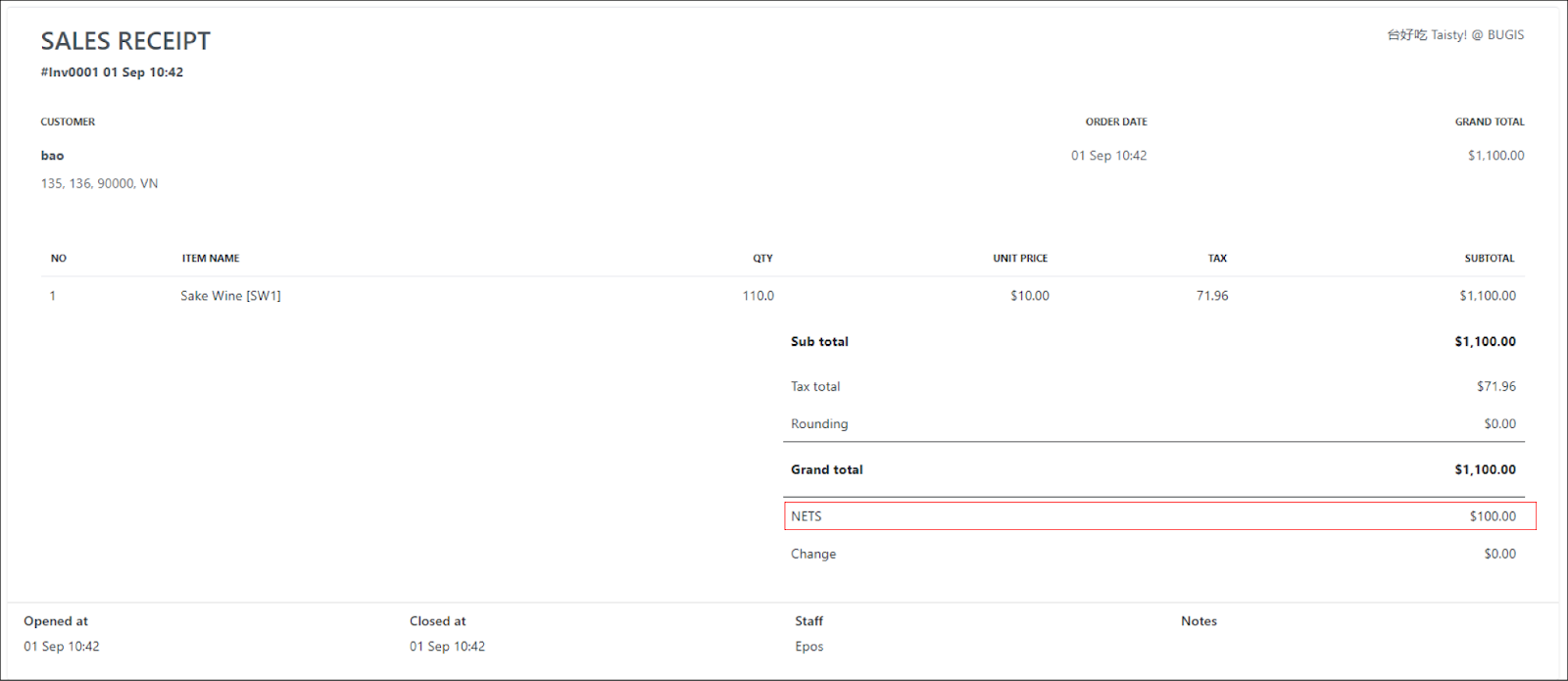
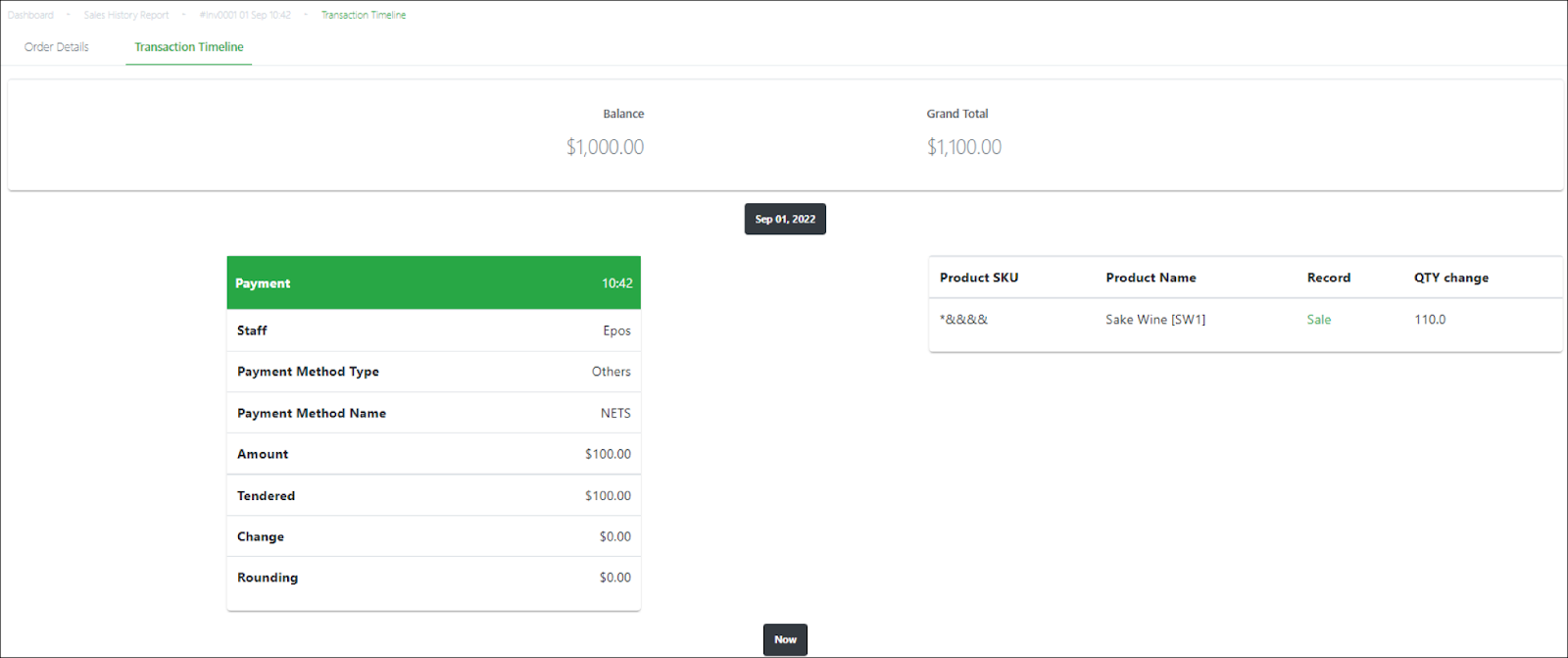
A sales order linked to a pending/partial invoice is updated when:
- One or more partial payments are made to the invoice
- Full payment is made to the invoice
To update a sales order:
|
Step |
Description |
|
1 |
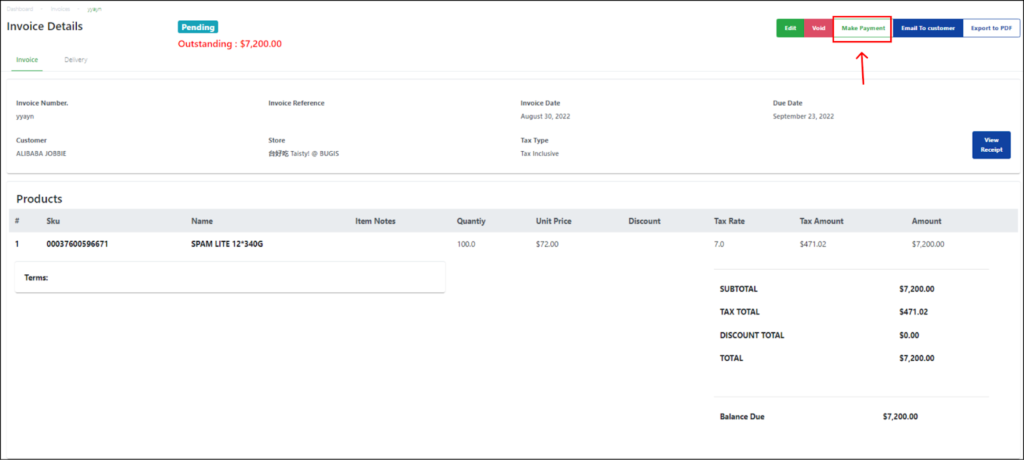
Select the invoice from the invoices list in the main Invoices page. |
|
2 |
Click on the Make Payment button on the top right side of the page. |
|
3 |
Enter the required payment details and click Confirm Payment. |
|
4 |
After the invoice page has refreshed, click the View Receipt button on the right side of the page. |
|
5 |
Users will be redirected to the sales order from the invoice page.
The sales order will be updated with the partial payment(s) made. [If full payment was made, this full payment will be updated in the sales order accordingly] |
|
6 |
Select Transaction Timeline on the Sales order.
The transaction timeline for the sales order will also be updated with the partial/full payment accordingly. 💡Multiple partial payments would display the multiple payments separately in the transaction timeline. |