
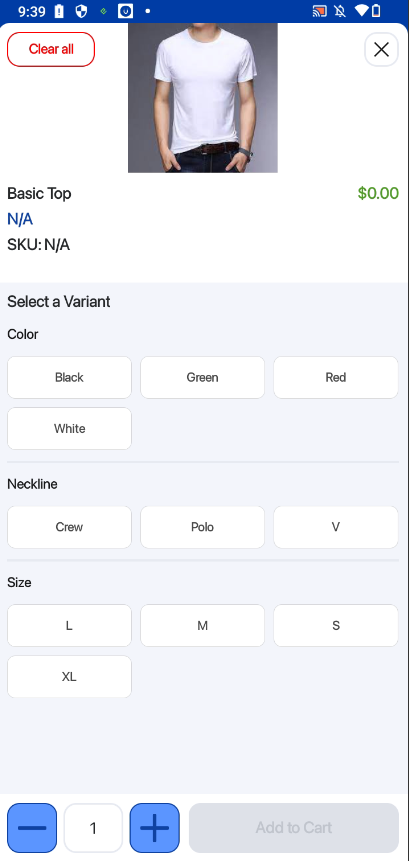
Users can select Variant Products by tapping on product that contains multiple variant options.
Before a variant is selected, the product details such as price and SKU will be displayed as $0.00 and N/A. This indicates that no specific variant has been chosen yet.
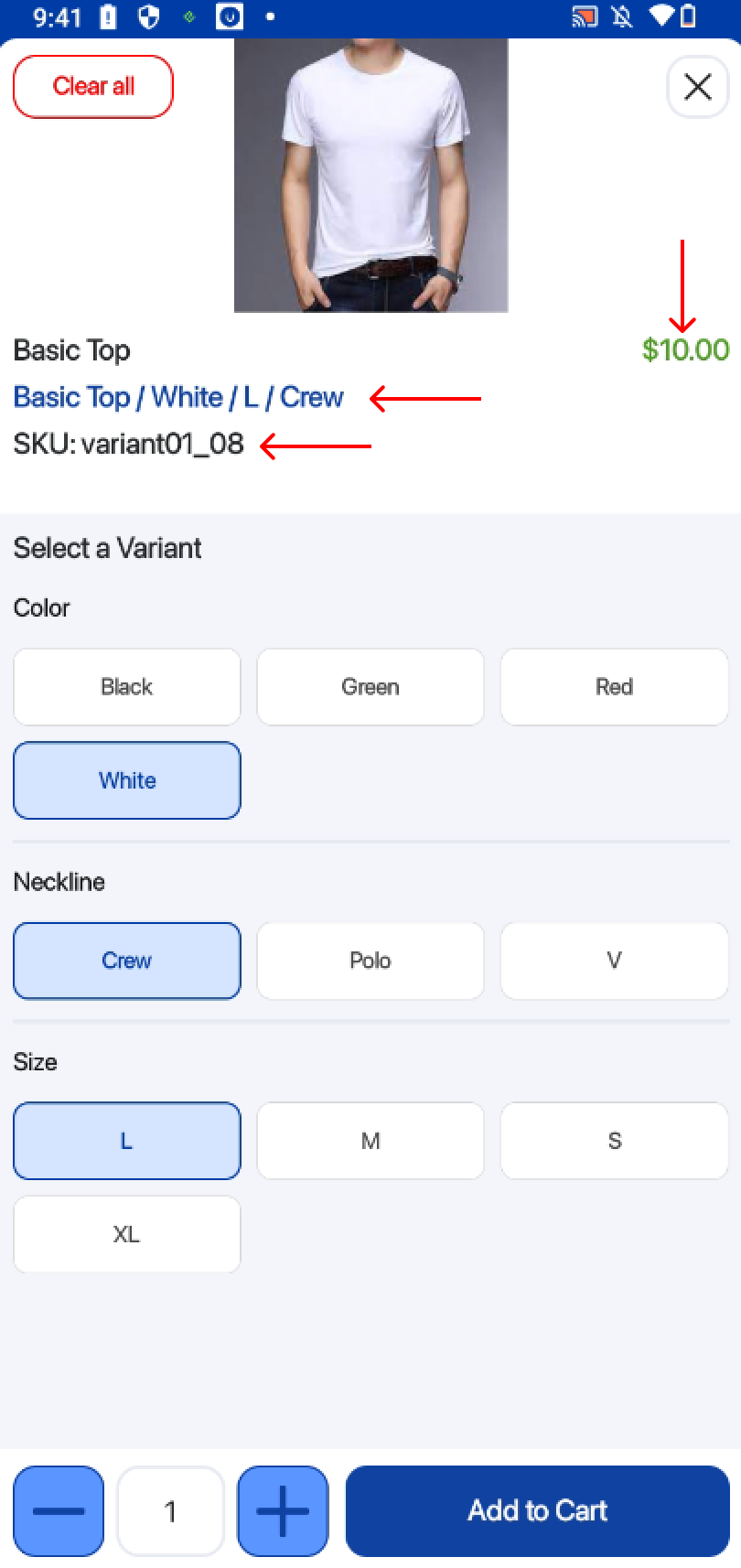
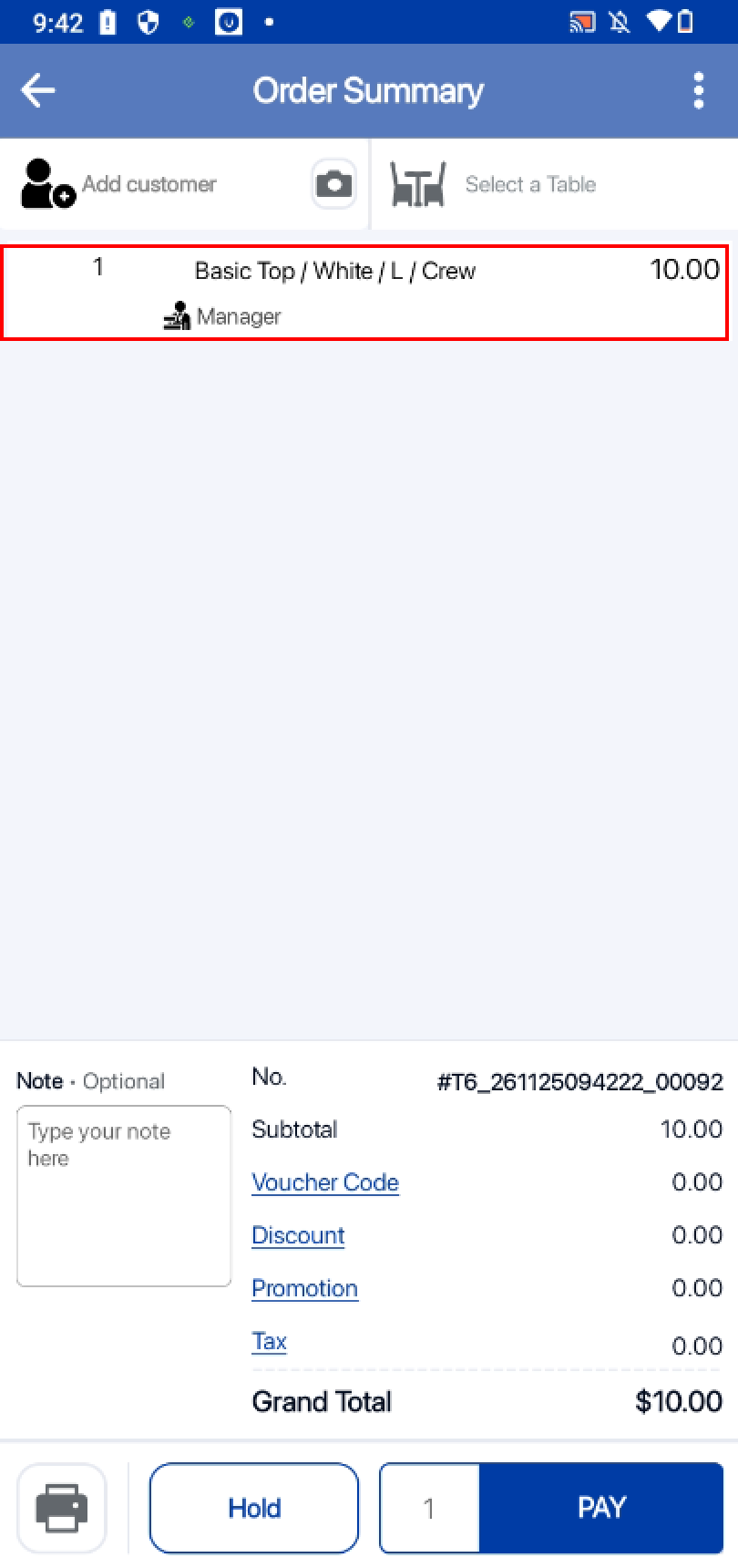
After the user selects their desired variant, the product information will automatically refresh to show the correct price, SKU, and details for that specific variant.
For more information on how to add variant products to quickpick, click HERE
