
The Hardware Settings page allows you to configure your kiosk’s connected hardware components such as printers and payment terminals.
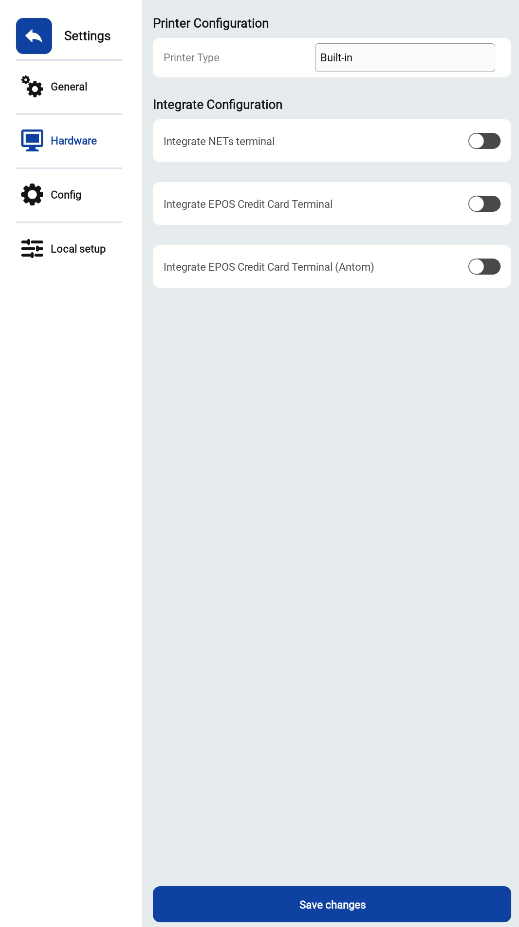
Printer Configuration
Select the printer type used by your kiosk.
-
Built-in – Default printer integrated within the device.
This ensures that your receipts and order slips are printed directly from the kiosk without requiring additional setup.
Integration Configuration
Easily integrate your kiosk with supported payment terminals. You can toggle the integration options on or off based on your setup:
-
Integrate NETS Terminal – Enable to connect and process NETS transactions directly.
-
Integrate EPOS Credit Card Terminal – Enable if your system uses the standard EPOS credit card terminal.
-
Integrate EPOS Credit Card Terminal (Antom) – Enable for kiosks using the Antom credit card terminal.
After making your selections, click Save changes to apply your configuration.
