Staff Alerts

The Retail Kiosk uses a light and sound alert to call staff when a customer needs help or an action needs staff approval.

Kiosk light

  • Green: the kiosk is not in use and is available.
  • Off: the kiosk is in use.
  • The light turns green again when the kiosk returns to the Welcome screen.
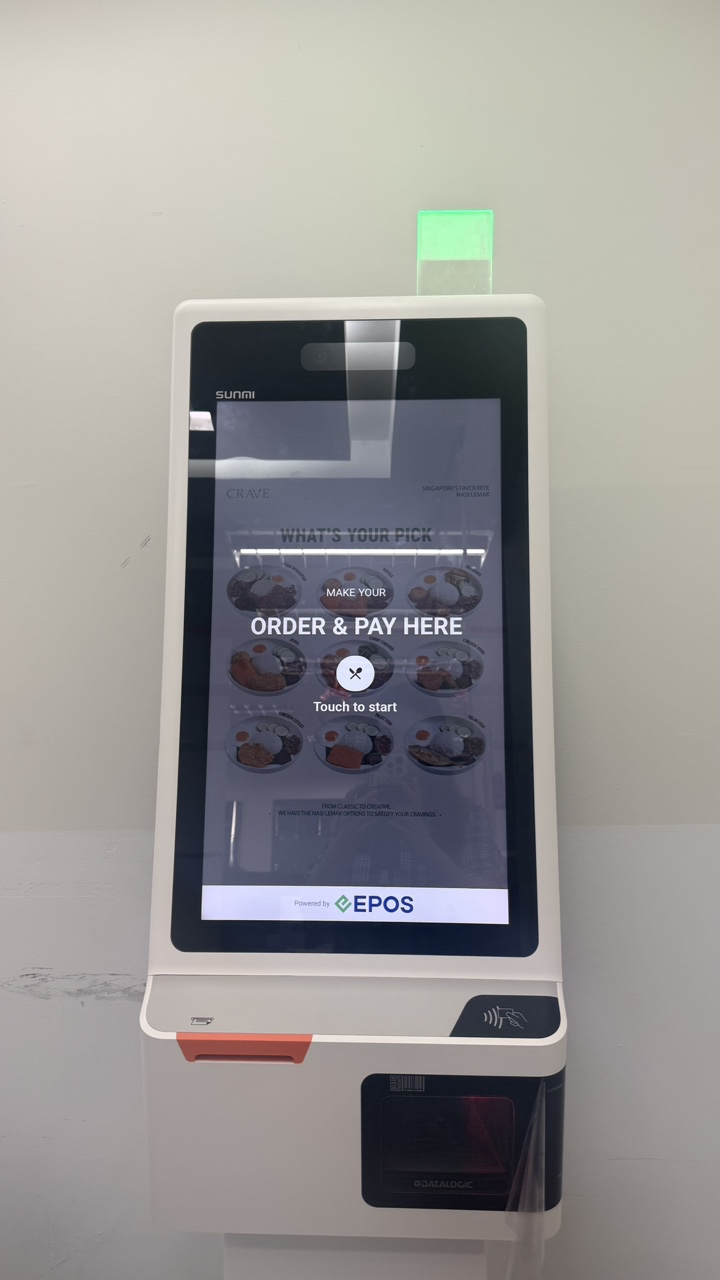
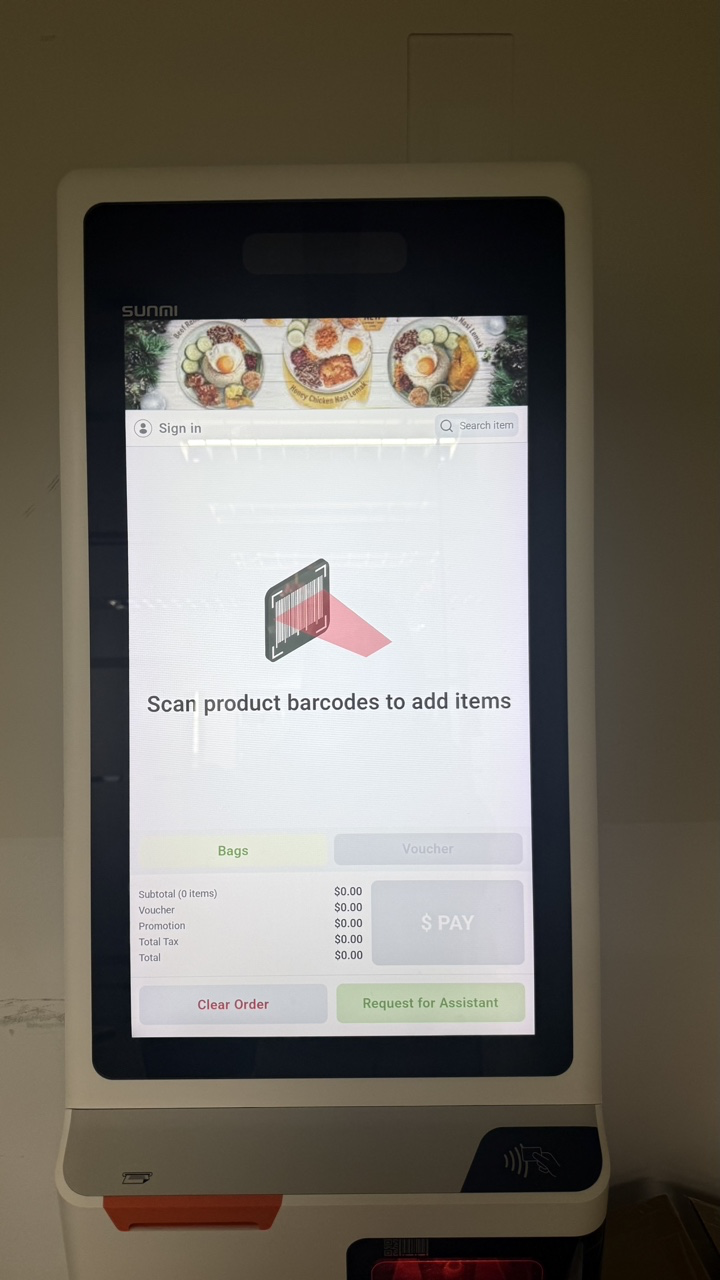
Kiosk light when idle and in use Kiosk light when idle and in use

When an alert is triggered

Which actions trigger a staff alert depends on the configuration in the EPOS Backend. When an alert is triggered, the red light blinks and a sound plays to let the customer know that staff will assist shortly. The red light turns off after staff scan their staff barcode, which opens staff assistance mode.
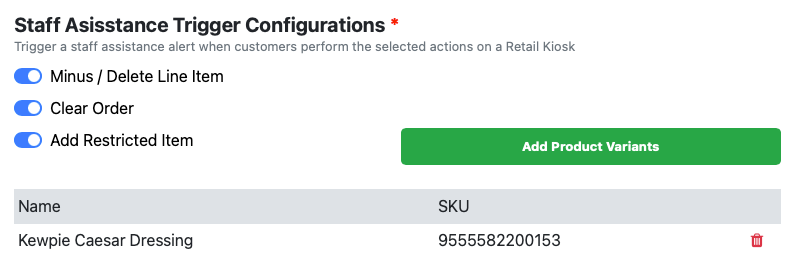

Staff Assistance Trigger Configurations in EPOS Backend

When a customer adds a restricted item to the cart, the red light blinks and a sound plays to let the customer know that staff will assist shortly.

The red light turns off after staff scan the staff barcode. Staff can then check the customer’s ID in staff assistance mode.

When a customer reduces the quantity of an item or deletes it from the cart, the red light blinks and a sound plays to let the customer know that staff will assist shortly.

The red light turns off after staff scan the staff barcode. Staff can then confirm the change.

When a customer clears the order, the red light blinks and a sound plays to let the customer know that staff will assist shortly.

The red light turns off after staff scan the staff barcode. Staff can then clear the order.

When a customer requests staff assistance, the red light blinks and a sound plays to let the customer know that staff will assist shortly.

The red light turns off after staff scan the staff barcode. Staff then assist the customer in staff assistance mode.