Intro Paragraph of Content
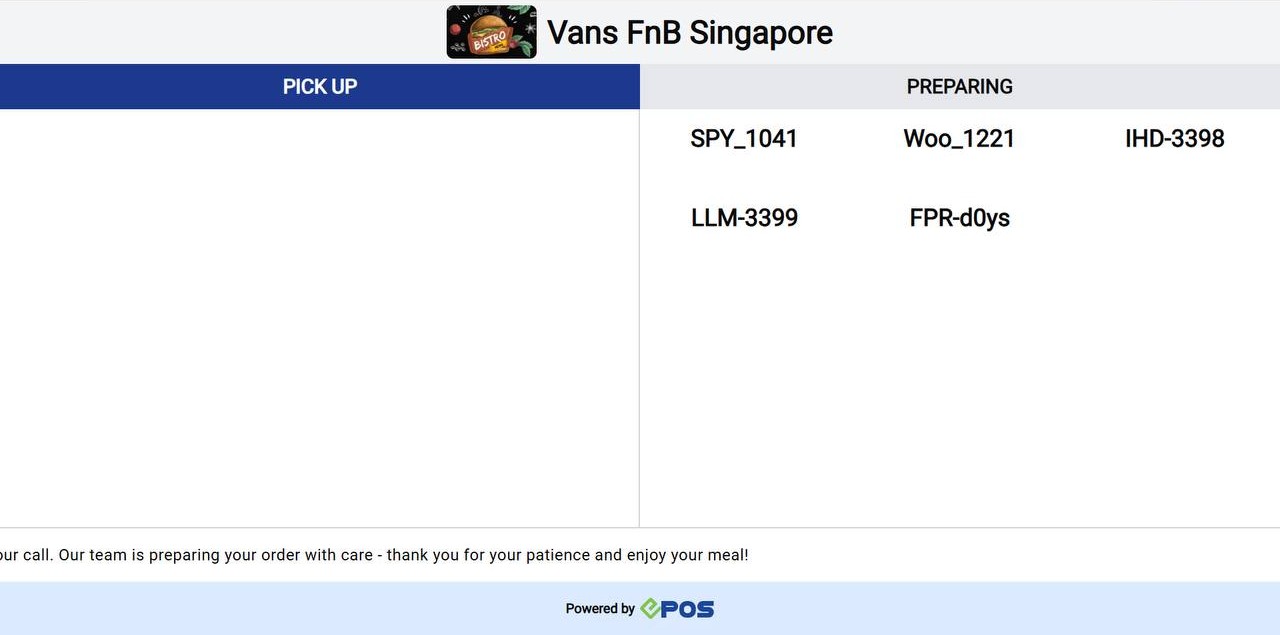
The Queue Display System (QDS) is an automated screen designed to display the status of customers’ orders in real time.
Compared to a traditional queue calling system, the QDS offers several advantages:
- Reduces manual steps in order processing.
- Offers clearer visual tracking of customer orders.
(Insert images/video below the main paragraph)
(Highlight steps on the media for better clarity)
Interested to get a QDS? Contact us for more info.
Content Segment Demo
(Image should highlight each segment for clarity to the user)
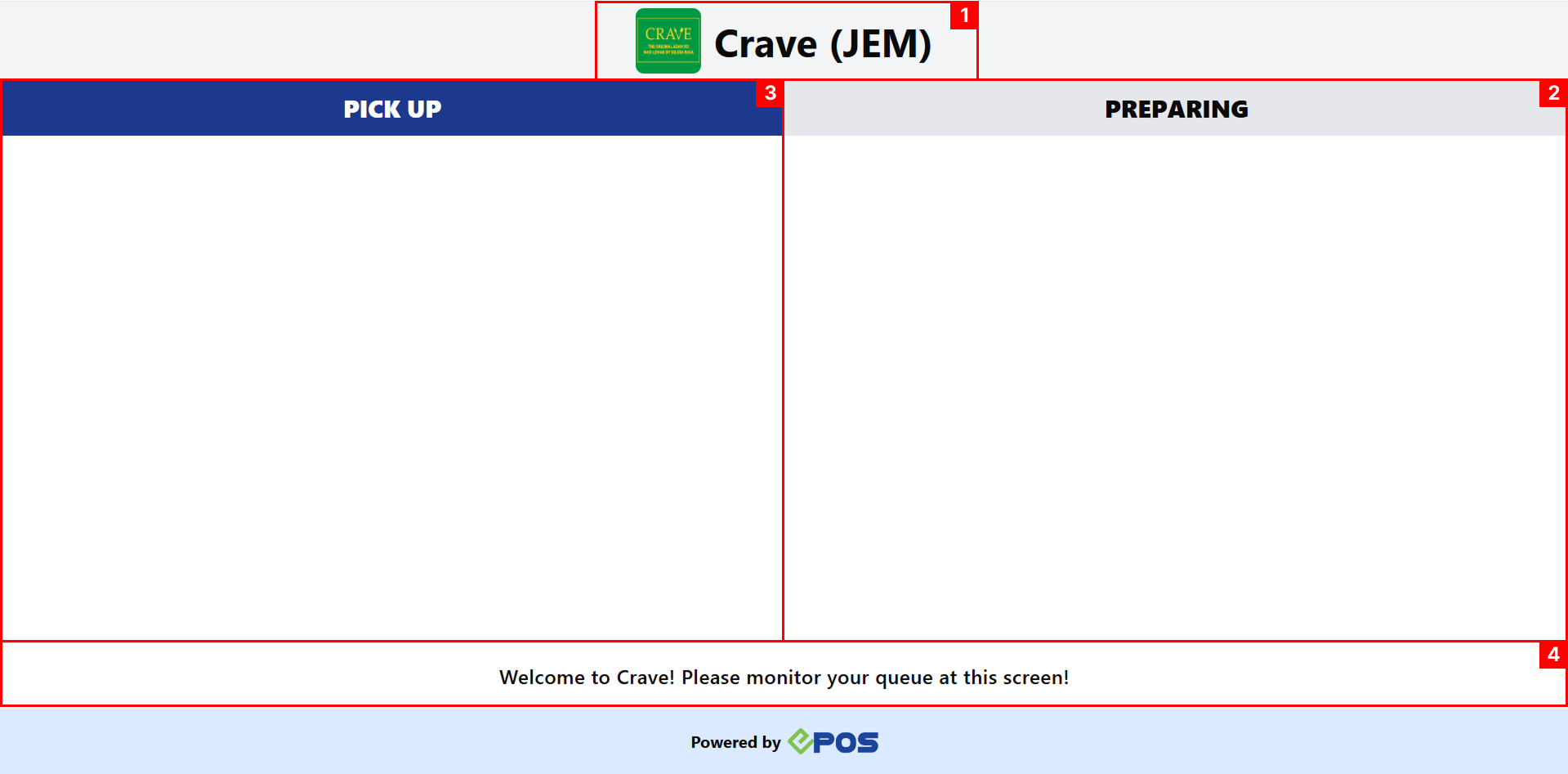
- Segment Header:
(Explain segment here)
- Segment with sub content:
↳Reuse this text segment for text with a separate access link (Access Link here)
↳Users will be able to see a blue tint on the text above
Context Paragraph
Upon successful sending of orders to the Kitchen Display System (KDS), the queue number will be shown at the ‘Preparing’ column of the QDS.
💡The queue number won’t appear on the QDS if it fails to send to the KDS.
(Additional noters should be in italics)
(Emojis can be found online)
(Divider can be added to separate context from main content)
Preparing Column
New Orders will appear at the bottom for the ‘Preparing’ column, while the oldest order will be at the top. The order list only shifts when an order is moved from ‘Preparing’ to ‘Pickup’.
A total 15 orders maximum will be at each column.
Orders at ‘Preparing’ will stay for 4 Hours.
(Any additional information for media above can be added here)
(If you wish to added separate pages to refer to, you can add them at the end like so)
To view promotion creation, refer to Promotions.
To view promotion usage, refer to Apply Promotion.

