January 2026
This January, several features across our Portrait POS, Android POS have implemented features to enhance the experience of both the users and customers.
What’s New
Not sure which affects you?
These icons indicate which group of users is impacted by each enhancement: Point of Sale (POS) users, Backend users, or Web Ordering App users.
(🖥️ POS — ⚙️ Backend — 📱 Web Ordering App — 🤖 Android POS — 🗣CRM — 👨🍳 Kitchen Display System (KDS) — 📦 Stock Take Device — 🔊Soundbox — 🛒 Kiosk )
We have rolled out new enhancements for our CRM Plugin on Package Products!
What’s NEW
- Packages bought online can now auto-sync to the customer’s account on the EPOS Backend.
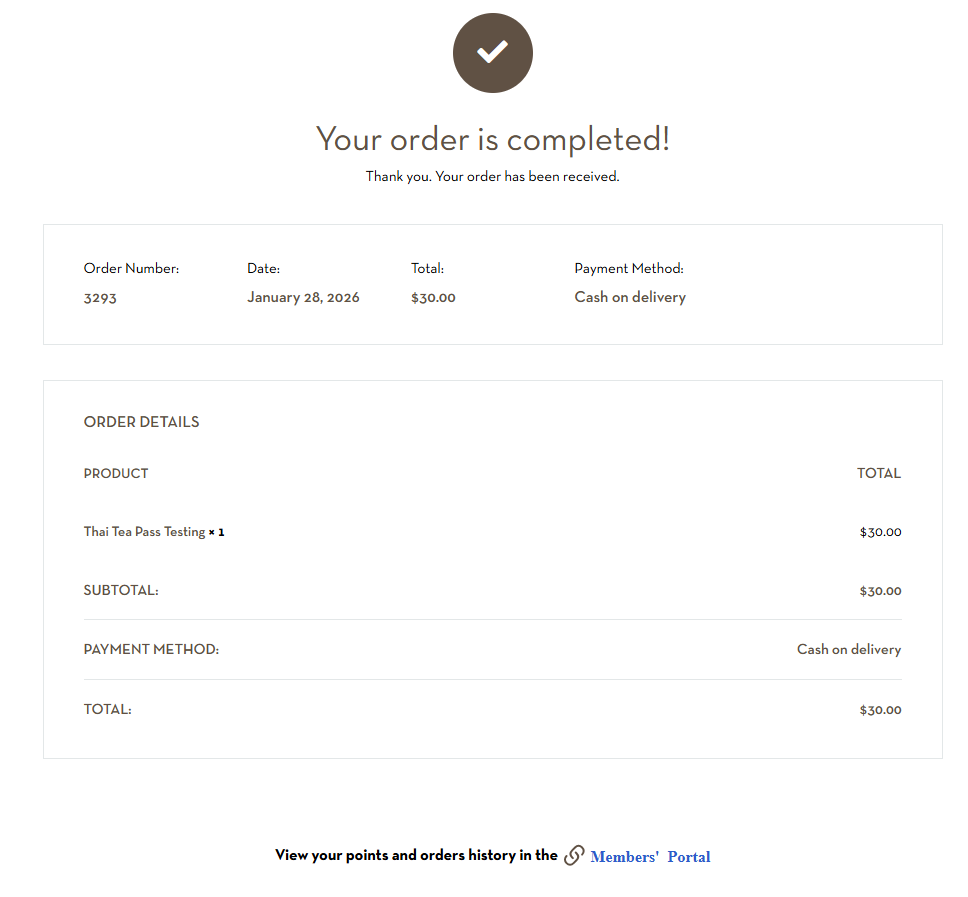
- Customers can purchase packages online via WooCommerce website.
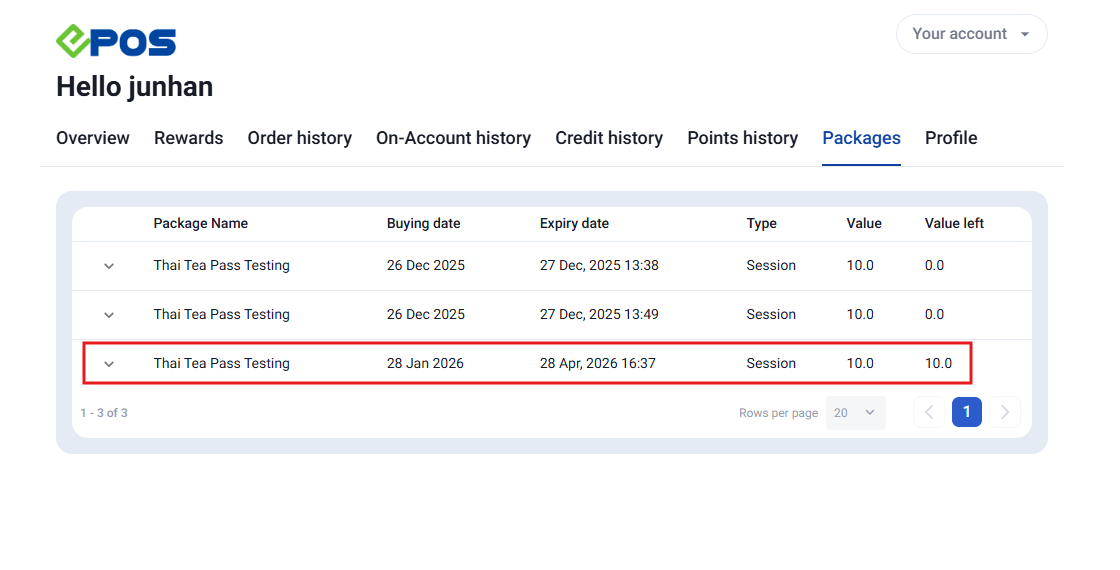
- Customers can view their packages on the Member’s Portal.
✍🏻NOTE
- Package that have been voided on Windows POS and WooCommerce Backend Admin Page will remove the package on the customer’s Member’s Portal.
- Redemption of packages can ONLY be done on the Windows POS.
We have rolled out new enhancement on our kitchen slips printout to improve readability for you!
What’s NEW
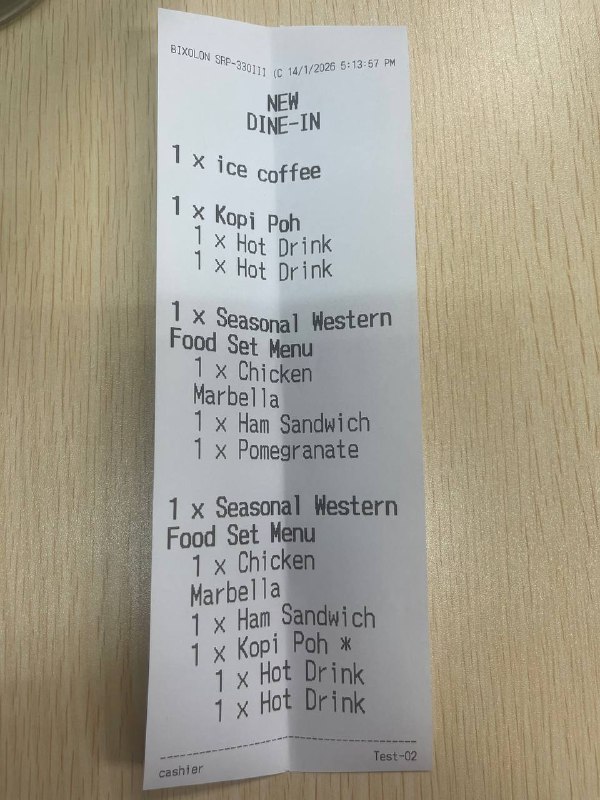
Below is a sample of the enhanced kitchen slip:
Below are some steps you can follow to set up the kitchen slip:
Navigate to Backend Portal > EPOS Apps > Kitchen Printing and select the kitchen printer you have set up.
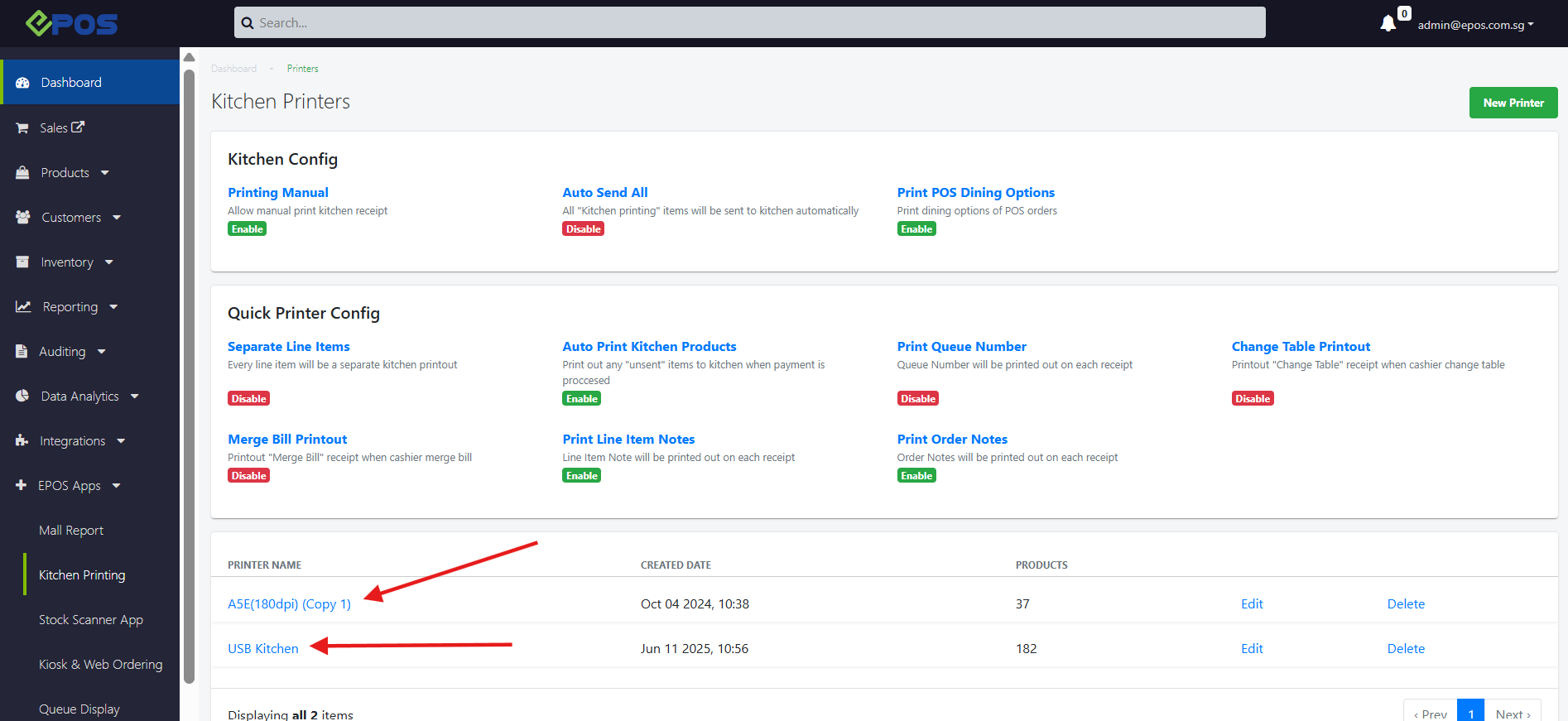
Once you have selected the printer, you can select “Edit Configs” button to begin the set up process.
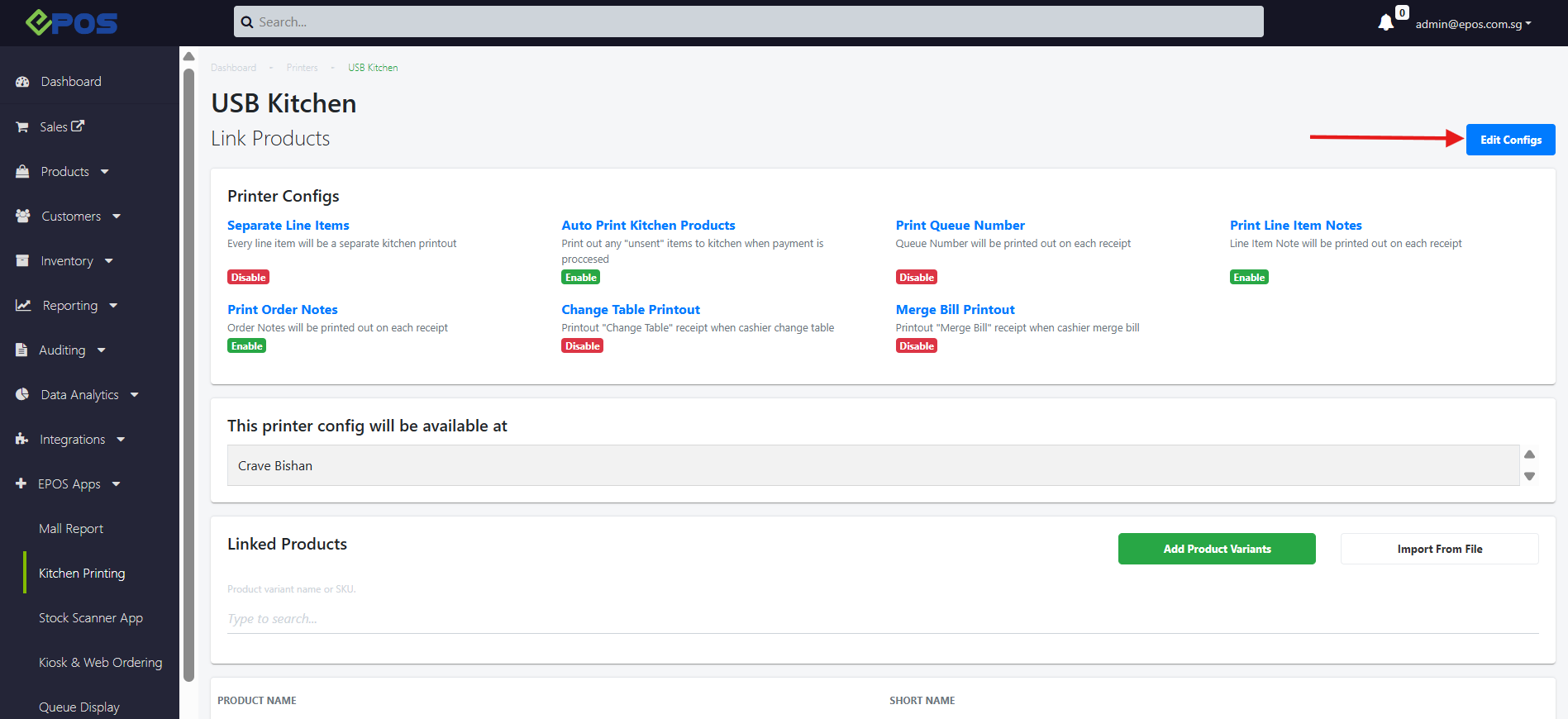
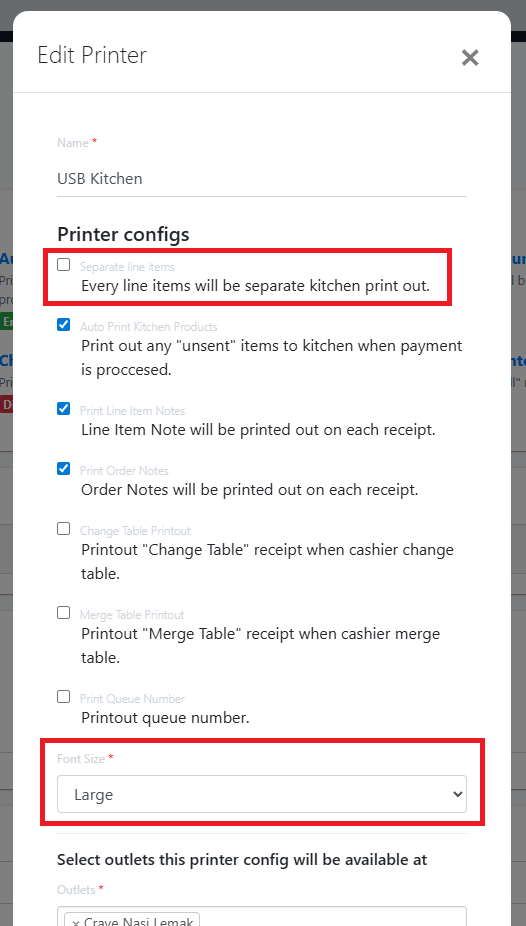
Follow the configurations below,
- Ensure “Separate Line Items” is toggled OFF
- Font Size is set to “Large”
ꔷ Ensure ‘Remove Empty Line On Receipt’ is toggled off
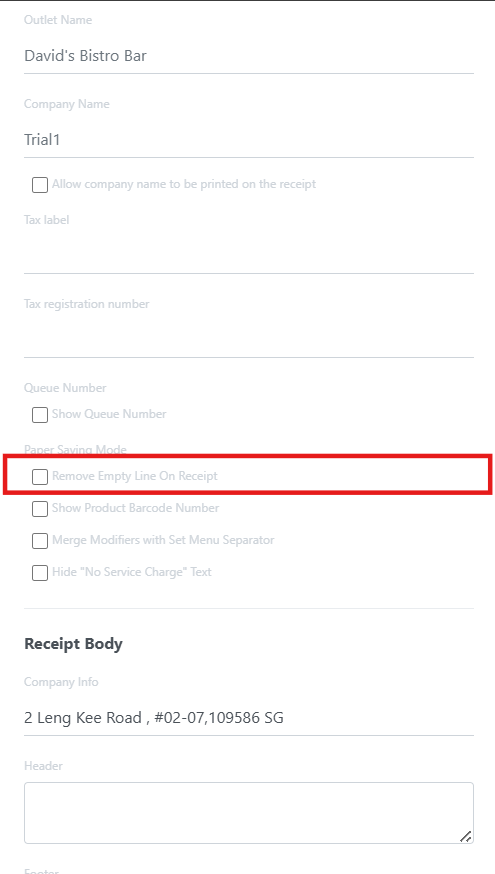
✍🏻 NOTE: The “Remove Empty Line On Receipt” setting in POS Receipt Template applies to both receipt and kitchen slip!
How to Update
For POS related features, user will need to update the POS to the latest version, version v2.543.
For Backend related features, users are not required to perform any actions, the new features would automatically be updated.
Feedback
We value your input! If you encounter any issues or have suggestions for further improvements, please don’t hesitate to contact us.
Stay Connected
Stay updated with the latest news and updates by following us on our social platforms.
Thank You
We appreciate your continued trust in EPOS. This update is just one of many steps we’re taking to provide you with the best POS system on the market.
If you have any questions or need assistance with the update, please contact our support team at:
Call: 6871 8833 / Email: [email protected] / Whatsapp: 8482 1888