The image below shows the functions available on the main Sales screen. After selecting the dining option (Dine-in/Takeaway), users will see the screen below.
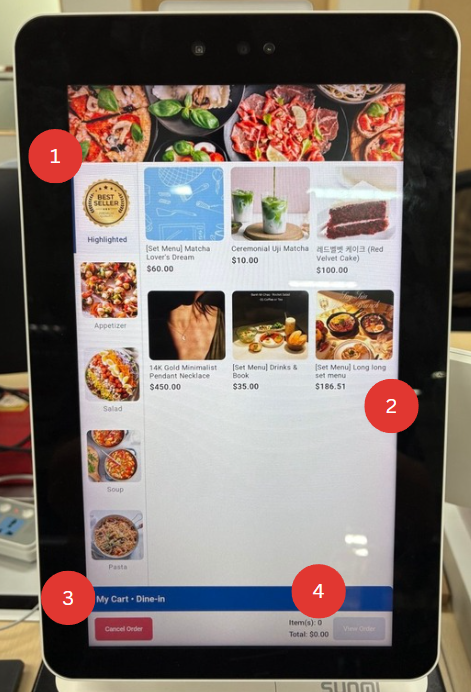
1. Product Categories
Allows users to select between each category to locate product easier
2. Product
Allows user to select their wanted product
3. Cancel Order
Allows users to cancel their order and bring them back to the main page
4. View Order
Allows user to view the current order if there are products selected