July 2026
This month’s release brings a variety of new features and enhancements across our Backend, Windows POS, Android POS, Web Ordering App, Kiosk, Kitchen Display System (KDS), and Stock Take Device, delivering a smoother experience for both merchants and customers.
What’s New
Not sure which affects you?
These icons indicate which group of users is impacted by each enhancement: Point of Sale (POS) users, Backend users, or Web Ordering App users.
(🖥️ POS — ⚙️ Backend — 📱 Web Ordering App — 🤖 Android POS — 🗣CRM — 👨🍳 Kitchen Display System (KDS) — 📦 Stock Take Device — 🔊Soundbox — 🛒 Kiosk )
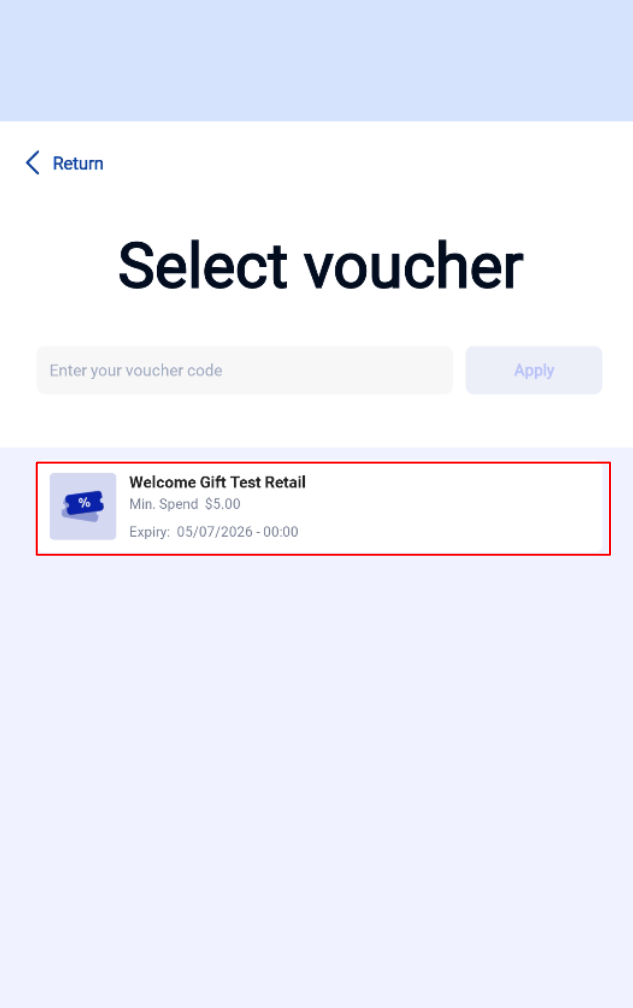
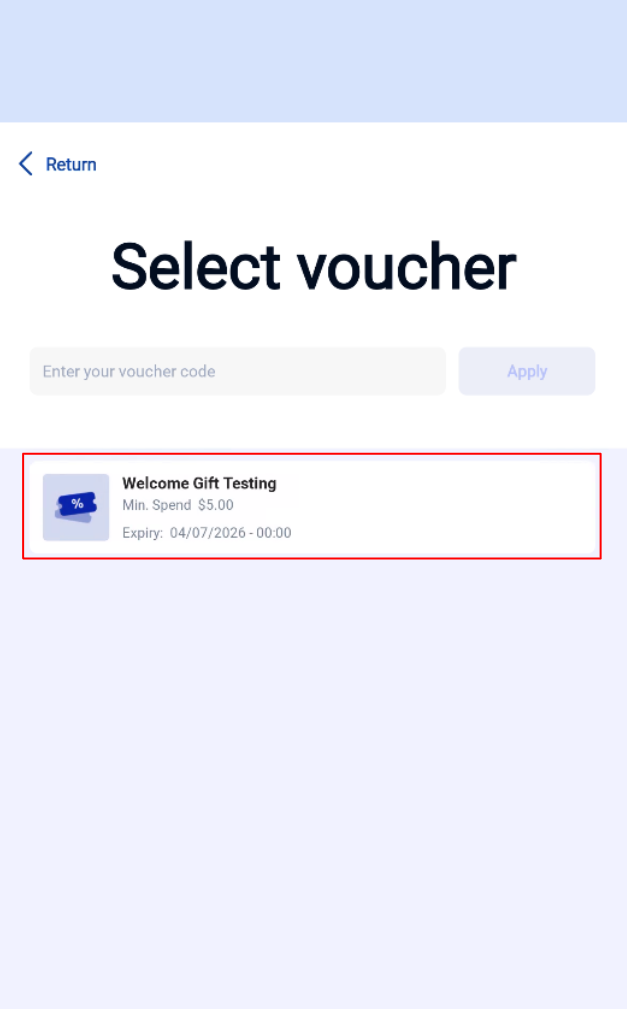
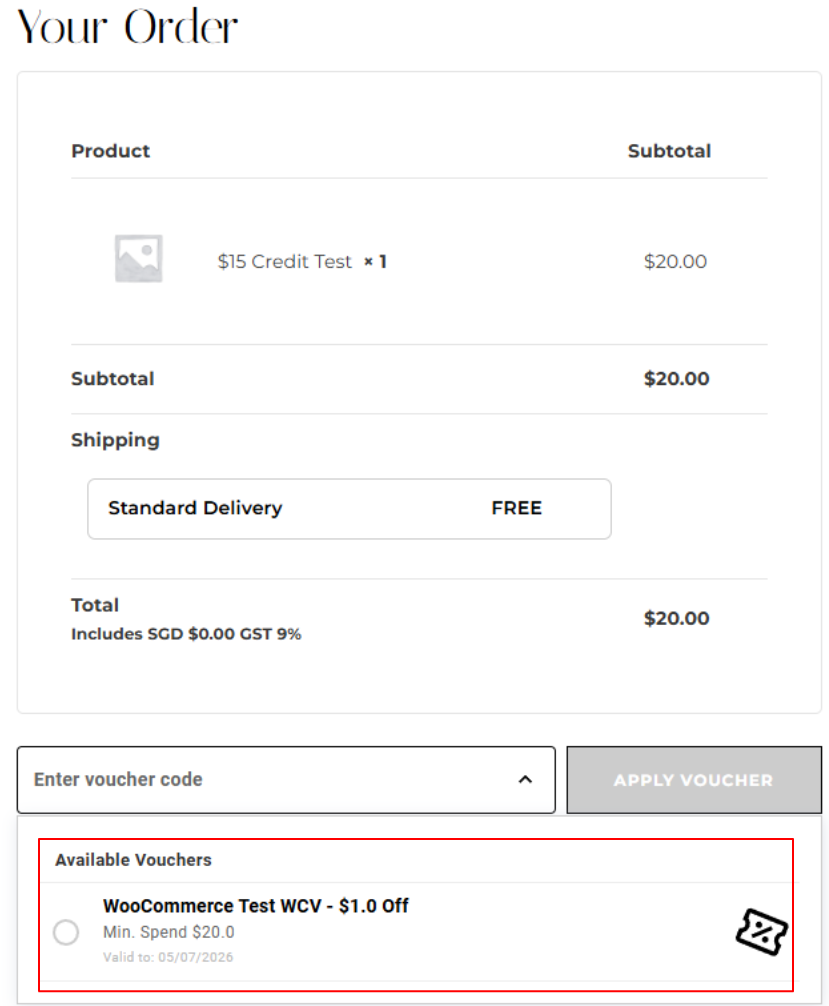
We have updated the display voucher API to include welcome gift voucher.
What’s New:
📌Customers that have Welcome Gift Voucher will be displayed in voucher list for WebApp, Kiosk (F&B and Retail), Windows POS, Android POS, WooCommerce – CRM Plugin
Backend Voucher
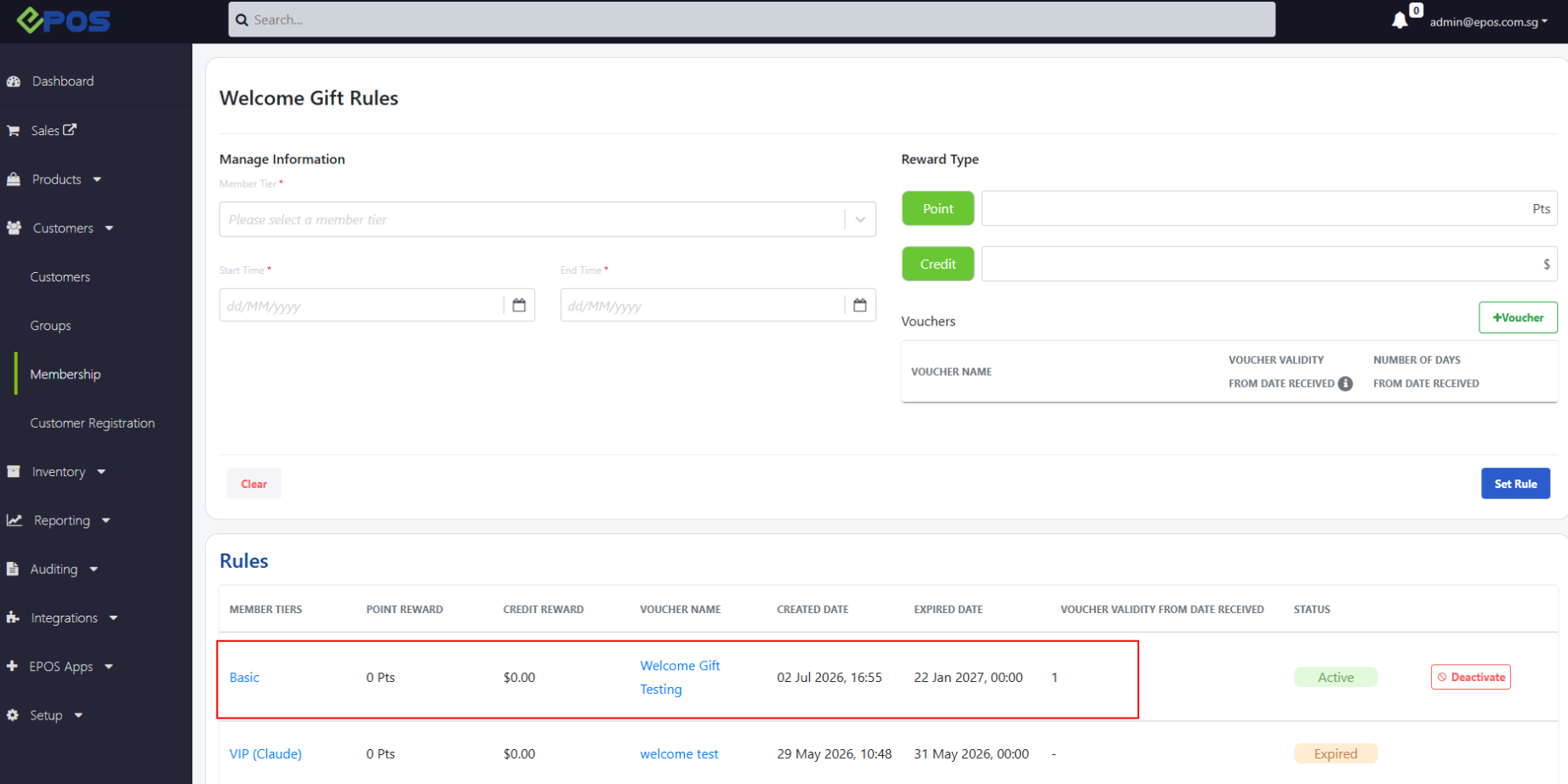
WebApp
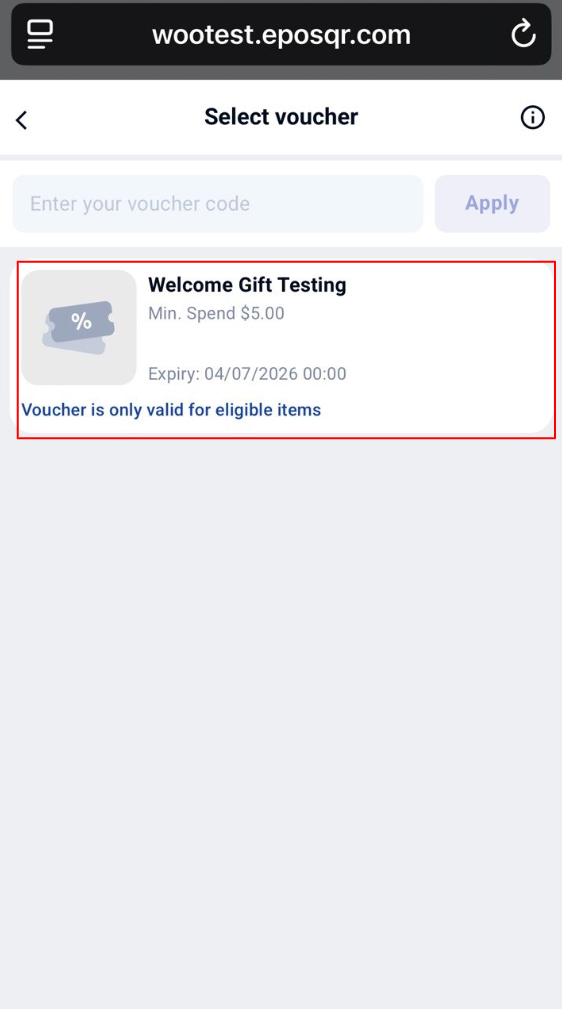
Android POS
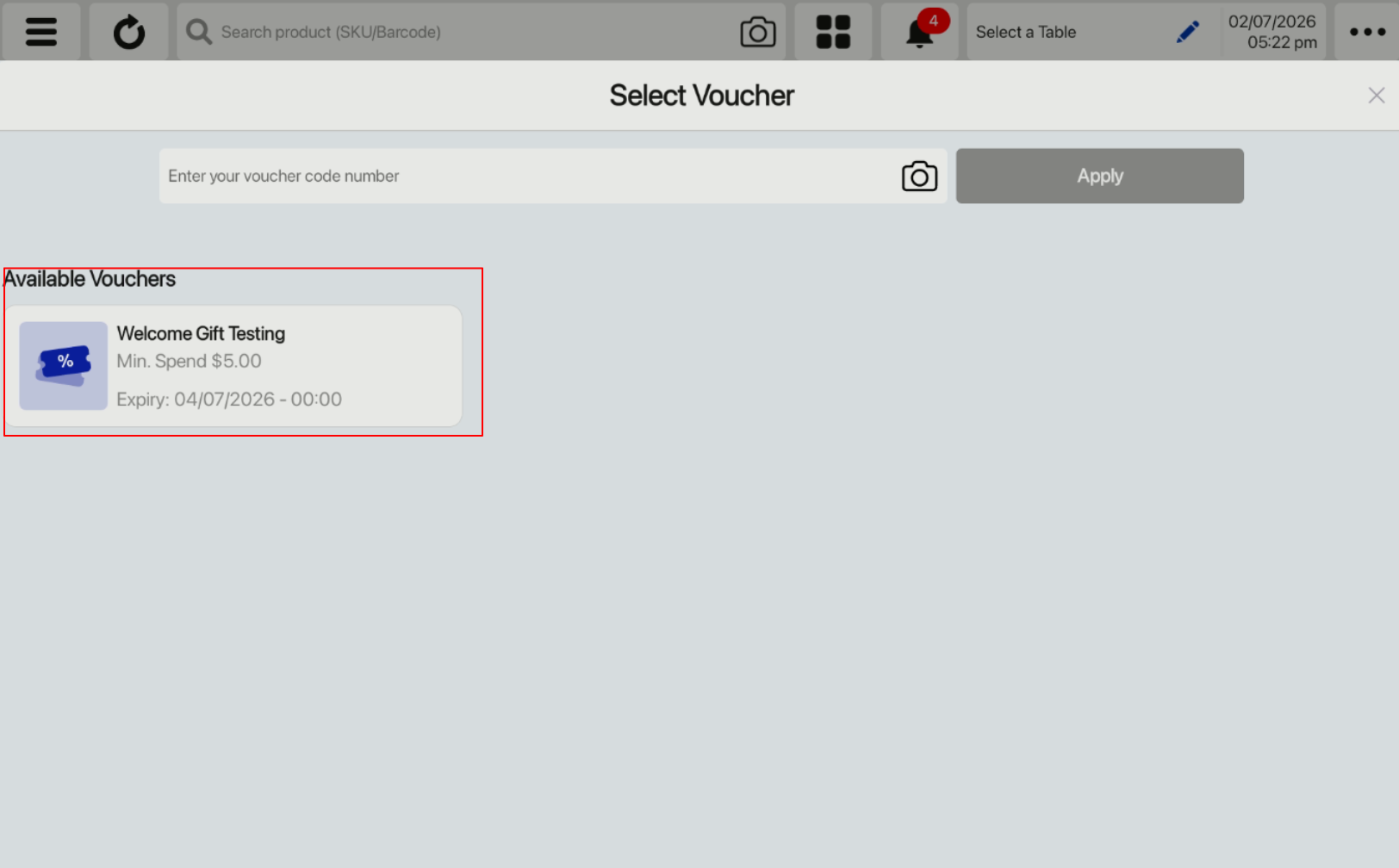
Windows POS
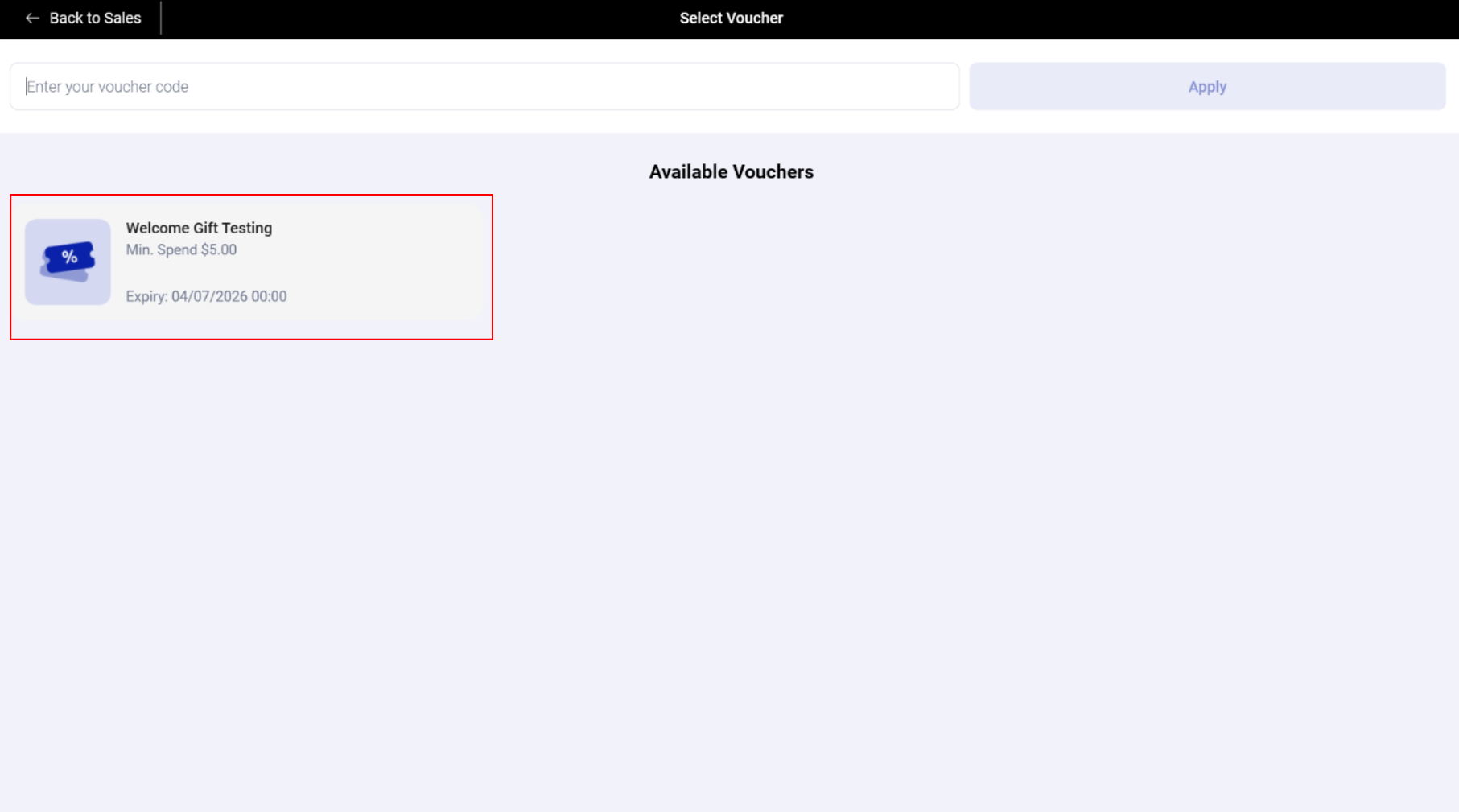
Retail and F&B Kiosk
WooCommerce – CRM Plugin
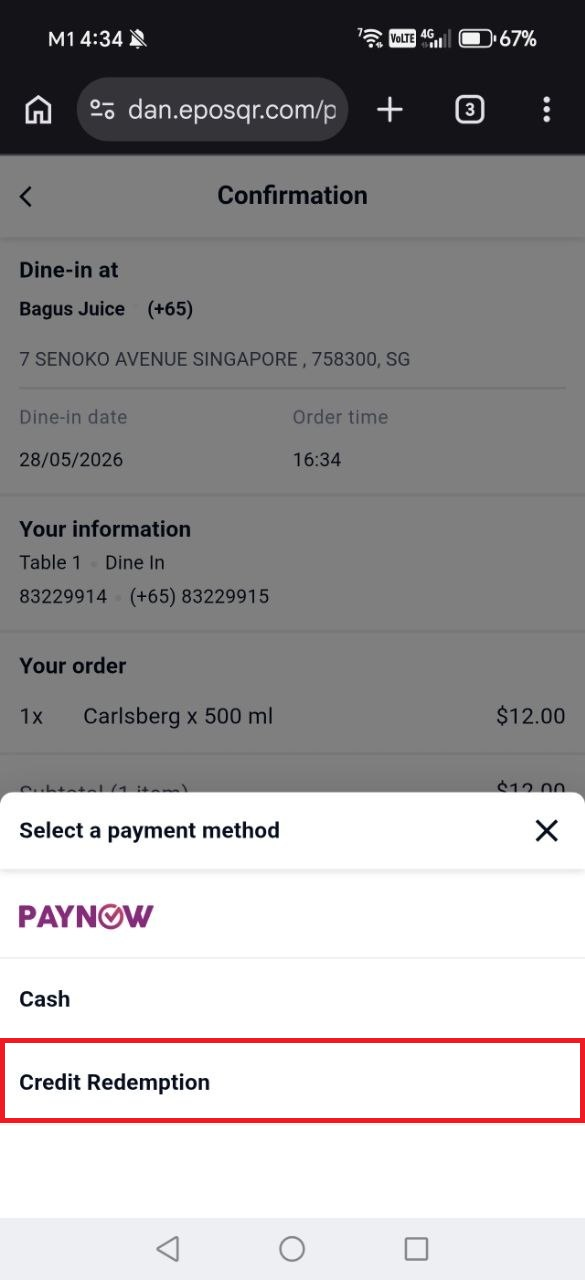
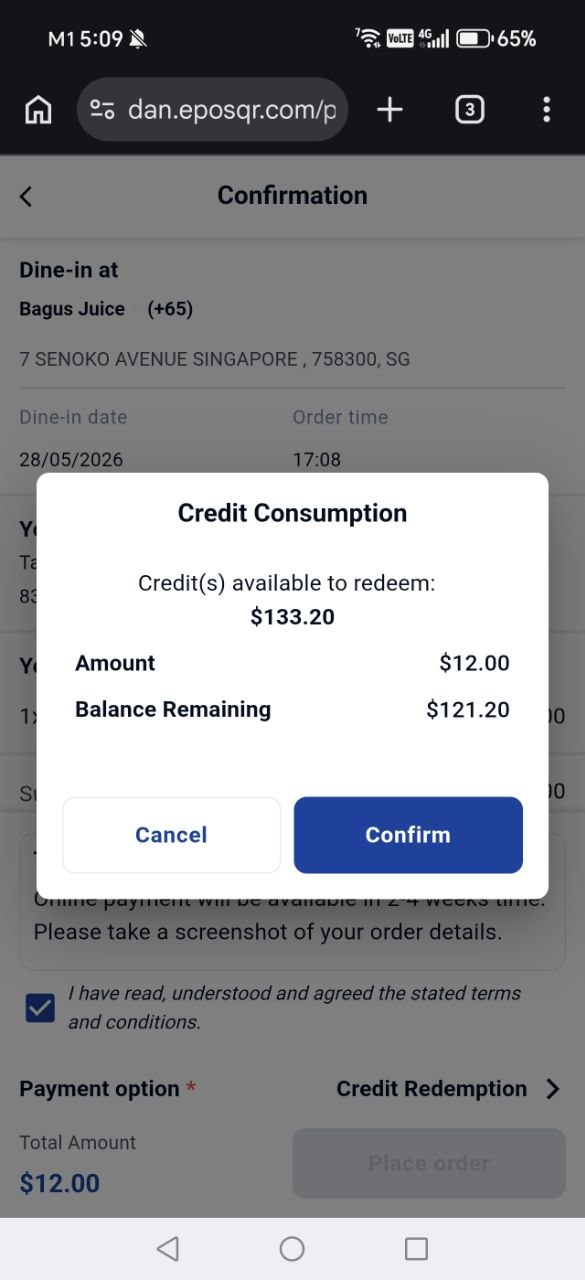
We have enabled Webapp orders to be paid using credits for members.
What’s New:
📌If merchants have enabled the credit redemption payment methods, customer can now choose to use their Credits to make full payment on the webapp
📌The payment page UI has been standardized across all payment methods
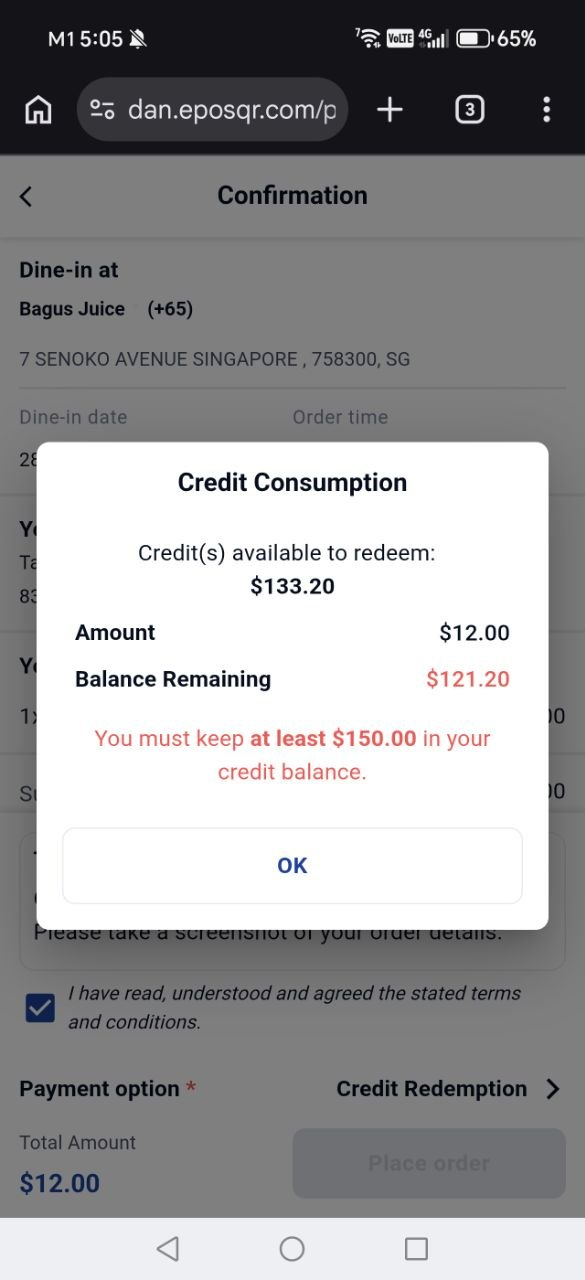
Pre-requisites:
❗️If a fall-below limit is configured, the kiosk will prevent customers from paying with Credits if their remaining credit balance falls below the configured limit.
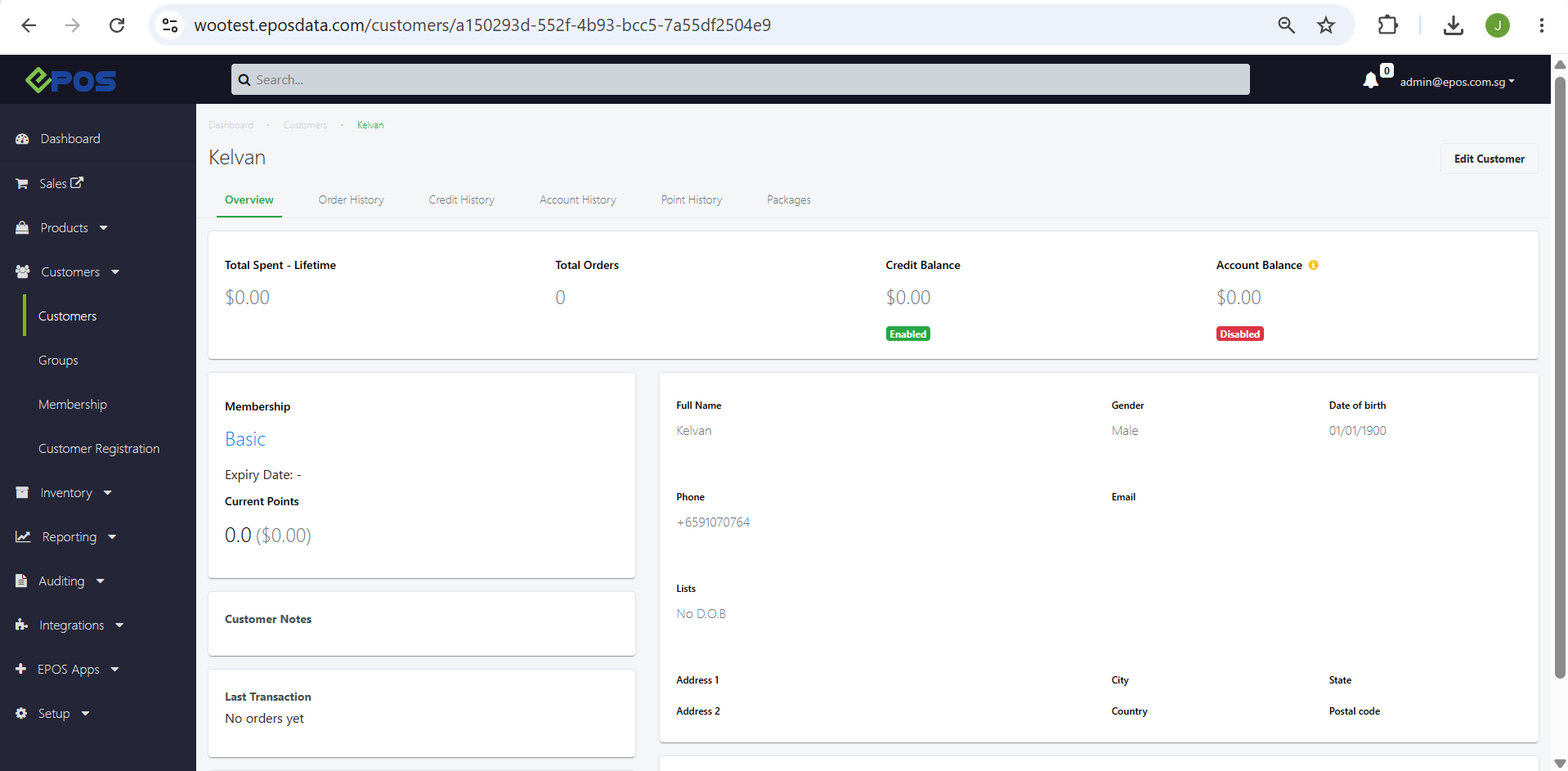
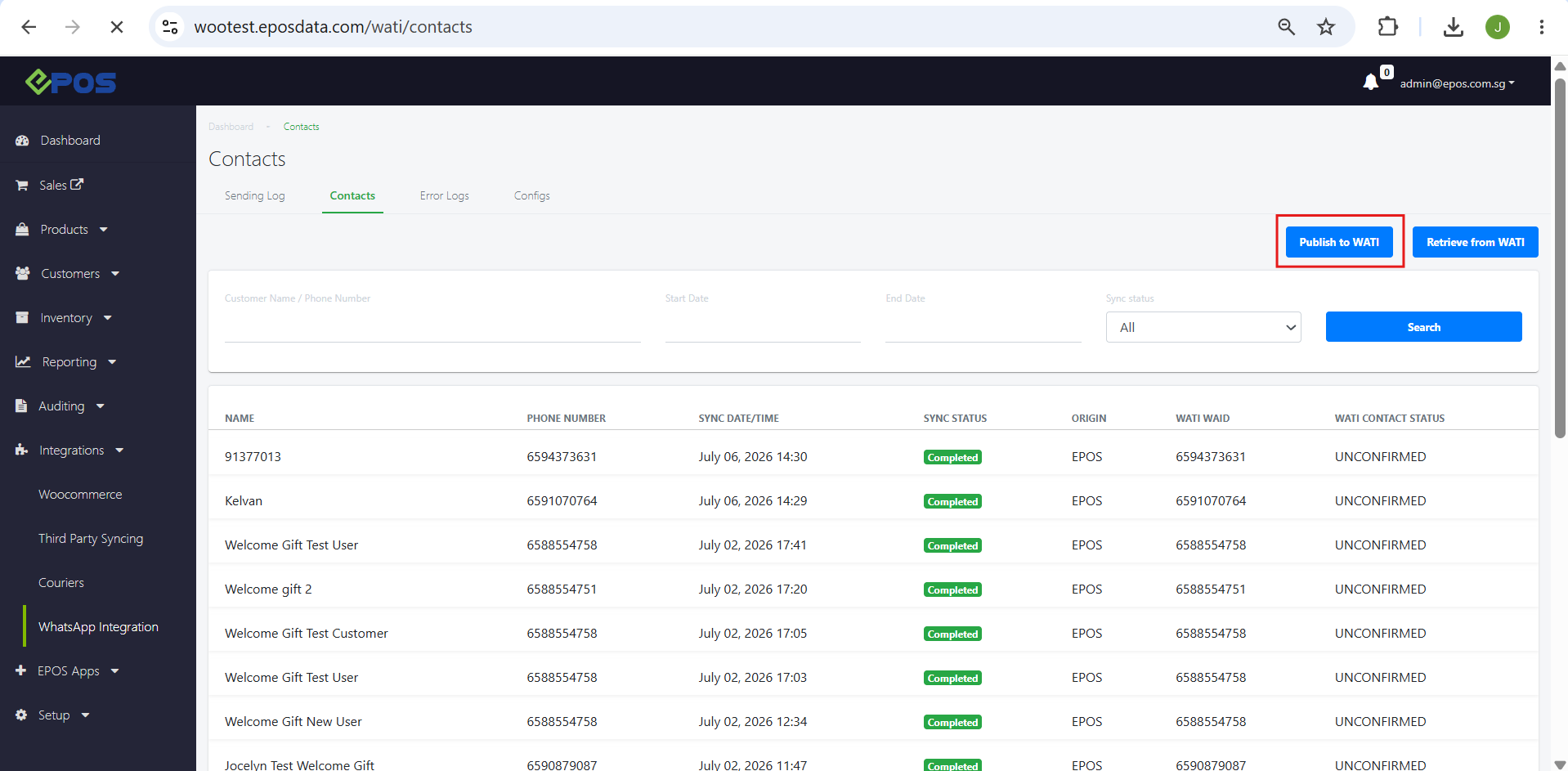
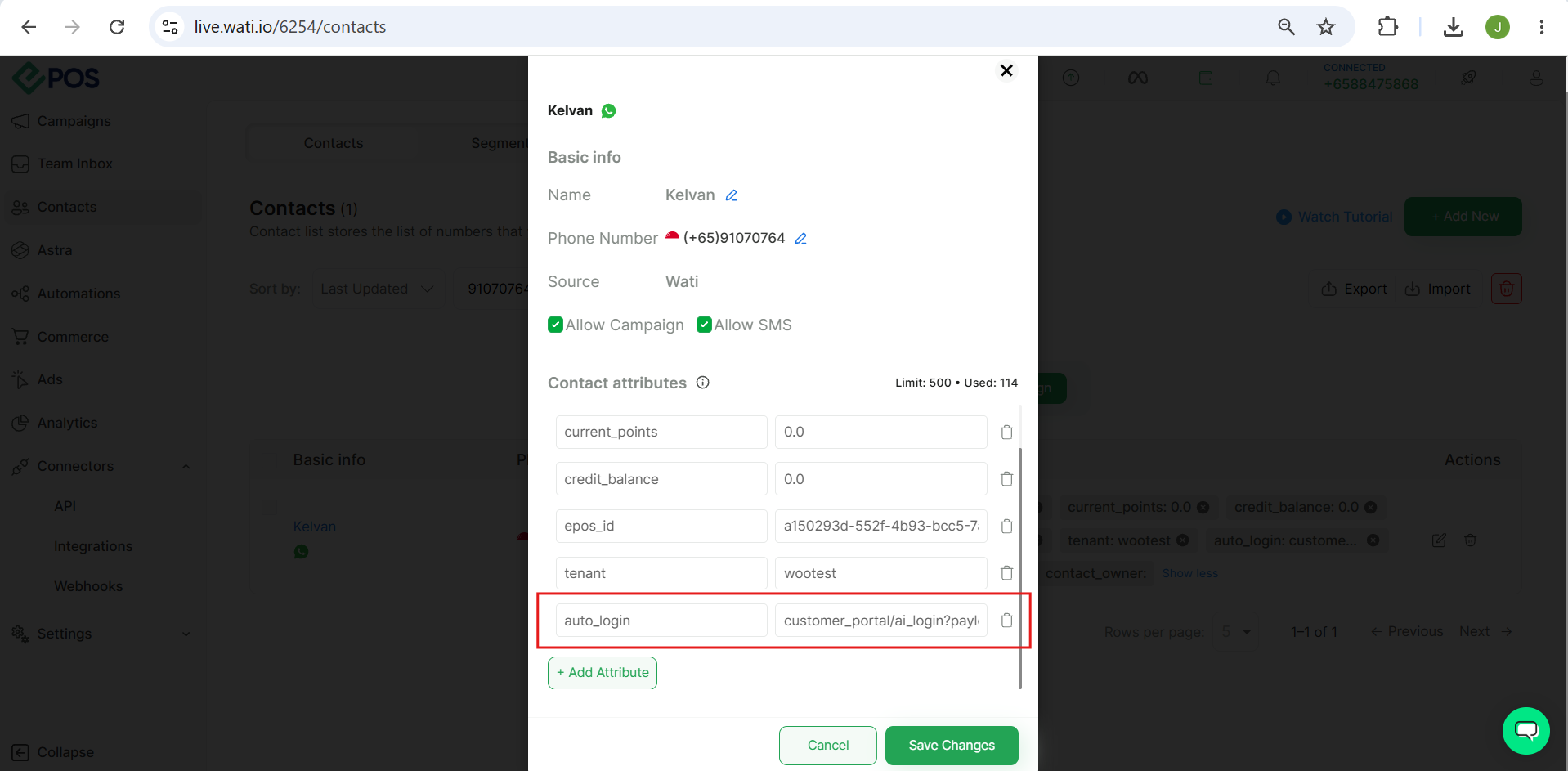
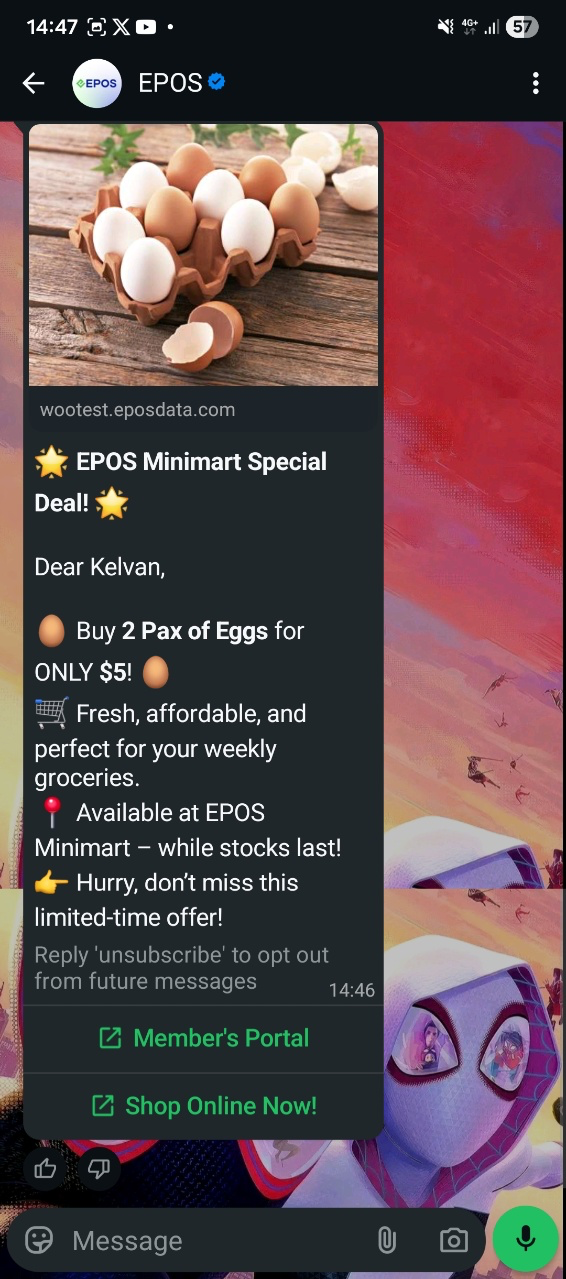
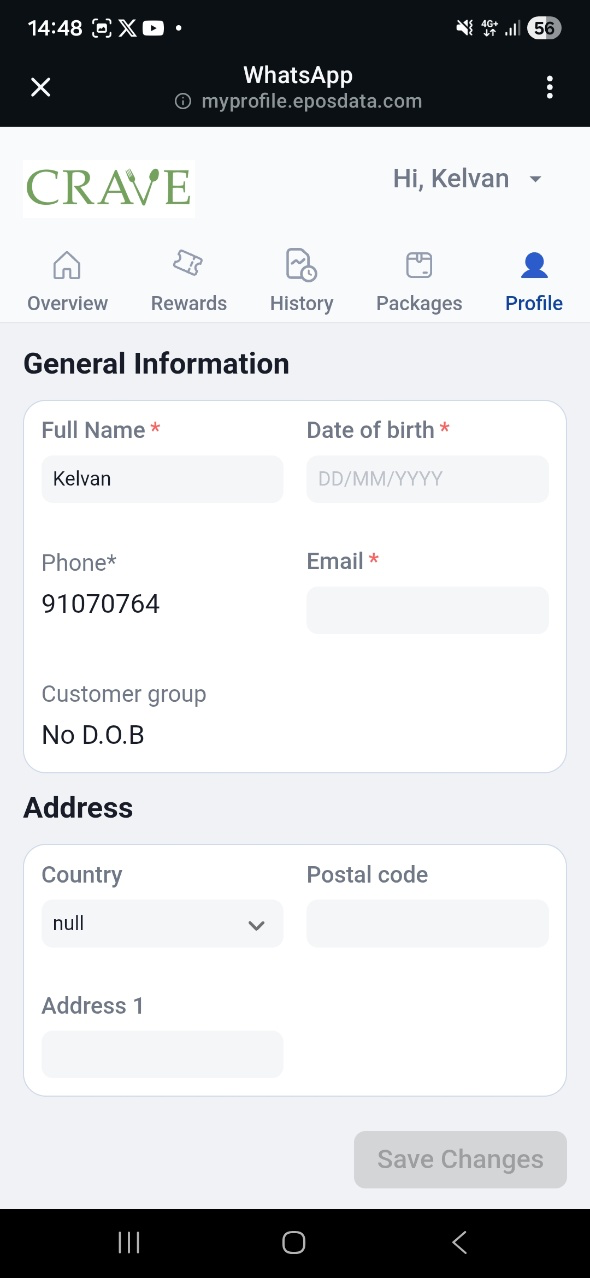
We have implemented generating the auto-login payload for customers who are manually registered via POS, Kiosk, Web Ordering, or imported into the EPOS backend.
What’s New:

Note:
❗️Publish to WATI button only needs to be clicked once. After initial publish, auto_login payload can be generated automatically for newly registered customers who registerd in EPOS manually.
We have added the E-Membership Card into Member’s Portal
What’s New:
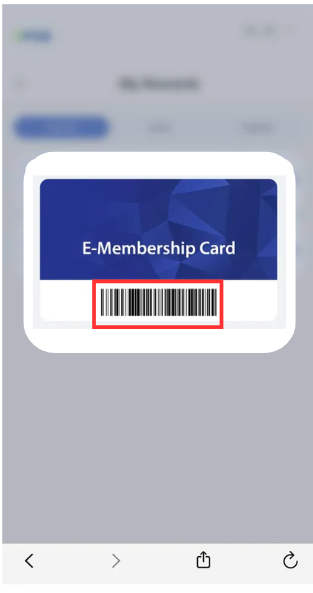
📌Members can now access their e-membership card directly on the Member’s Portal
📌A “Membership Card” button has been added to the Overview page, directly below the user’s points and tier section
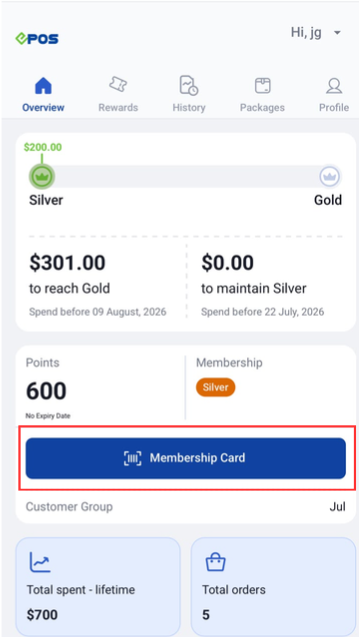
📌Tapping on it displays the user’s e-membership card, so they can present it at the counter without searching through their photo album or WhatsApp messages
Note:
❗️The barcode uses the same data and format as the existing e-membership cards sent via WhatsApp sign-up
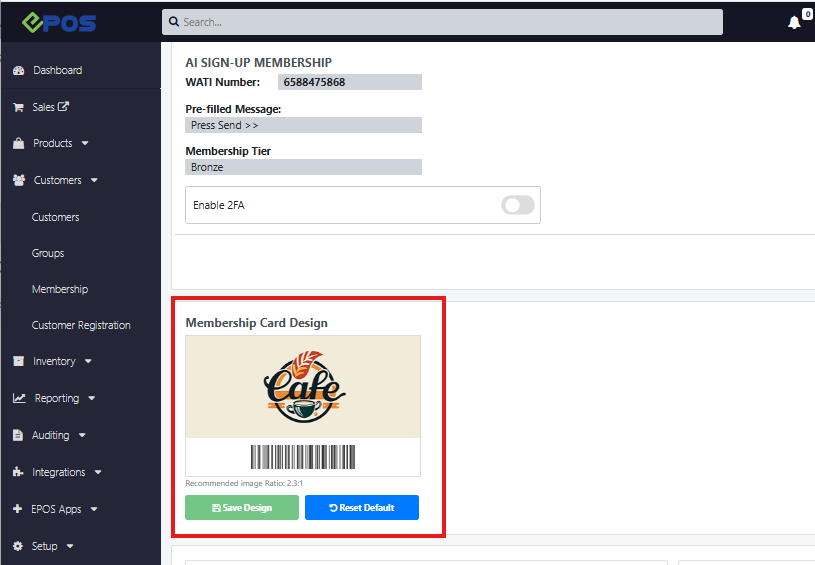
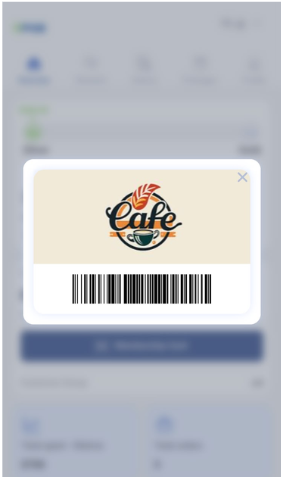
❗️The membership card graphic follows the design configured under Customer Registration → Advanced Register → Membership Card Design
We have implemented a sound alert and queue number narration function that allows users to be alerted when an order is ready for pickup. There is also a prefix for QR Web Orders that allows user to differentiate between QR Web Orders and other orders.
What’s New:
📌When order is ticked at KDS and shifted from “Now Preparing” column to “Ready for Pickup” column on QDS, the sound alert will be triggered.
📌 The New Order Pickup Sound Alert will be based on the queue number displayed on the QDS
📌 QR Ordering Prefix is added for QR Web orders for Dine-In, Take Away and Store Pickup
Note:
❗️In events where the orders are ready consecutively, the order number will play in full sequentially and not overlap.
We are introducing Staff Commissions to provide greater visibility for staff contributions and commission payouts in report, while automating staff commission calculations in the system.
What’s New:
📌 Introduced the new Staff Commission feature, allowing commissions to be automatically calculated and distributed to one or multiple sales staff.
📌 To set up the commission details, user can navigate to Setup → Commissions → New Commission. Commission Type should be set as “Staff Collaborative Commission”.
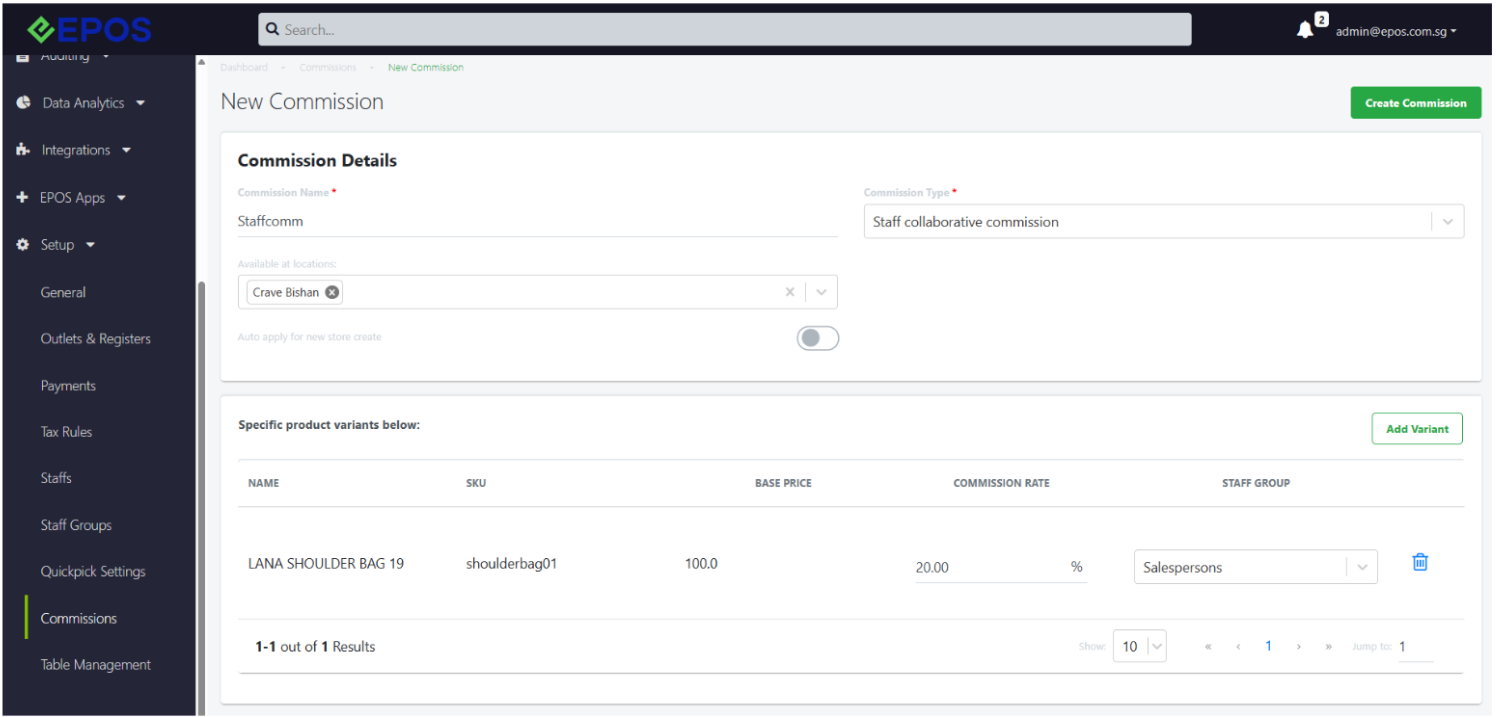
📌 Commissions are calculated by multiplying the configured commission percentage with the before-tax sales value
📌 If multiple staff with different commission rates are tagged to the same sale, the system uses the highest commission rate to calculate the total commission, then distributes it proportionally based on each staff’s configured commission rate.
📌 If multiple staff have the same commission rate, the total commission is calculated using that commission rate and shared equally among them.
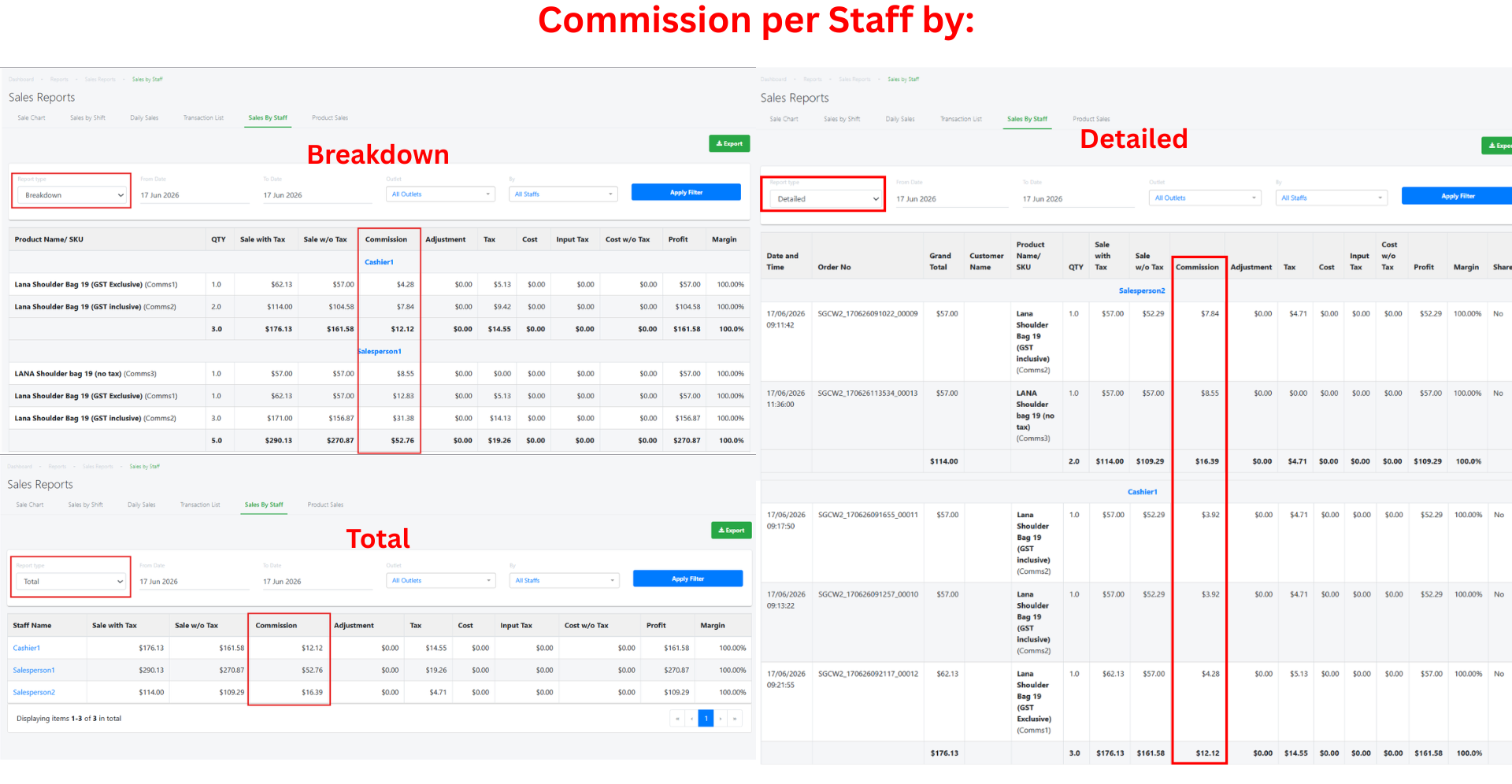
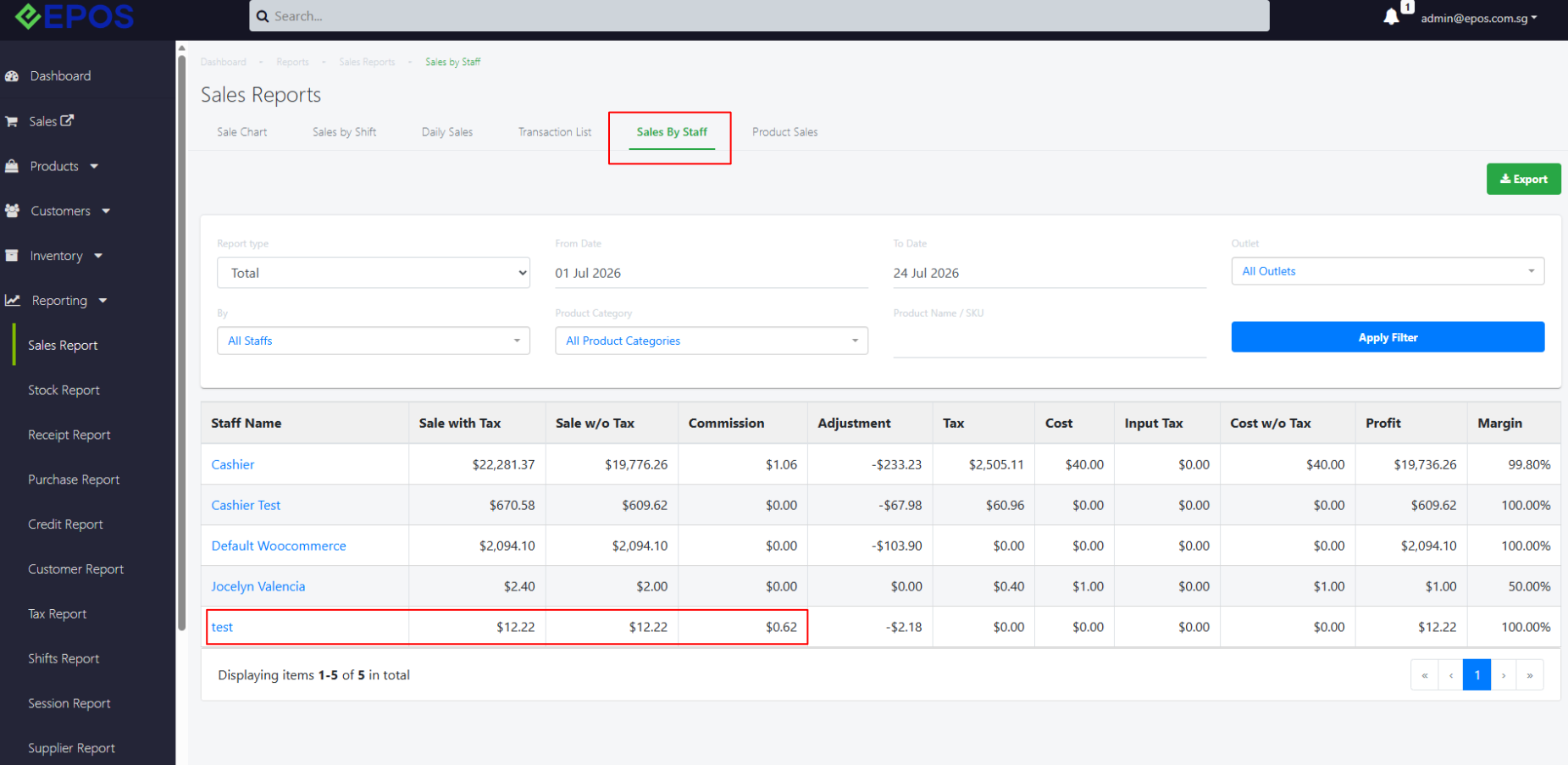
📌 Commission payouts can be viewed directly in the Sales by Staff report
Pre-requisite:
❗️The Commission plugin must be installed in EPOS Backend
We have implemented an enhanced receipt layout for better pricing clarity to users.
What’s New:
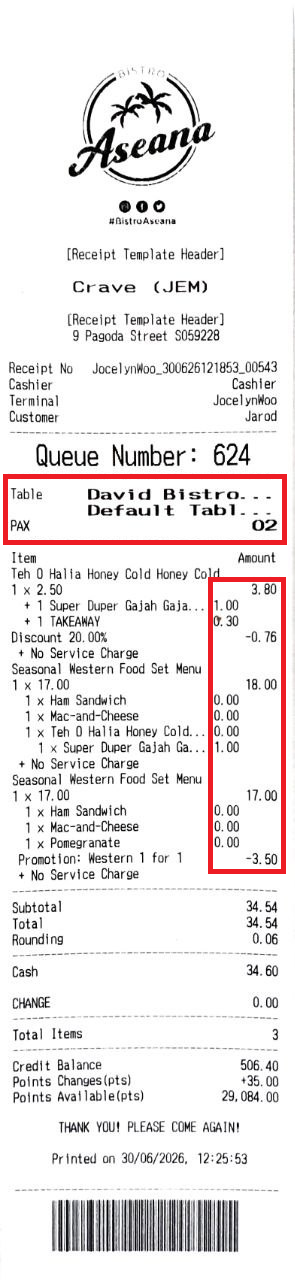
📌 Modifiers, Add-ons, and Set Menu items are now shifted inwards to distinguish their additional charges
📌 Line items now display the final price on the right, including any additional charges.
📌 Table and Pax text has been enlarged for improved readability.
Note:
❗️Modifiers, Add-ons, and Set Menu names will cut off after 15 characters
❗️Area and Table are now displayed on separate lines, with names cut off after 15 characters.
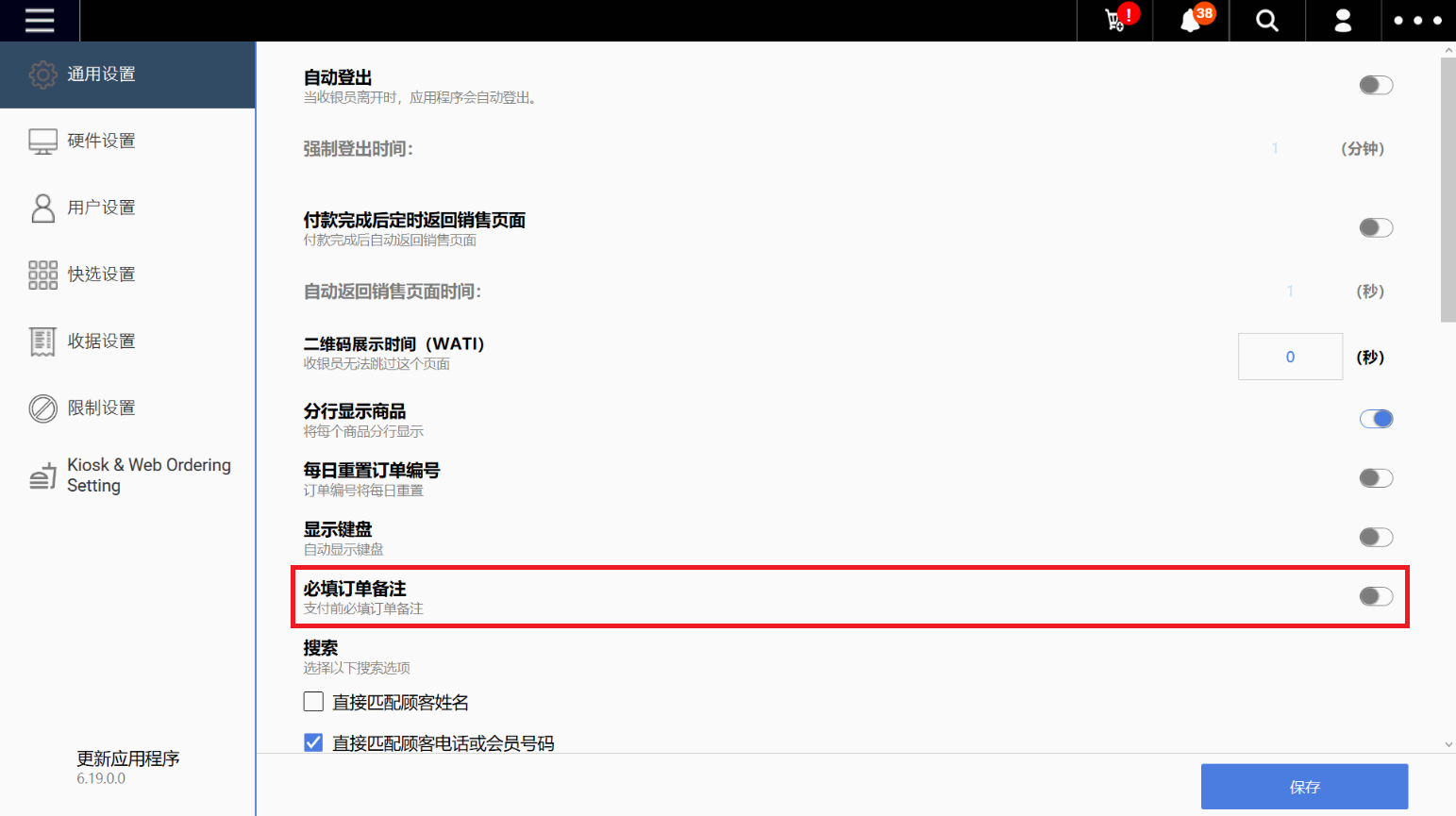
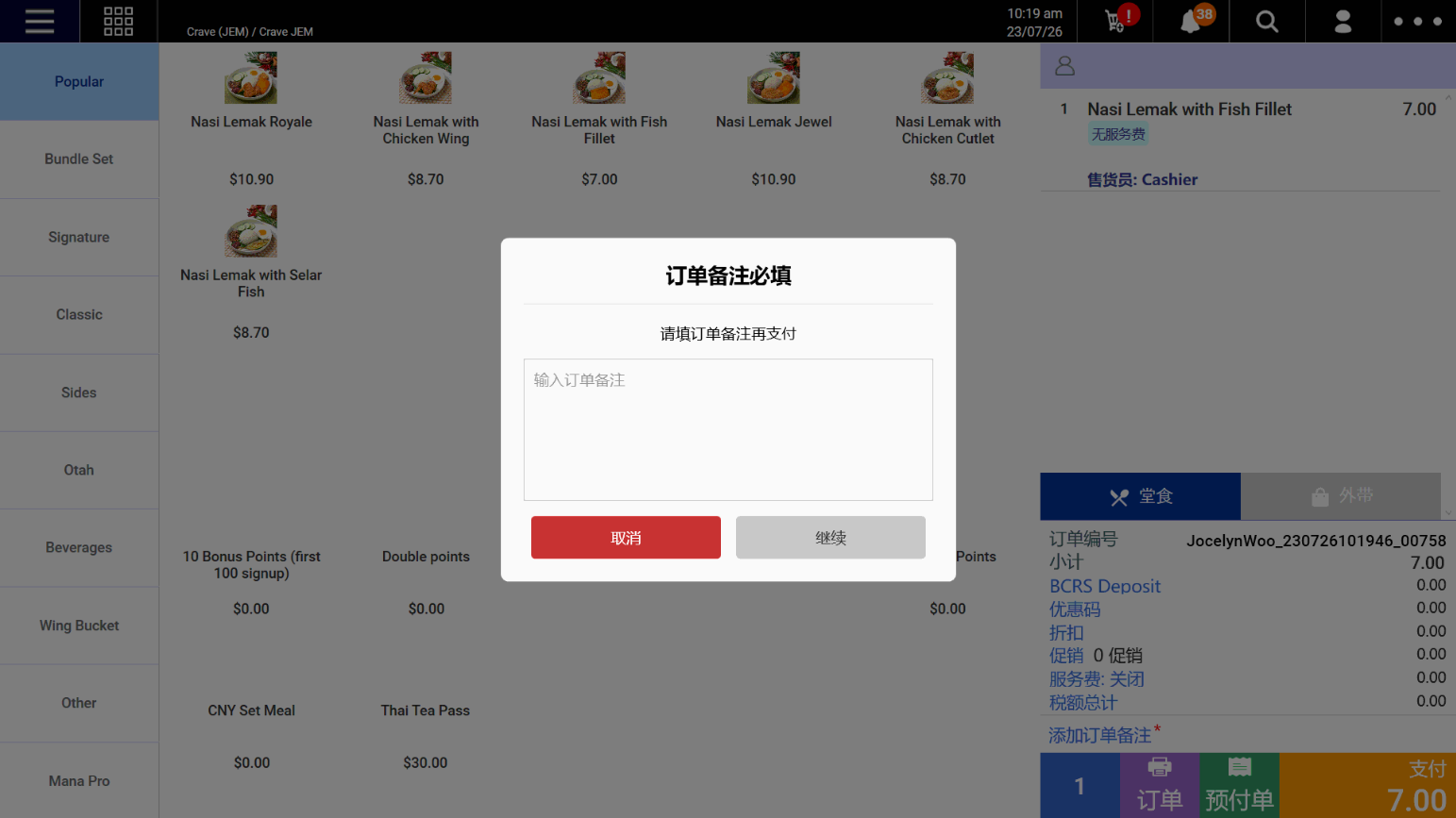
We have implemented a config to make order notes mandatory for transaction
What’s New:
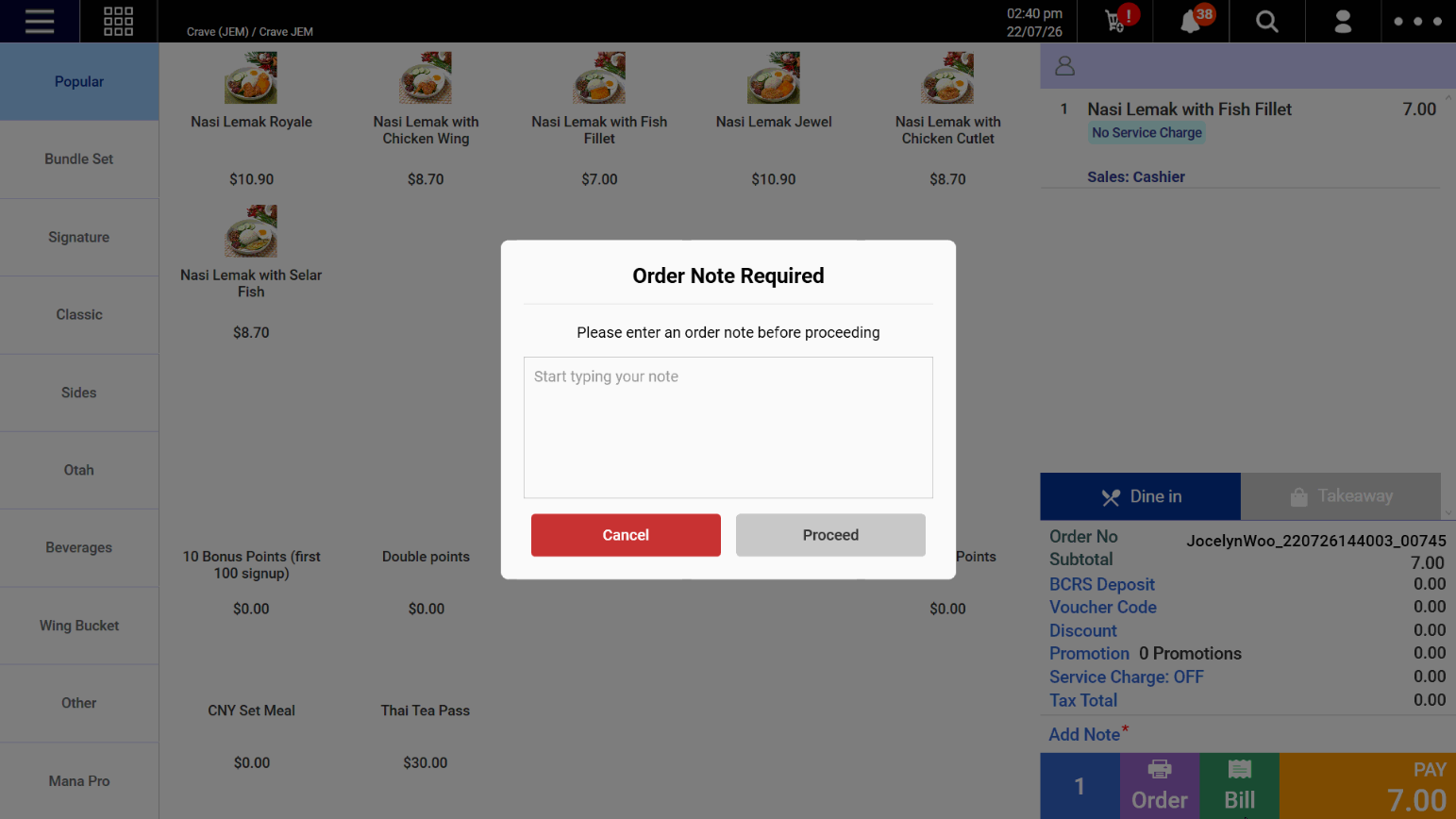
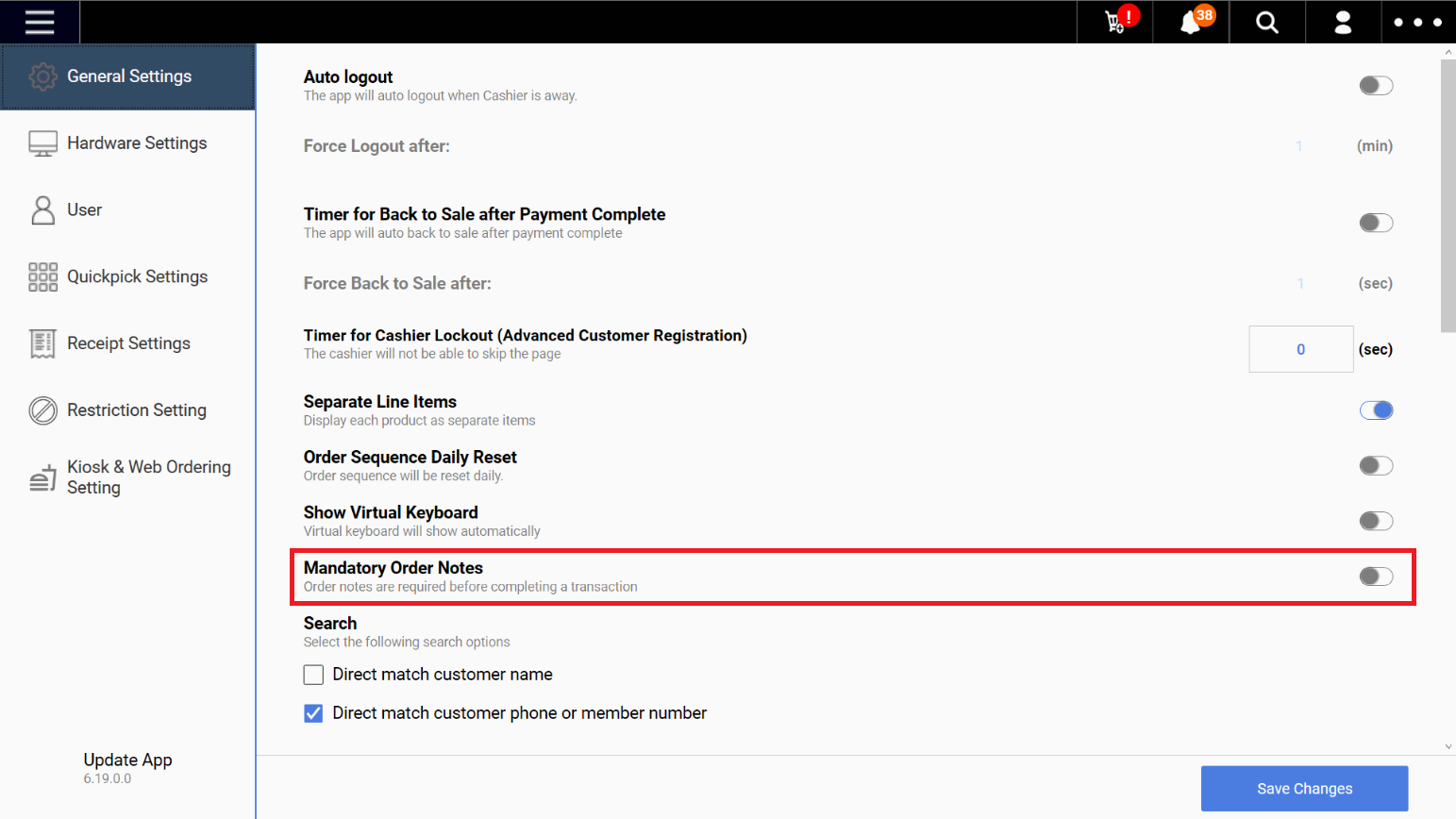
📌 There is a new Mandatory Order Notes config on the Windows POS.
📌 When enabled, staff must enter an order note for every transaction before proceeding to payment.
English
Chinese
Note:
We have implemented the ability to add BCRS Eligible products from Stock Take Device so that there is greater efficiency when adding BCRS products.
What’s New:
Backend
📌 There is a new BCRS Eligible Checkbox added to the product creation screen
📌 Entering a new barcode on the stock adjustment screen will open the product creation screen.
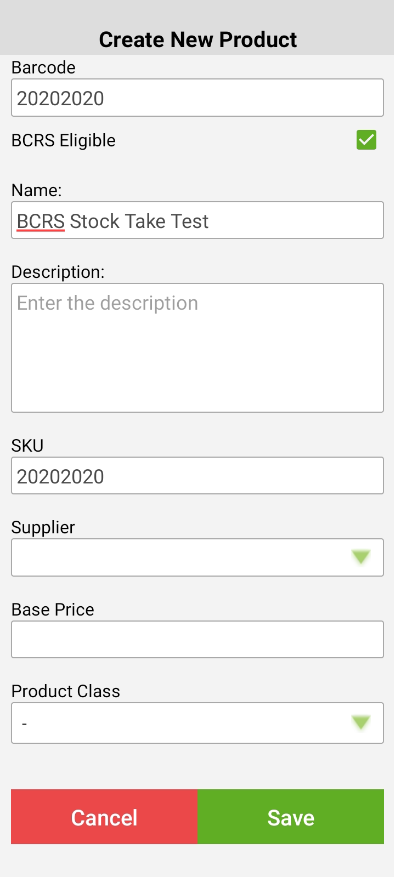
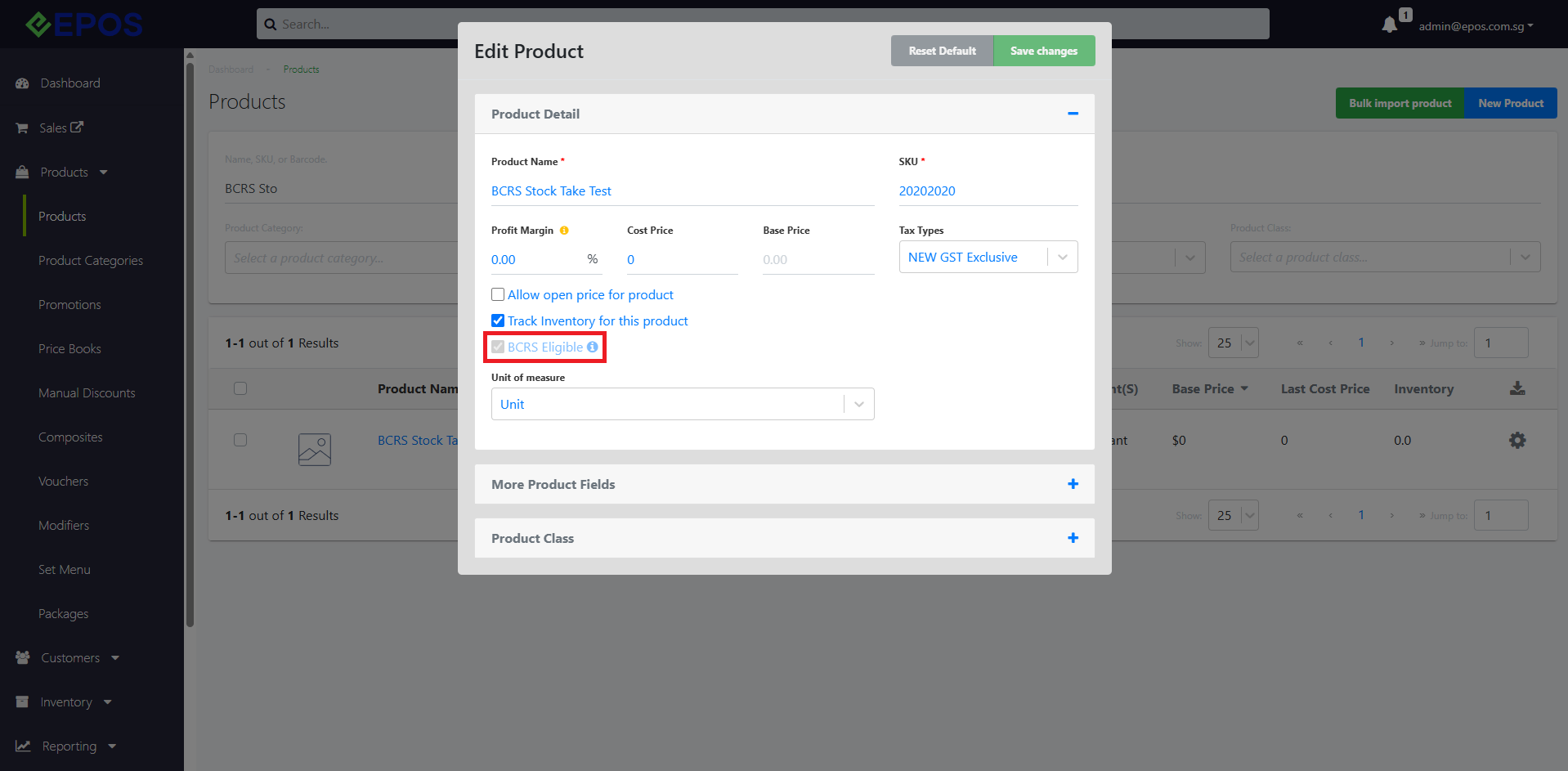
📌 When a BCRS Eligible product is created on the Stock Take Device, both the product and product barcode in the backend will automatically be marked as BCRS Eligible.
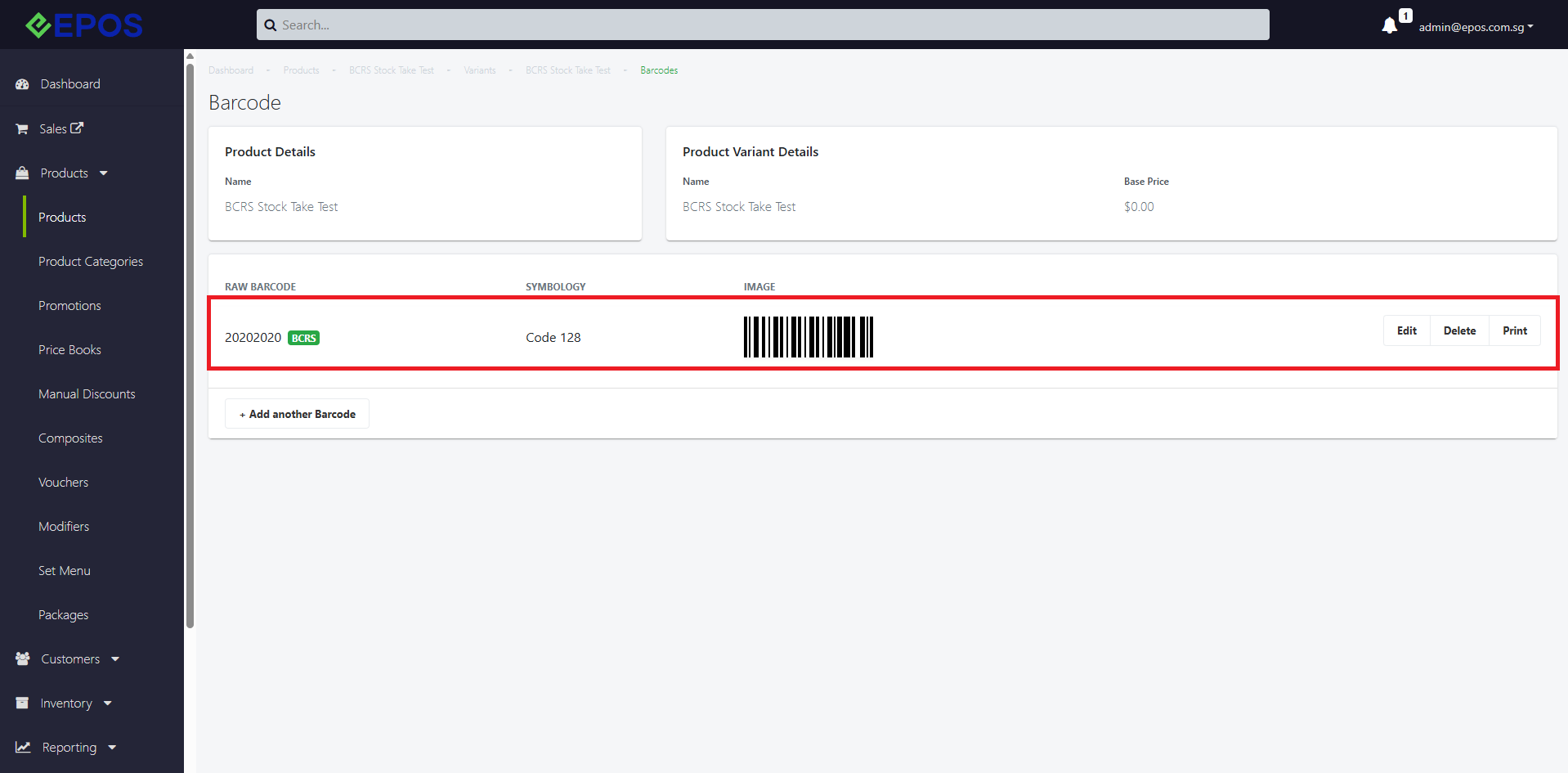
Pre-requisites:
We have implemented a backend config for users to edit the Sales Person based on order or line item.
What’s New:
📌 For both Staff and Staff Group, there is a new web permission under Reporting > Edit Sales Person to edit sales person in EPOS Backend
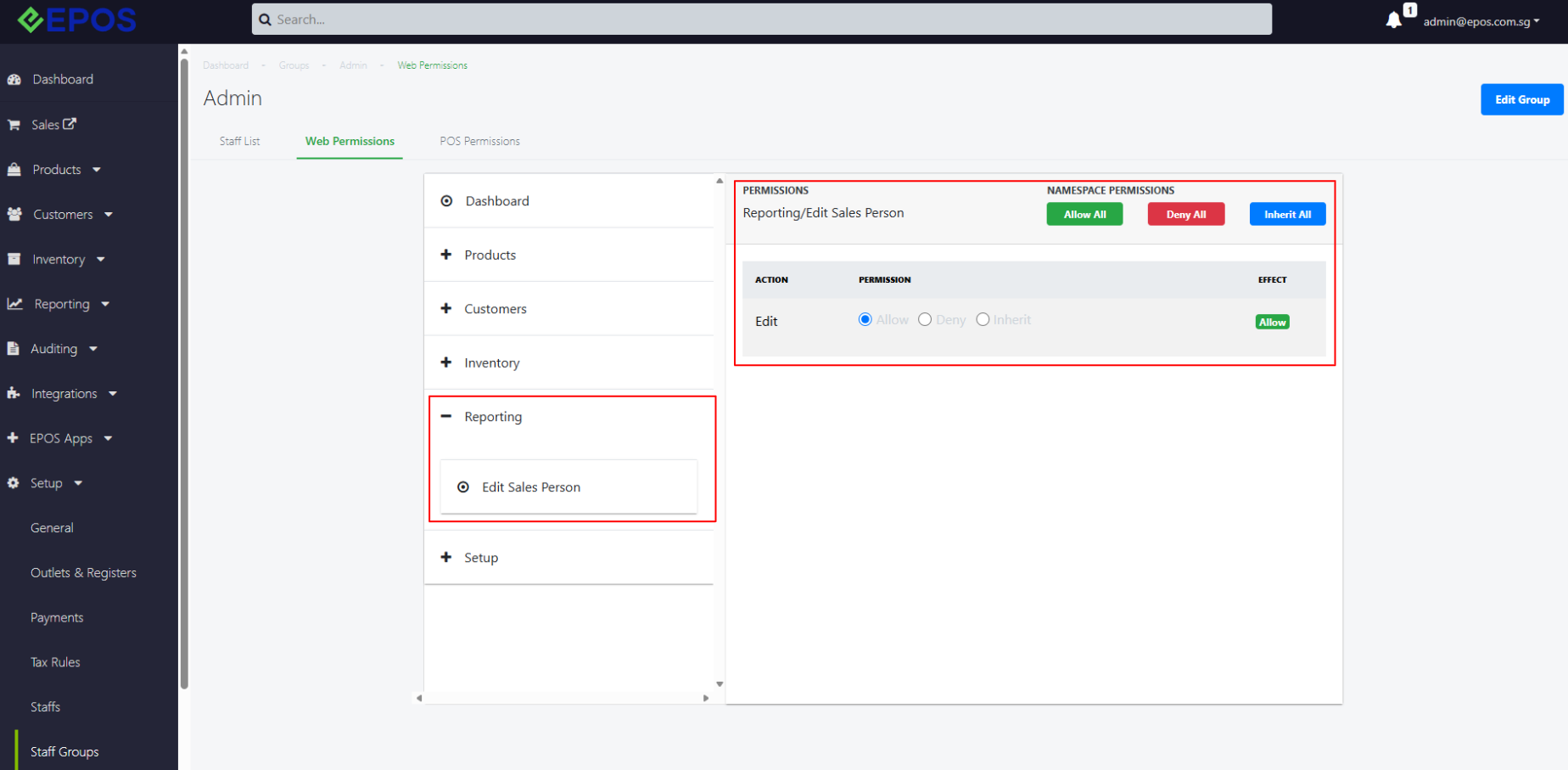
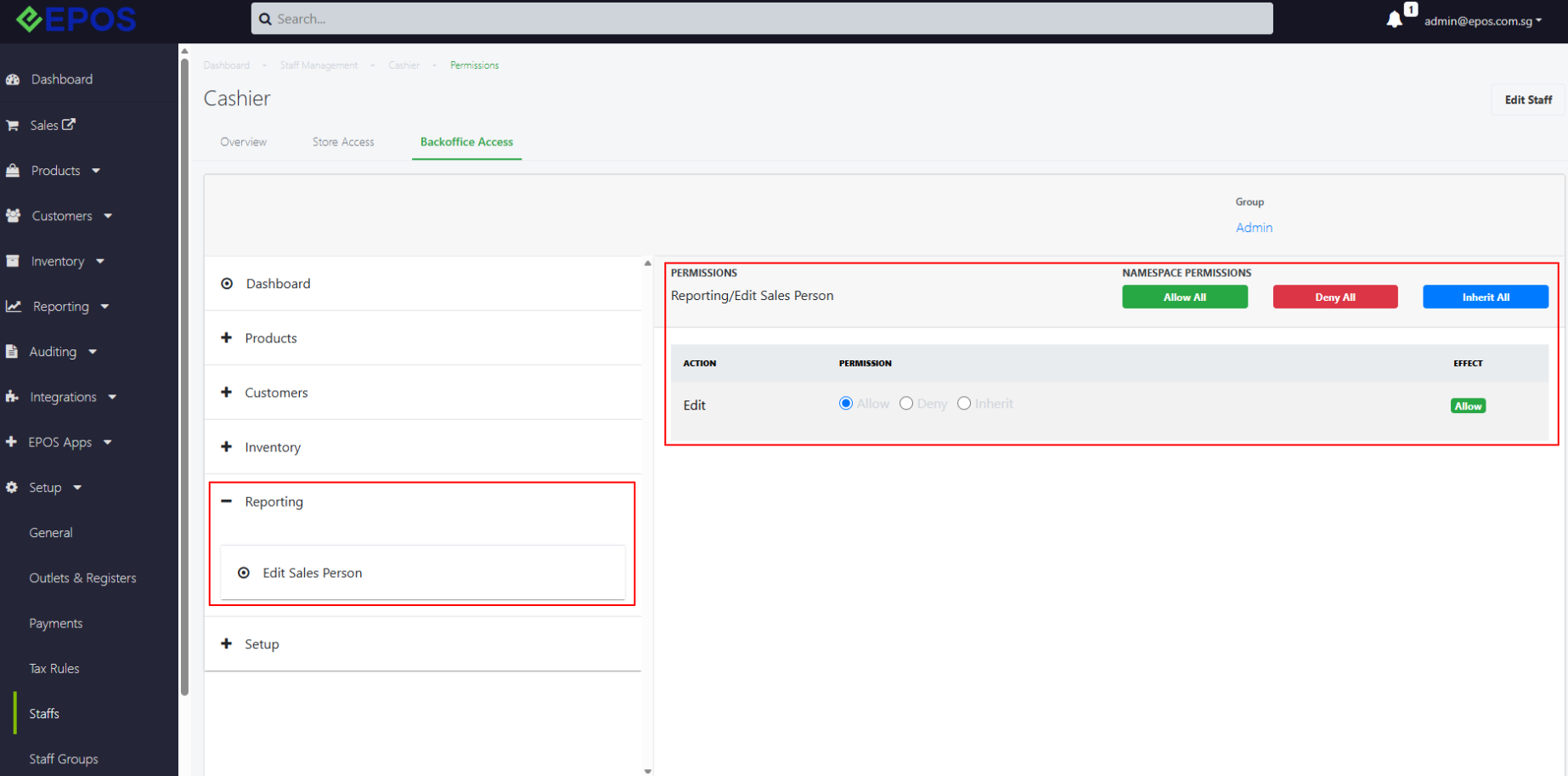
📌 When Permission = “Allow”, the pencil icon will be shown for the user on both Transaction List page and Product Sales page (Under Reporting > Sales Report)
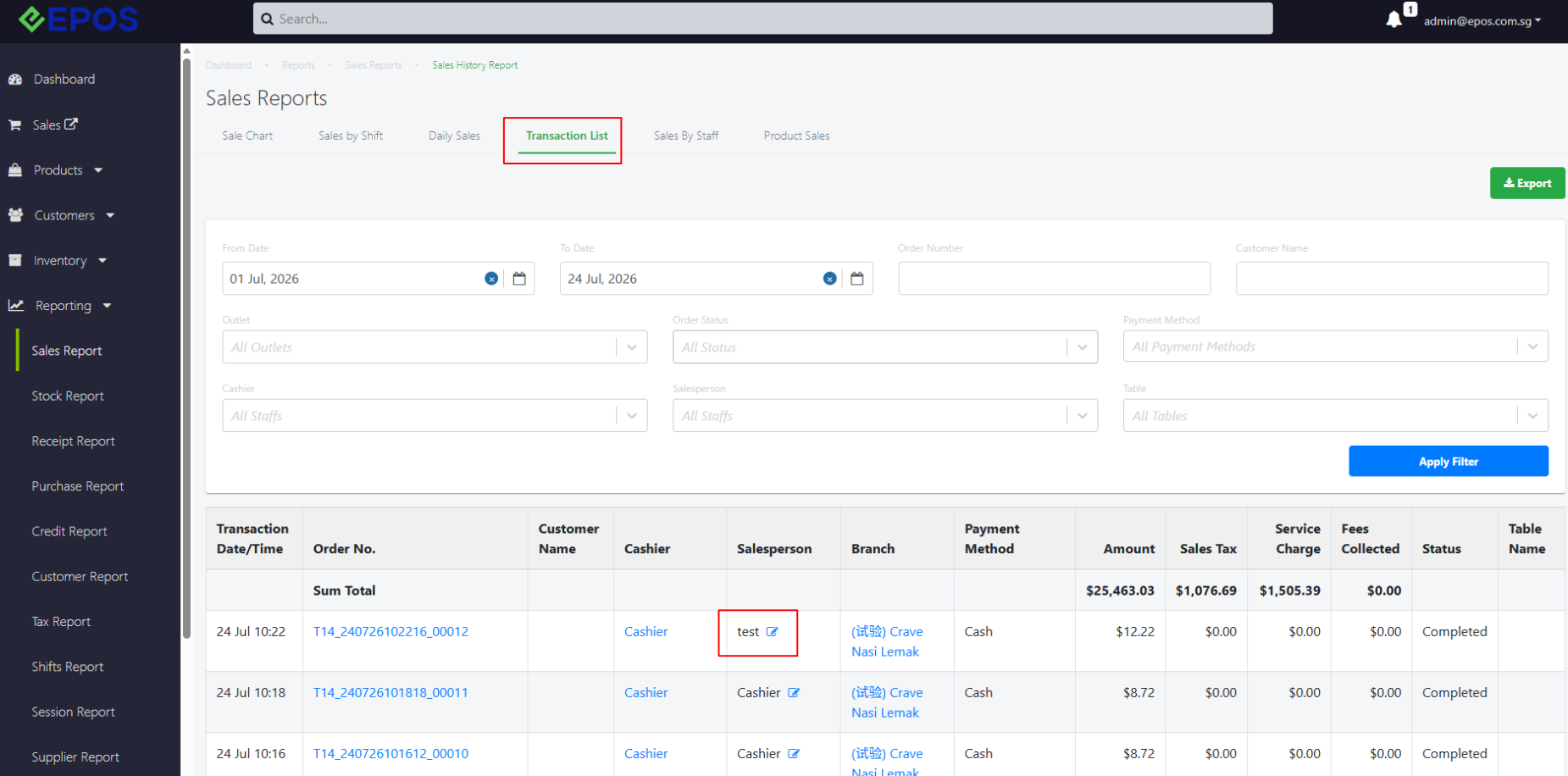
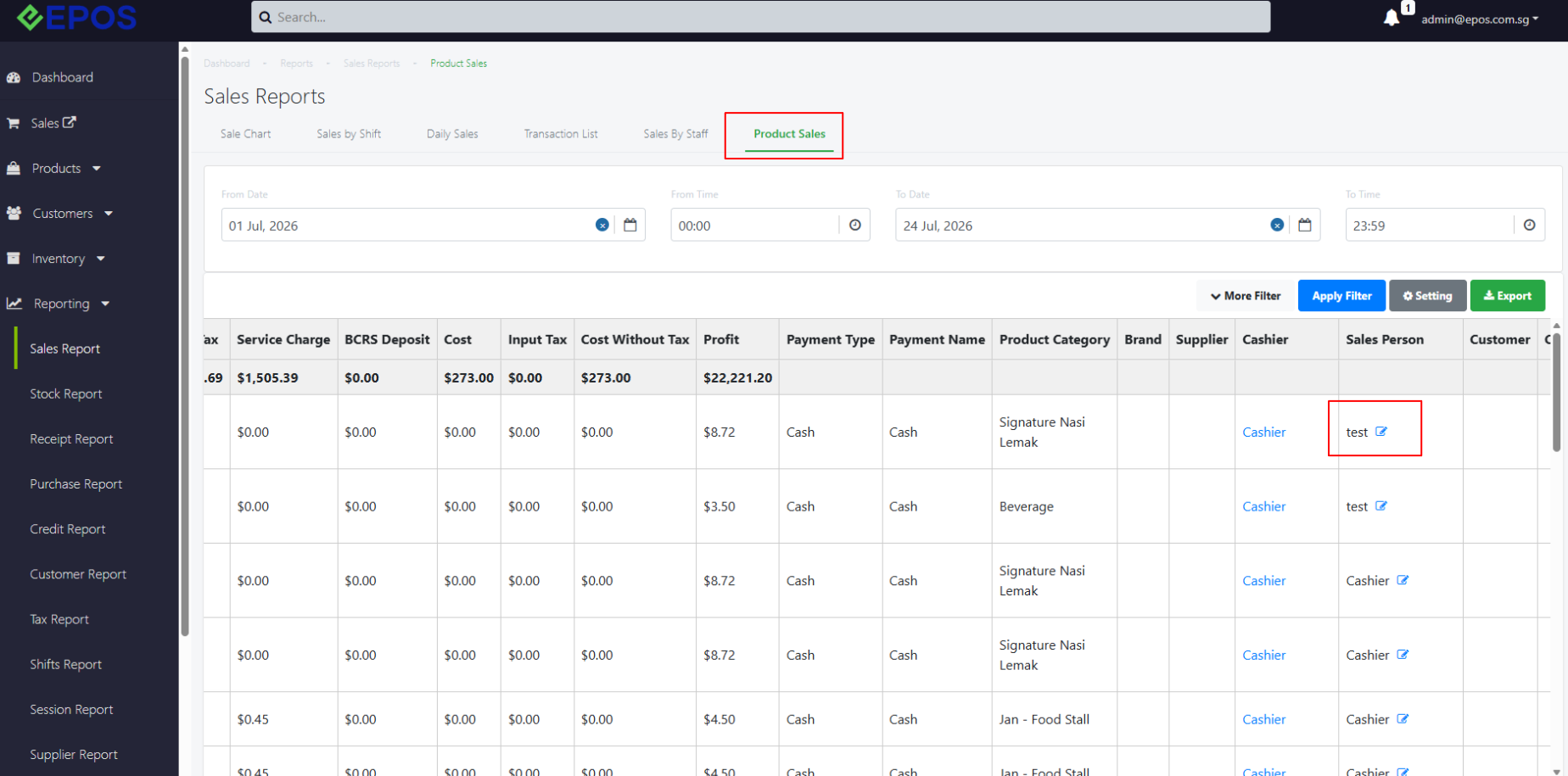
📌 When Permission = “Deny”, the pencil icon will not appear for the user on both Transaction List page and Product Sales page (Under Reporting > Sales Report)
📌 If Edit Sales Person was edited on Transaction List, the impact is on order level, while if Edit Sales Person was edited on Product Sales, the impact is on line item level
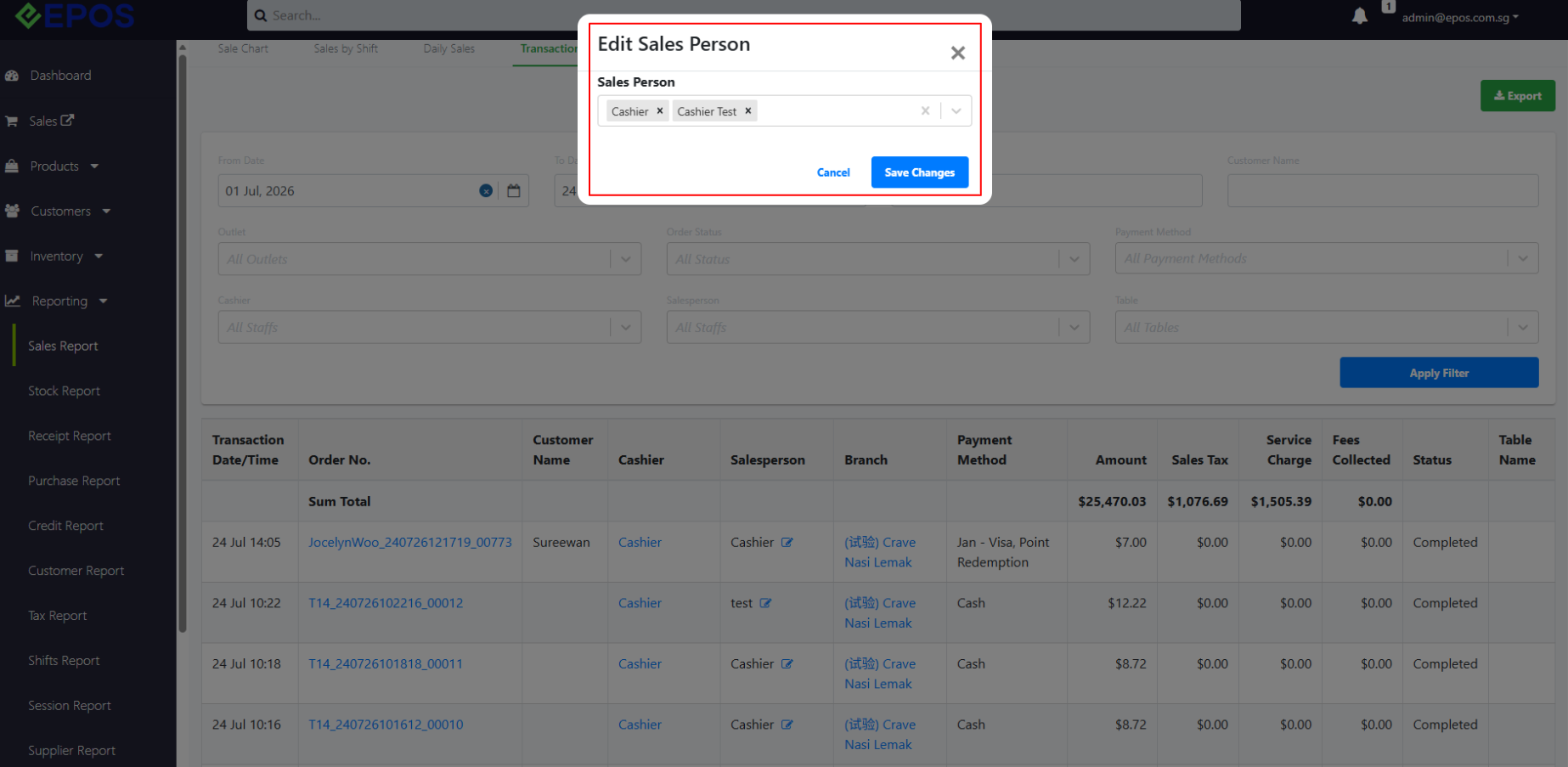
📌 Once Sales Person is edited, all Sales Report (Transaction List, Sales By Staff and Product Sales) and their exported CSV files and Commission Payout Calculations will change according to the new sales person assigned
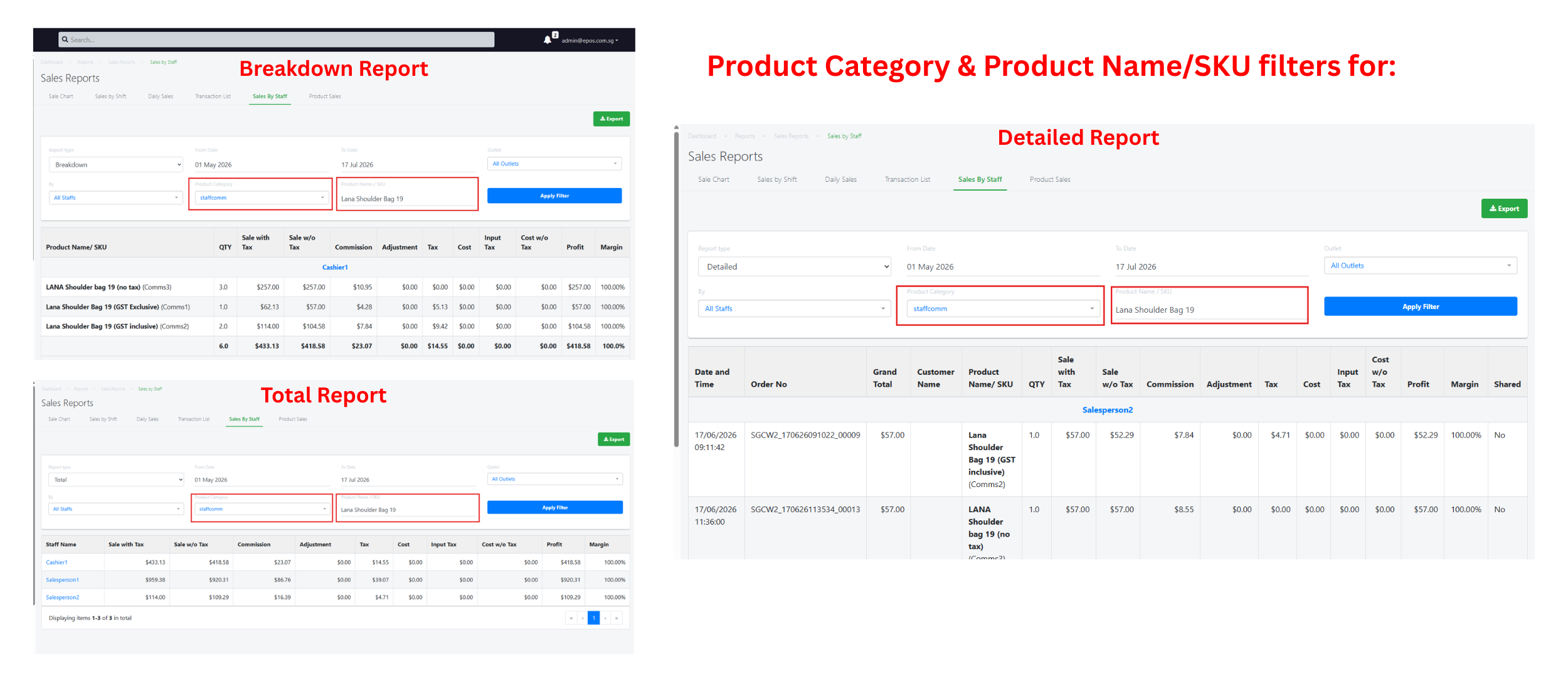
We have implemented filtering enhancement for Sale Chart & Sales By Staff to allow merchants to efficiently monitor the performance of products, identify sales trend, measure staff performance and make inventory or sales related decisions
What’s New:
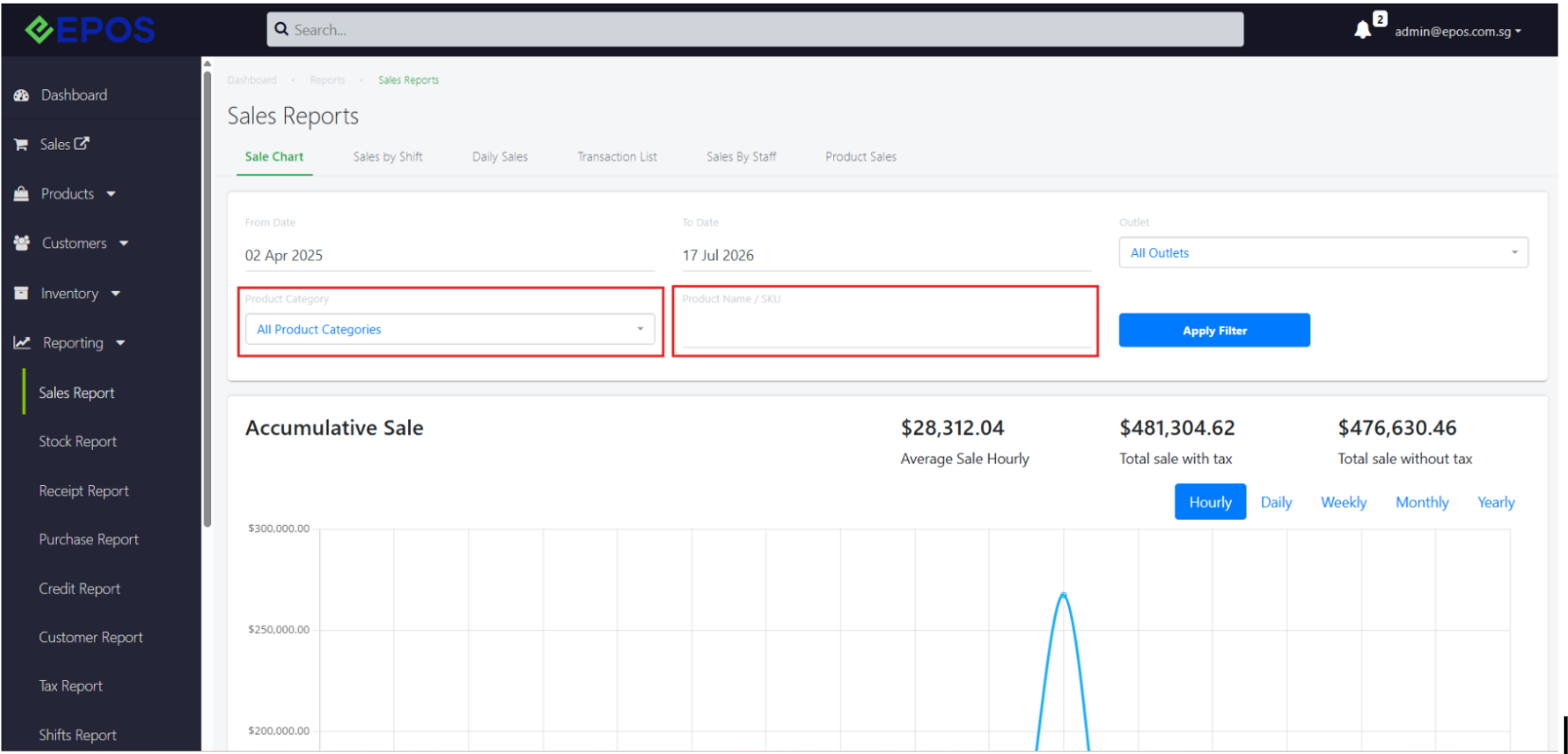
📌 In the Sale Chart, as well as the Sales by Staff report, the user can now filter for relevant sales using product categories and Product Name/SKU
Note:
❗️When the user filters using product category and Product Name/SKU in the Sale Chart, only the Accumulative Sale and Sales Frequency chart will be displayed
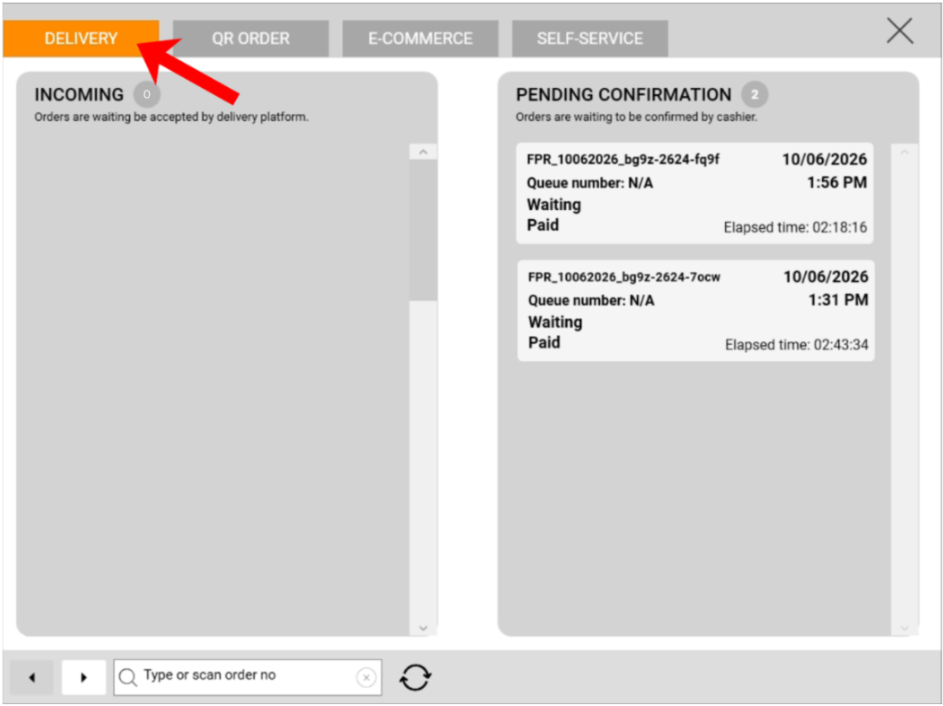
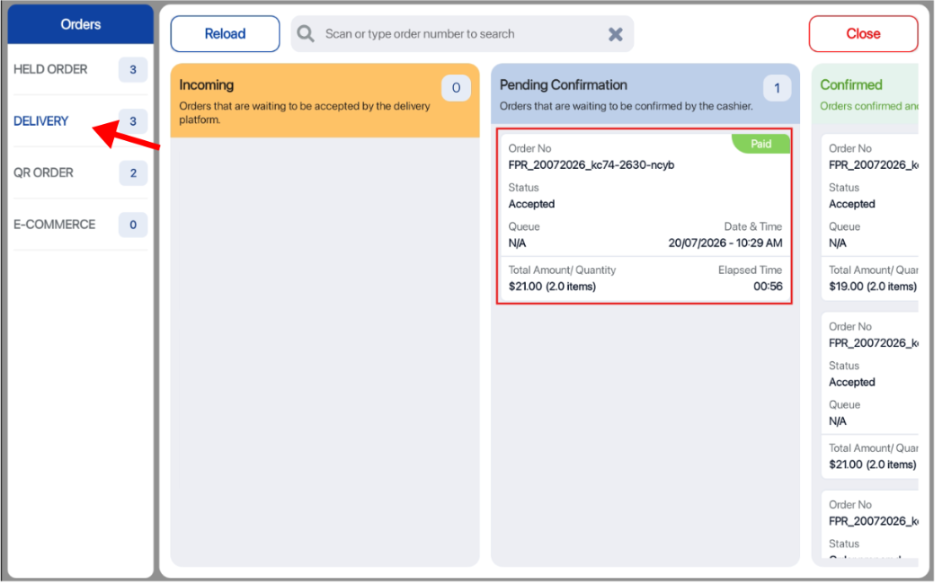
We now implemented auto accept Foodpanda orders so that staff do not need to manually accept every incoming order from the Foodpanda device.
What’s New:
📌 For both the Windows and Android POS, Foodpanda delivery orders will now be auto-accepted and directly sent into the “Pending Confirmation” column, saving the hassle of manually accepting every incoming order.
Note:
❗️Manual order accepting will no longer be supported.
❗️For more information, please refer to the Knowledge Base!
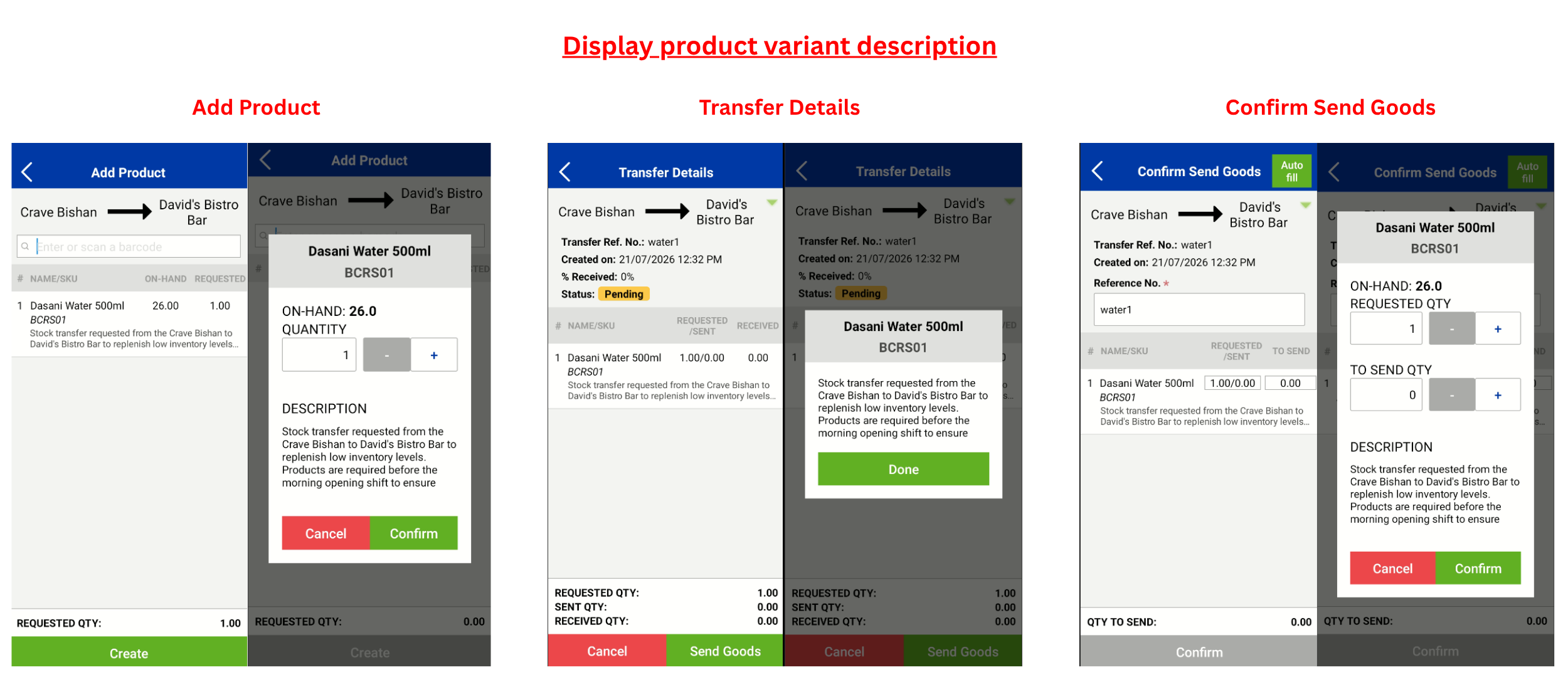
We now support the displaying of product variant description within the stock take device
What’s New:
📌Product variant description will now be displayed for Stock Transfer (Send Foods) under the Add Product, Transfer Details, and Send Goods pages
Note:
❗️Product variant description will not be displayed for outlets receiving the goods.
❗️If a product description is longer than 2 lines, only part of it will be shown on the Stock Take device. Tap the line item to view the full description.
❗️For more information, please refer to the Knowledge Base!
How to Update
For POS related features, users will need to update the POS to the latest version, version v6.13.0.0.
For Backend related features, users are not required to perform any actions, the new features would automatically be updated.
Feedback
We value your input! If you encounter any issues or have suggestions for further improvements, please don’t hesitate to contact us.
Stay Connected
Stay updated with the latest news and updates by following us on our social platforms.
Thank You
We appreciate your continued trust in EPOS. This update is just one of many steps we’re taking to provide you with the best POS system on the market.
If you have any questions or need assistance with the update, please contact our support team at:
Call: 6871 8833 / Email: [email protected] / Whatsapp: 8482 1888