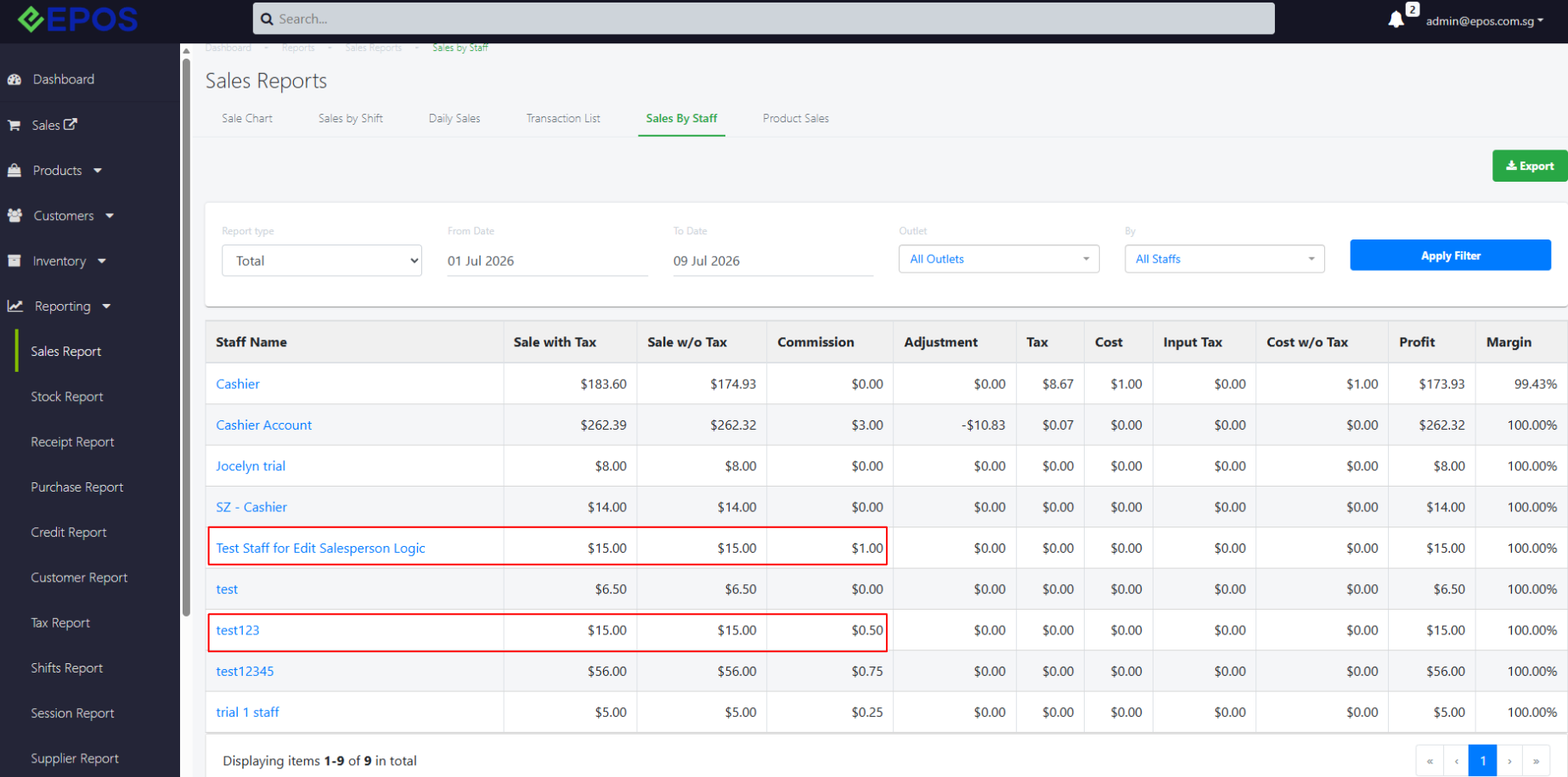
In EPOS Backend, staff is able to modify access to edit sales person to order for both Staff and Staff Group.
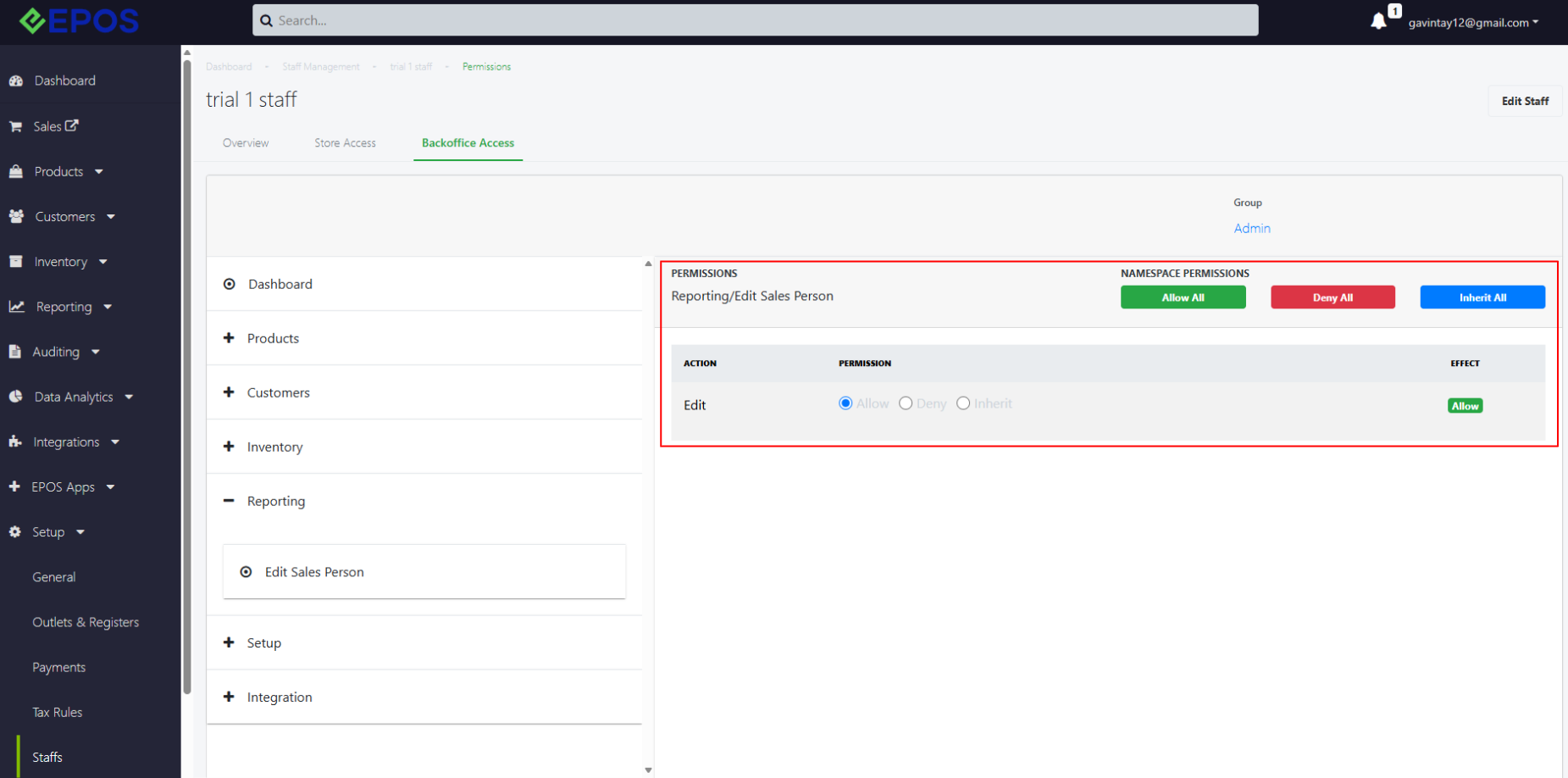
For Staff Permission:
Navigate to Setup > Staff > Select Staff > Backoffice Access > User Permissions > Reporting > Edit Sales Person
For Staff Group Permission:
Navigate to Setup > Staff Group > Select Group > Web Permission > Reporting > Edit Sales Person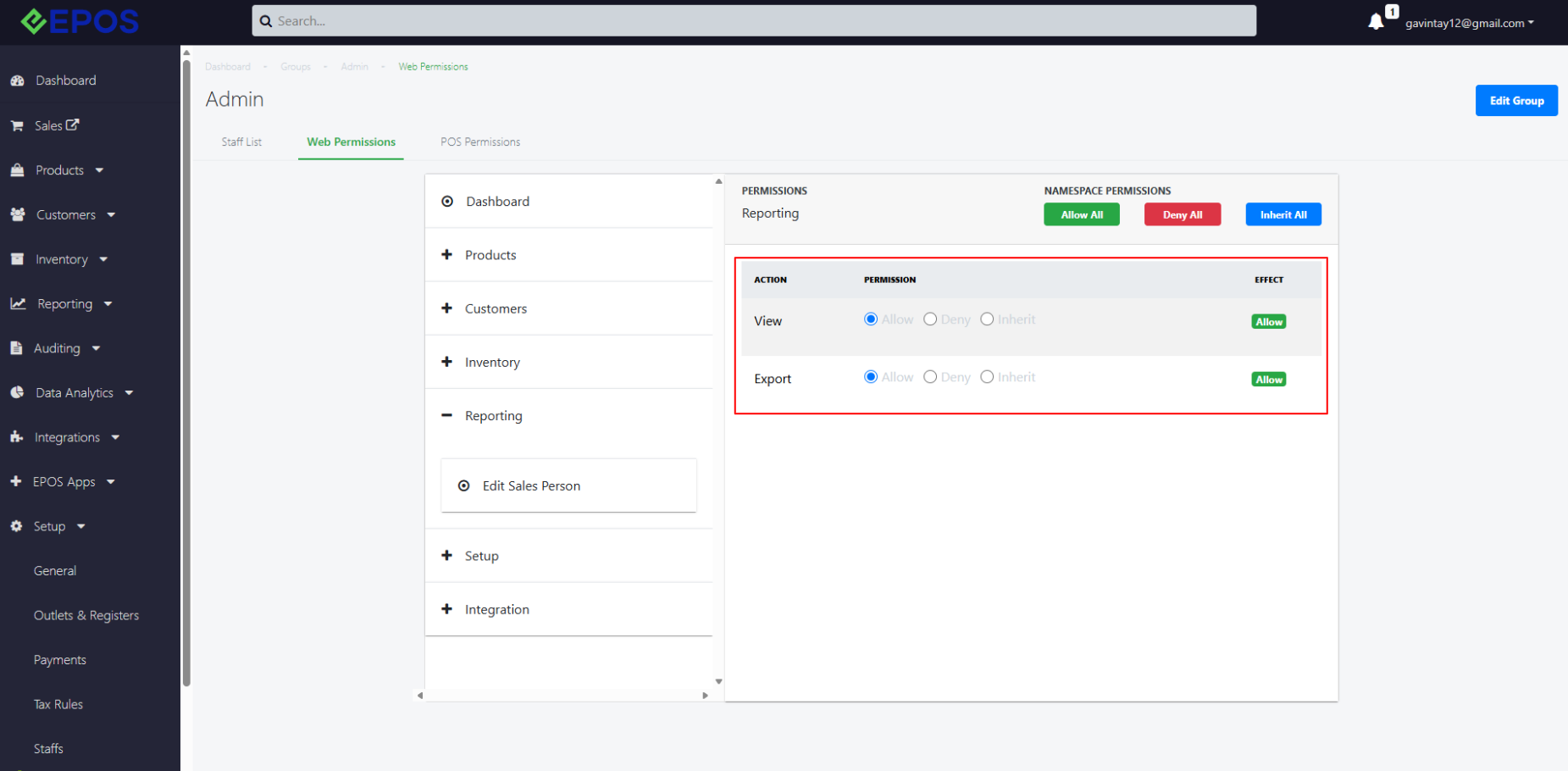
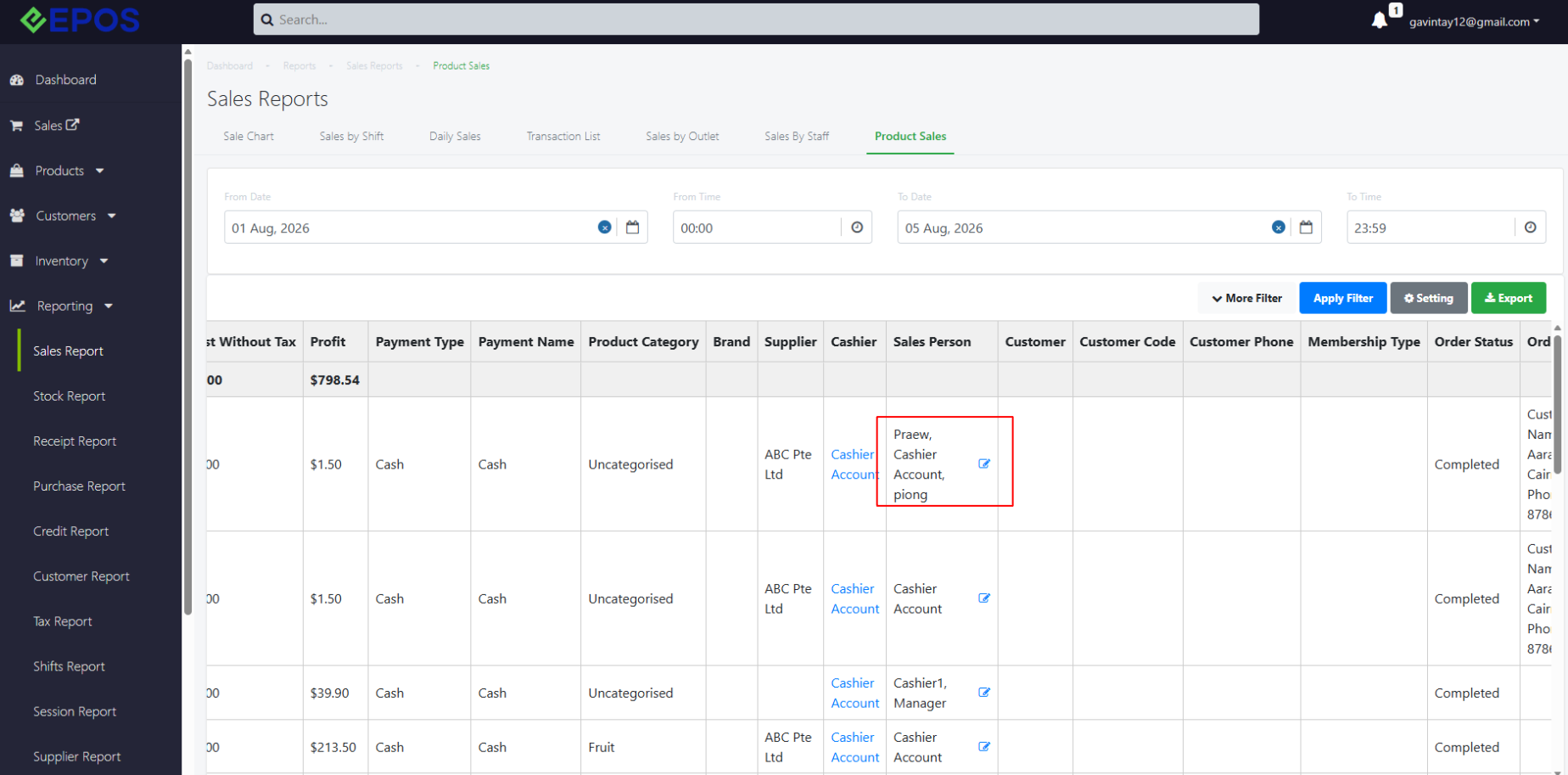
Permission granted
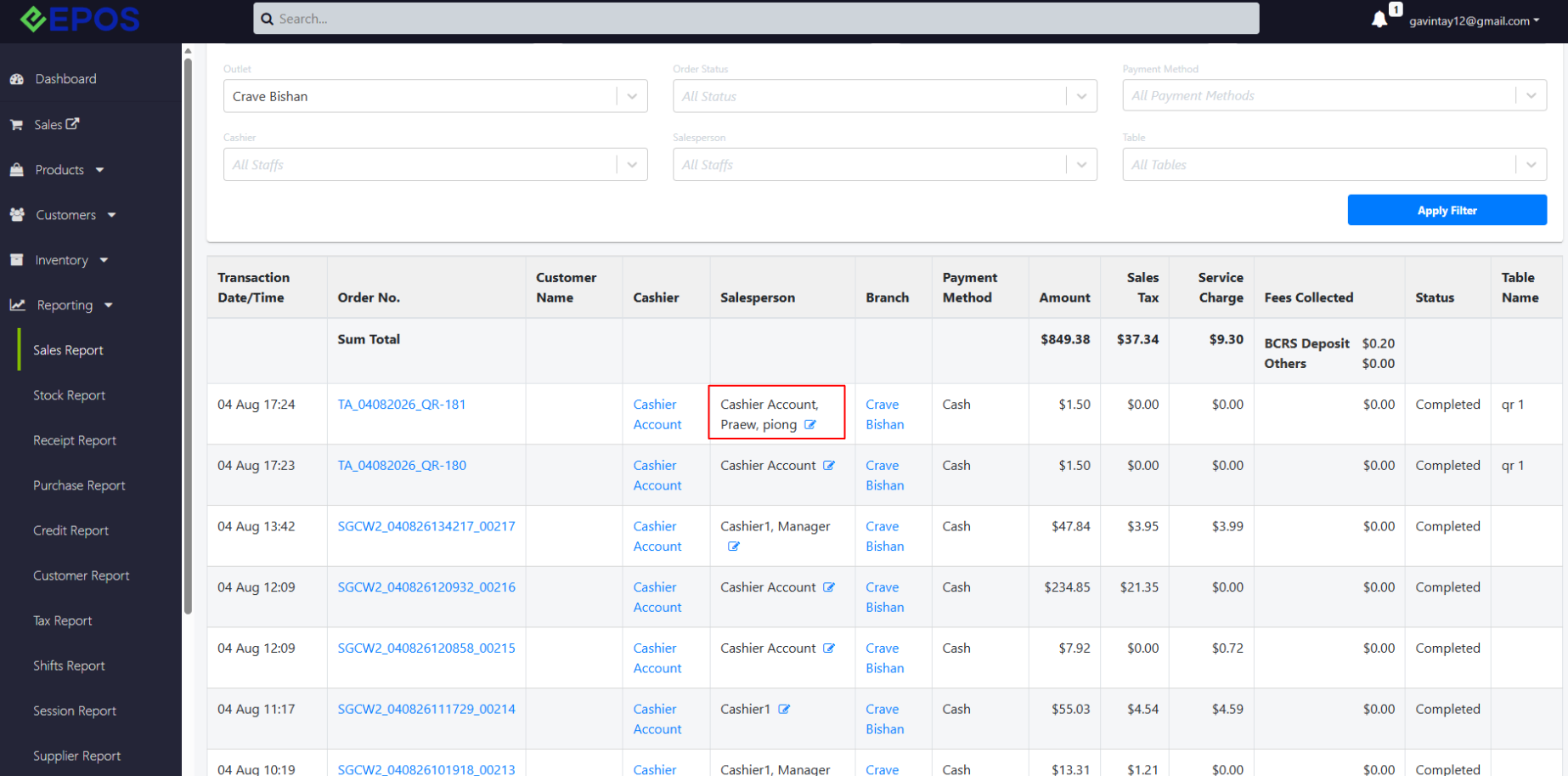
If Permission = “Allow”, staff is able to edit sales person to order by clicking the pencil icon under Reporting for both transaction list and product sales.
Transaction List
Product Sales
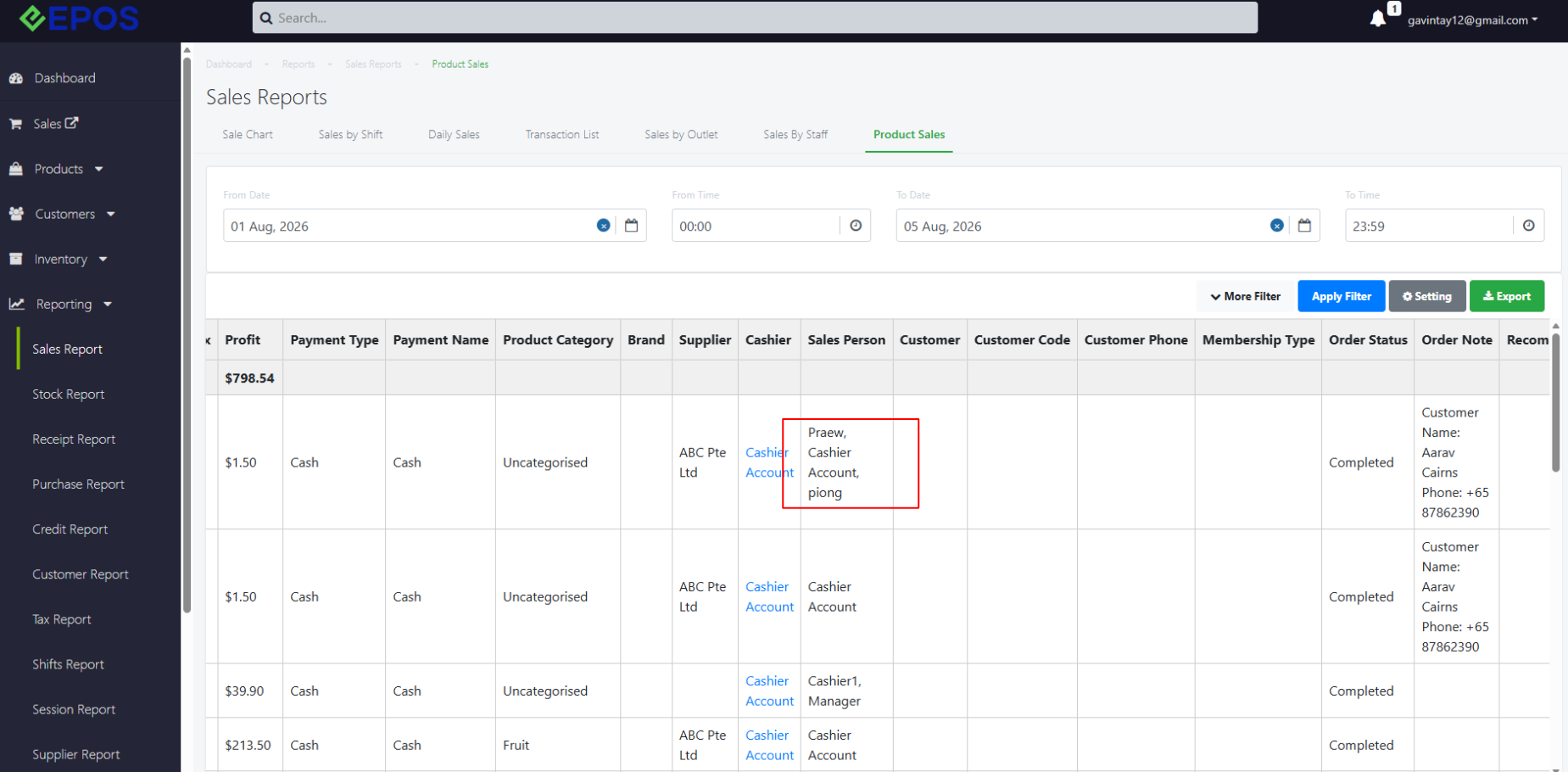
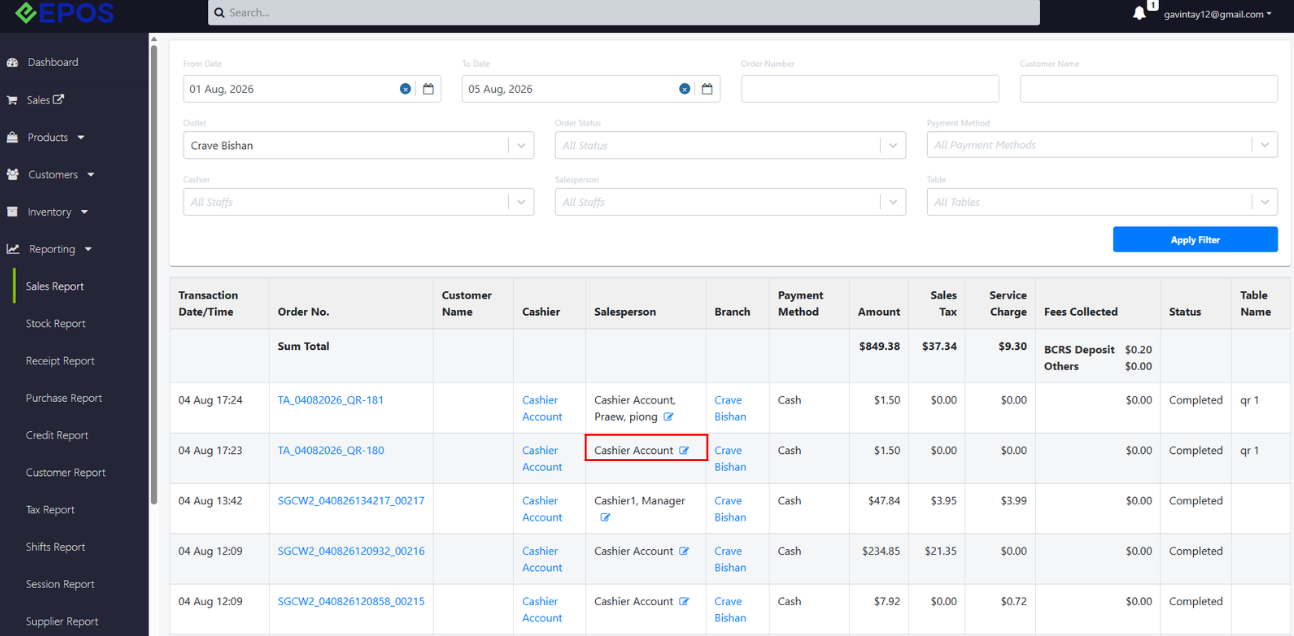
Permission denied
If Permission = “Deny”, staff cannot see the pencil icon and edit sales person to order for both transaction list and product sales.
Transaction List
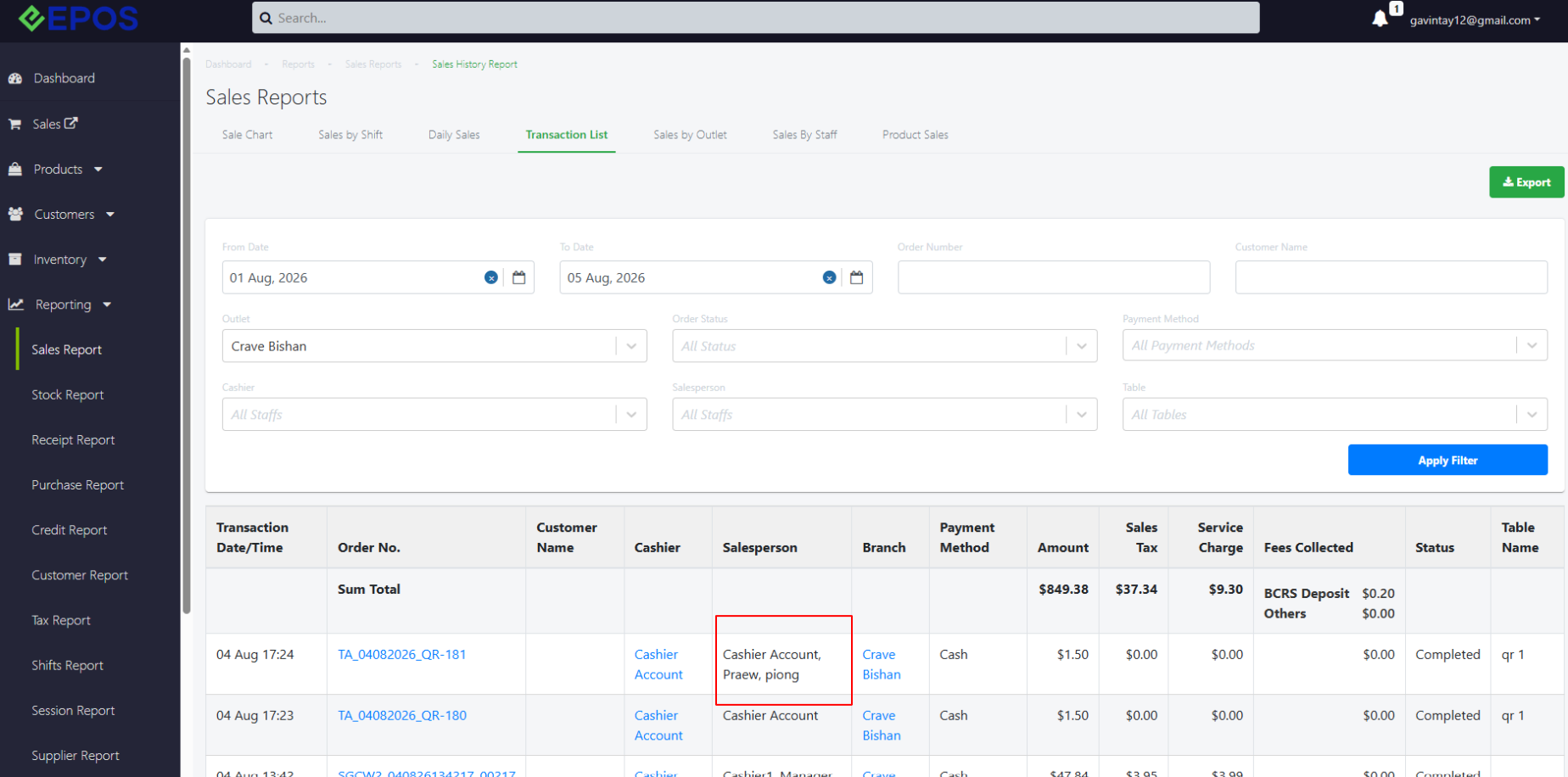
Product Sales
Edit Salesperson Flow
When staff click into the pencil icon, they are able to see the existing sales person and edit it accordingly by selecting or removing sales person.
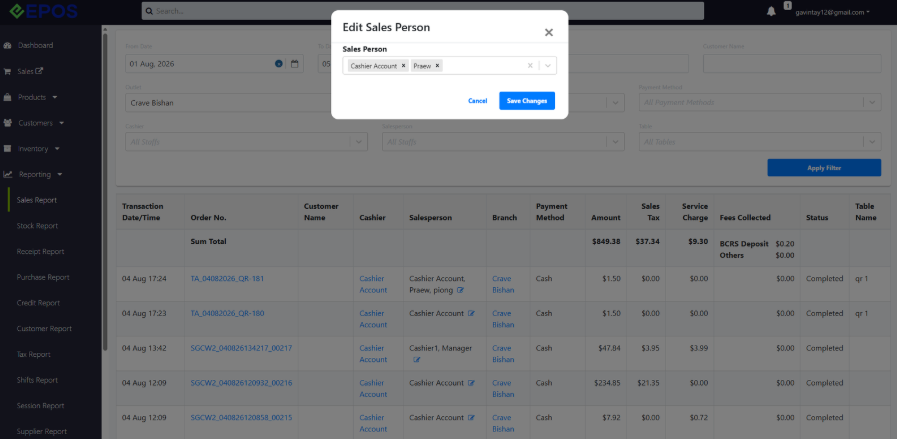
After staff clicks “Save Changes”, the sales person will be edited accordingly for both transaction list and product sales
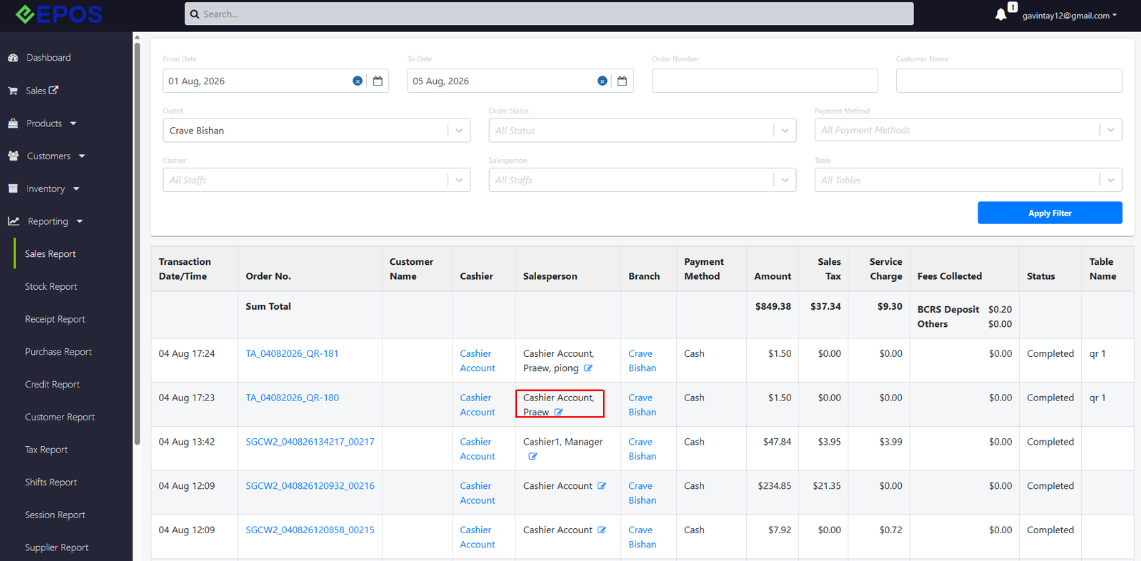
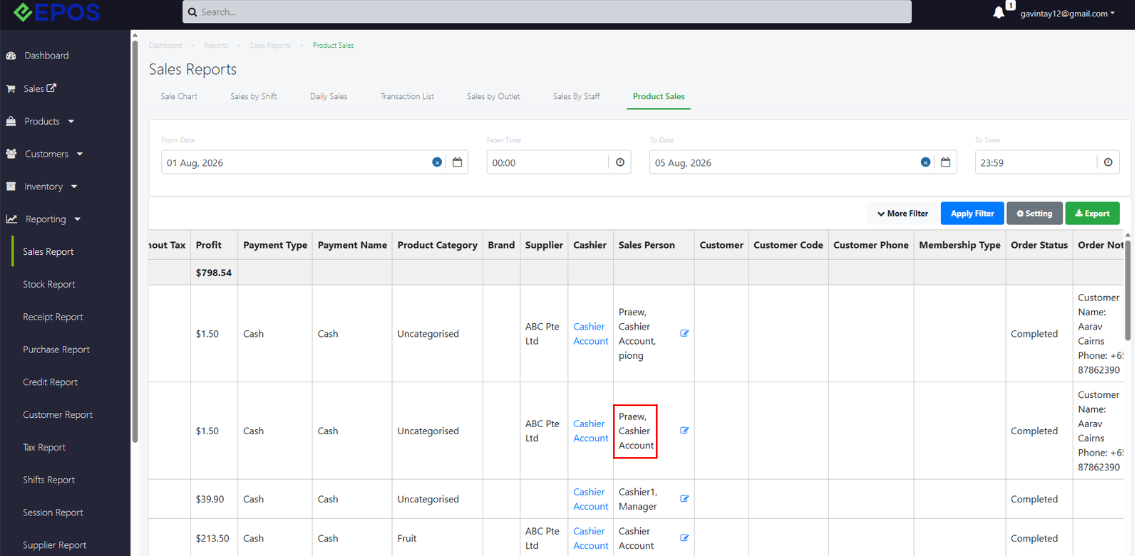
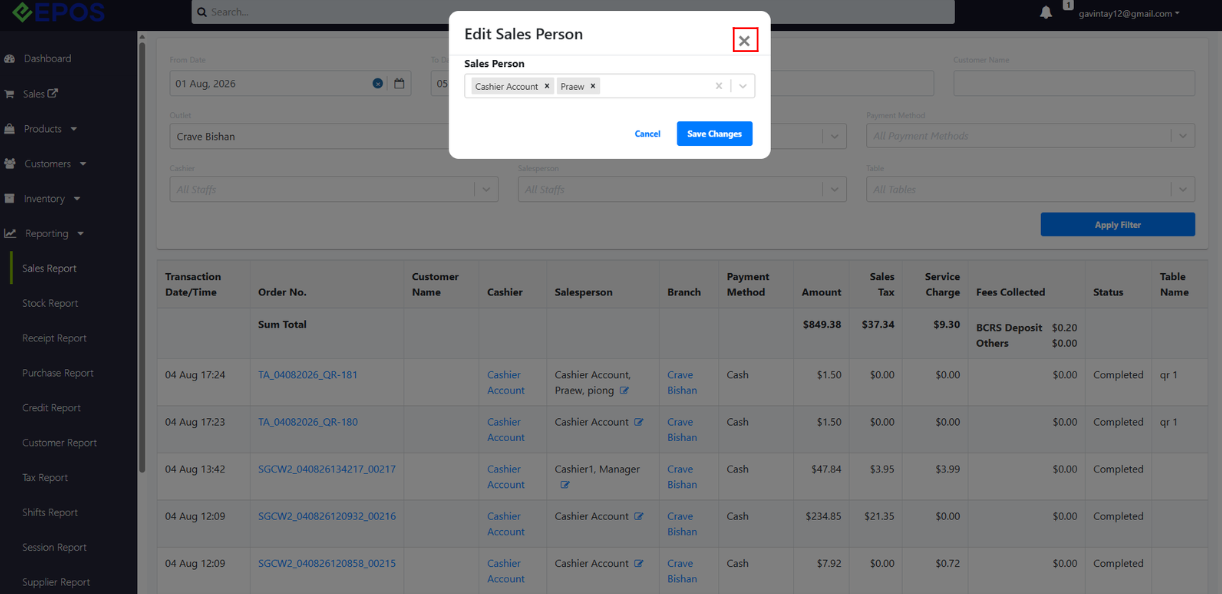
Staff can also click on the ‘X’ button to exit the pop up. The changes will not be saved unless staff clicks “Save Changes”.
If there are no changes detected, there will be a message: “No changes detected. Would you like to apply selected sales person to all items?”
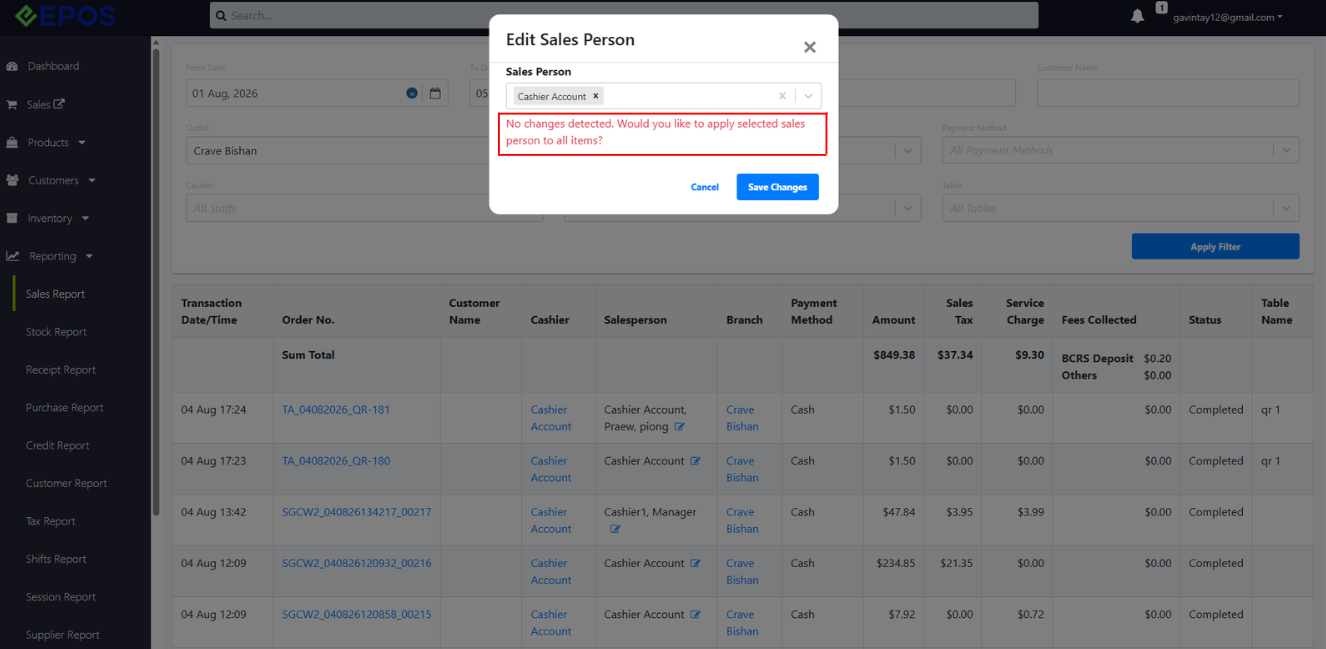
Transaction List
Once the sales person is edited, the updated sales person will be applied to all sales reports (Sales by Staff, Product sales, Transaction List).
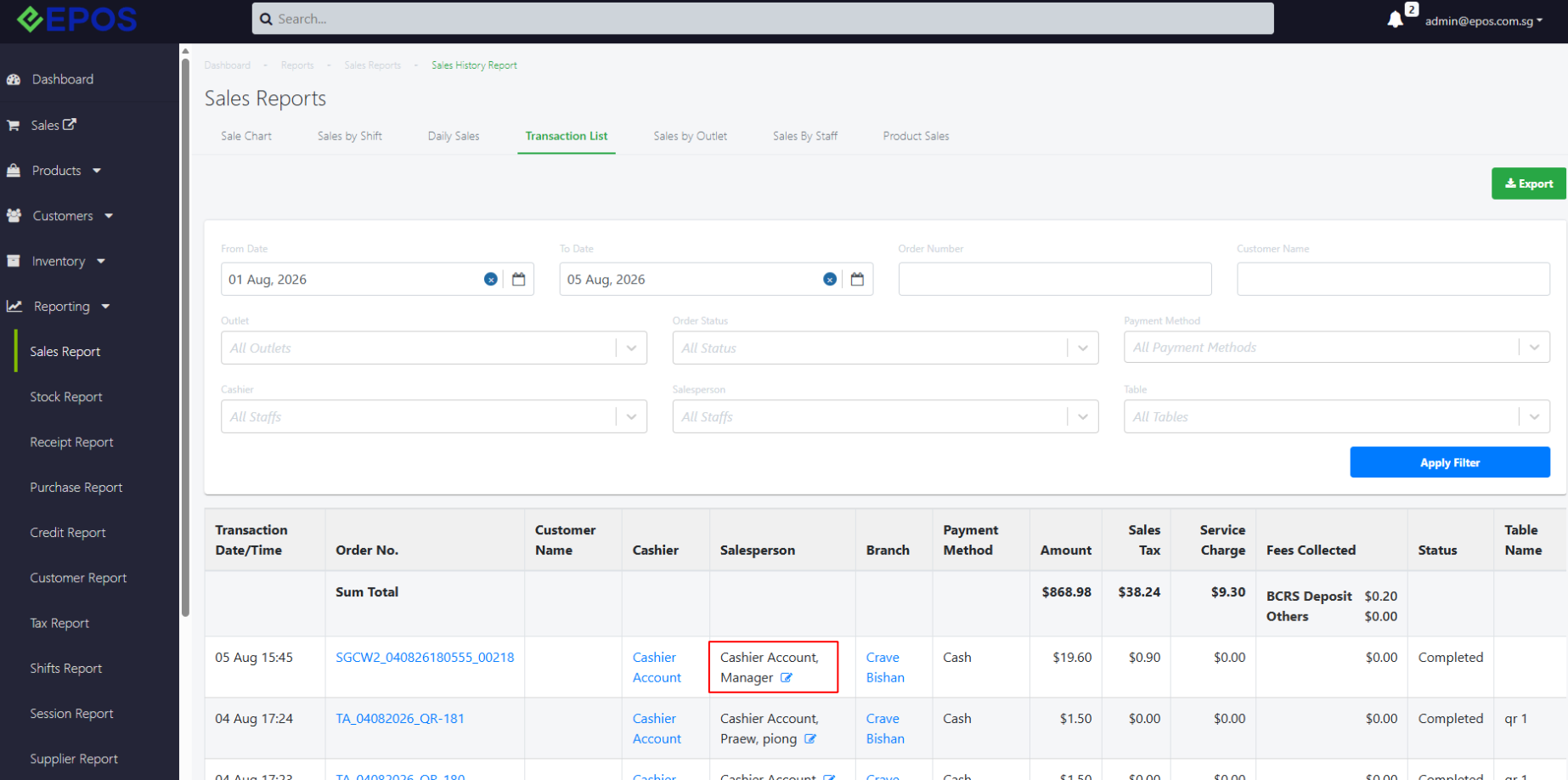
When adding salesperson in transaction list to a specific order X, all the products in that order will add the same salesperson. The impact is on the whole order level.
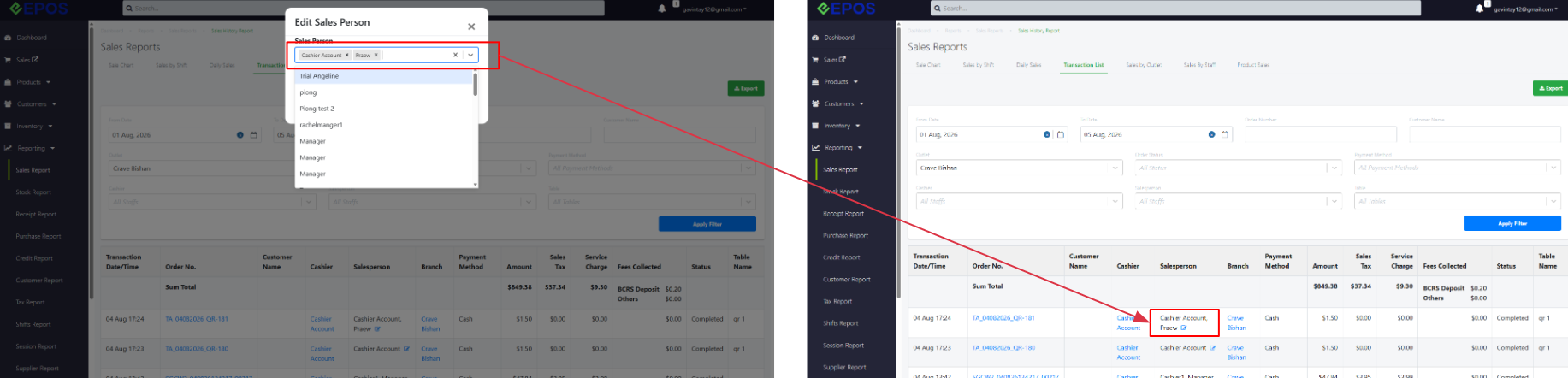 Product Sales
Salesperson at order level will appear for all product sales in the same order
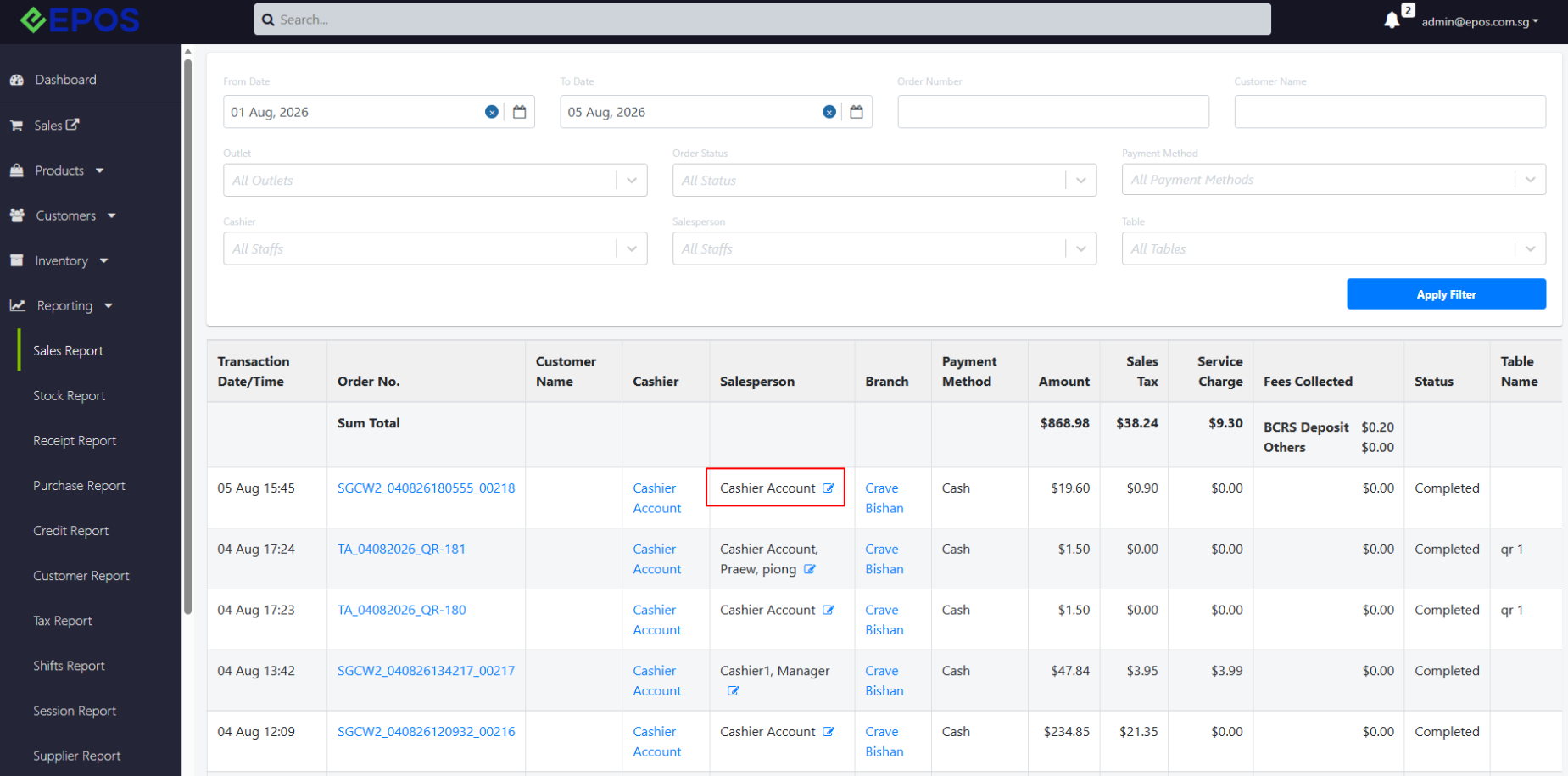
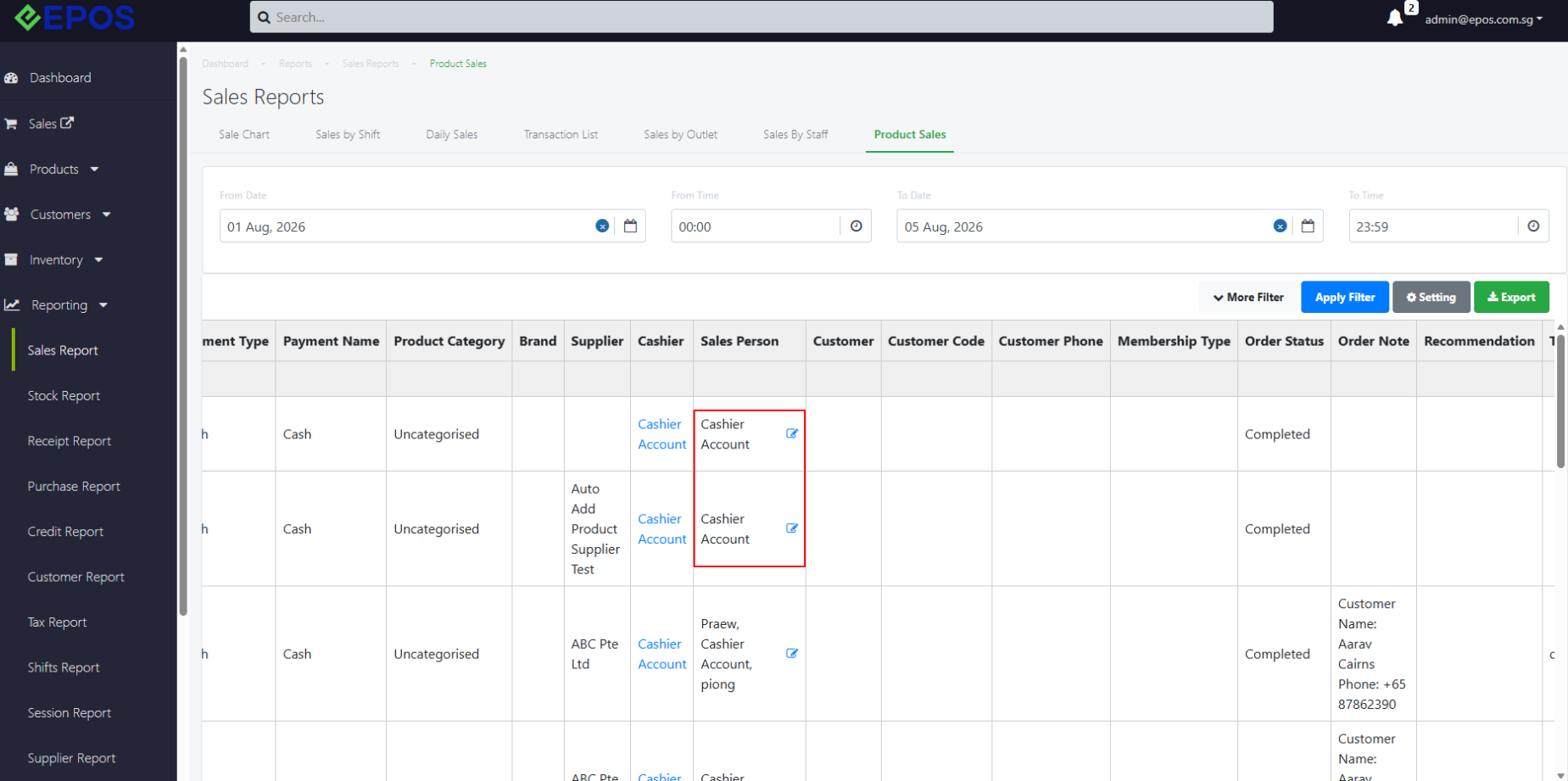
To edit salesperson at product level, navigate to product sales and edit sales person accordingly. The impact is on line item level, instead of the whole order.
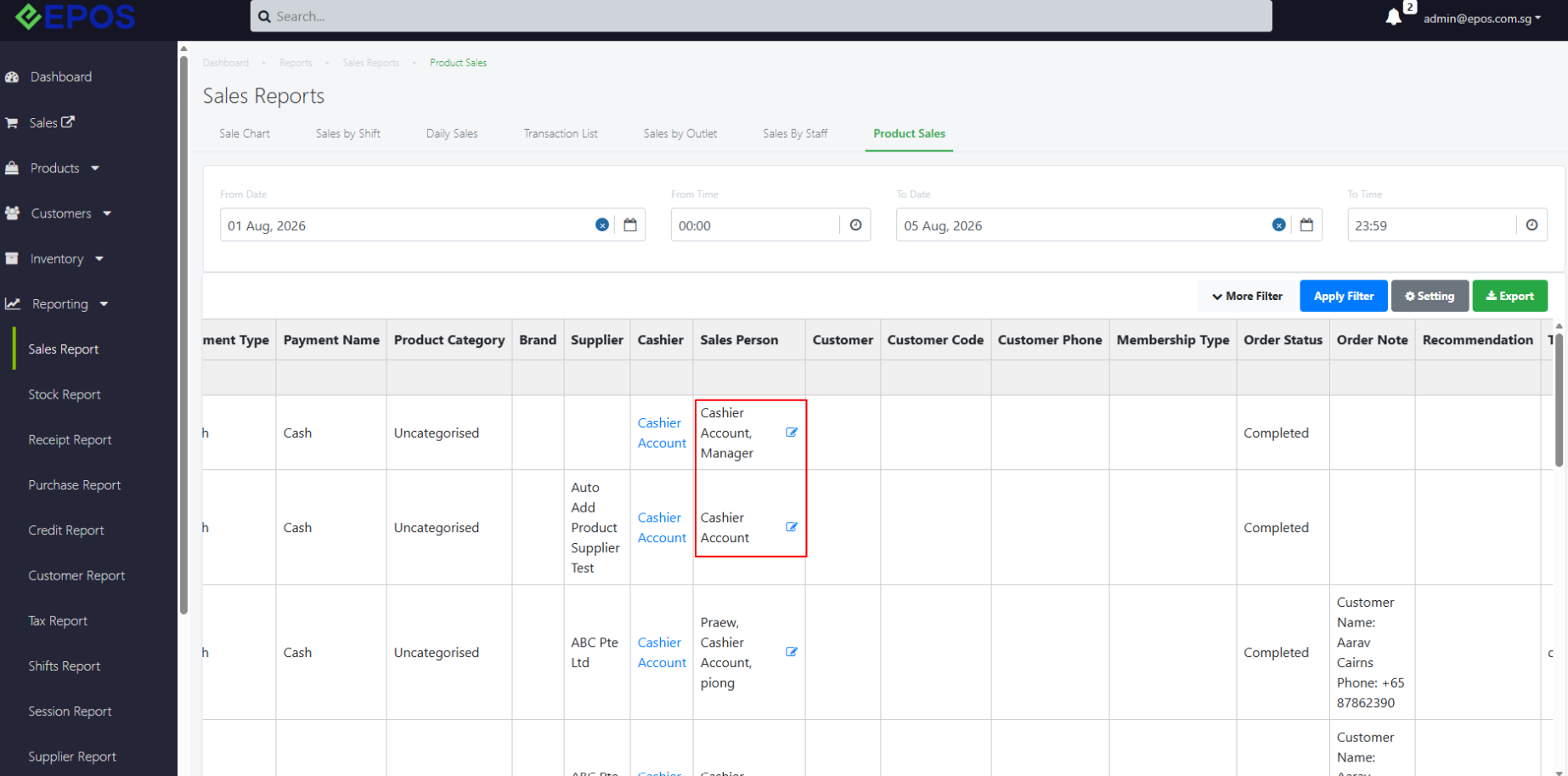
If salesperson is added to product sale (item A, order X), it will show the added sales person under Transaction list (order X)
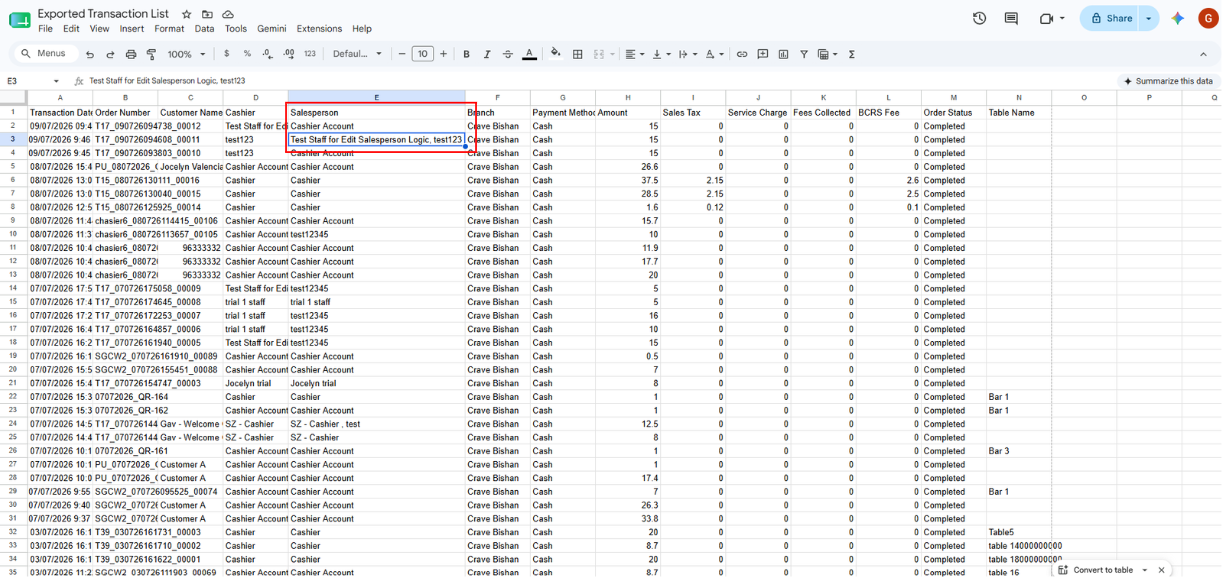
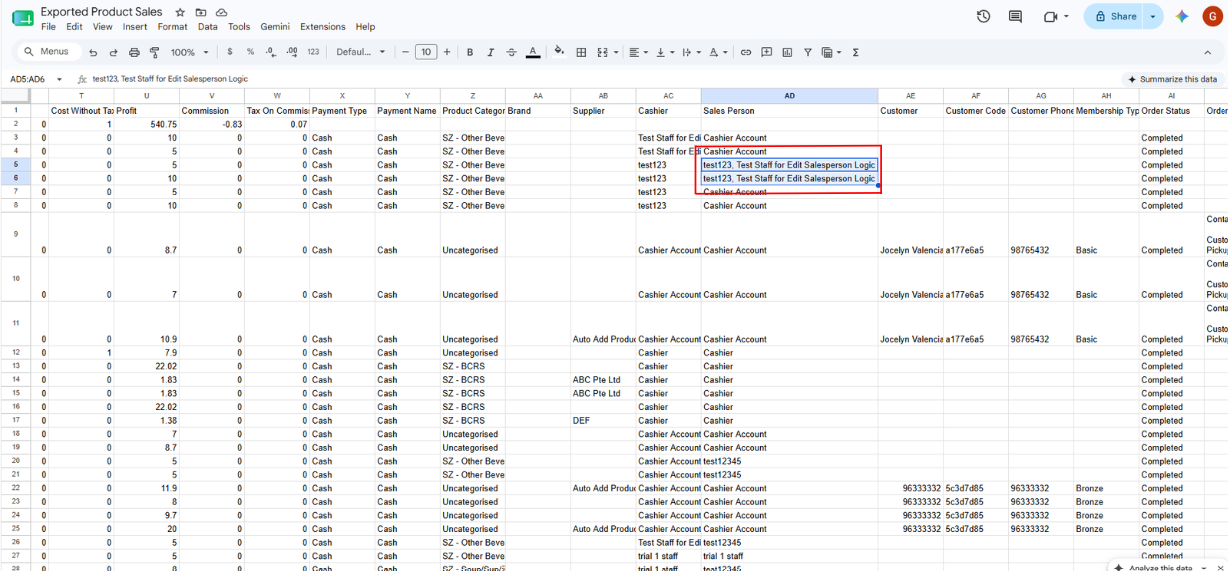
Salesperson will be updated on the exported CSV of:
1. Transaction list
2. Product sales report
3. Sales by staff reporting
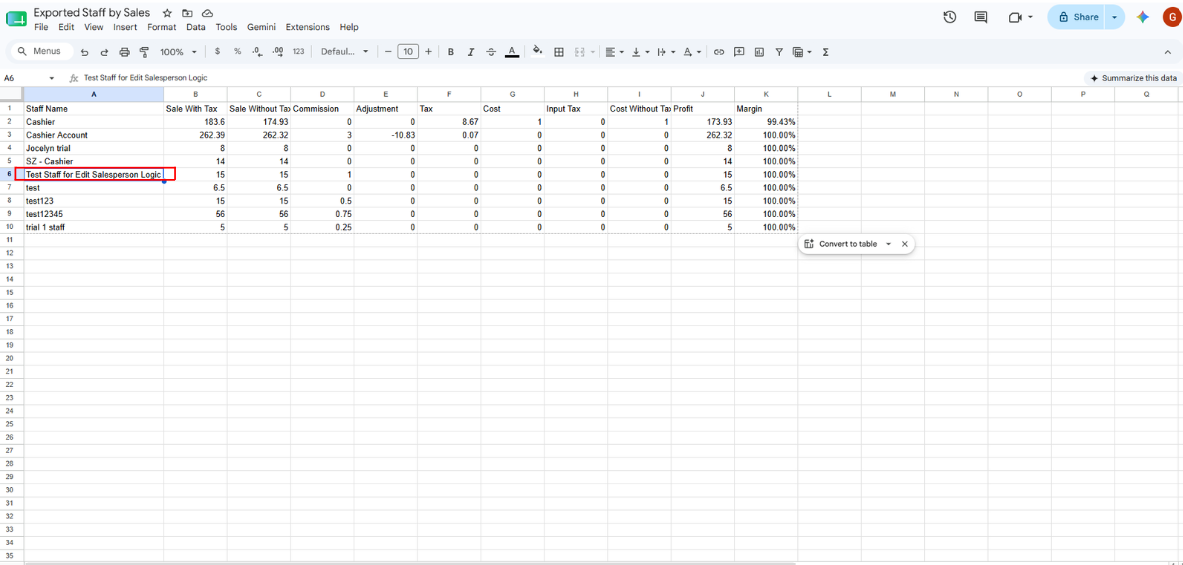
For each transaction, the commission will change depend on the edited sales person(s) according to the current commission logic.
Commission Set Up
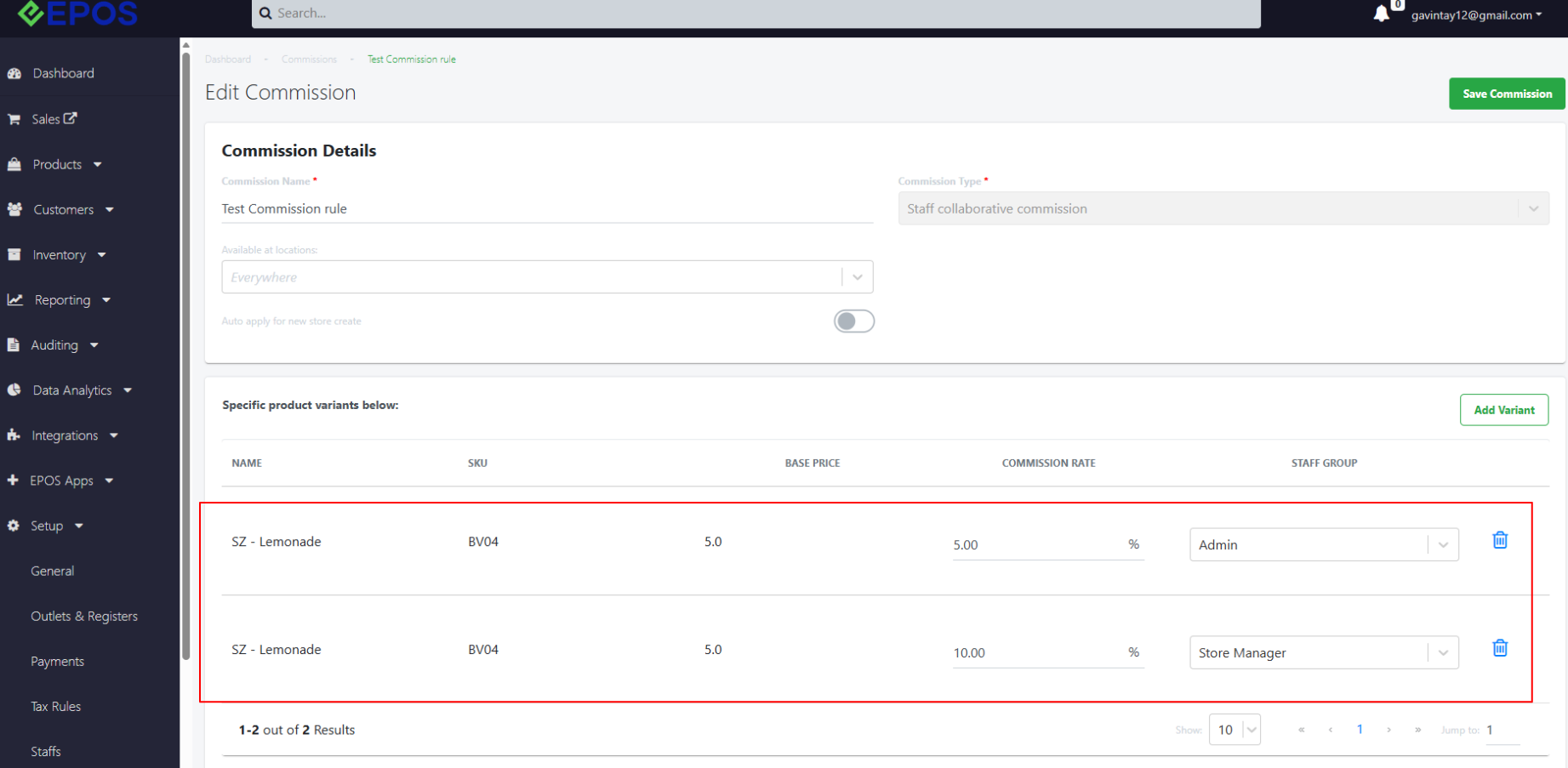
Edit Salesperson from Staff Group Admin to Manager
The commission will change depending on the edited sales person and commission rate.
Staff Group Manager
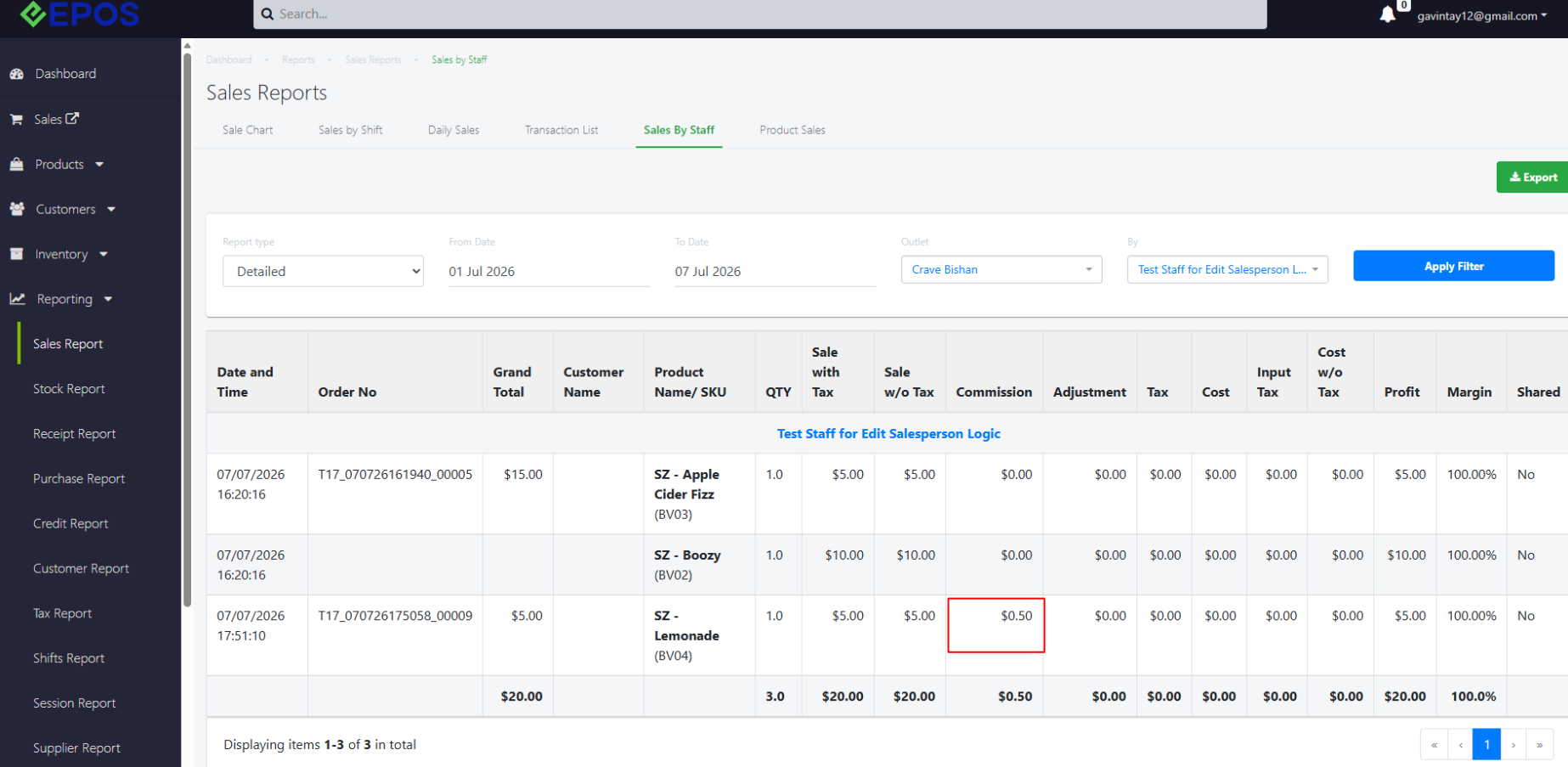
Staff Group Admin
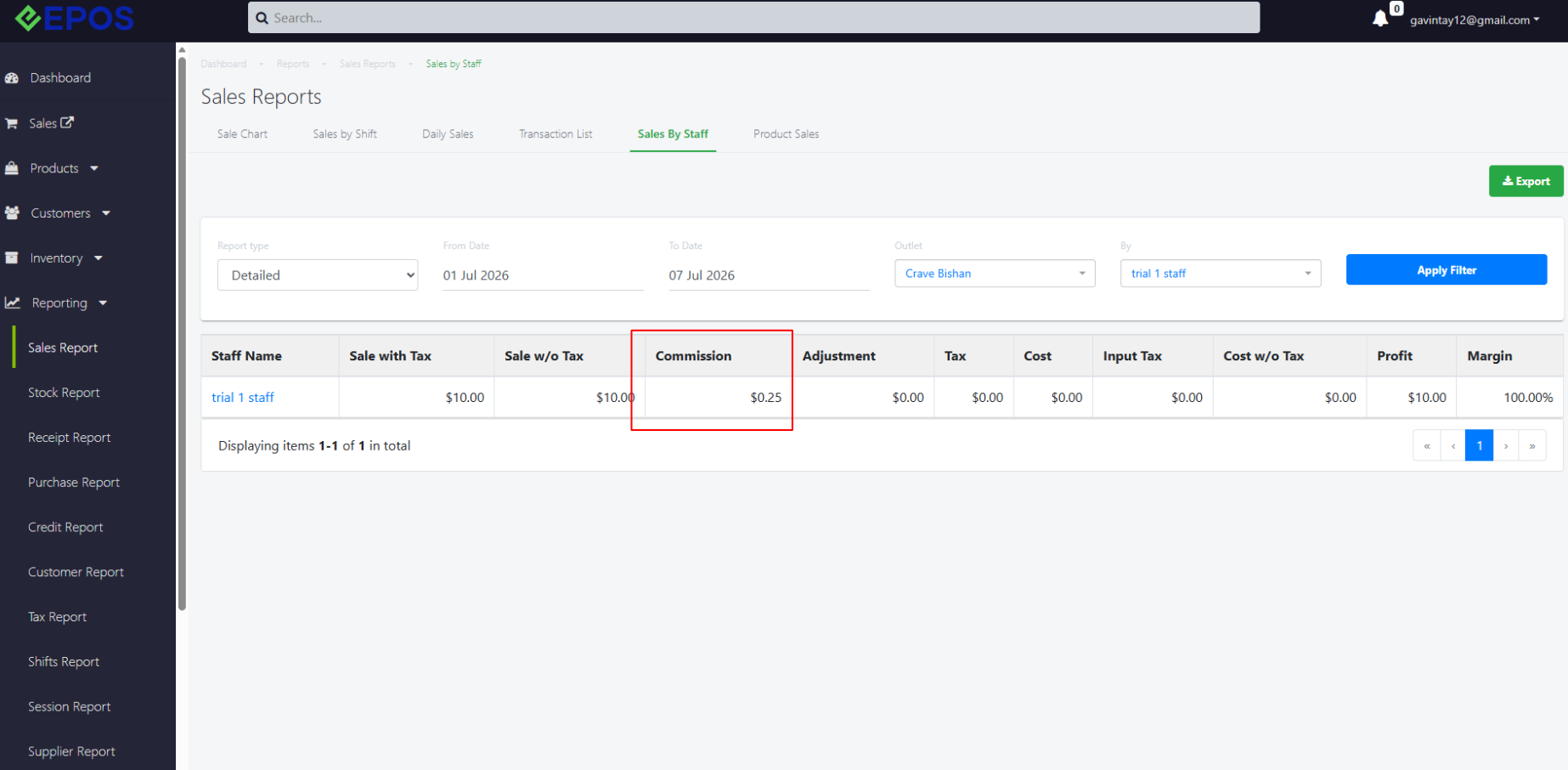
Addition of Sales Person to Order
The calculation will change inclusive to the new sales person assigned. The commission amount depends on the staff group set under Setup > Commissions > Commission Details. For more information about commission calculation across multiple staff, please refer to this link.
Before new sales person was added
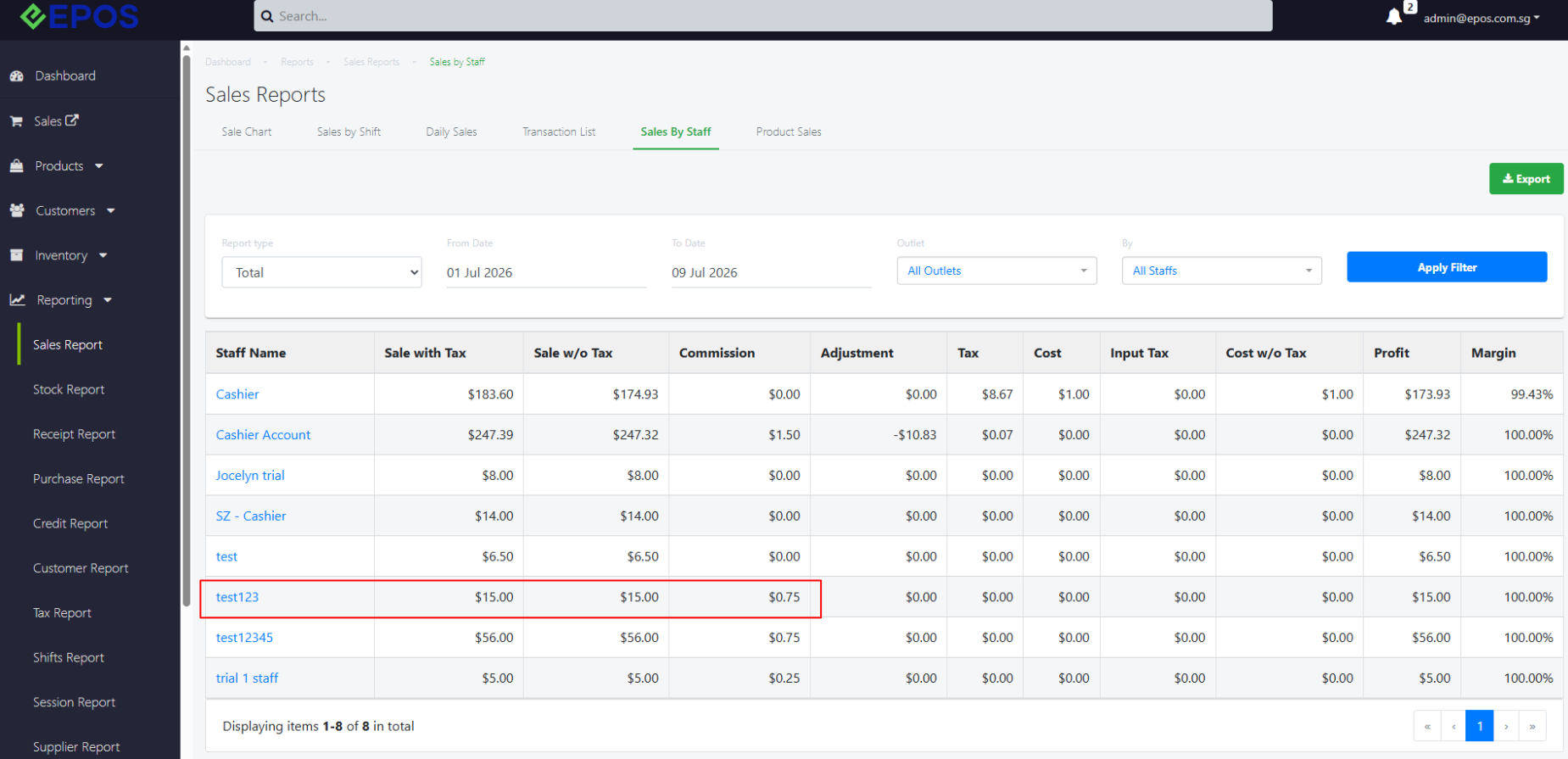
After sales person was added