
October 2026
This month’s release brings a variety of new features and enhancements across our Backend, Windows POS, Android POS, Web App, Standalone and Hybrid Kiosks, KDS, CRM and Member’s Portal, mall report, Xero and Grab Integration.
Not sure which affects you?
These icons indicate which group of users is impacted by each enhancement: Point of Sale (POS) users, Backend users, or Web Ordering App users.
(🖥️ POS — ⚙️ Backend — 📱 Web Ordering App — 🤖 Android POS — 🗣CRM — 👨🍳 Kitchen Display System (KDS) — 📦 Stock Take Device — 🔊Soundbox — 🛒 Kiosk — 📦Warehouse —🛠 Hybrid Kiosk — 🛍Standalone Kiosk)
What’s New:
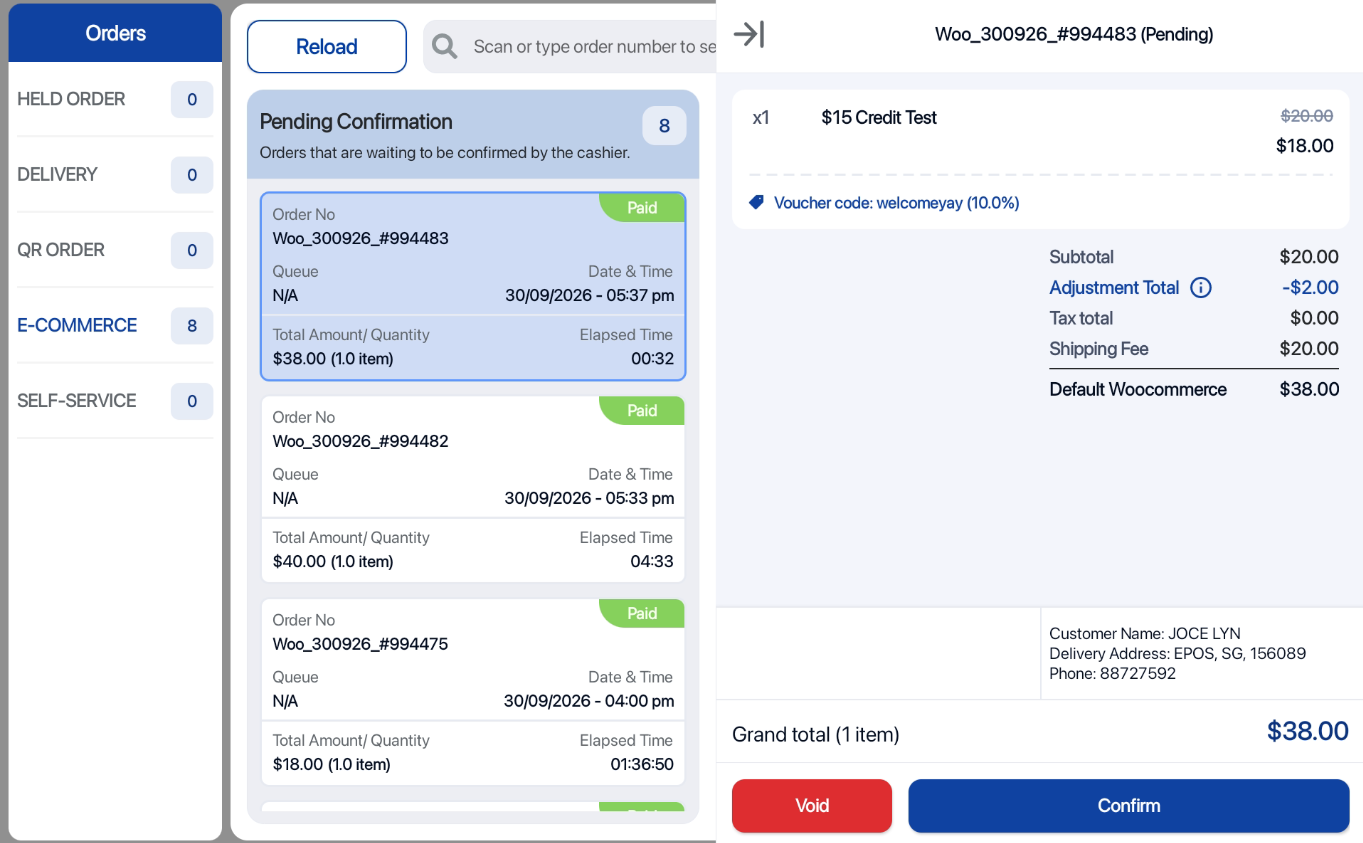
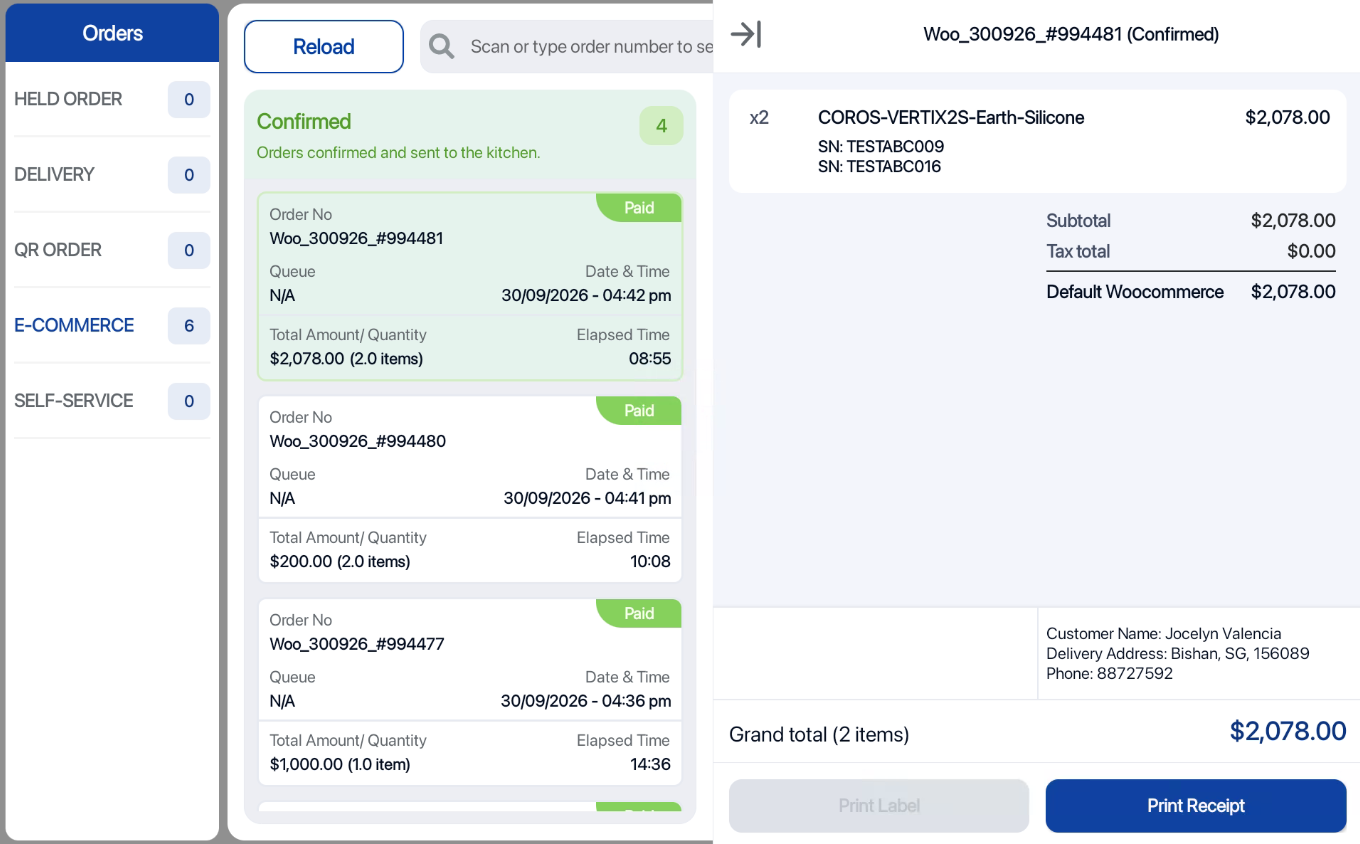
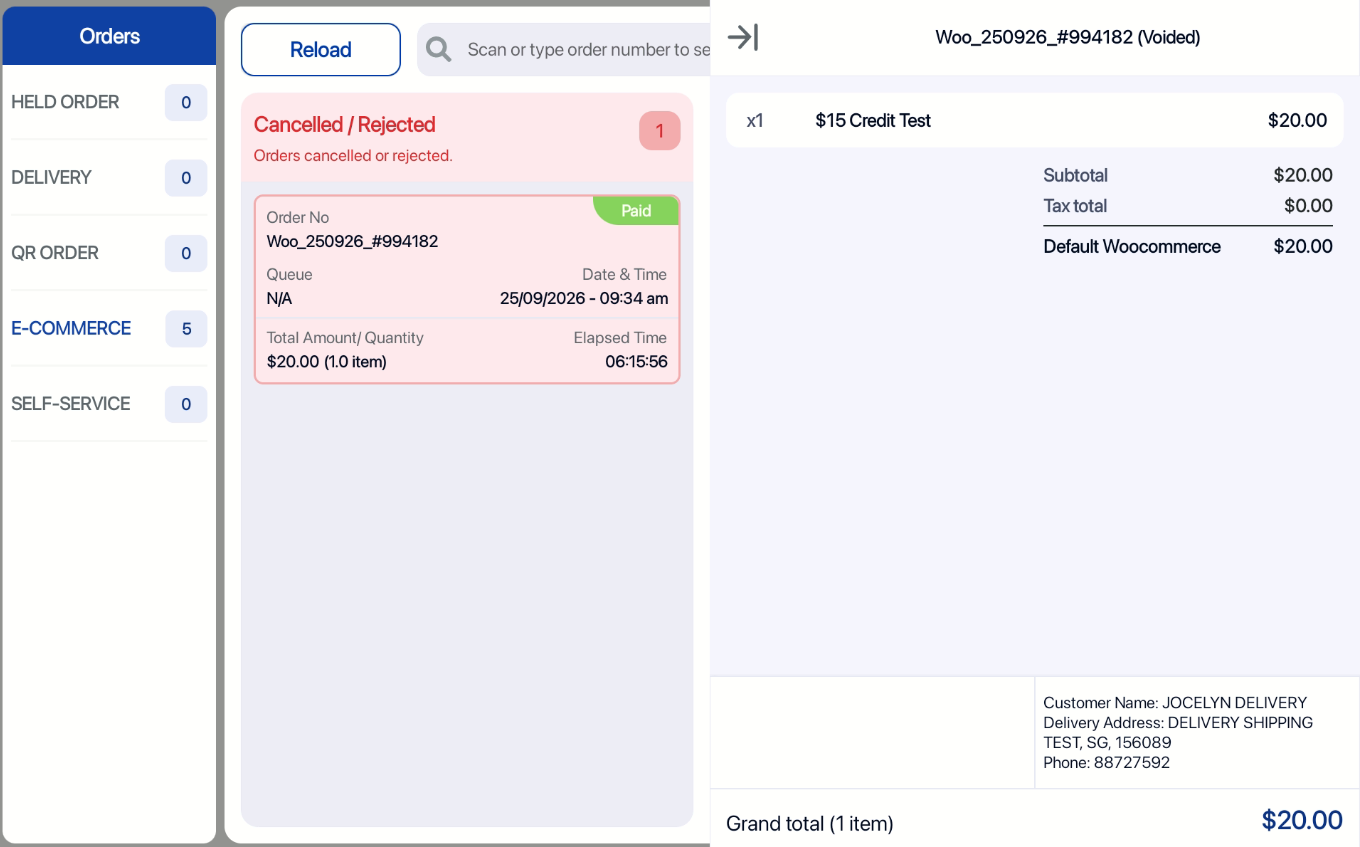
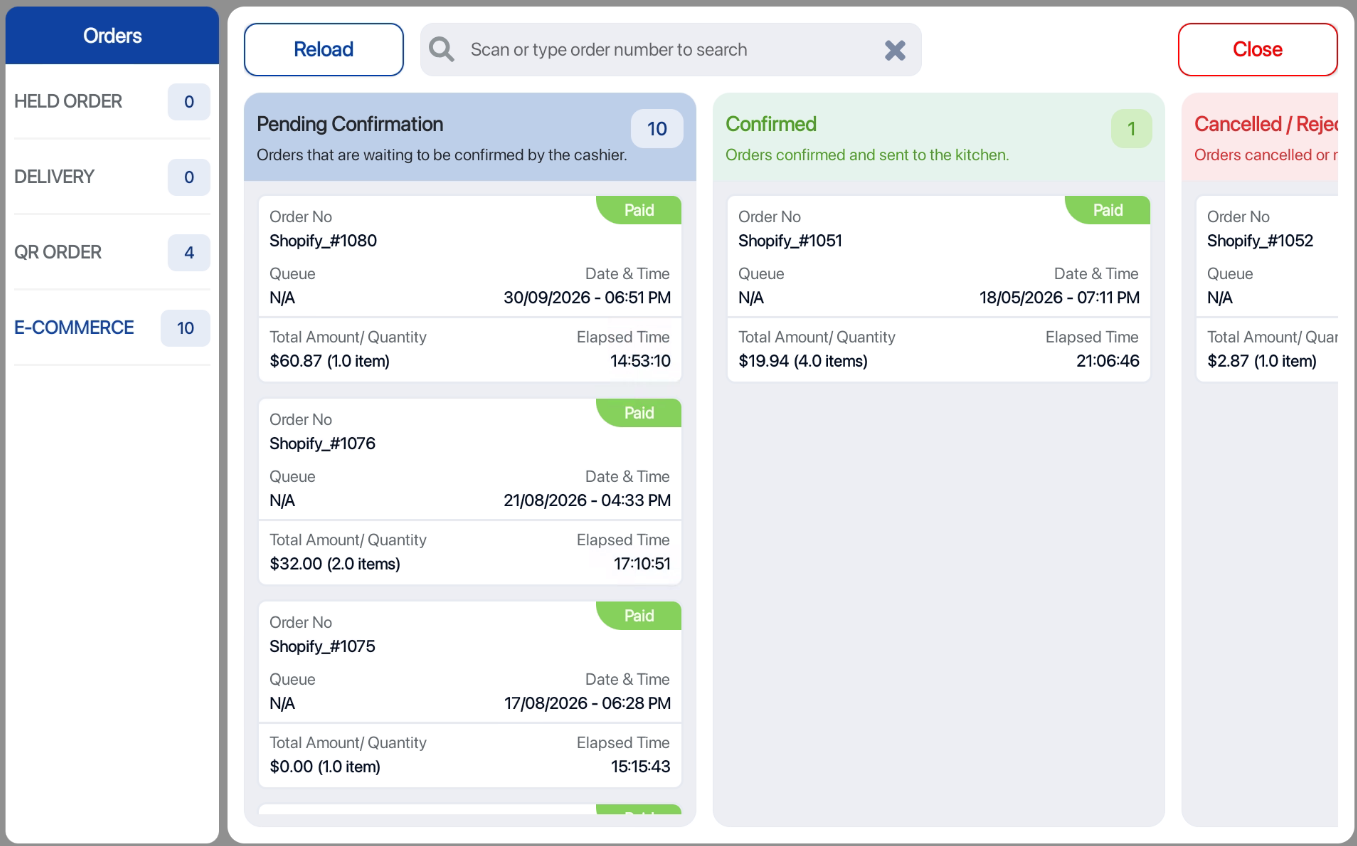
📌 WooCommerce and Shopify orders can now be synced to Android POS under Bell Icon > E-Commerce Tab
📌 Cashier can Confirm or Void E-Commerce orders and take a look at order details such as Customer details, discount voucher, serial number/IMEI products, payment methods, and more! Same like Windows POS
What’s New:
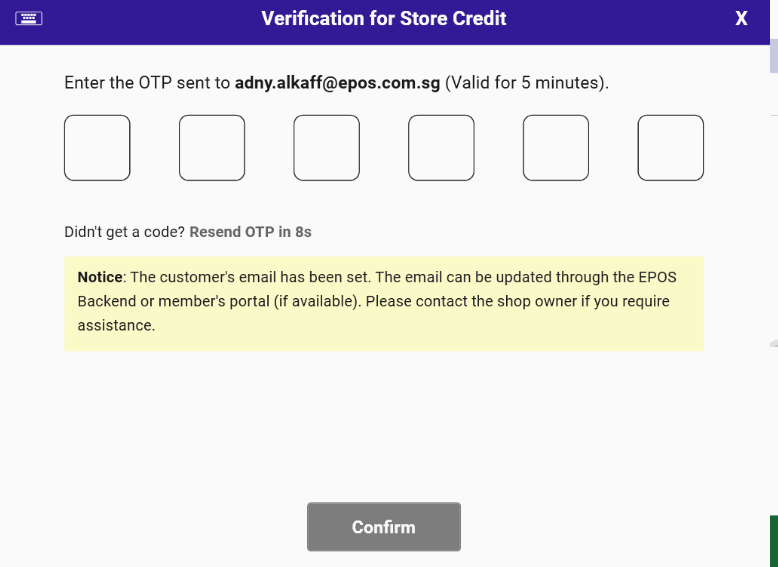
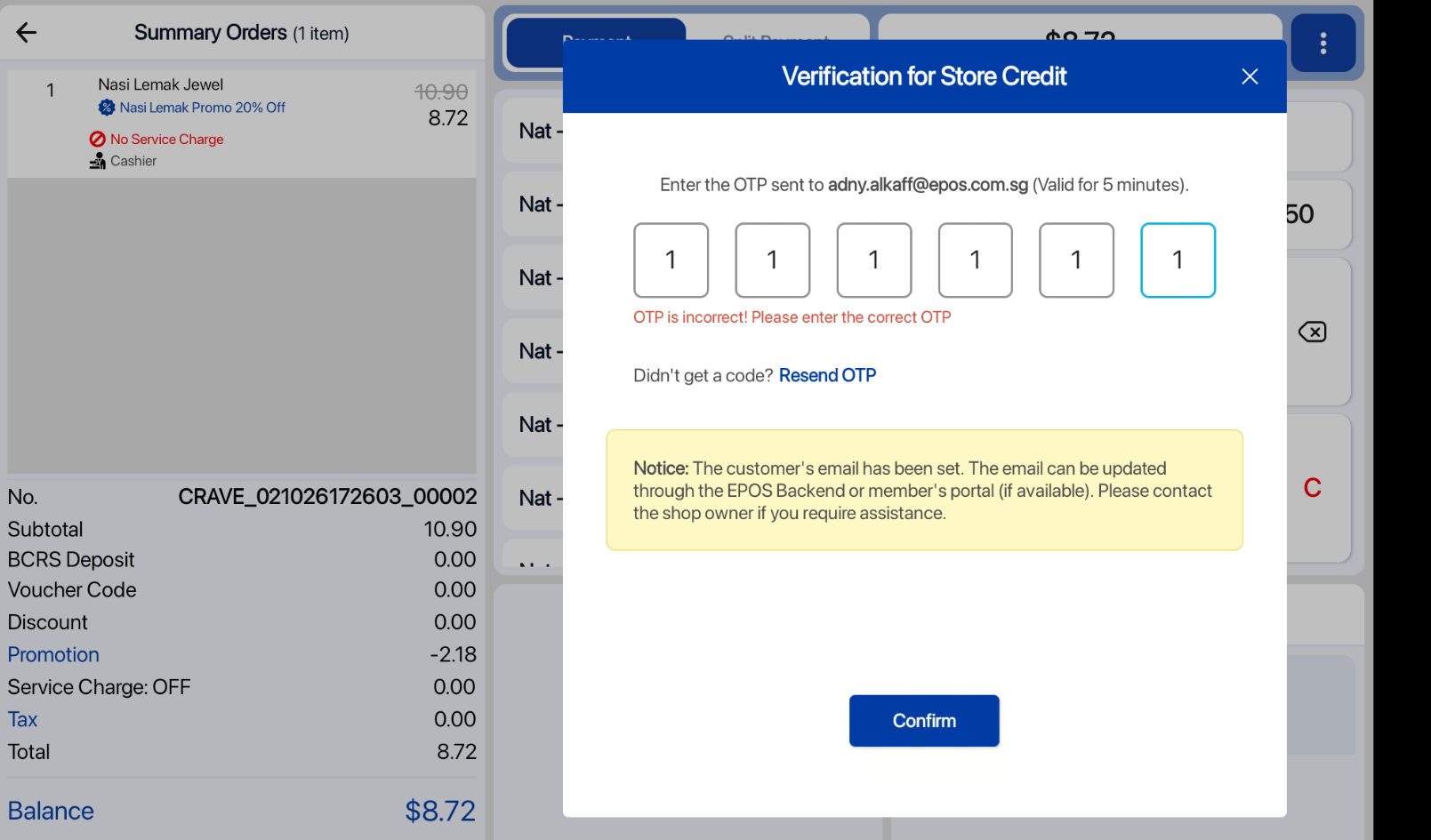
📌One-Time Password (OTP) for Credit Redemption
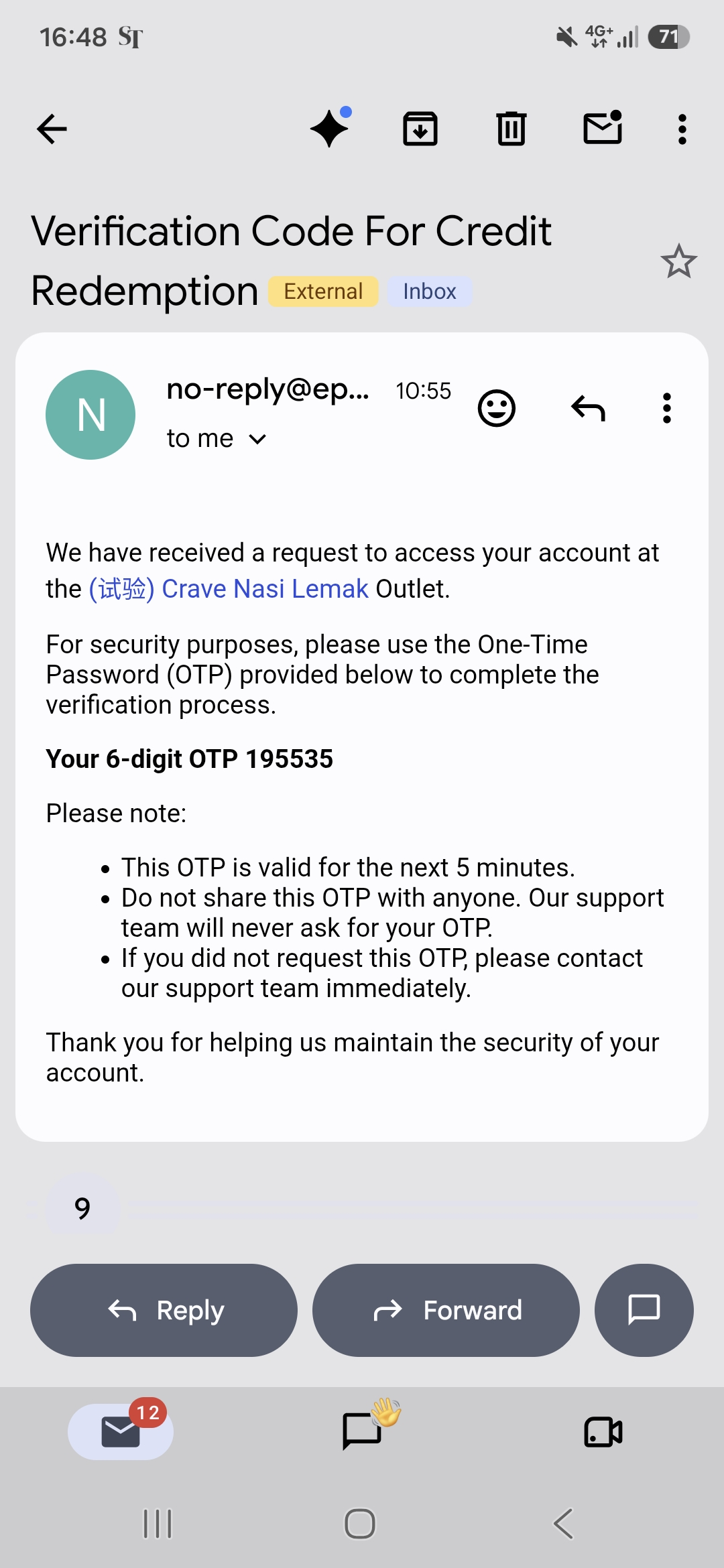
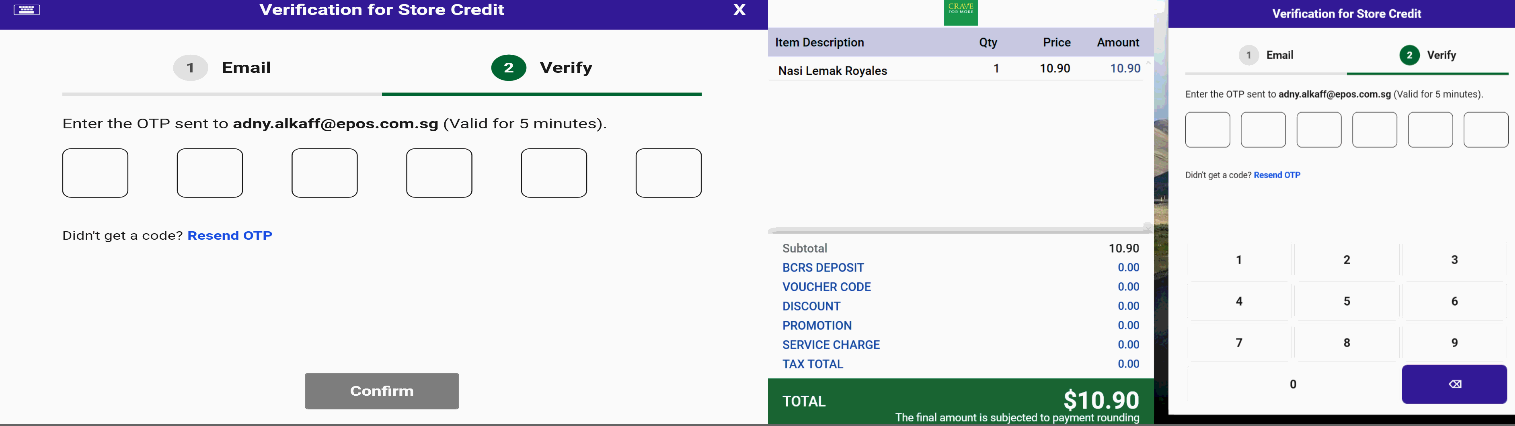
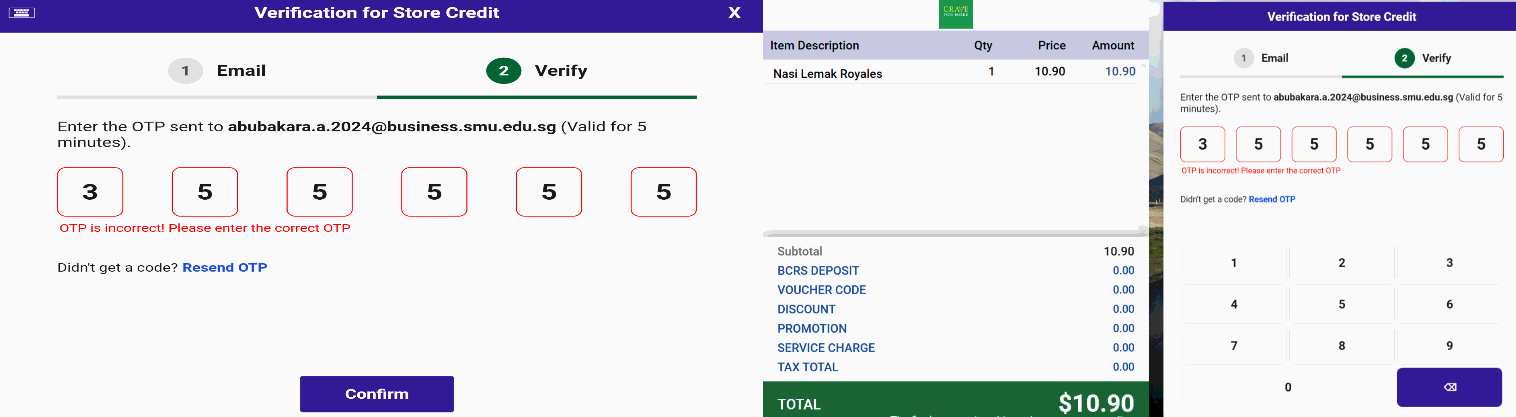
– Customers will now receive a one-time password (OTP) at their registered email address. They will need to enter this code to confirm and complete the purchase using store credits.
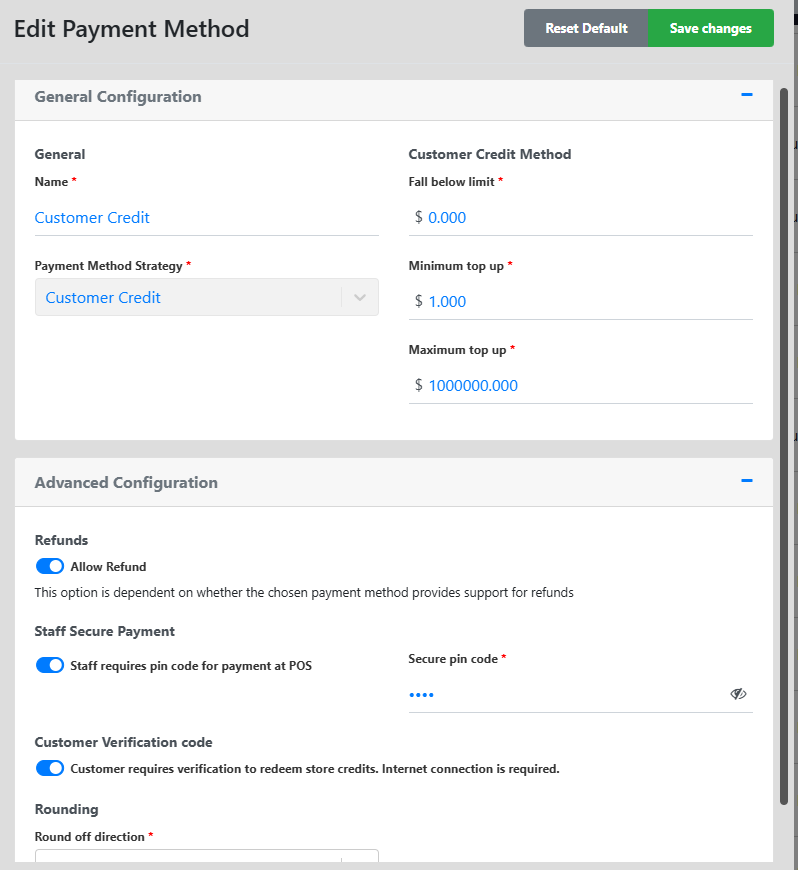
– Merchants have the option to toggle on or off the Credit Redemption OTP verification for customers in the Backend.
📌Email Verification for Users
If the customer’s email has not been registered before
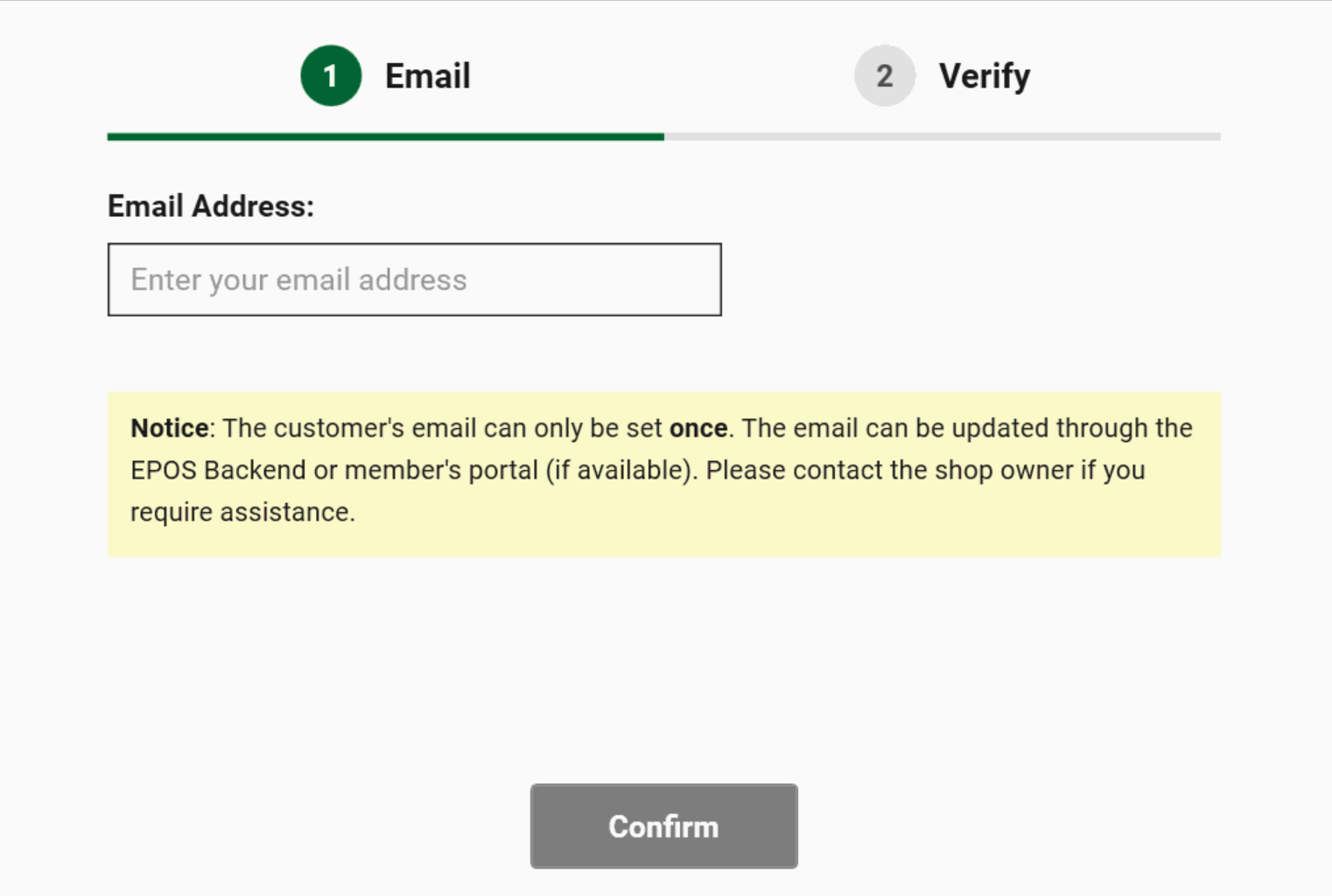
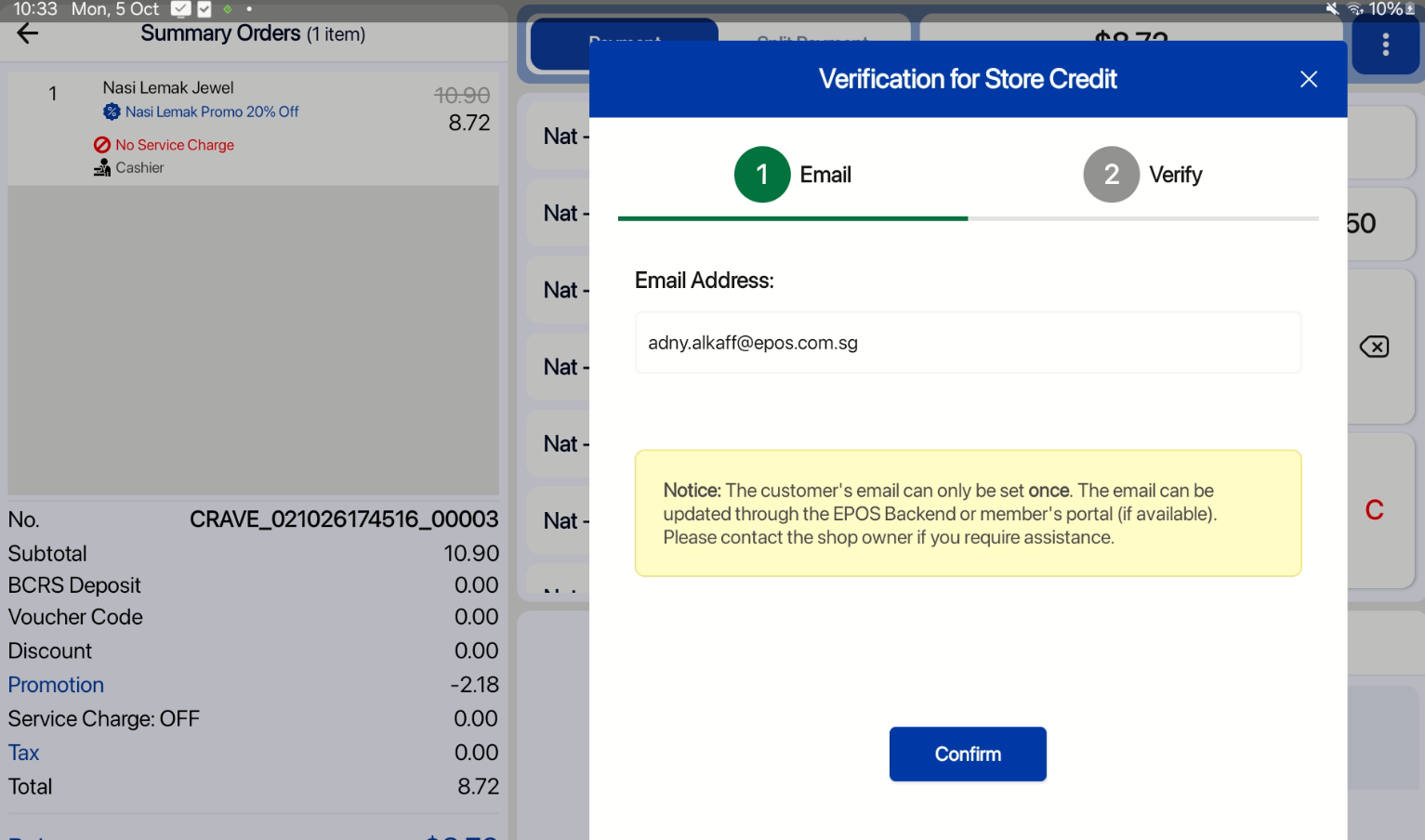
The customer must verify their email address the first time they redeem credit. This verified email will be used for all subsequent redemptions.
If the customer’s email is already registered:
The customer will be asked to confirm their email the first time they redeem credit. This email will then be used to receive OTPs for subsequent redemptions.
Backend:
OTP verification in Email:
Windows:
Email Validation:
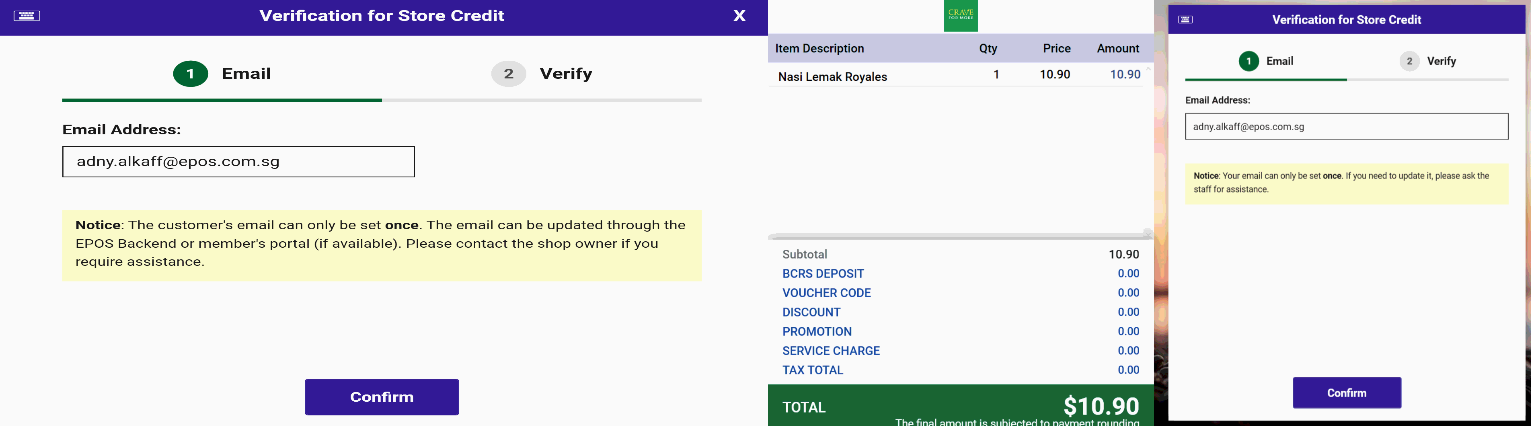
OTP Verification:
OTP Incorrect:
Android:
Email Validation:
OTP Verification:
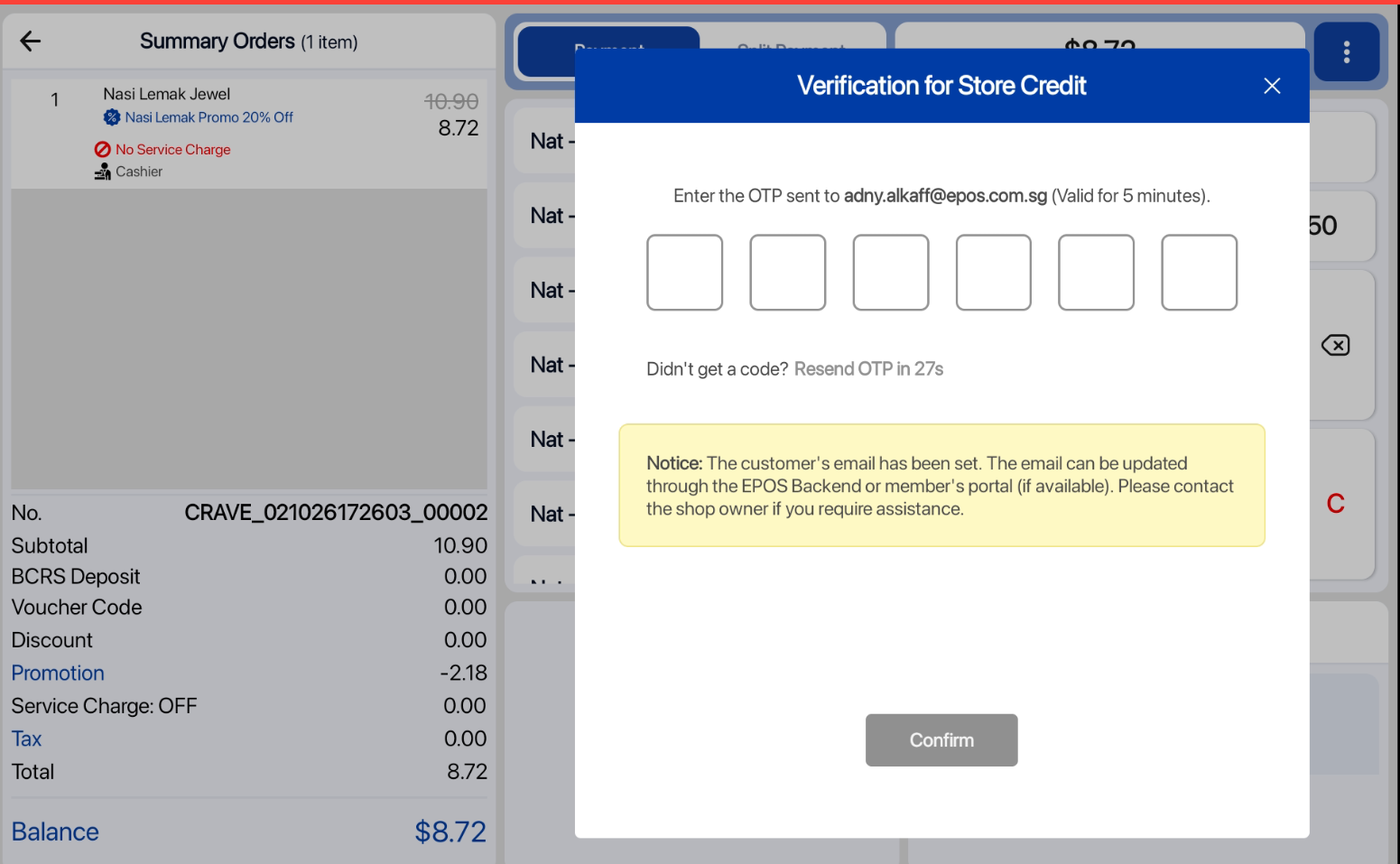
OTP Incorrect:
What’s New:
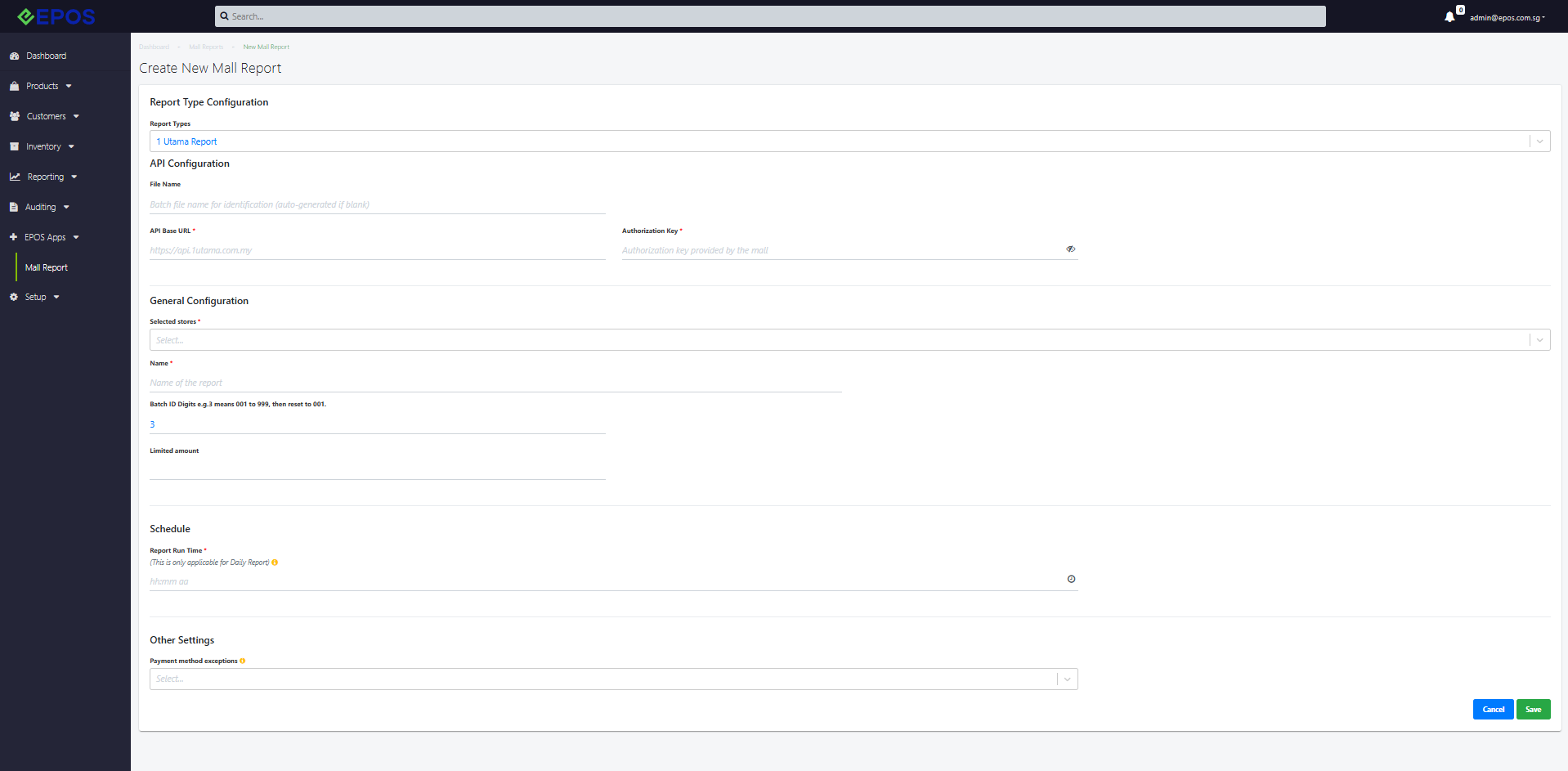
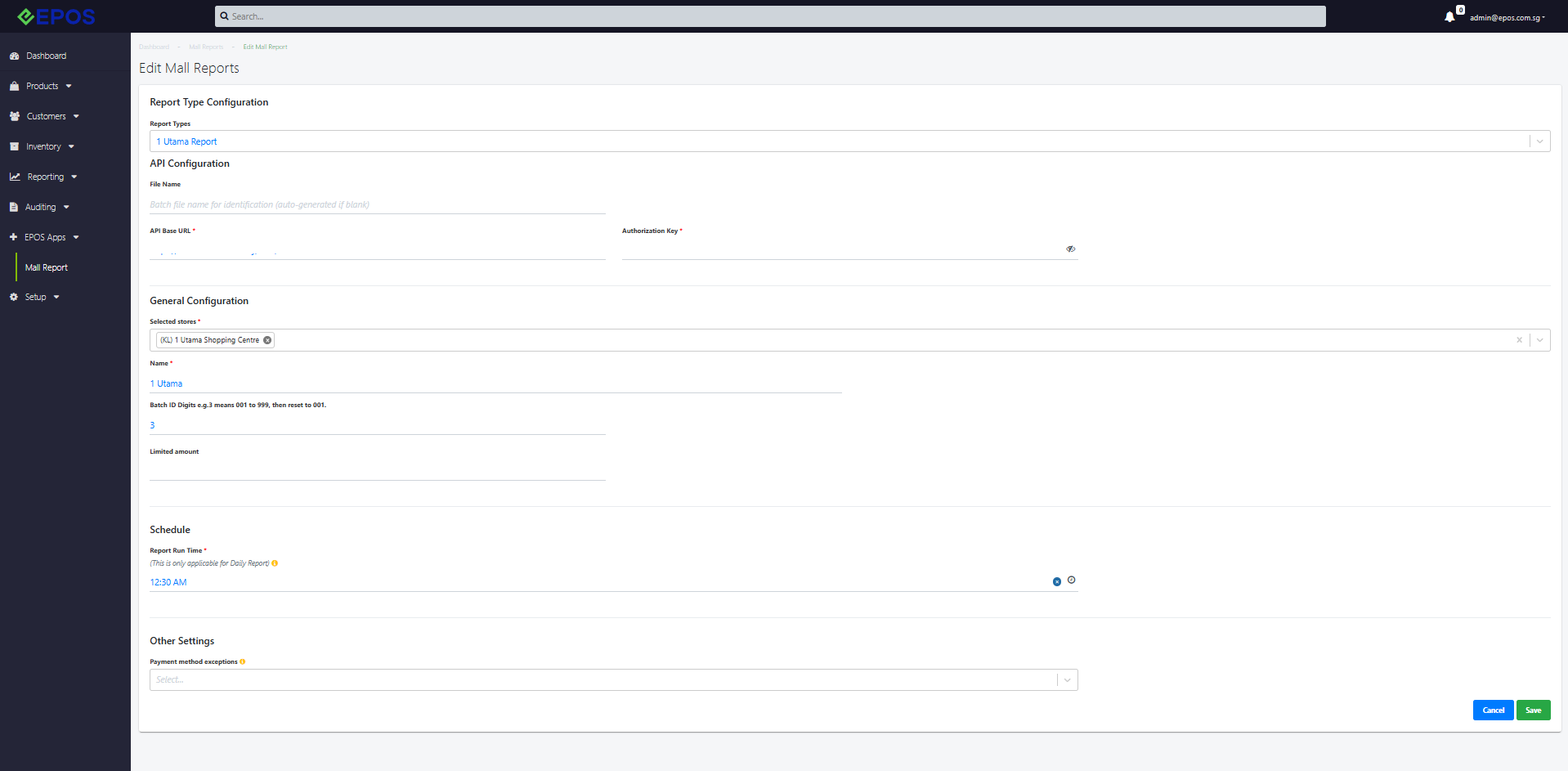
📌 Merchants are now able to send their GTO mall report to 1 Utama Shopping Mall
📌 The payload is a fixed format so there is no inputs needed for file contents or headers
📌 Under Manual Reports, manual file generation (generate batch) can be done from any date range
1 Utama Mall Report Format
Manual File Generation

What’s New:
📌 Merchants are now able to send their GTO mall report to Sunway Pyramid Shopping Mall
📌 The payload is a fixed format so there is no inputs needed for file contents or headers
📌 Under Manual Reports, manual file generation (generate batch) must be done from a 7 day period. User can only select the end date. The start date will always be 7 days before.
Sunway Pyramid Mall Report Format
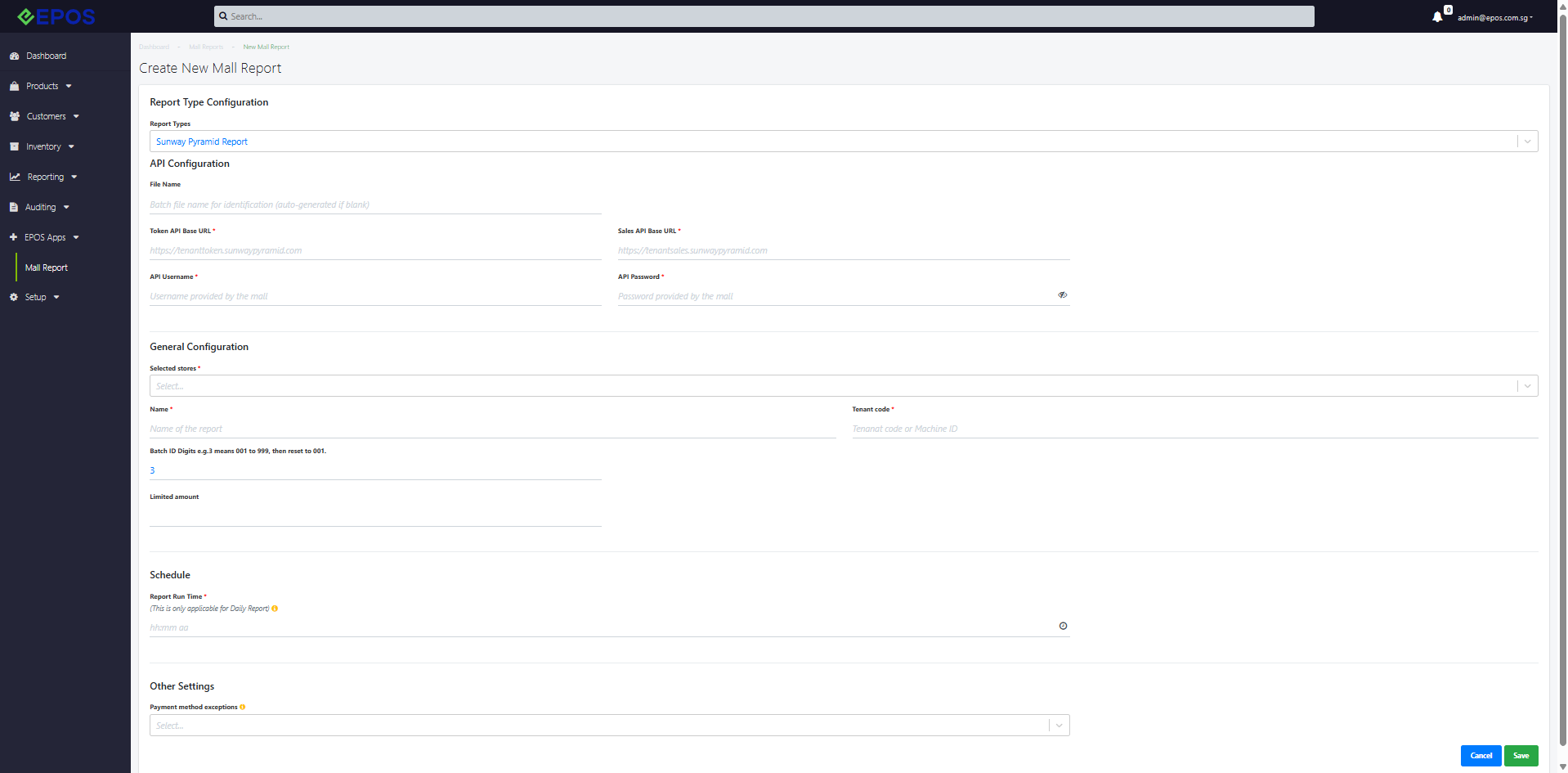
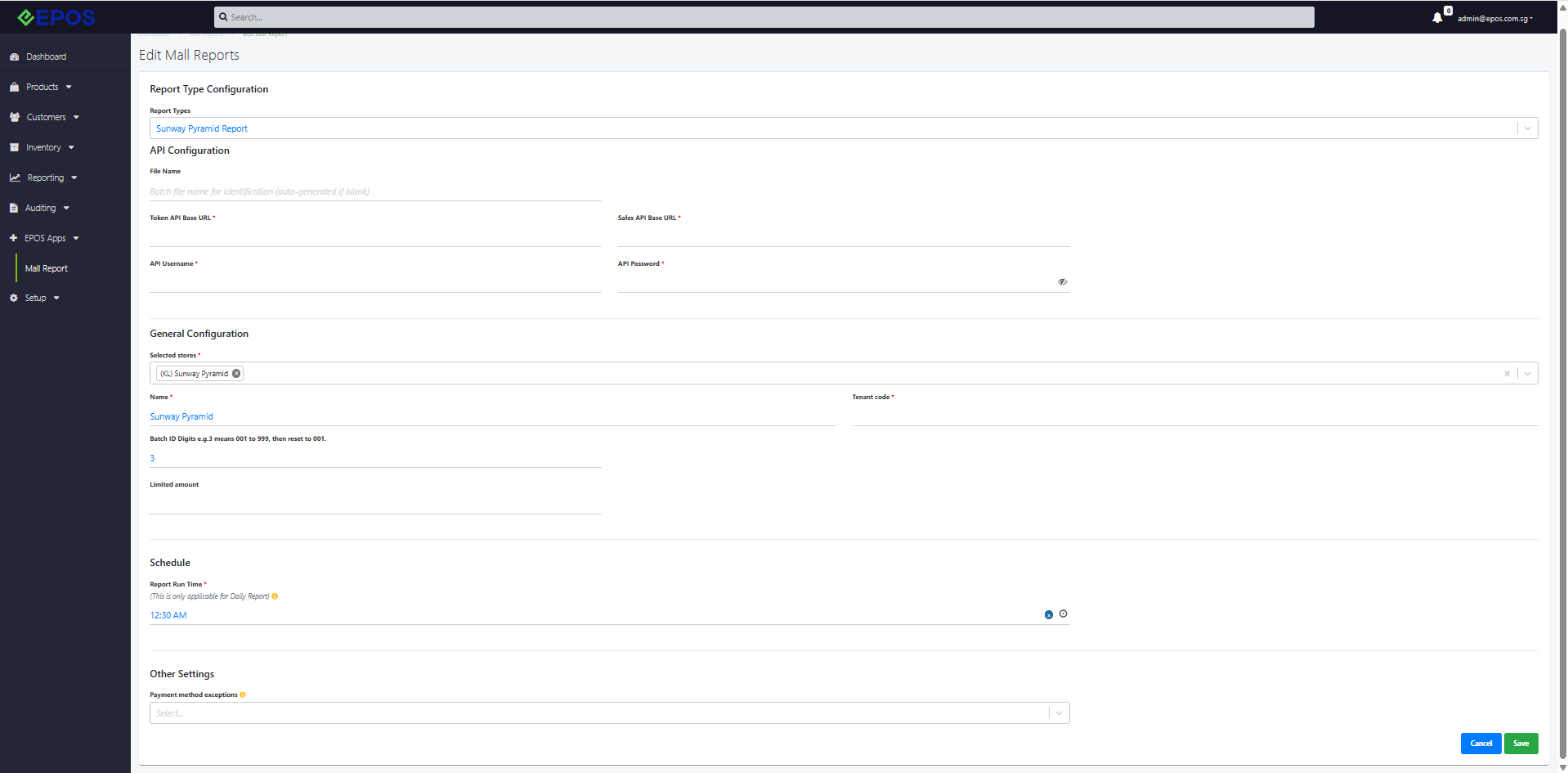
Manual File Generation

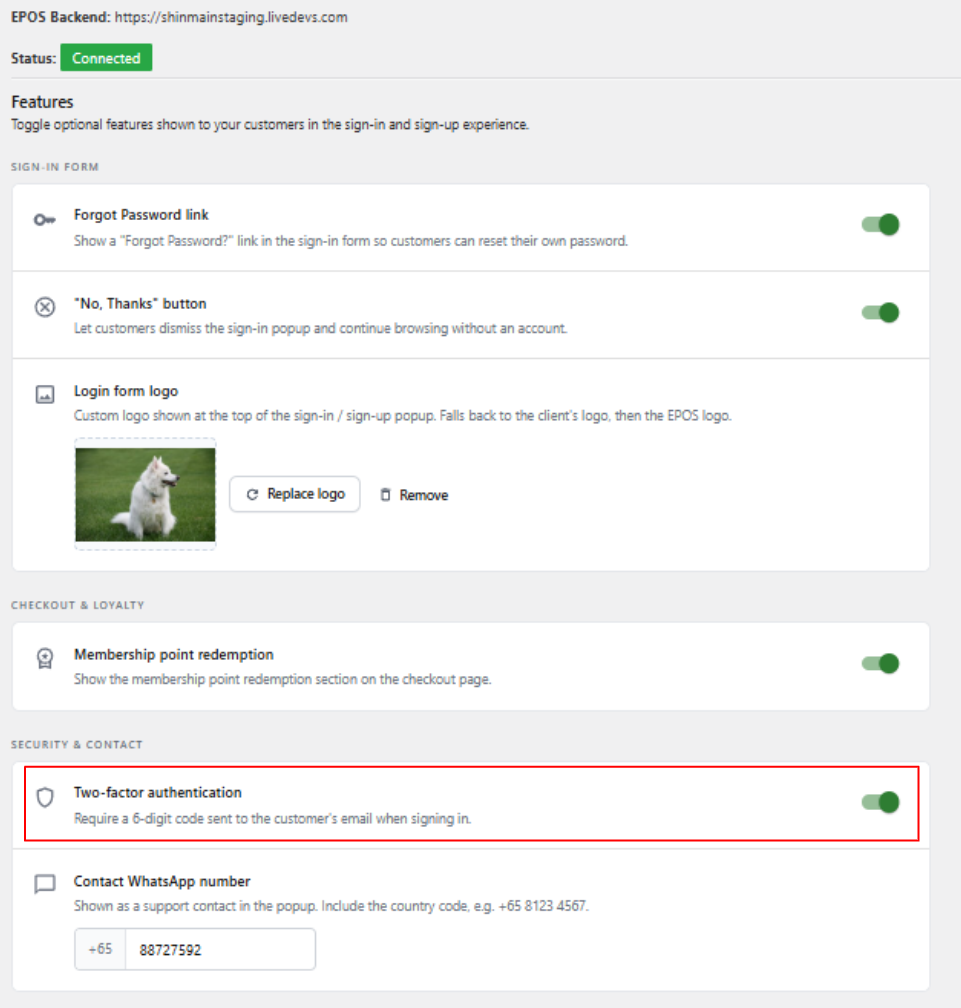
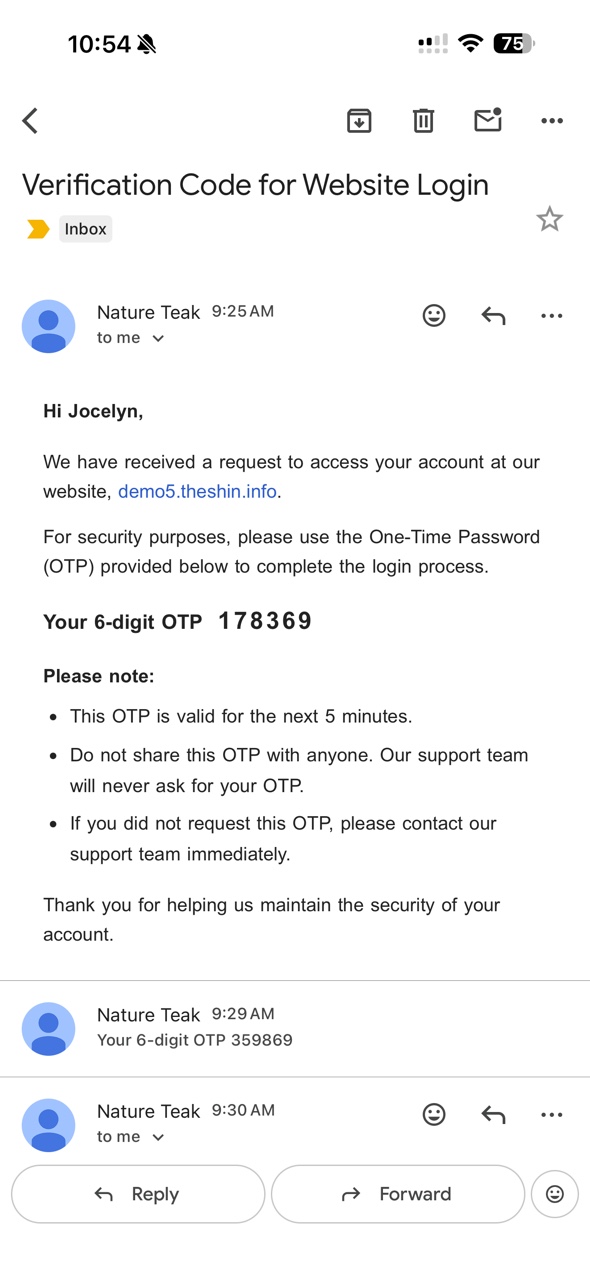
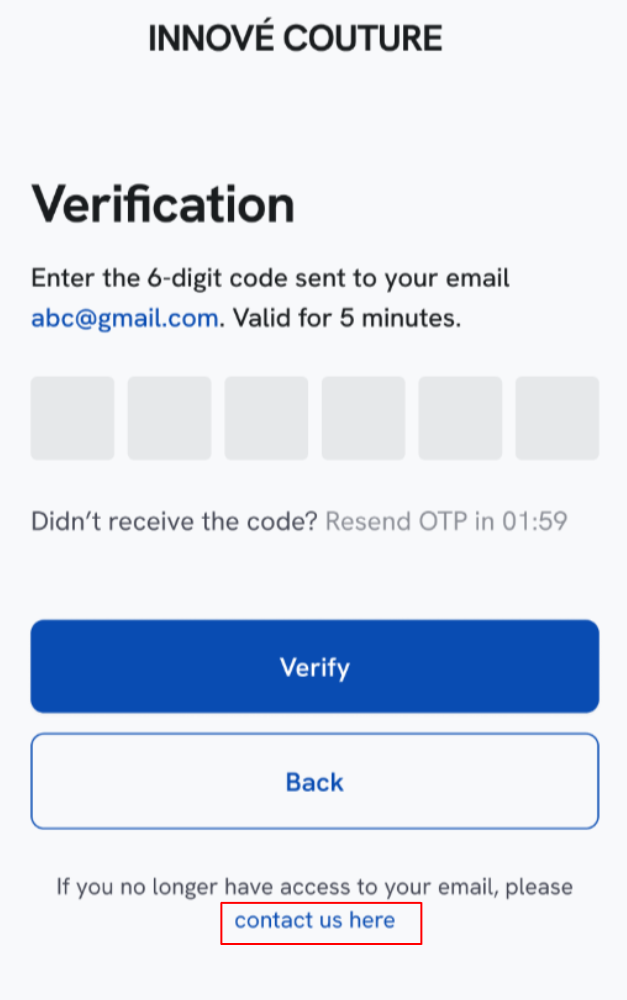
We have enabled email OTP verification for our CRM Plugin.
What’s New:
📌There is an additional checkbox in WooCommerce Backend for Enable 2FA Authentication via Email
📌When 2FA checkbox is ticked, email containing OTP will be sent to the customer. If customer email exist, the email will be retrieved from customer tagged email in EPOS Backend. If customer email does not exist, the email will be sent to the customer input email.
📌A new email template will be used for Enable 2FA Authentication.
Notes:
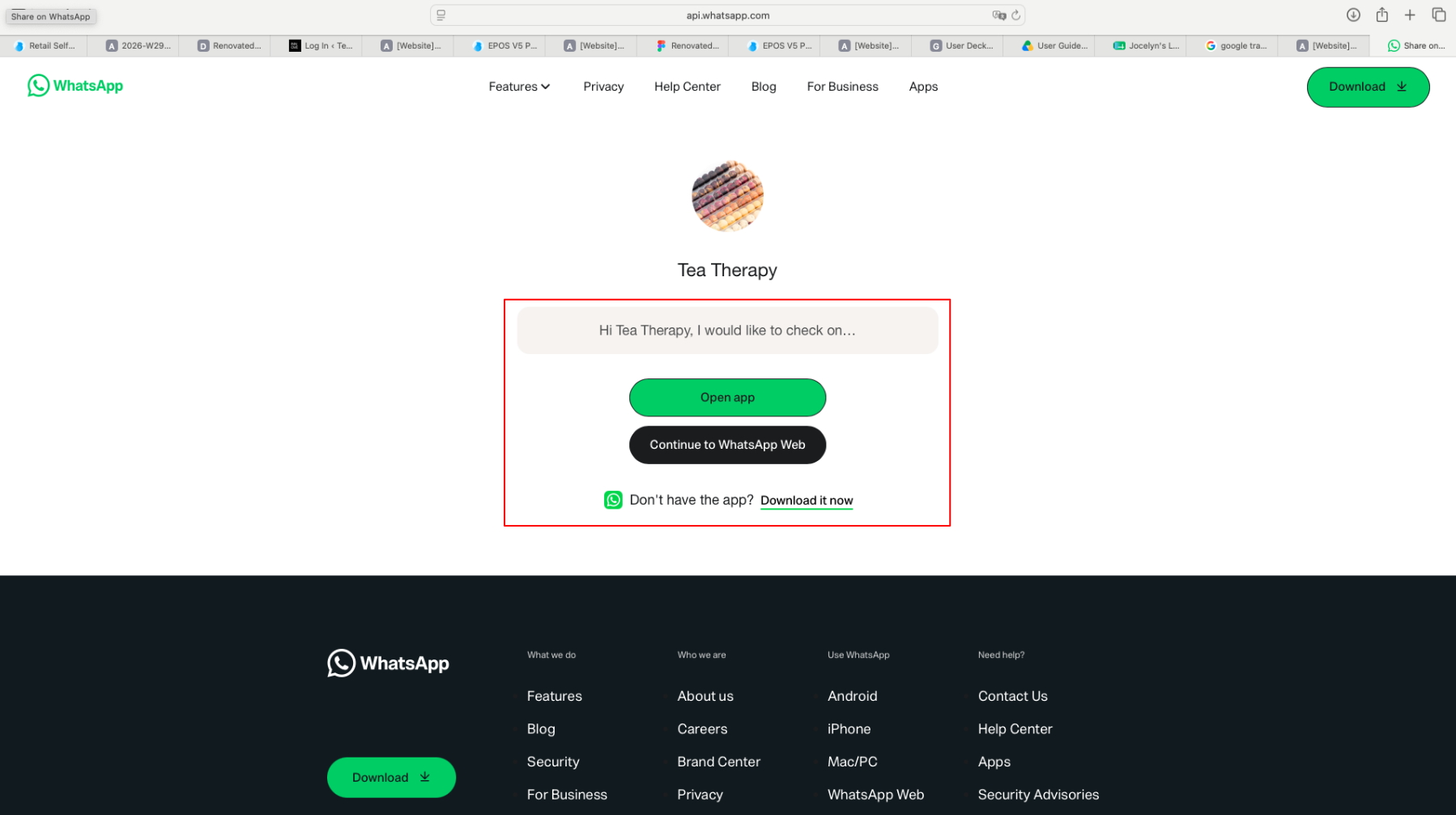
📌If customer no long have access to email, customer is unable to receive OTP and need to click on “contact us here” hyperlink
.📌The hyperlink directs customers to merchant’s WhatsApp where customer can ask enquiry to change email address.
Following our initial launch, we’ve launched additional features to enable more business scenarios for Retail Self-Checkout, F&B, CRM, and EPOS Rewards capabilities.
New Features Supported:
Retail Kiosk
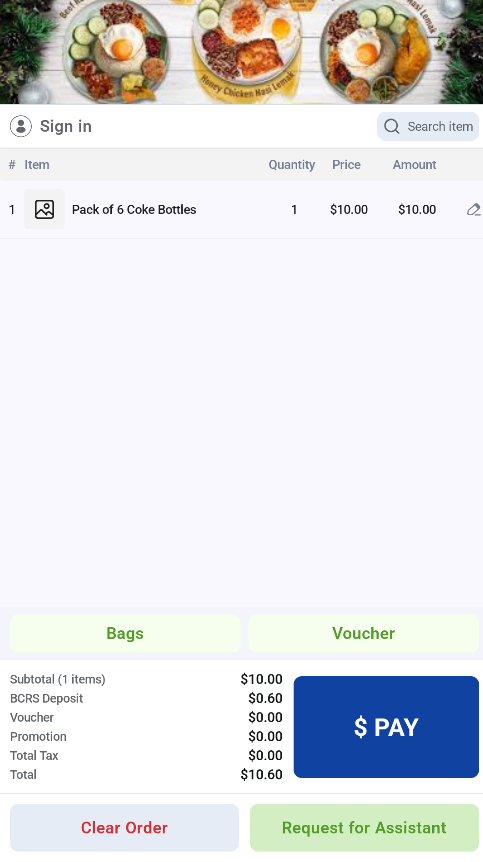
📌 Retail Self-Checkout Full Flow
📌 Retail Staff Assistant Alert (including Light & Sound Alert)
📌 Return Order (Exchange or Refund)
F&B Kiosk
📌 Recommendation: Top Pick-Up Products for F&B Kiosk
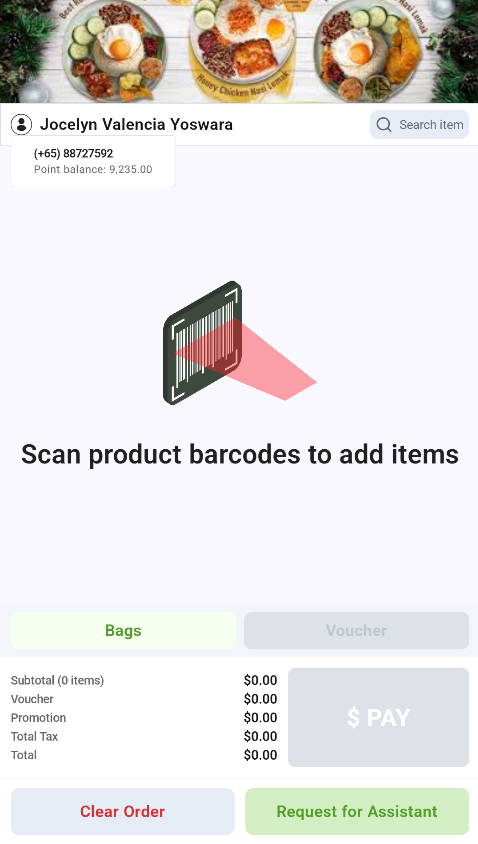
📌 F&B Barcode Scanning
F&B and Retail Kiosk
📌 Purchase Composite Product
Reports & Receipts
📌 Tax, Stock Sale and Hourly Sales Reports
📌 Email Receipt
Printing
📌 LAN Label Printer
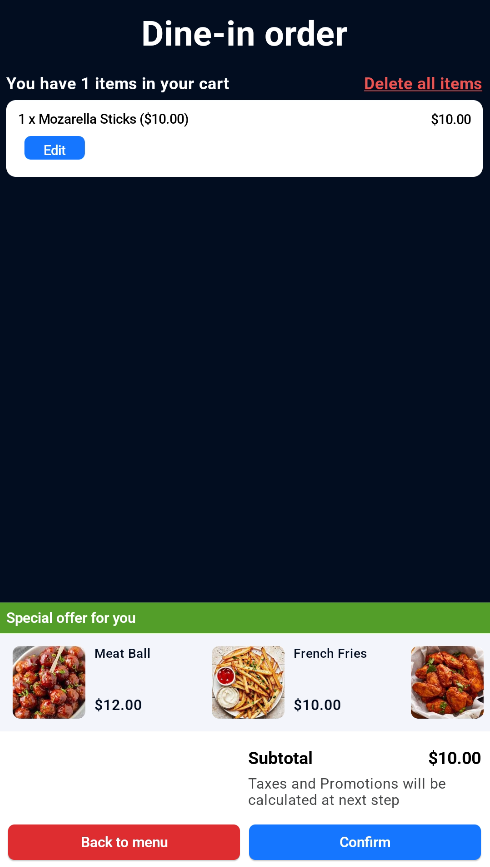
F&B Barcode Scanning
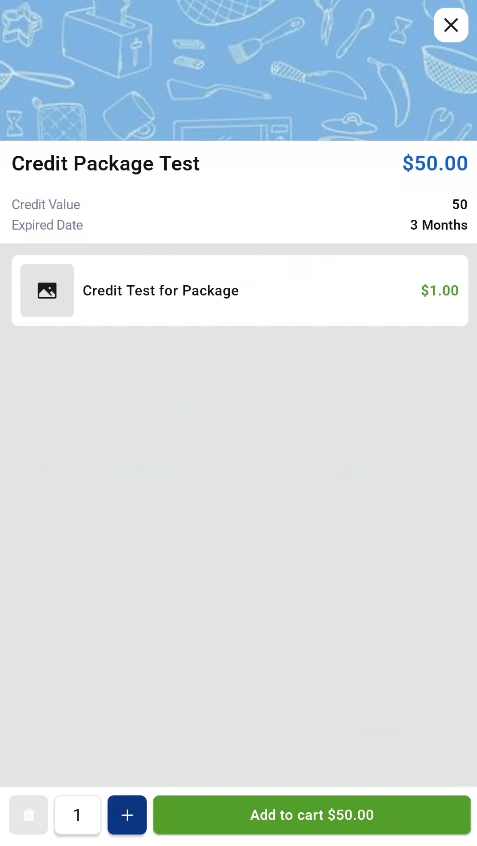
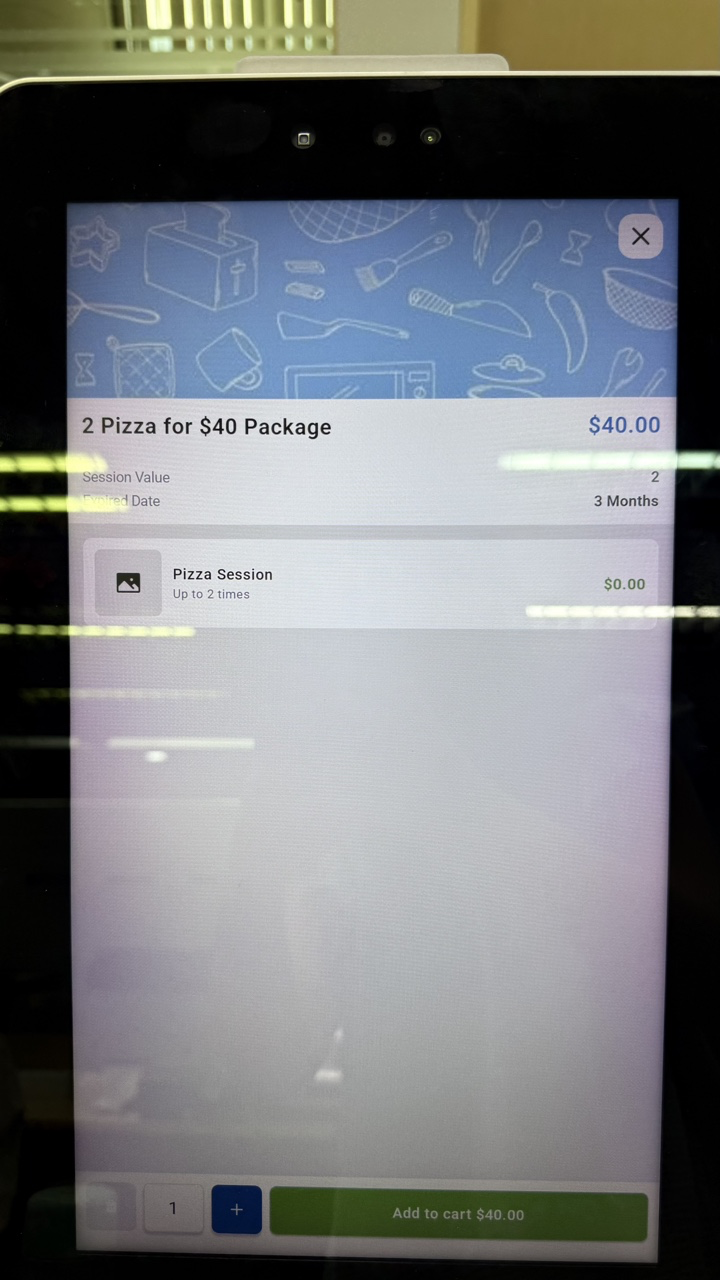
Purchase Package
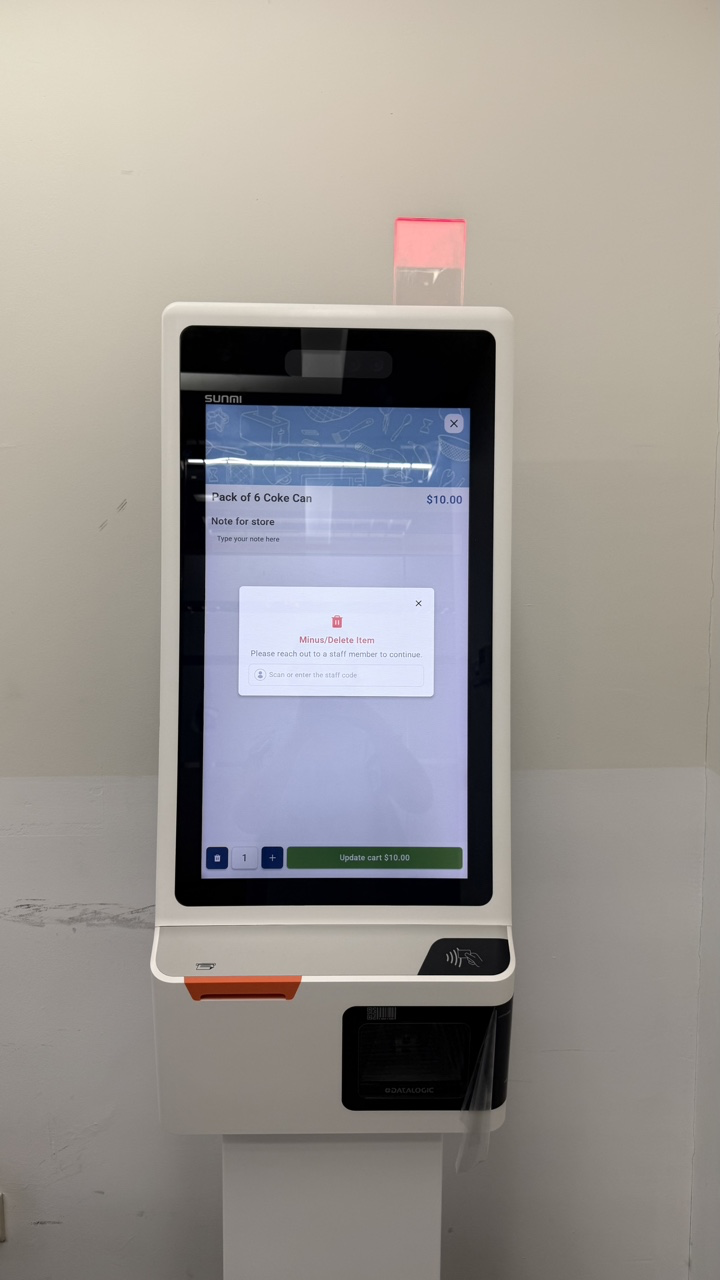
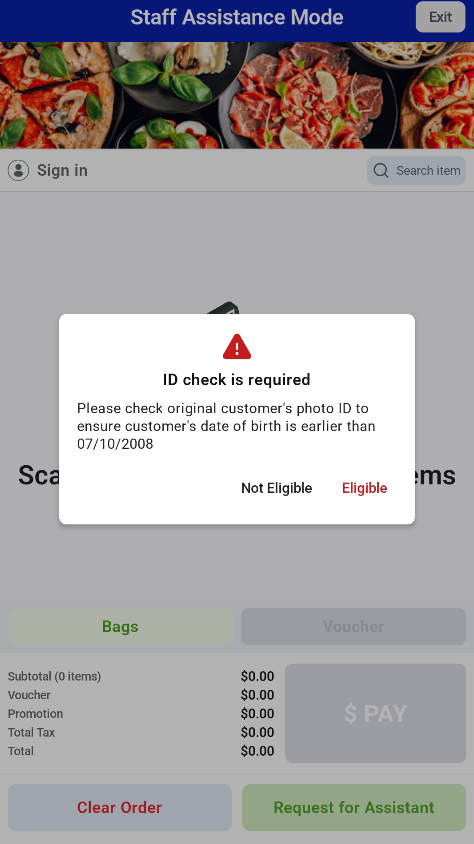
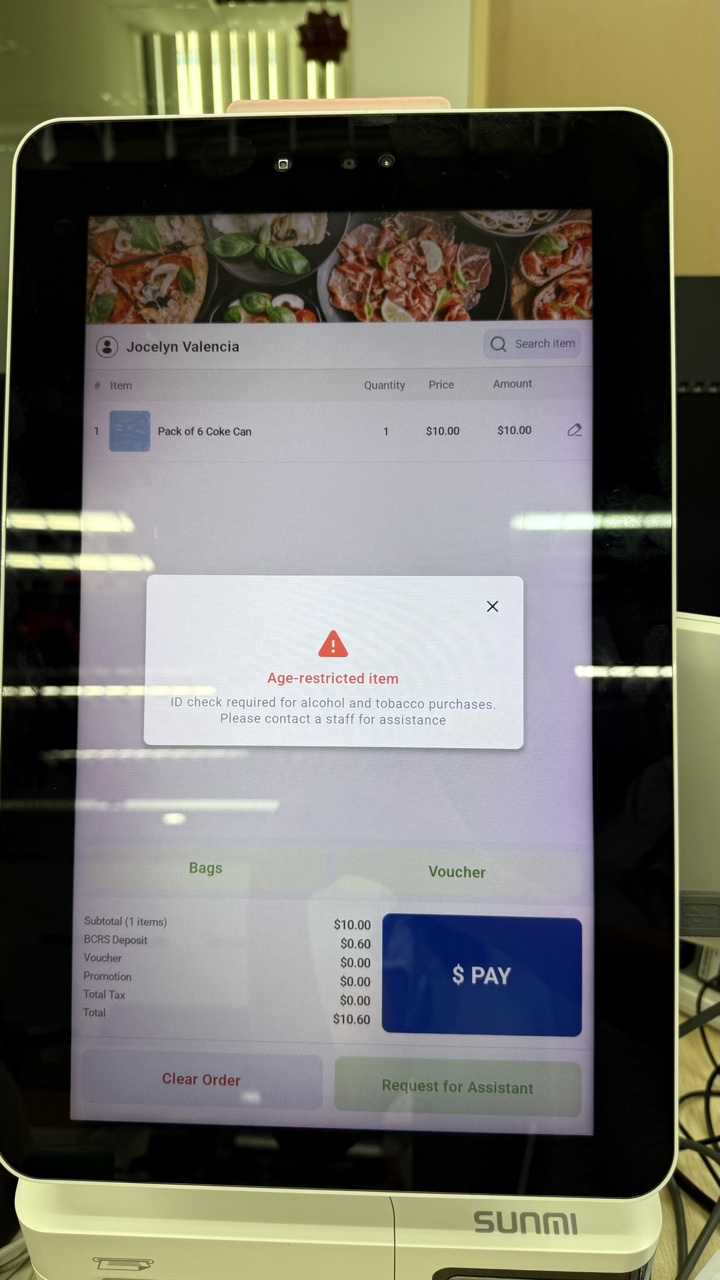
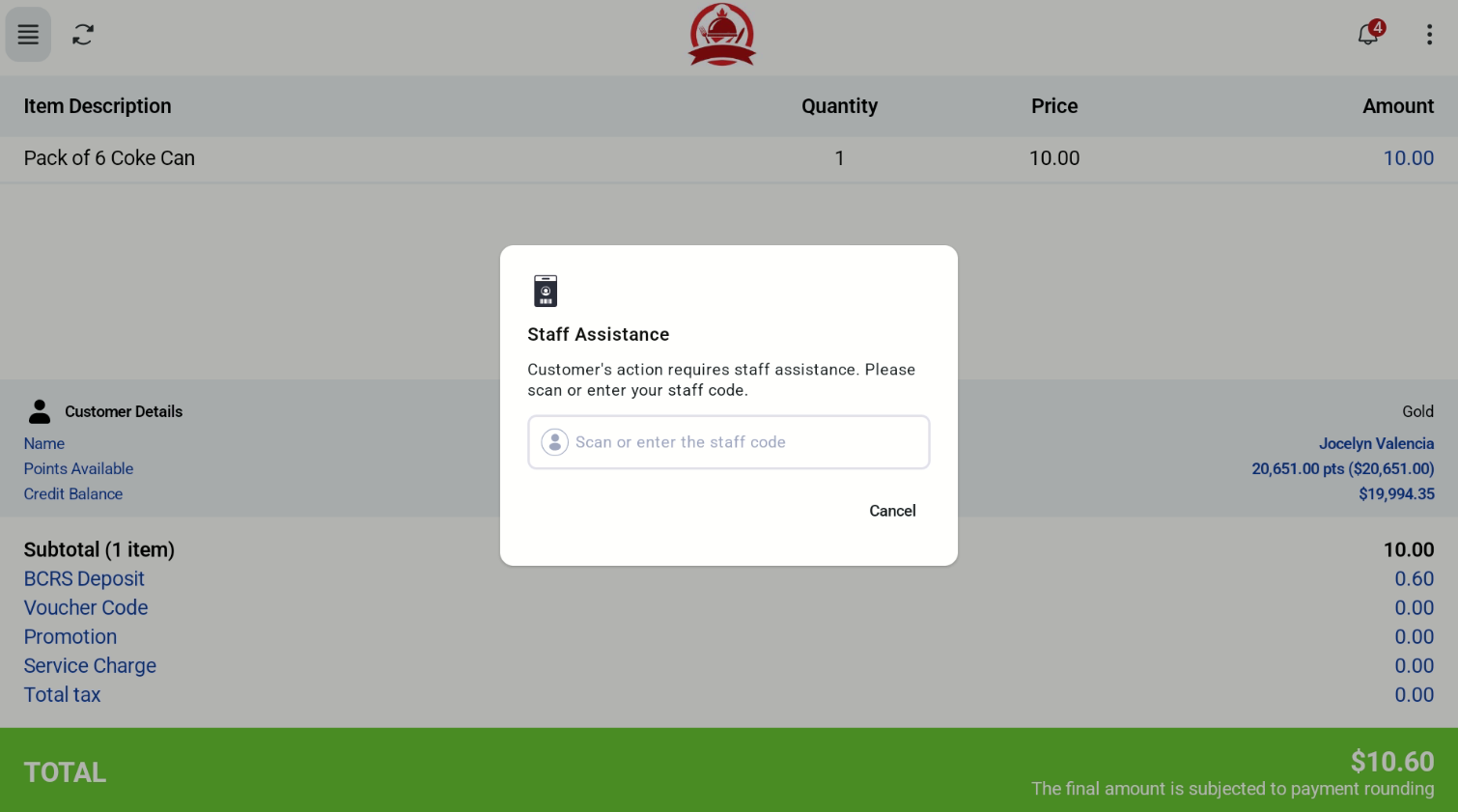
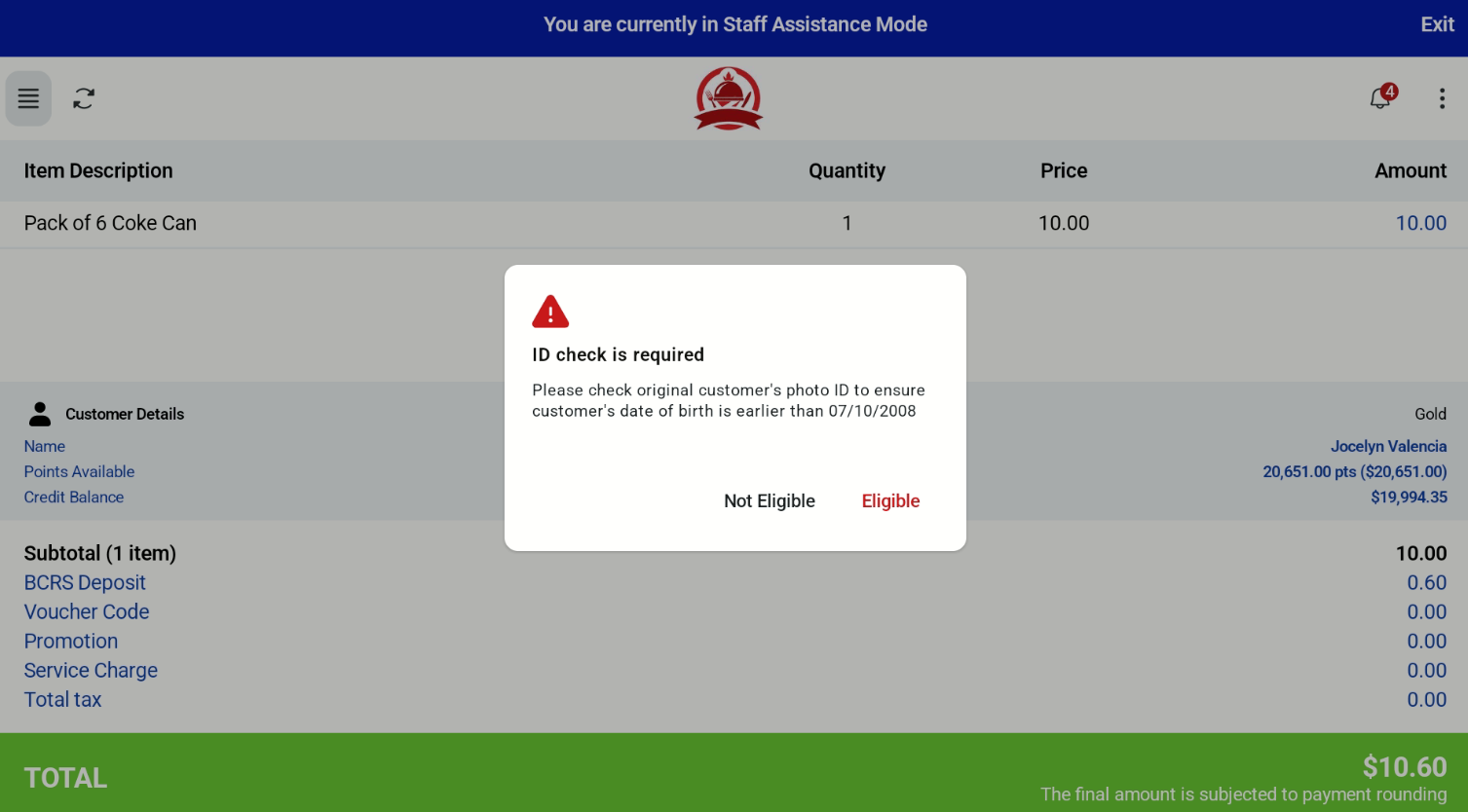
Retail Staff Assistant Alert (including Light & Sound Alert)
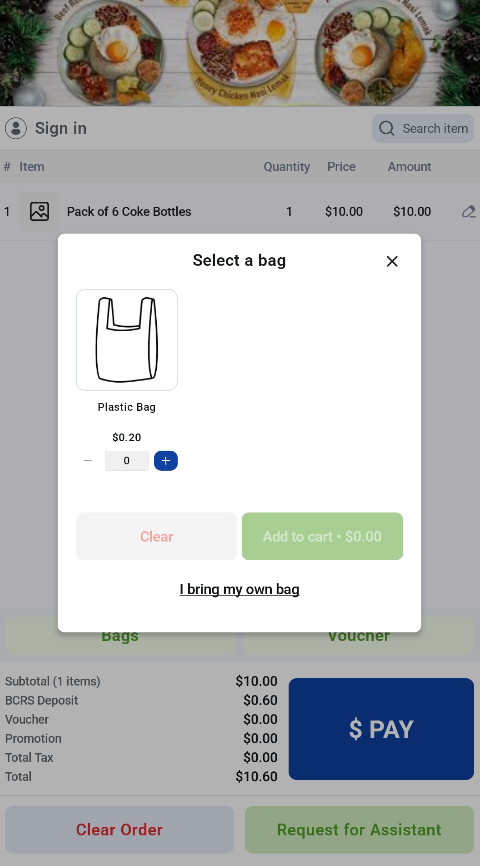
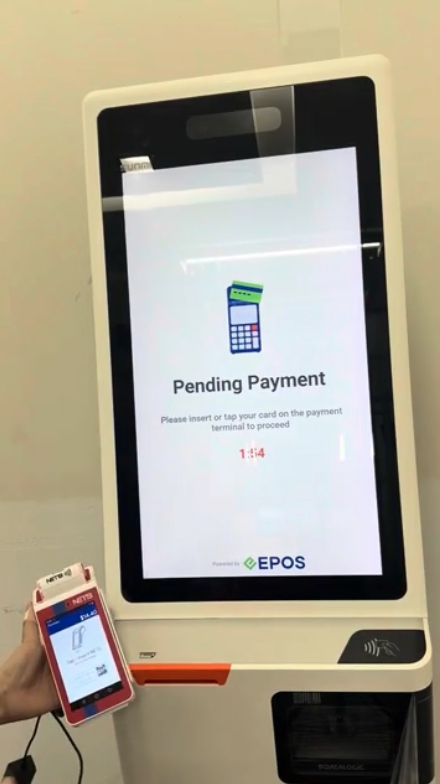
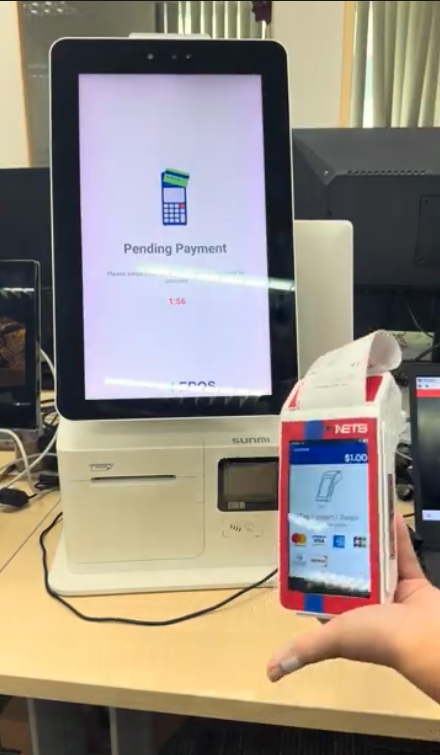
NETS Integration (ECR 2 Prime)
Following our initial launch, we’ve introduced additional features across both POS Mode and Kiosk Mode, enabling more merchant business scenarios across F&B, CRM, and EPOS Rewards capabilities.
New Features Supported:
POS Mode
📌 Customer Registration Form in Customer Screen
📌 Cash Voucher
Kiosk Mode
📌 Action Button in Cashier Screen
F&B
📌 Recommendation: Top Pick-Up Products for F&B Kiosk
📌 F&B Barcode Scanning
Reports & Receipts
📌 Tax, Stock Sale and Hourly Sales Reports
📌 Email Receipt
Printing
📌 LAN Label Printer
POS Mode
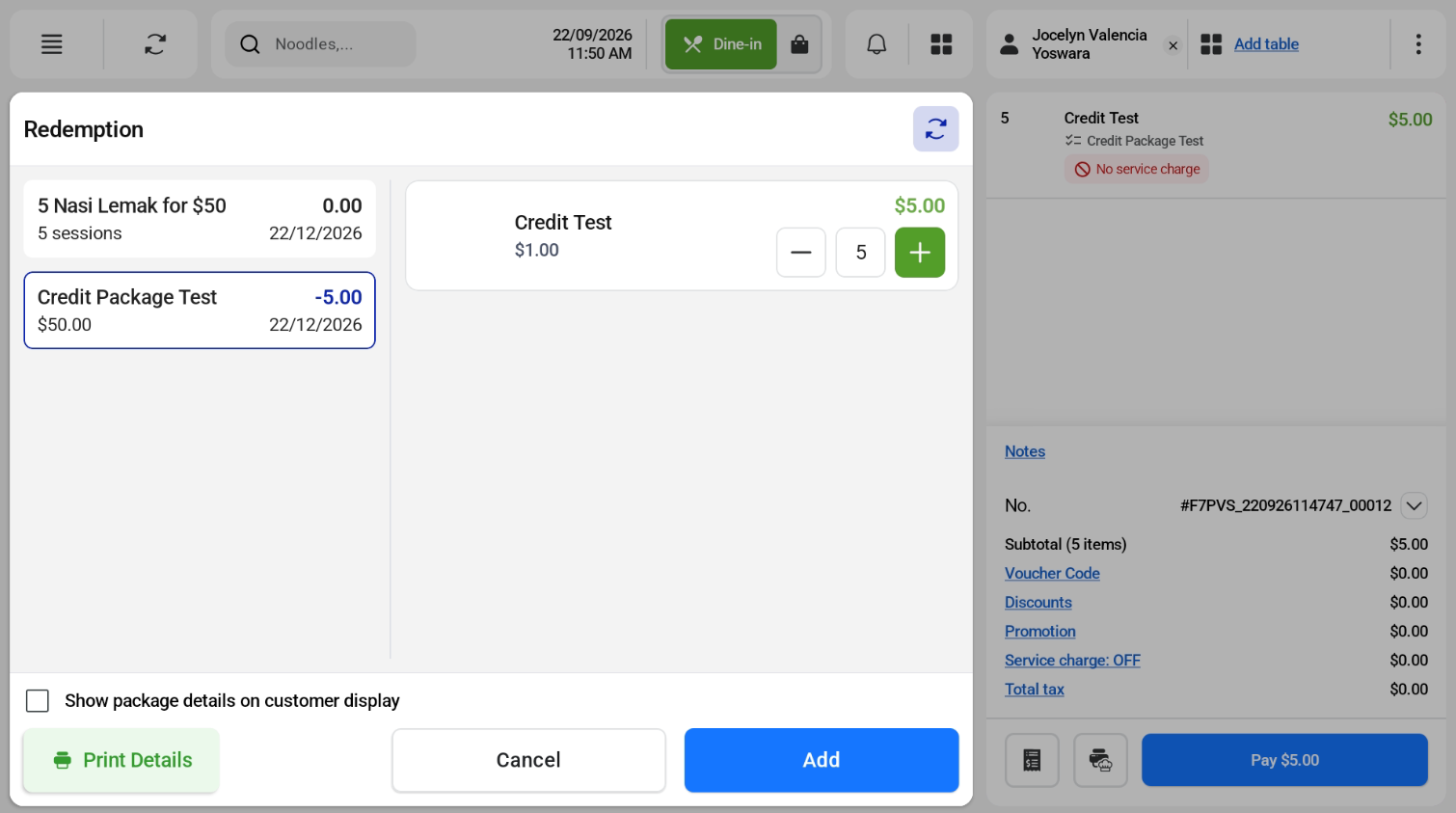
Package Purchase (POS and Kiosk mode) and Redemption (POS mode only)
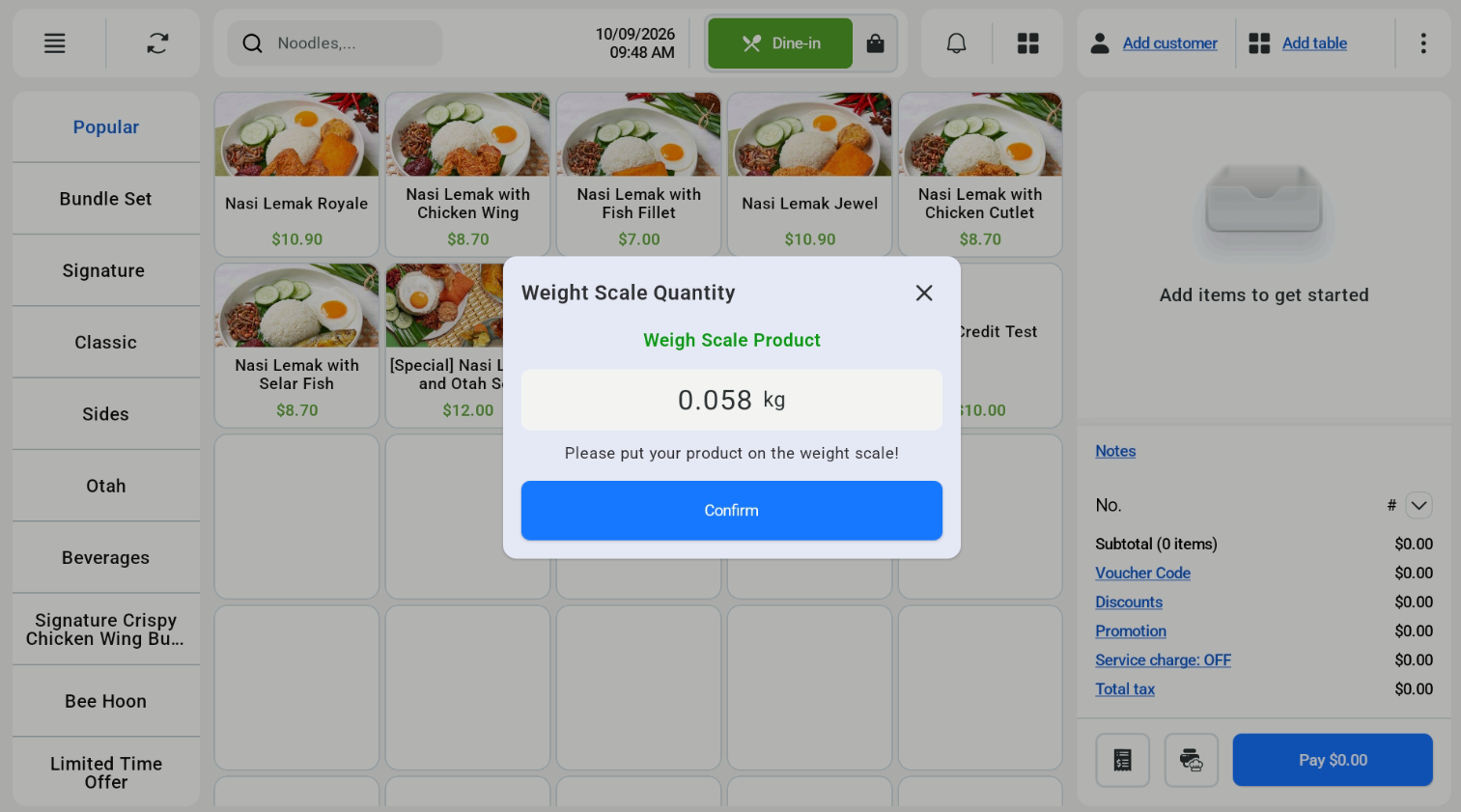
Integrated Weighing Scale and Barcoded Weighing Scale
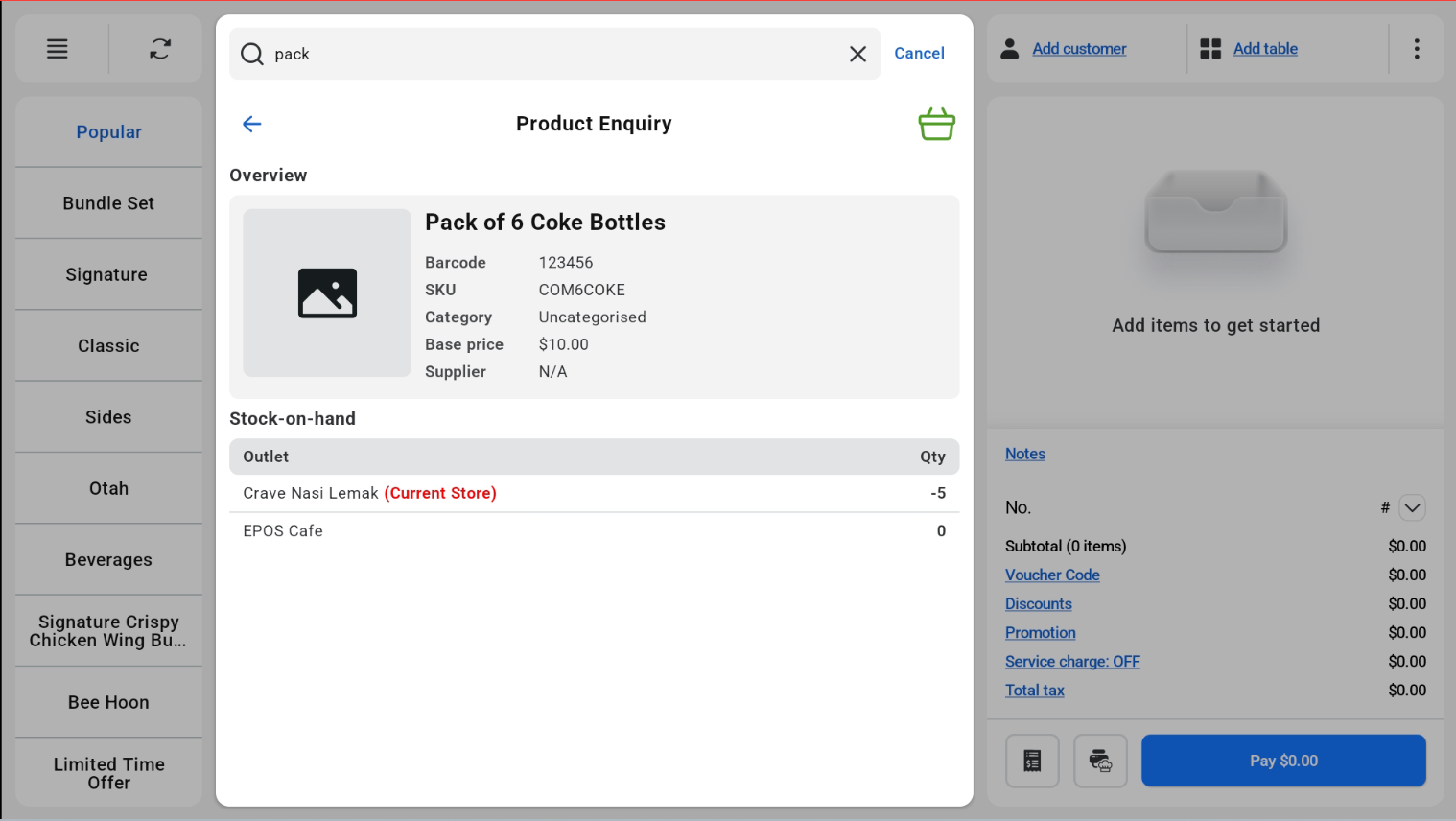
Product Enquiry
Kiosk Mode
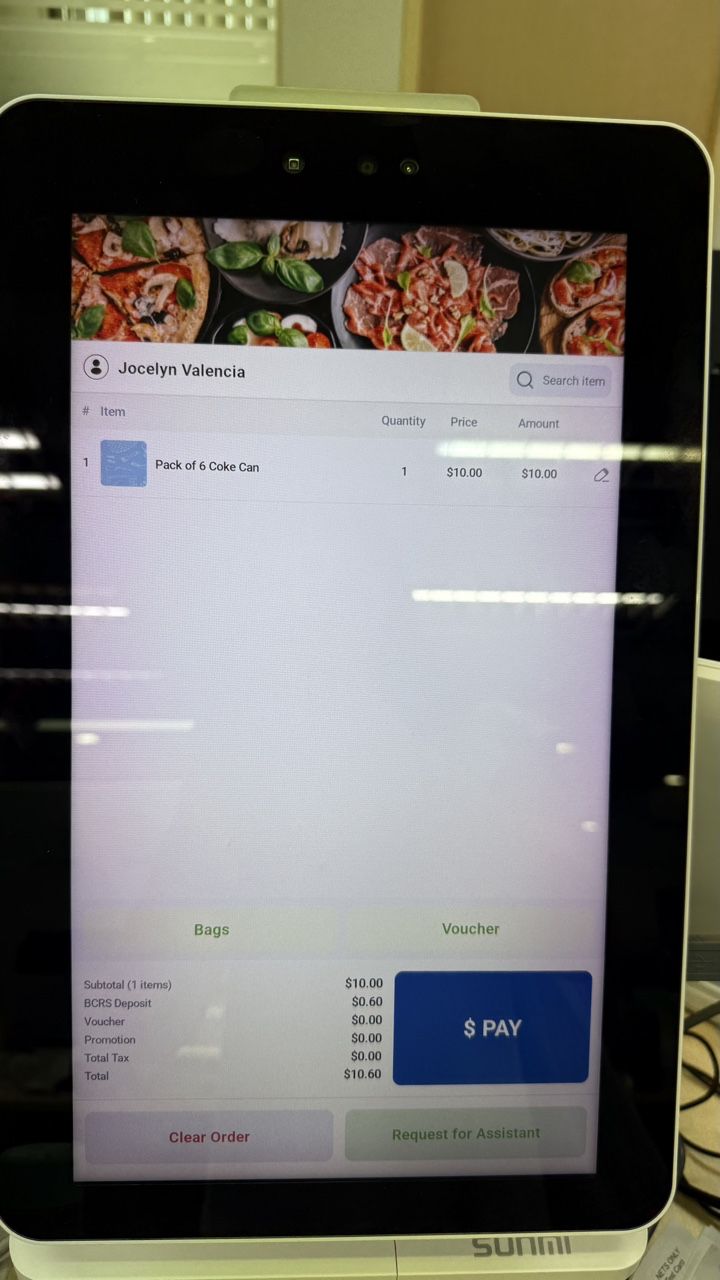
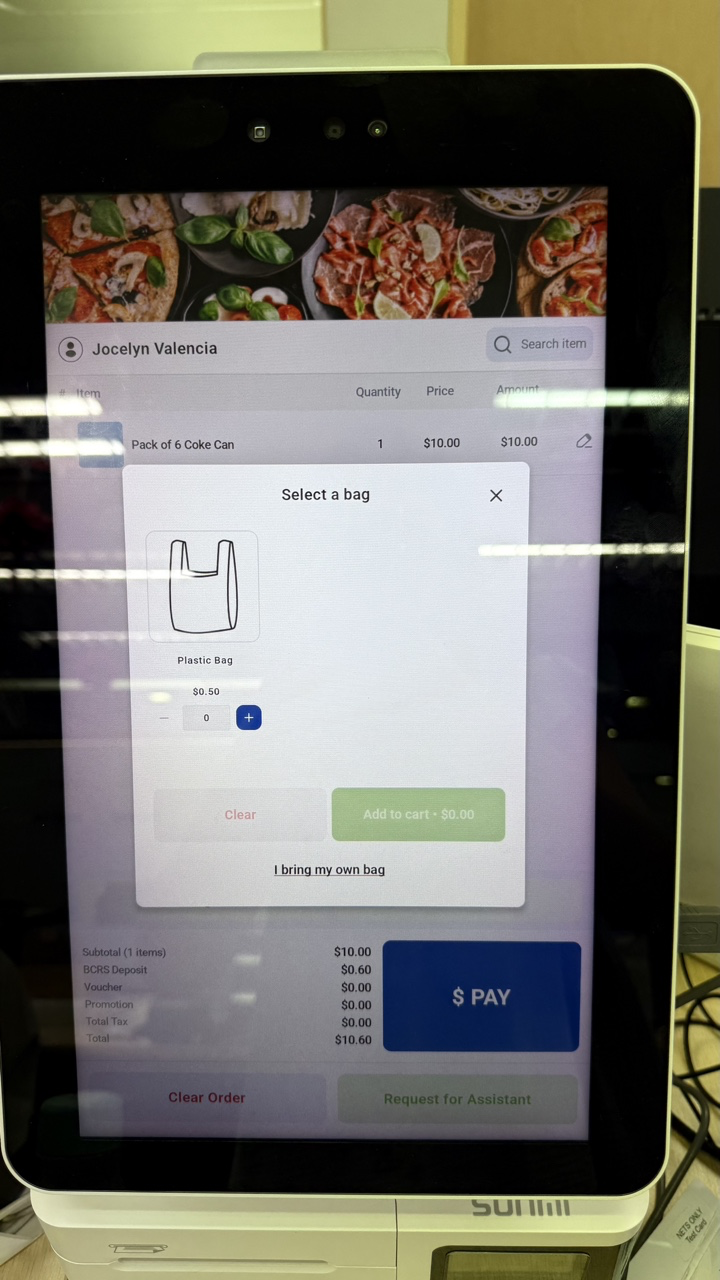
Retail Self-Checkout Kiosk Full Flow
NETS Integration
Retail Staff Assistant Alert (including Light & Sound Alert) in both Cashier and Customer Screen
What’s New:
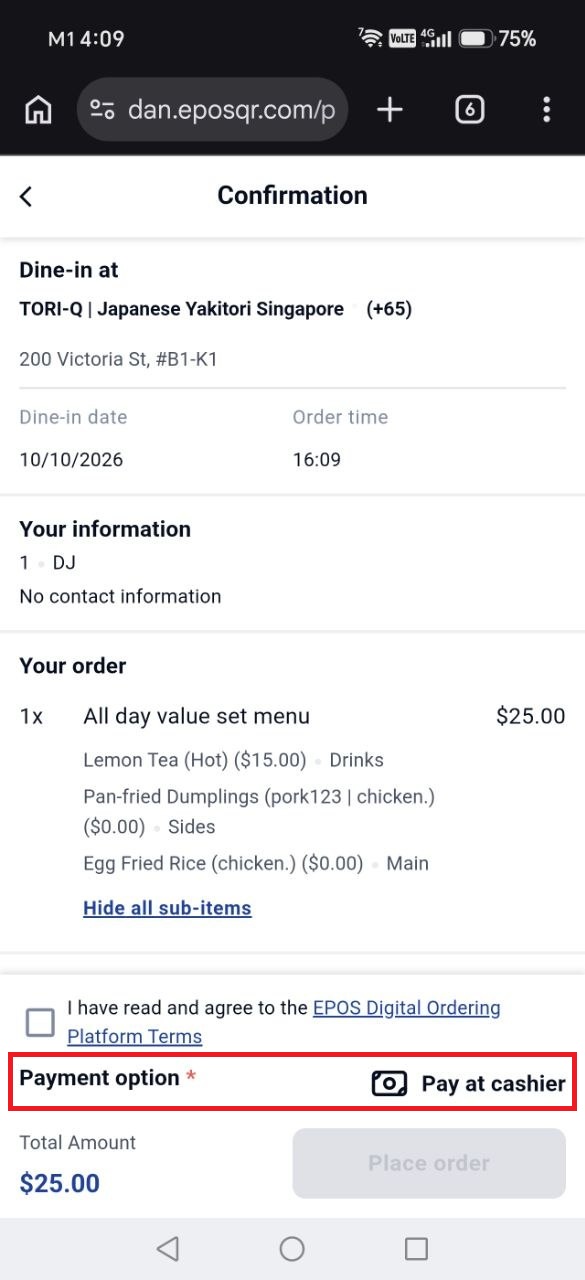
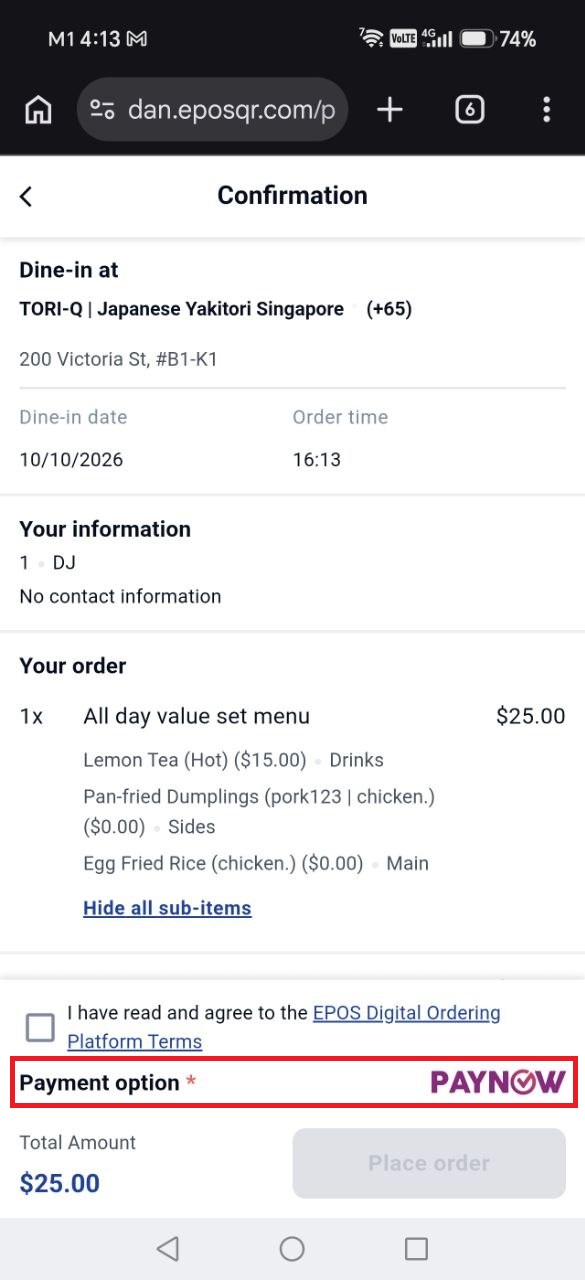
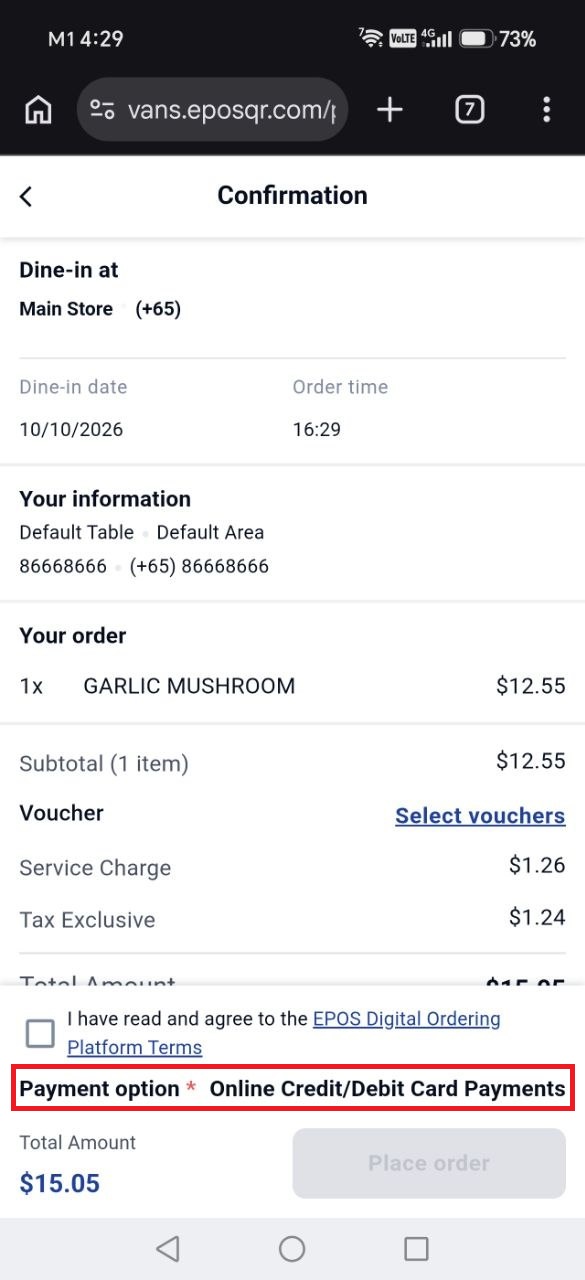
📌 The Web Ordering & Table QR will auto select the payment option if there is only one payment method available, including Pay at Cashier.
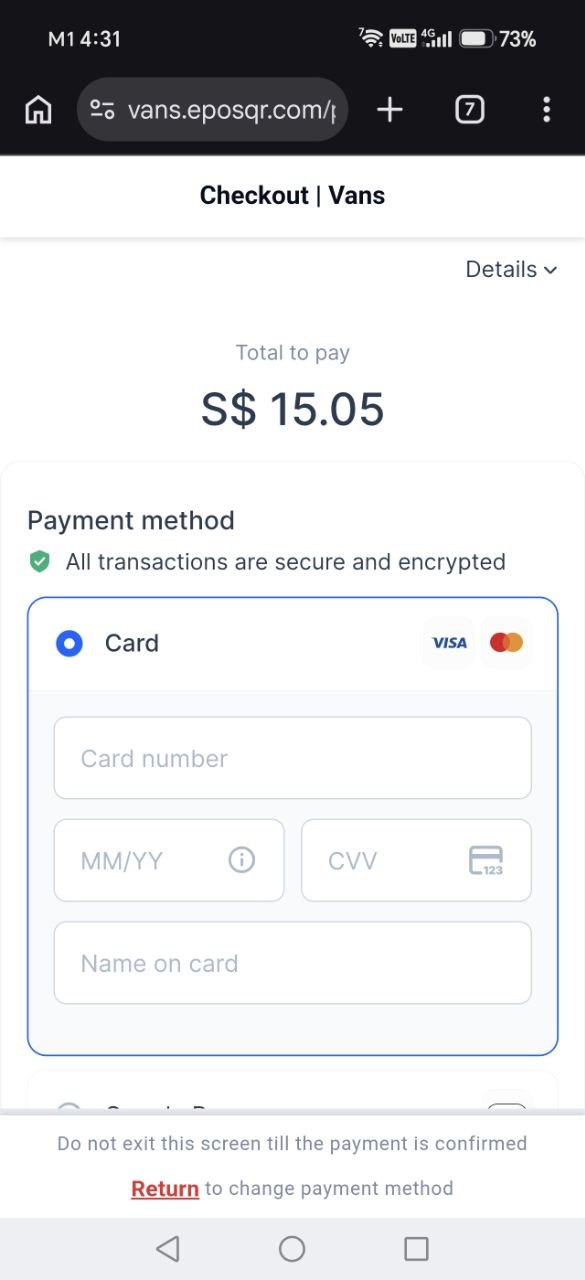
📌 For Antom Integrated Payment, after users agree to the T&Cs and click on place order, they will be redirected to the Antom CKP
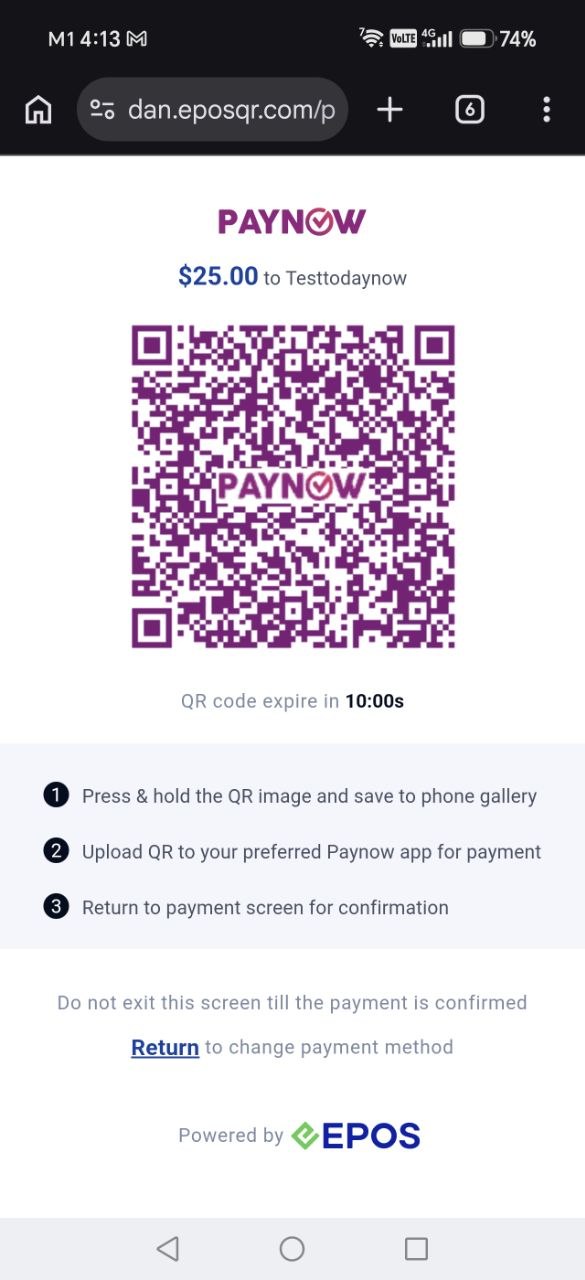
📌 For Paynow, after users agree to the T&Cs and click on place order, they will be redirected to the Paynow page
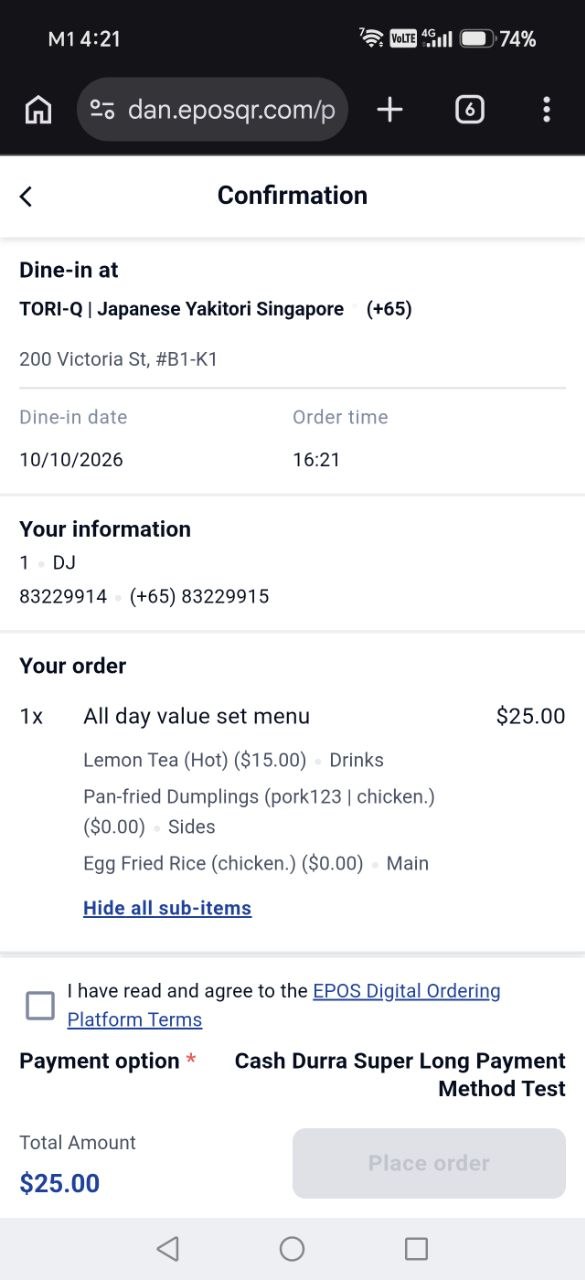
📌 For longer payment names, the payment names will now be aligned to the right as shown
Pay At Cashier
Paynow
Antom Integrated Payment
Payment Methods With Long Names
What’s New:
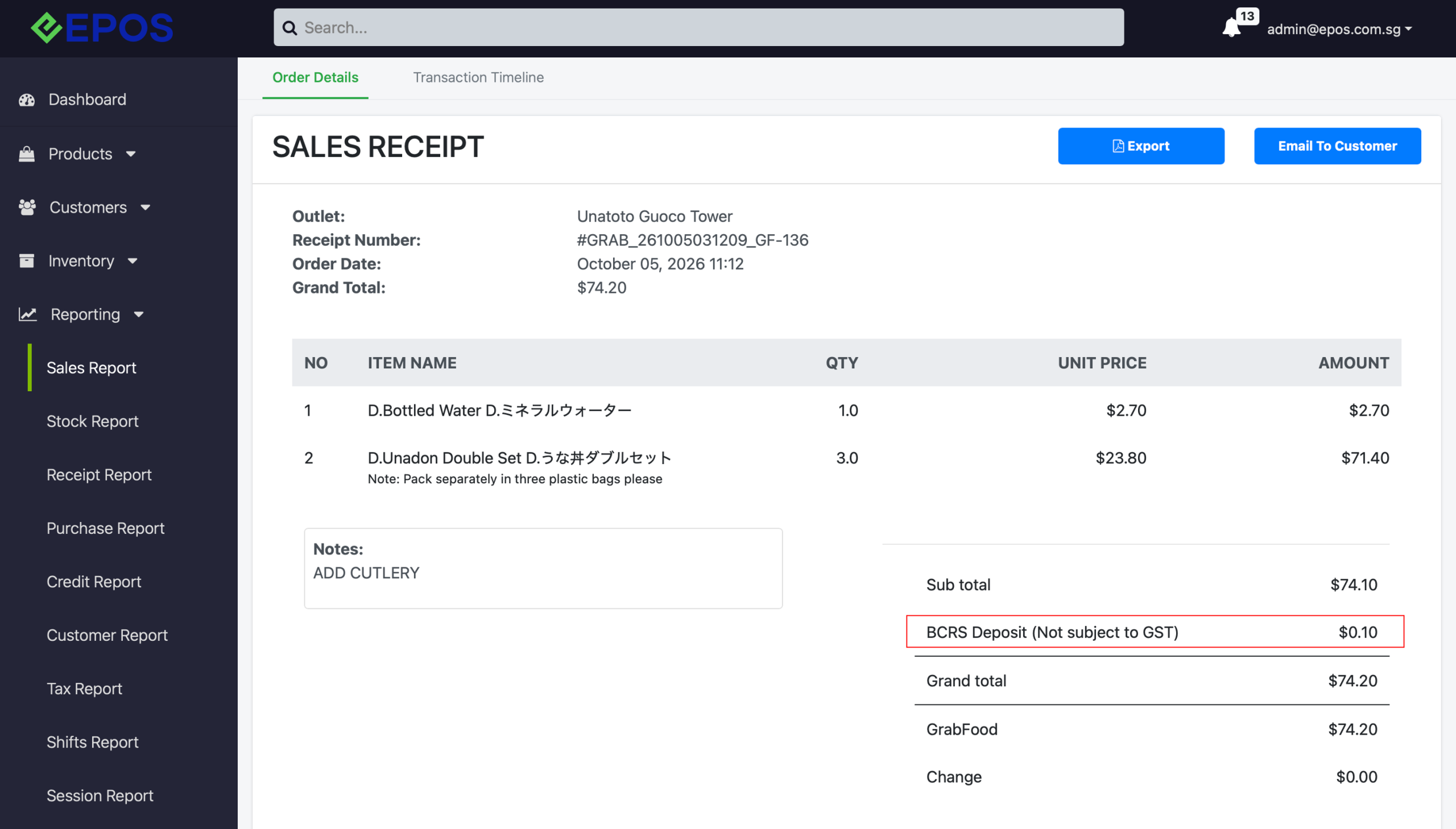
📌 When products are configured as BCRS eligible in EPOS, the products will be sync to Grab Food as BCRS eligible
📌 When customer order BCRS product via Grab Food, order will be synced to EPOS and BCRS deposit amount returned by Grab Food will be reflected in all EPOS ecosystem, including Backend, Windows POS, Android POS
BCRS product sync to Grab Food
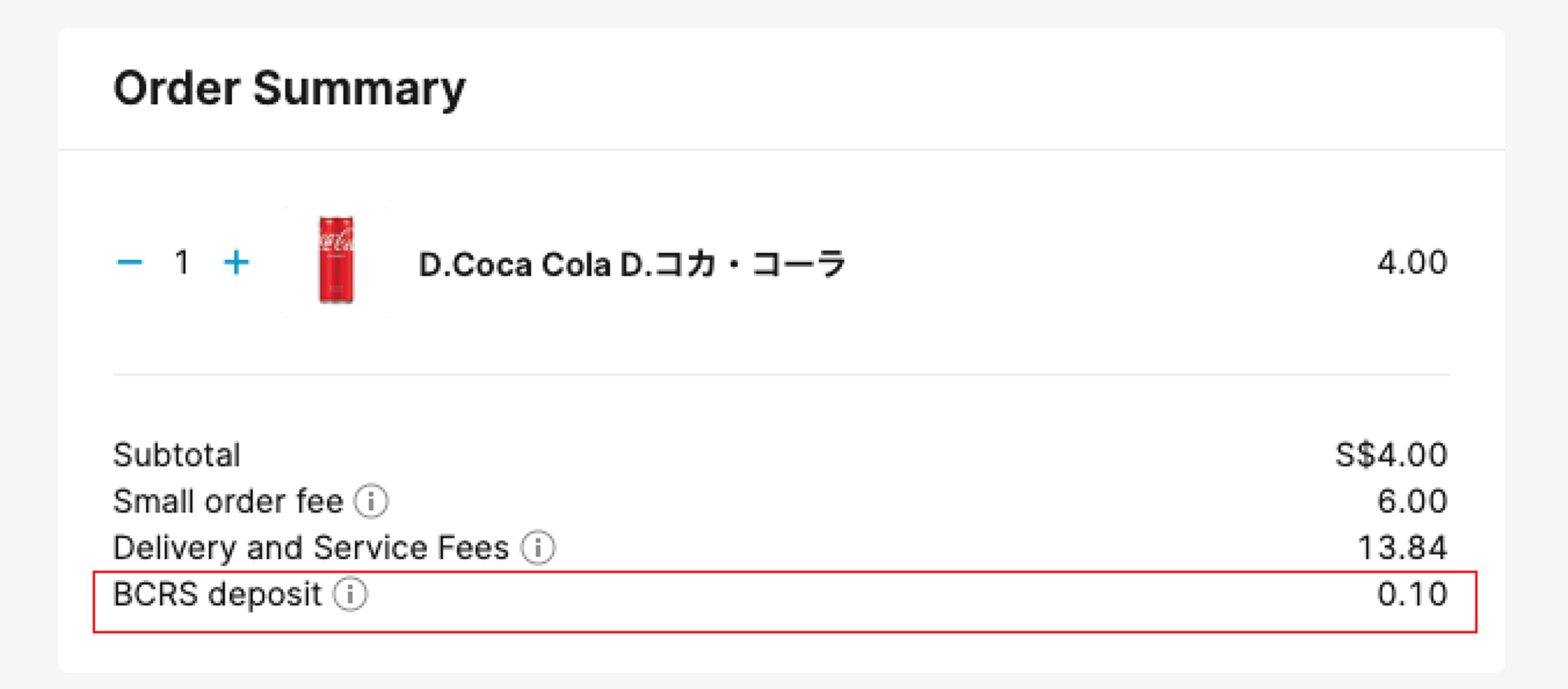
Order sync to EPOS with BCRS calculation
What’s New:
📌Payment Page
Users must accept both Merchant T&C (if any) & EPOS Digital Ordering Platform Terms before placing an order
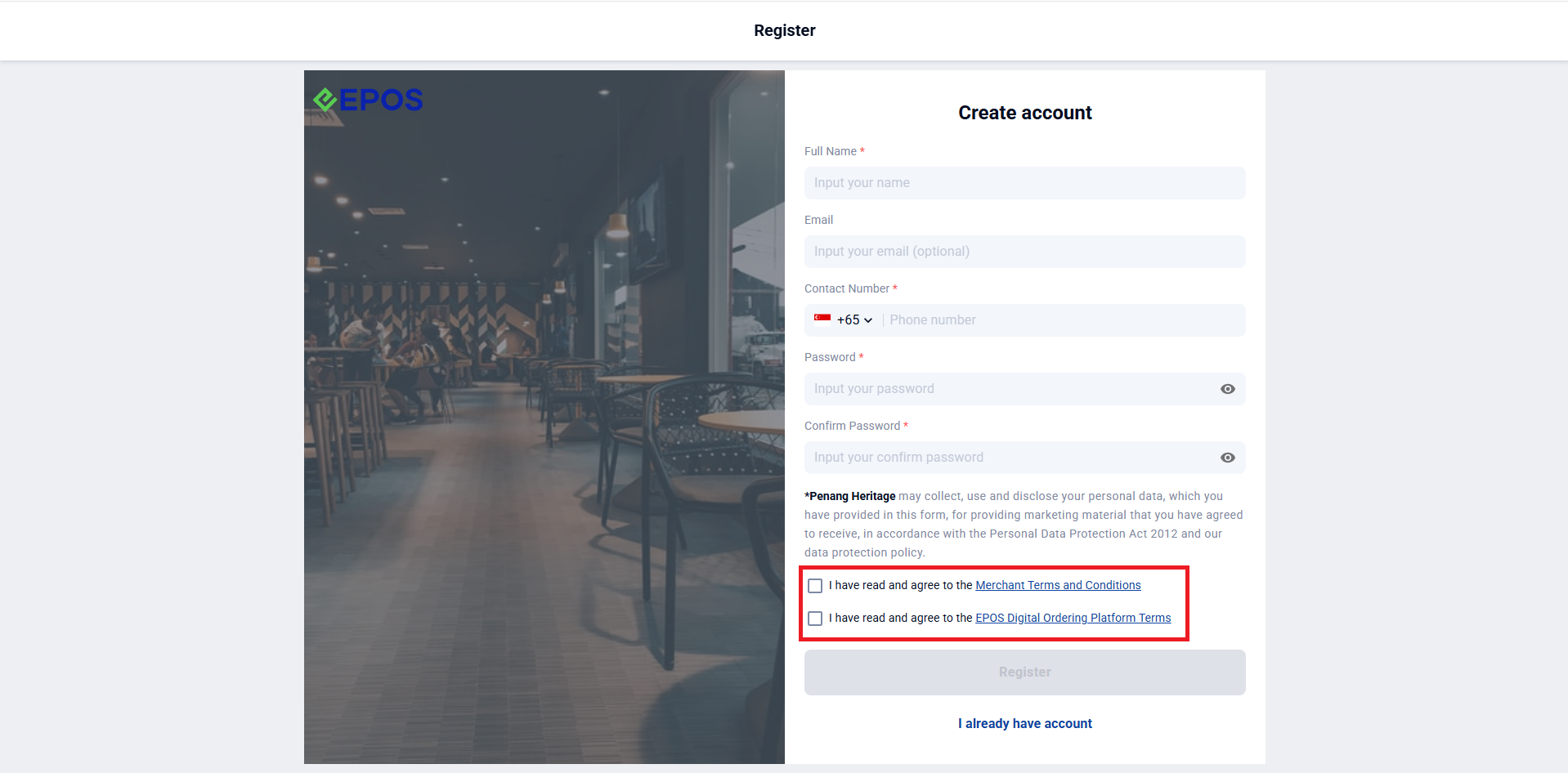
📌Registration Page
Users must accept both Merchant T&C (if any) & EPOS Digital Ordering Platform Terms before registering as a member
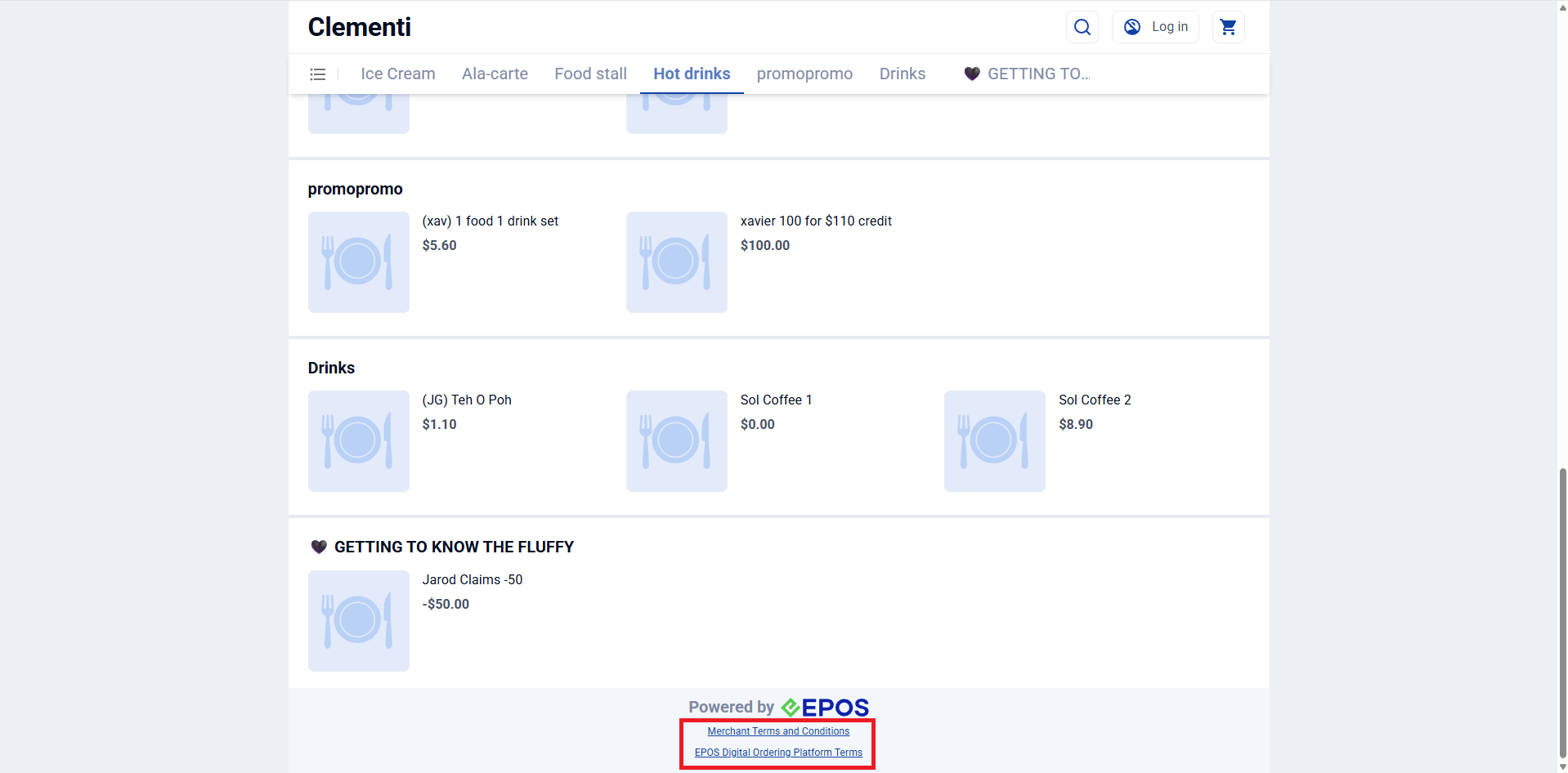
📌Product Page
The EPOS Digital Ordering Platform Terms and Merchant T&Cs (if any) will also be accessible at the bottom of the product page.)
📌EPOS Digital Ordering Platform Terms
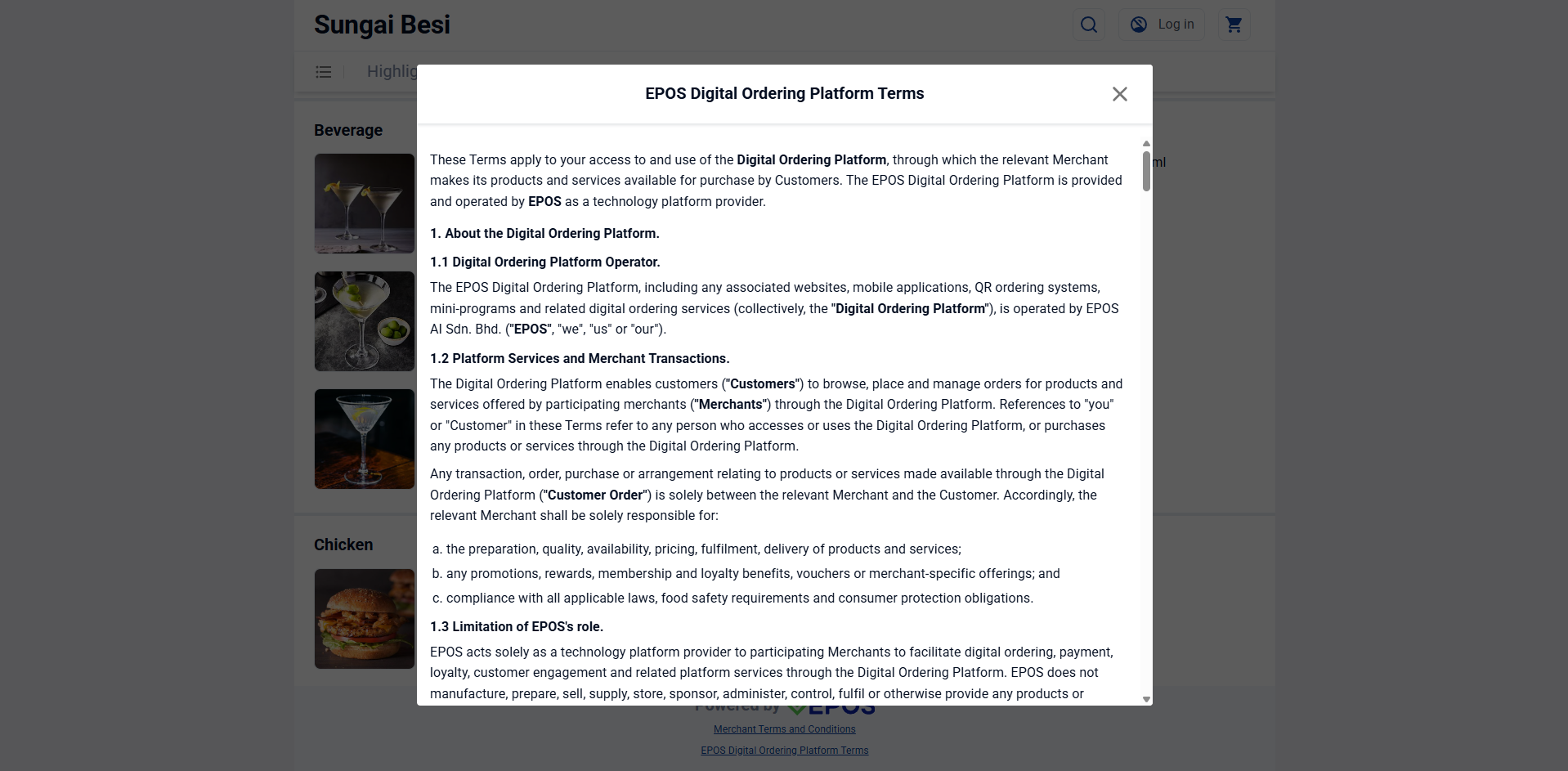
When clicking on the Ordering Platform Terms, users will see the full T&C for the platform
Web Ordering
Registration Page
Product Page
Payment Page
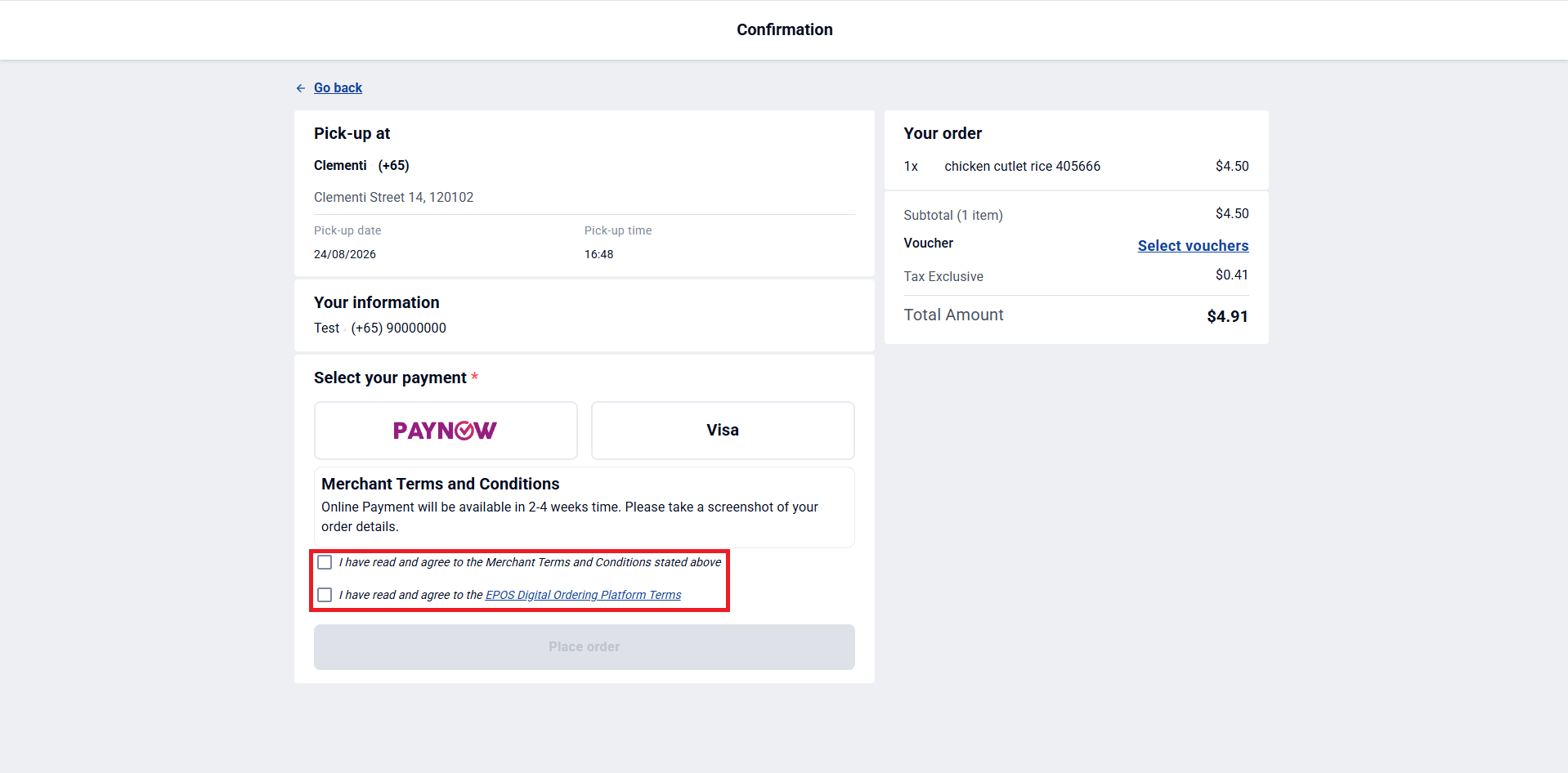
Table QR
Registration Page
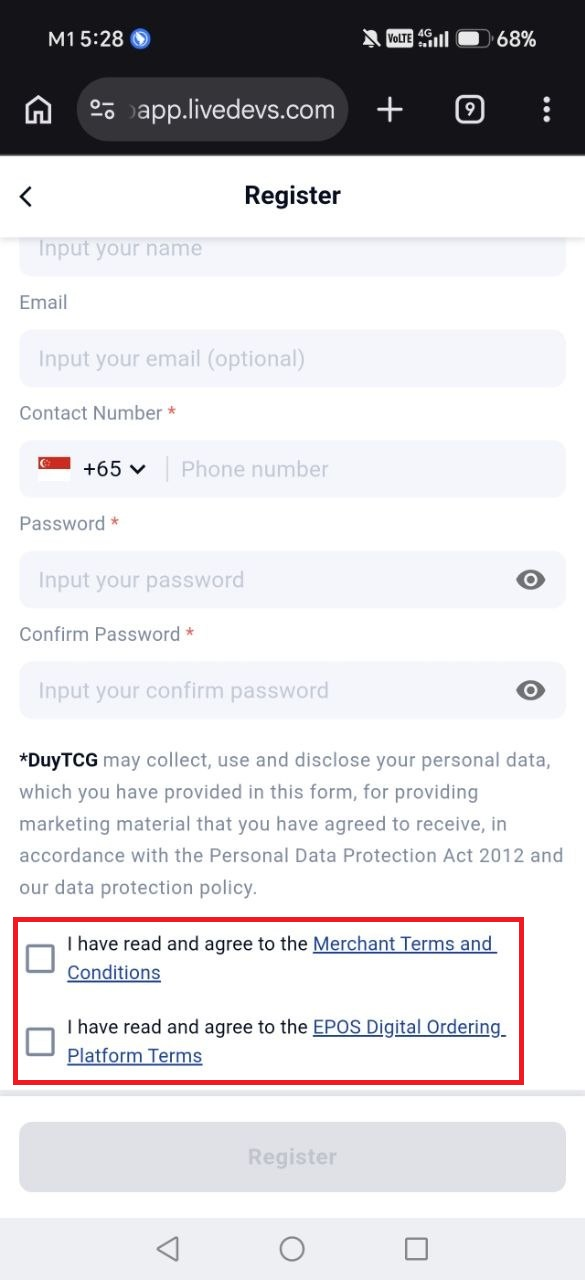
Product Page
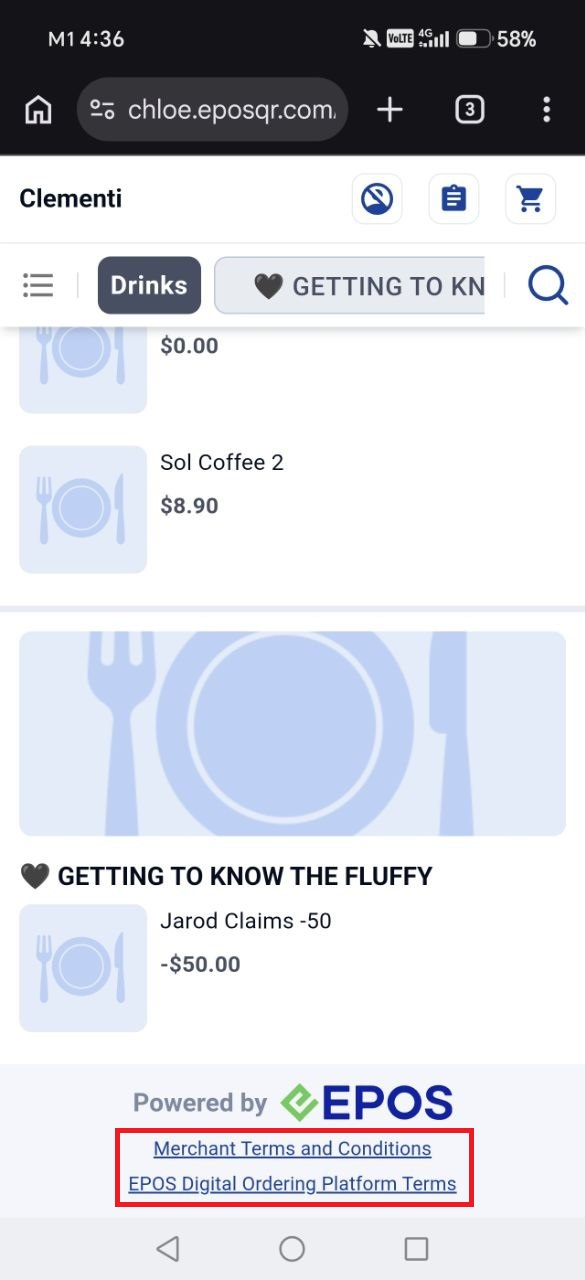
Payment Page
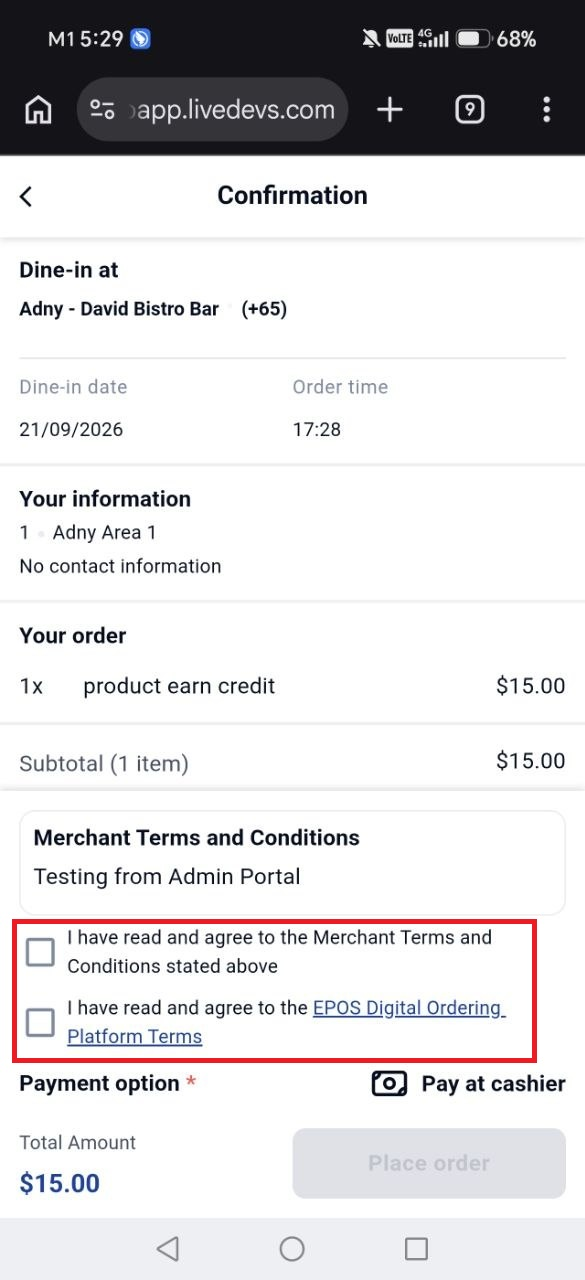
EPOS Digital Ordering Platform Terms (EposData)
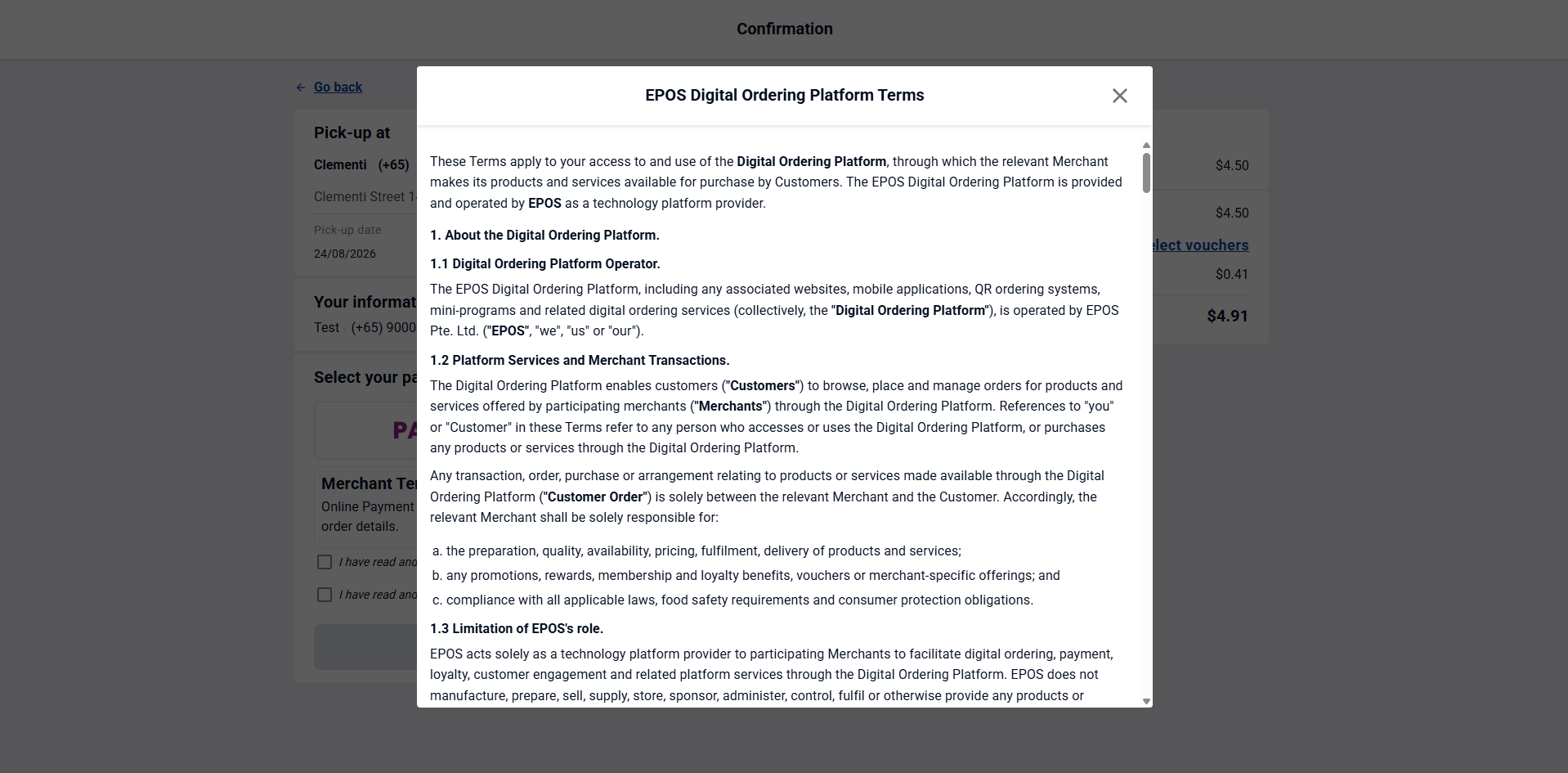
EPOS Digital Ordering Platform Terms (Eposmyhq)
What’s New:
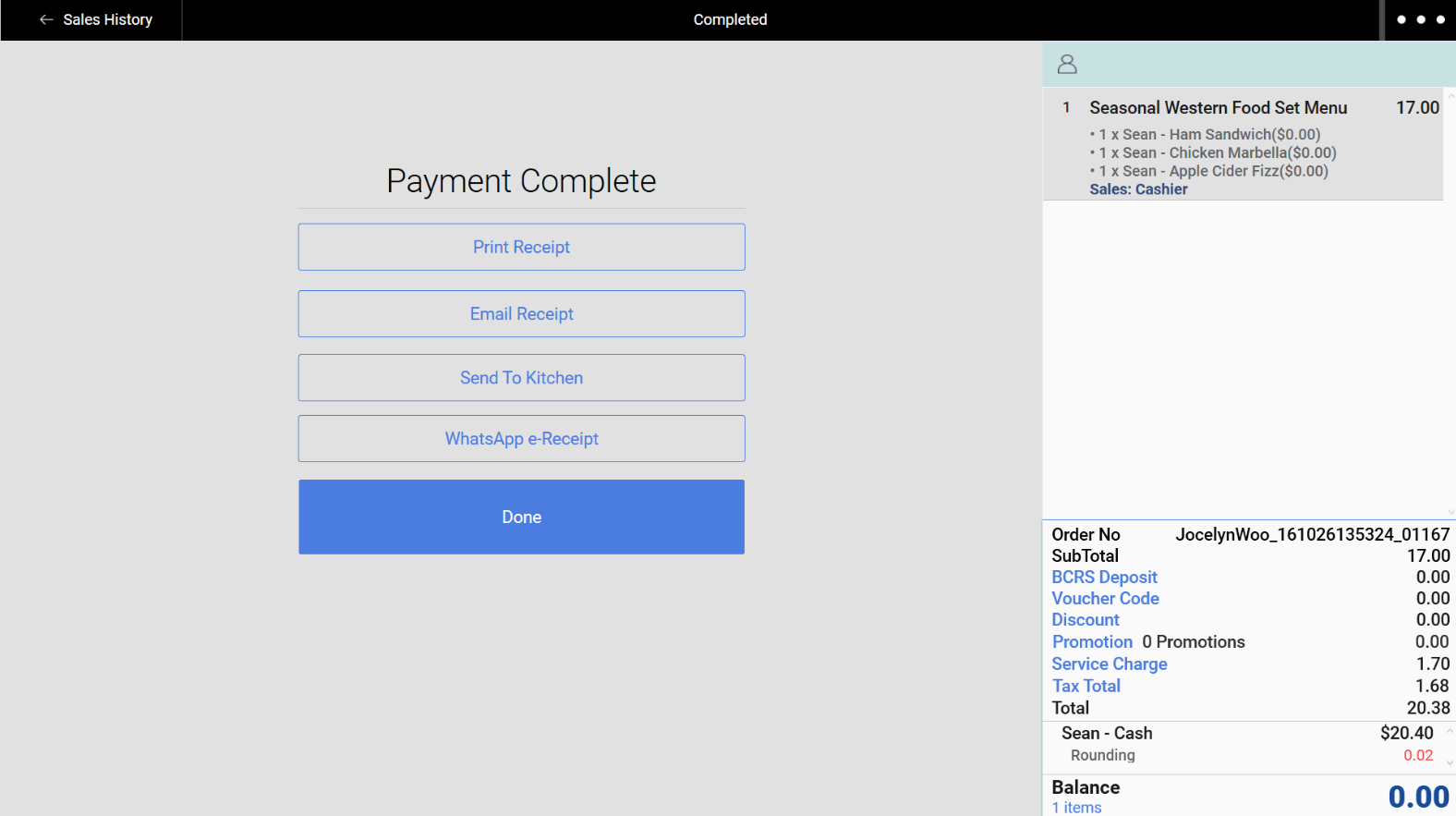
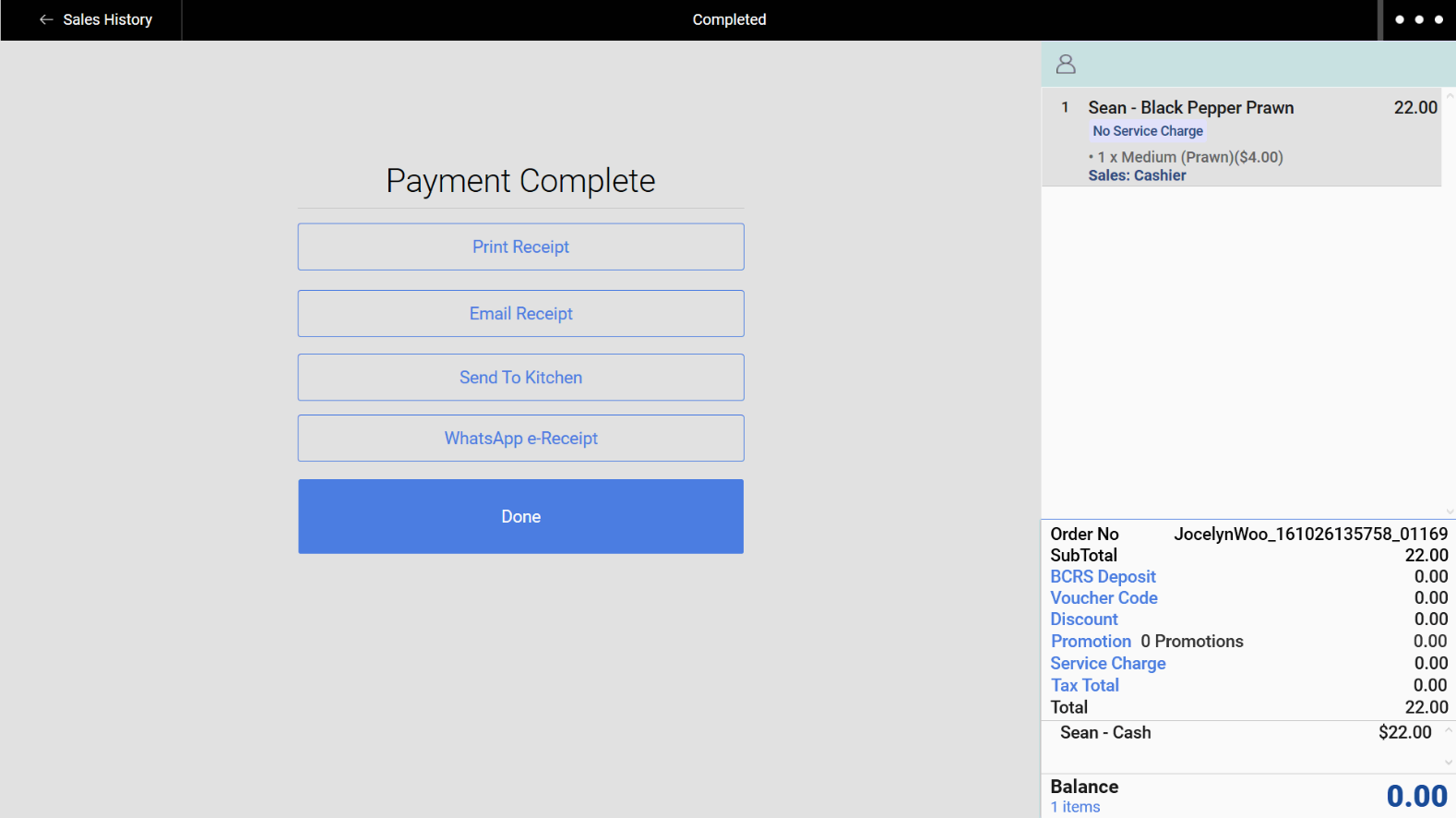
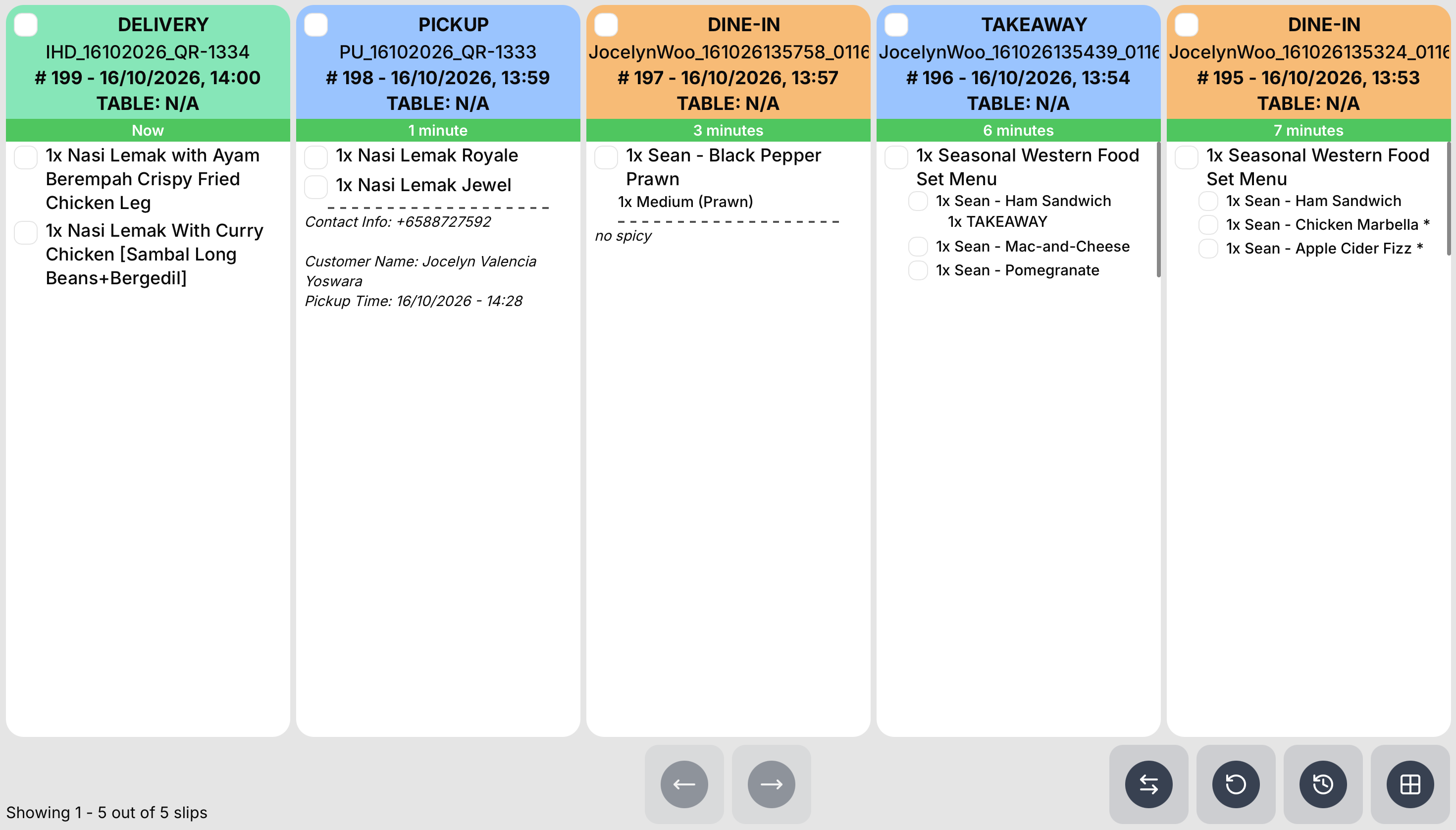
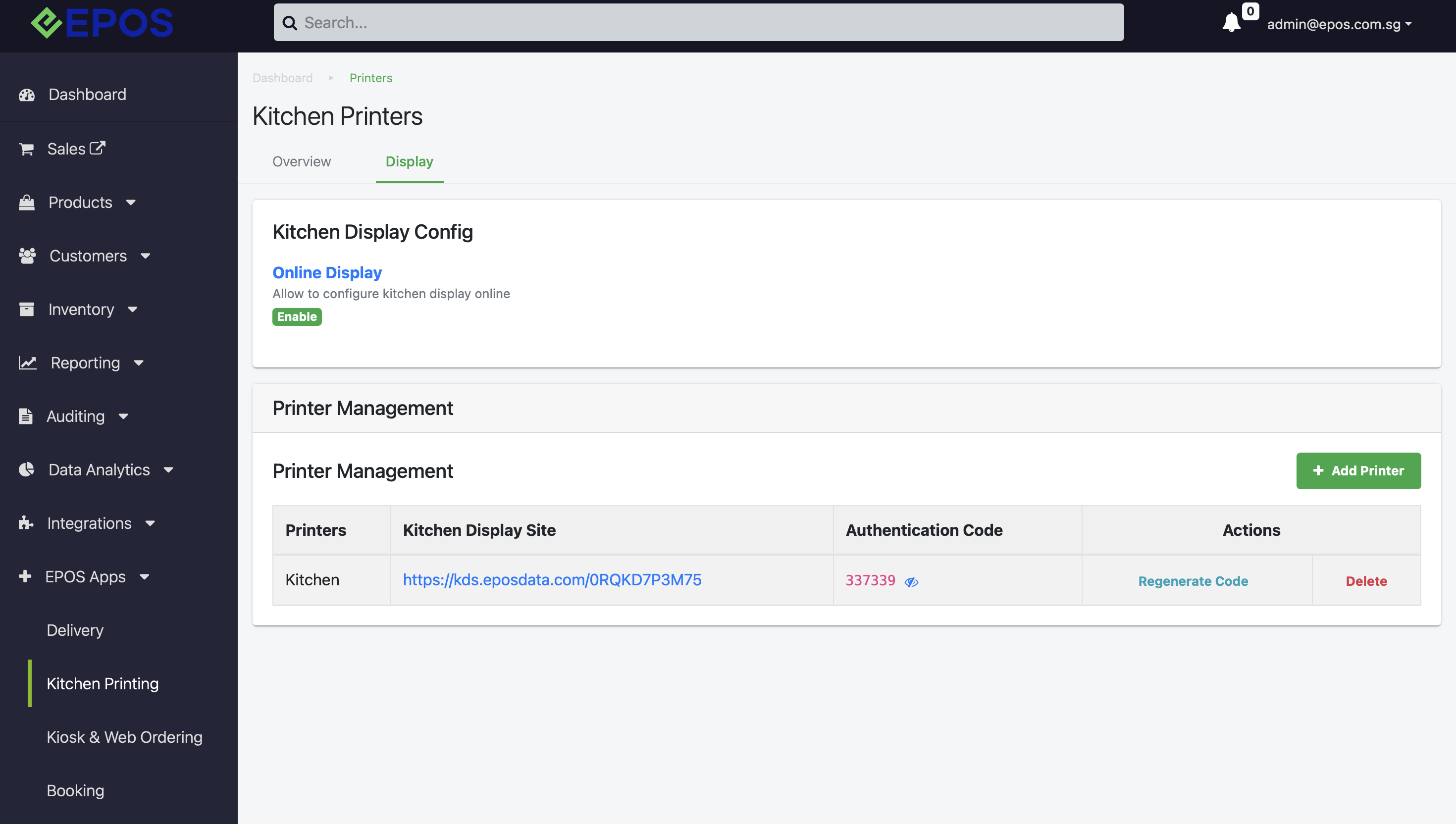
📌 Windows POS can now use Online KDS for kitchen staff to seamlessly manage order flow and kitchen operation.
📌 Windows POS can use both Offline and Online KDS at the same time.
What’s New:
📌 Android POS support integration with NETS Terminal – ECR 2 Prime
What’s New:
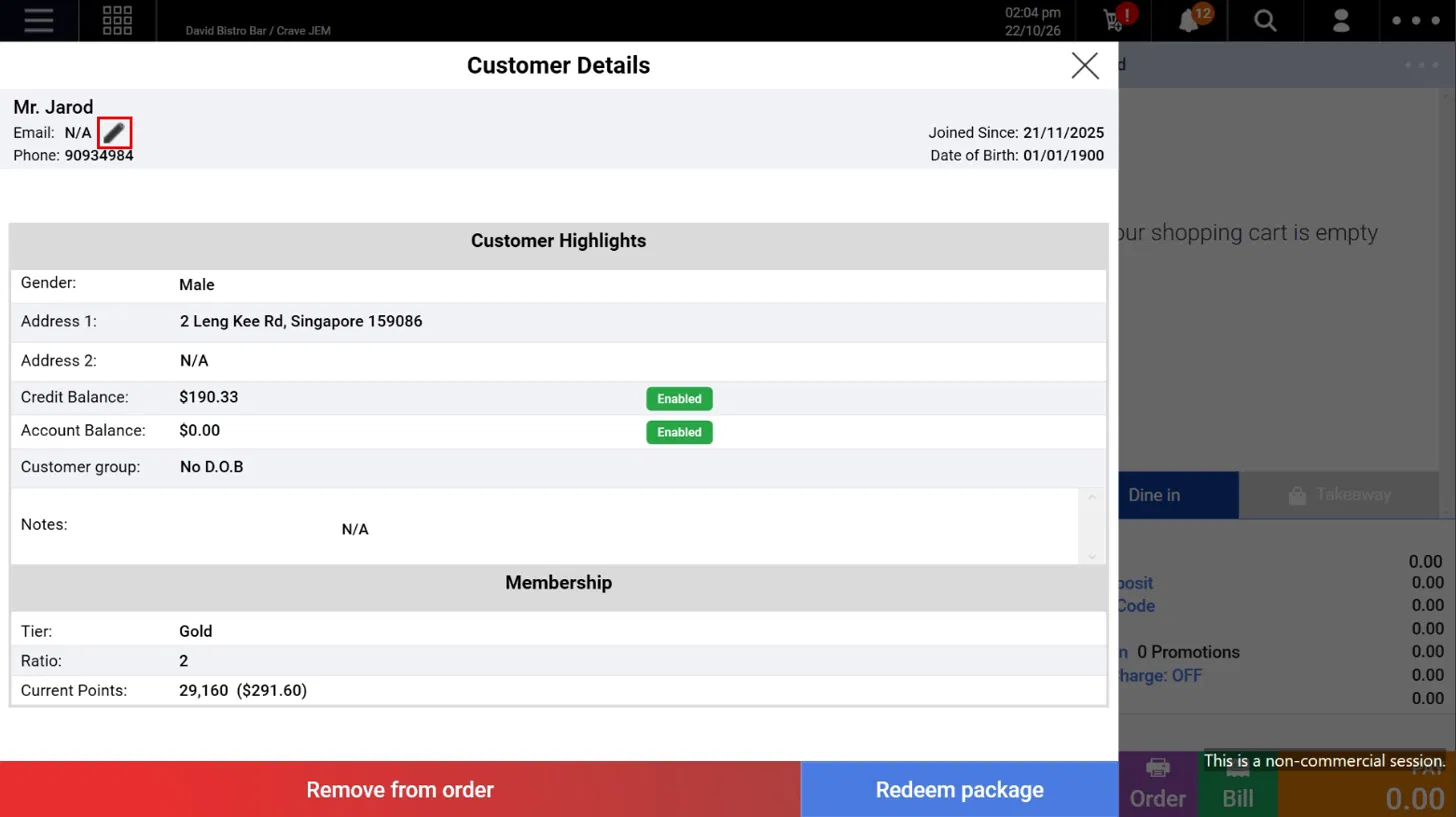
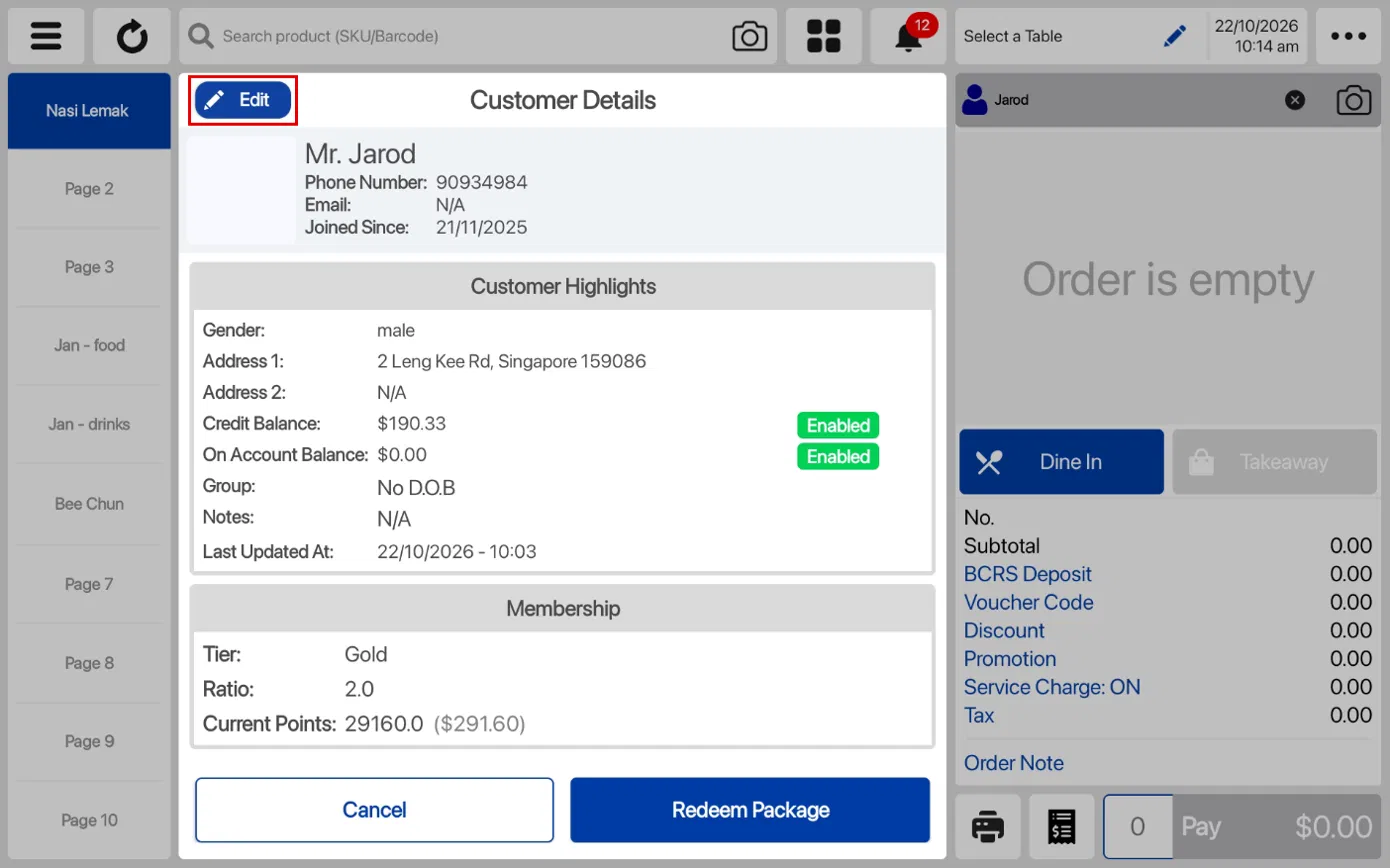
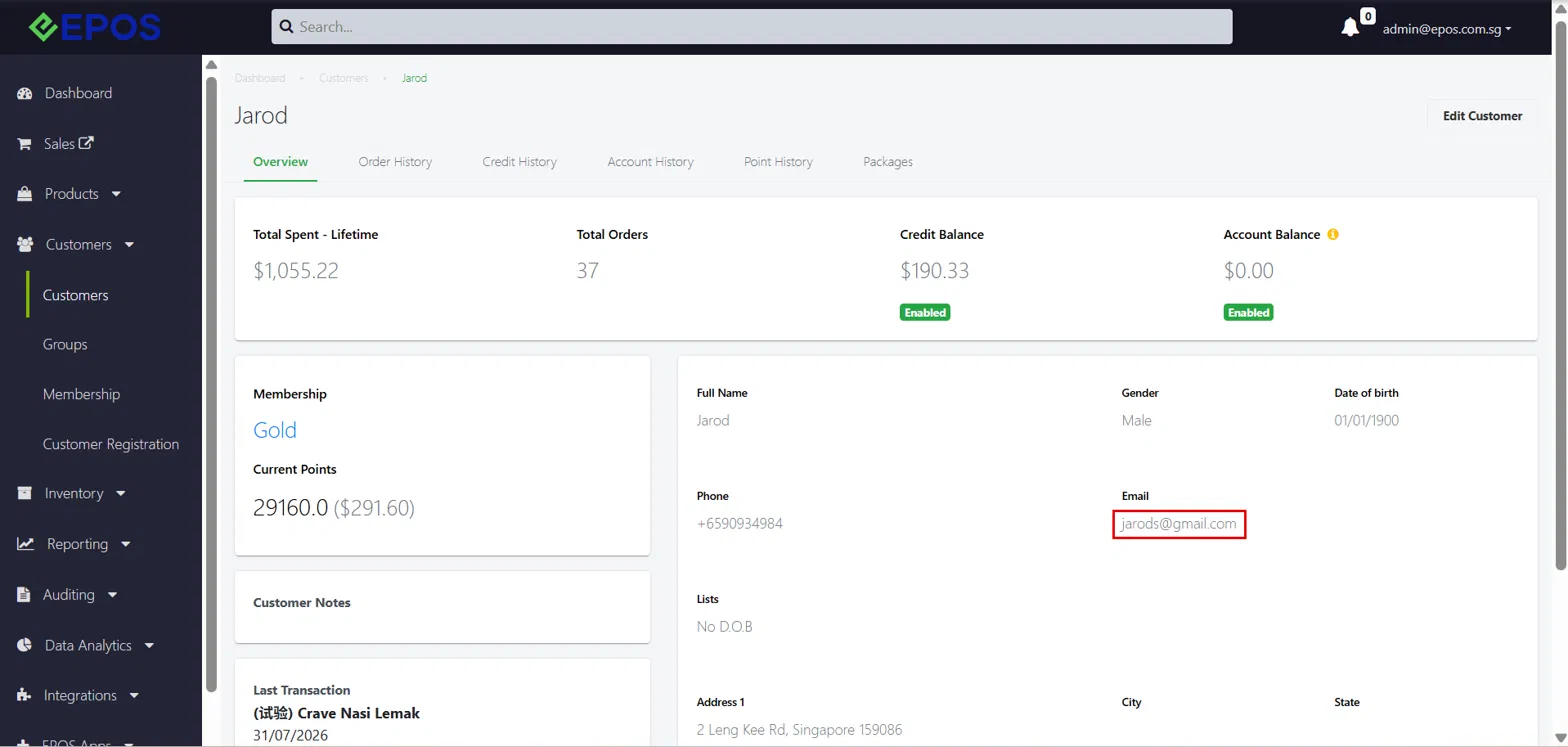
📌 Cashiers can now add or edit a customer’s email address directly in the Customer Details panel on Windows POS and Android POS, with no backend access needed. Updated emails sync to the Backend automatically.
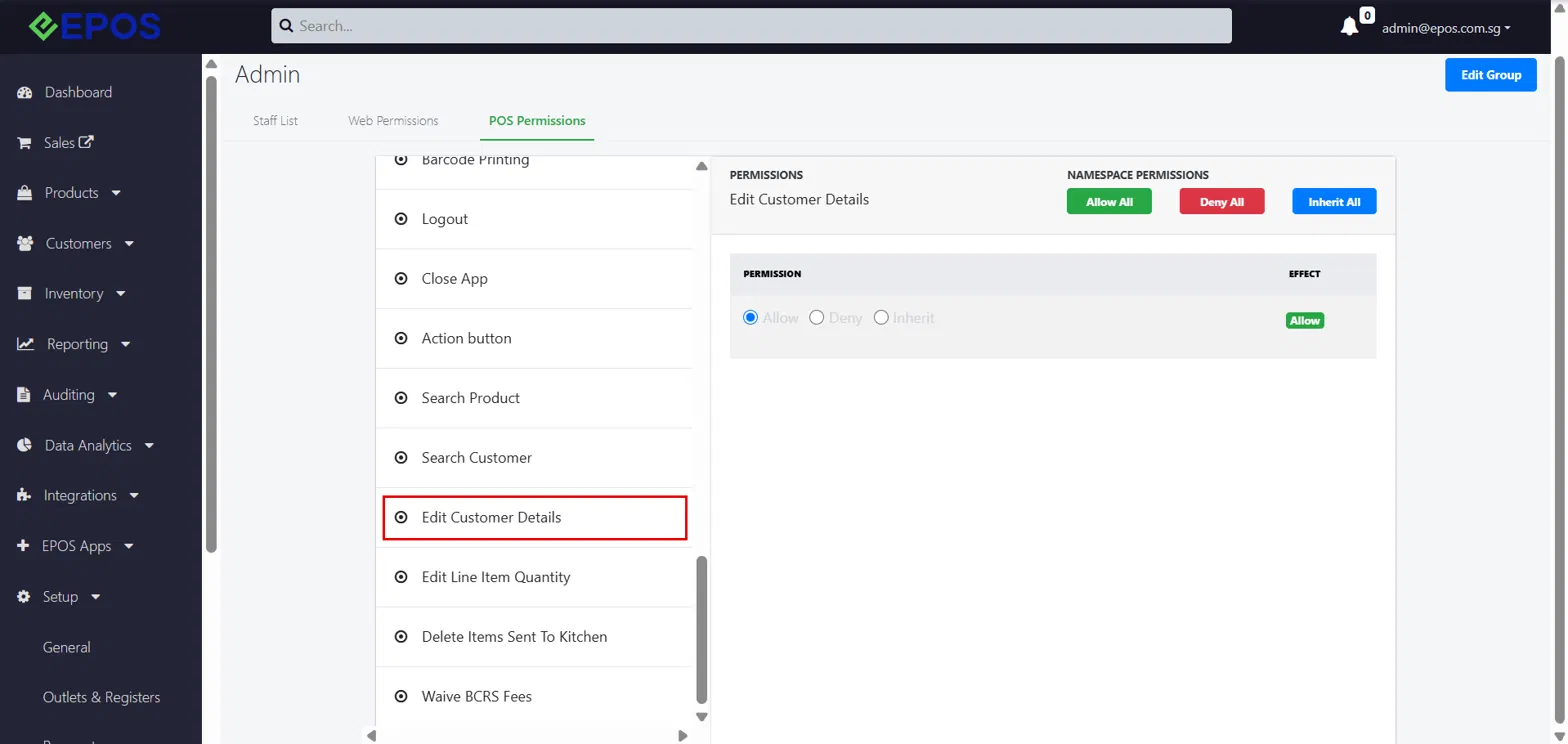
📌 Merchants can now control who can edit customer emails through a new Edit Customer Details POS permission in the Backend under Staff Groups.
Preview State
Edit State
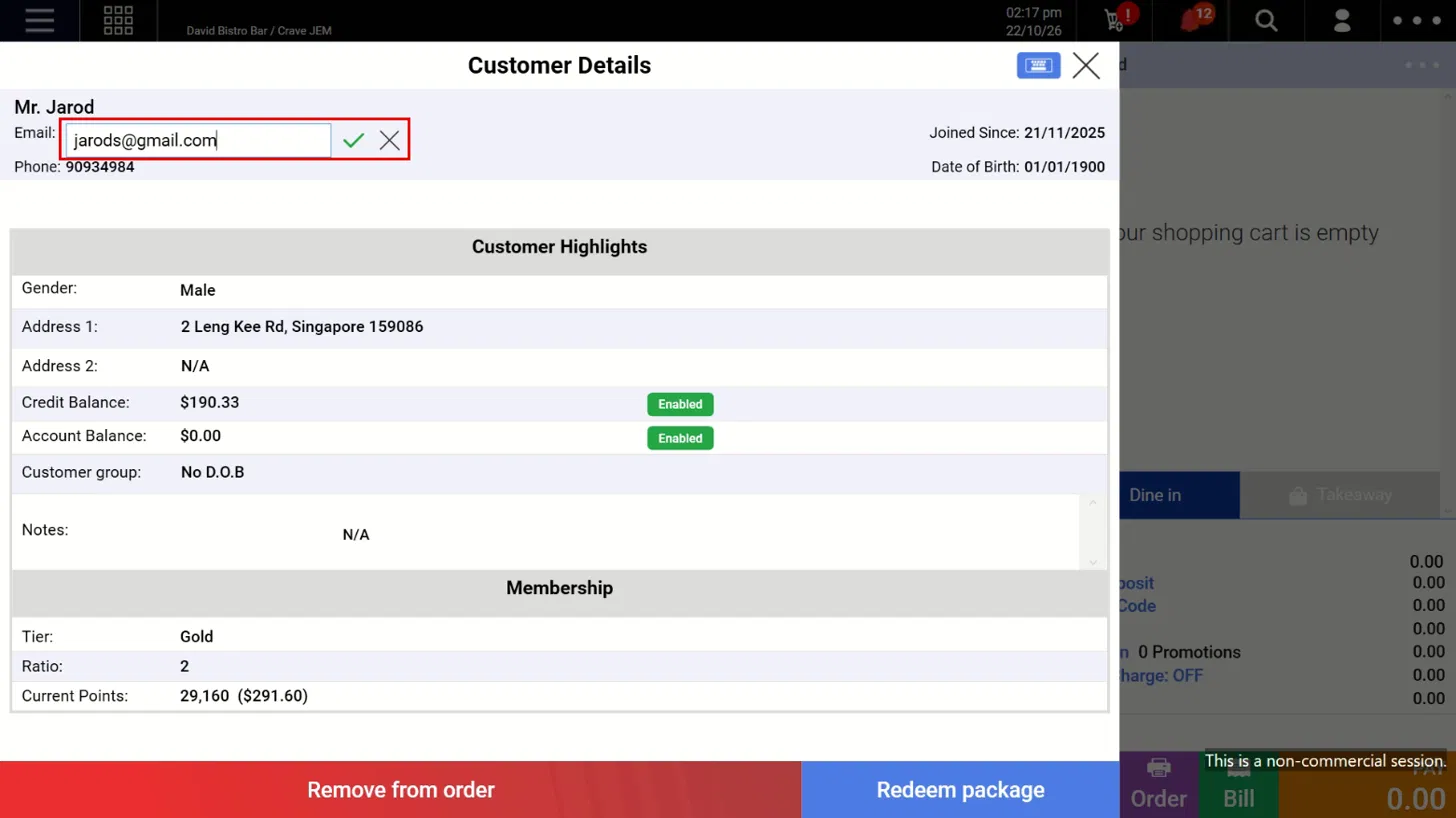
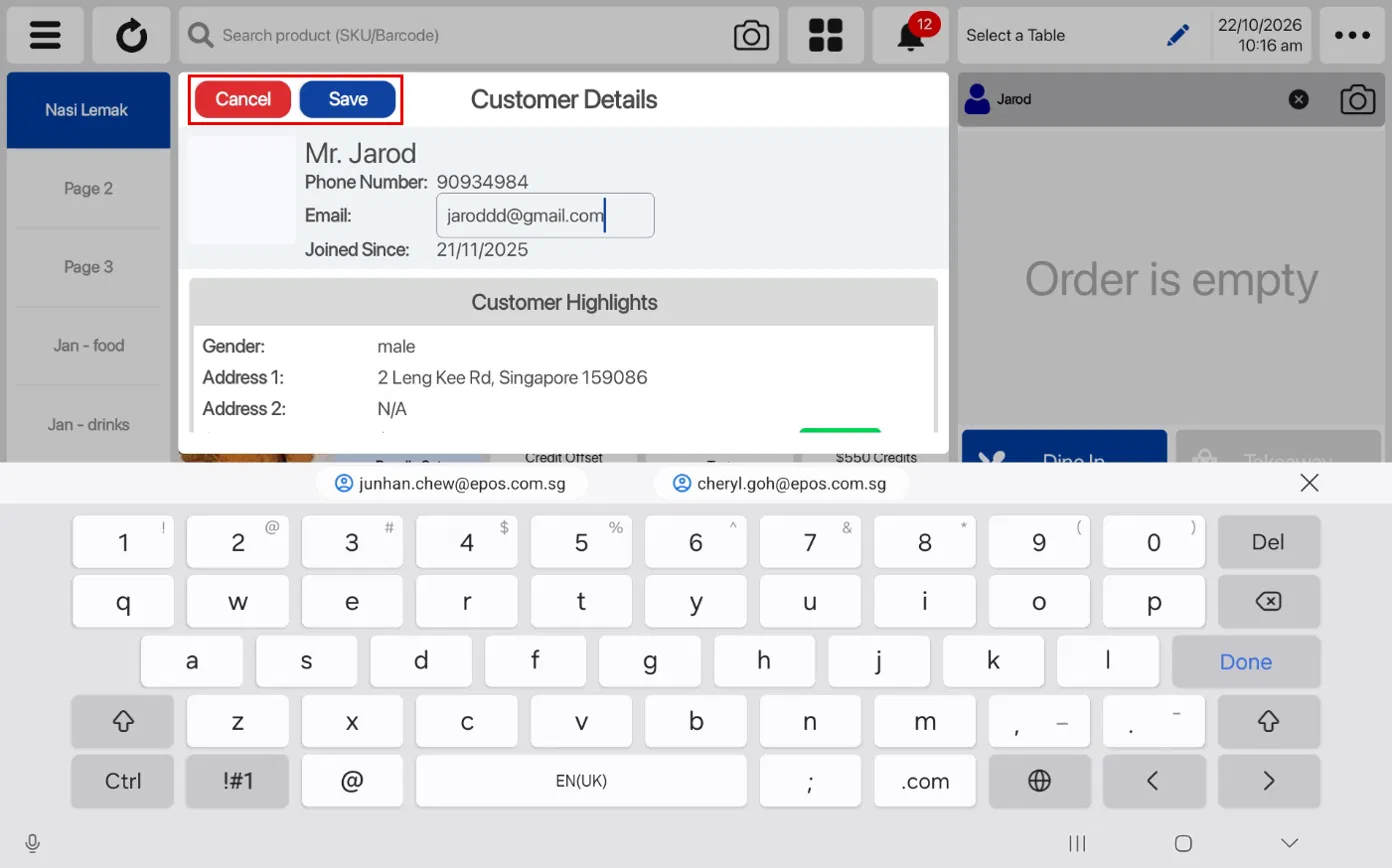
Assign/Edit Email synced to Backend
Edit Customer Details Permission
What’s New:
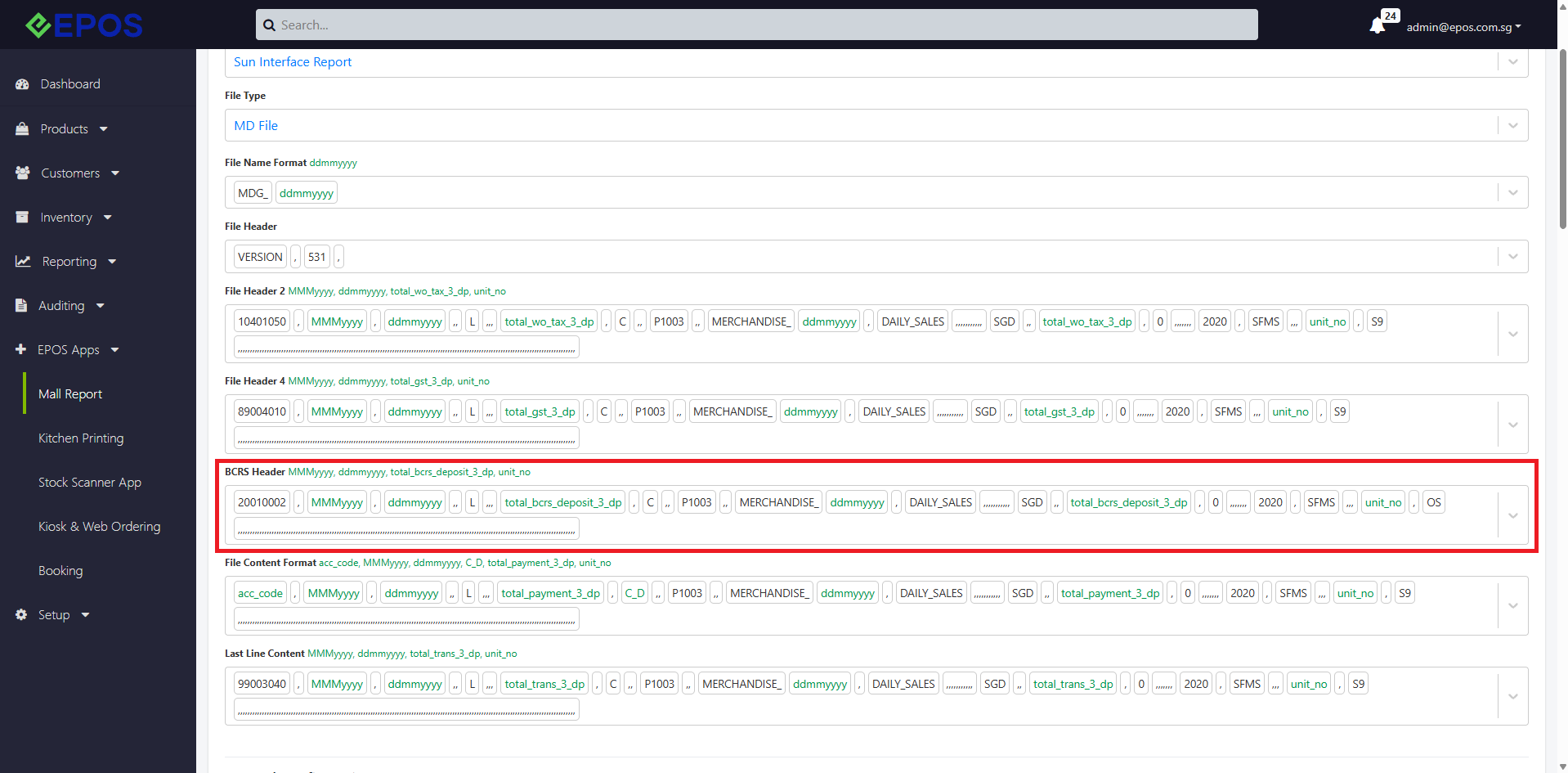
📌 There is a new BCRS Header included inside the sunsystem mall report integration (SVP/FL & MD file format). This new header will track the total BCRS deposit accumulated within the day.
NOTE
📌 The BCRS header will be blank by default. Users must configure it according to their sales report requirements.
SVP/FL Configuration
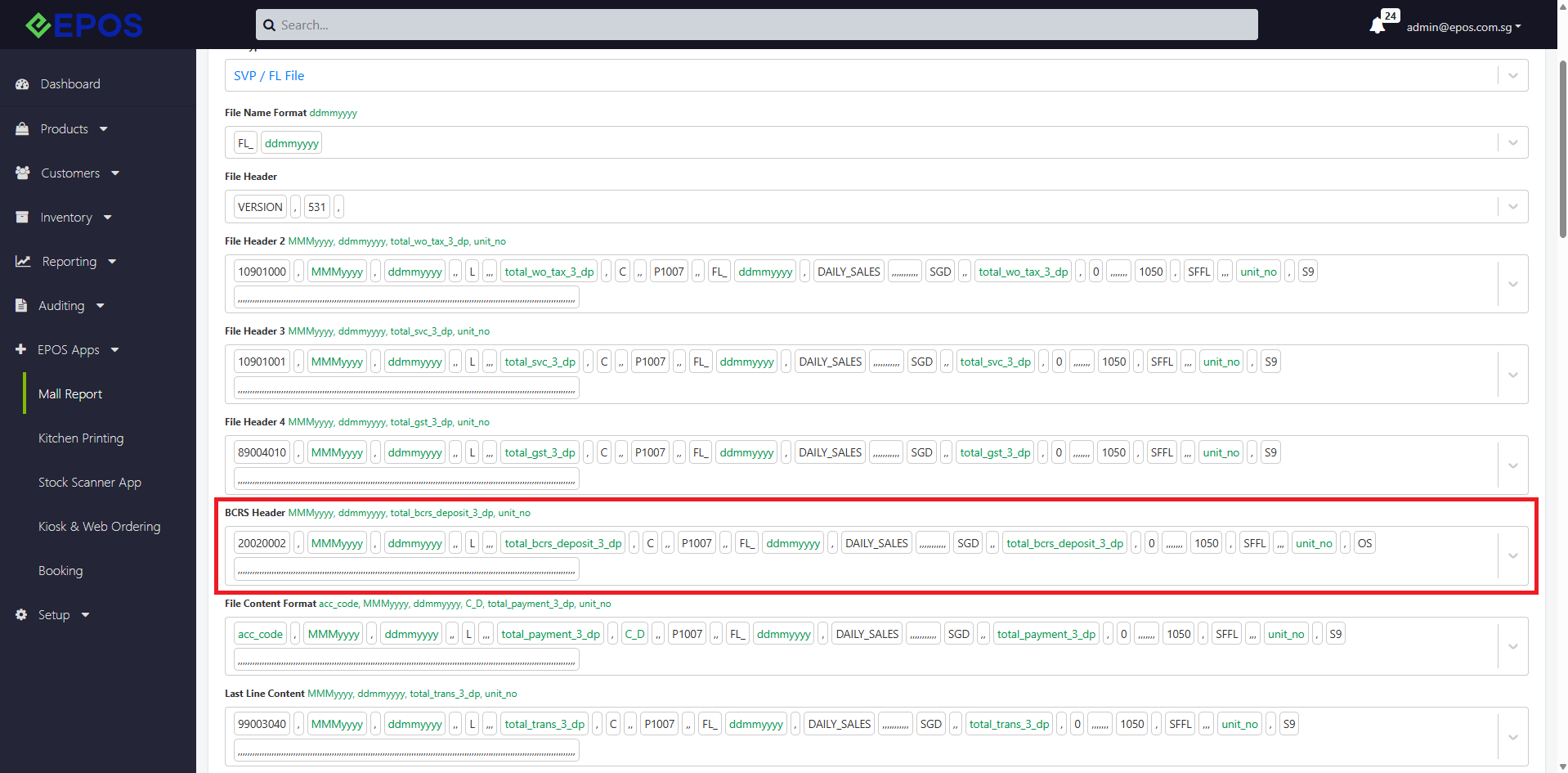
MD Configuration
What’s New:
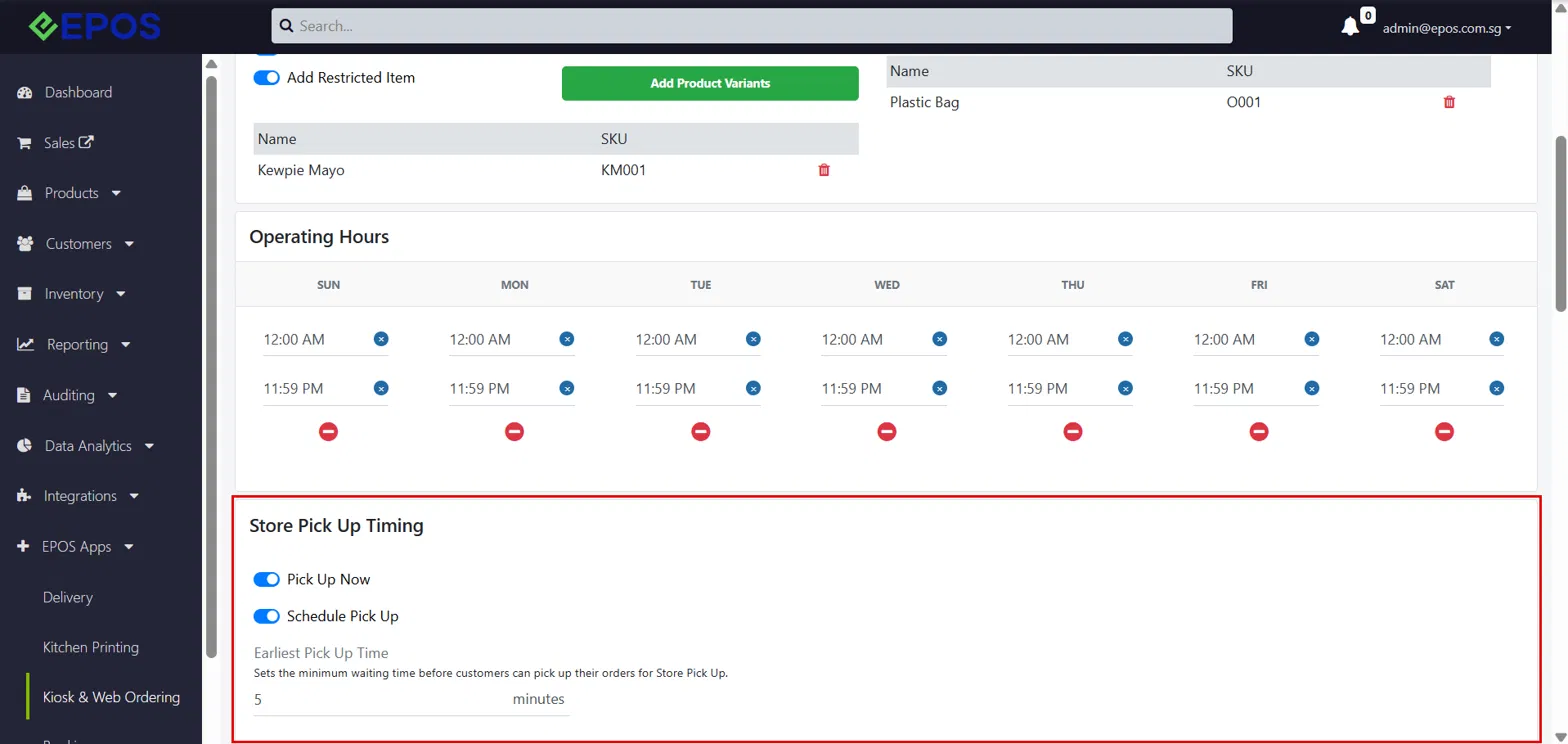
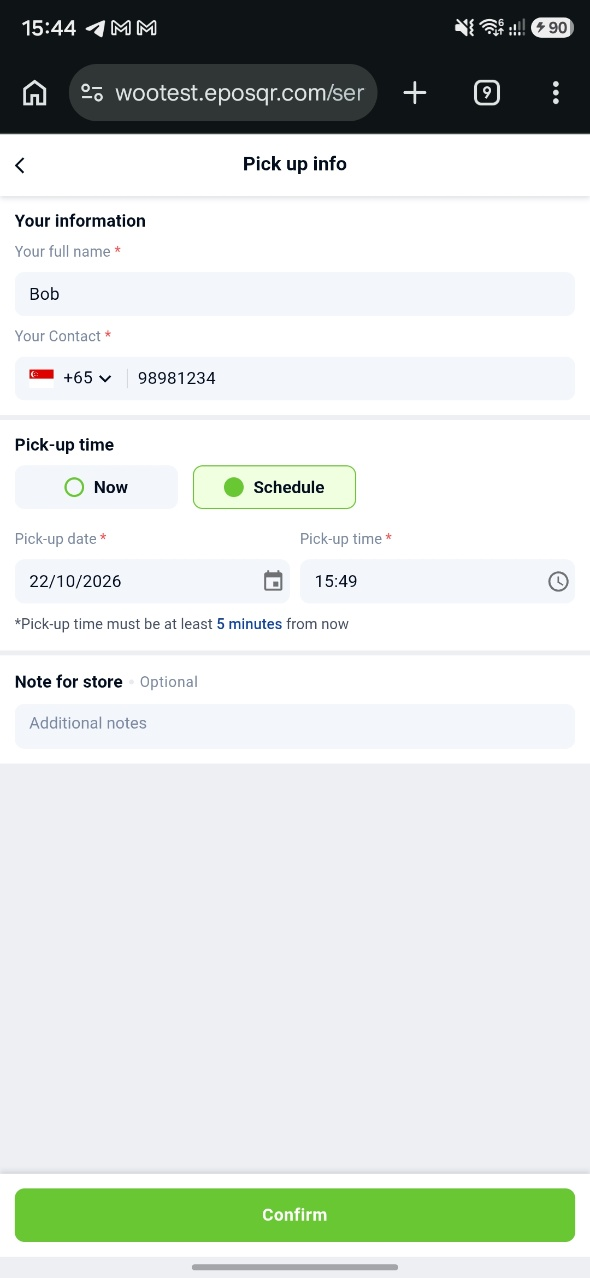
📌 Merchants can now configure the earliest pick-up time for Store Pickup Web Ordering, instead of the fixed 30-minute default.
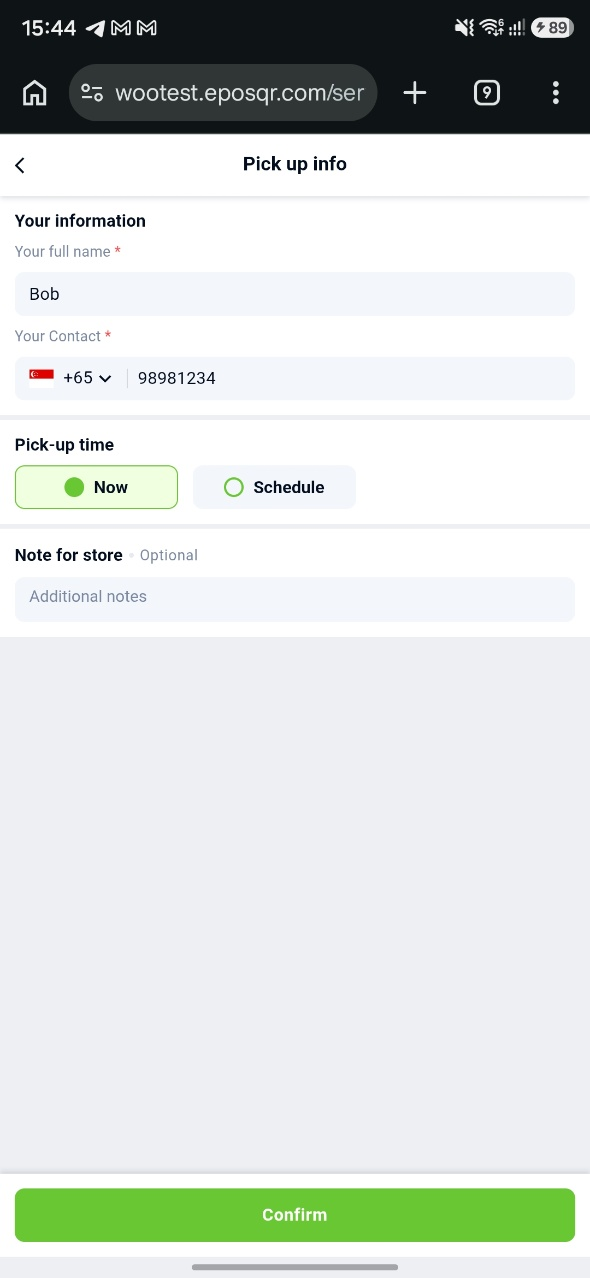
📌 A new Pick Up Now option can be turned on alongside or instead of Schedule Pick Up. With Pick Up Now, the order’s pick-up time is set to the time the order is placed.
Store Pickup Timing Configs
WebApp Pick Now/Schedule Pickup
What’s New:
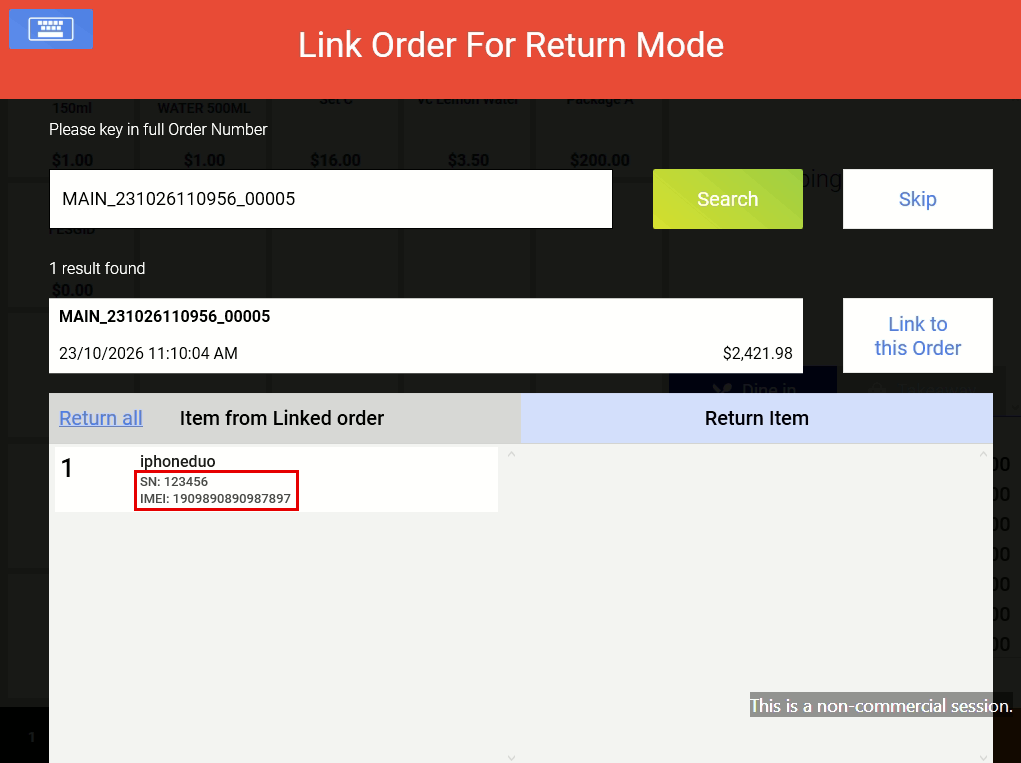
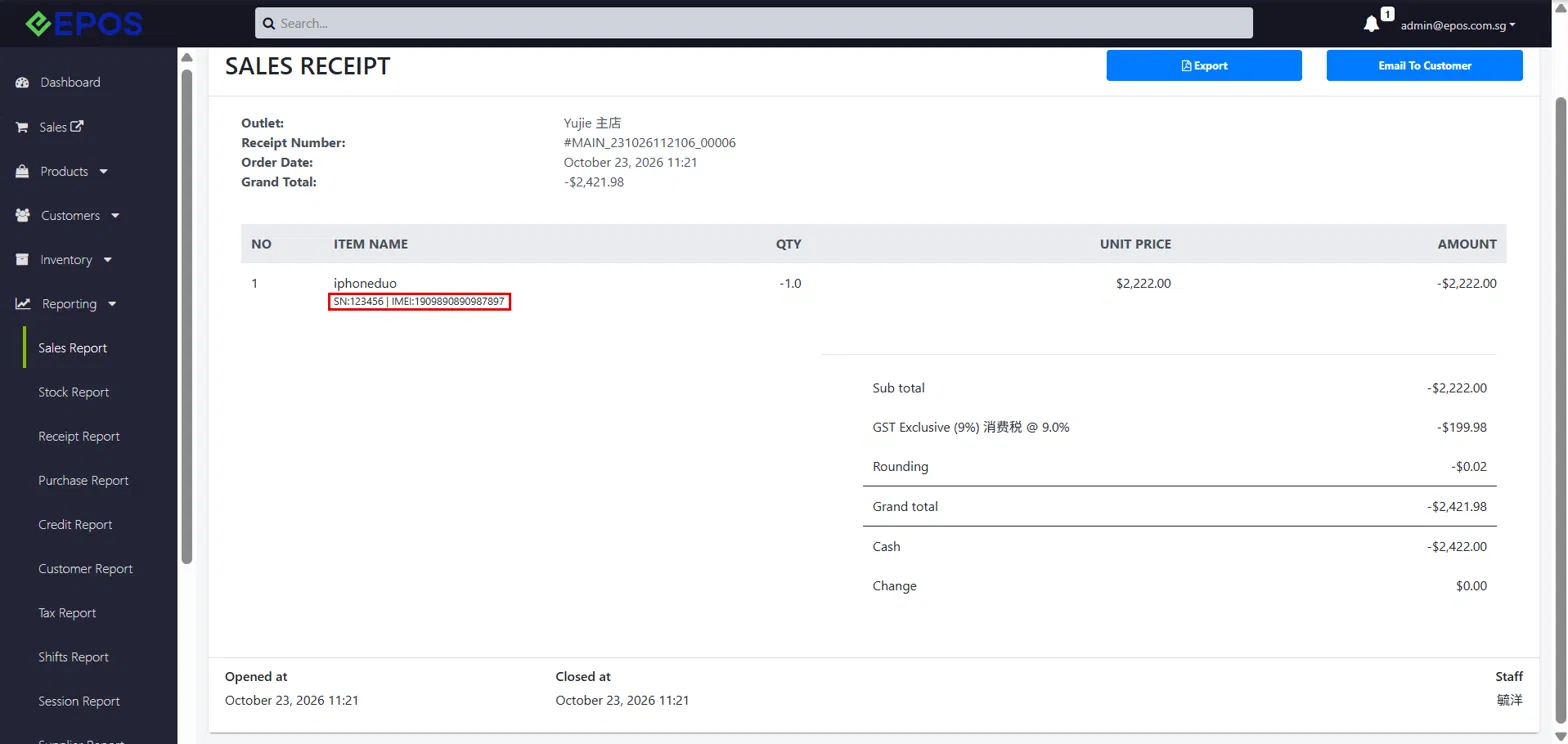
📌 Staff can now refund products with a Serial No. and/or IMEI No. through Return Mode on Windows POS, even after the shift has closed.
📌 Returned SN/IMEI items are marked as available again on both the POS product search and Backend. Refunded SN/IMEI details are also captured in the Backend sales receipt.
Return Mode
Sales Receipt Logging
What’s New:
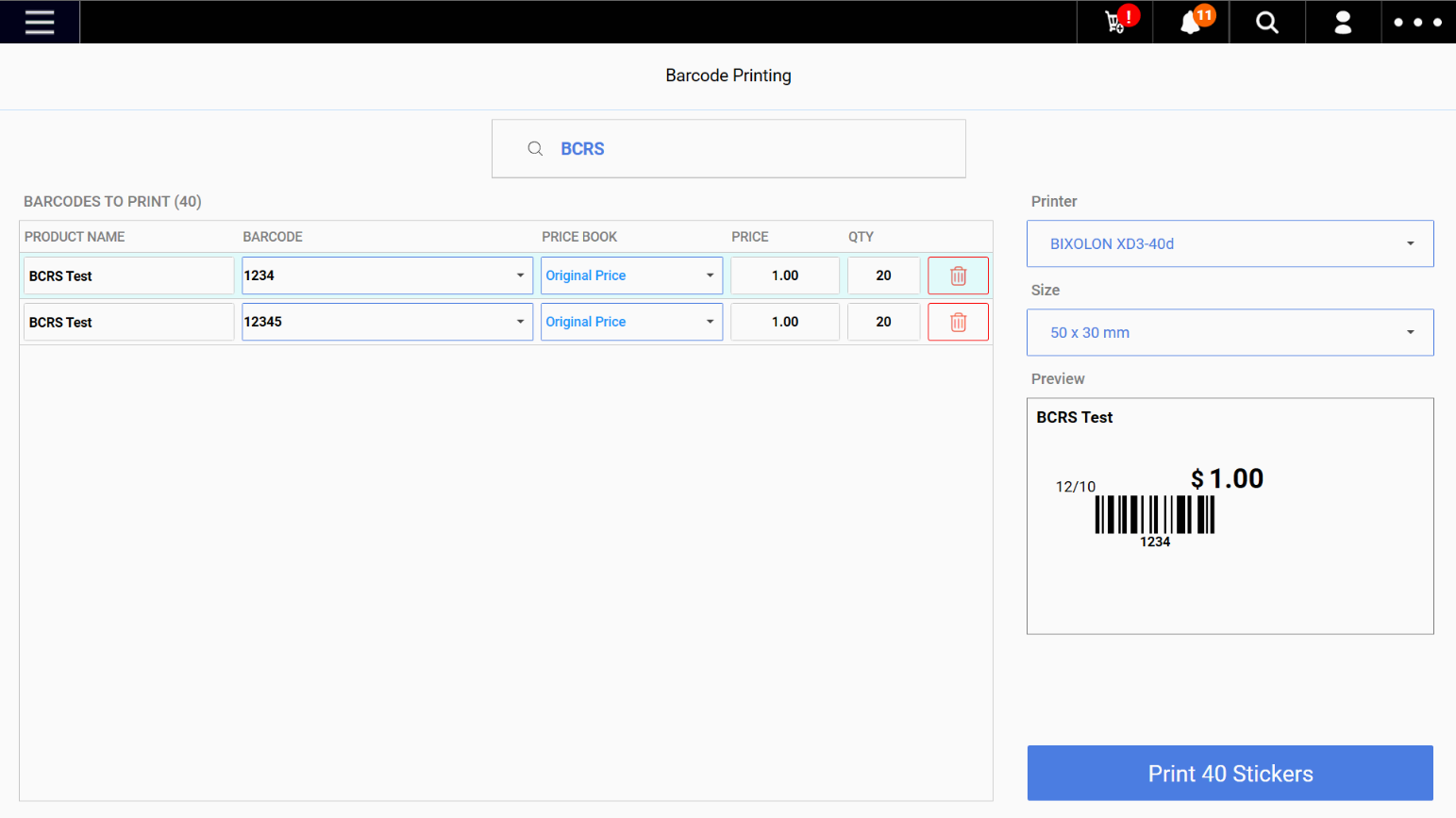
📌 Users can now add multiple products to the barcode sticker printing list. The number of stickers printed will correspond to the quantities specified in the list. Each product can have a quantity of up to 999.
📌 Users can add multiple barcodes for the same product to the list. An error message will appear if all available barcode combinations for a product have already been added.
📌 The printing list will be retained when users navigate between the different pages within the POS system.
Notes:
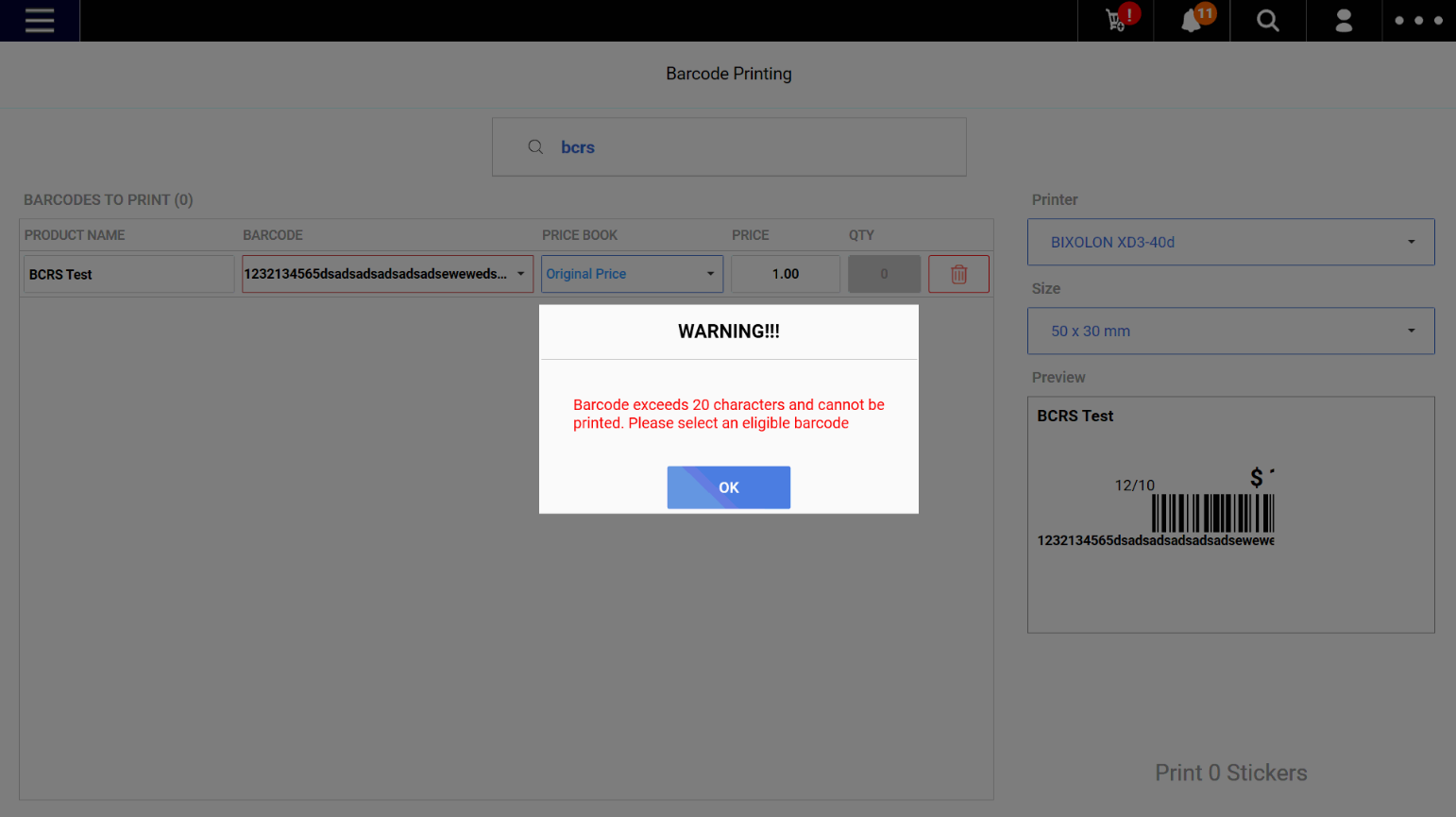
📌 Products with barcodes longer than 20 characters will be excluded from the final print count. A popup message will inform users that the barcode is ineligible for printing.
Updated Barcode Printing UI with the new Product Barcode Printing List
Printing List Qty updates according to the total number of products to be printed
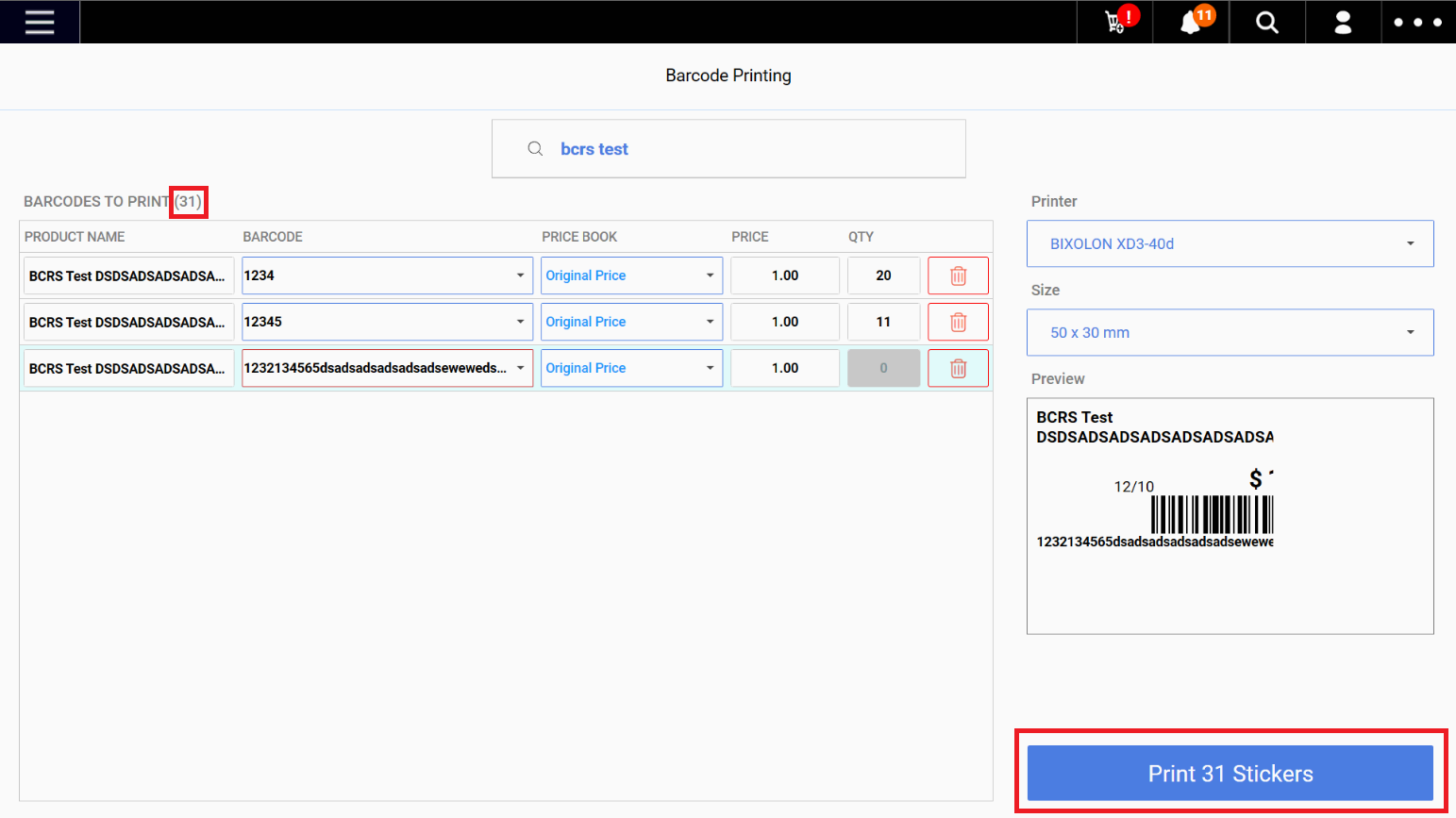
Product Barcode with more than 20 characters will not be able to be printed
What’s New:
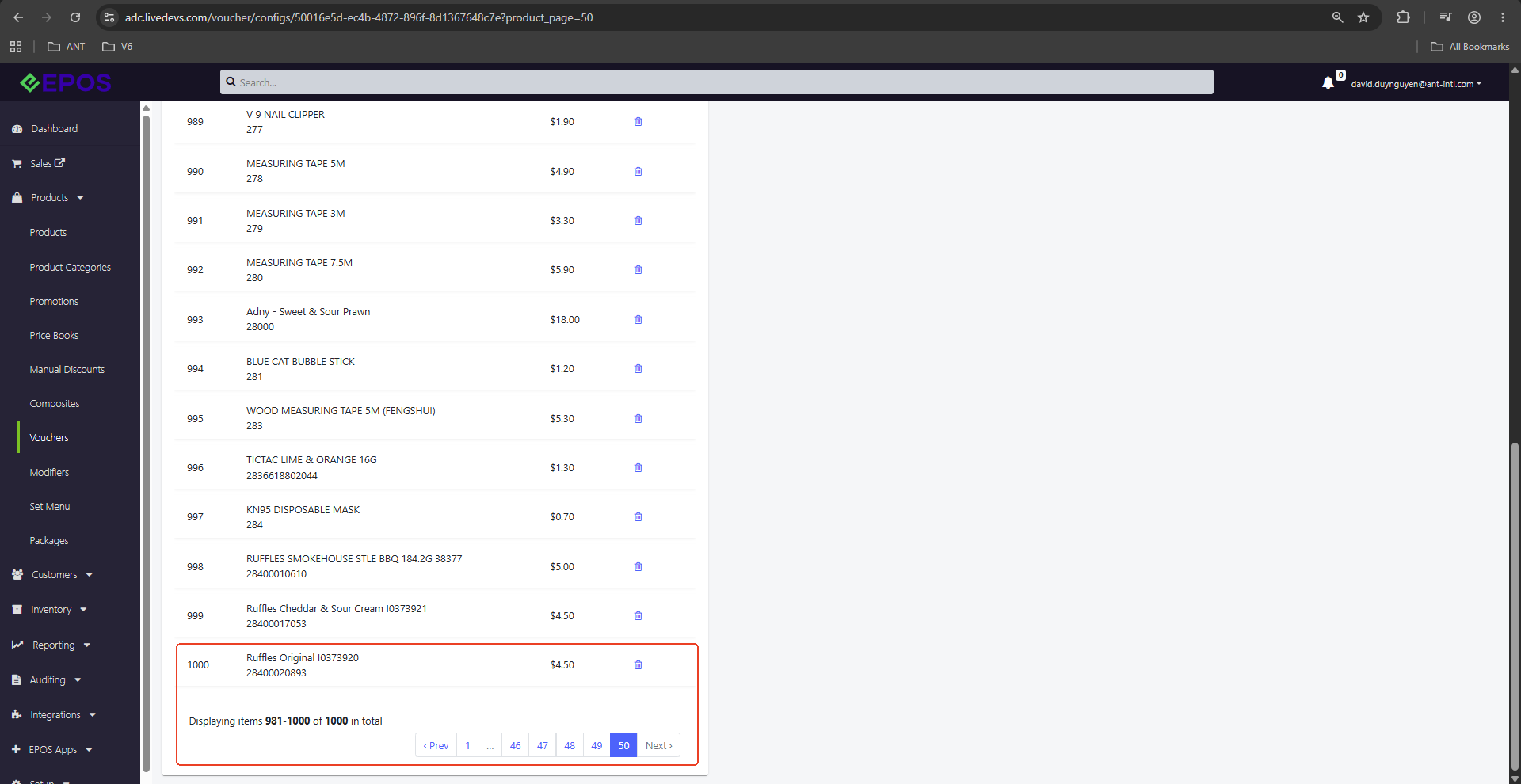
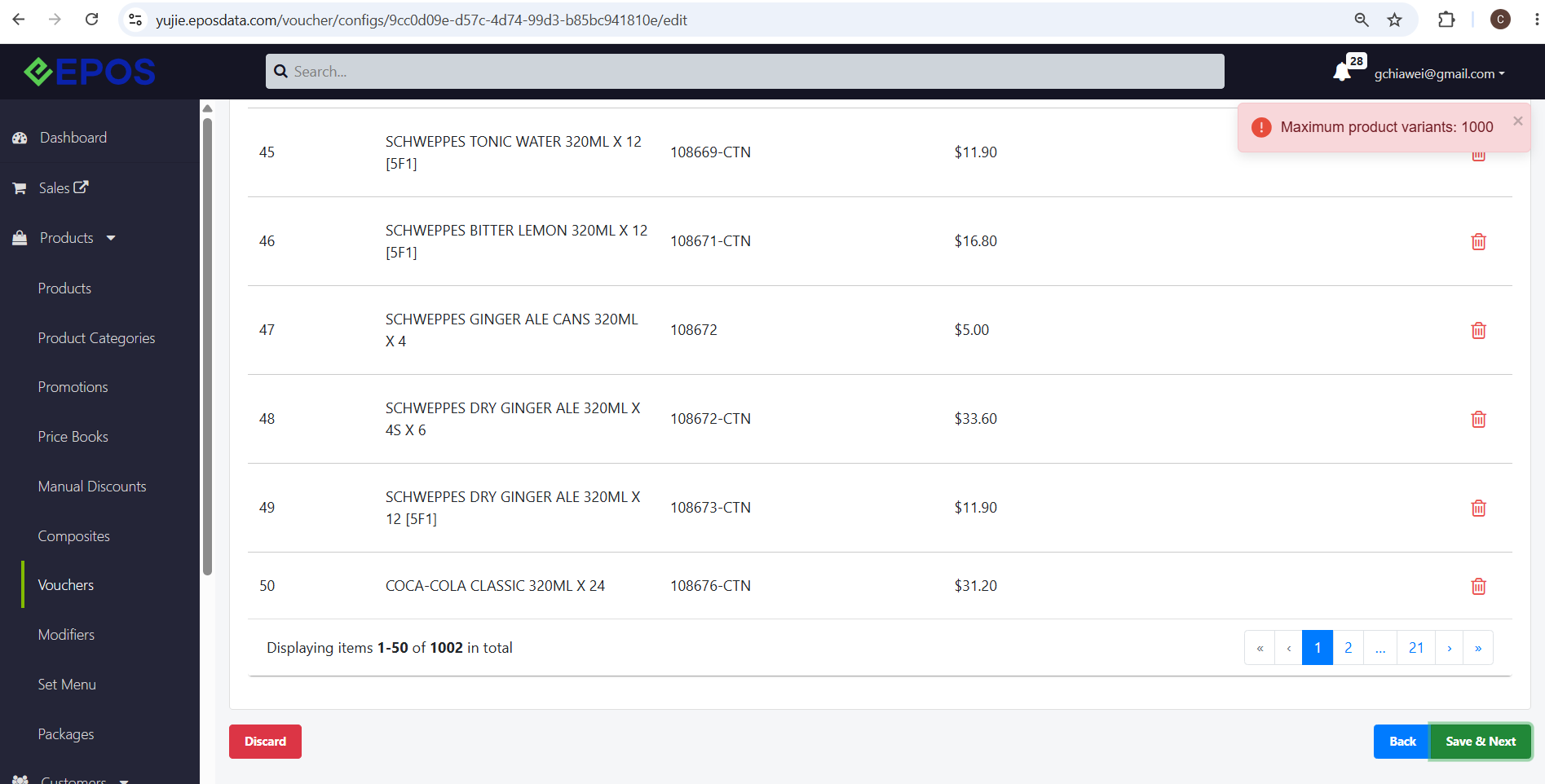
📌 Users are now able to add up to 1000 product variants to a voucher
📌 This feature applies to both cash and discount vouchers
Voucher Creation supports up to 1000 product variants
If user tries to add more than 1000 products to a voucher
What’s New:
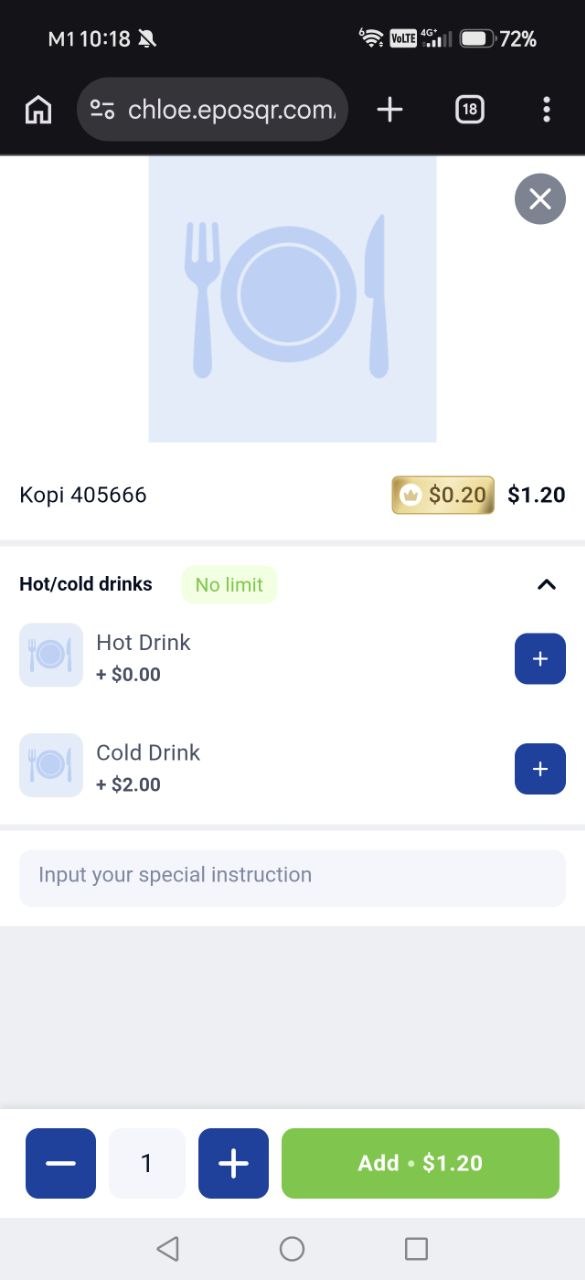
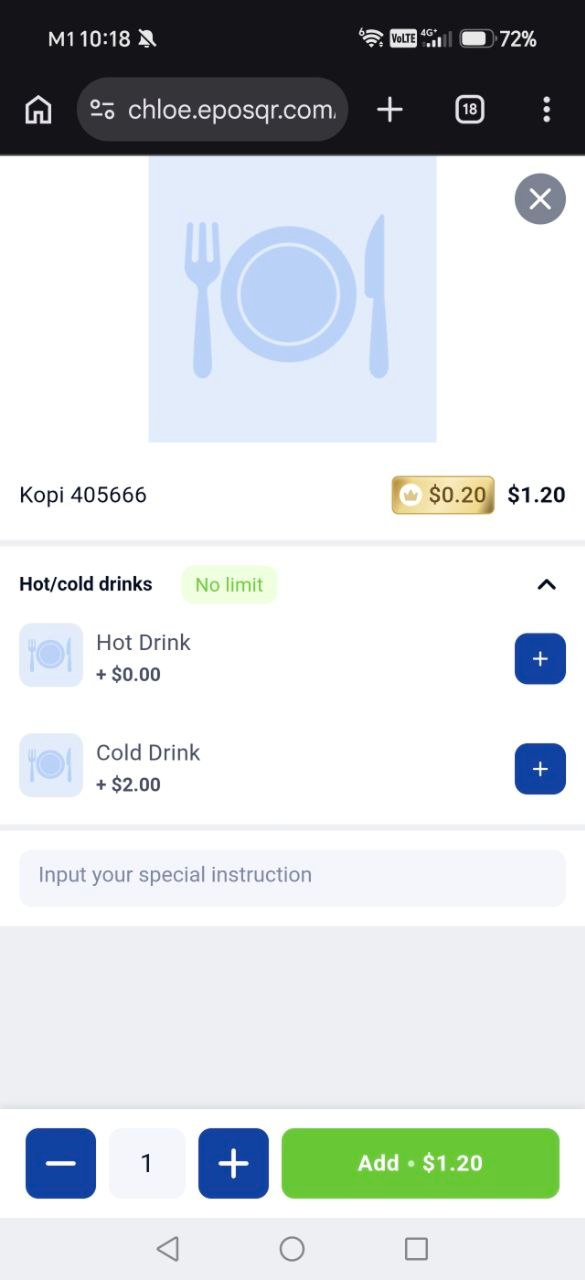
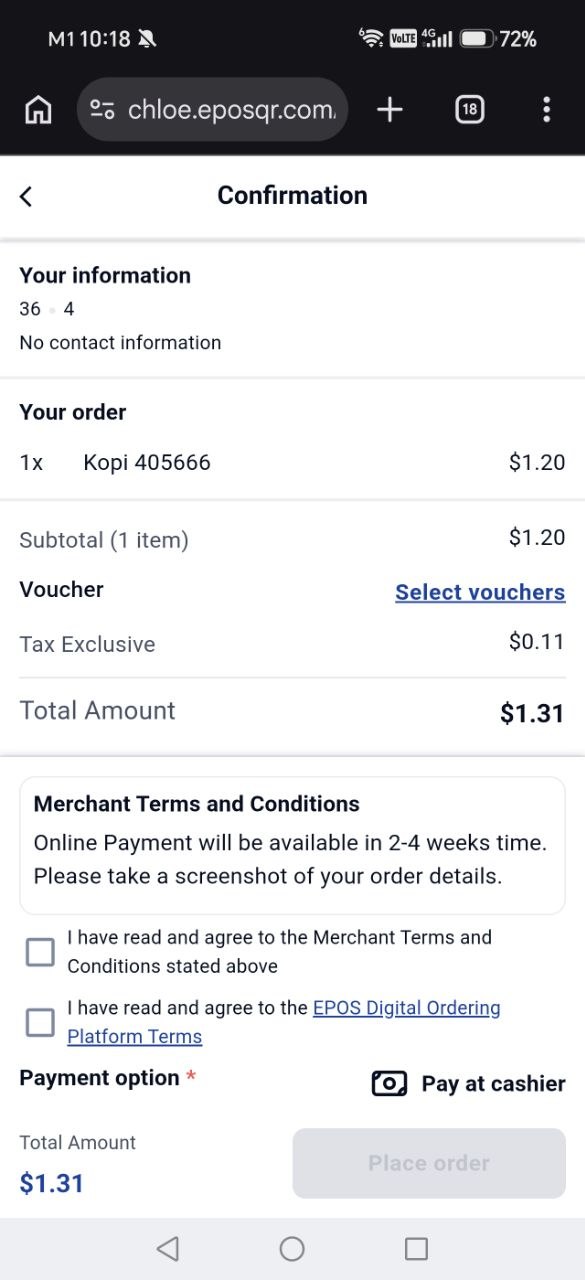
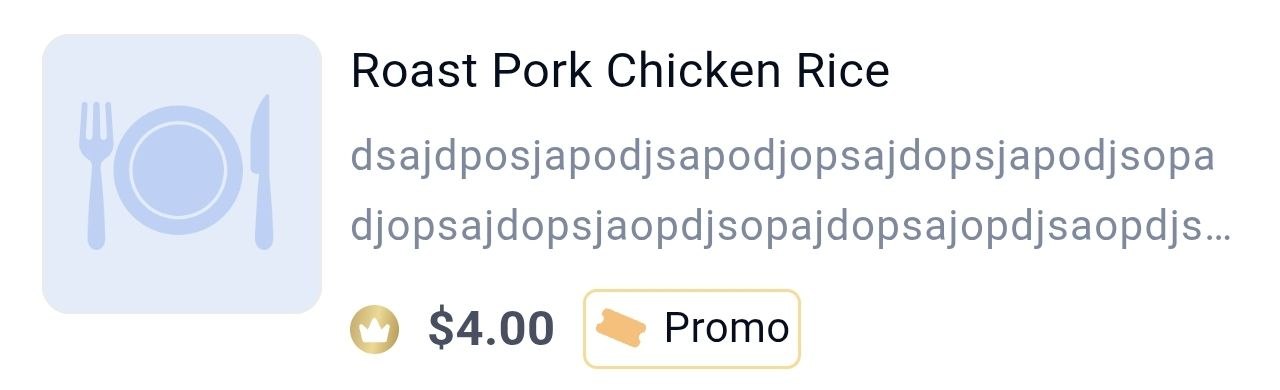
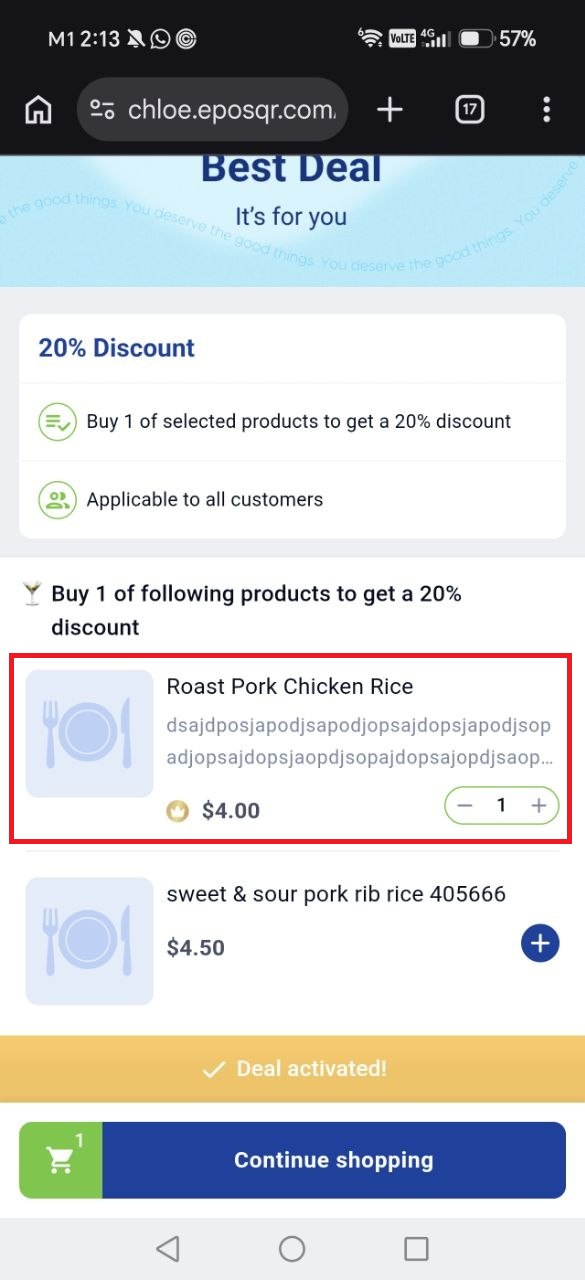
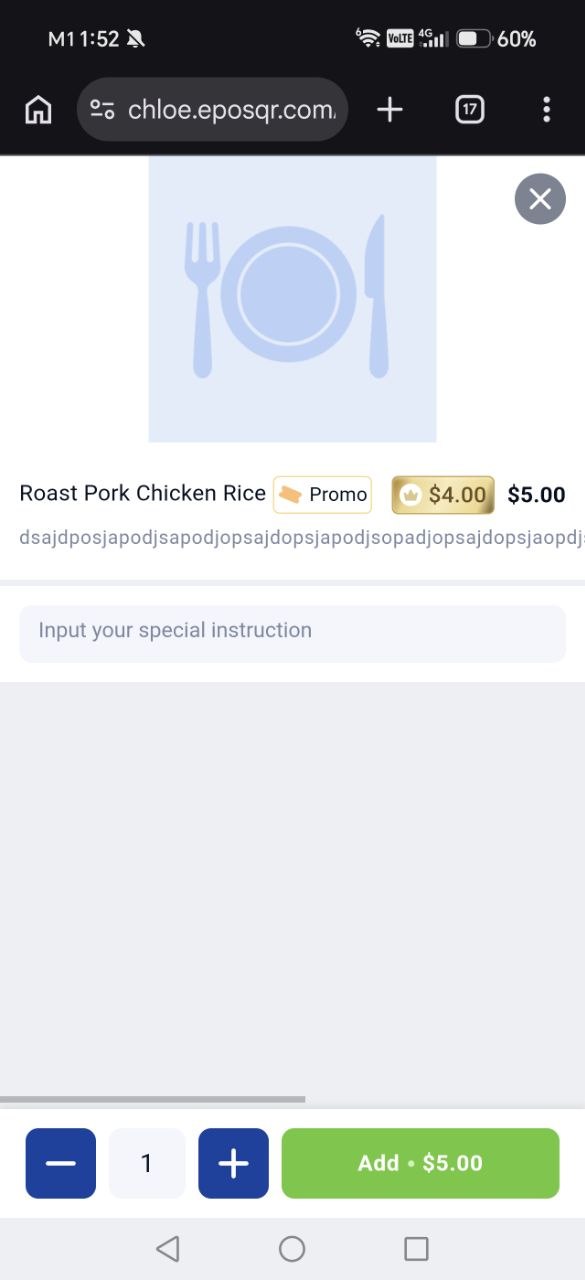
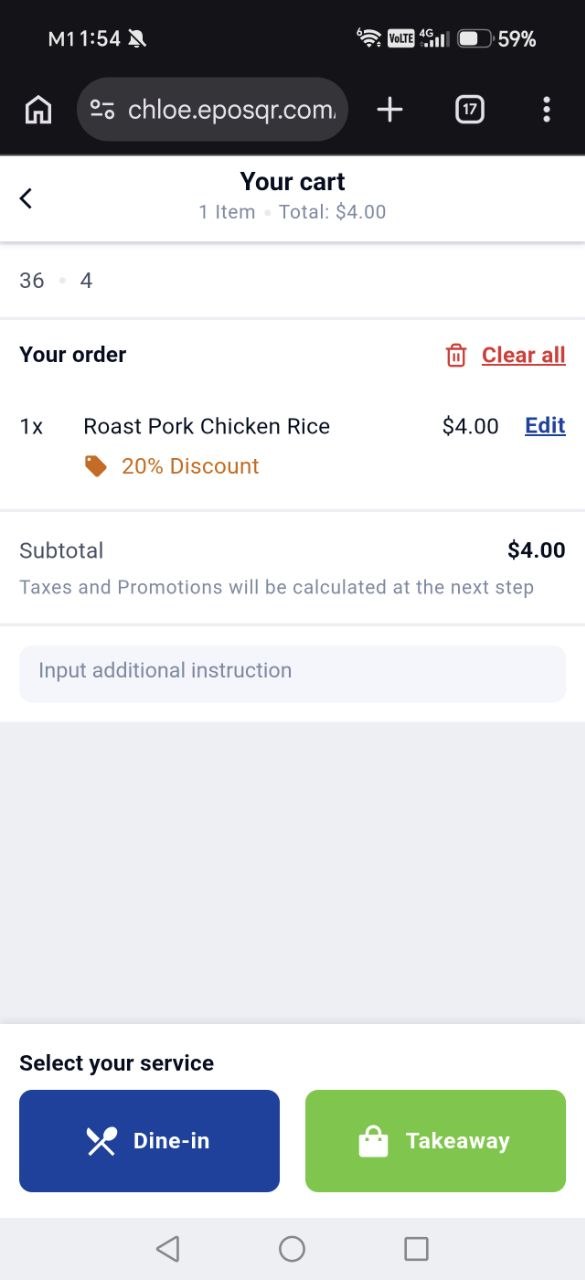
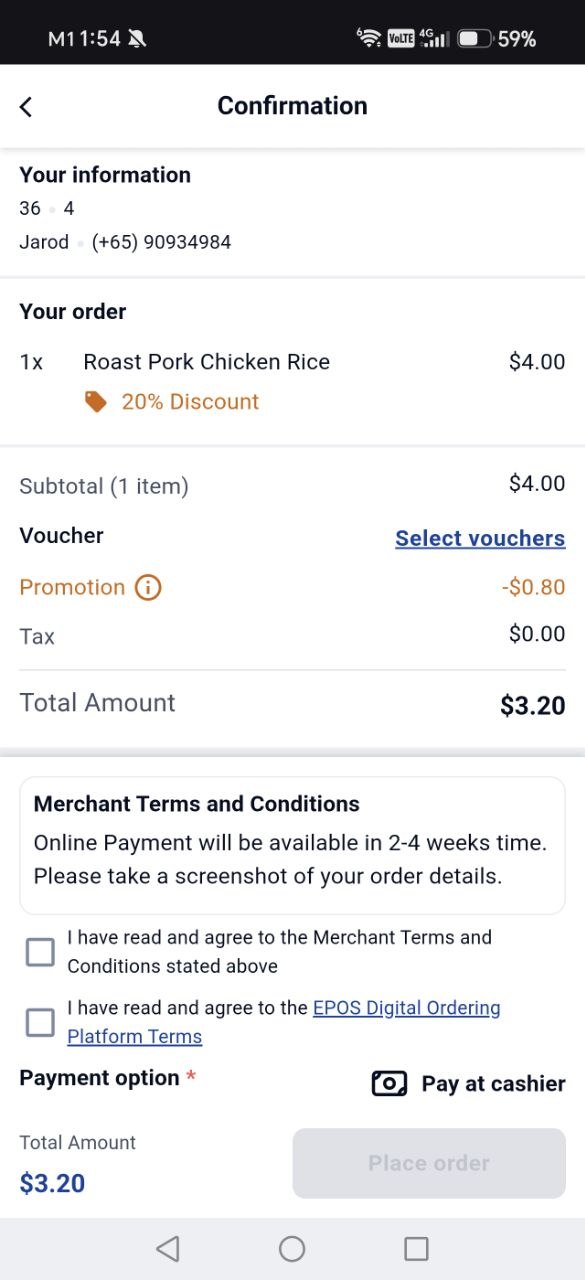
📌 Merchants can now display two different prices on WebApp: Guest Price and Member Price. This allows guests to compare prices and encourages them to sign up for a membership to enjoy member-exclusive pricing.
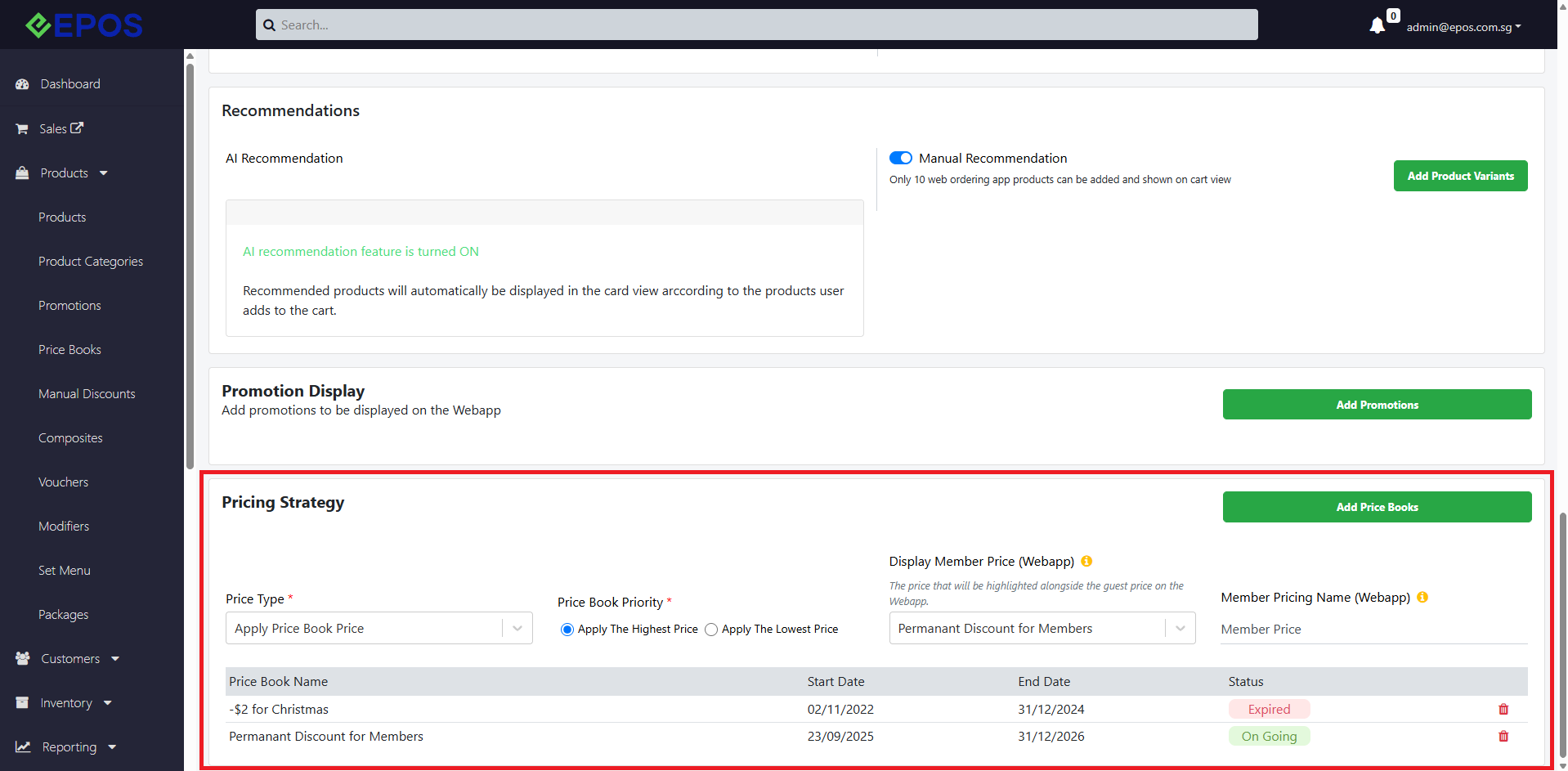
📌 2 new fields have been added to the Pricing Strategy section under Kiosk & Webapp:
1. Display Member Price (Webapp)
Select a price book assigned to a customer group/tier to determine the Member Price displayed to guests who are not logged in.
The Member Price will follow the selected price book and will not be affected by other price books configured in the Kiosk & WebApp price book list.
2. Member Pricing Name (Webapp)
Set the name displayed on the Member Price tag in WebApp.
Price Display Behaviour
Guest Login
Guest Price: Follows the existing price books configured in the Kiosk & WebApp price book list that apply to everyone.
Member Price: Displays the price determined by the price book selected in the Display Member Price (WebApp) field. This price is not affected by other price books in the list.
Member Login
Member Price: When a customer logs in, the displayed prices are updated according to the price book set in the Display Member Price (WebApp) field. A crown icon will appear beside the prices to indicate member pricing.
New Fields in Pricing Strategy
Guest Login on Webapp (When Member Price is set)

Member Login on Webapp (When Member Price is set)
What’s New:
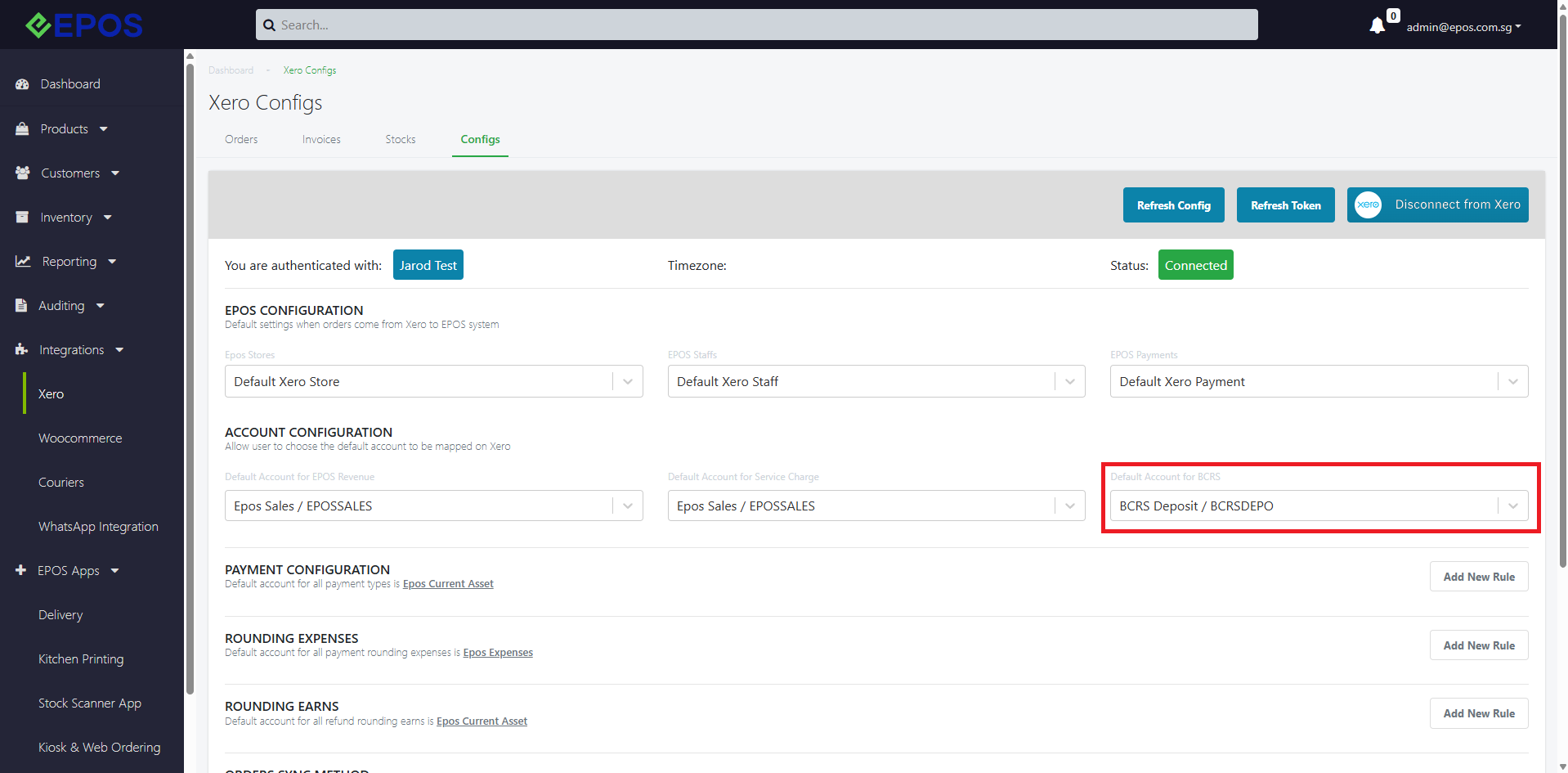
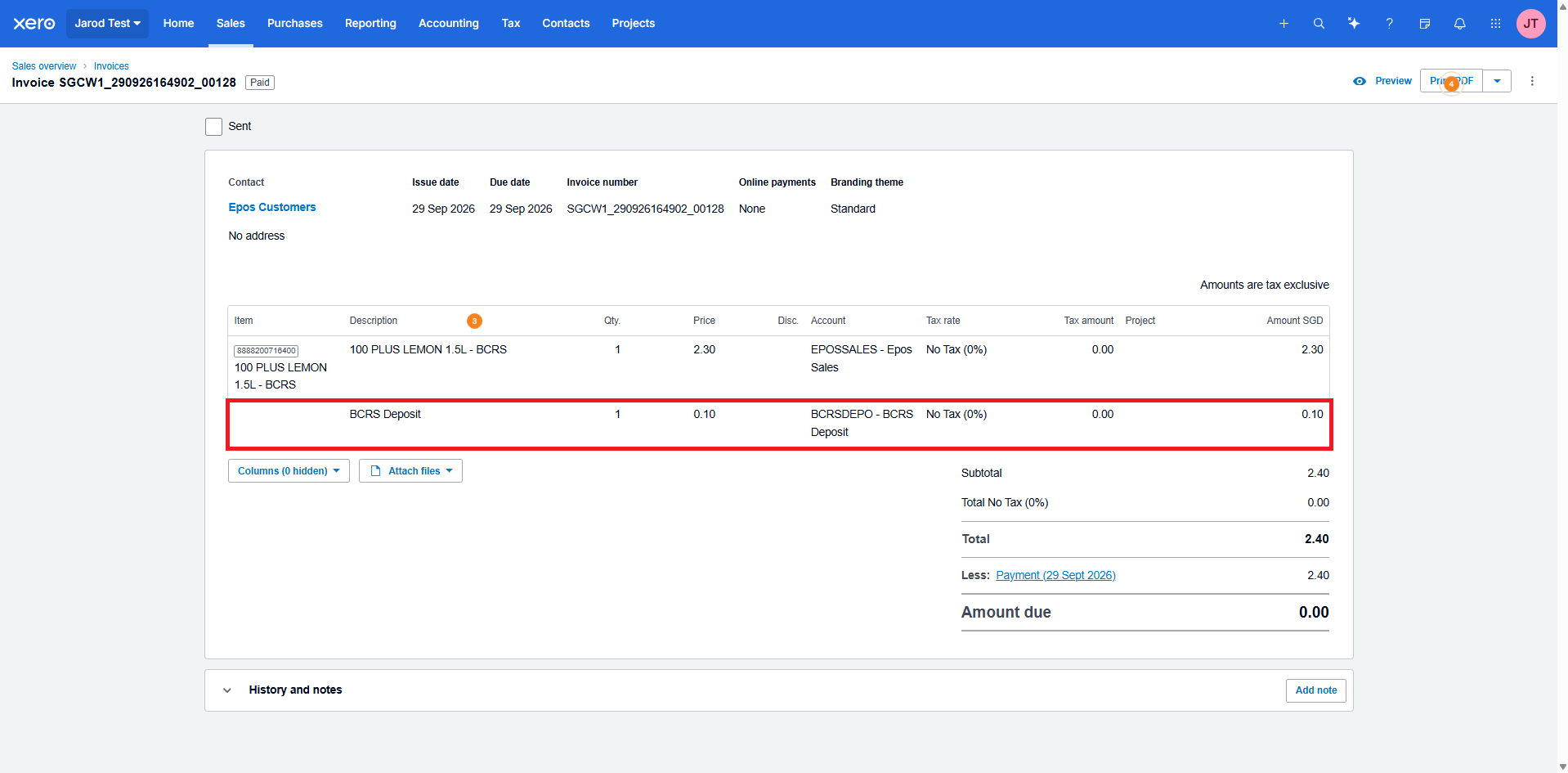
📌 Xero Invoices can now record the BCRS deposit from EPOS Orders/Transactions.
📌 By default, all BCRS deposit will be auto mapped to a default Chart of Accounts in Xero: BCRS Deposit / BCRSDEPO.
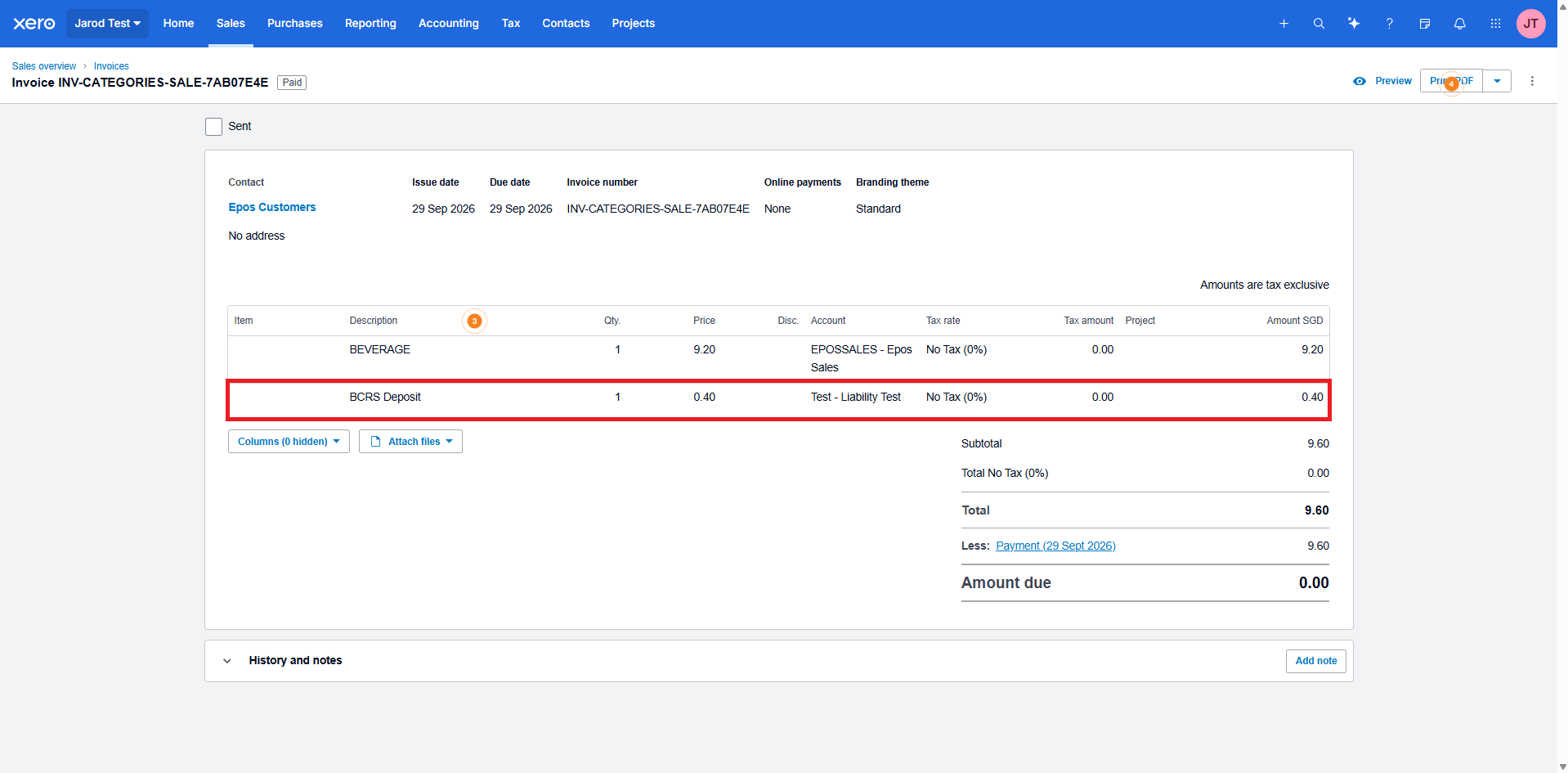
📌 Users can also choose to map the BCRS deposit to their own custom Liability Chart of Accounts.
New BCRS Deposit field in Xero
BCRS deposit recorded for Order Sync method: “Individual Product Sold”
BCRS deposit recorded for Order Sync method: “Summary by Product Categories”
Climb The Rank: Qualification + Retention Model
We have implemented changing of passwords in Webapp & Member’s Portal
What’s New:
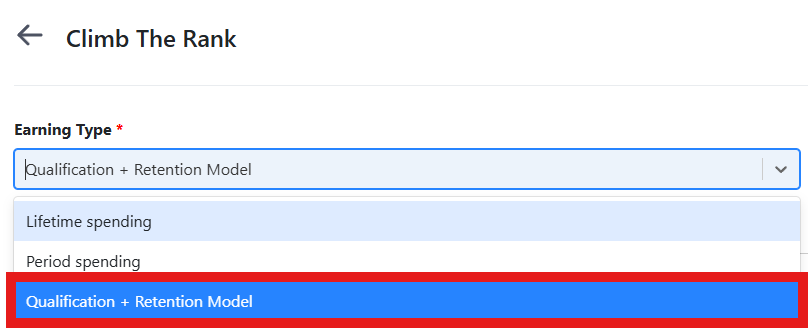
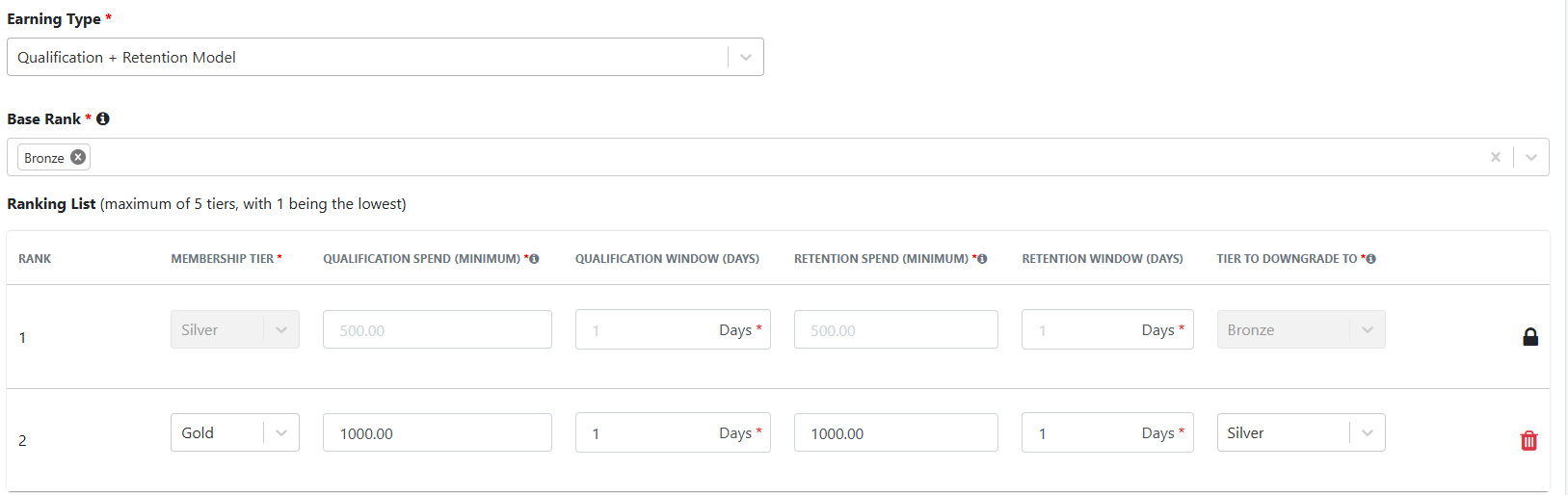
📌 New earning type under Loyalty > Climb The Rank. You can now configure a Qualification + Retention Model for each rank, including qualification spend and window, retention spend and window, and the tier to downgrade to.
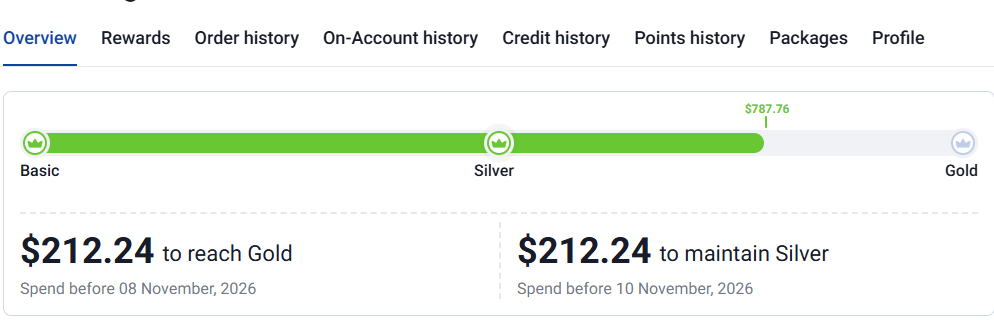
📌 Two-phase cycle: Members upgrade by spending the qualification amount within the qualification window, and the retention period begins the same day. If a higher tier’s qualification spend is met at any point during qualification or retention, the member is upgraded instantly and the new retention period starts immediately.
📌 Failure to retain within the retention window downgrades the member to the configured lower tier, and the qualification cycle restarts.
📌 Members can now view their timelines in the Customer Portal showing the amount and date to spend to upgrade to the next tier, and the amount and date to spend to retain their current tier.
Qualification + Retention Model selected as Earning Type
Rank configured with qualification and retention fields
Qualification + Retention timeline displayed in Customer Portal
How to Update
For POS related features, users will need to update the POS to the latest version, version v6.23.0.0.
For Backend related features, users are not required to perform any actions, the new features would automatically be updated.
Feedback
We value your input! If you encounter any issues or have suggestions for further improvements, please don’t hesitate to contact us.
Stay Connected
Stay updated with the latest news and updates by following us on our social platforms.
Thank You
We appreciate your continued trust in EPOS. This update is just one of many steps we’re taking to provide you with the best POS system on the market.
If you have any questions or need assistance with the update, please contact our support team at:
Call: 6871 8833 / Email: [email protected] / Whatsapp: 8482 1888