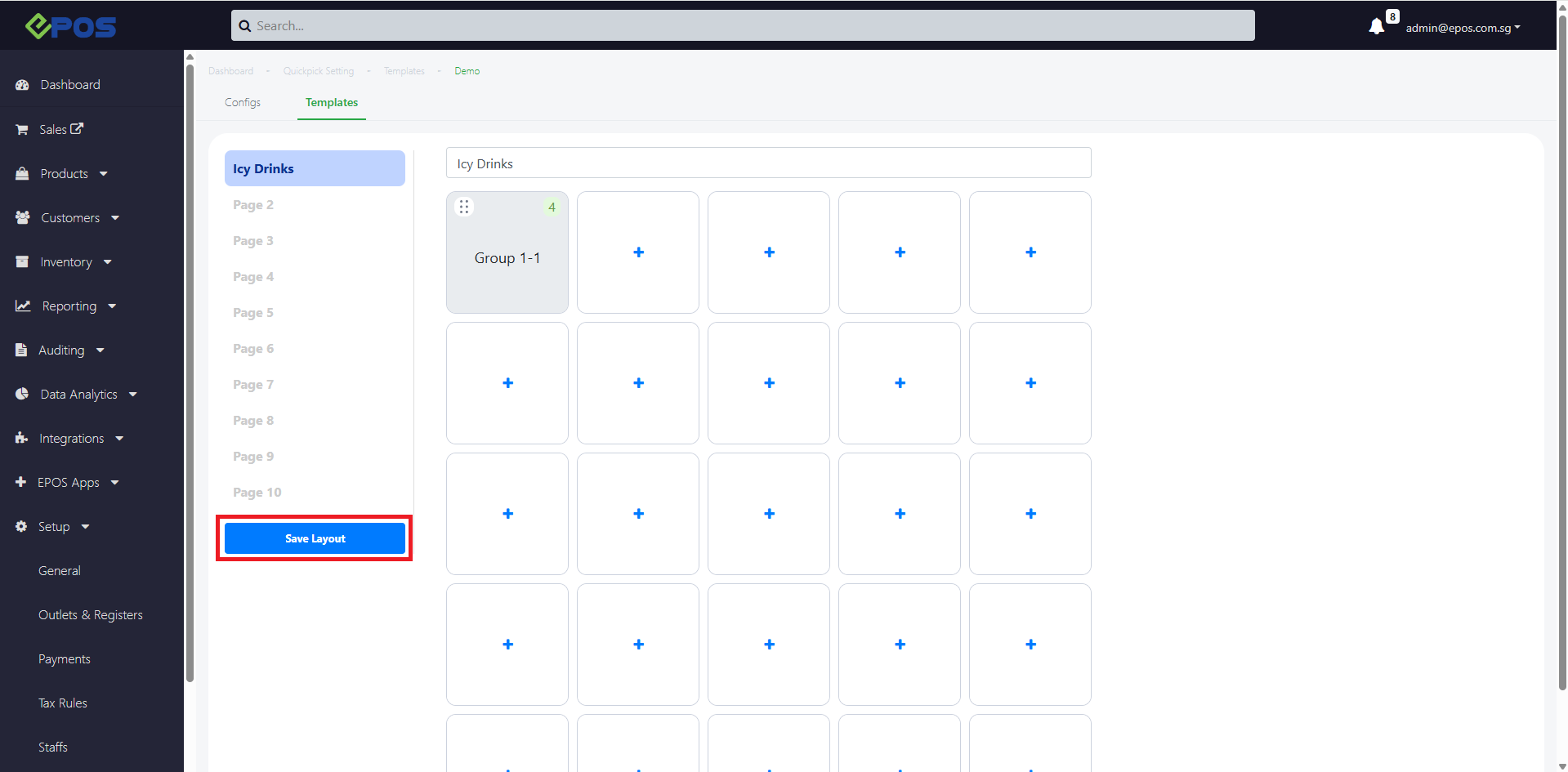
Users can rename pages in the Quickpick template to make it easier to locate items on the POS product page.
Under EPOS Backend > Setup > Quickpick Settings
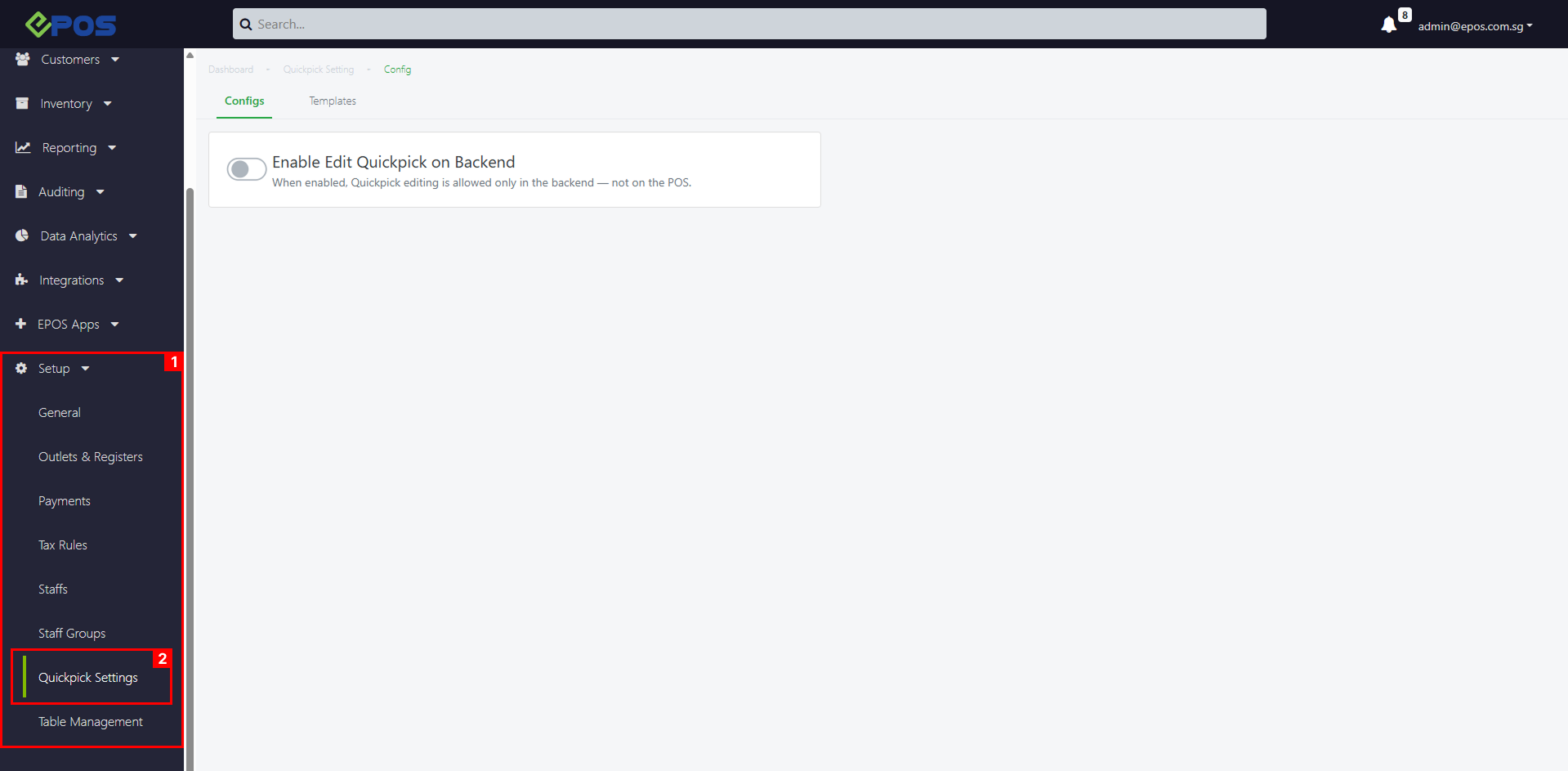 To rename Quickpick Pages on the backend template, follow these steps:
1. Click the Page name on the top

2. Change the page name to the desired name
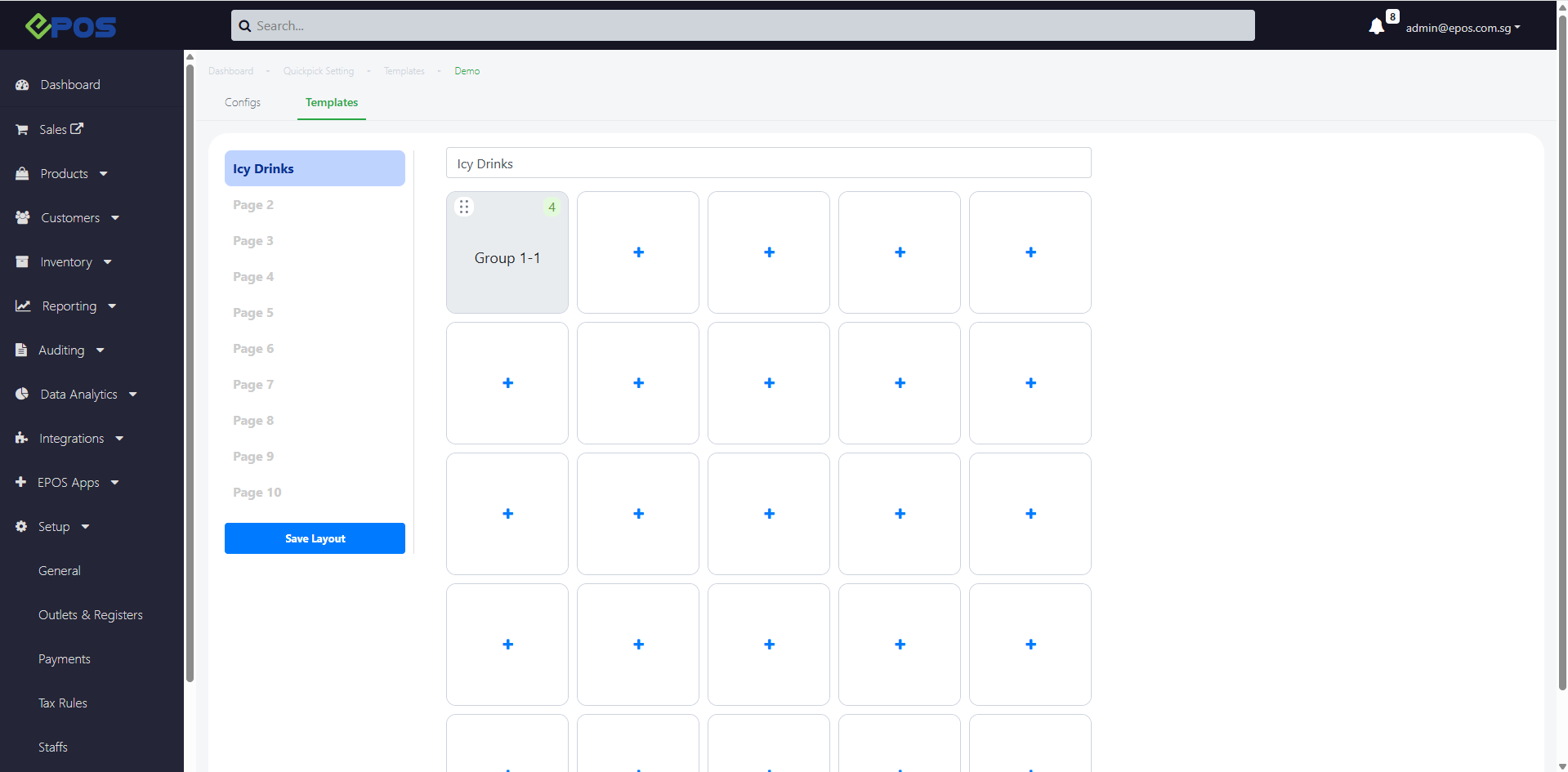
3. To confirm your Template arrangement, click on Save Layout