October 2025
This October, several features across our POS, Android POS, Backend and Soundbox have implemented features to enhance the experience of both the users and customers.
What’s New
Not sure which affects you?
These icons indicate which group of users is impacted by each enhancement: Point of Sale (POS) users, Backend users, or Web Ordering App users.
(🖥️ POS — ⚙️ Backend — 📱 Web Ordering App — 🤖 Android POS — 🗣CRM — 👨🍳 Kitchen Display System (KDS) — 📦 Stock Take Device — 🔊Soundbox)
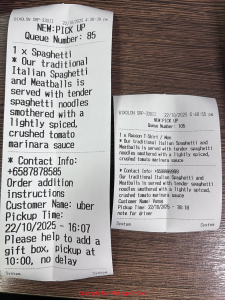
We’ve extended both line item notes and order notes on the kitchen slip, so that customer instructions and pickup details will not be cut off.
Below is an example of kitchen slip with large & small font:
Display Order Number on Label When Queue Number Is Not Available”]
When the Display Queue Number option is enabled,
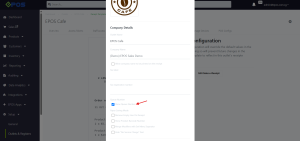
and no Queue Number is provided by the delivery platform, the system will automatically display the Order Number on the label sticker instead of showing “N/A.”

To enable & display Welcome Gift voucher validity from date received”]
Users are now able to view the expiry date based on the number of days set from the backend portal, counting from the received date.
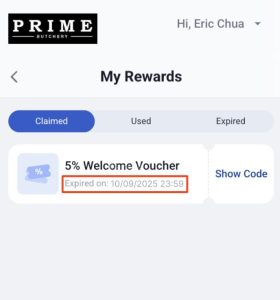
– E.g number of days is set at 30 days.
– Customer A receives voucher on 1 Oct, it will expire on 31 Oct.
– Customer B receives voucher on 4 Nov, it will expire on 4 Dec.
Merchants using Antom CKP under the PayFac model can now accept credit card payments directly through the WebApp.
We’ve enhanced the payment request logic to automatically detect your payment model configuration and adjust the request rules accordingly.
- PayFac merchants can now process WebApp credit card payments successfully
- No workflow changes required — everything works seamlessly in the background
(NOTE) Referral merchants see no changes
You can now generate dynamic QR codes on the Soundbox to ensure customers always pay the correct amount.
Merchants can now enter the payment amount on the Soundbox and it will generate a QR code with the exact transaction value.
A new setting allows you to switch between:
- Static QR Code — customer enters payment amount
- Dynamic QR Code — merchant enters amount; QR reflects fixed total amount
To help businesses comply with Singapore’s PDPA requirements, the EPOS Backend now automates WhatsApp marketing consent management.
When customers reply with unsubscribe or resubscribe, the system will automatically update their marketing consent status and send a confirmation reply.
When customers reply with:
- “unsubscribe” → They will automatically be opted out from marketing messages
- “resubscribe” → They will automatically be opted back in
The system will also send them a confirmation reply — no manual checking or filtering needed.

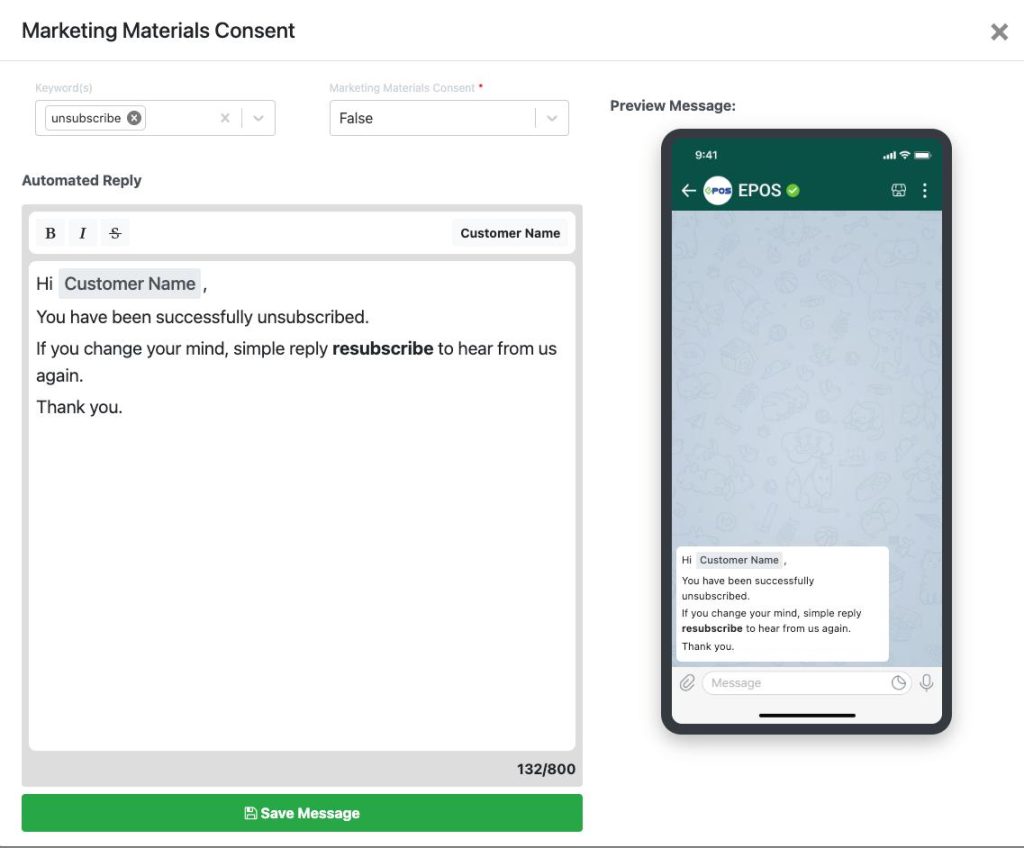

(NOTE) This ensures customers who opt-out will not be included in any future WhatsApp marketing broadcasts.
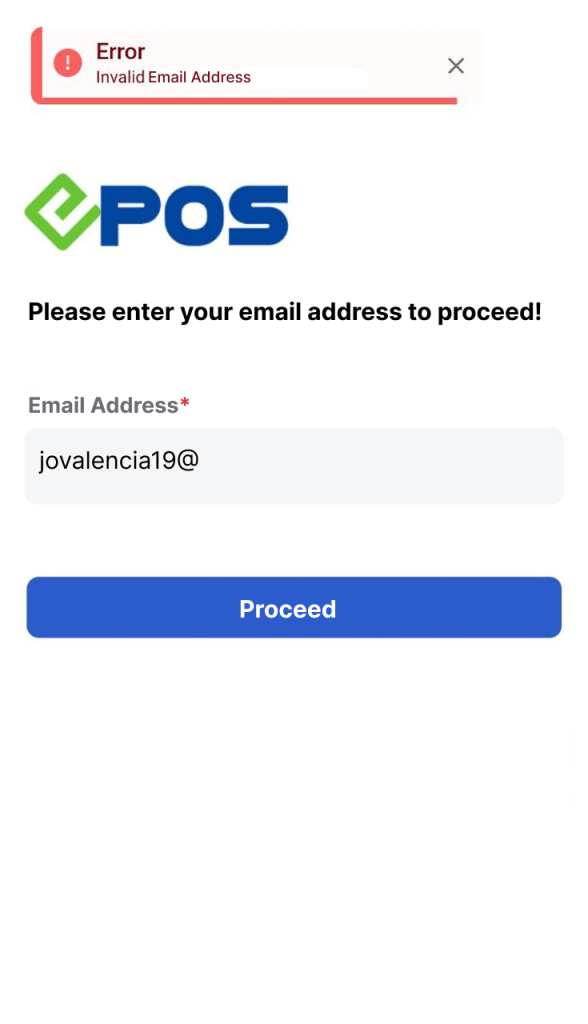
Customer login process has been enhanced! When customers log in to your online store using EPOS login:
System now checks whether the email’s validity.
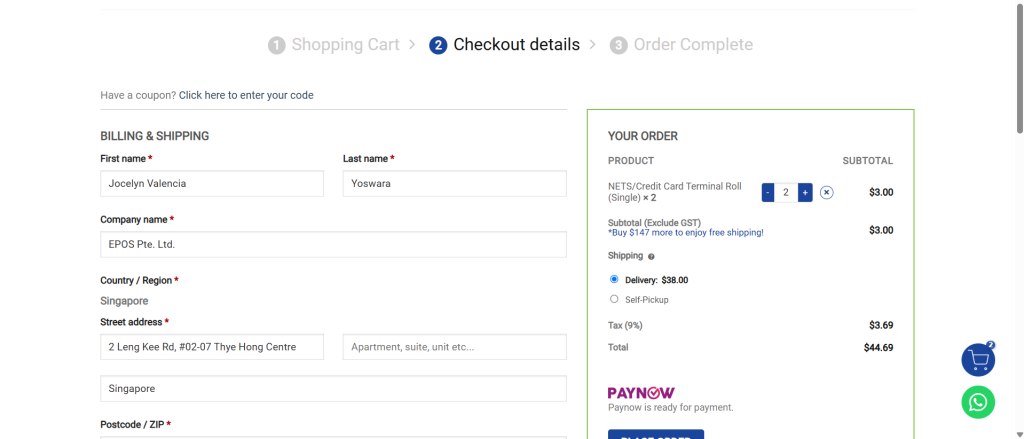
Once the customer successfully logged in, the user will be redirect to the WooCommerce checkout page with their information auto-filled with EPOS customer data.
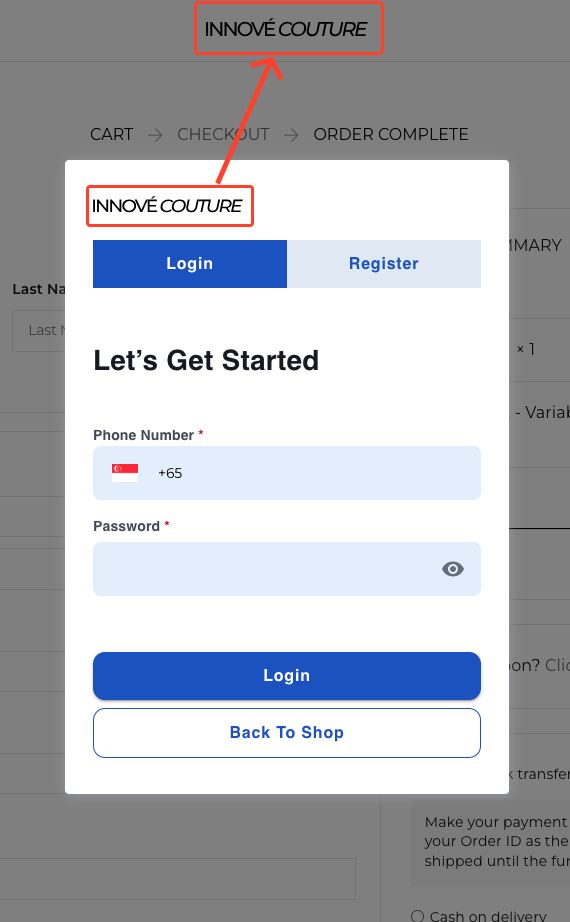
You can now enjoy a seamless brand experience when logging via EPOS!
Your logo will now be displayed on the login page.
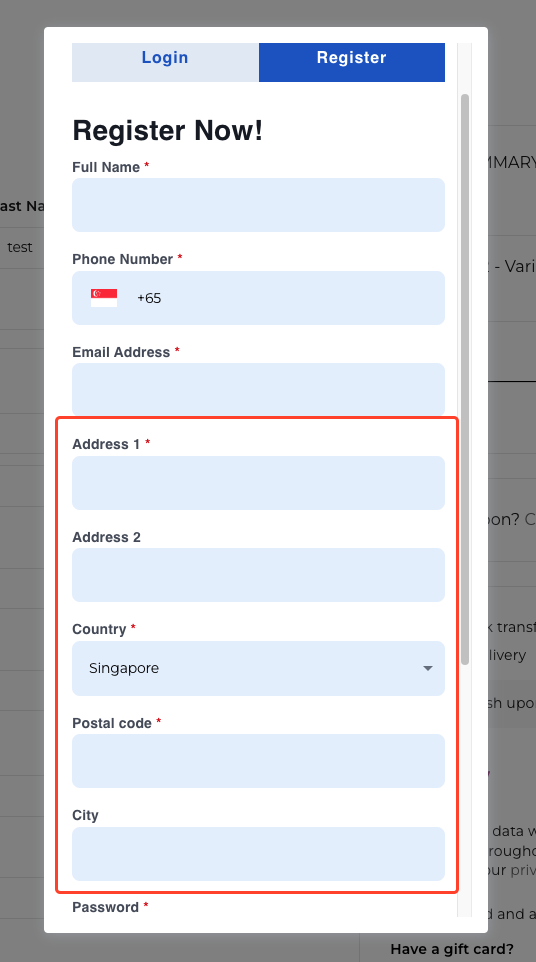
Additional fields added to the registration form.
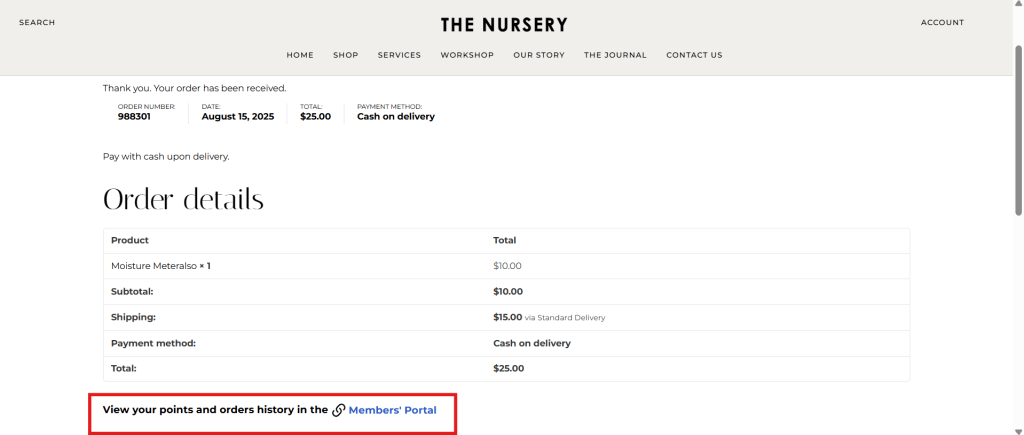
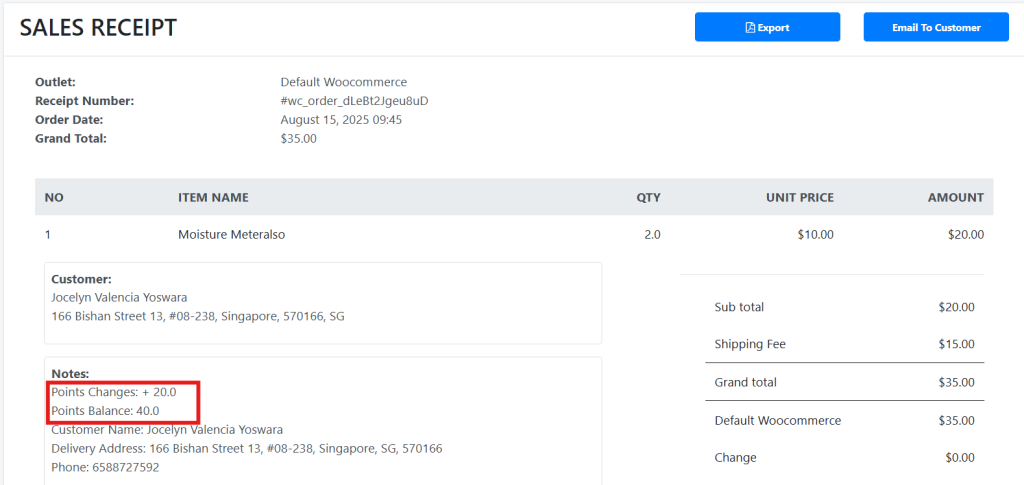
Membership points are now able to synced in real-time between WooCommerce and EPOS!
Customers now can earn points, view their membership details during checkout & redeem points instantly when they purchase online.
Points earning & balance will be reflected on the sales receipt
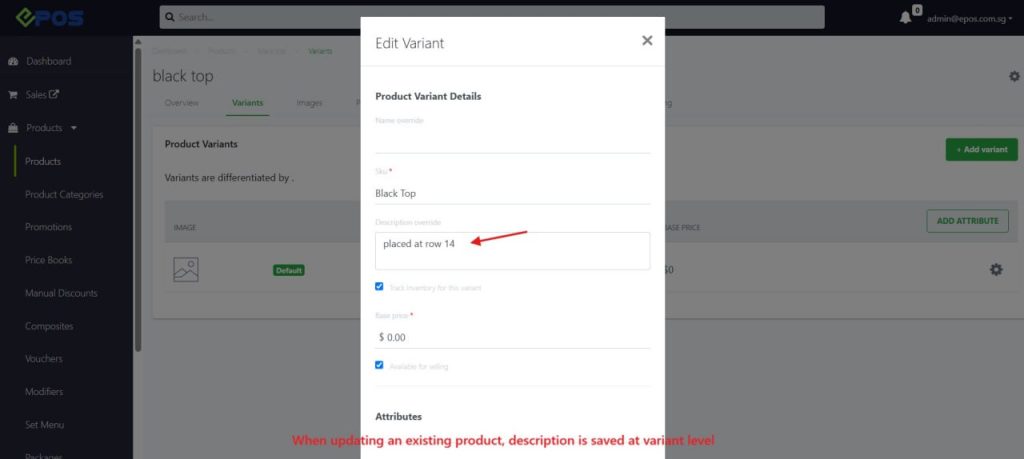
Warehouse and store staff can now update product descriptions directly from the Stock Take Device — no backend access needed.
The UPDATE button beside the product description field can now send new edits of the product description to the backend and is reflected on the stock take device.
- Tap Edit / Update
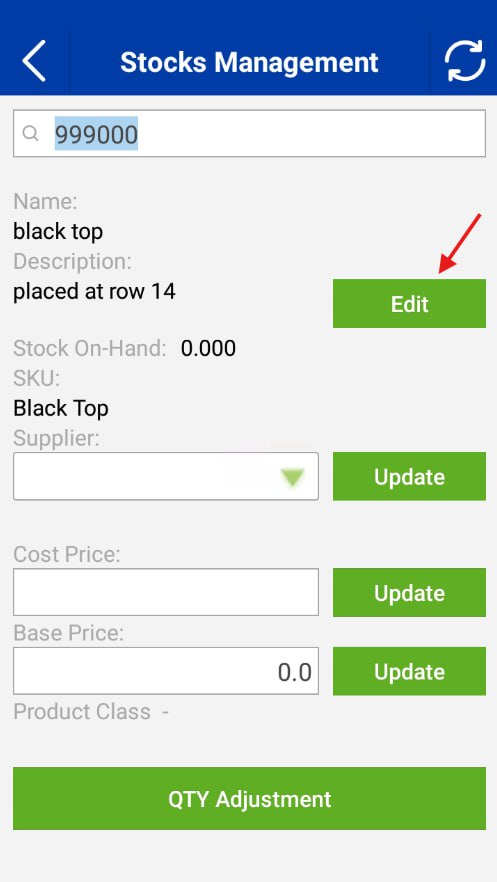
- Enter new description (e.g., new shelf/rack info)
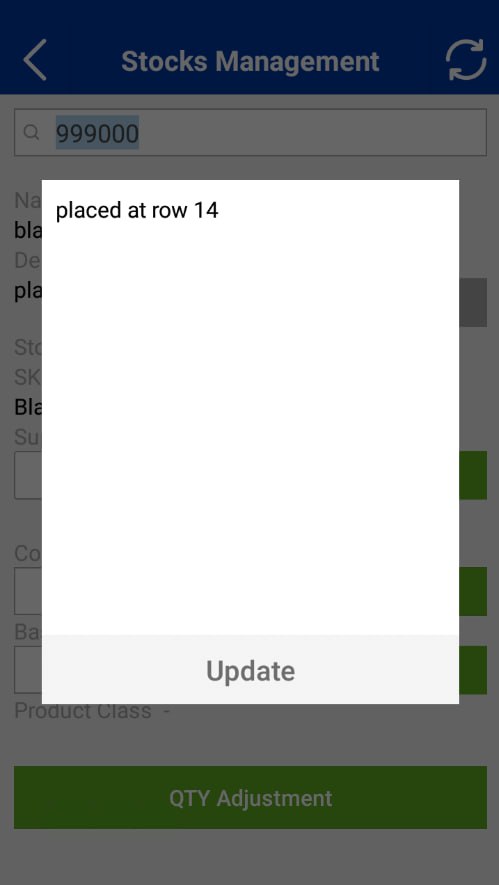
- Save — changes sync to backend
We’ve have released several enhancements to improve your overall experience with our Portrait POS.
1. Pay with Credit Consumption
Customers who have credit stored in their account can now use it at checkout on Portrait POS. This provides an additional payment flexibility option and ensures that customers can redeem their existing balances conveniently in-store.
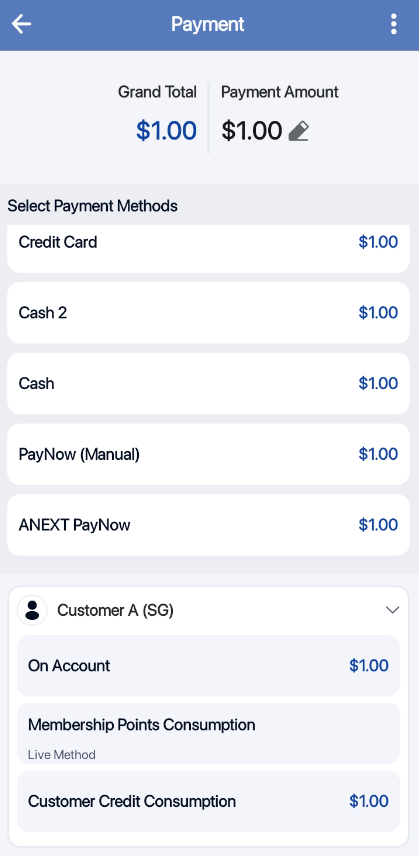
2. Pay with Membership Points Consumption
Customers can now redeem their loyalty points directly at the Portrait POS. The points will be deducted instantly, giving your staff and customers a smoother, faster checkout experience with real-time reward usage.
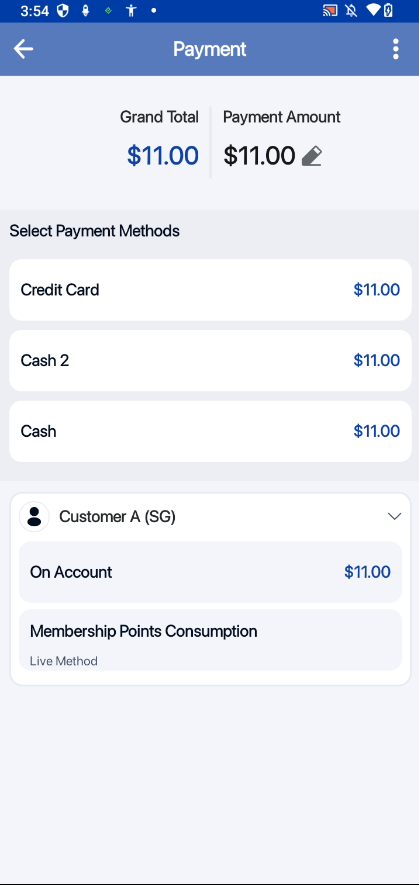
3. Pay via “On Account”
You can now let customers buy now and pay later. This allows you to record customer purchases under their account and sync them once the device reconnects to the internet, enabling seamless operation even without stable network access.
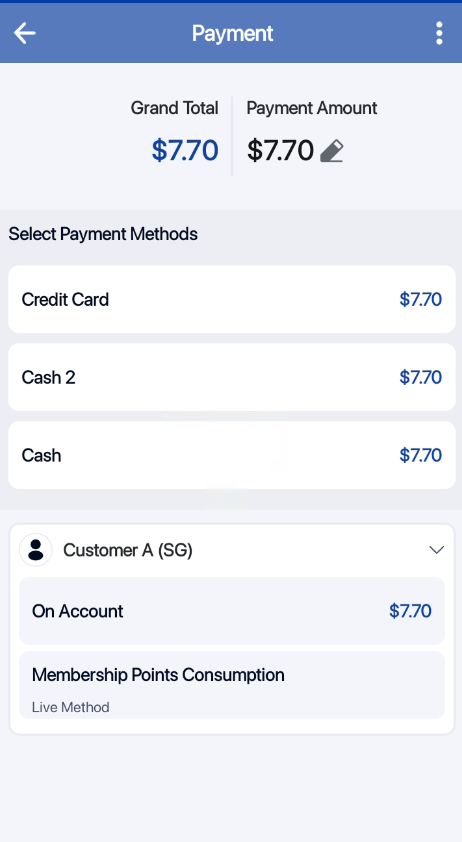
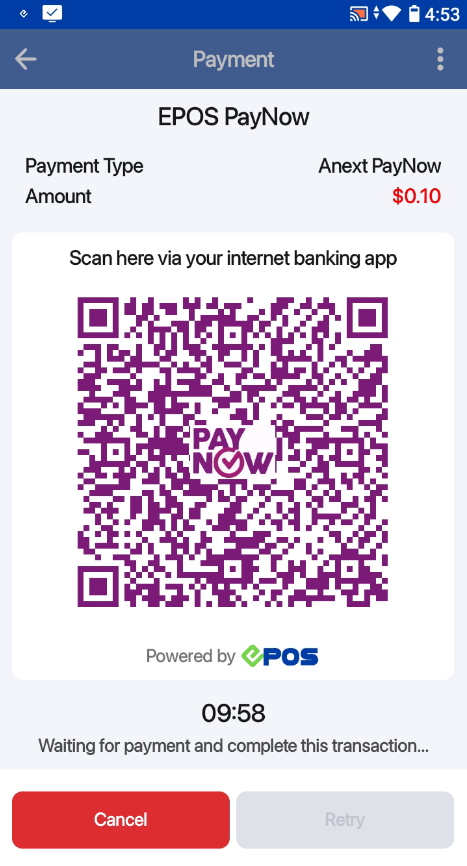
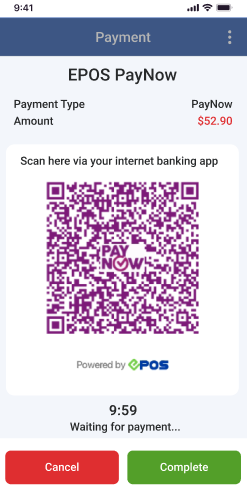
4. PayNow QR + Manual Payment Completion
You can now accept PayNow QR payments directly on Portrait POS. For merchants who prefer an offline confirmation process, a manual completion option is available — giving your staff the ability to verify and complete the transaction in-store. This ensures fast, reliable payment processing even in low-connectivity environments.
ANEXT Paynow
Paynow Manual Completion
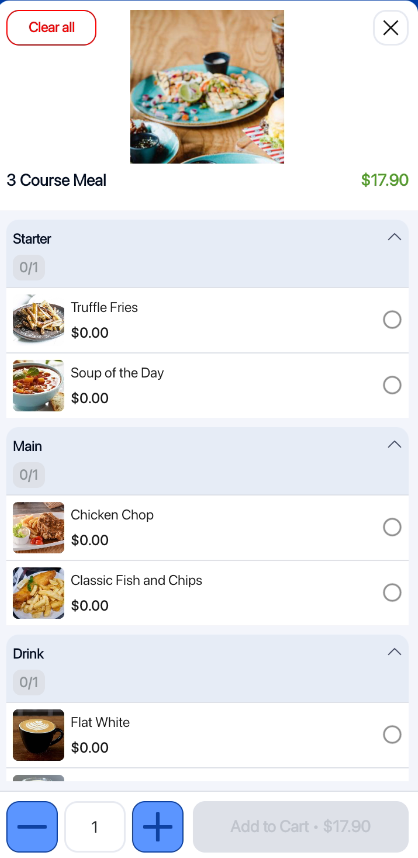
5. Enhanced Set Menu View
We’ve improved the set menu layout in Portrait POS to make item selection clearer and easier for both staff and customers. This enhancement helps speed up order taking and reduces selection errors, especially during peak hours.
For more details on Portrait POS: Click HERE!
How to Update
For POS related features, user will need to update the POS to the latest version, version v2.543.
For Backend related features, users are not required to perform any actions, the new features would automatically be updated.
Feedback
We value your input! If you encounter any issues or have suggestions for further improvements, please don’t hesitate to contact us.
Stay Connected
Stay updated with the latest news and updates by following us on our social platforms.
Thank You
We appreciate your continued trust in EPOS. This update is just one of many steps we’re taking to provide you with the best POS system on the market.
If you have any questions or need assistance with the update, please contact our support team at:
Call: 6871 8833 / Email: [email protected] / Whatsapp: 8482 1888