This post will cover the feature “Sales by Staff Report”. Users will learn how to track commission payouts towards staffs through reports.
The sales by staff report documents the sales performance and commission allocation of individual staff members within the selected date range. For more information on how to configure and calculate staff commissions, visit Staff Commissions.
This report enables merchants to track staff contributions, monitor commission payouts, and analyse sales performance at different levels of detail. There are a total of 3 different report types:
- Total
- Breakdown
- Detailed
Users may choose between these reports depending on their own use-cases.
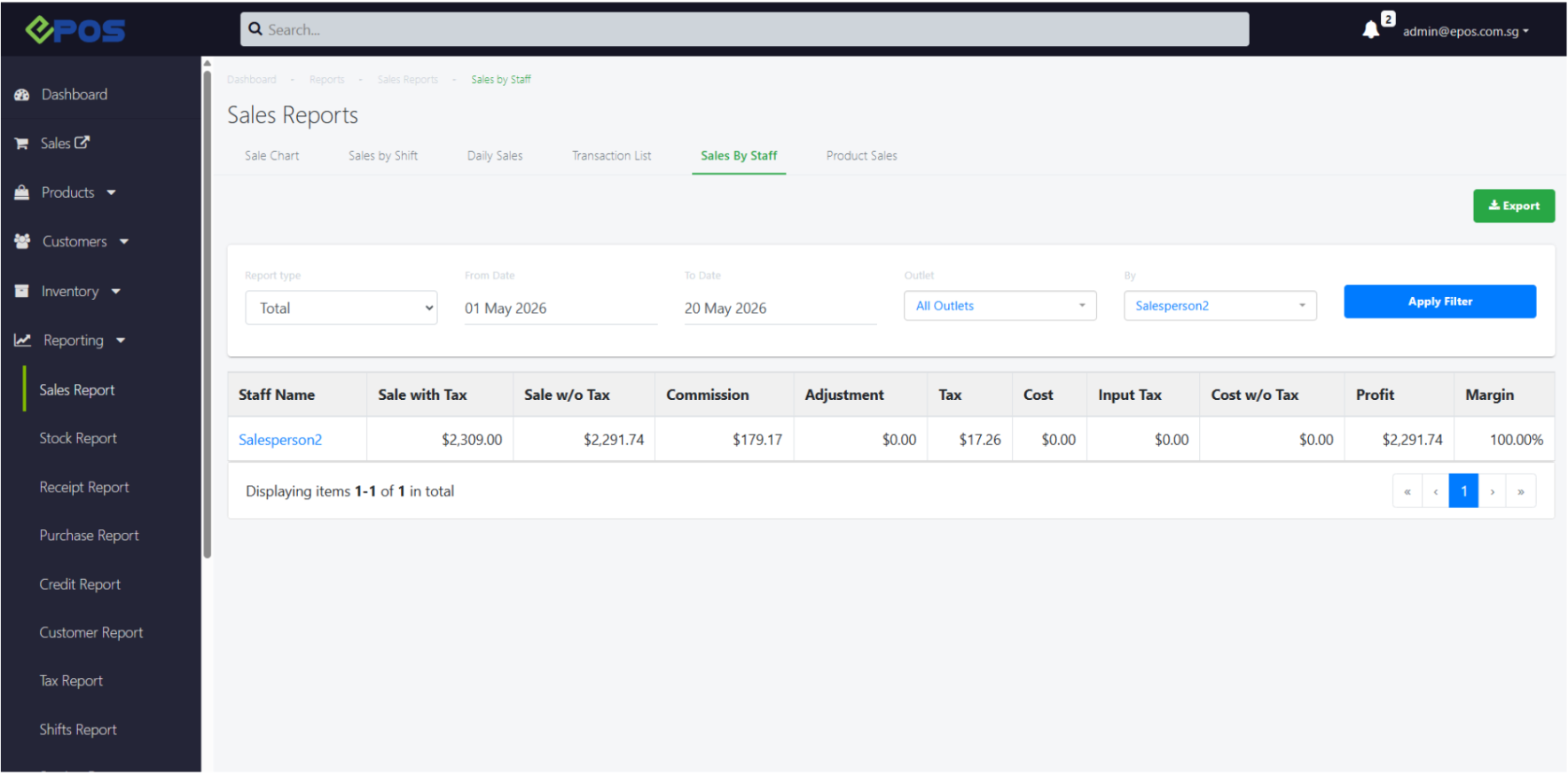
1.Total
The Total report provides a summarized overview of each staff member’s overall sales performance within the selected period.
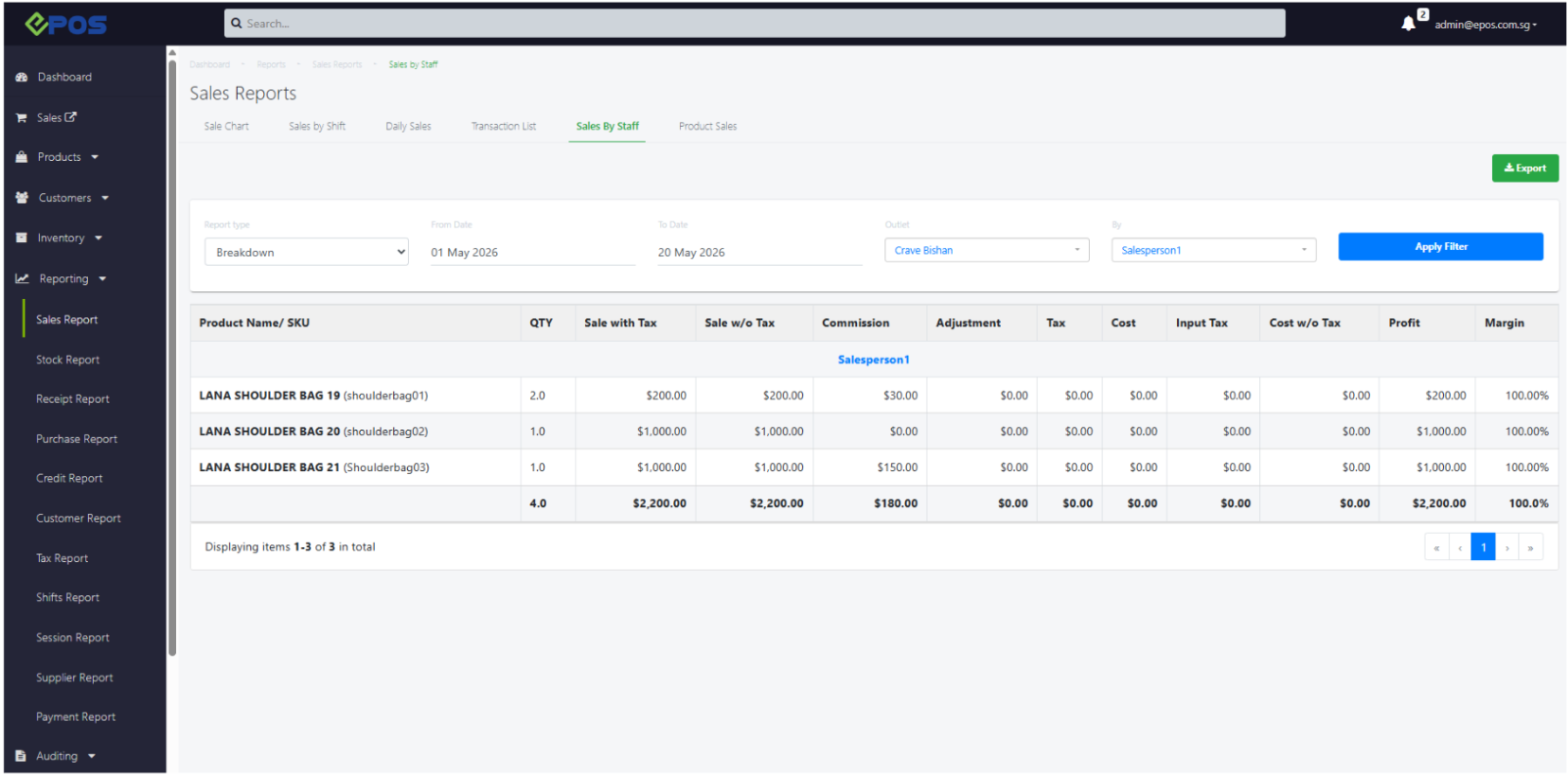
2. Breakdown
The Breakdown report provides a product-level summary of sales made by each staff member.
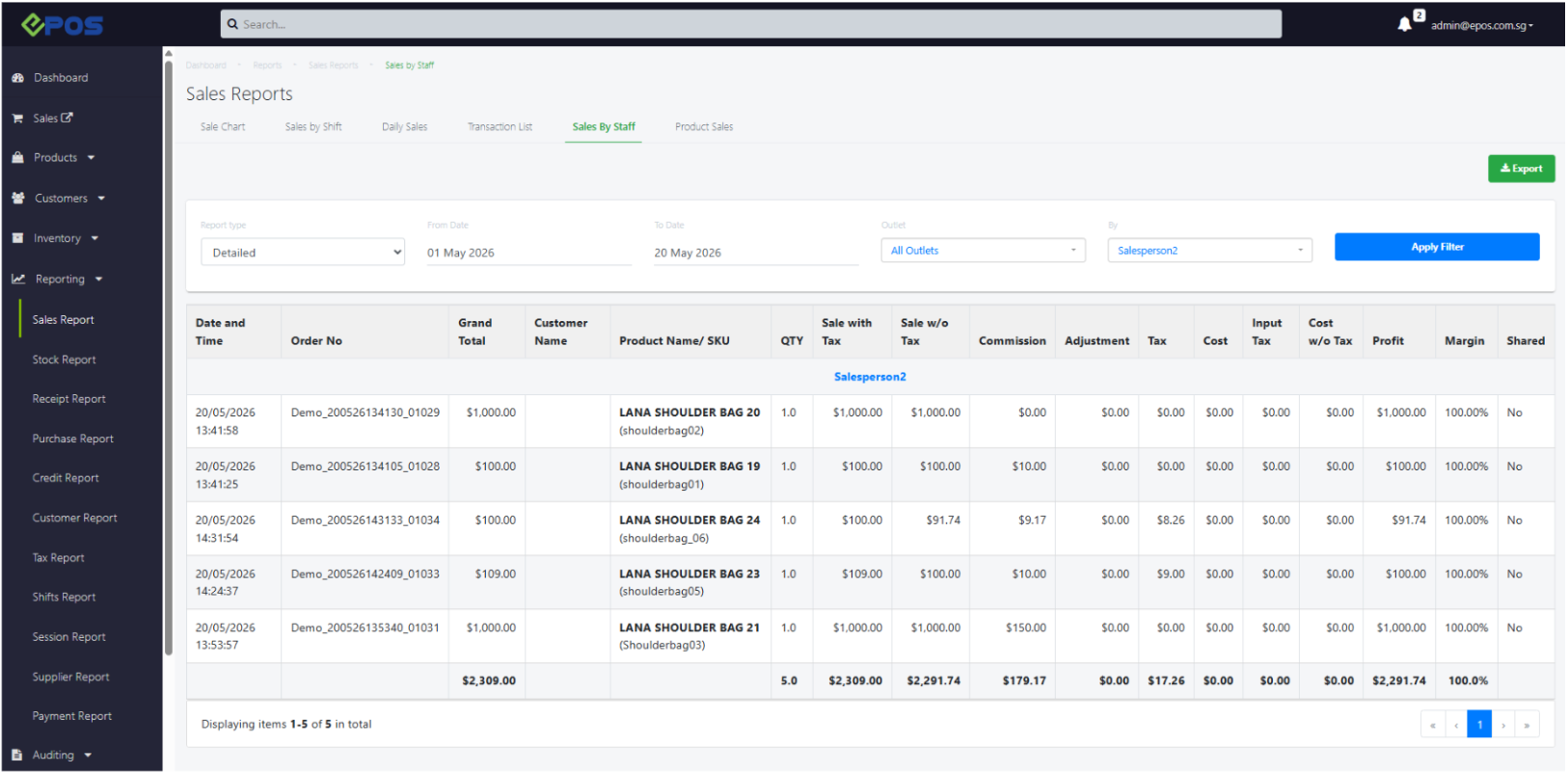
3.Detailed
The Detailed report provides transaction-level visibility for every sale recorded under each staff member.
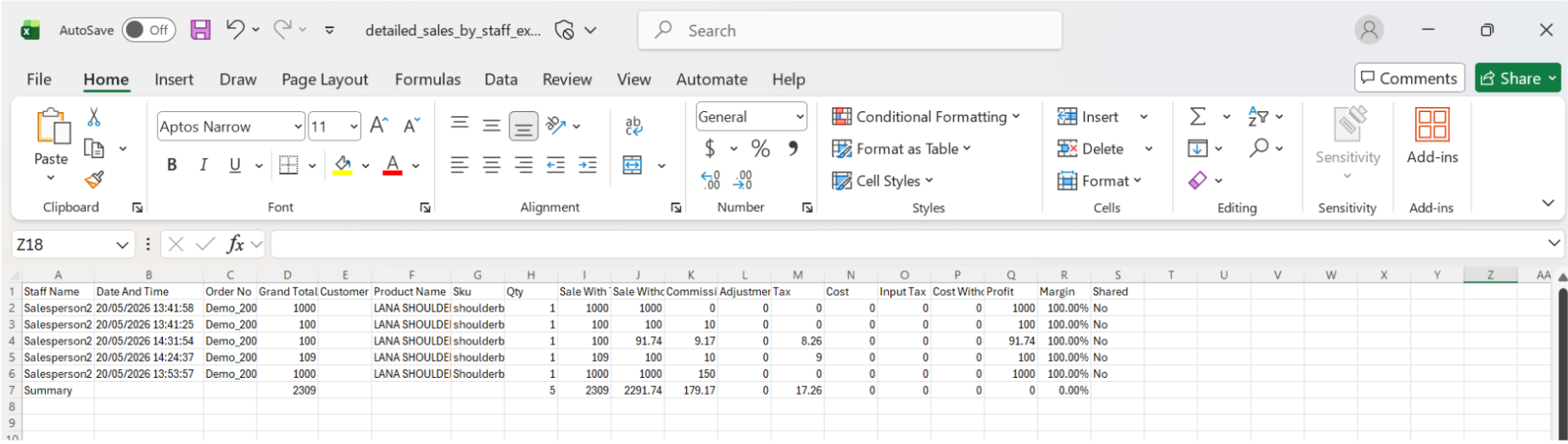
Users can opt to export each of these reports for further analysis. The exported sales by staff report will come in the form of a csv file.
eg. Detailed sales by staff report exported