April 2026
This April, several features across our Backend, Windows POS, Android POS, QR/Web Ordering, Kiosk have implemented features to enhance the experience of both the users and customers.
What’s New
Not sure which affects you?
These icons indicate which group of users is impacted by each enhancement: Point of Sale (POS) users, Backend users, or Web Ordering App users.
(🖥️ POS — ⚙️ Backend — 📱 Web Ordering App — 🤖 Android POS — 🗣CRM — 👨🍳 Kitchen Display System (KDS) — 📦 Stock Take Device — 🔊Soundbox — 🛒 Kiosk )
We have rolled out a new enhancement for our Foodpanda integration to provide a smoother order syncing experience for you!
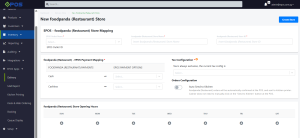
Foodpanda orders are now supported on Windows POS including Delivery Order and Pick-up Order flow.
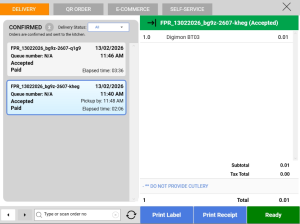
Once the order has been confirmed, sales receipts, kitchen slips, label stickers can be printed out from Windows POS and Foodpanda orders will be synced to KDS, QDS and Backend Reporting.
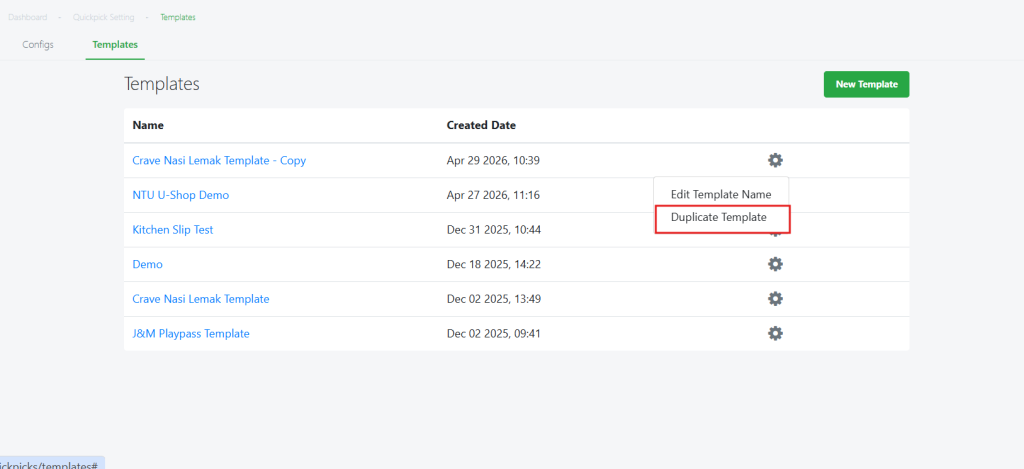
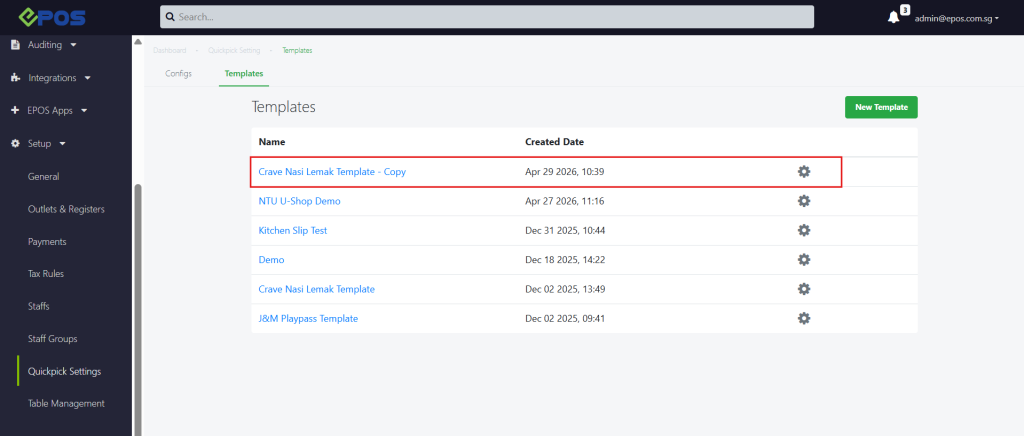
We have roll out a new enhancement that allows user to auto calculate selling priced based on inputted profit margin and cost price.
WHAT’S NEW:
1.There will be new config under EPOS Backend > Setup > General > Config > Checkbox to allow user to calculate base price based on profit margin.
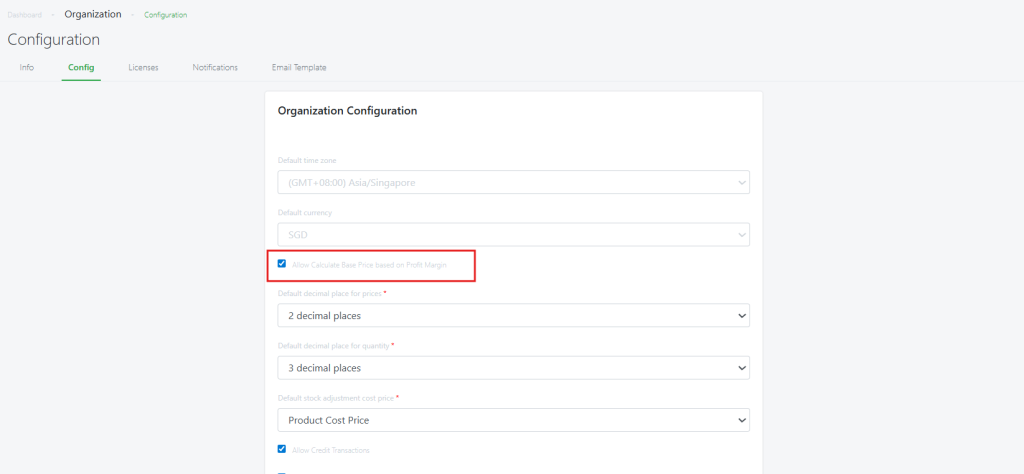
2. Once config is turned on, user can input profit margin and cost price in the product creation and edit,. Base price will be auto-calculated based on these 2 inputted variables.
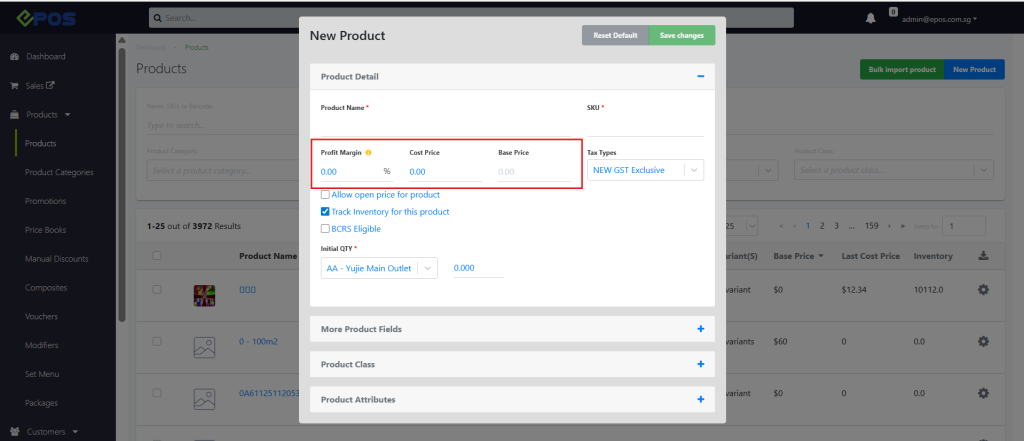
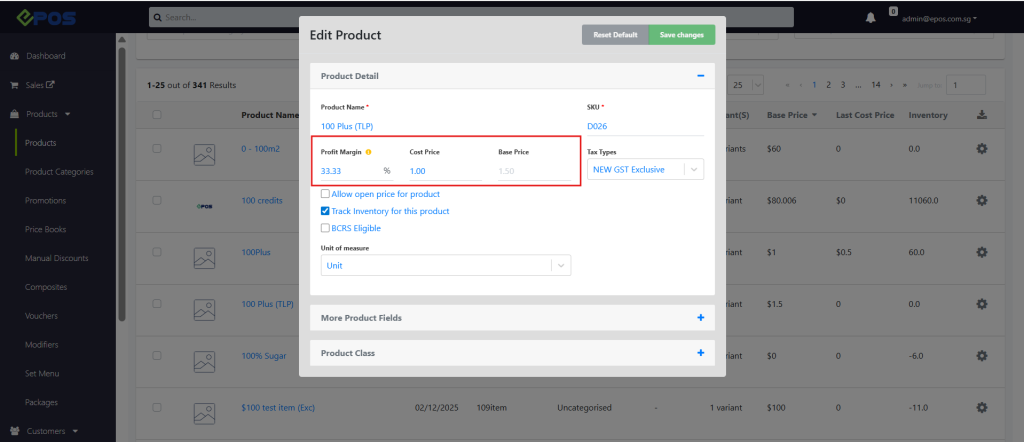
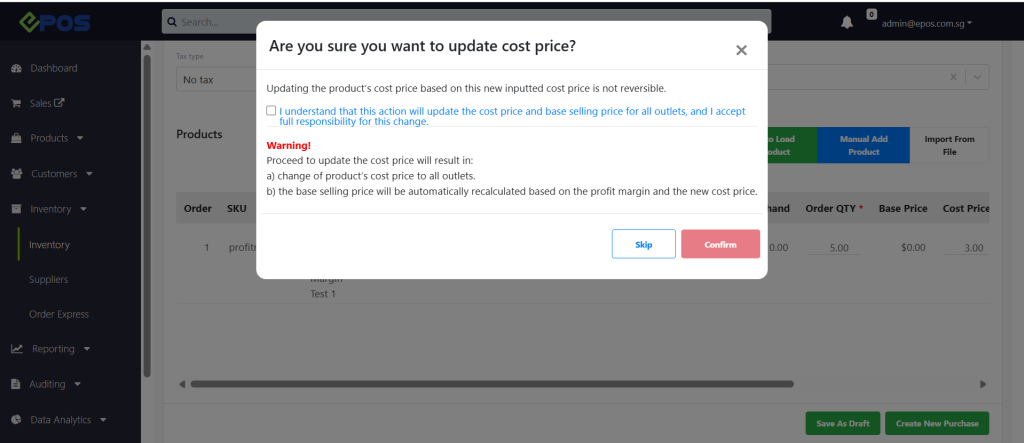
3. When creating a Purchase Order or Stock In, a confirmation popup will appear to update Cost Price. If user confirmed, Cost Price will be updated across all outlets, and Selling Price will be auto-recalculated based on the set Profit Margin and new cost price.
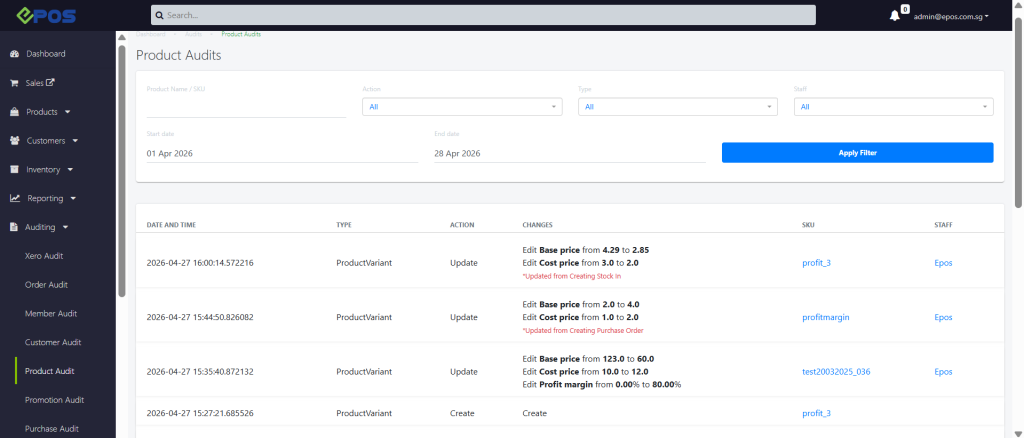
4. Product Audit will be updated to track user behavior on changing profit margin, cost price, and base price.
We have rolled out new user interface for voucher application in Windows POS!
What’s NEW
-
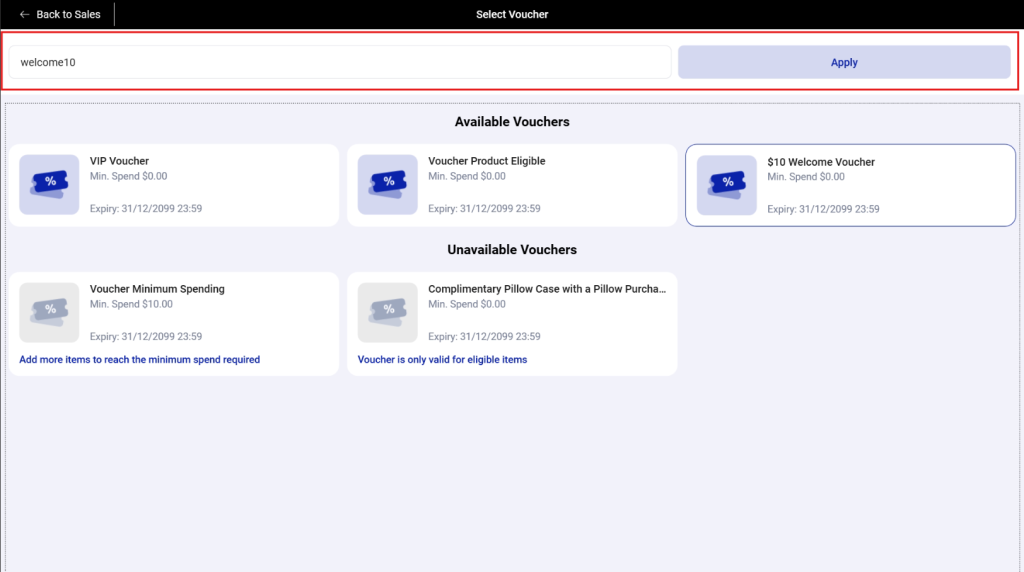
Cashier can now click “Voucher Code” button on the Windows POS Sales View to view a list of vouchers available for the transaction, as well as those that are not applicable. 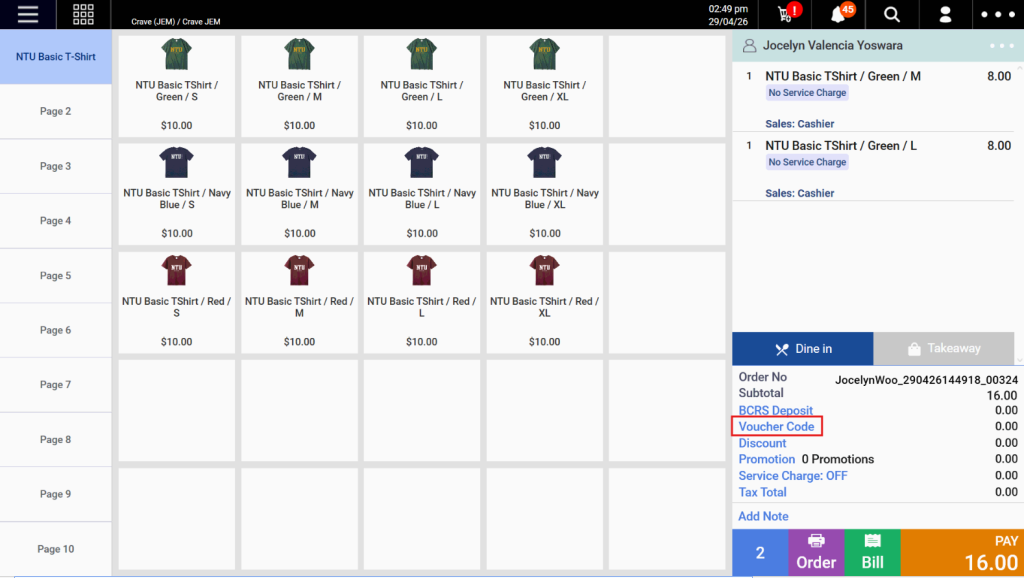
-
Discount Vouchers are categorized into two groups: Available Vouchers and Unavailable Vouchers. Available vouchers refer to vouchers that customer have and can use for this order. Unavailable vouchers refer to vouchers that the customer already has, but cannot be used for the current order (e.g. minimum spend not met or selected products are not eligible).
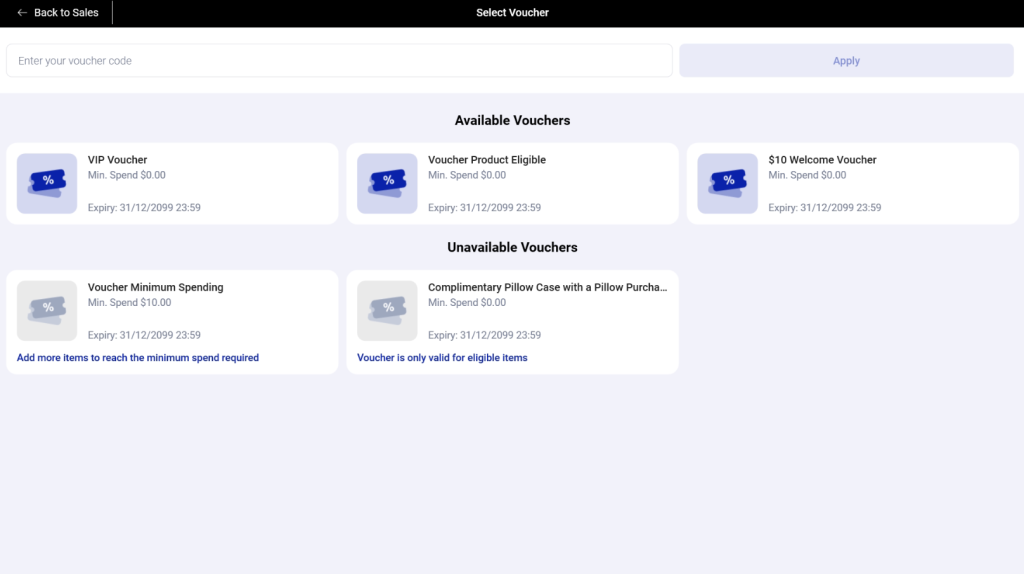
- Cashiers can directly apply vouchers by selecting from the available list or by entering a voucher code in the voucher code field without needing to ask customer what voucher they currently have in their account.
We have rolled out new enhancement to POS customer screen.
WHAT’S NEW:
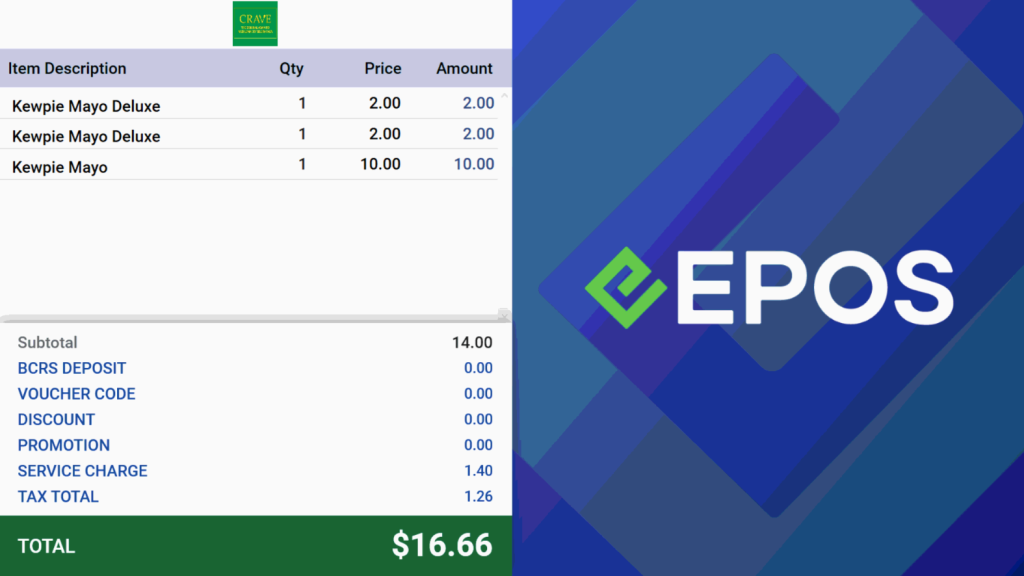
The default half-screen and full-screen images on POS customer screen now display EPOS logo.

We have rolled out new enhancement for our WooCommerce!
What’s NEW
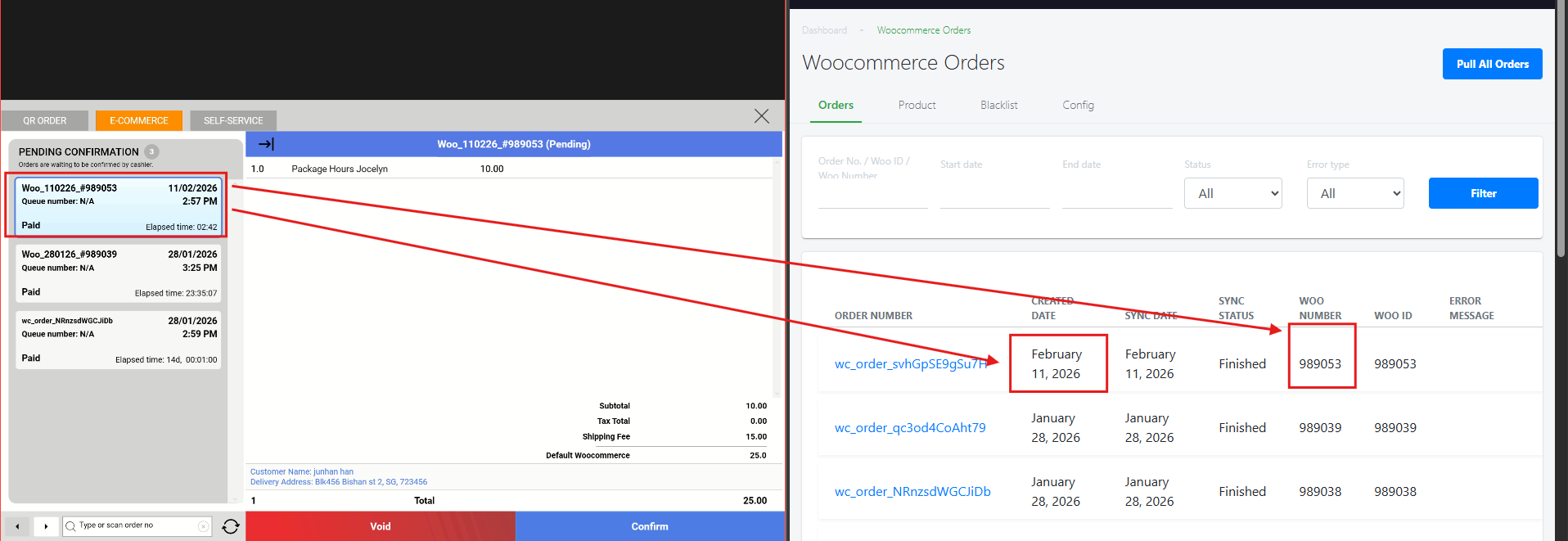
- WooCommerce orders are now updated with a new order format which is reflected on the POS.
We have rolled out new user interface for voucher application in QR/Web Ordering!
What’s NEW
-
Customers can now click the “Select Vouchers” button on the WebApp checkout page to view a list of vouchers available for the transaction, as well as those that are not applicable. 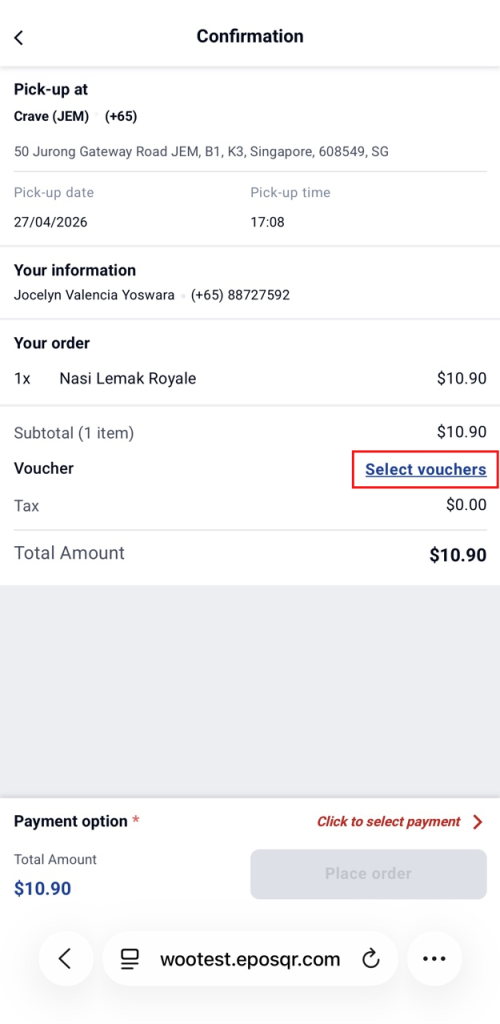
-
Discount Vouchers are categorized into two groups: Available Vouchers and Unavailable Vouchers. Available vouchers refer to vouchers that customer have and can use for this order. Unavailable vouchers refer to vouchers that the customer already has, but cannot be used for the current order (e.g. minimum spend not met or selected products are not eligible).
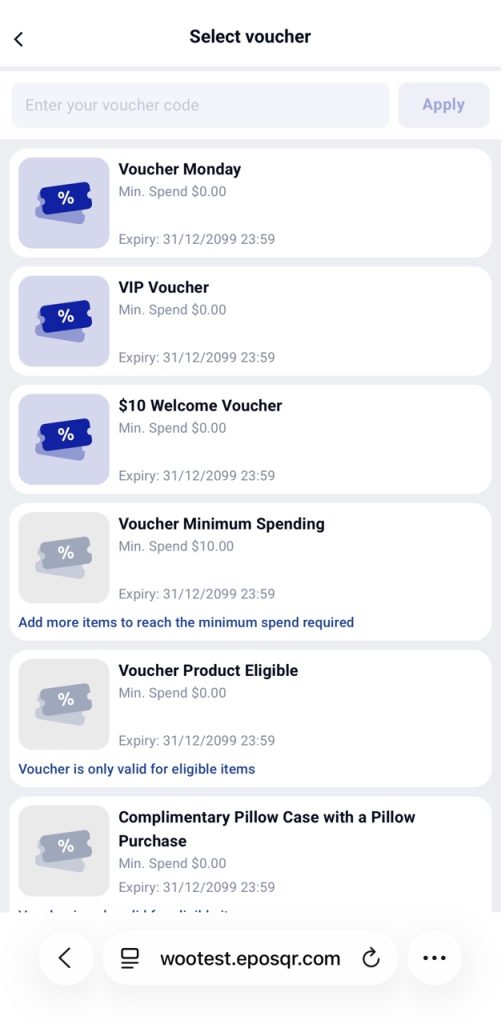
-
Customers can apply vouchers by selecting from the available list.
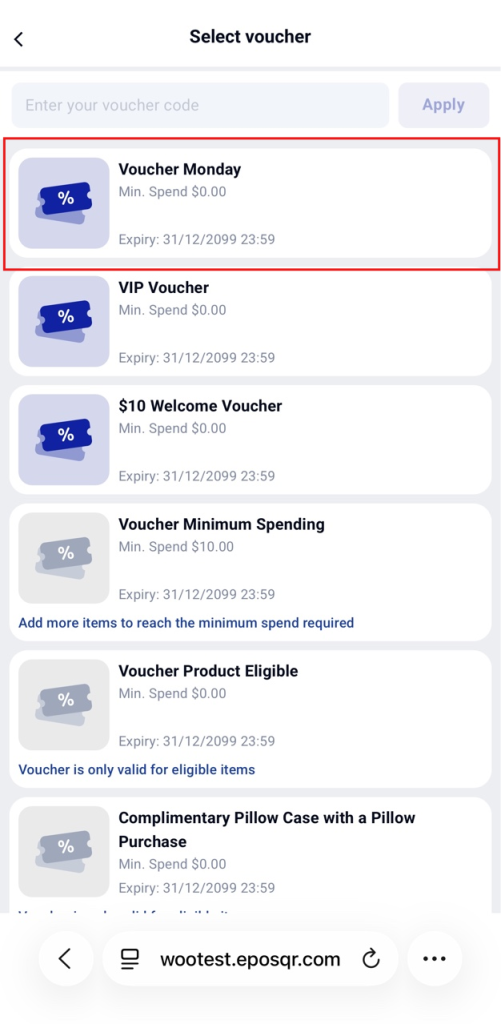
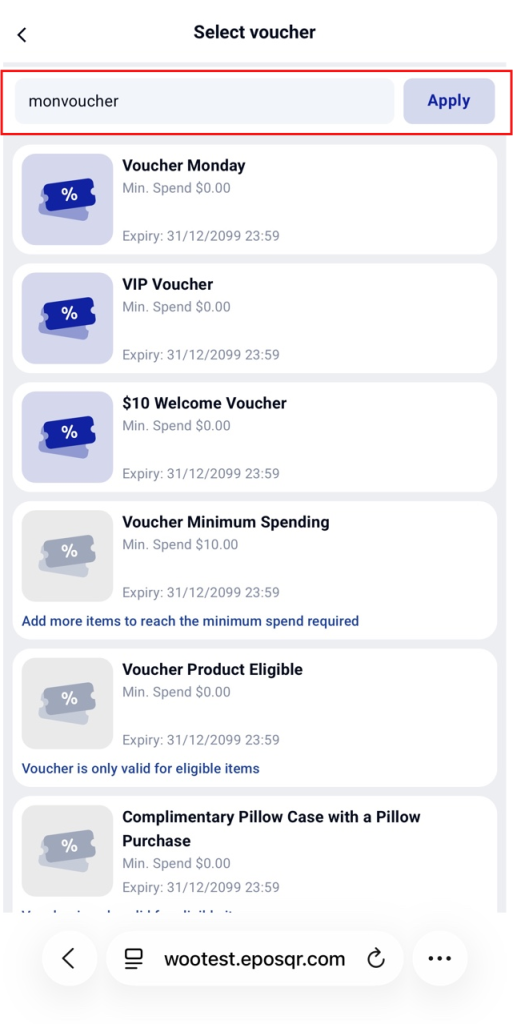
- Or customer can apply the voucher by entering a voucher code in the voucher code field.
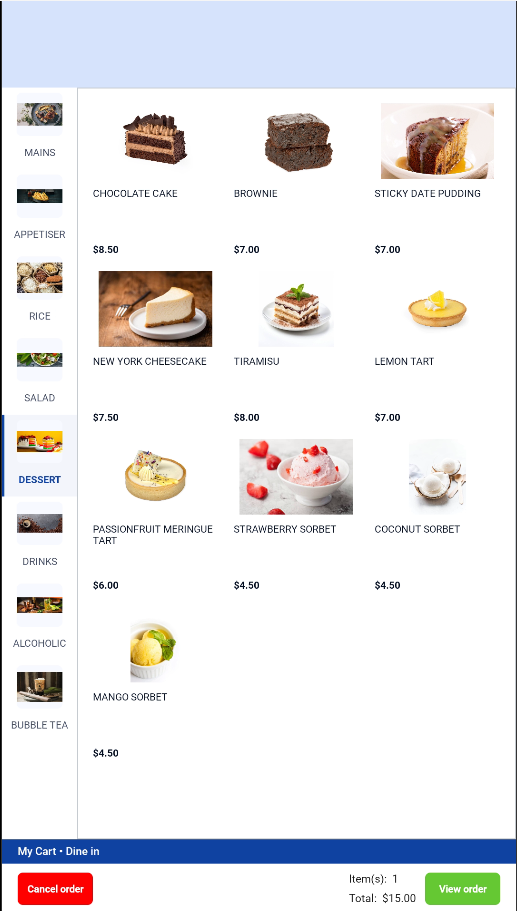
We have enhanced our product image resolution for Sunmi K2 F&B Kiosk merchants!
WHAT’S NEW:
Product images are now displayed in full, in their original resolution on all Sunmi K2 F&B kiosks.
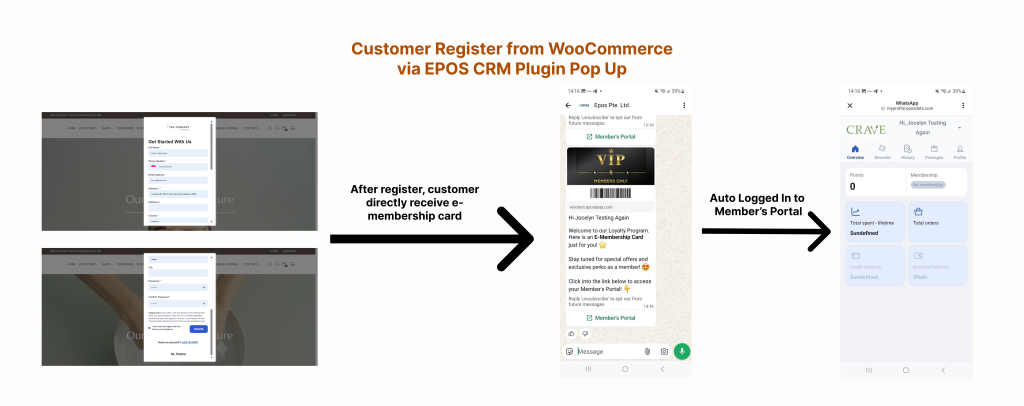
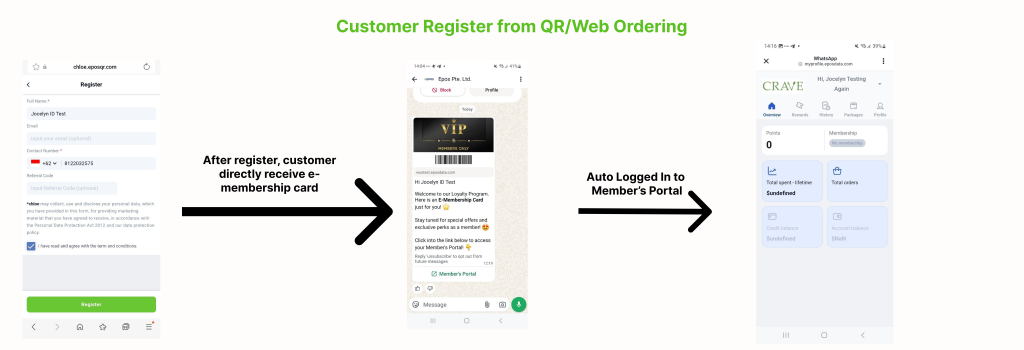
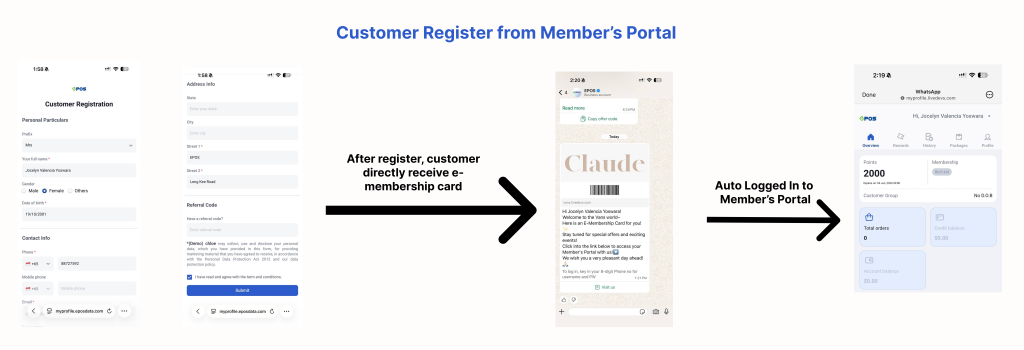
We have rolled out a new enhancement for e-membership card sending after customer register from WooCommerce via EPOS CRM Plugin, QR/Web Ordering, and Member’s Portal.
WHAT’S NEW:
-
After customer is signing up from WooCommerce via EPOS CRM Plugin, QR/Web Ordering, or Member’s Portal, customers can directly receive E-Membership Card from WhatsApp without needing to go to WhatsApp and send a prefix message.
PRE-REQUISITES:
- WhatsApp Integration plugin must be installed in EPOS Backend
- WATI account connected and authenticated with EPOS Backend
- Customer Registration Template Message is approved on WATI and Advance Customer Registration Template attributes mapping is configured
- E-membership card sending option is sent via WATI Template
How to Update
For POS related features, user will need to update the POS to the latest version, version v2.543.
For Backend related features, users are not required to perform any actions, the new features would automatically be updated.
Feedback
We value your input! If you encounter any issues or have suggestions for further improvements, please don’t hesitate to contact us.
Stay Connected
Stay updated with the latest news and updates by following us on our social platforms.
Thank You
We appreciate your continued trust in EPOS. This update is just one of many steps we’re taking to provide you with the best POS system on the market.
If you have any questions or need assistance with the update, please contact our support team at:
Call: 6871 8833 / Email: [email protected] / Whatsapp: 8482 1888