September 2026
This month’s release brings a variety of updates across our Backend, Windows POS, Portrait POS, and WooCommerce integration, delivering a smoother experience for both merchants and customers.
What’s New
Not sure which affects you?
These icons indicate which group of users is impacted by each enhancement: Point of Sale (POS) users, Backend users, or Web Ordering App users.
(🖥️ POS — ⚙️ Backend — 📱 Web Ordering App — 🤖 Android POS — 🗣CRM — 👨🍳 Kitchen Display System (KDS) — 📦 Stock Take Device — 🔊Soundbox — 🛒 Kiosk — 📦Warehouse —🛠 Hybrid Kiosk — 🛍Standalone Kiosk)
What’s New
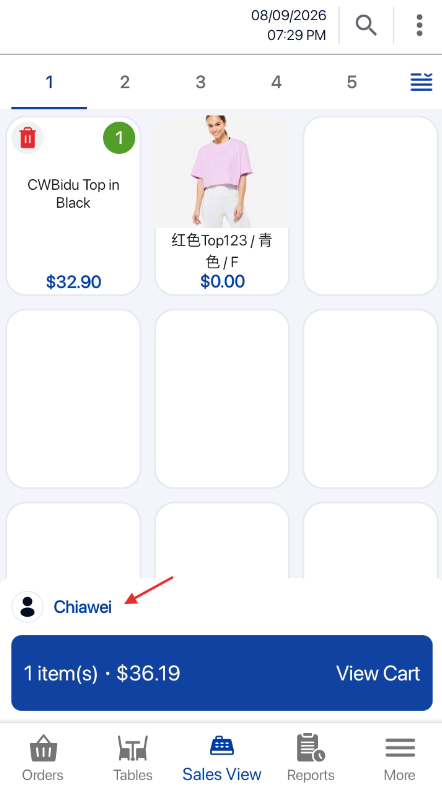
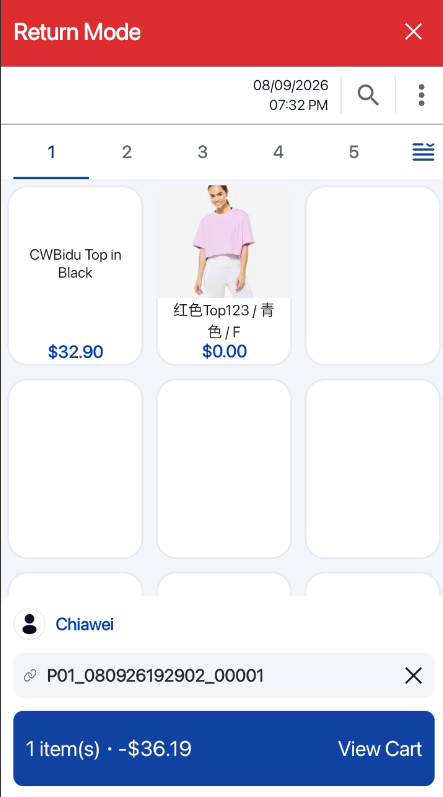
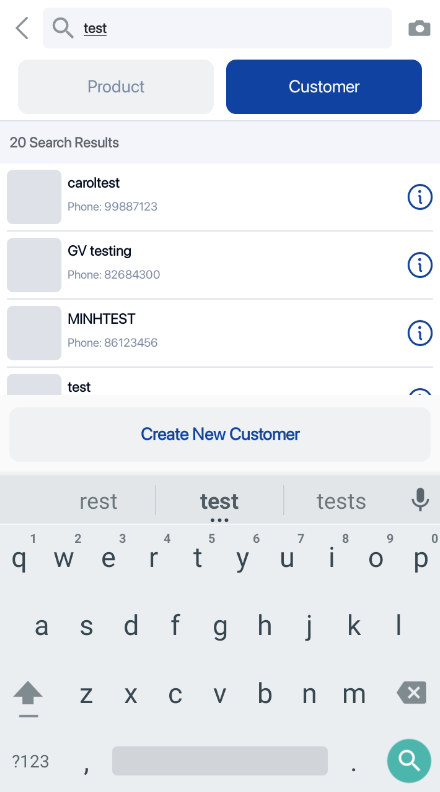
✅ Merchants can now purchase or redeem packages directly from Sales View, without navigating to Order Summary.
✅ Added a Customer Required prompt when adding a package without a tagged customer.
Customer Tagged to order on Sales View:
What’s New:
Reset Password using Email:
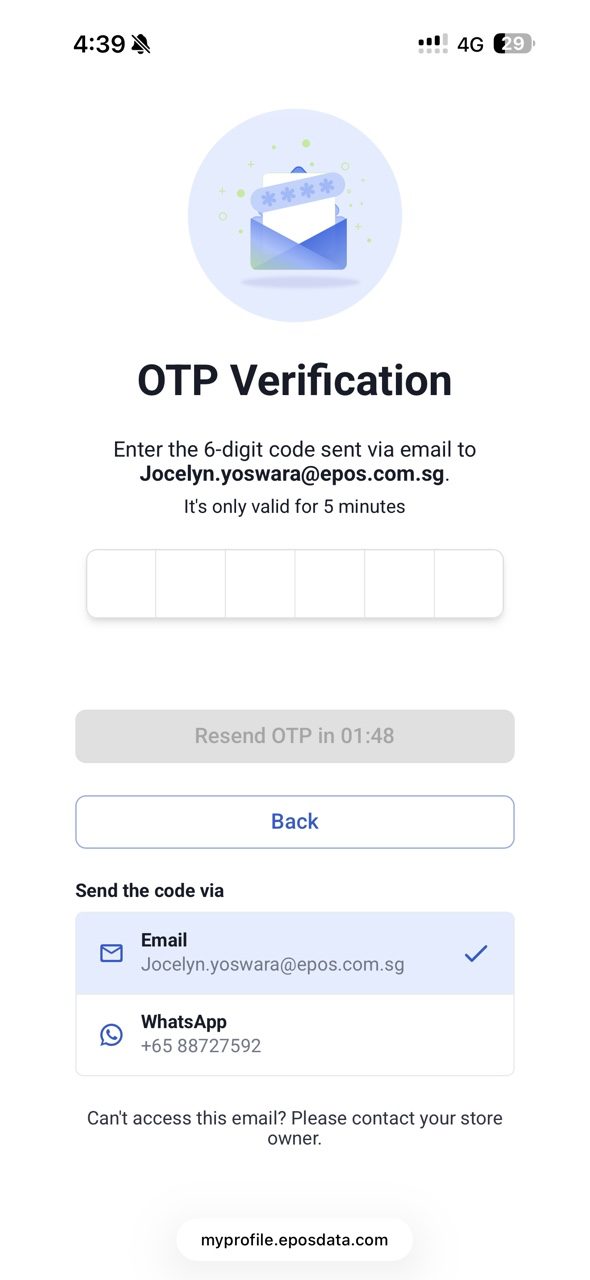
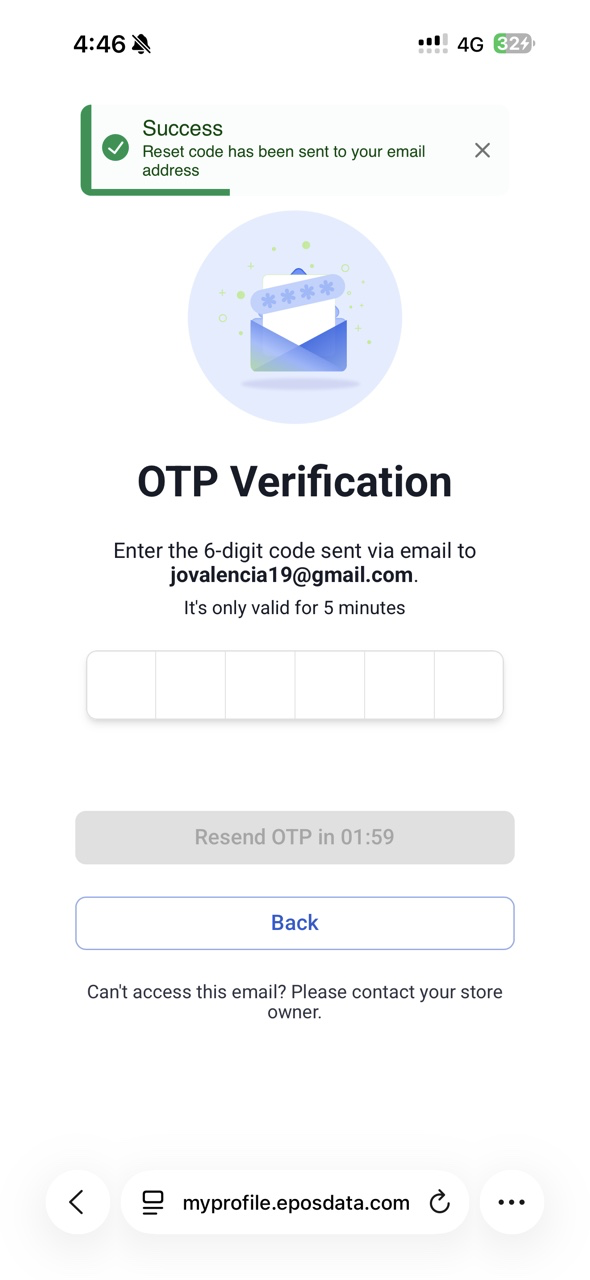
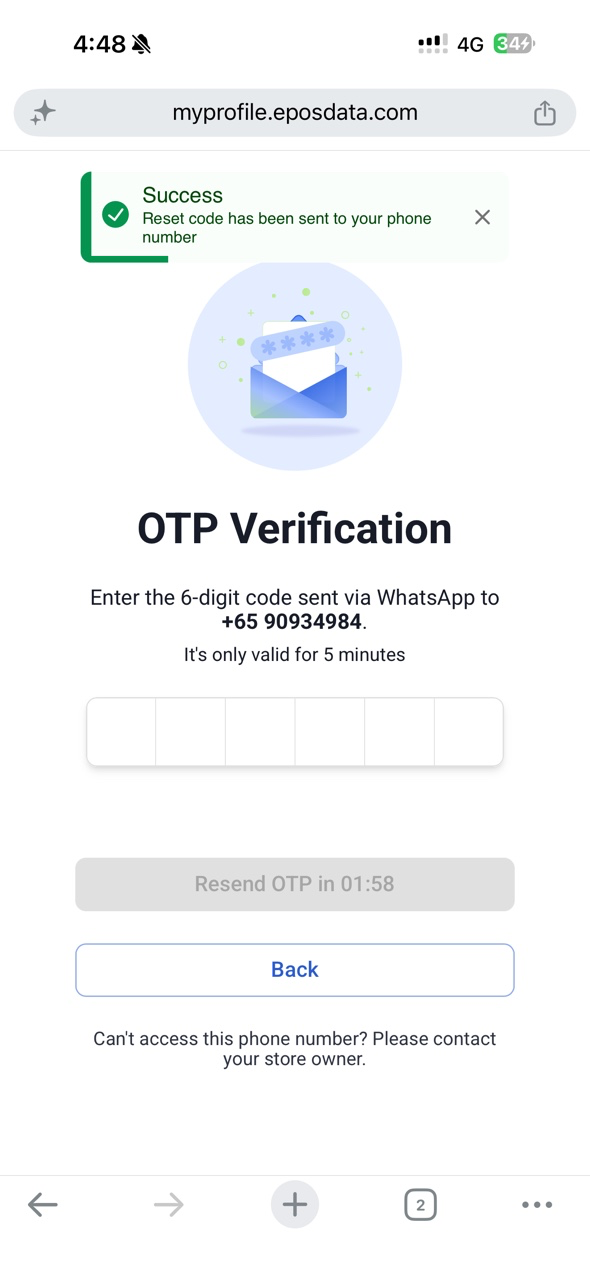
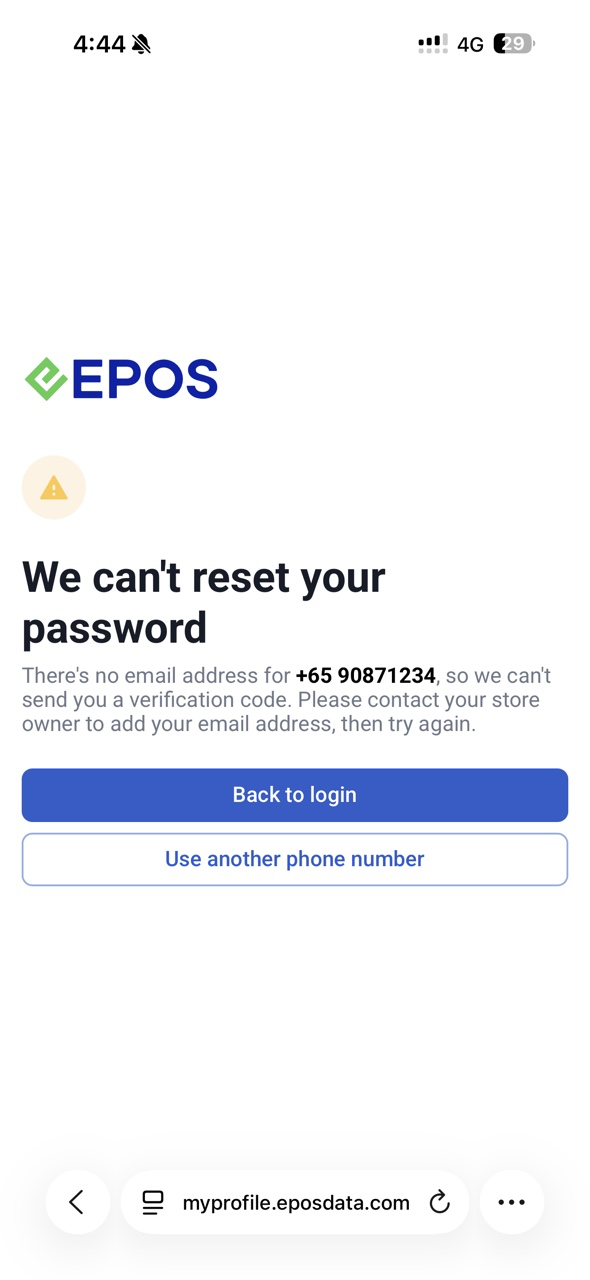
To request Store to add email address:
What’s New
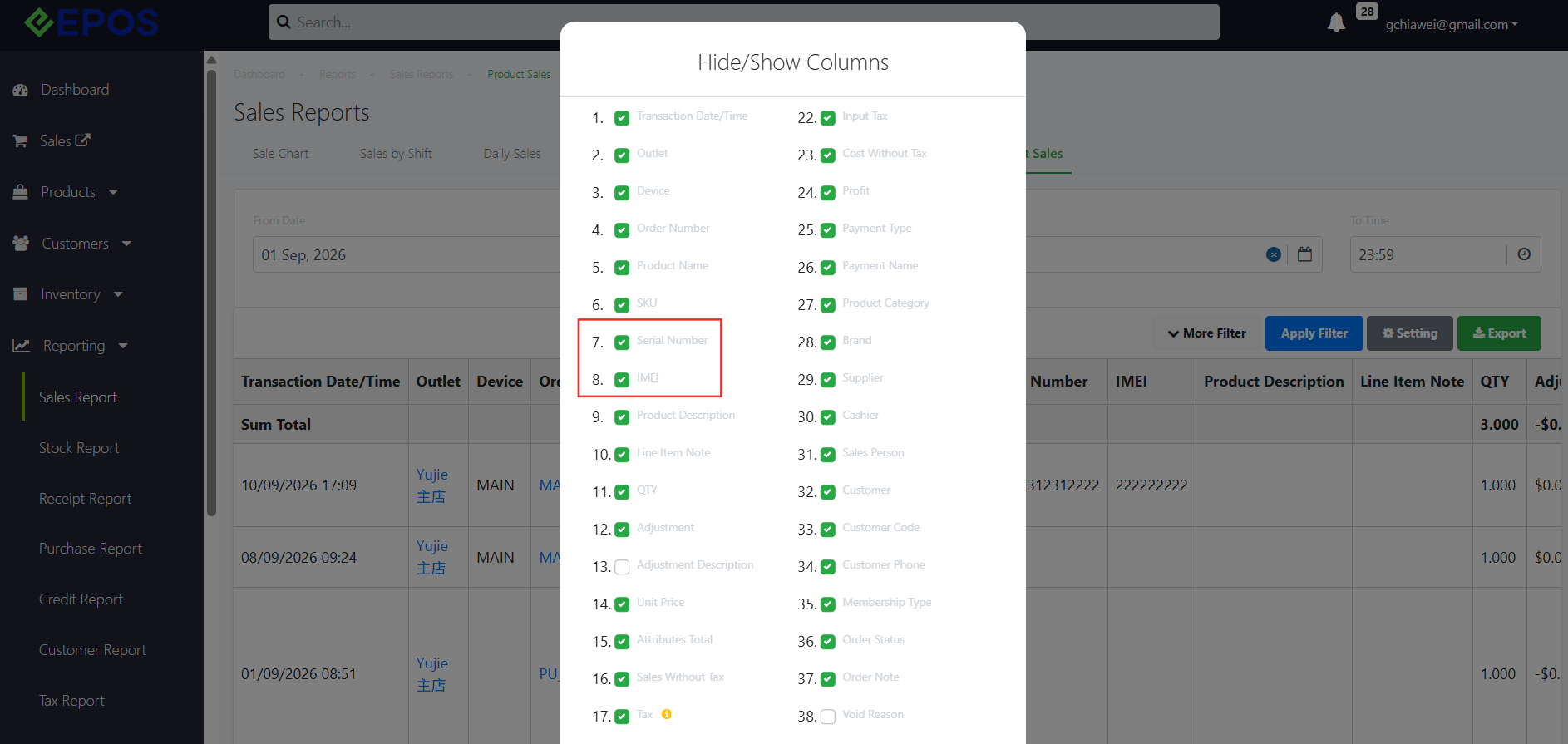
✅ Added Serial Number and IMEI columns, which can be shown or hidden through the report settings.
✅ Serial Number / IMEI information is available in both the report preview and exported report
Serial Number and IMEI columns on Sales Report: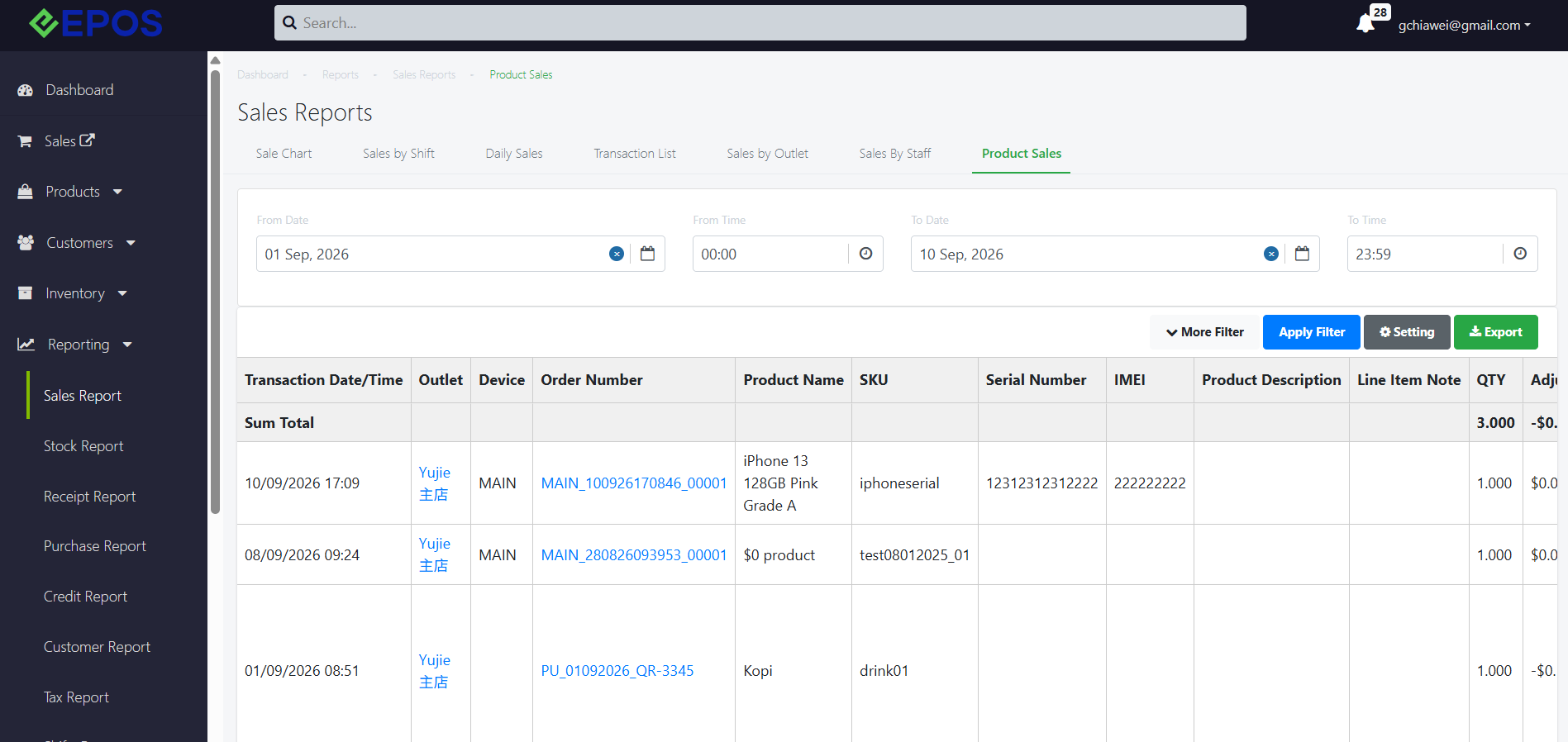
What’s New
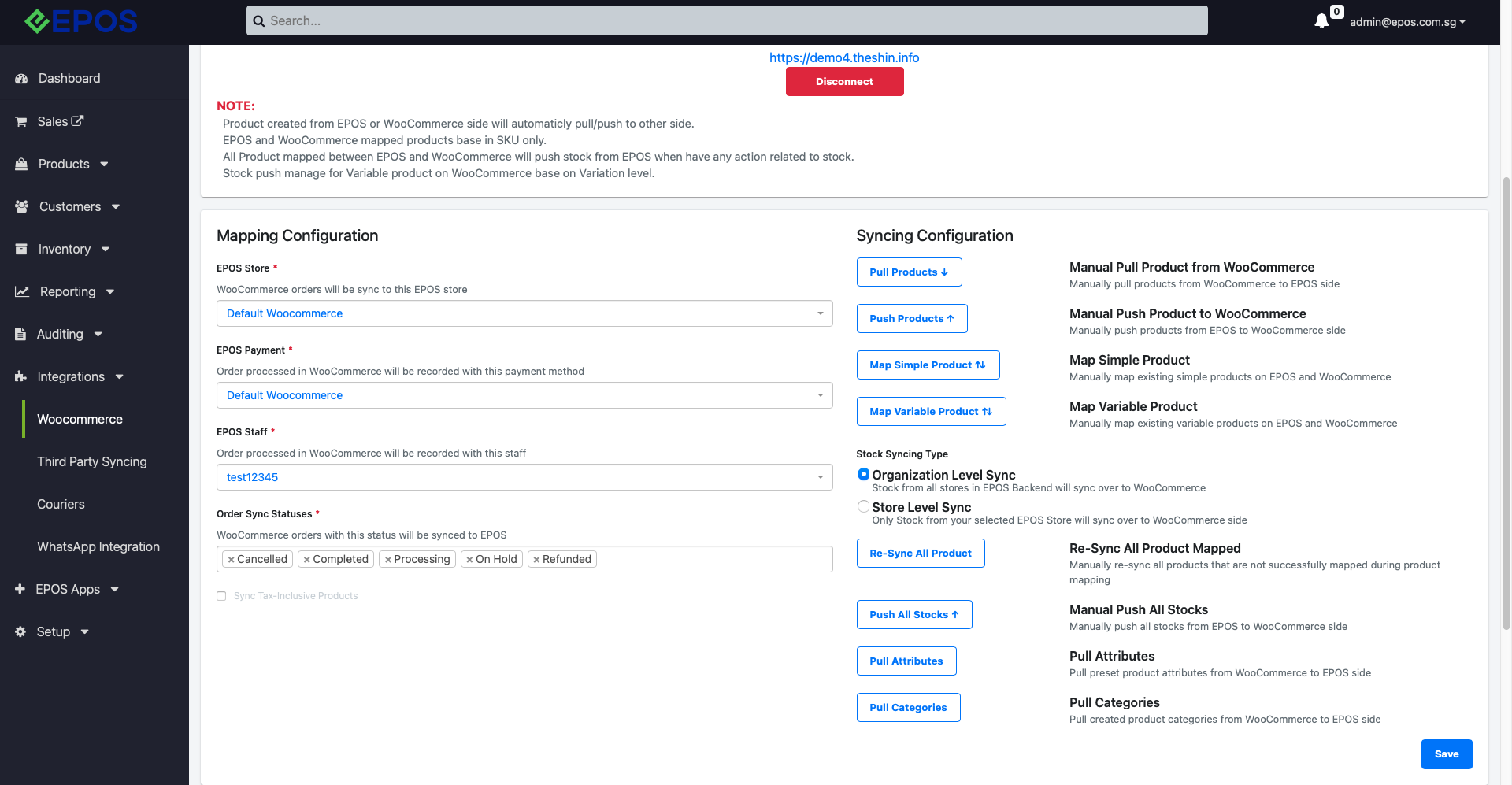
📌 WooCommerce Mapping and Syncing Configuration UI is enhanced to increase more readability and guidance for user when integrate WooCommerce to EPOS Backend.
📌 A new button “Pull Product” can be used to manually pull product from WooCommerce to update product instantly to EPOS.
Woo Commerce Page:
What’s New:
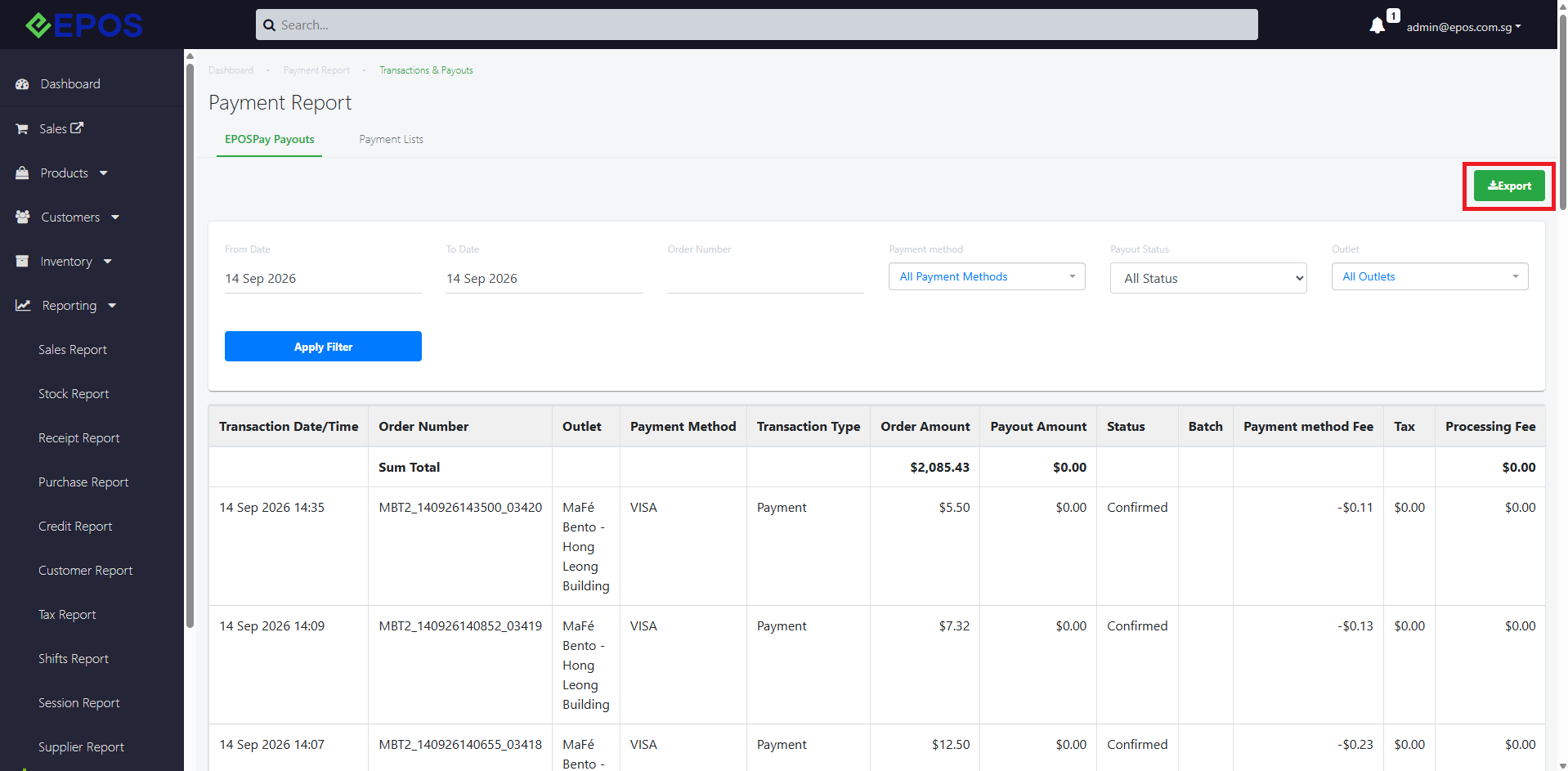
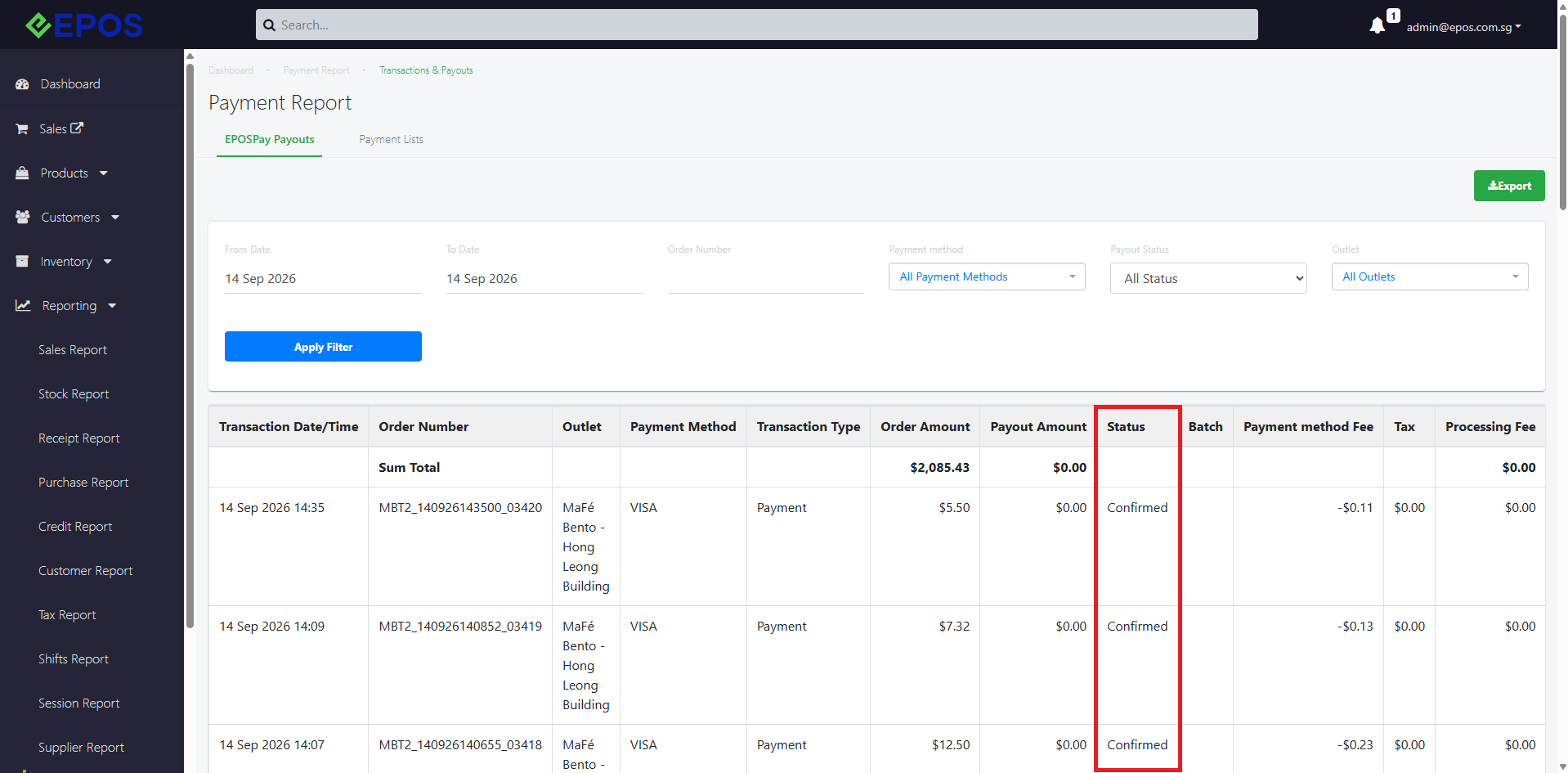
📌 Merchants using Antom payment methods processing can now view Antom settlement reports directly on the EPOS Backend. Merchants can view the reports in Reporting > Payment Reports > EPOSPay Payouts.
📌 The updated report now supports both file formats
Old format – settlementItems_YYYYMMDD_000.csv
Antom Settlement Payment report:
WHAT’S NEW
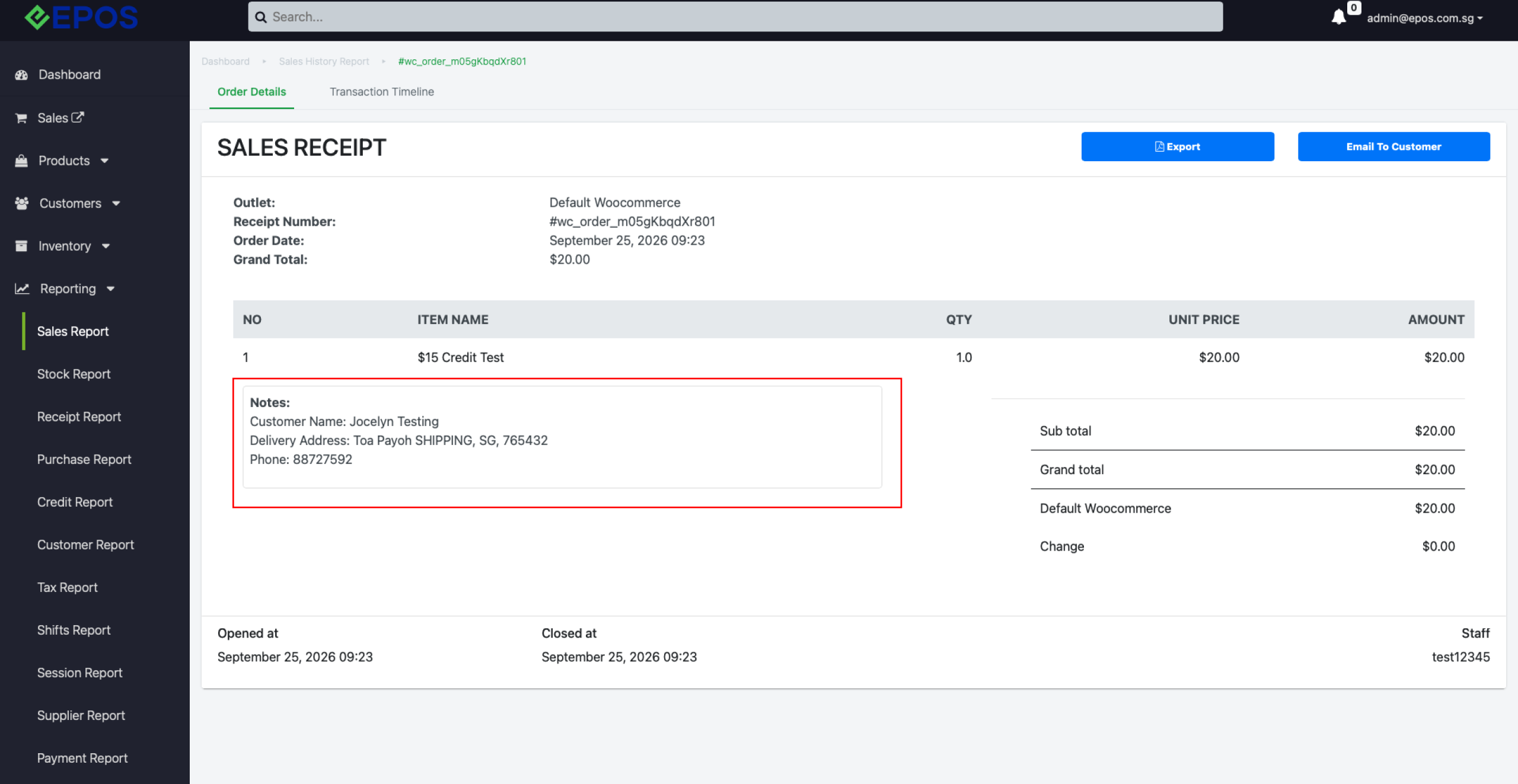
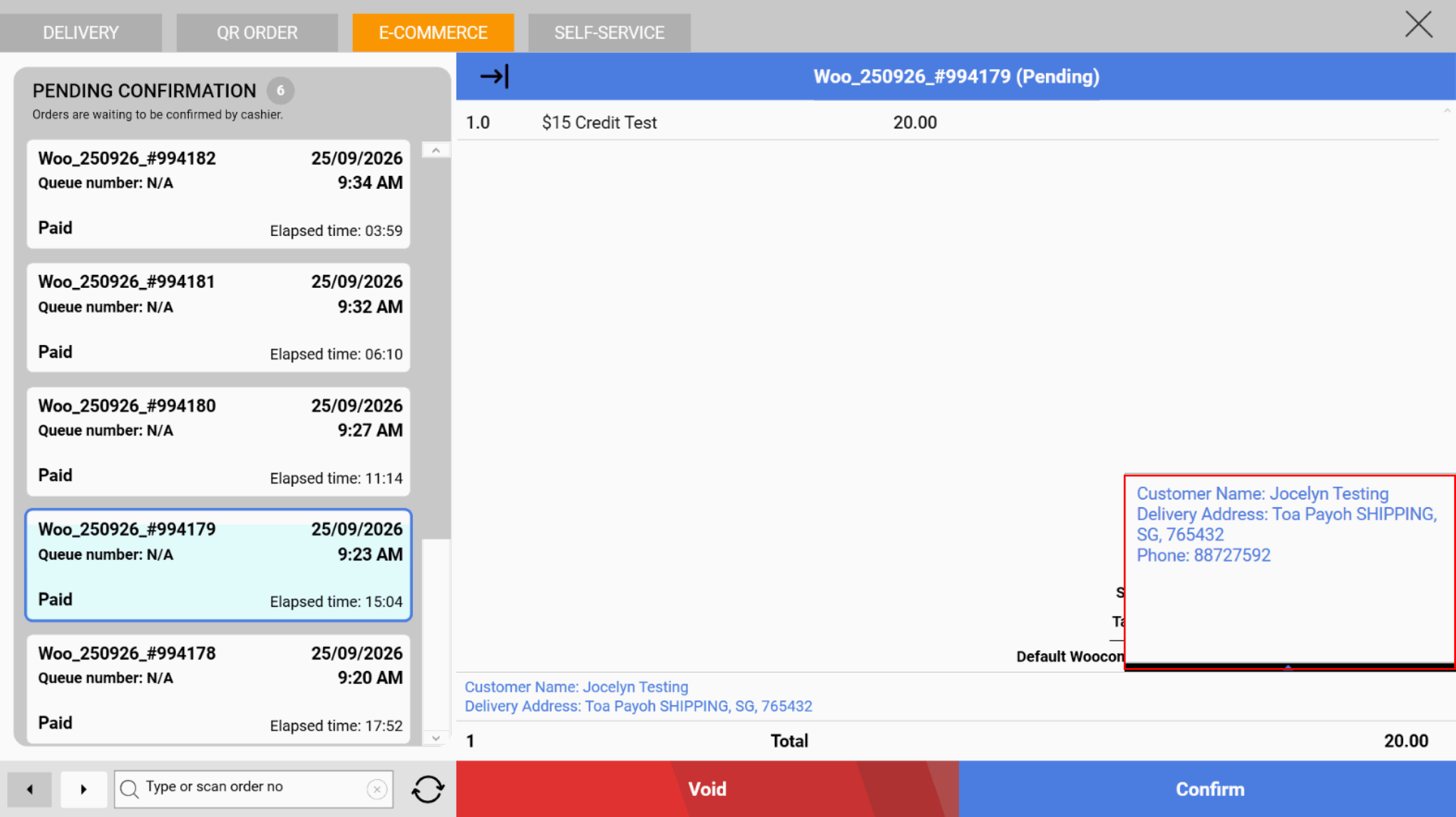
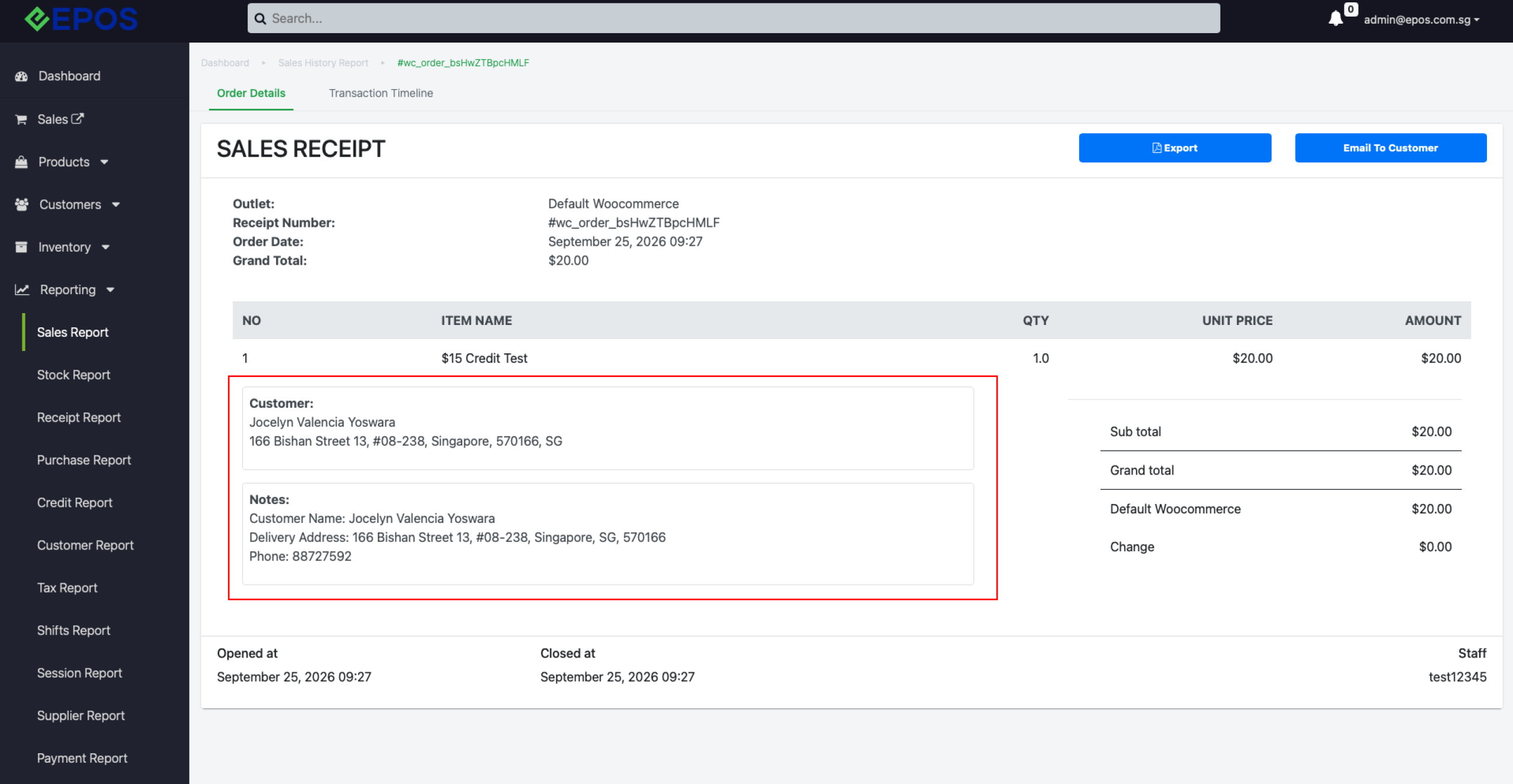
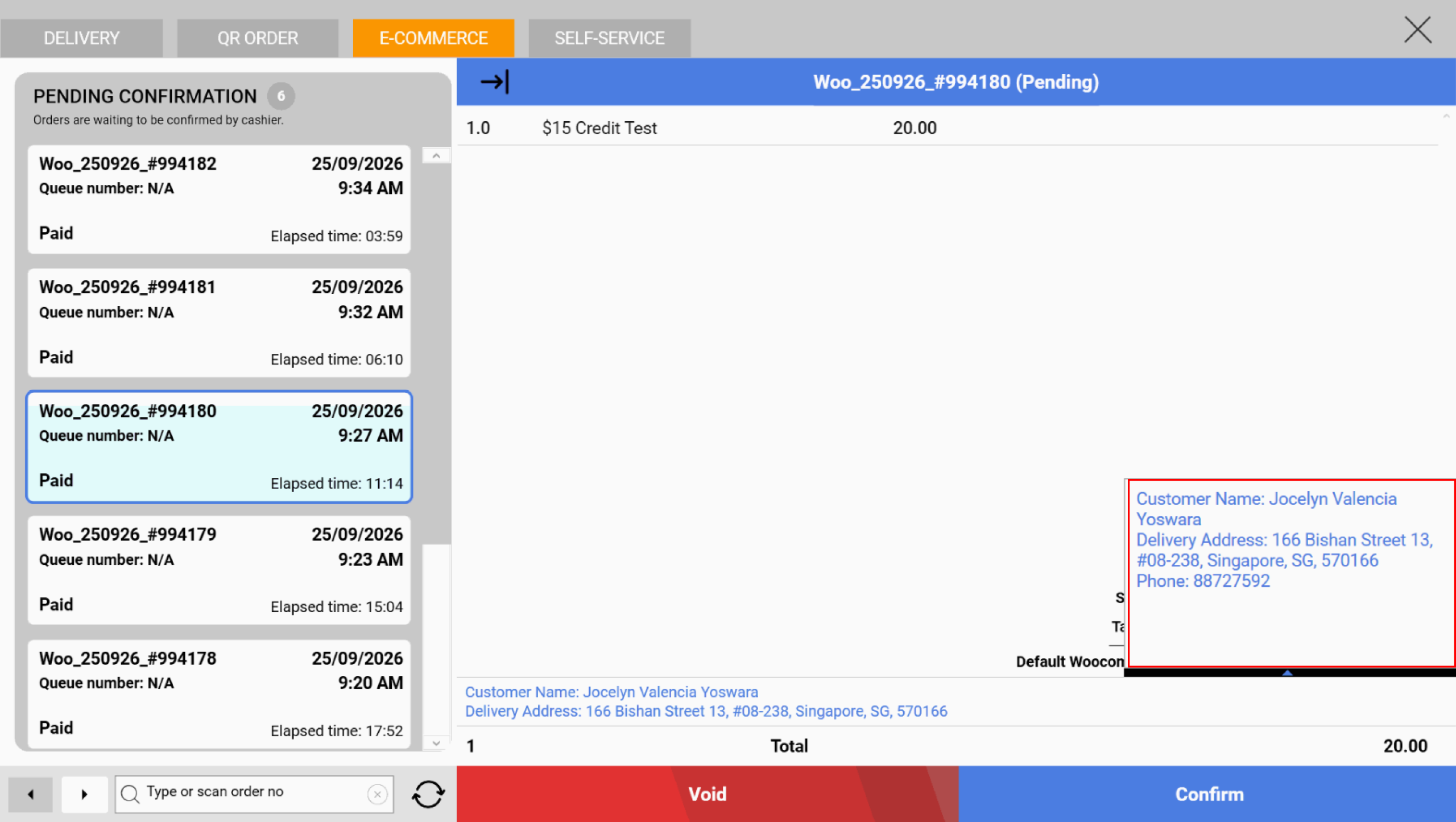
📌 Cashier can now see customer details on WooCommerce order sync to Windows POS > E-Commerce tab, for both guest customers and logged in customers via EPOS CRM Plugin (if installed in WooCommerce Website).
📌 Customer details include Name, Delivery Address, and Phone Number for cashier to assign the WooCommerce shipping orders properly.
Guest Customers:
Logged In Customers via EPOS CRM Plugin:
How to Update
For POS related features, users will need to update the POS to the latest version, version v6.27.135.0
For Backend related features, users are not required to perform any actions, the new features would automatically be updated.
Feedback
We value your input! If you encounter any issues or have suggestions for further improvements, please don’t hesitate to contact us.
Stay Connected
Stay updated with the latest news and updates by following us on our social platforms.
Thank You
We appreciate your continued trust in EPOS. This update is just one of many steps we’re taking to provide you with the best POS system on the market.
If you have any questions or need assistance with the update, please contact our support team at:
Call: 6871 8833 / Email: [email protected] / Whatsapp: 8482 1888