May 2026
This May, several features across our Backend, Windows POS, Android POS, QR/Web Ordering, Kiosk have implemented features to enhance the experience of both the merchants and customers.
What’s New
Not sure which affects you?
These icons indicate which group of users is impacted by each enhancement: Point of Sale (POS) users, Backend users, or Web Ordering App users.
(🖥️ POS — ⚙️ Backend — 📱 Web Ordering App — 🤖 Android POS — 🗣CRM — 👨🍳 Kitchen Display System (KDS) — 📦 Stock Take Device — 🔊Soundbox — 🛒 Kiosk )
We’re excited to announce that BCRS support has now been extended to additional sales channels and management tools.
📌What’s New
✅BCRS Deposit is now supported on:
• Kiosk
• WebApp
• Portrait POS
✅Bulk Import Enhancement
• Support importing BCRS barcode as FALSE to remove BCRS eligibility
• Support reverting or deleting existing BCRS barcode assignments via Bulk Import
📖 Guides
More updates will be shared once available.
What’s New
📳Previously, Tax & Service Charge values were calculated using truncation (Rounding down to 2 decimal places)
New:
📳Moving forward, Tax & Service Charge will follow rounding to the nearest 2 decimal places:
📌If the 3rd decimal place is 5 or above → it will be rounded up
(e.g. 5.4297 → rounded 2dp to 5.43)
📌If the 3rd decimal place is below 5 → it will be rounded down
(e.g. 2.8512 → rounded 2dp to 2.85)
• Tax Inclusive
• Tax Exclusive
• Service Charge
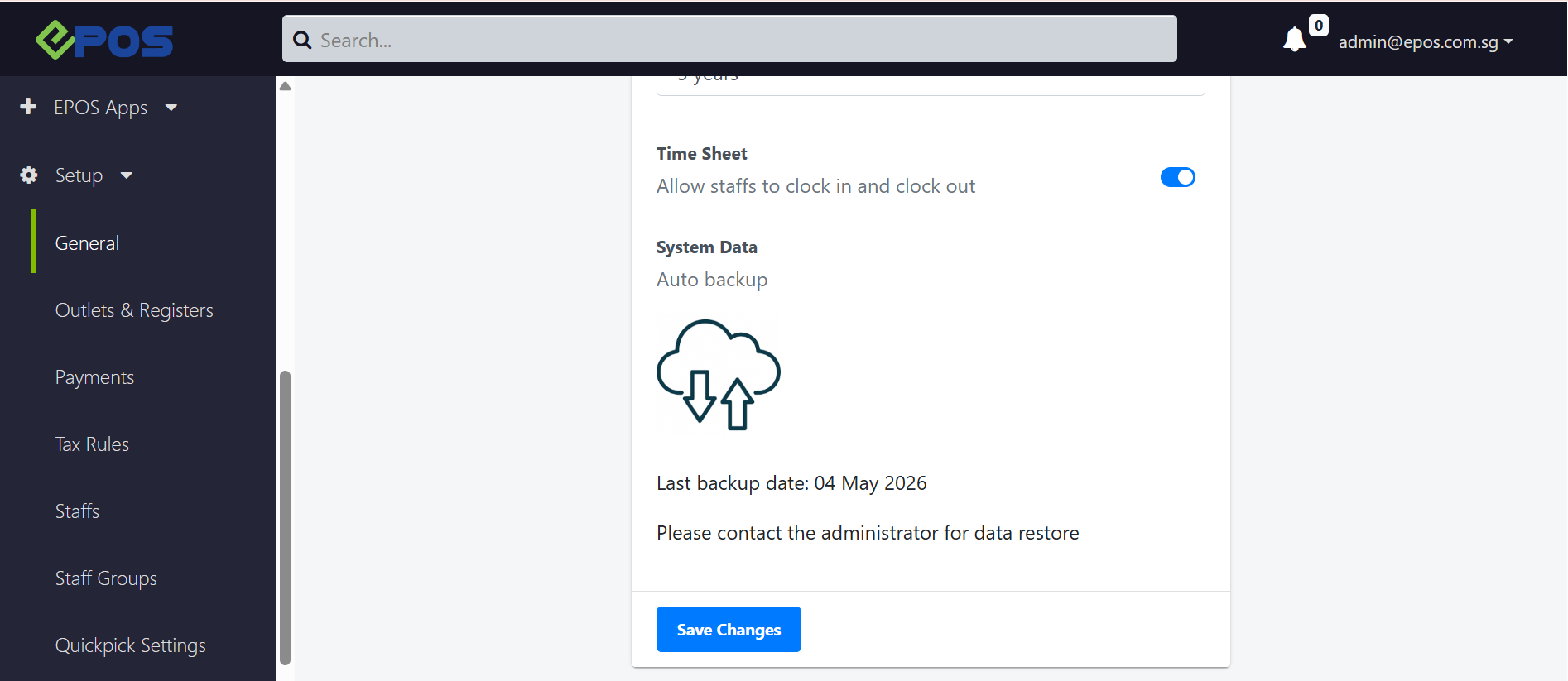
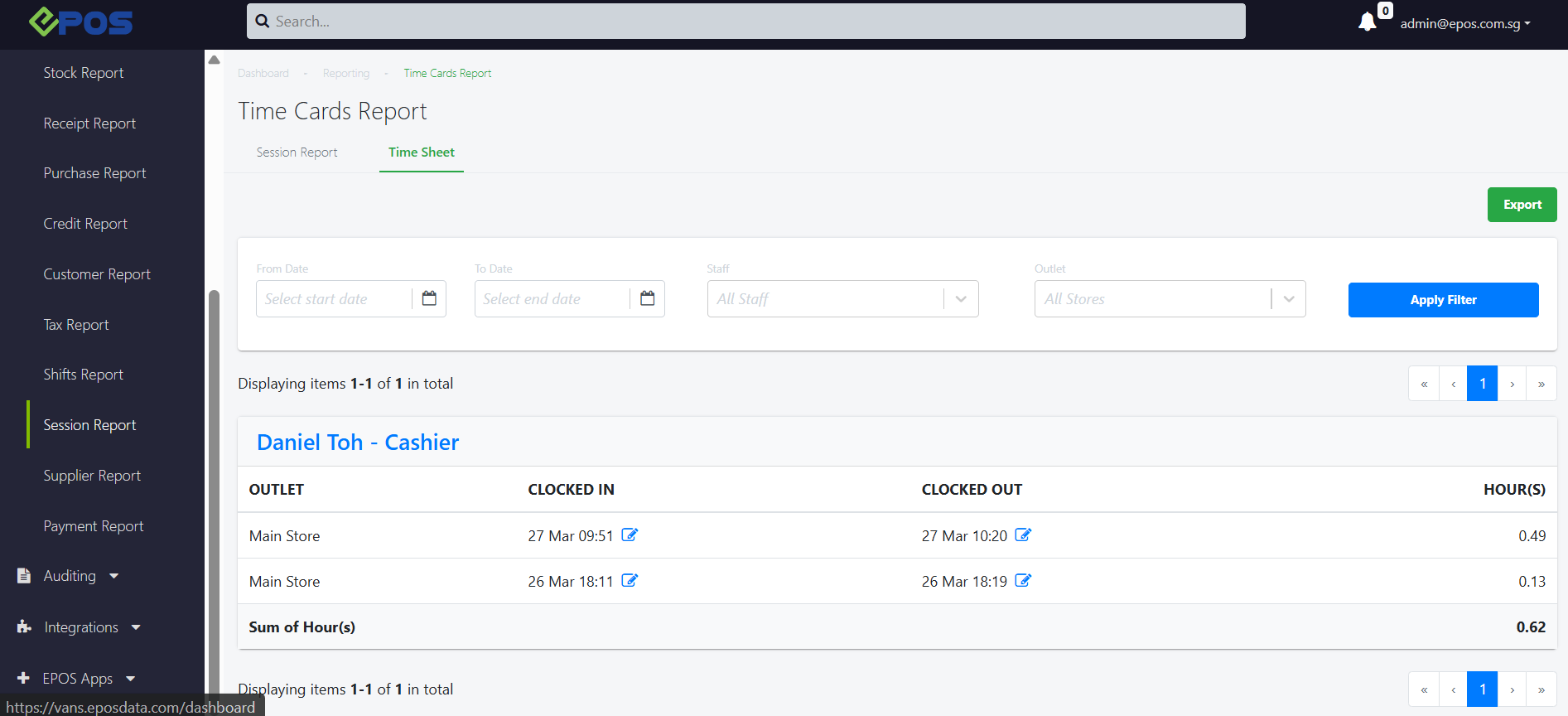
We have rolled out a new enhancement that allows merchants to regulate their staff’s clock-in and clock-out timing directly on the POS system!
What’s New:
📌 To enable Clock in/Clock Out on the POS, the new configuration called “Time Sheet” must be toggled “ON” in their backend under Setup > General > Config.
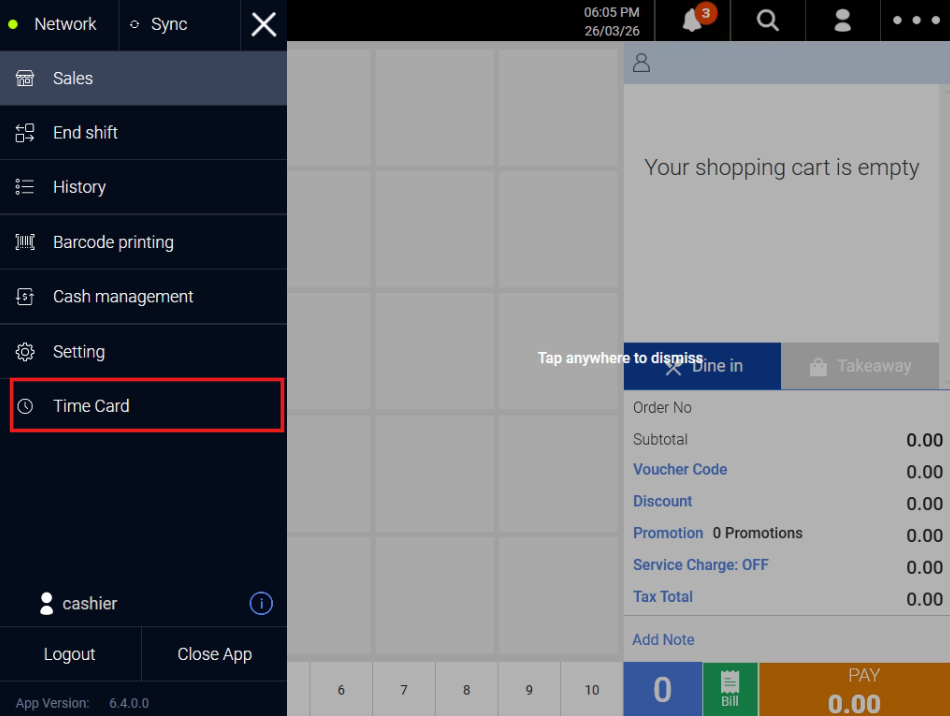
POS
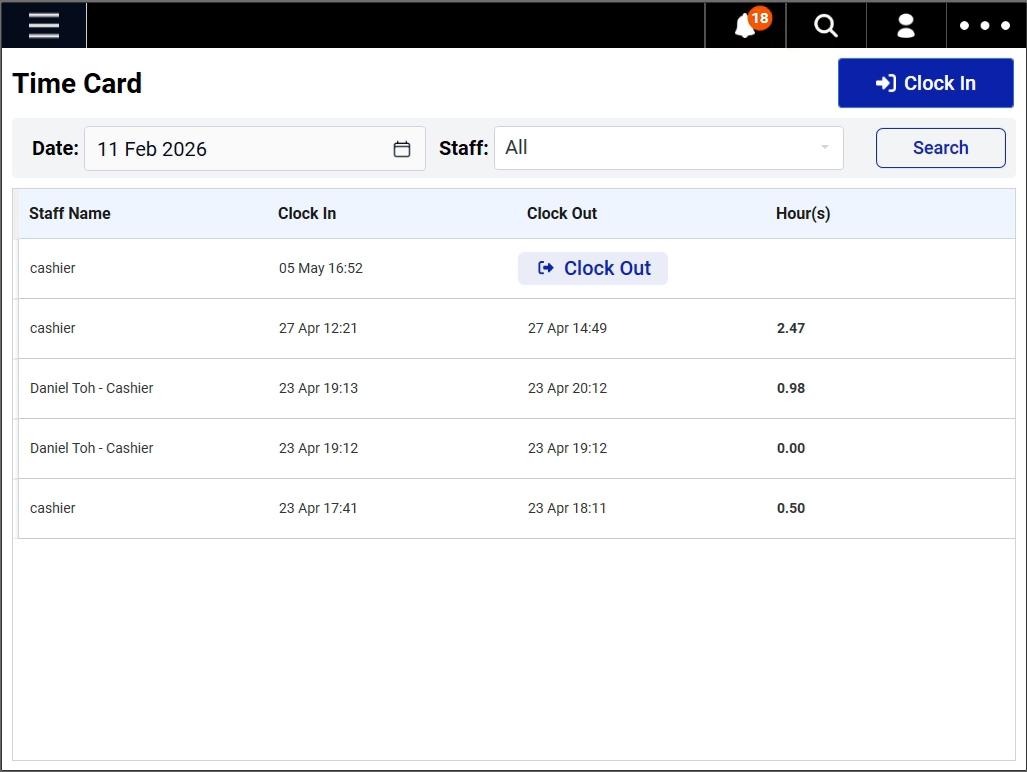
📌 User are able to view “Time Sheet” records under Time Card.
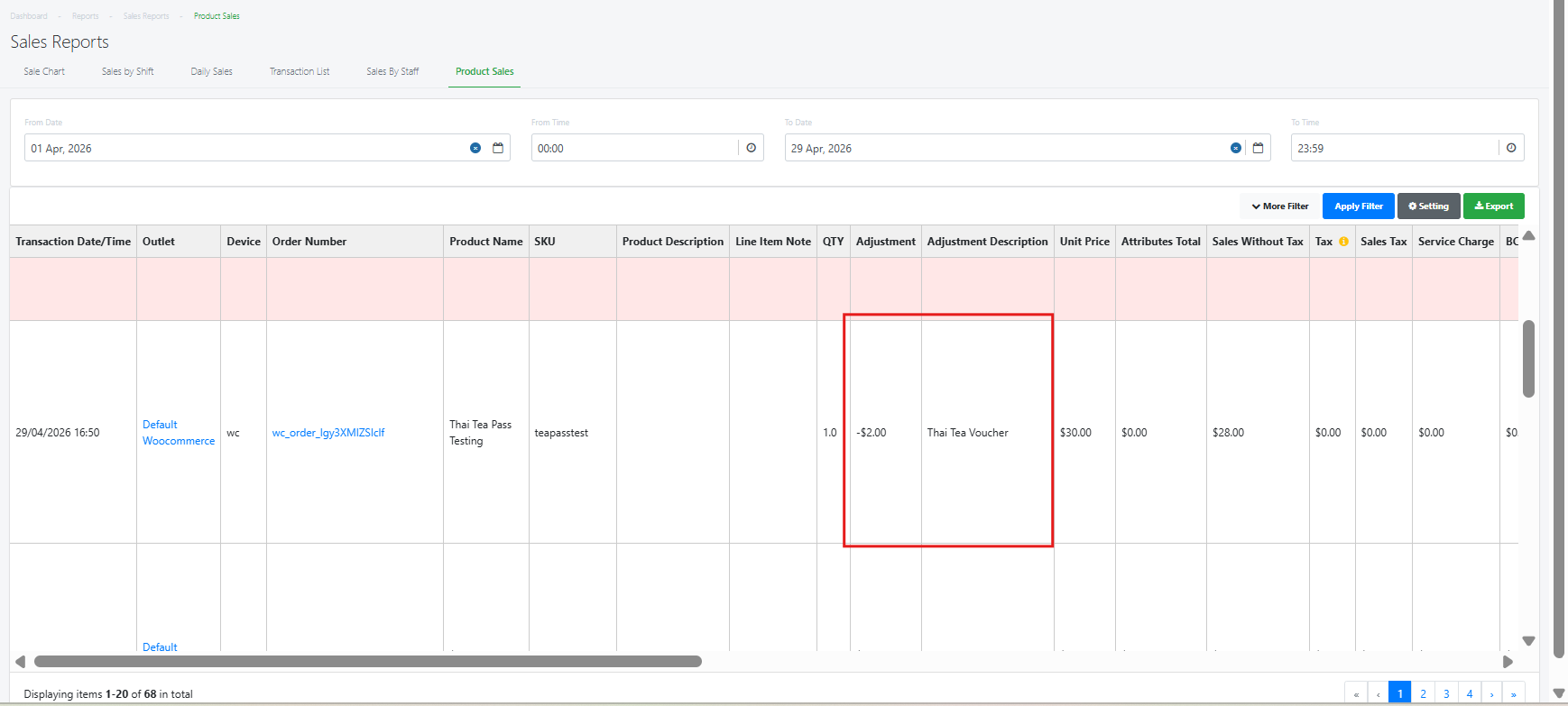
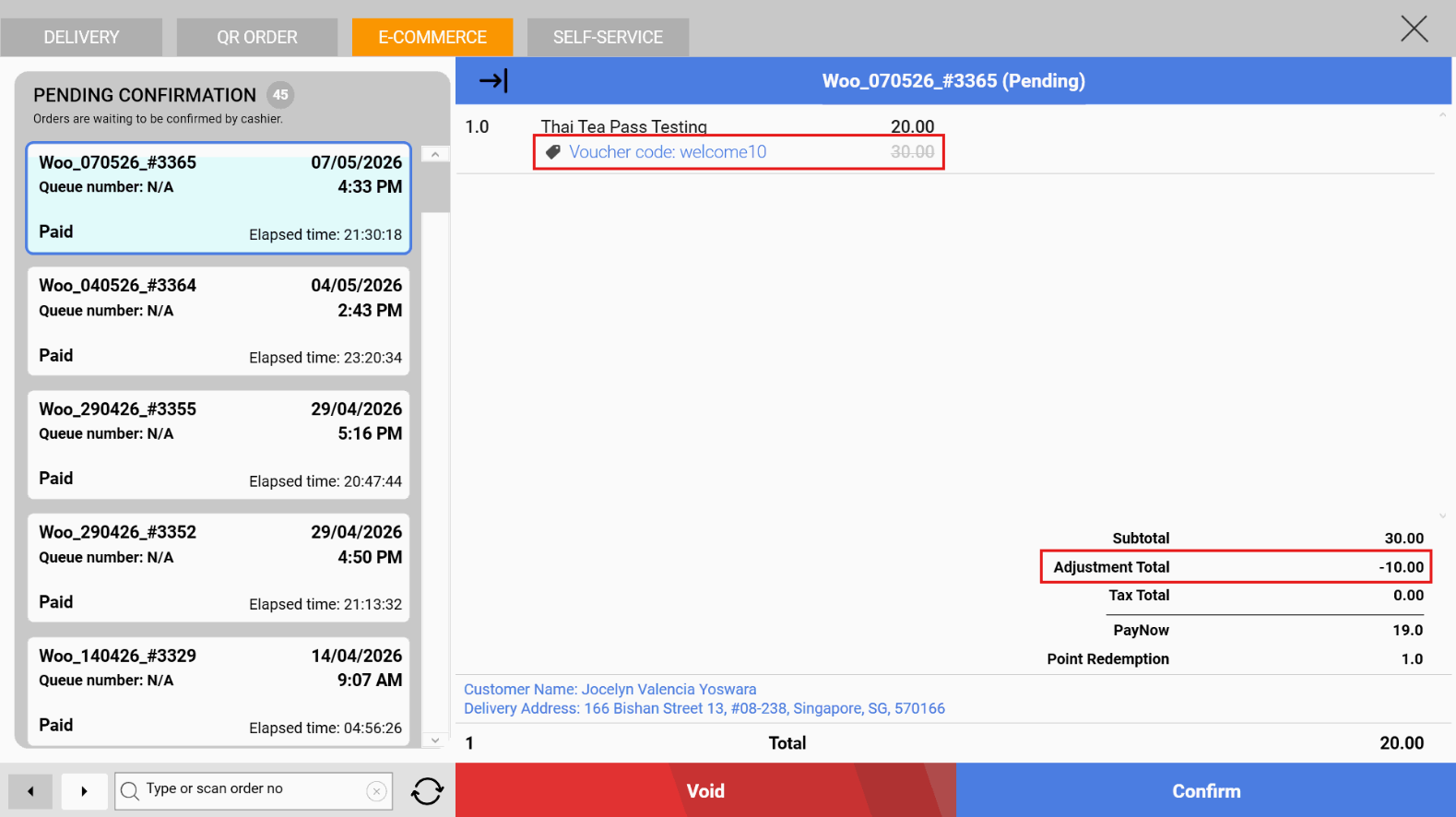
We have rolled out a new enhancement which allows customers to use the same campaign vouchers when they are logged in to their CRM membership and shopping
- In-store via EPOS
- Online via WooCommerce Website
What’s New:
📌 Business owners just need to create the discount vouchers via EPOS Backend.
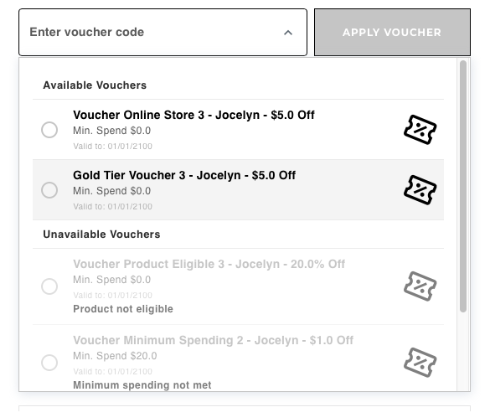
📌 Customer can directly apply vouchers by selecting from the available list or by entering a voucher code in the voucher code field on the WooCommerce website checkout page.
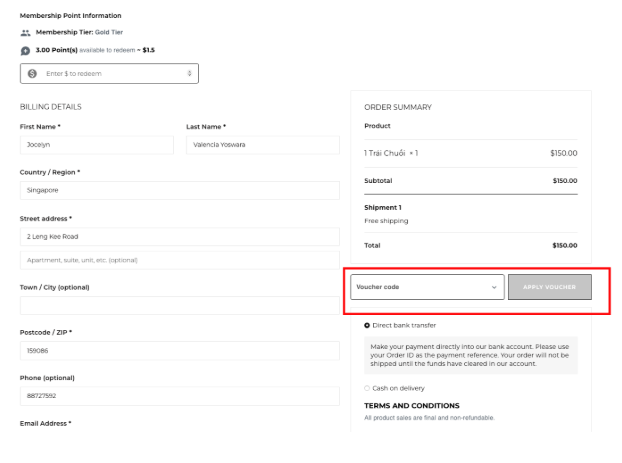
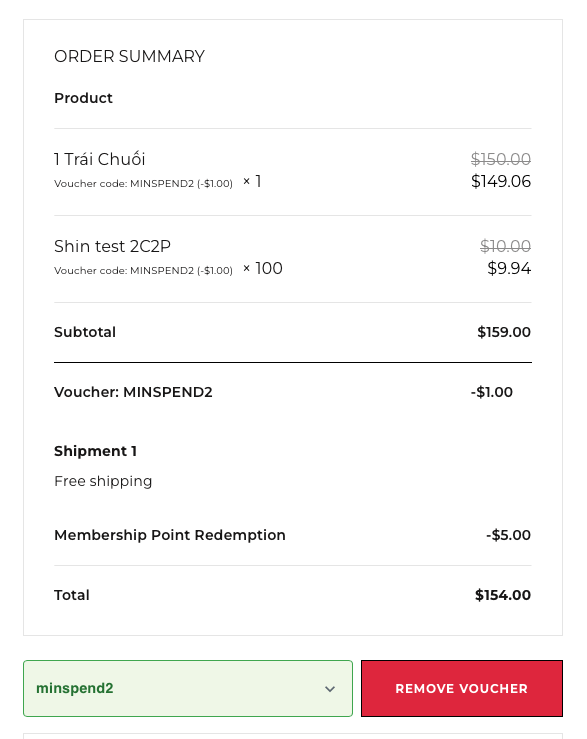
- Minimum spend not met
- Selected products are not eligible
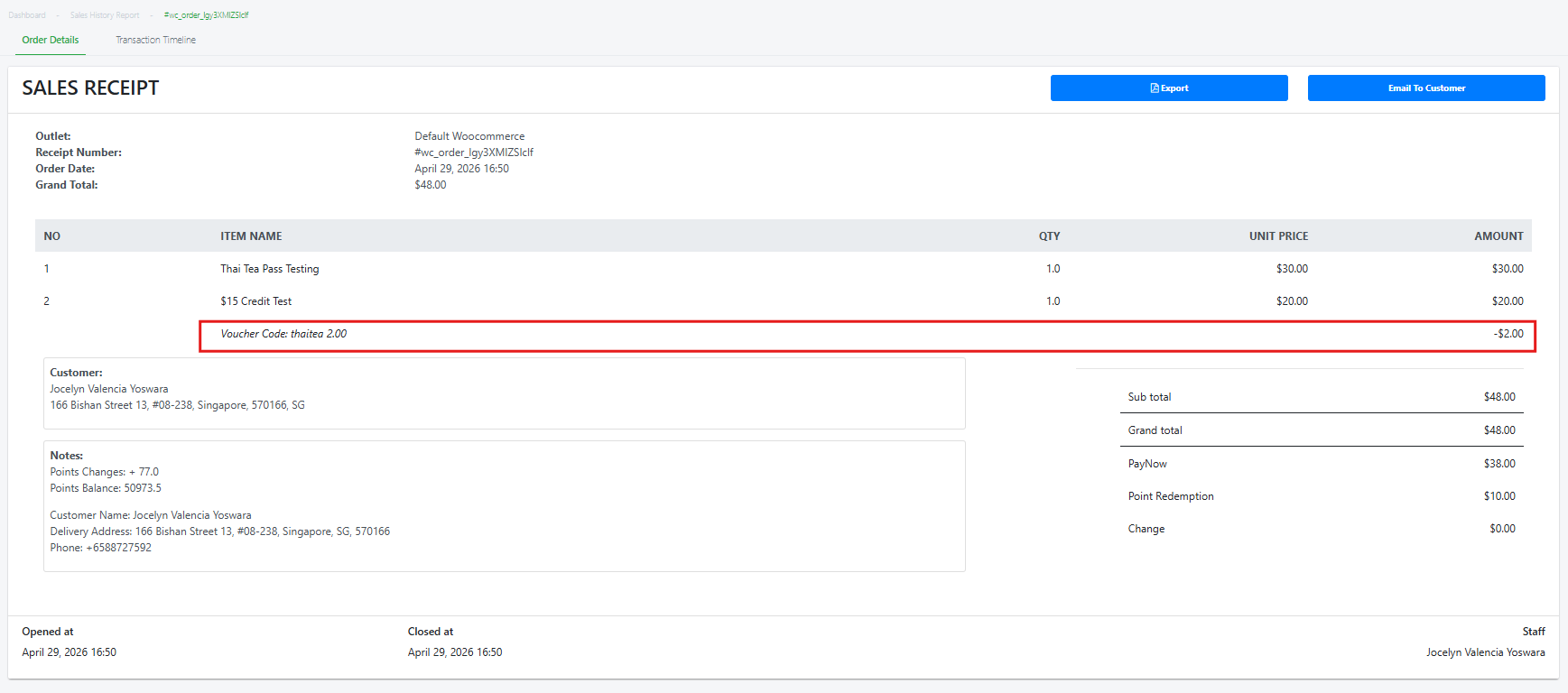
- Updated to the customer’s account in EPOS backend & Member’s Portal
- Synced in Windows POS > Bell Icon > E-Commerce Tab
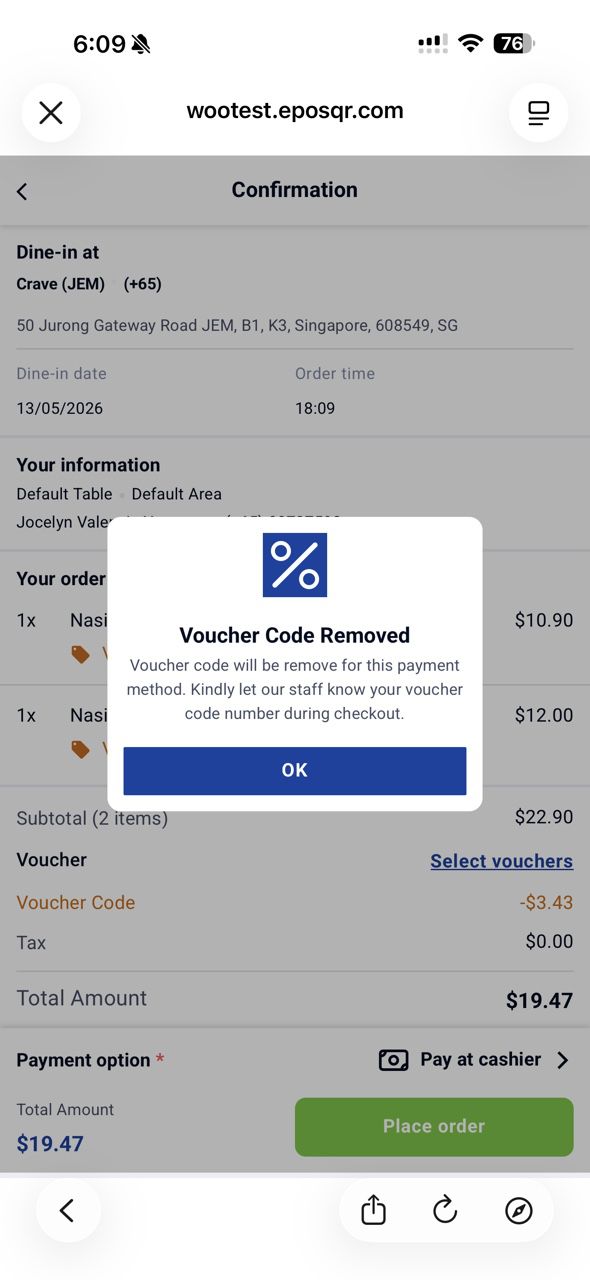
We have rolled out new enhancement which allows customers the option to select voucher first before selecting any payment methods on the webapp.
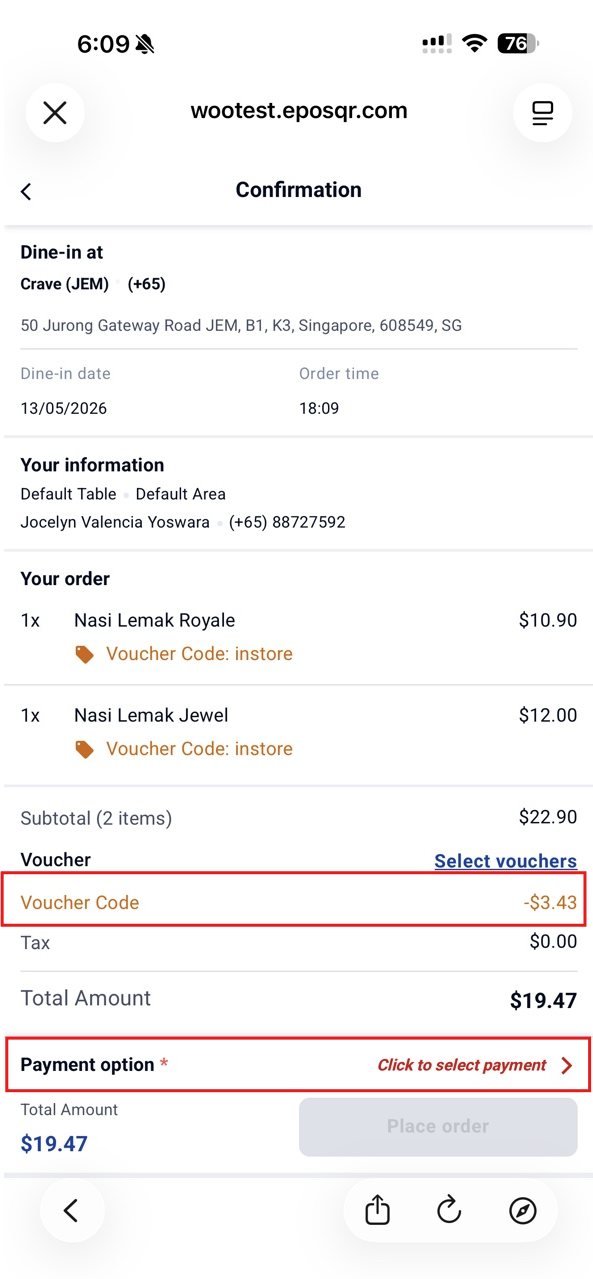
What’s New
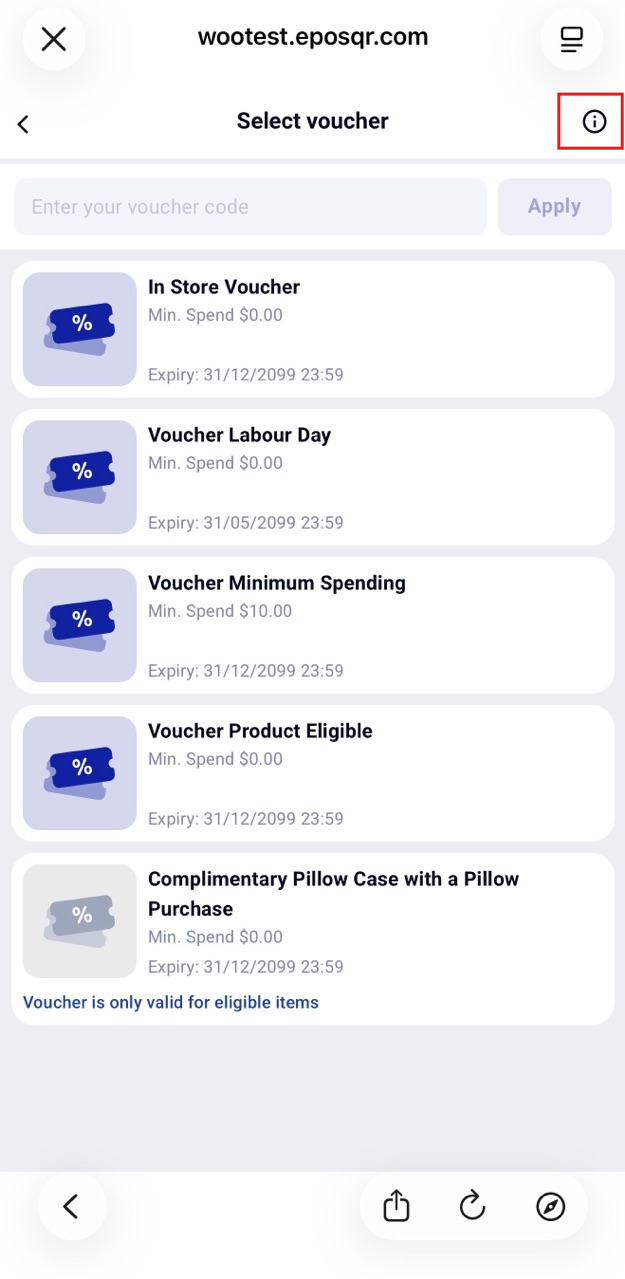
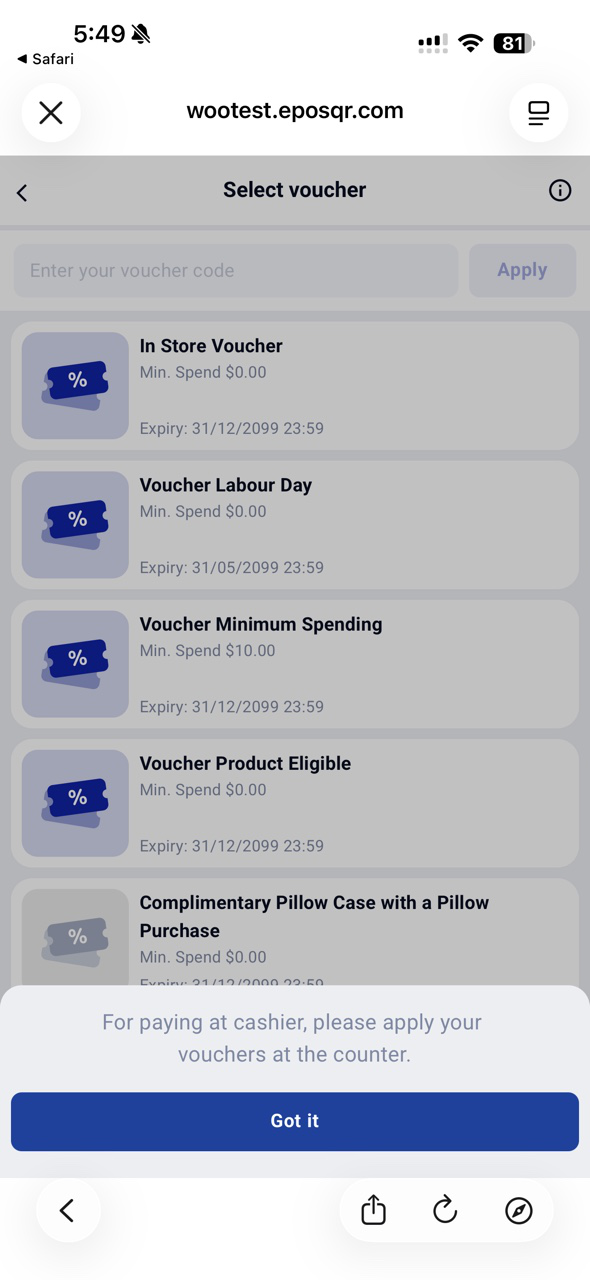
We have made enhancement to our kiosk that allows users to apply vouchers on a kiosk transaction!
What’s New:
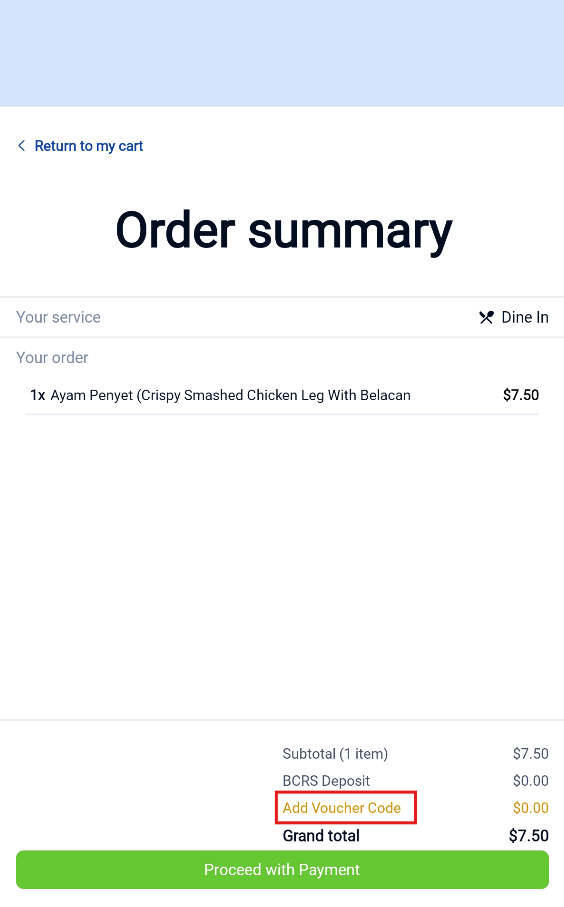
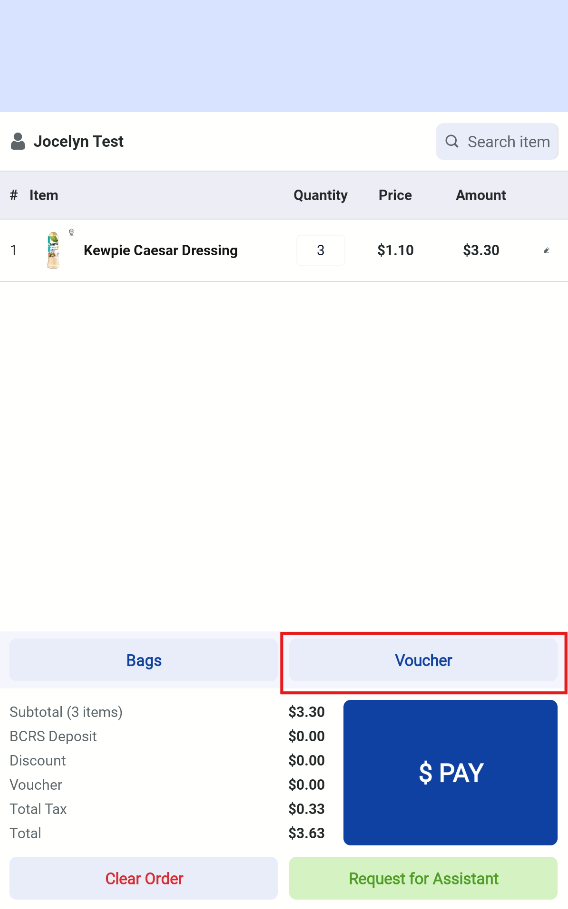
- Minimum spend not met
- Selected products are not eligible
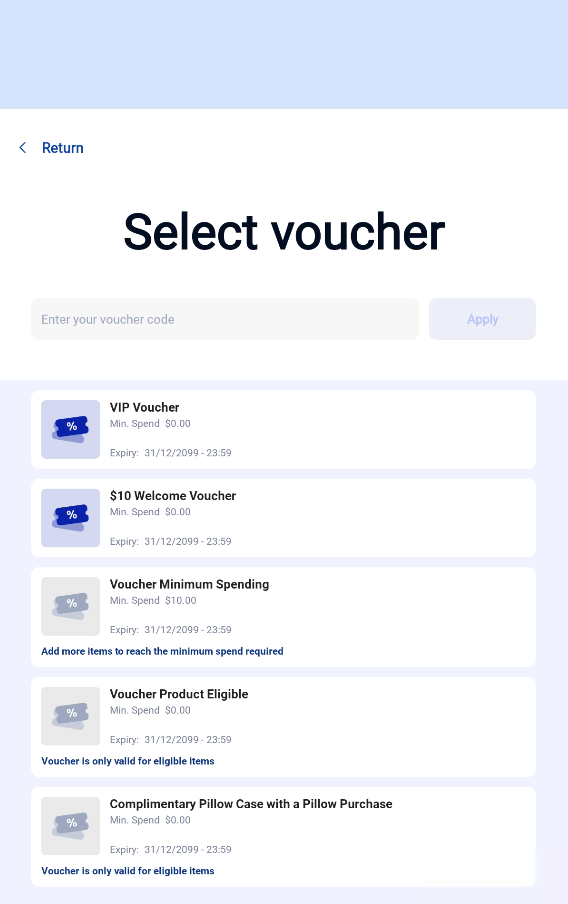
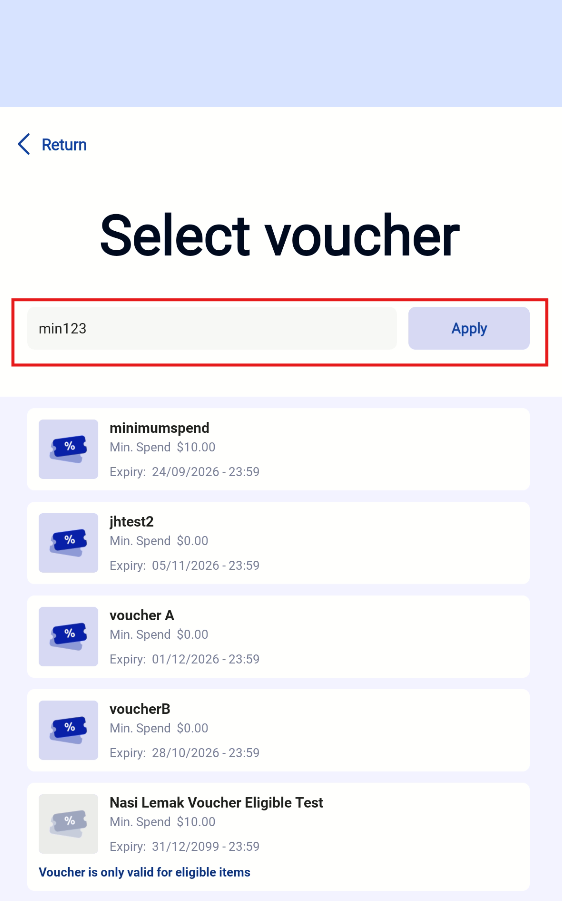
Pre-Requisites:
📌 If the Loyalty plugin is installed in the EPOS backend:
⭕️ Vouchers that are broadcasted to member’s portal and claimed by the customer will appear in the available voucher list.
❌ Vouchers that are not broadcasted to member’s portal or not claimed by the customer will not be shown.
📌 If the Loyalty plugin is not installed in the EPOS backend:
⭕️ All vouchers available to the customer will be displayed in the voucher list.
We have rolled out a new enhancement for our Window POS & Backend to allow product images to be displayed on the sales receipt!
What’s New:
📌 Users can now include product images on their
- A4 sales receipt
- Whatsapp e-receipt
- Backend sales e-receipt
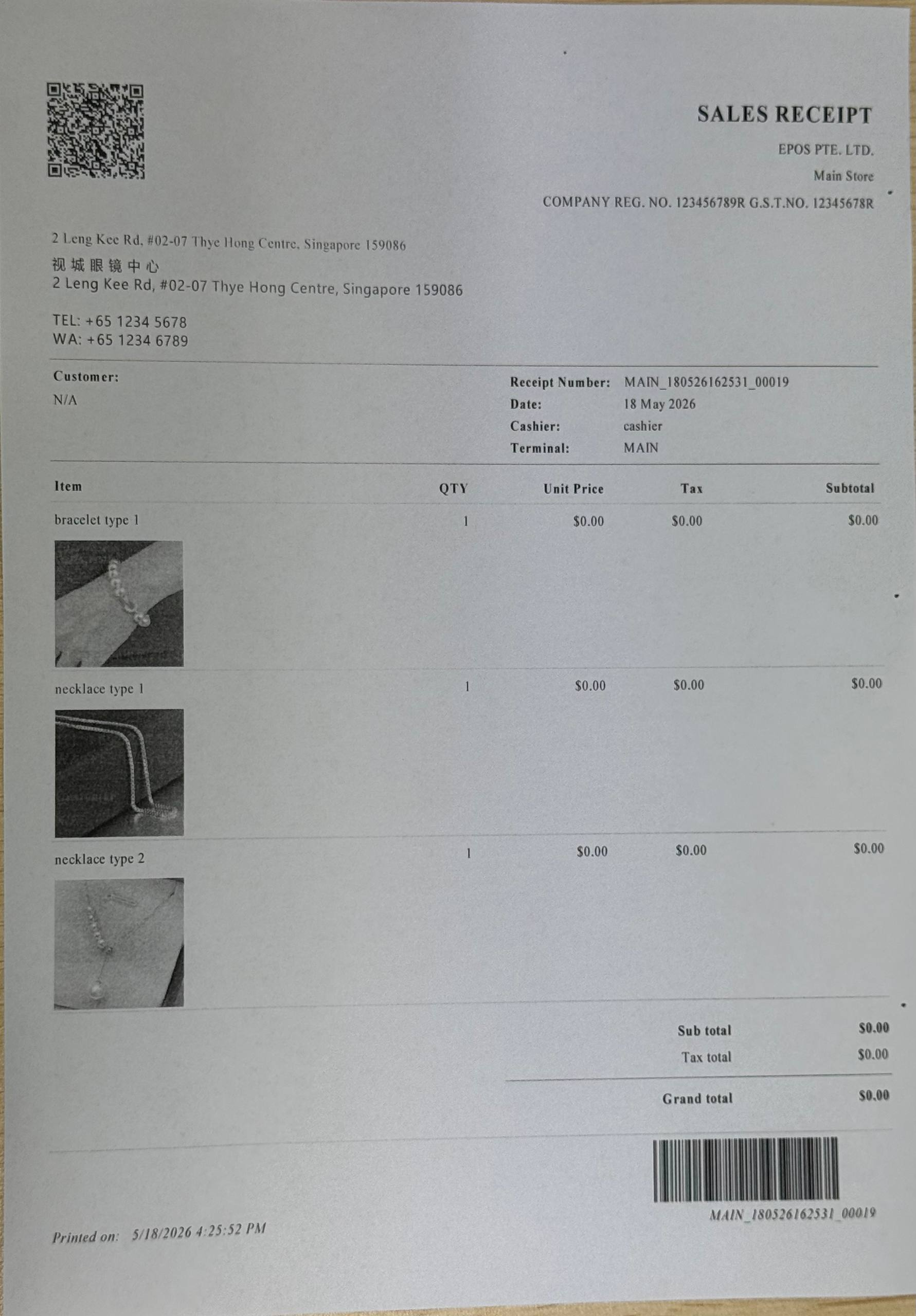
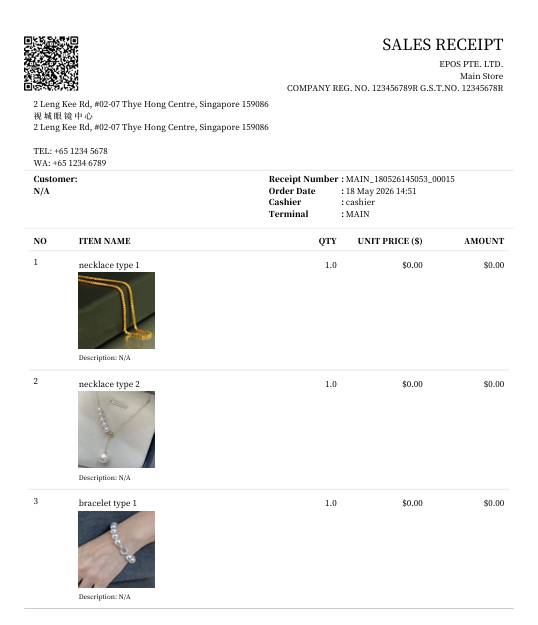
Note:
- Users are recommended to upload images at 800 * 800 pixels
- If users upload the image as a rectangle, the square frame will be filled with white spaces
What’s New:
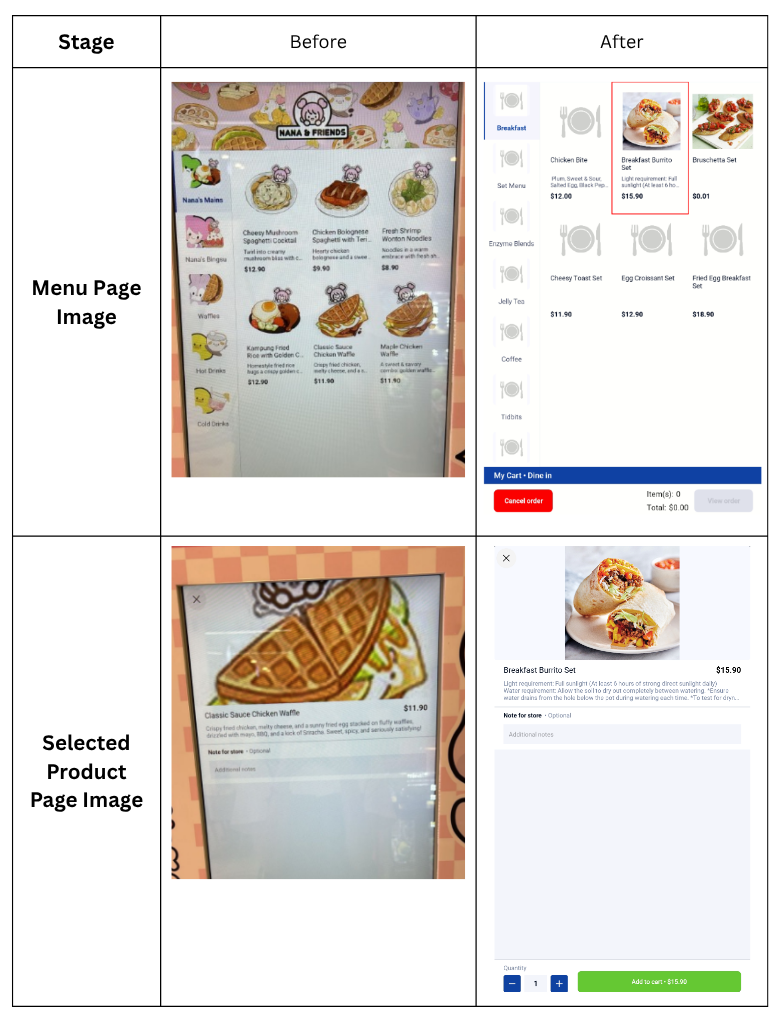
We have rolled out a new enhancement that ensures all exported CSV reports now support chinese characters!
What’s New:
- Product
- Customer
- Inventory
- Reporting
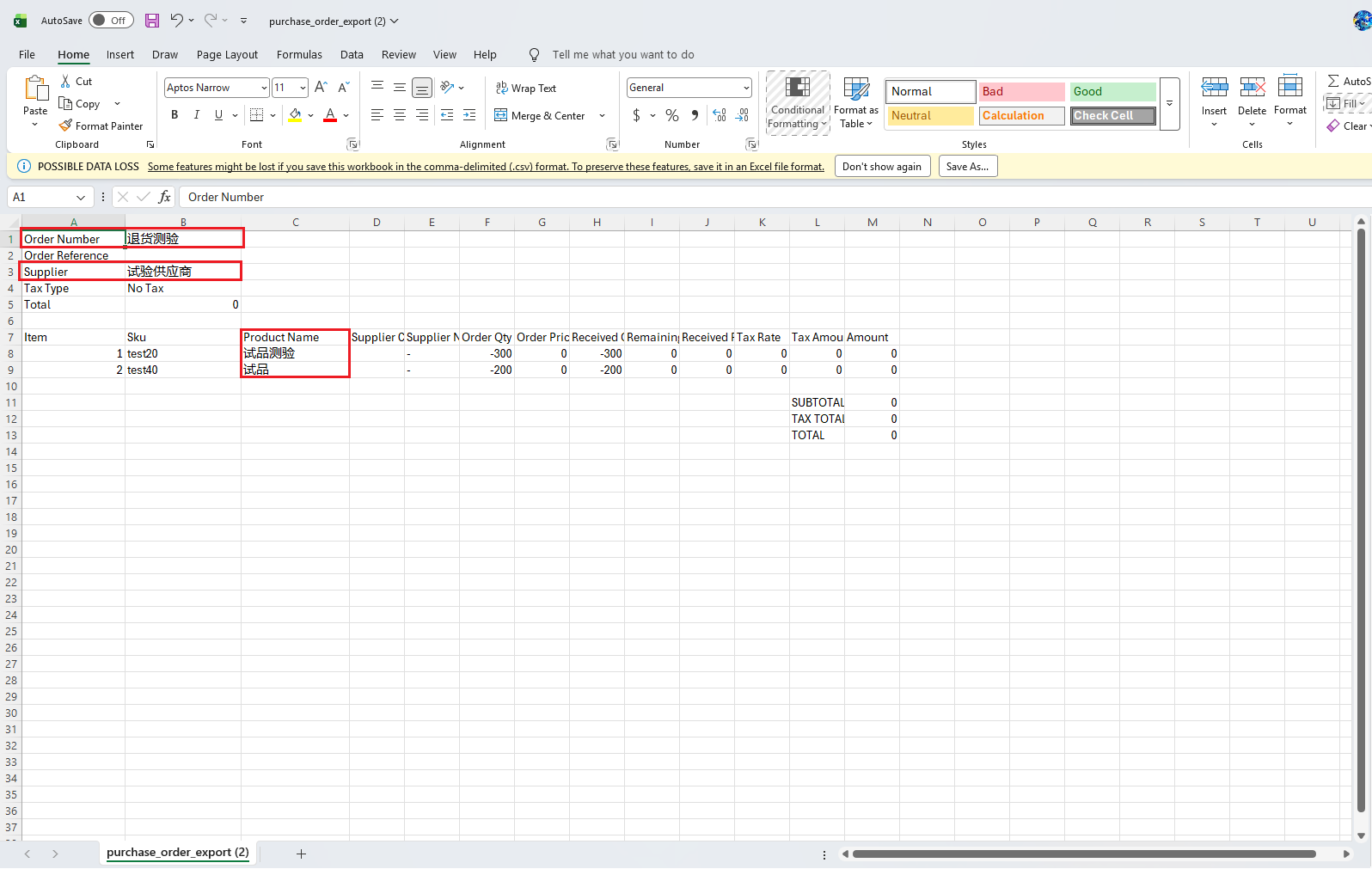
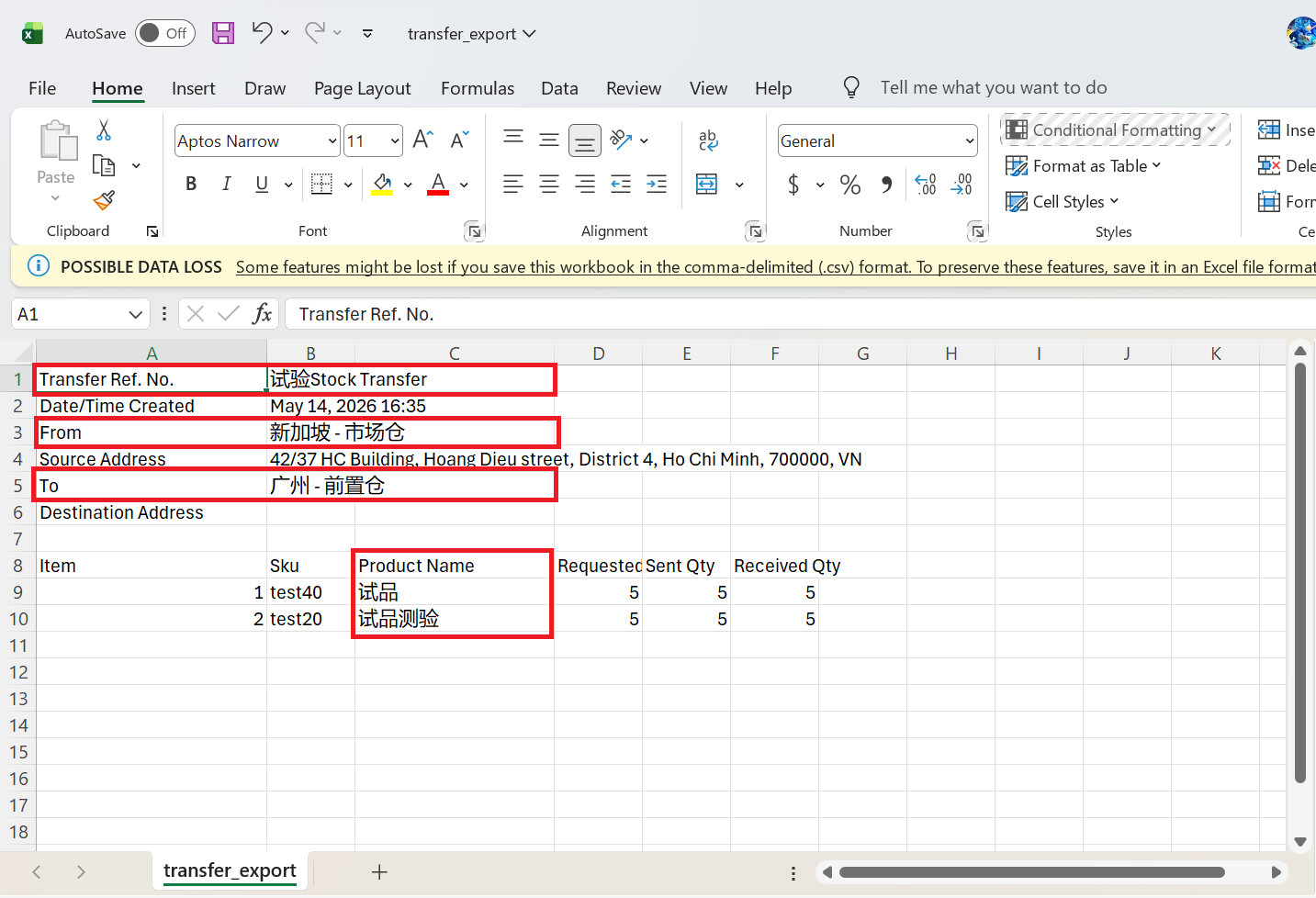
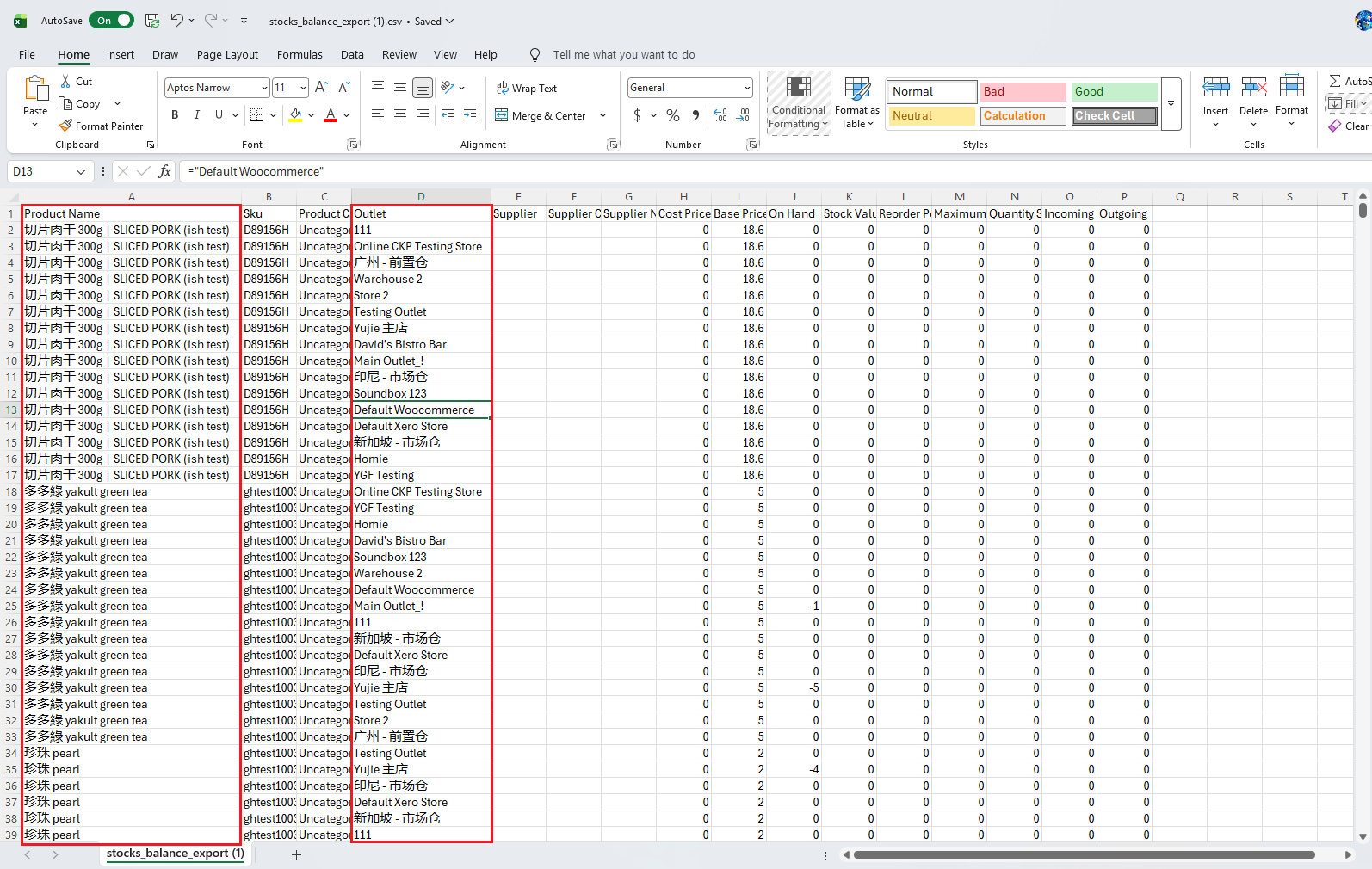
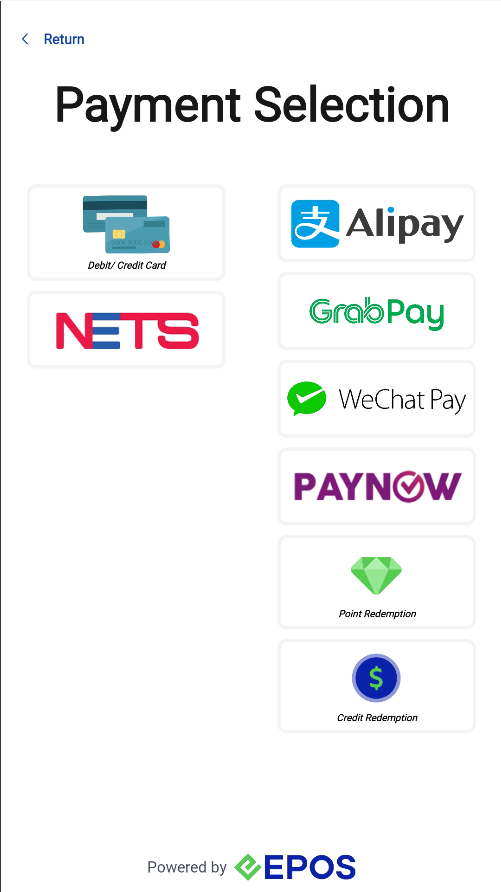
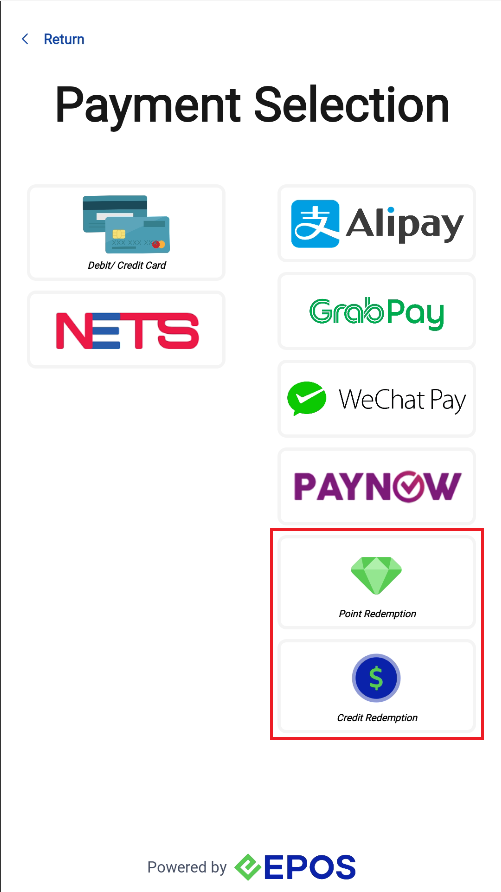
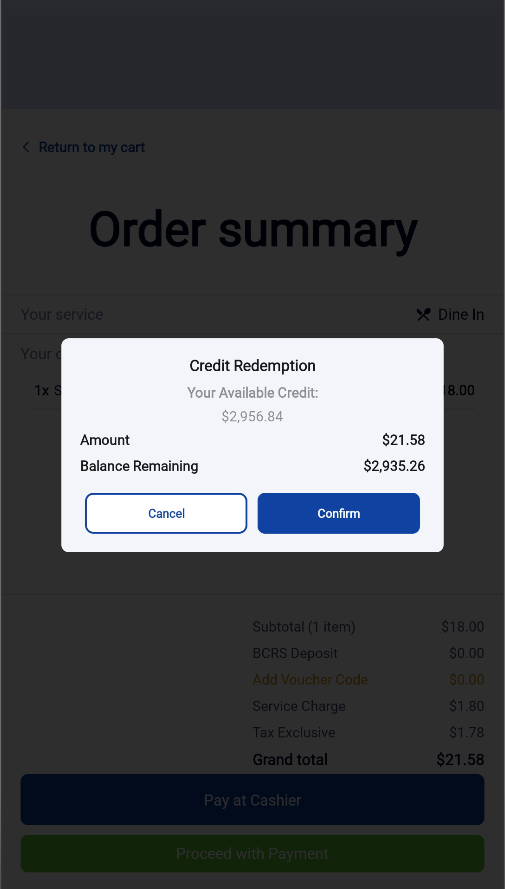
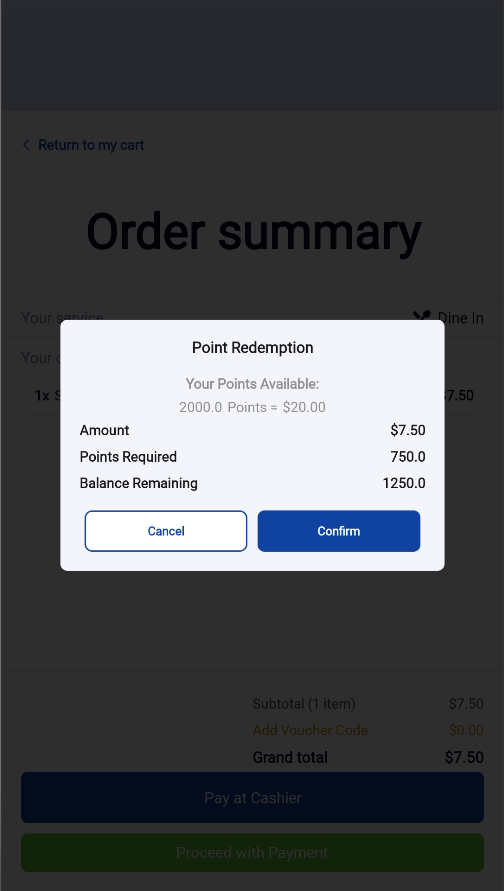
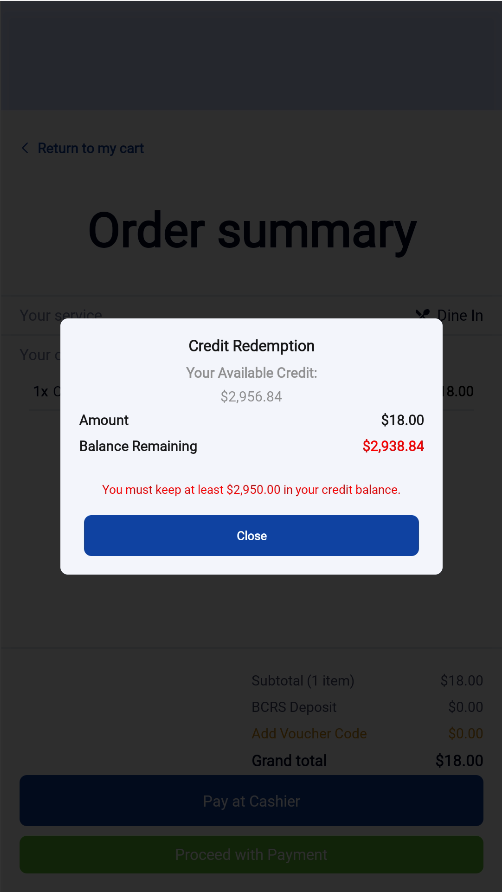
We have rolled out a new enhancement that now allows users to pay with credit and point redemption on the kiosk!
What’s New
📌 The payment page UI has been standardized across all payment methods
⭕️Credit Transactions must be enabled for customers
⭕️The Credit Redemption payment method must be assigned to both the outlet and the kiosk
⭕️If a fall-below limit is configured, the kiosk will prevent customers from paying with Credits if their remaining credit balance falls below the configured limit
⭕️The Point Redemption payment method must be assigned to both the outlet and the kiosk
⭕️To display the Point Balance on the receipt, “Allow Partial Point Usage” must be enabled
📌 Split payment is currently not supported. Customers using Credits or Points Redemption must redeem for the full order amount
How to Update
For POS related features, users will need to update the POS to the latest version, version v6.13.0.0.
For Backend related features, users are not required to perform any actions, the new features would automatically be updated.
Feedback
We value your input! If you encounter any issues or have suggestions for further improvements, please don’t hesitate to contact us.
Stay Connected
Stay updated with the latest news and updates by following us on our social platforms.
Thank You
We appreciate your continued trust in EPOS. This update is just one of many steps we’re taking to provide you with the best POS system on the market.
If you have any questions or need assistance with the update, please contact our support team at:
Call: 6871 8833 / Email: [email protected] / Whatsapp: 8482 1888