June 2026
This month’s release brings a variety of new features and enhancements across our Backend, Windows POS, Android POS, Kiosk, Web Ordering App, Kitchen Display System (KDS), CRM, and Stock Take Device, delivering a smoother experience for both merchants and customers.
We’re also excited to introduce a brand-new product to help businesses operate more efficiently.
What’s New
Not sure which affects you?
These icons indicate which group of users is impacted by each enhancement: Point of Sale (POS) users, Backend users, or Web Ordering App users.
(🖥️ POS — ⚙️ Backend — 📱 Web Ordering App — 🤖 Android POS — 🗣CRM — 👨🍳 Kitchen Display System (KDS) — 📦 Stock Take Device — 🔊Soundbox — 🛒 Kiosk )
We have launched a new type of kiosk called the Hybrid Kiosk! – a single Android device with dual screens on the Sunmi K2 Mini that functions as both a POS for cashiers and a self-ordering kiosk for customers.
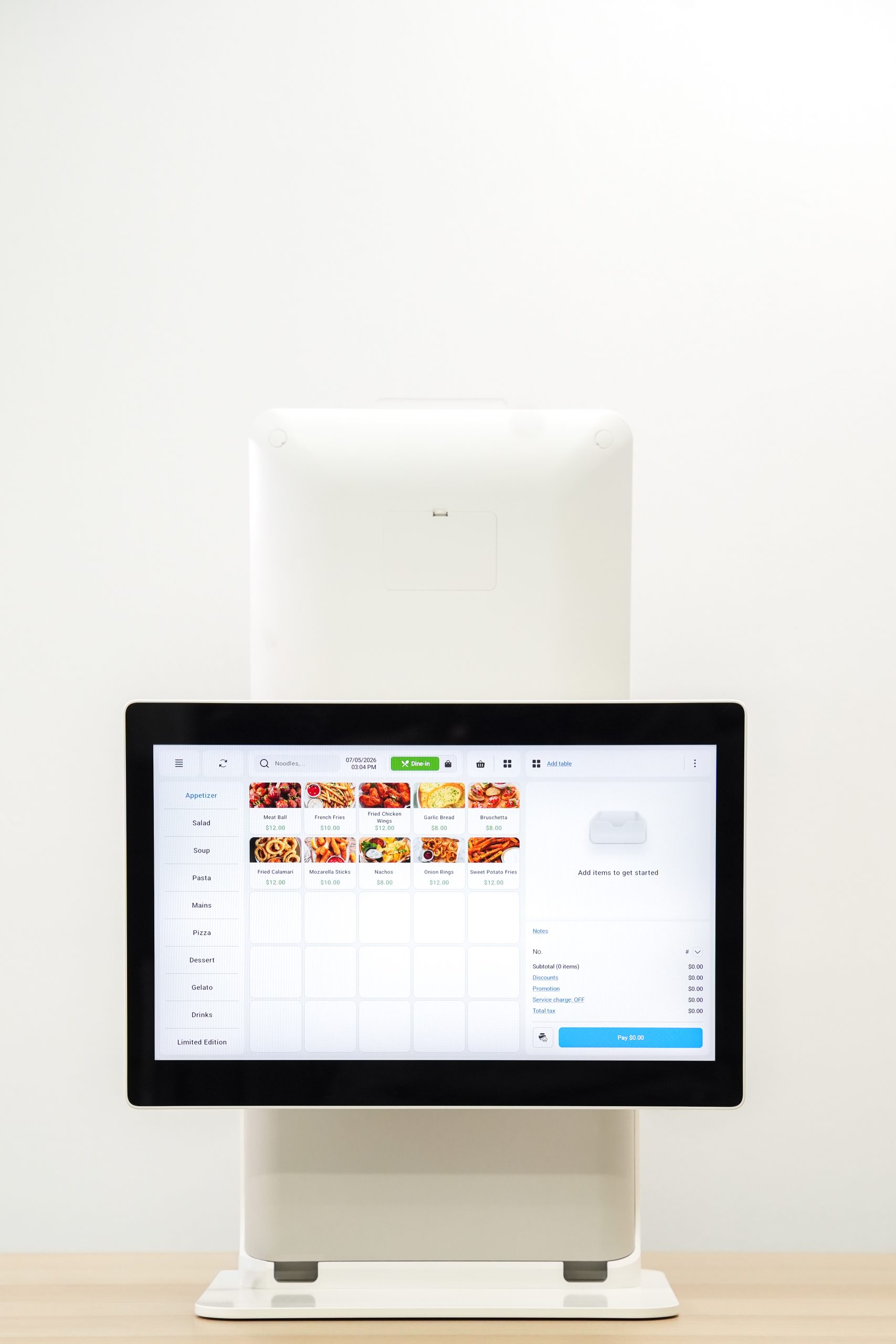
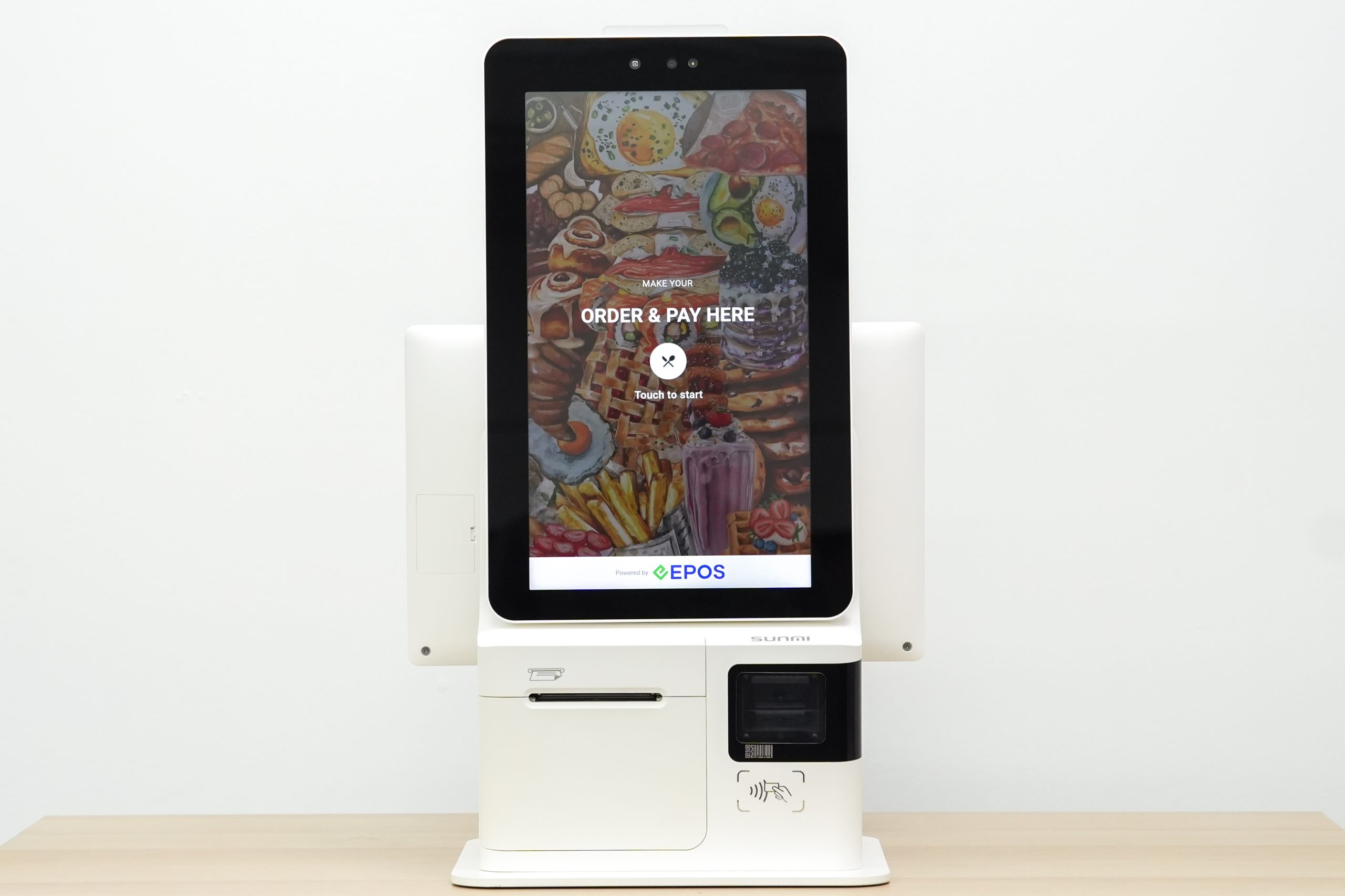
Highlights:
📌With Hybrid Kiosk, business owners can save space, reduce hardware costs, and operate more efficiently with one smart device that combines both POS and Kiosk functionalities.
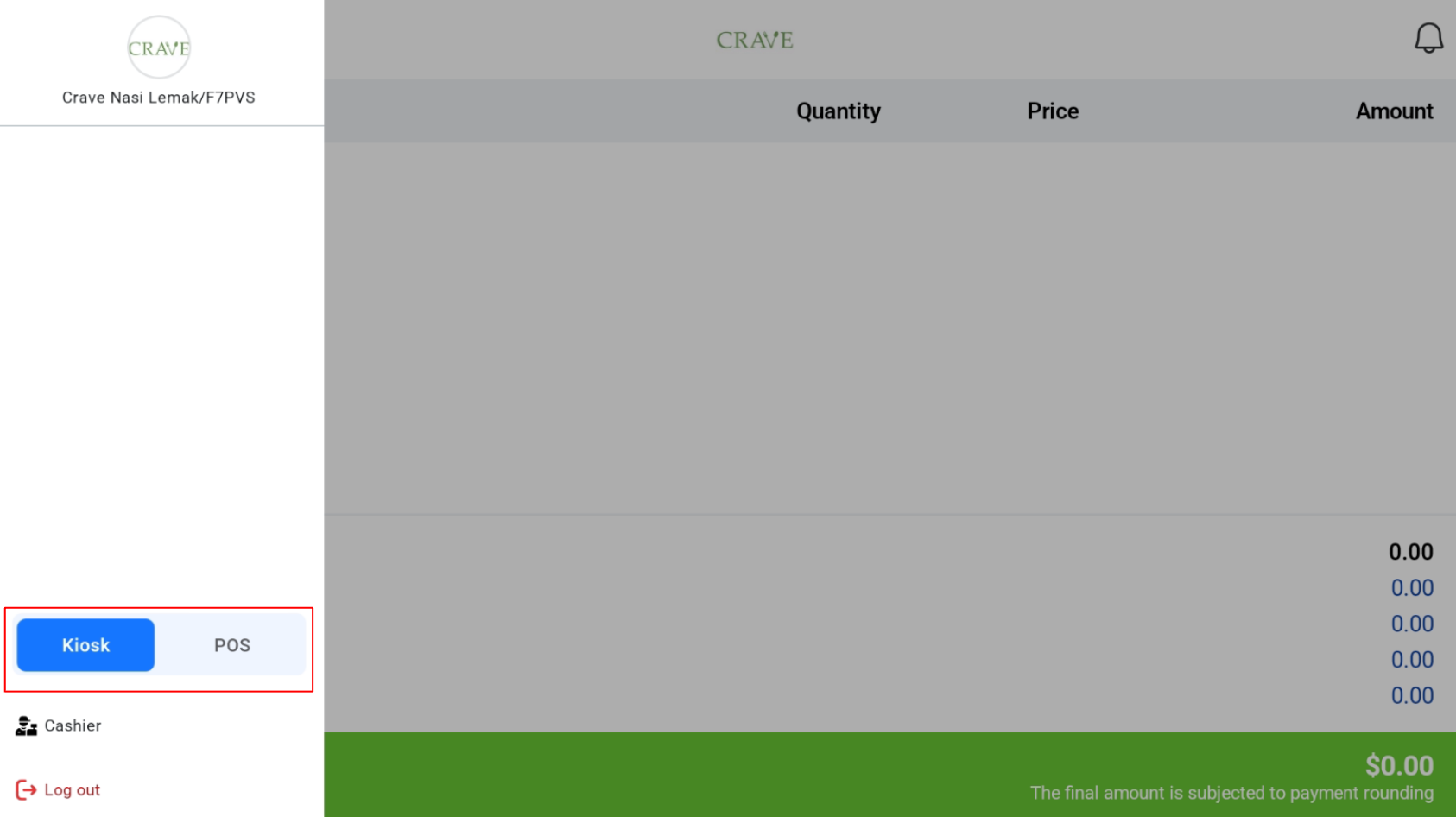
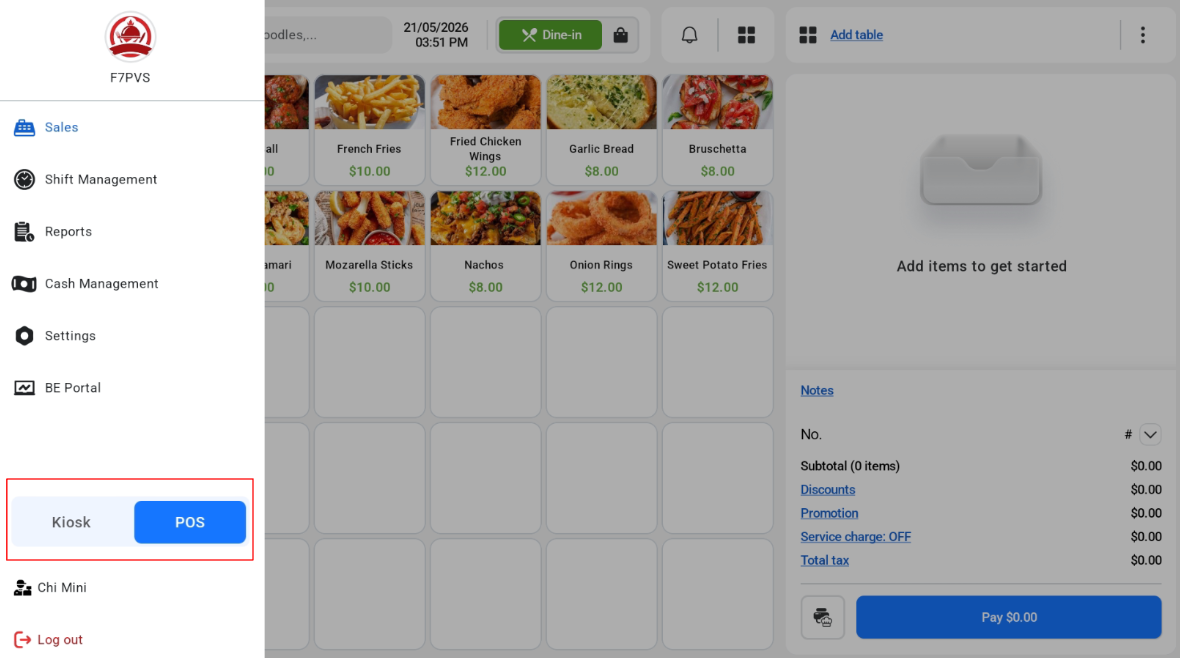
📌Two Hybrid Modes Available: Kiosk Mode & POS Mode for different business needs
Kiosk Mode
Customers can place self-service orders through the kiosk interface. Cashiers can monitor customer orders in real-time from the cashier screen.
POS Mode
Cashiers can perform regular POS ordering and operations.Customer can view their order details and order progress on the customer-facing screen.
Key Features Supported:
- Integrated Payment: Cash, ANEXT PayNow, UOB PayNow, Manual PayNow, Antom Payment
- Integrate with Online Kitchen Display & Queue Display System
- Delivery Integration: GrabFood & FoodPanda
- Edit Quickpick from Backend
- Split, Void, Change Payment, and Return Order
- Tax, Discount, and Promotion
- Built-In Printer or LAN Printer (80 mm or 58 mm receipt)
- Built-In & USB Scanner
- Cash Drawer supported (connected directly to device)
- Second Display
To find out more about the Hybrid Kiosk, visit our dedicated knowledge base page!
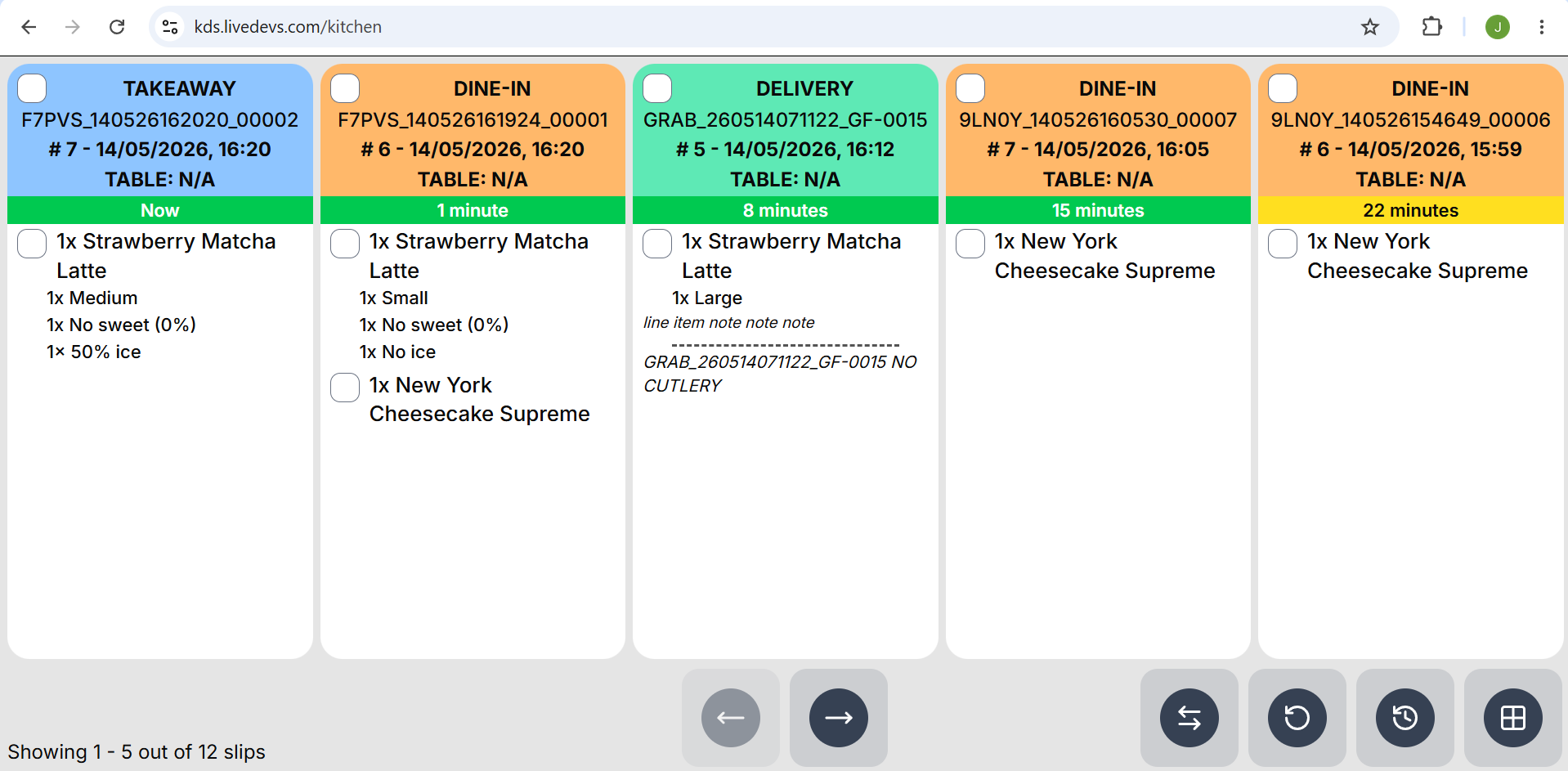
We have a new way of implementing the Kitchen Display System.
What’s New:
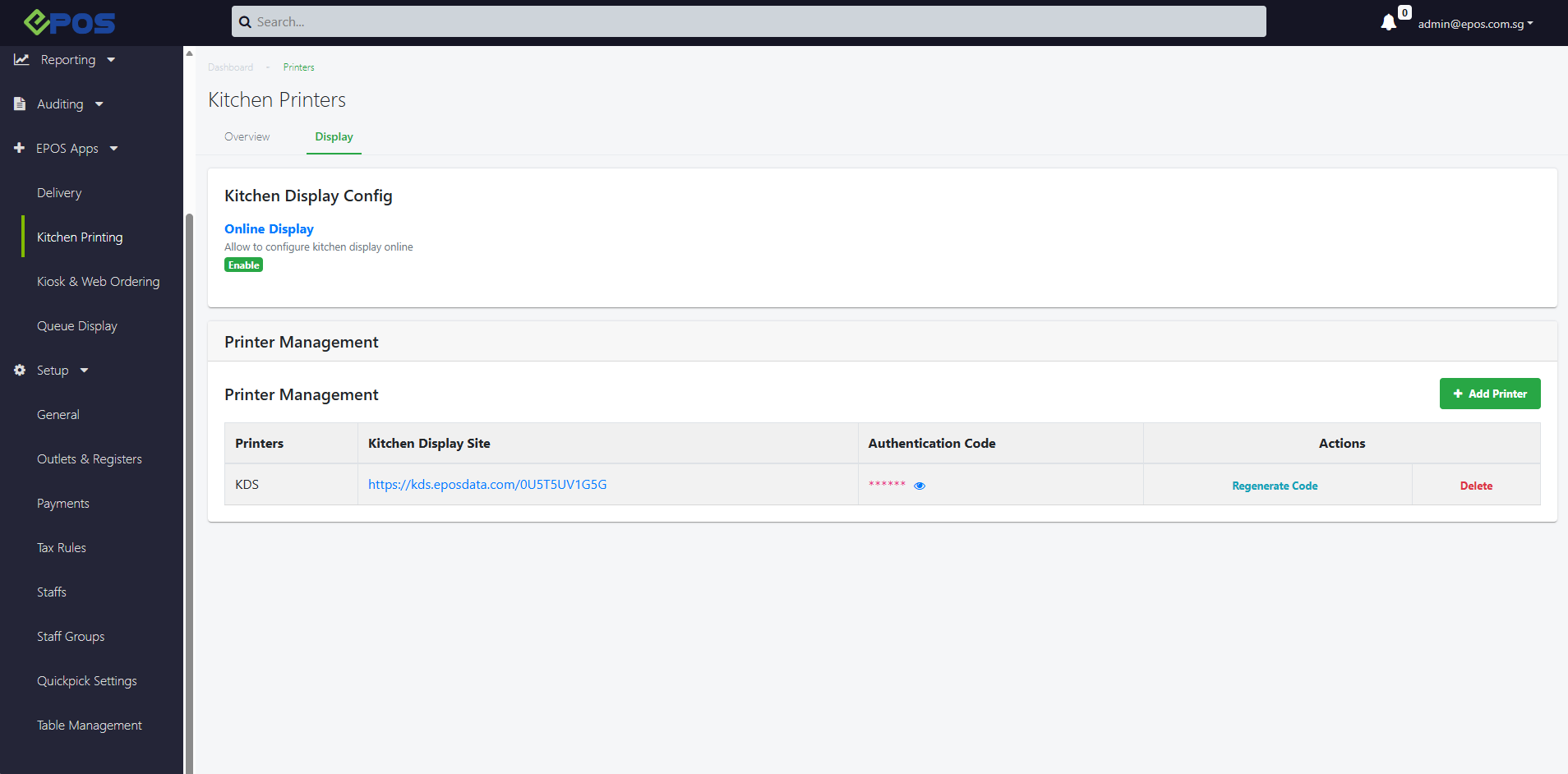
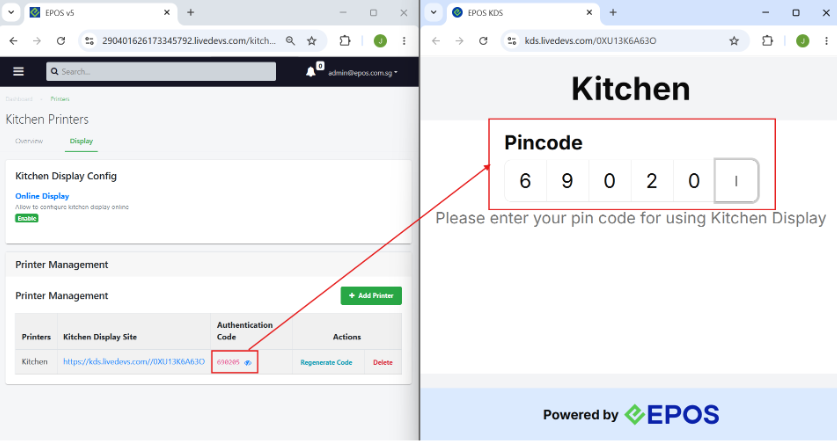
📌The online kitchen display will implement the Kitchen Display System using a web app based URL
📌With Online KDS, Hybrid Kiosk can be fully integrated and used KDS and QDS to seamlessly manage order flow and kitchen operation
📌 All KDS functionalities & behavior remain the same with the current one:
- Receive orders from Hybrid Kiosk
- Complete line kitchen item
- Complete orders
- Dismiss cancelled order
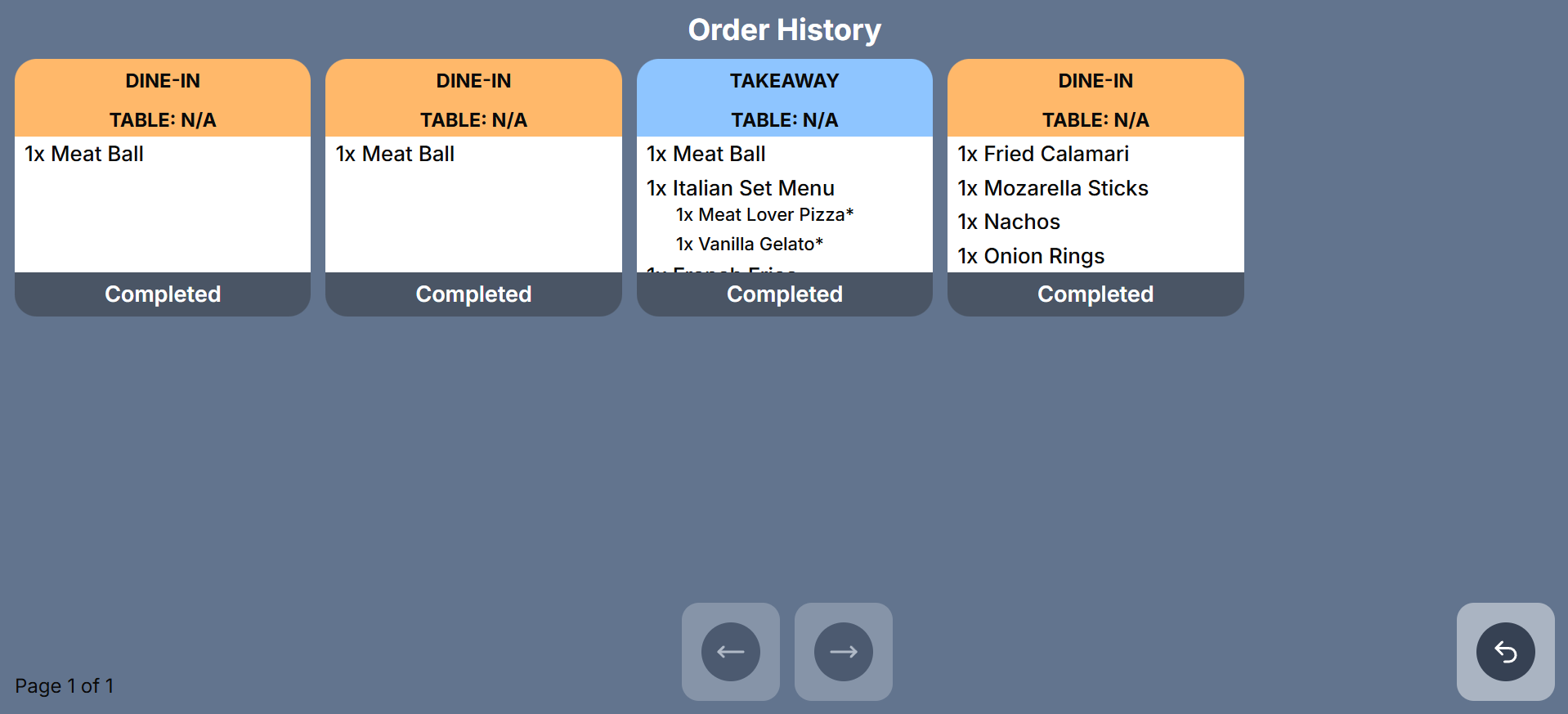
- View Order History
❗️Currently, this feature is only supported for the Hybrid Kiosk
To find out more about the Online KDS, visit our dedicated knowledge base page!
We have rolled out a new enhancement enabling merchants to apply pricebooks set in the EPOS backend to Kiosk & Web Ordering.
What’s New:
Backend
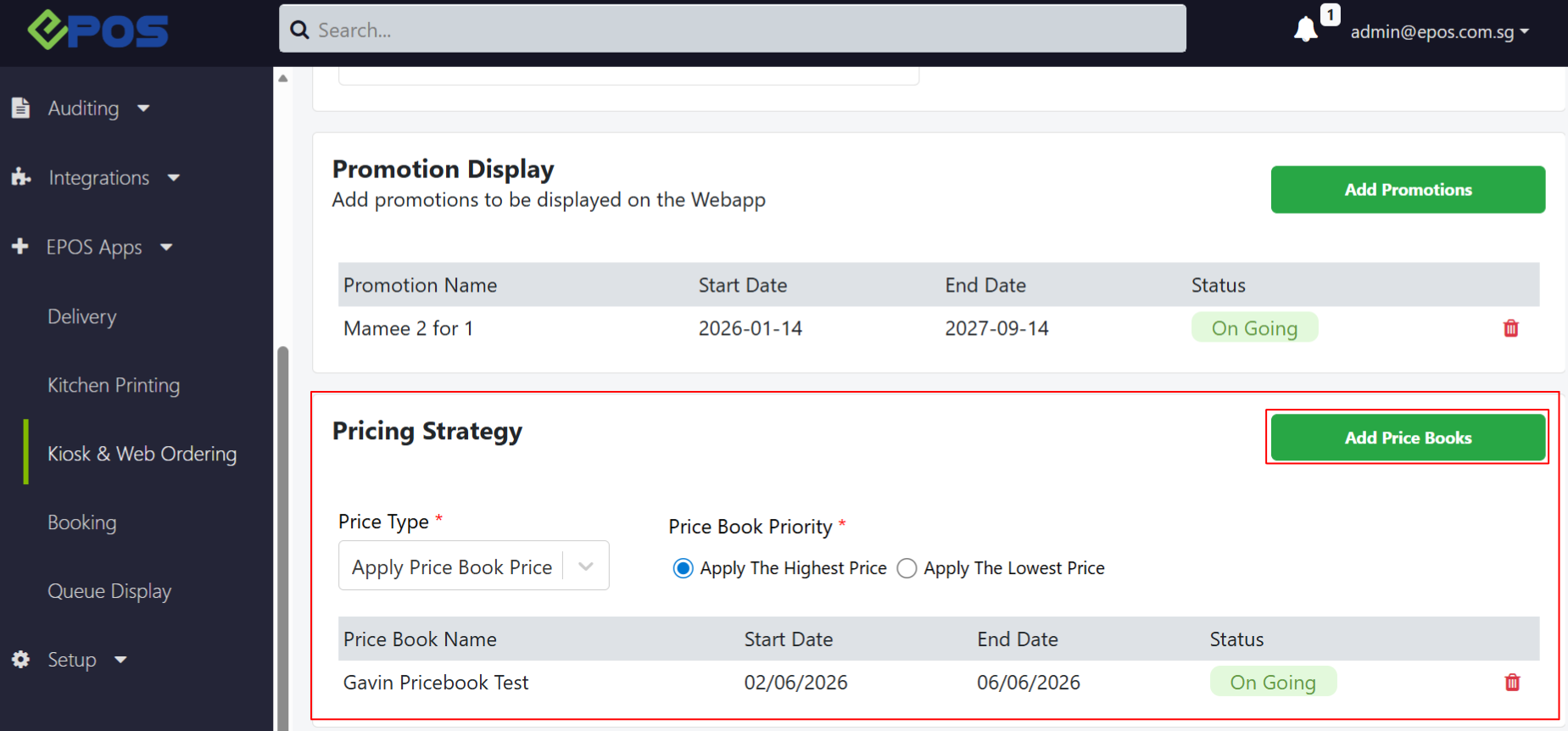
📌 In the EPOS Backend, under EPOS Apps > Kiosk & Web Ordering > Store Configuration > Pricing Strategy, users can change the price type from “Apply Base Price” to “Apply Price Book Price”. They can then click “Add Price Book”.
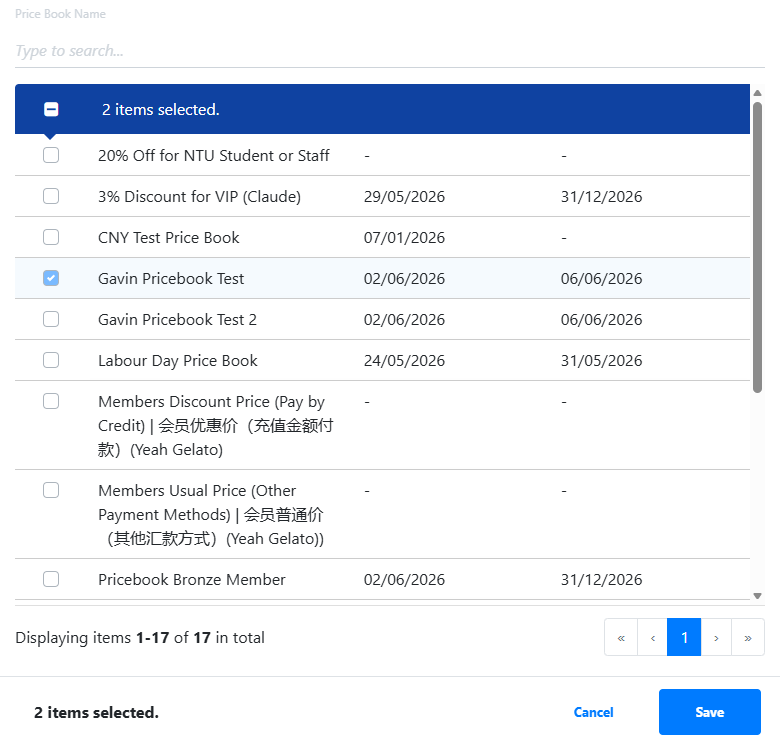
📌 A pop‑up will appear where users can add their chosen price books. If multiple price books affect the same product, they can set a priority (Highest Price or Lowest Price).
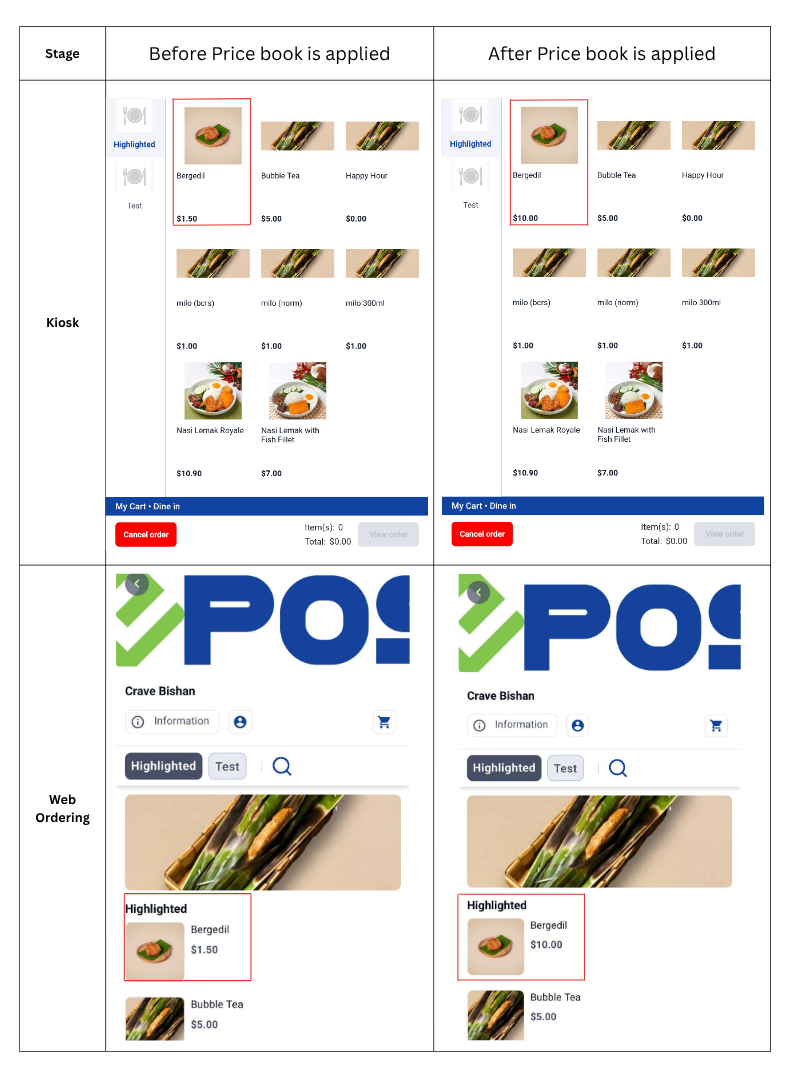
📌 Once the price book is added to the configuration, Kiosk and Web Ordering will follow the pricing strategy based on the price book set in EPOS Backend Kiosk WebApp configuration.
Kiosk & Web App
📌 After the pricebook is added, pricebook pricing will be applied to Kiosk & Web Ordering
We have rolled out a new mall report type!
What’s New:
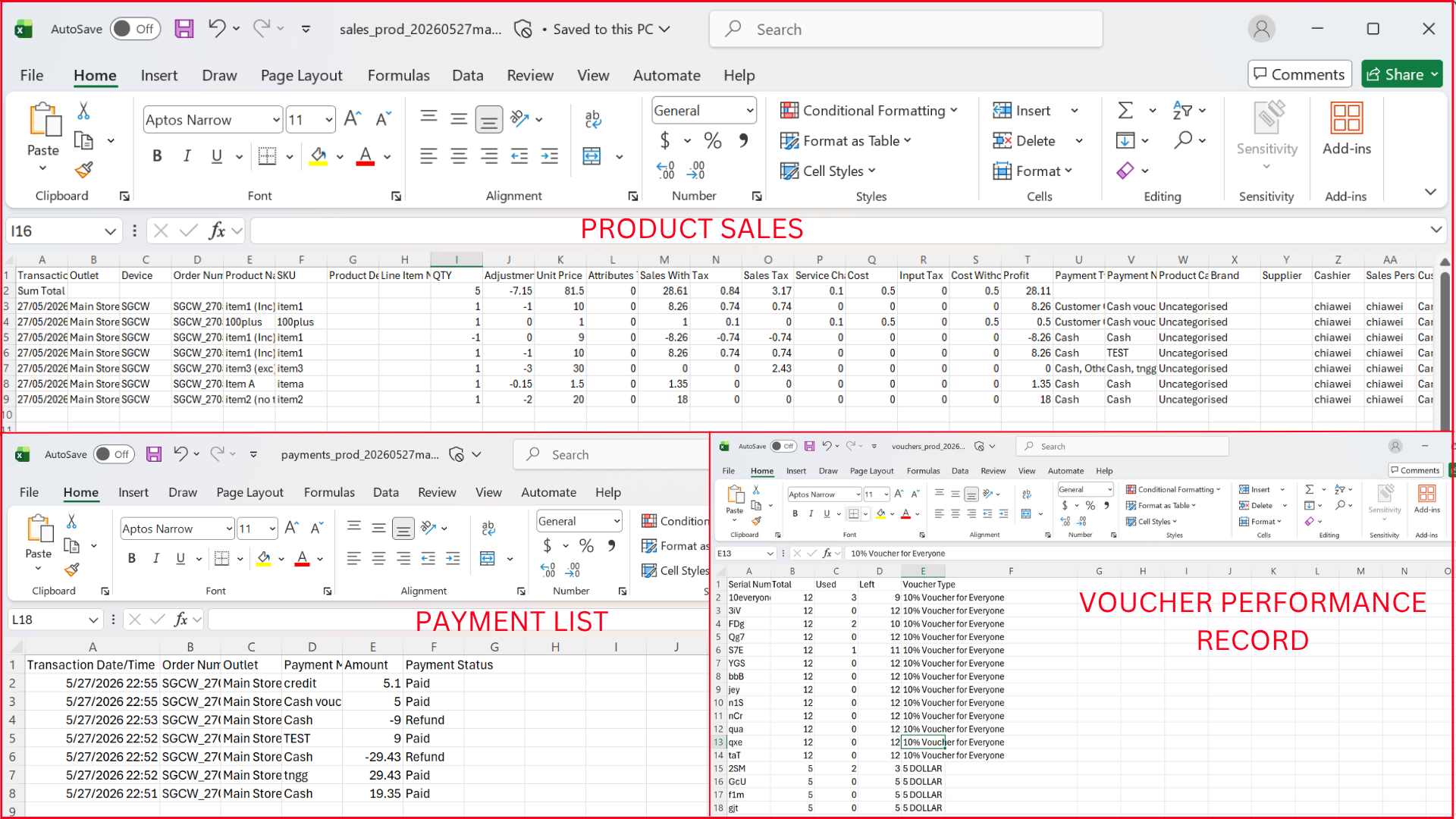
📌The new “Advanced Data Report” is able to generate 3 individual folders (Product sales, Payment List, Voucher usage) reports and autosend to the client’s SFTP
📌Users can merge weekend sales into 1 combined report. To do this, the corresponding toggle under EPOS Apps → Mall Report → Edit Config → “Merge weekend reports” must be turned on.
❗️ The Report Run time for Advanced Data Report must be set between 12:30 AM and 10:00 PM. The data will be retrieved from the previous day.
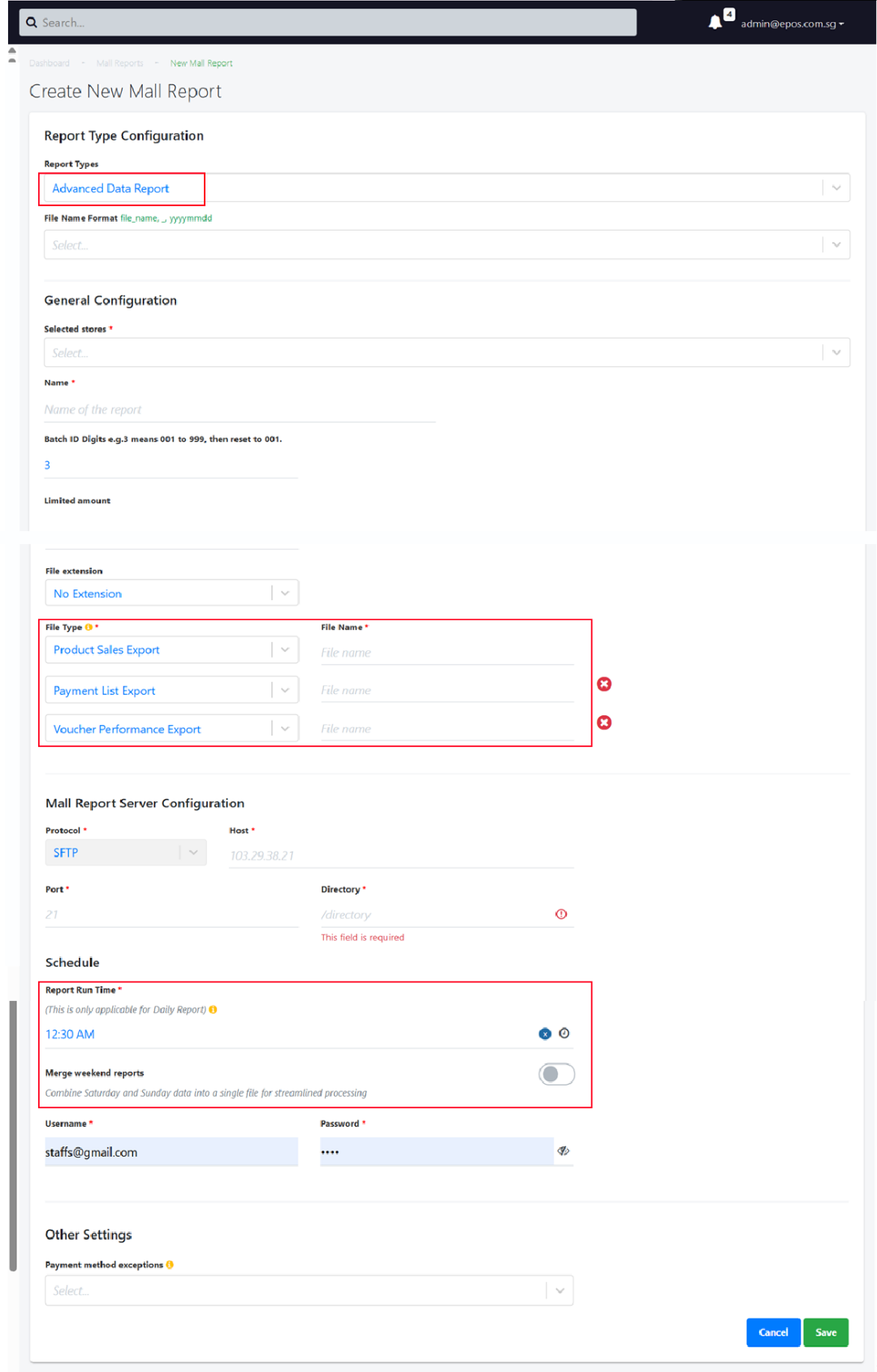
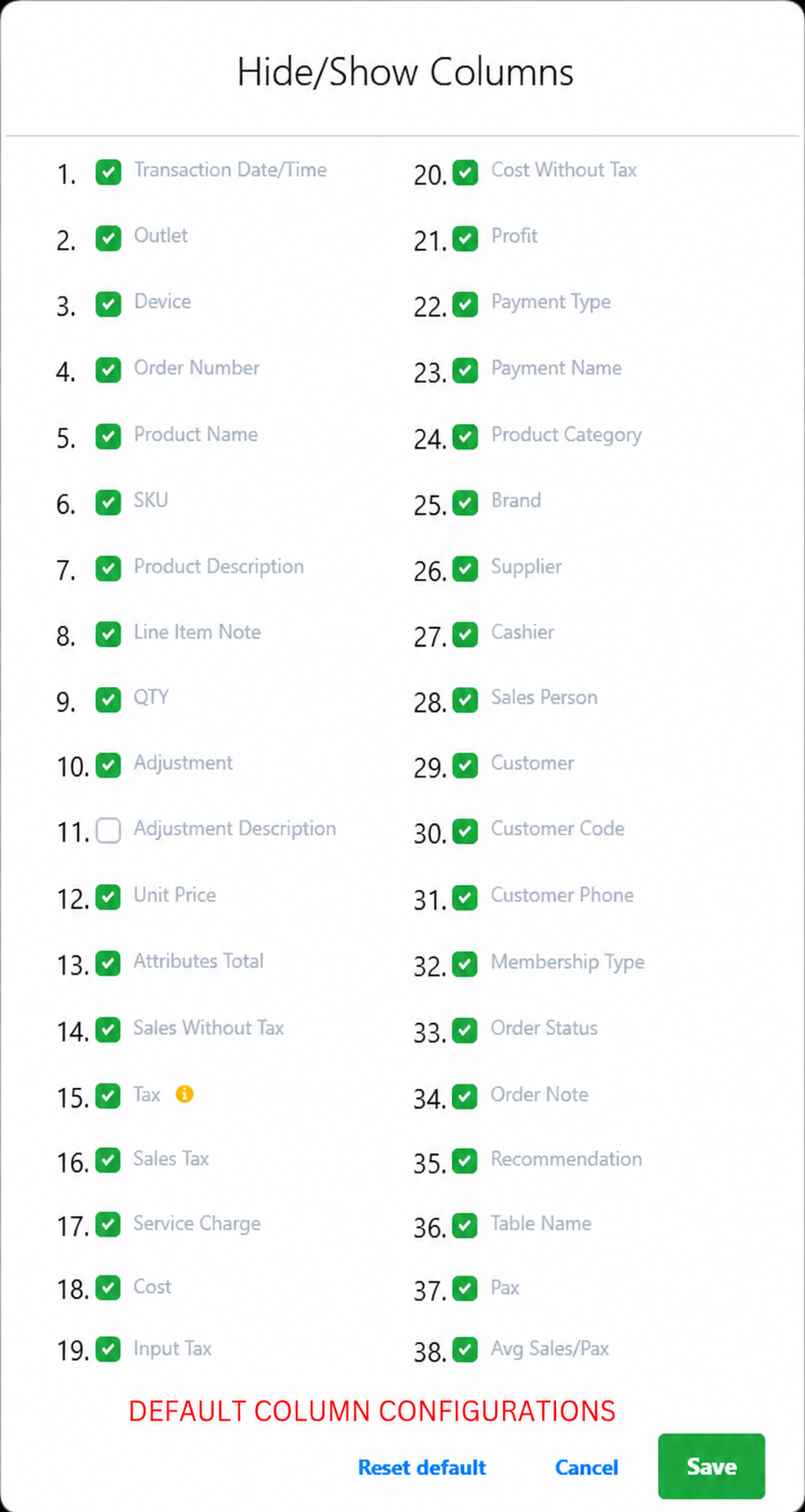
❗️Currently, all reports will be generated using the predefined default column configurations.
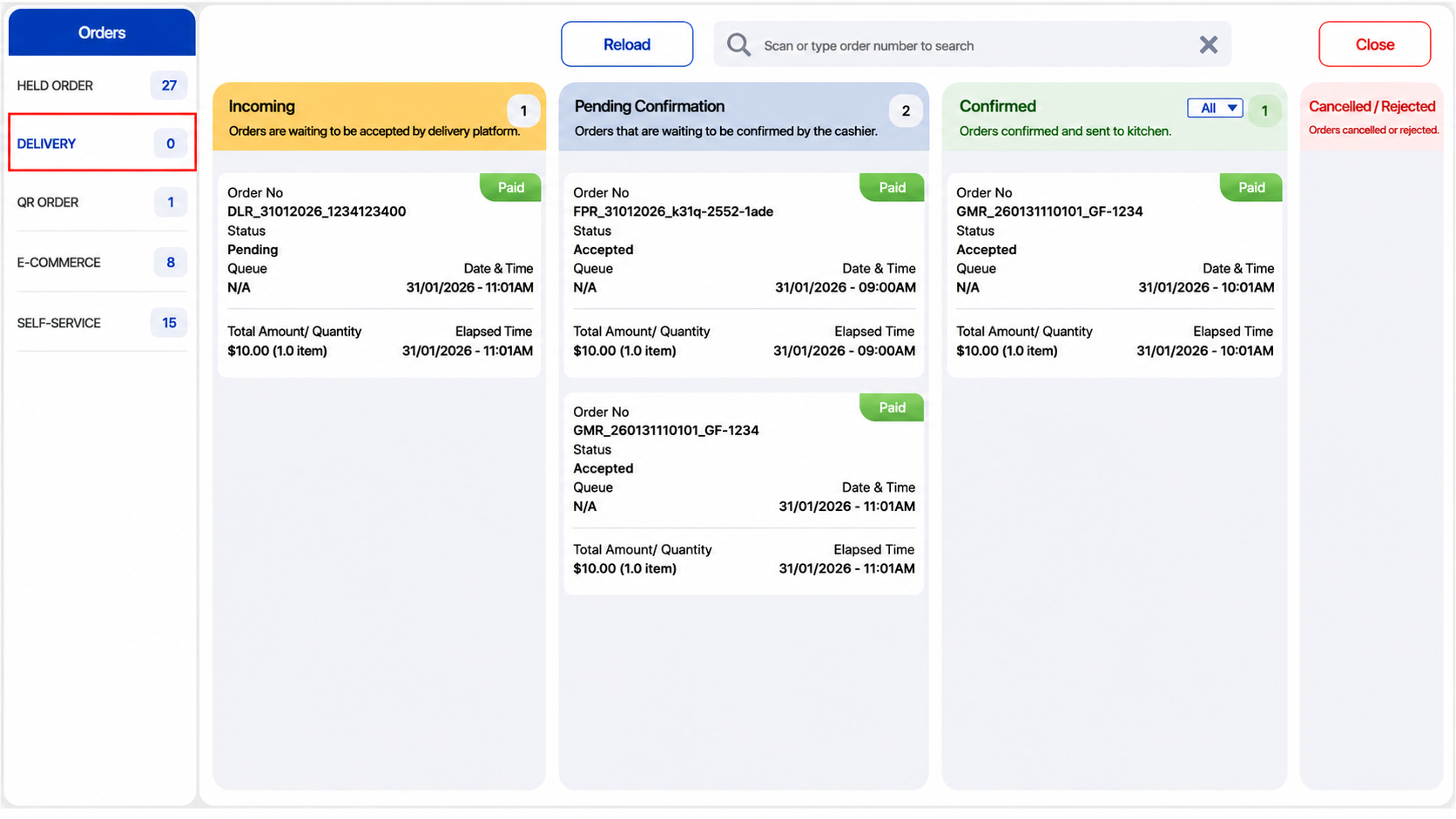
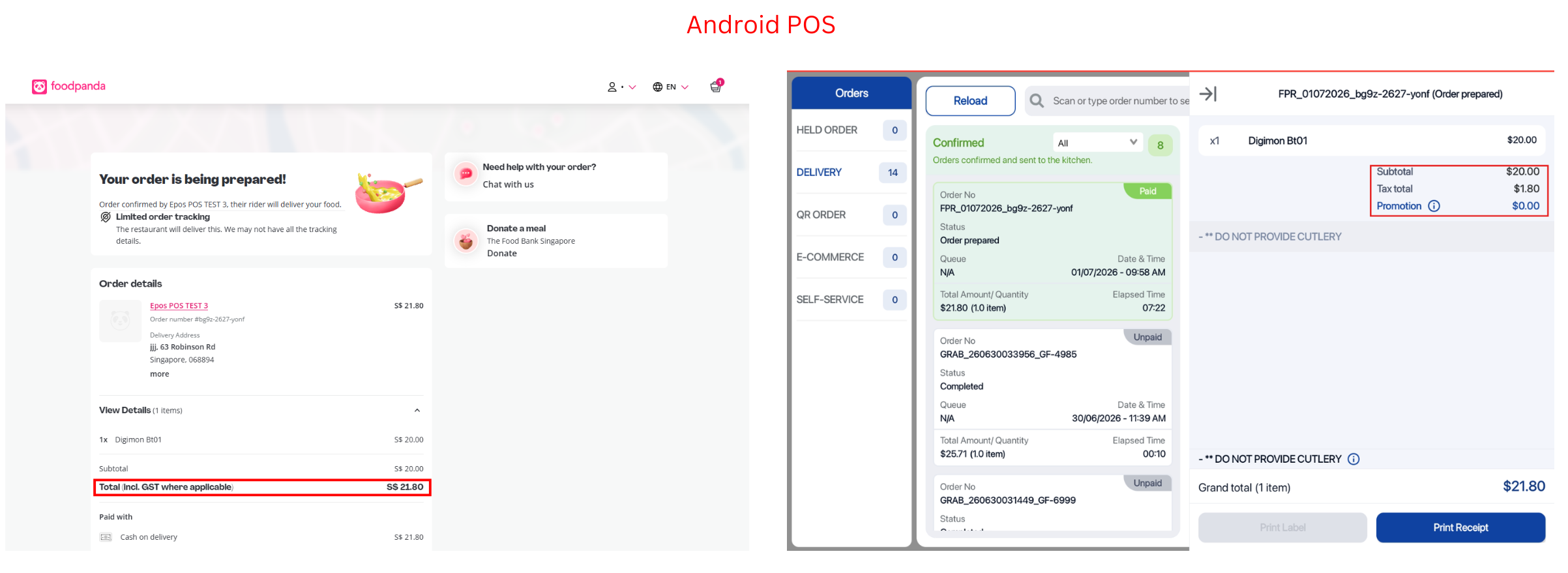
There has been an enhancement to support delivery integration from Foodpanda & Grab (Grabfood & Grabmart) to our android POS.
What’s New:
📌Delivery orders placed will now flow into the delivery order view of the android POS
📌Merchants can track the status of all delivery orders at a glance through intuitive display cards in the Delivery Order view
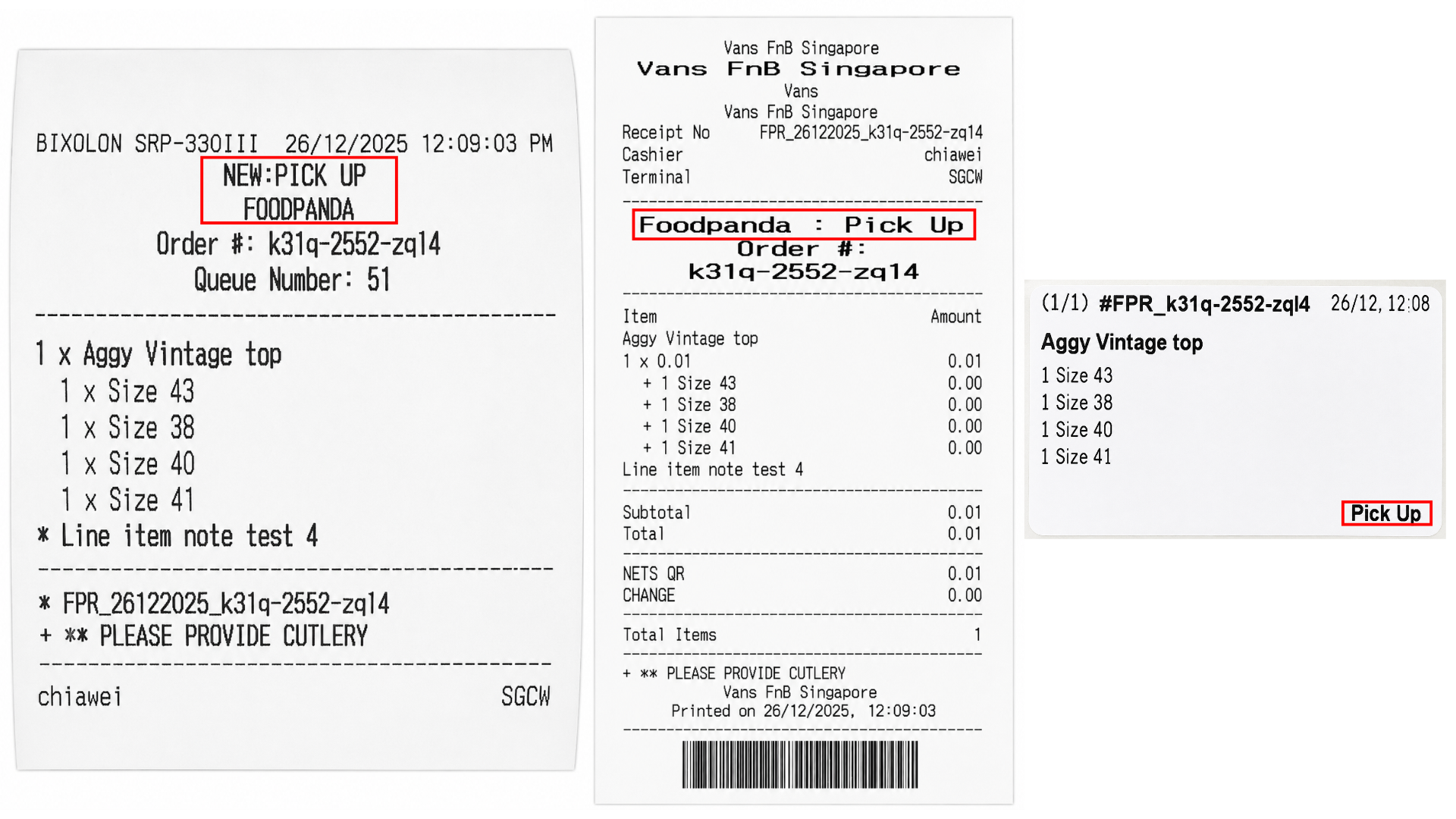
📌Similarly to our windows POS, the header of receipts and kitchen slips will change according to the delivery platform, and order type (delivery/pickup)
❗️The “Ready” status in the confirmed page is only applicable for Foodpanda where the user can notify riders for ready orders. After indicating that the item is “ready”, the order status changes to “Order Prepared”.
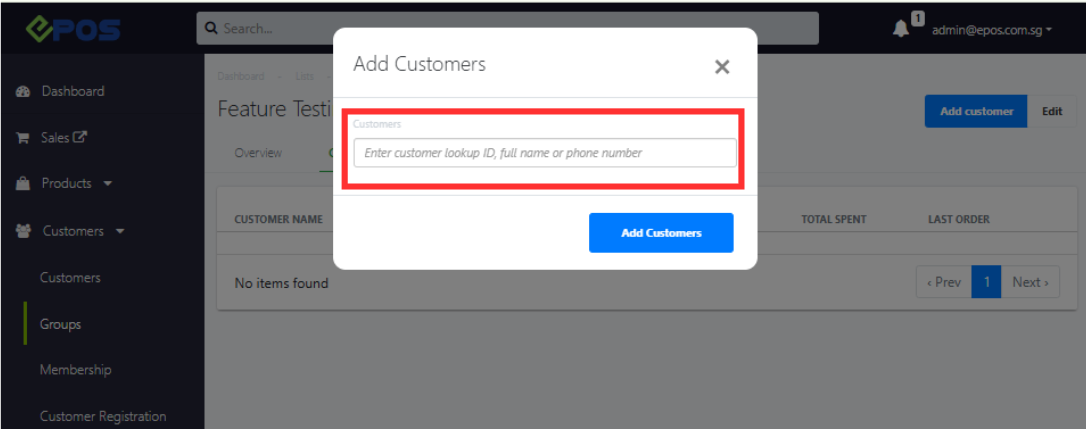
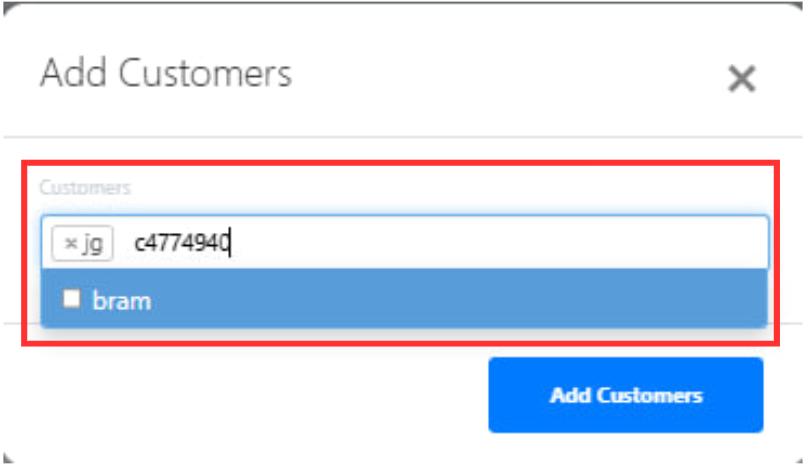
We have rolled out a new enhancement allowing for customers to be added to customer groups via Phone number, Name and Lookup ID.
What’s New:
📌Users can add customers into a customer group by name, lookup ID or phone number from the backend via Customers → Groups → [Selected Customer Group] → Customer List → Add Customer
📌 Users can now select and add multiple customers to the Customer Group from the Customer List at a time.
We are introducing a new enhancement to display available and unavailable discount vouchers during an Android POS transaction!
What’s New:
📌Discount Vouchers on the Android POS are now categorized into two groups: Available Vouchers and Unavailable Vouchers.
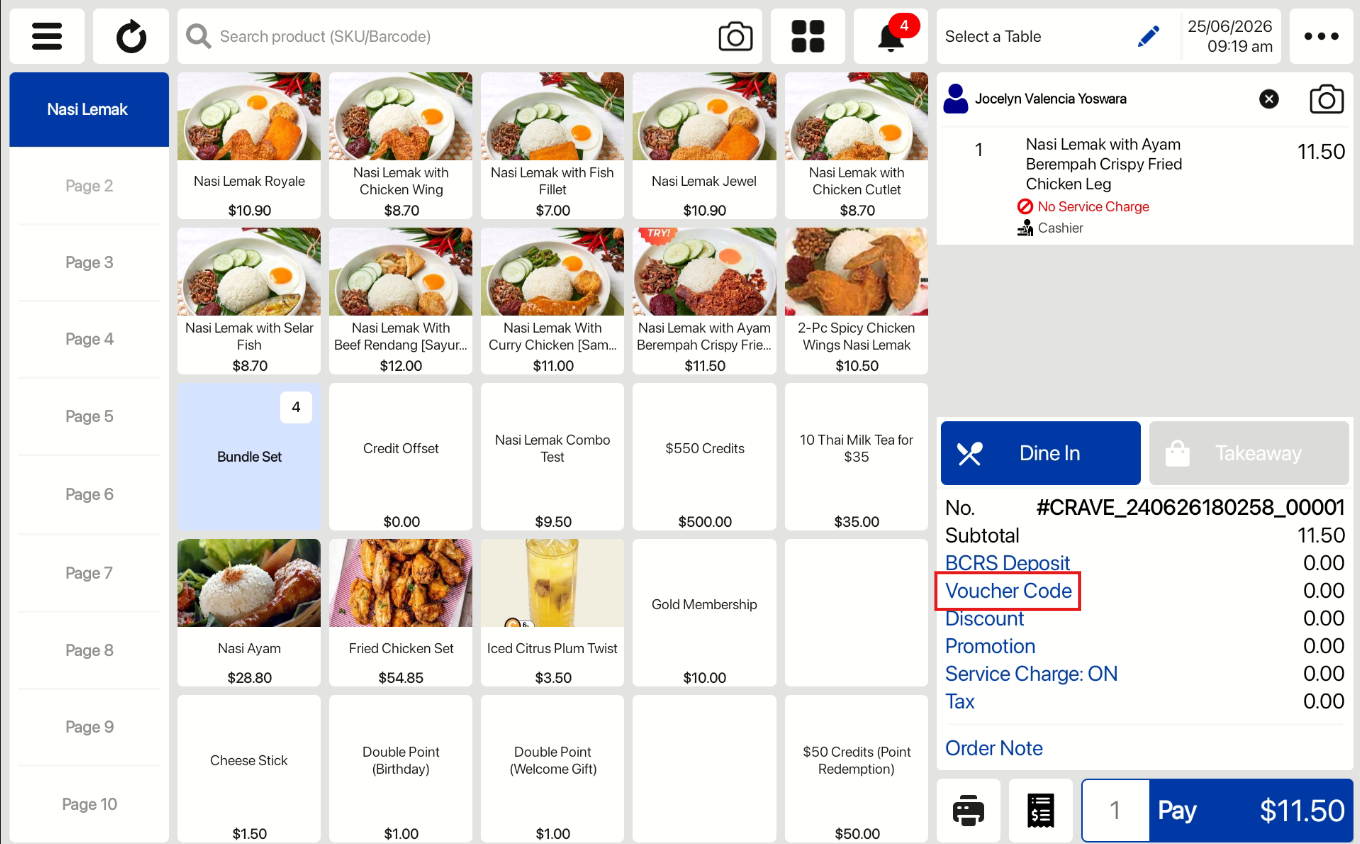
📌Cashiers can now click “Voucher Code” button on the Android POS Sales View to view a list of vouchers available for the transaction, as well as those that are not applicable.
📌 Cashiers can directly apply vouchers by selecting from the available list or by scanning voucher code via camera or entering a voucher code in the voucher code field without needing to ask customer what voucher they currently have.
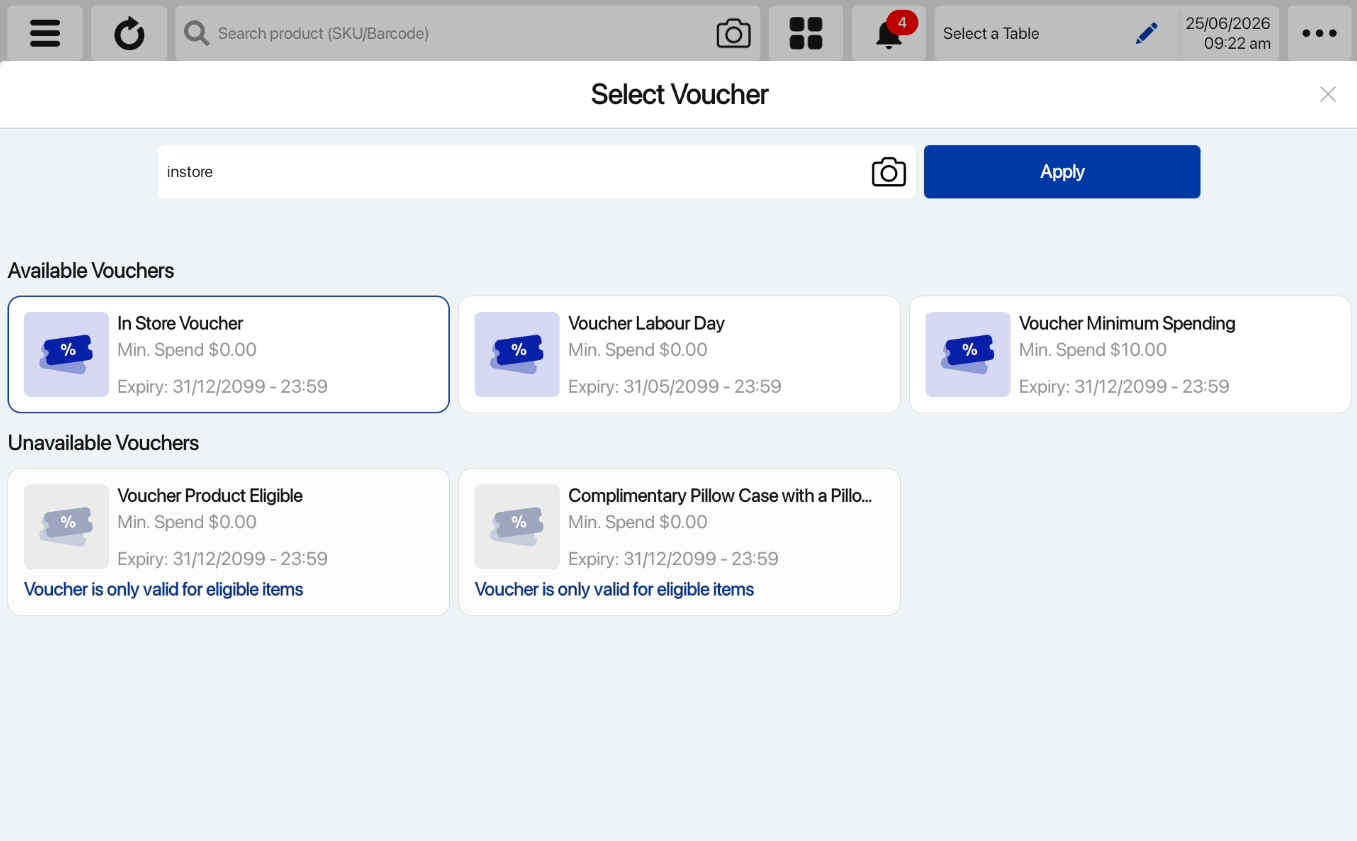
❗️Customer vouchers could be unavailable due to possible reasons such as:
- Minimum spend not met
- Selected products are not eligible
We have implemented the barcode scanning feature on our existing F&B kiosk!
What’s New:
📌On the Sunmi K2 F&B Kiosk, users are now able to scan
- Membership Cards
- Voucher Code
- Various Barcoded Products
📌The kiosk is also able to notify users if they are scanning products that are unavailable during this period.
We have refined the print alignment on the Sunmi K2 Mini Device for the 58mm receipt.
What’s New:
📌For the Sunmi K2 Mini Device, the printing on 58mm receipt is aligned properly and customers are able to easily read the information.
📌This is for both the F&B and Retail Kiosk installed on the Sunmi K2 Mini Device
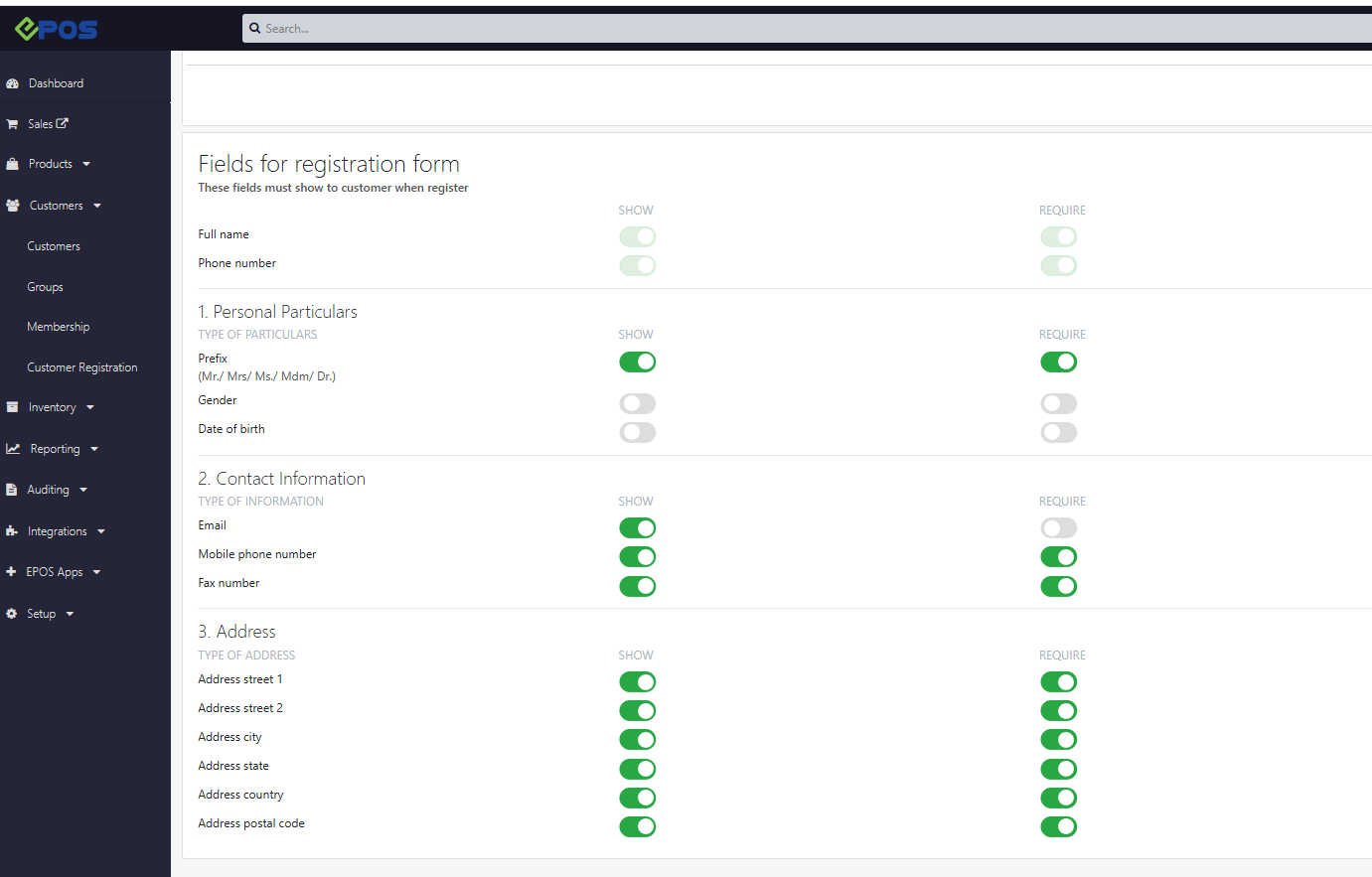
We have rolled out a feature which allows Merchants to set fields as mandatory for customers to fill up during registration.
What’s New:
Backend
📌 The mandatory fields can be set from EPOS Backend under Customers > Customer Registration > Manual Register, and will now also apply to the Customer Portal’s profile page.
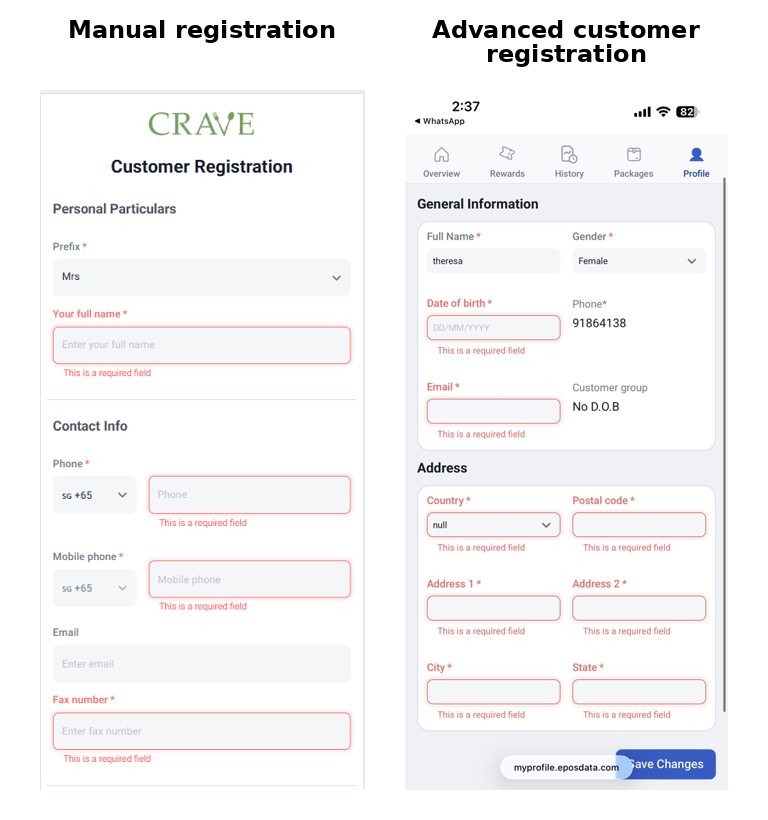
Members Portal
📌Merchants can now set fields inducing: Full Name, Date of Birth, Email, and Address fields as mandatory when customers register or first access the Member’s Portal
📌 A Welcome Onboard popup will greet customers on first login, guiding them to complete their profile before exploring the portal.
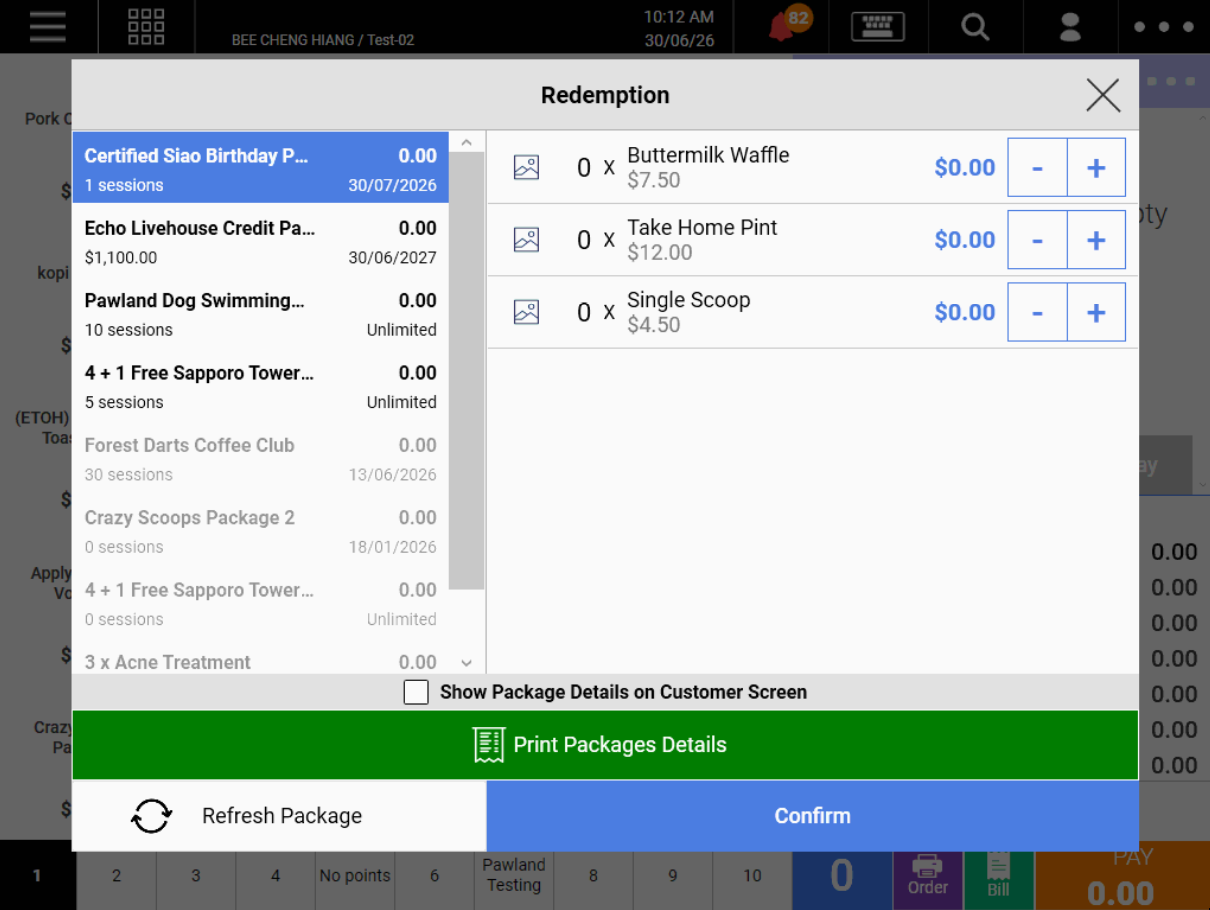
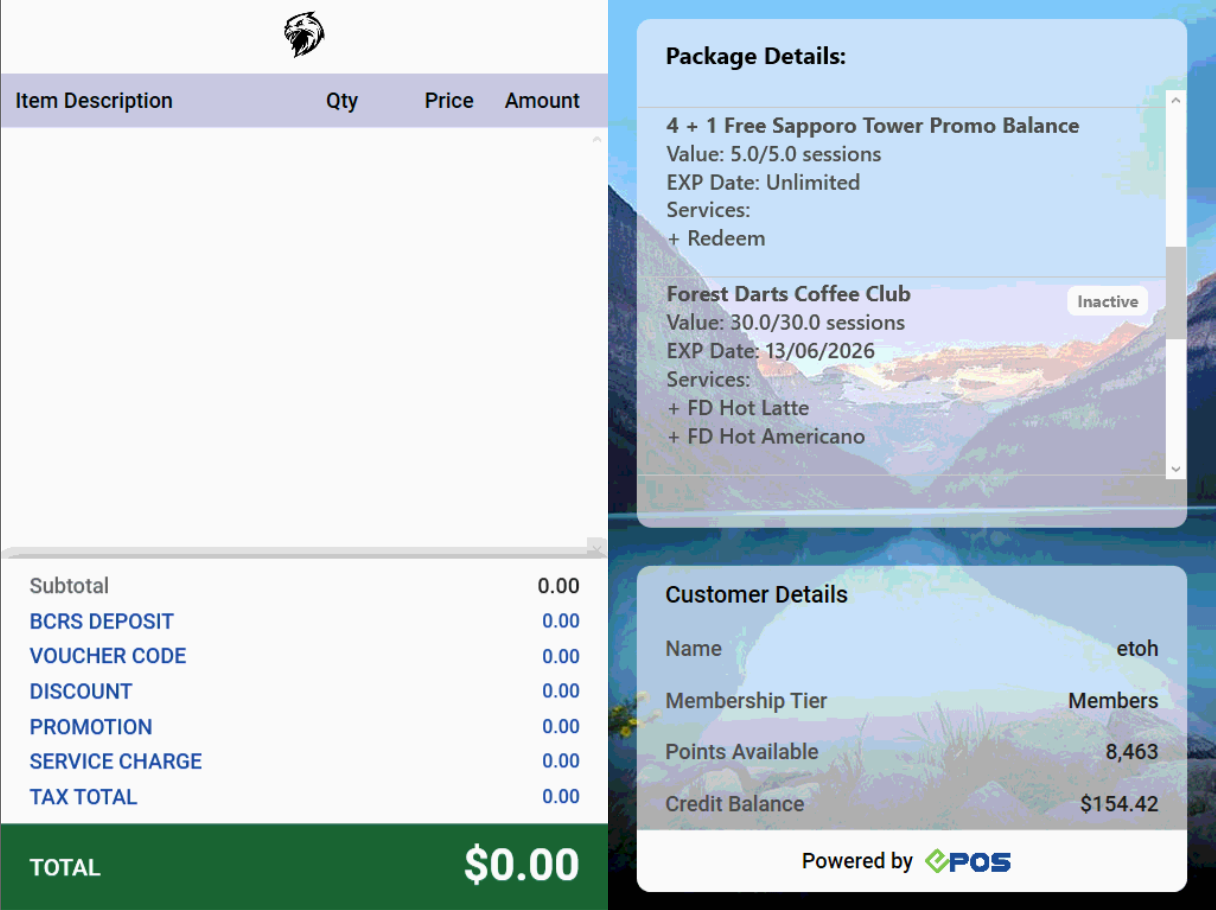
We have introduced an enhancement to the handling of customer packages.
What’s New:
📌When printing out package details, only active packages are included on the receipt
When staff view customer packages on the staff screen:
📌Active packages are displayed first, and are sorted by earliest expiry date, and then earliest purchase date in the case where there is no expiry date.
📌Inactive packages are greyed out and cannot be used for payment or be printed.
When customer view packages on the customer screen:
📌Active packages follow the same sorting on the staff screen
📌Inactive packages will display an inactive tag

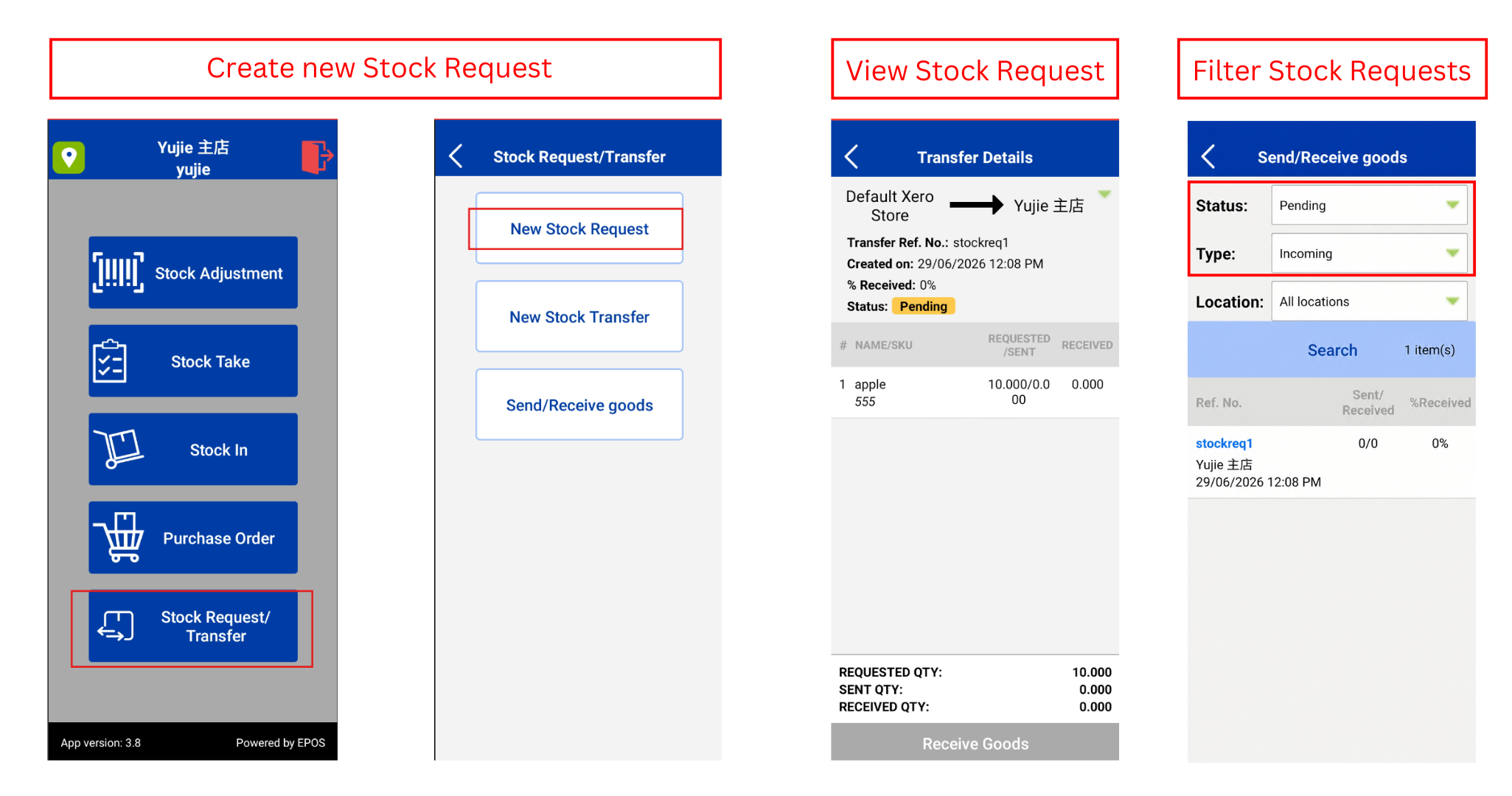
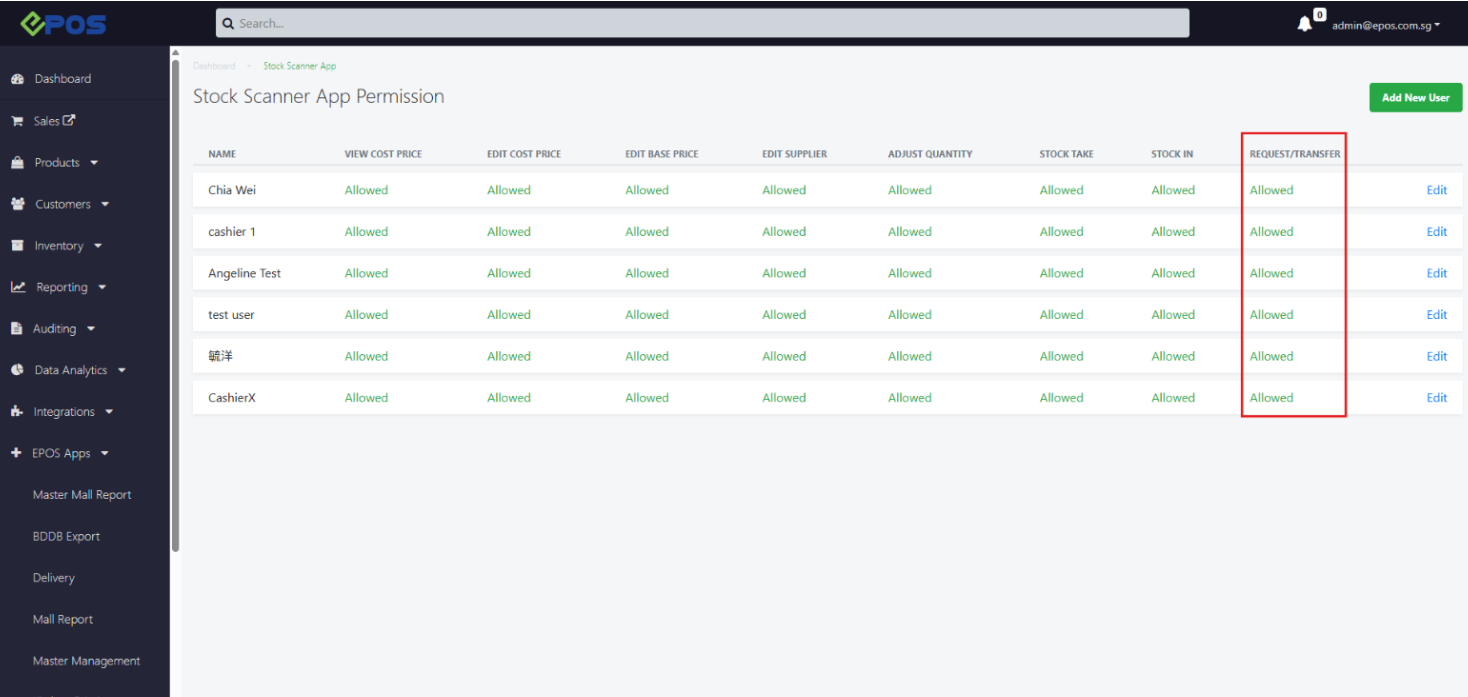
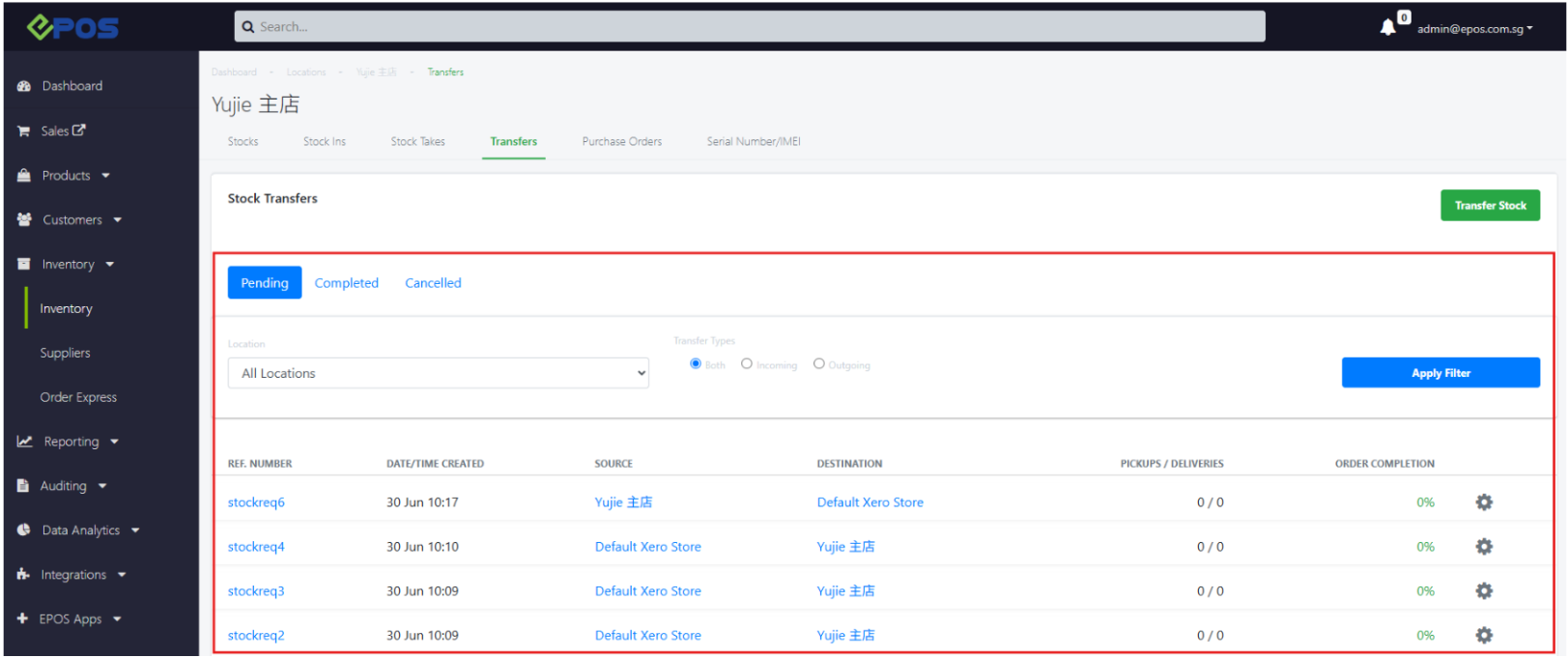
We have rolled out a new feature for merchants to perform stock requests.
What’s New:
📌 User can now use the stocktake app to request for stock from other outlets, enabling more efficient inventory management
📌Once the stock request is created, user is also able to manage stock sending/receiving procedures from the backend under Inventory → [Outlet] → Transfers
❗️The user will be able to filter through different stock requests in the stocktake app from both sending & receiving outlets
We now support referrals for points!
What’s New:
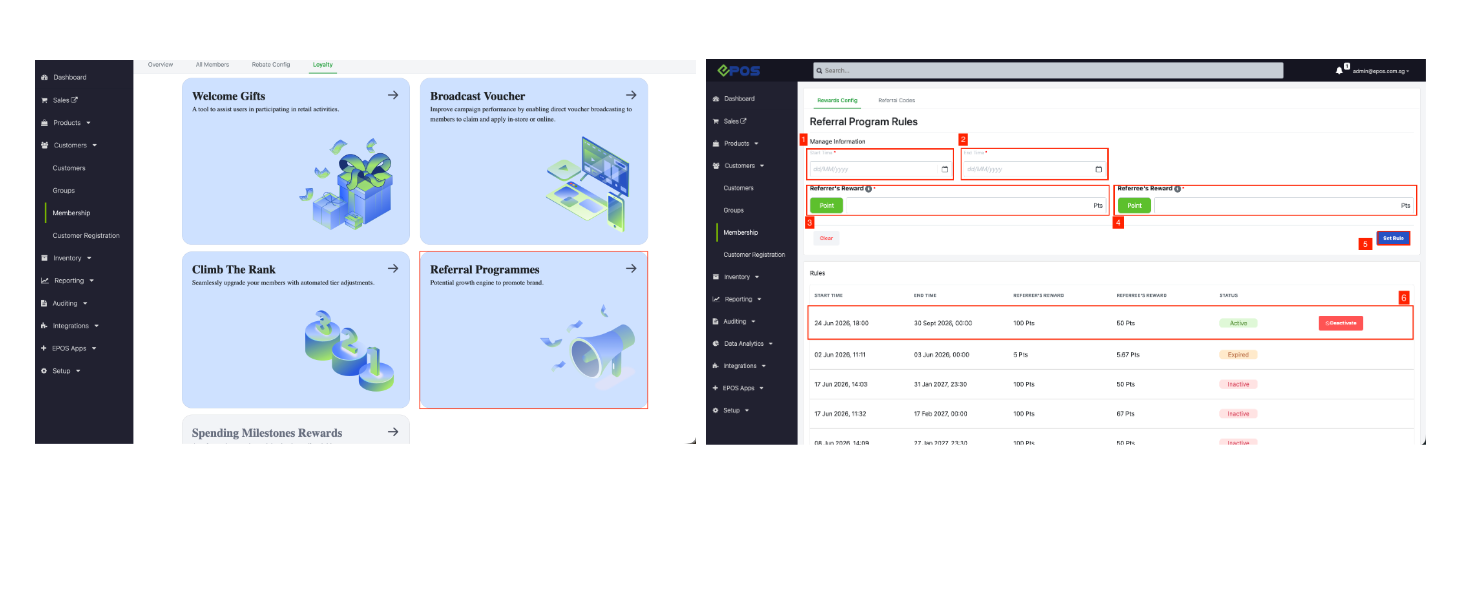
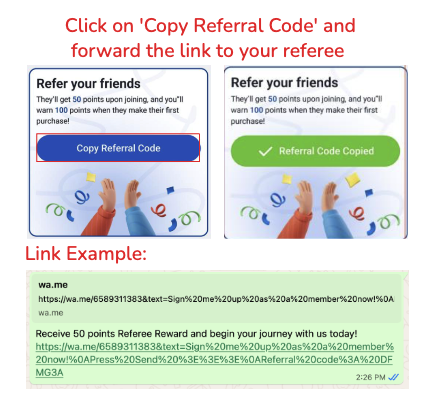
📌 Referral Programme is now available, enabling members to refer new customers and earn points.
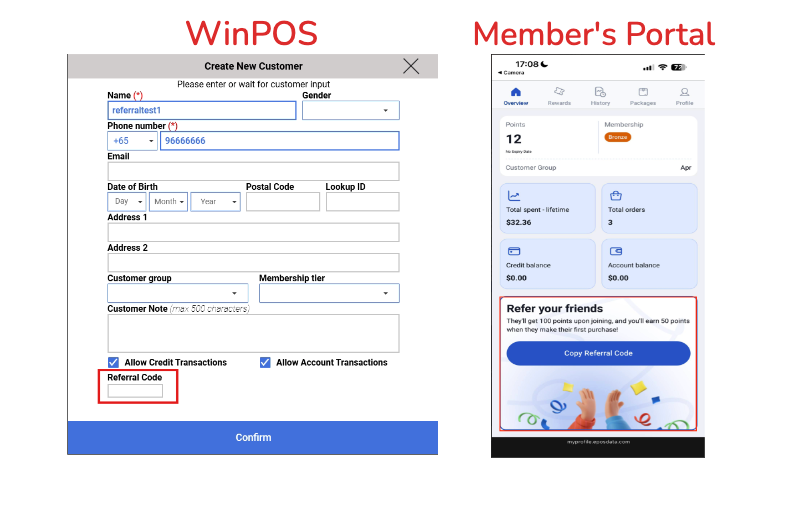
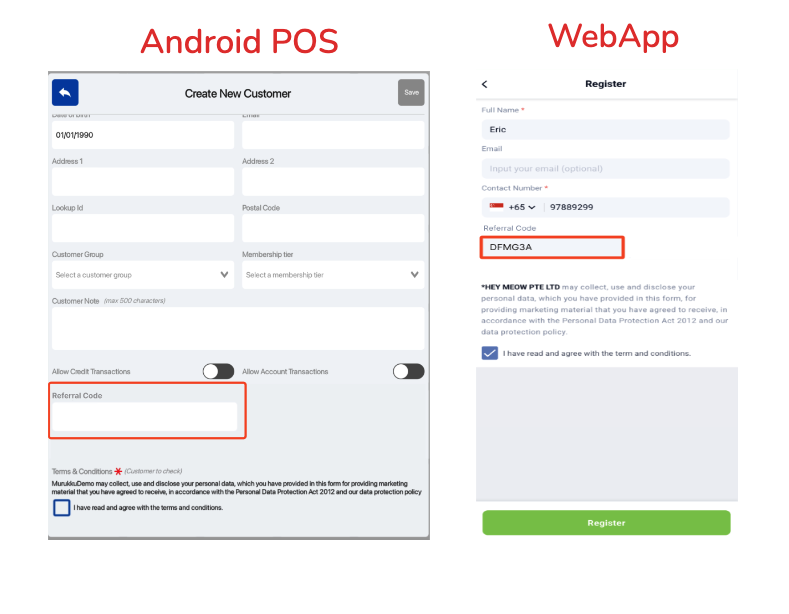
📌New members (referees) will instantly receive referral reward points upon successful registration using a valid referral code.
📌Existing members (referrers) will be rewarded with referral points once the referred member completes their first successful purchase.
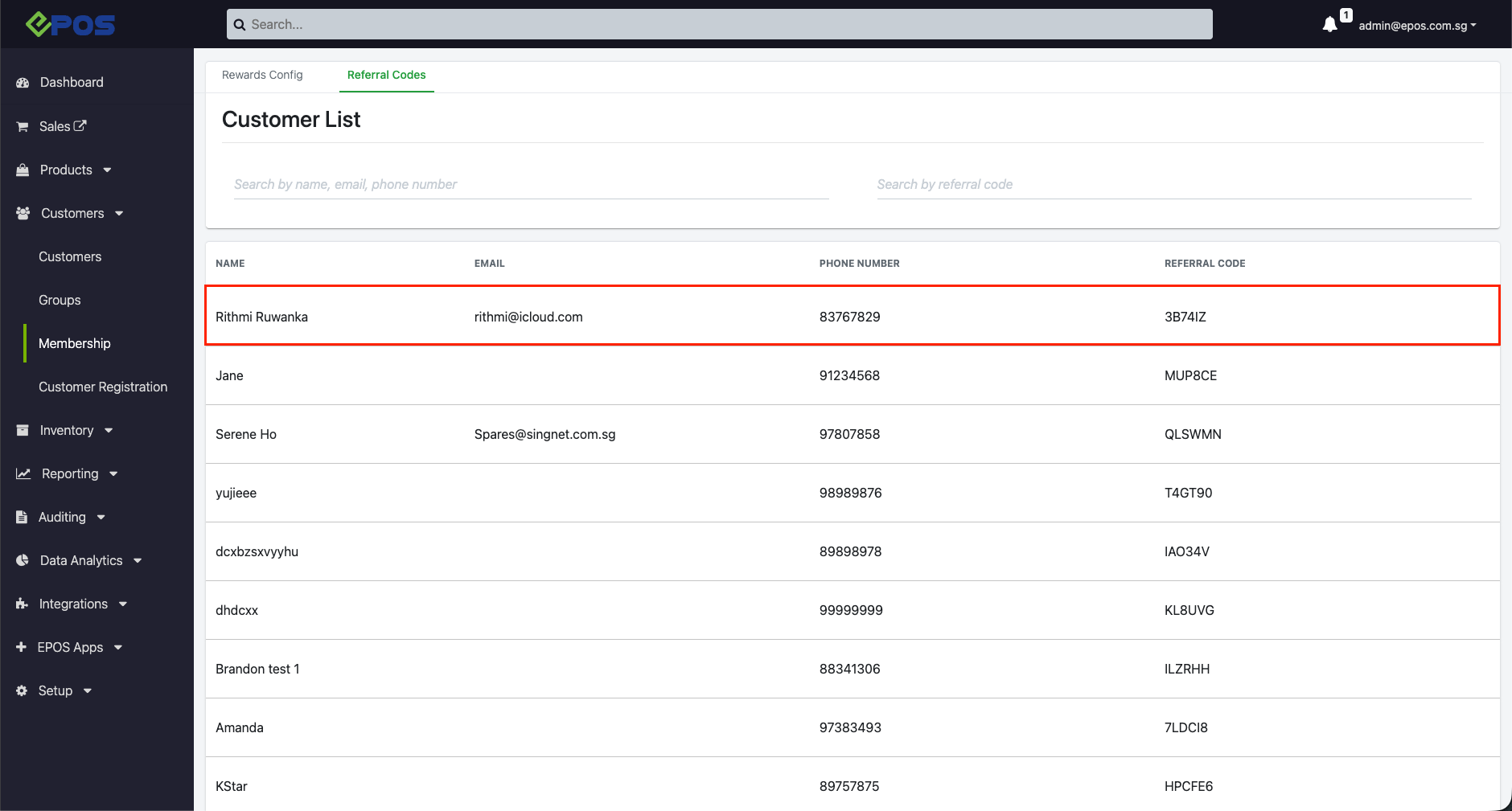
📌 Merchants can also manage their Referral Programme via the EPOS backend such as configuring awarded points for referrers and referees and viewing the customers linked to each referral code.
❗️Referral Programme Display on Member’s Portal is only available on Mobile version. Web view is not supported.
❗️Member’s Portal Flow: Referrer shares a referral link from Member’s Portal → Referee registers via WhatsApp referral flow and receives referral points → Referrer receives the points only after referee’s first transaction.
Backend
Frontend POS view
Member’s Portal
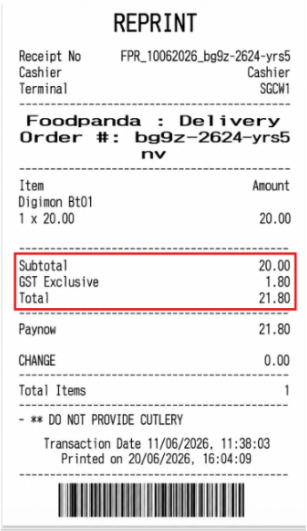
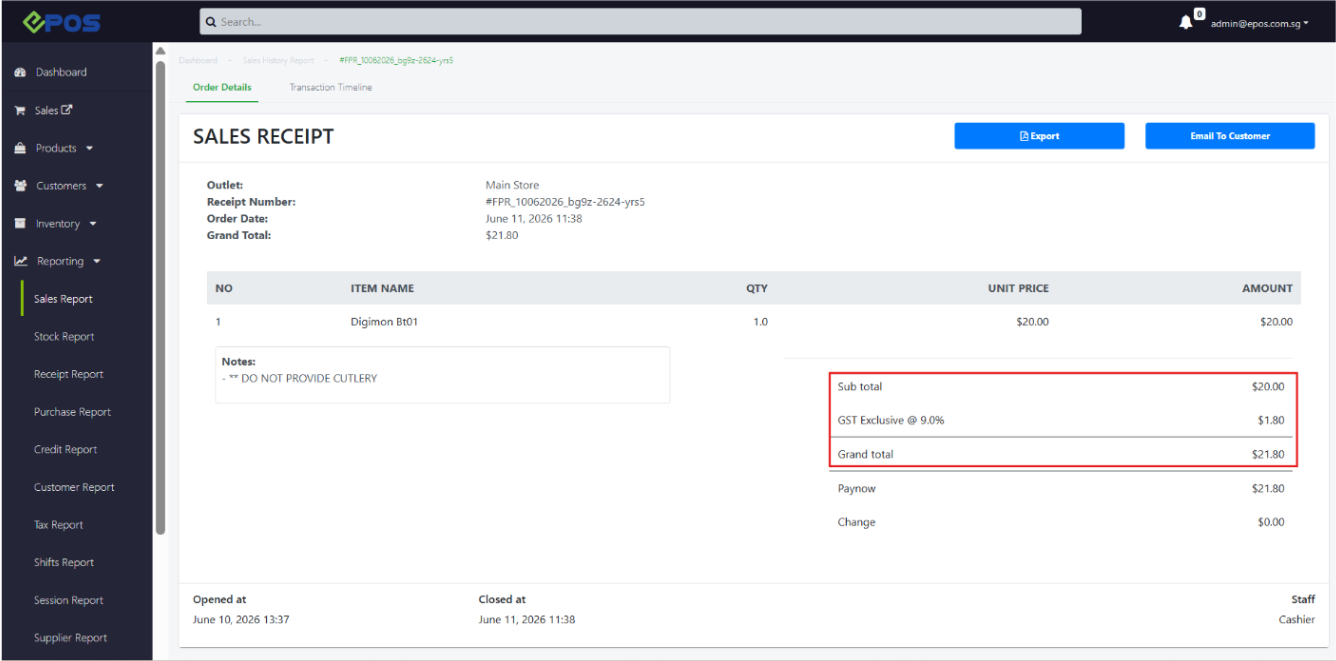
We now support tax exclusive mapping from Foodpanda to the POS.
What’s New:
Backend
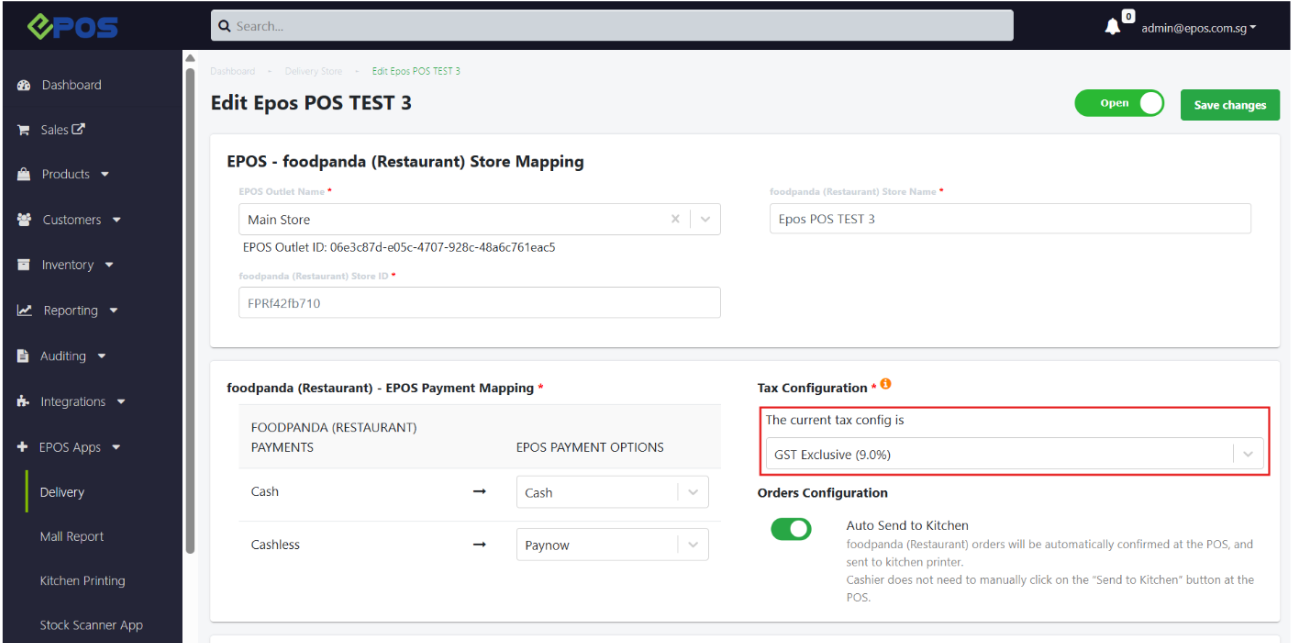
📌To adjust the tax configuration in the backend, users can navigate to EPOS Apps → Delivery → [Outlet Name] → Tax Configuration
Delivery
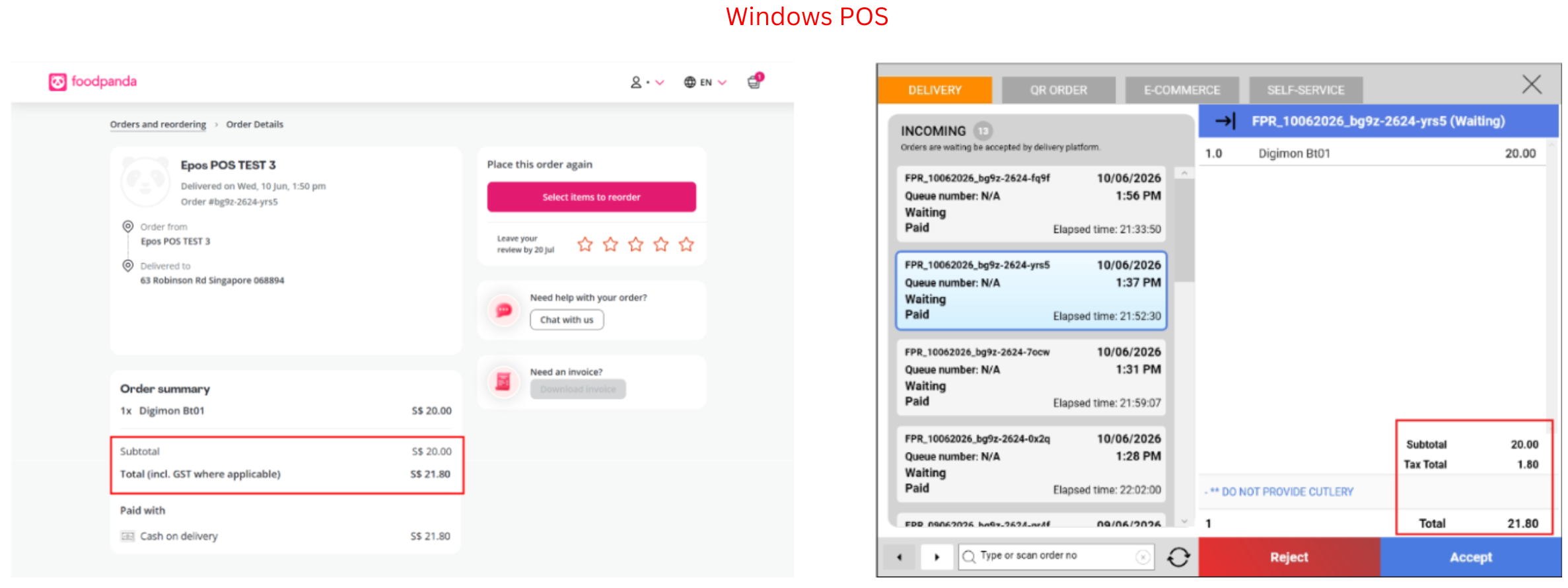
📌Merchants can now mark Foodpanda products as Tax Exclusive, and tax-exclusive order values consistent with the Foodpanda order data are automatically reflected on the POS and receipt.
❗️Users should ensure that configurations in the backend (product tax type, tax configuration mapping) and the Foodpanda store tax type are consistent
We have introduced a new endpoint for Stock Adjustment!
What’s New:
📌The new endpoint allows external inventory management systems to automatically increase or decrease stock quantities in EPOS without manual intervention.
Read up more on our API document.
We have refined the Create Order endpoint.
What’s New:
📌 Members who have their orders created via the public API can earn and redeem membership points.
Read up more on our API document.
How to Update
For POS related features, users will need to update the POS to the latest version, version v6.13.0.0.
For Backend related features, users are not required to perform any actions, the new features would automatically be updated.
Feedback
We value your input! If you encounter any issues or have suggestions for further improvements, please don’t hesitate to contact us.
Stay Connected
Stay updated with the latest news and updates by following us on our social platforms.
Thank You
We appreciate your continued trust in EPOS. This update is just one of many steps we’re taking to provide you with the best POS system on the market.
If you have any questions or need assistance with the update, please contact our support team at:
Call: 6871 8833 / Email: [email protected] / Whatsapp: 8482 1888