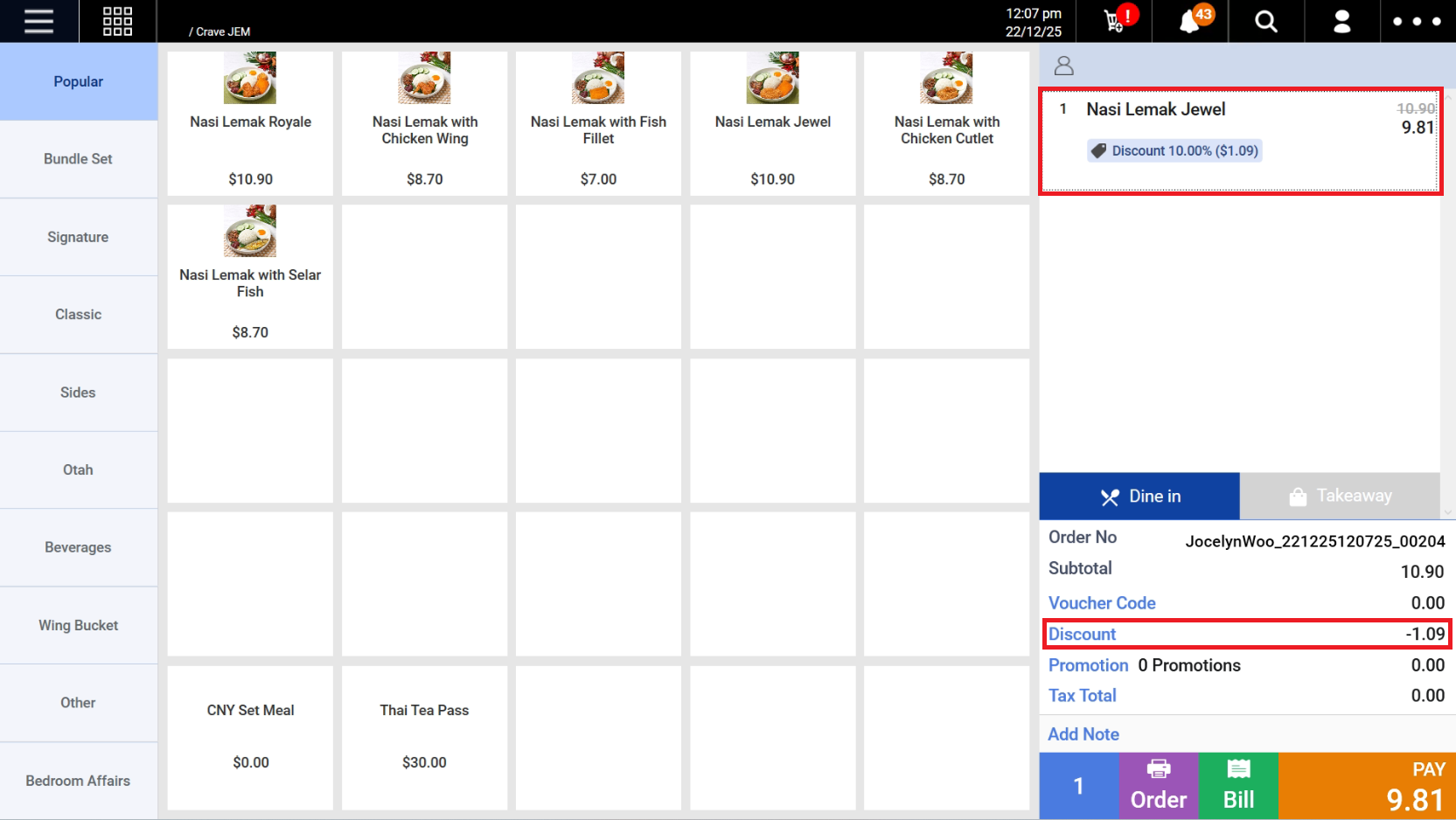
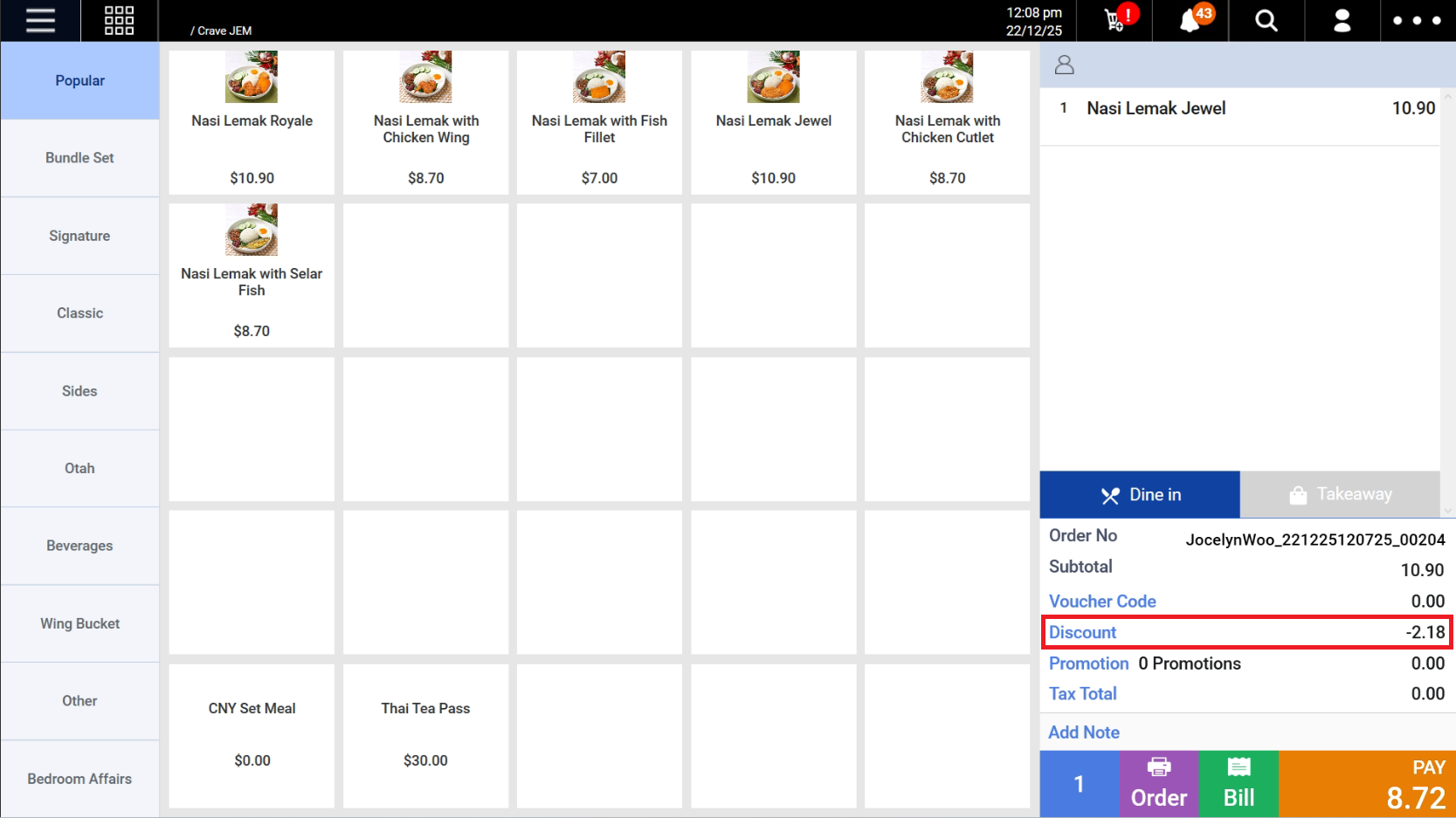
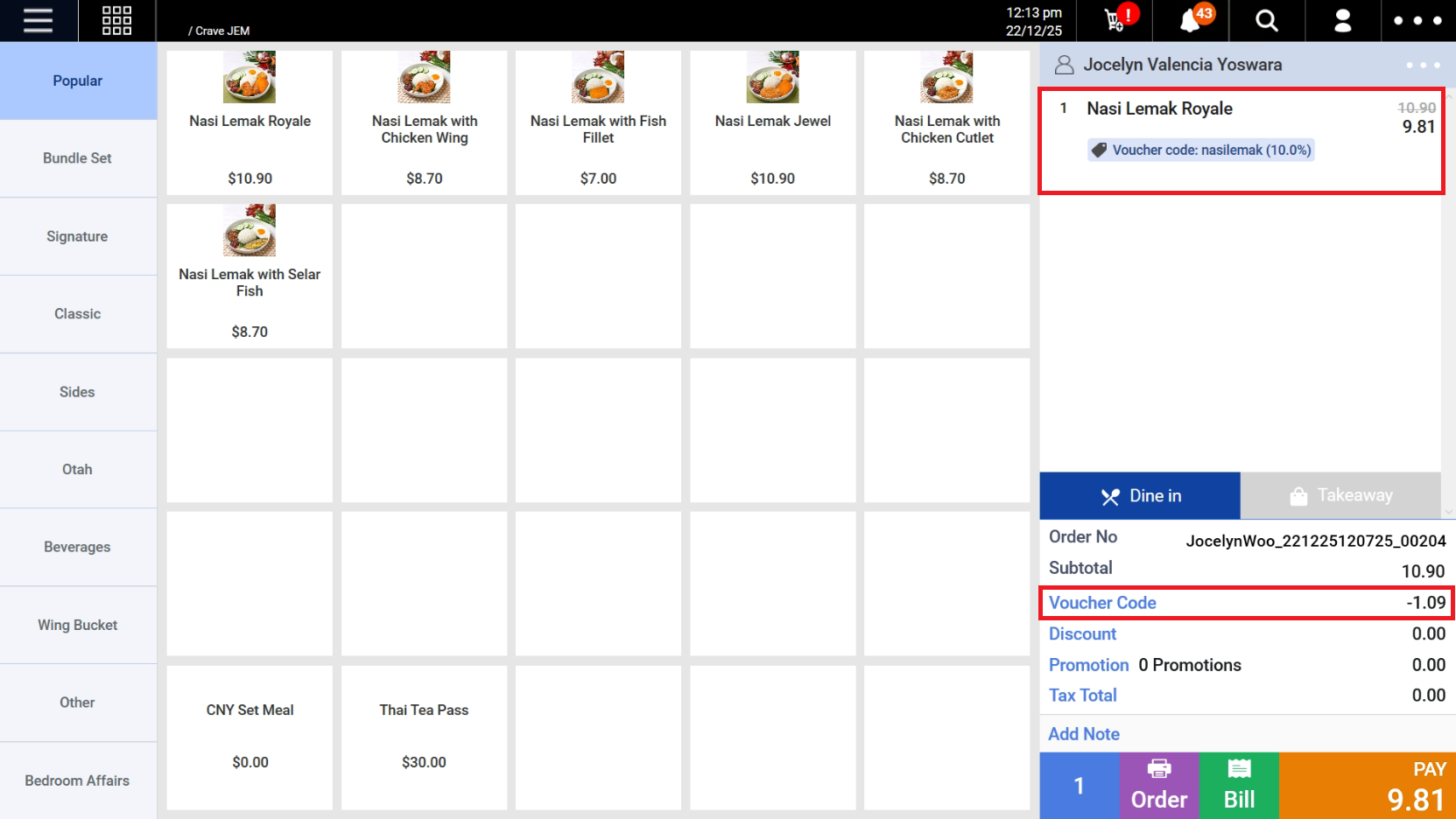
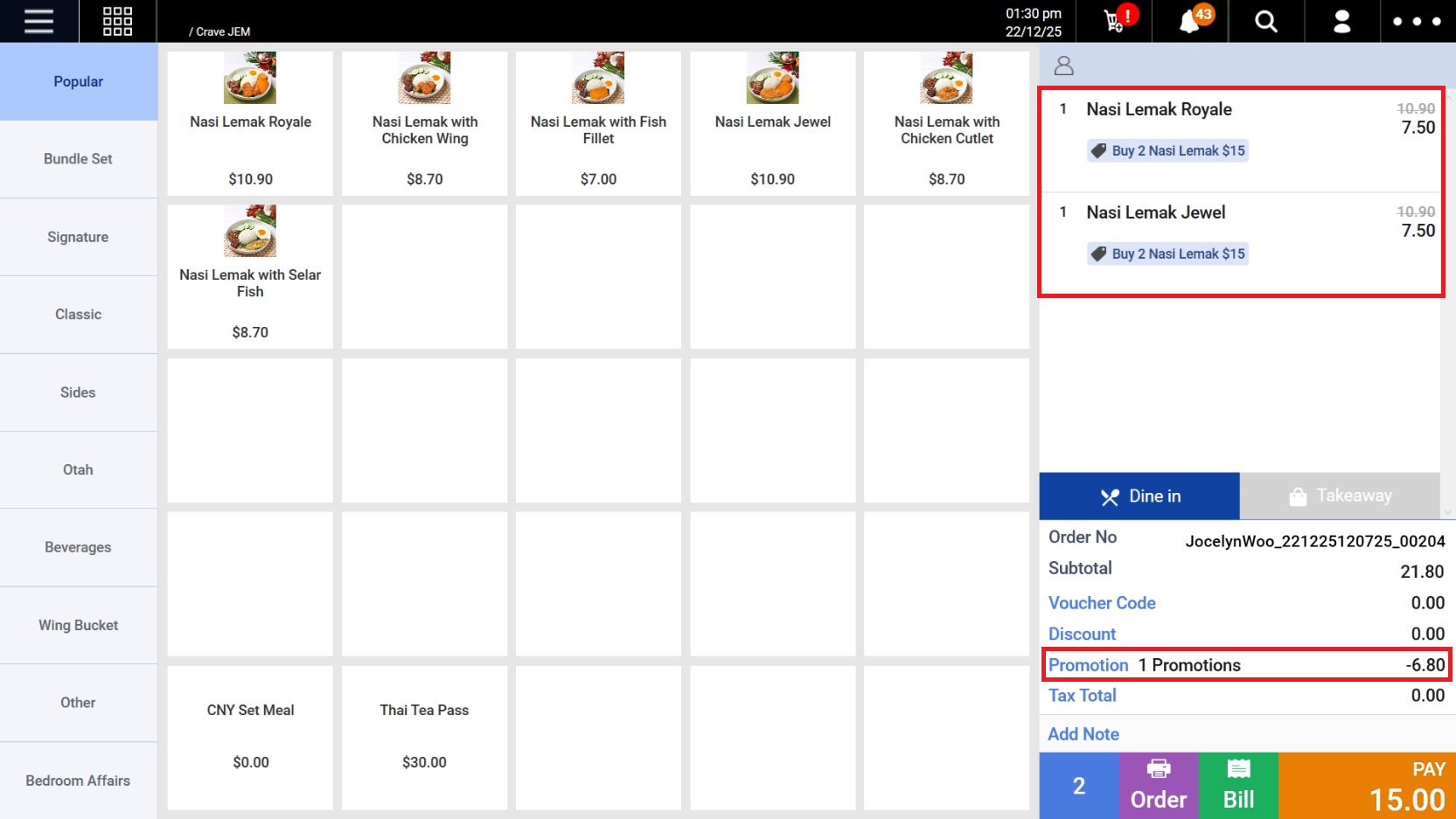
Manual Discounts are applied directly on the POS under Discount.
There are 2 types of manual discounts:
1. Item-level discount – Applied to individual items

2. Total-order discount – Applied to the entire order

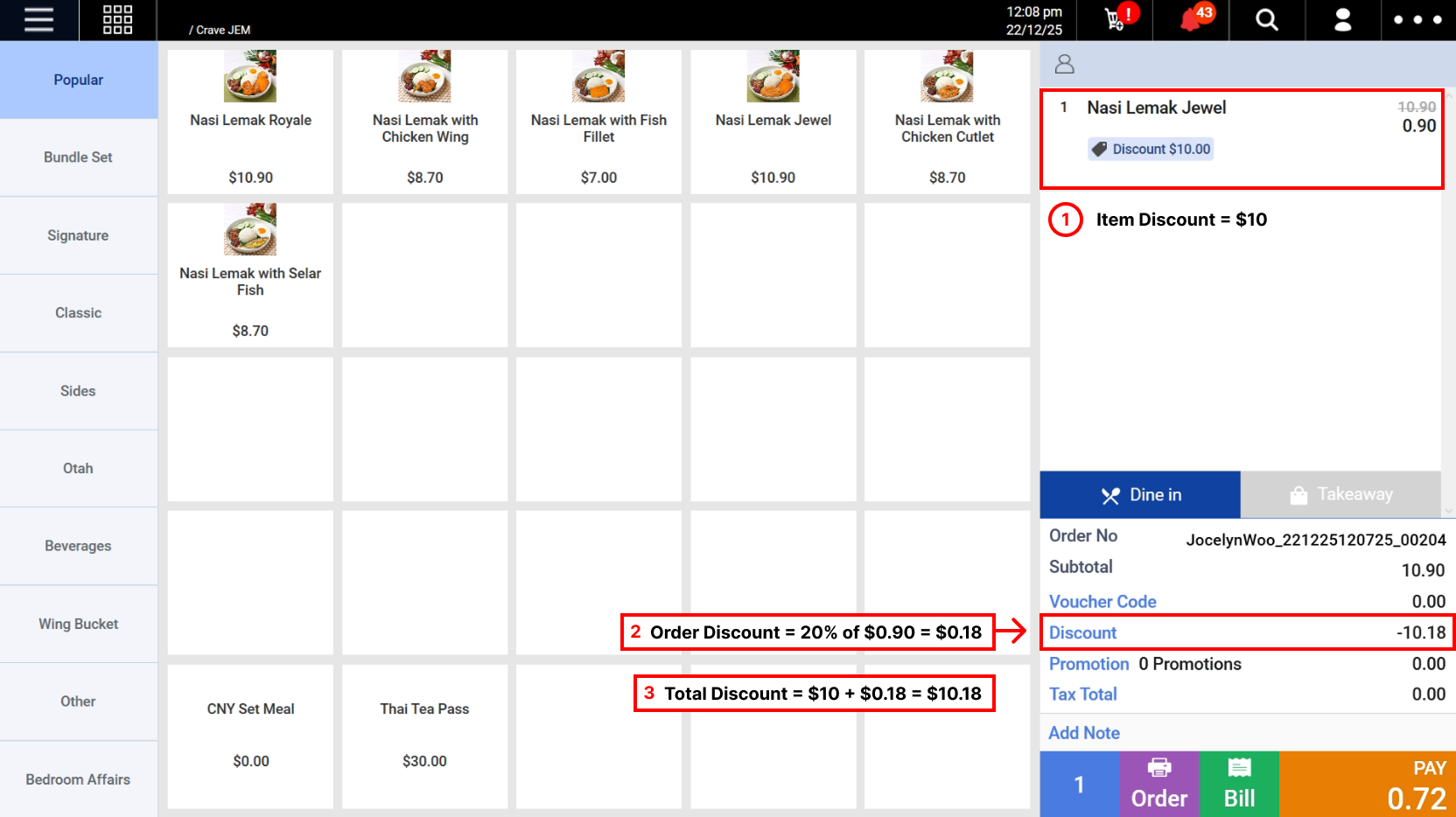
If both discounts are used:
- Item-level discounts are applied first
- Total-order discount is then calculated based on the already-discounted item prices

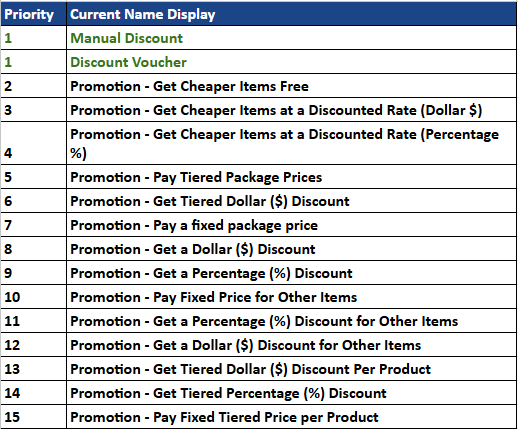
- Manual Discounts and Discount Vouchers have the highest priorities — whichever is applied last will override the initial one
- Manual Discounts will override Promotions
To view manual discount usage, refer to Apply Discount.
Discount Vouchers are:
- Created on the backend under Product > Vouchers
- Applied on the POS under Apply Voucher Code

- Discount Vouchers and Manual Discounts have the highest priorities — whichever is applied last will override the initial one
- Discount Vouchers will override Promotions
To view discount voucher creation, refer to Vouchers.
To view discount voucher usage, refer to Apply Voucher Codes.
Promotions are configured in the backend and applied automatically on the POS when the product conditions are met.

- Promotions have the lowest priority
- If a Manual Discount or Discount Voucher is applied, they will override any Promotions
To view promotion creation, refer to Promotions.
To view promotion usage, refer to Apply Promotion.